Frontend Dashboard Extra

Frontend Dashboard Extra
Description
Notice
This is an Add-on plugin of Frontend Dashboard, So please install Frontend Dashboard to use this plugin
Frontend Dashboard Extra WordPress plugin is a supportive plugin for Frontend Dashboard with supportive additional features likes extra Calendar for selecting date and time, Colors and File Upload for images.
Date and Time Calendar
Shows Date and Time Calendar with high customizations like changing the date format, selecting date range and multiple selection and time with 12 and 24 hours
Colors
Choosing color by variety of hexadecimal codes
File Upload
Image files can be uploaded for the registered users in the Frontend Dashboard.
Installation
- Upload the “frontend-dashboard-extra” directory to the plugins directory.
- Go to the plugins setting page and activate “Frontend Dashboard Extra”
- Go to Frontend Dashboard and add the Date, Color and File input fields
- Do save.
Screenshots
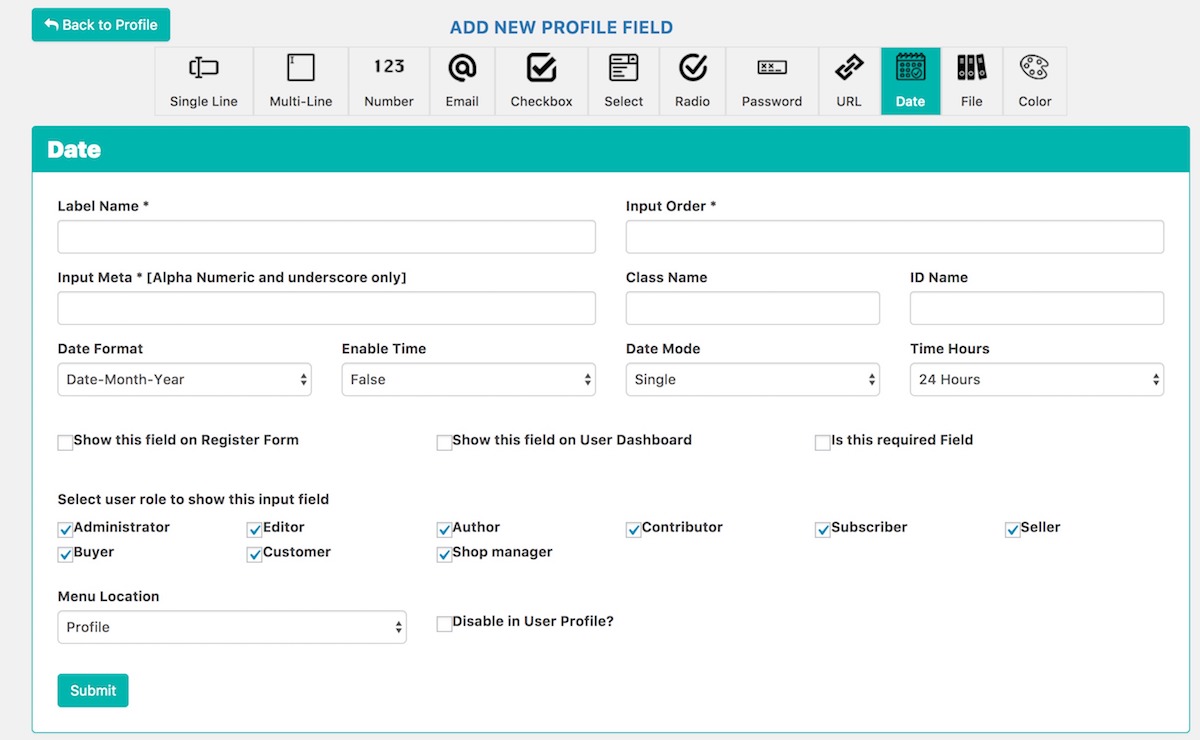
Date and Time

Color

File
Reviews
great tool
By 
this is great
Great plugin
By 
Great plugin
Changelog
1.6 [27-Feb-2024]
- Table field added (new)
1.5.10 [17-July-2020]
- Bug fixes
1.5.8 [18-Jun-2020]
- Features : Added new Label form field
1.5.5 [19-Apr-2019]
- Bug fixes
1.5.1 [12-Oct-2019]
- Support WP Editor (Beta)
1.5 [12-Oct-2019]
- Support Frontend Dashboard 1.5
v 1.3.3 [10-Jan-2018]
- Bug: Date Time – Time not showing.
v1.3.2 [03-Oct-2018]
- Bug fixes
v1.3.1 [24-January-2018]
- Bug fixes
v1.3 [20-December-2017]
- Bug: Uploading documents causing preview not found
v1.2.1 [14-December-2017]
- Not able to add the field due to nonce field
v1.2 [06-December-2017]
- Bug fixes
v1.1 [25-November-2017]
- Bug fixed
v1.0 [19-October-2017]
- Public release