Fusion64 Low Stock Alerts

Fusion64 Low Stock Alerts
Description
WooCommerce sends a separate email each time a single product drops to low stock, and those emails are easy to miss. Fusion64 Low Stock Alerts gives you one clear daily summary and a reorder list you can send to your supplier.
Features
- One daily email listing every low-stock and out-of-stock product and variation
- Choose who receives it and at what hour
- No email on days when nothing is low (optional)
- A reorder list under WooCommerce > Low Stock, sorted by stock level
- A suggested reorder quantity based on a “reorder up to” level you set
- CSV export for your supplier or spreadsheet
- A “Send digest now” button
- Uses the low stock amount set on each product, then your plugin threshold, then the WooCommerce default
- Compatible with WooCommerce High-Performance Order Storage (HPOS)
Installation
- Upload the plugin folder to
/wp-content/plugins/, or install it from the Plugins screen. - Activate the plugin. WooCommerce must be active.
- Go to WooCommerce > Low Stock to see the list and set up the daily email.
Only products with “Manage stock” turned on are checked.
Screenshots
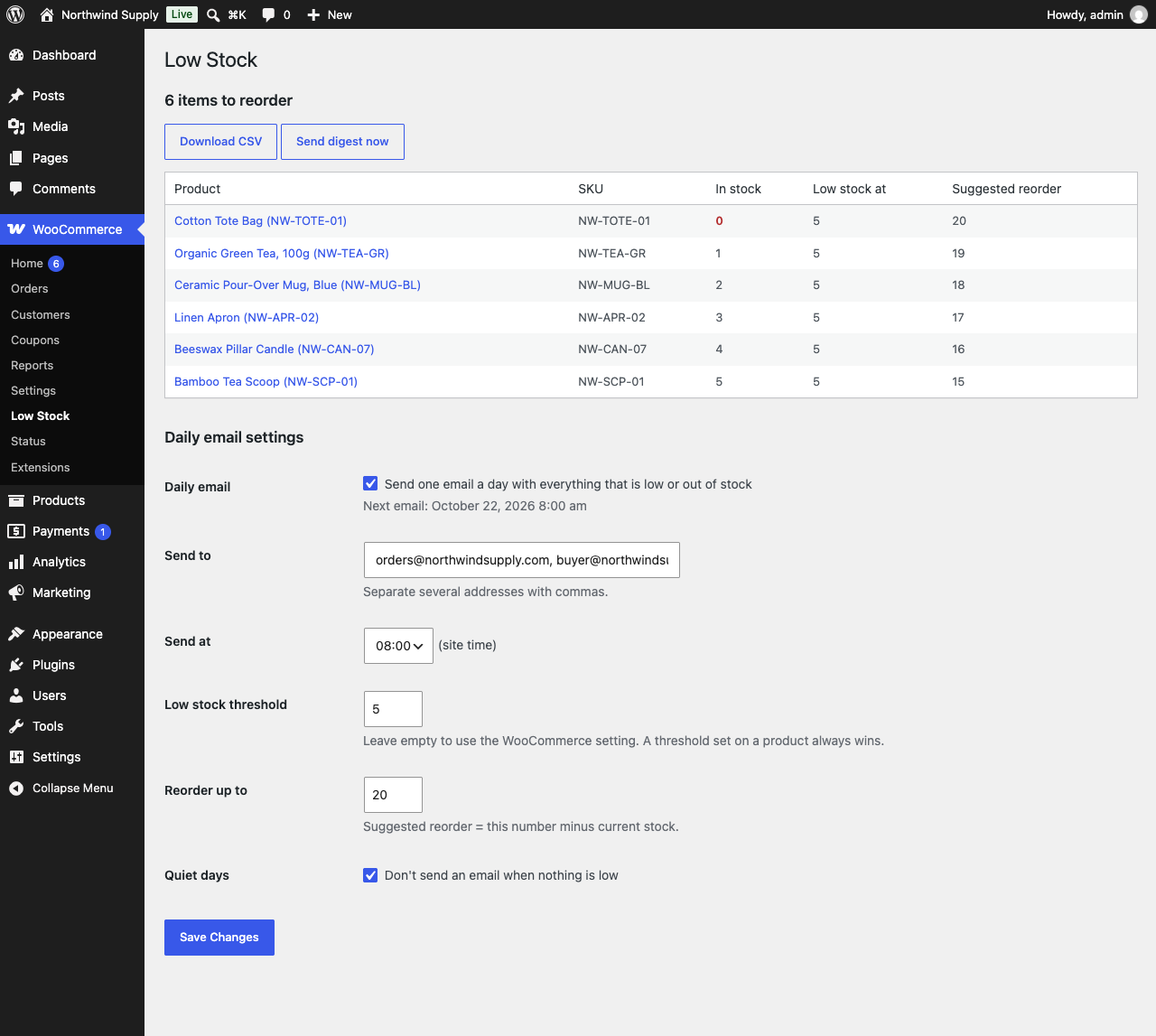
The reorder list under WooCommerce > Low Stock.
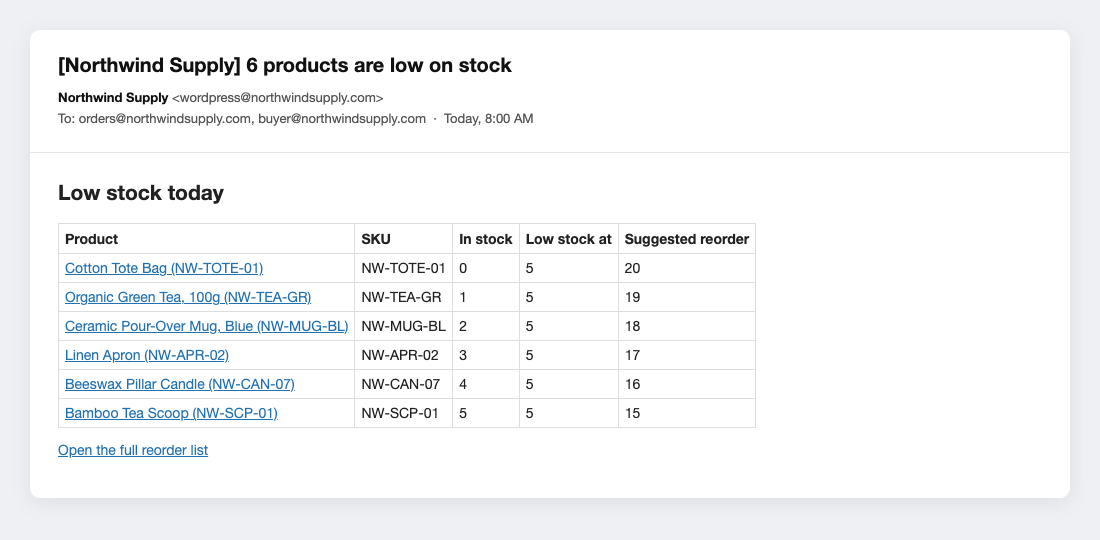
The daily email.
Faq
The email only goes out when at least one product is low on stock (unless you turn off “Quiet days”). WordPress also needs to be able to send email, so if other emails from your site don’t arrive, use an SMTP plugin. The daily schedule runs on WP-Cron, which runs when someone visits your site.
“Reorder up to” minus the current stock. For example, with “Reorder up to” set to 20 and 3 in stock, the suggestion is 17.
Reviews
Changelog
1.0.0
- First release.