Fy2Press Catalog for Shopify
Fy2Press Catalog for Shopify
Description
Fy2Press synchronizes Shopify products, collections and tags into native WordPress content with templates and indexable URLs. Shopify handles commerce and checkout.
Fy2Press includes:
- Product, collection and product-tag discovery and synchronization.
- Manual catalog synchronization and configurable catalog caching.
- SEO controls for products, collections and tags, WordPress or Shopify product canonicals, and Product schema from available data.
- 17 Gutenberg blocks with server-rendered editor previews.
- 27 public
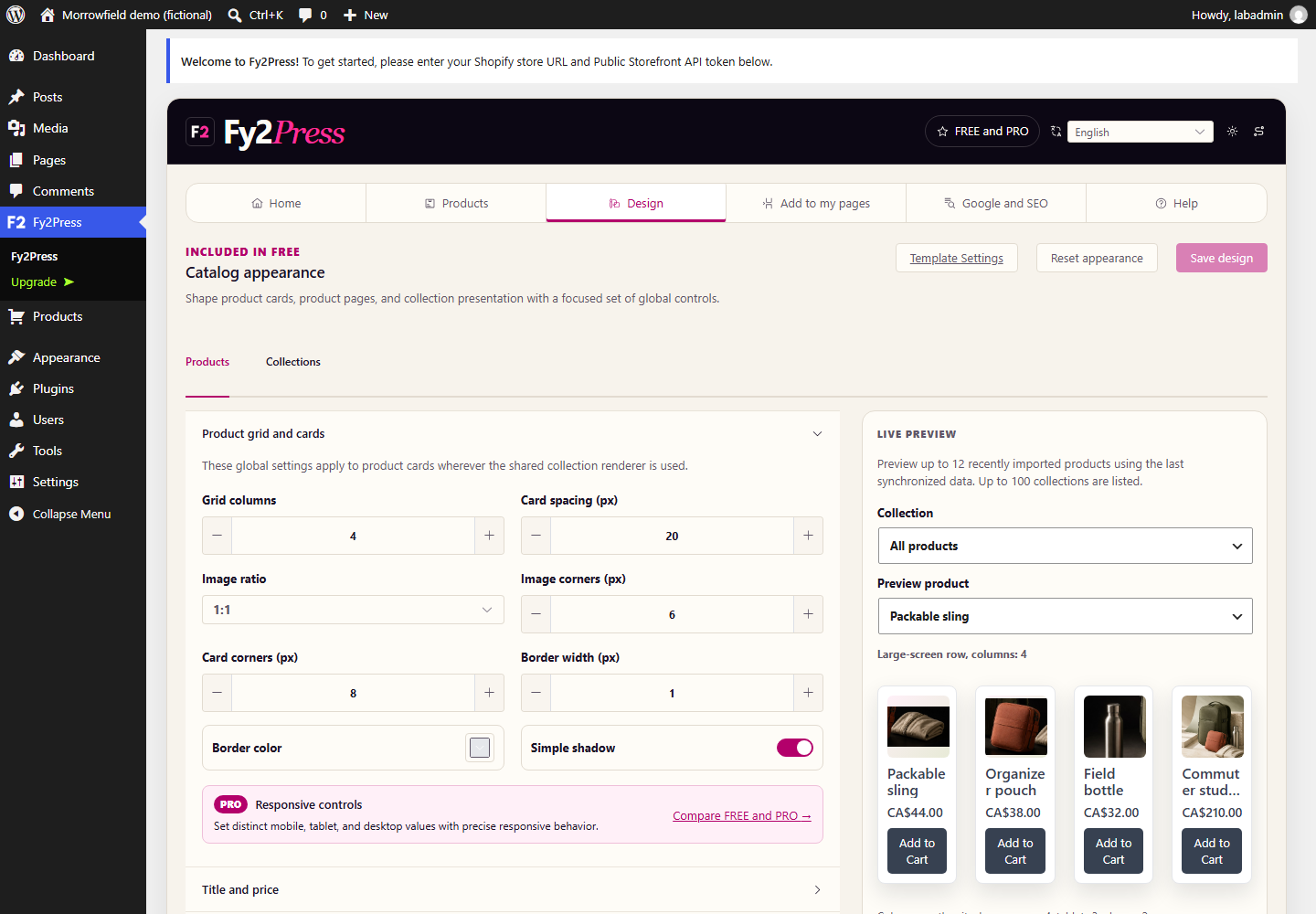
fy2press_*shortcodes for product, collection and filter components. - An always-available Design workspace with live previews for grids, spacing, images, typography, colors, buttons, visibility and simple filters.
- A localized administration interface in nine locales (eight languages).
PRO is a separate upgrade (see FAQ). FREE works without a paid license; its WordPress.org package contains no premium engine.
Fy2Press requires an existing Shopify store and a public Storefront API token. See Documentation.
Fy2Press is an independent product and is not affiliated with, endorsed by or sponsored by Shopify or WordPress.
External services
After configuration, Fy2Press sends HTTPS catalog/cart requests to the store’s *.myshopify.com Storefront API with its public Storefront API token, product/variant IDs, quantities and storefront context. Shopify handles checkout.
Product images keep the URLs returned by Shopify; visitors’ browsers load them from those locations on catalog pages.
Standard cart buttons collect no buyer email or phone; an integration may supply them to the cart-creation endpoint, and Fy2Press forwards them to Shopify as buyer identity only, never as telemetry or browser storage.
Cookies: fy2press_cart_ encrypts cart references (HttpOnly); script-readable fy2press_has_cart_ holds 1 to skip idle requests, with no ID, secret or authority. Both last seven days (SameSite=Lax, Secure on HTTPS). Shopify stores carts. Legacy shopipress_cart_id localStorage is migrated and removed. Checkout URLs require a checkout request. Prices use the primary Shopify market and returned currency.
Cart and design assets load with rendered Fy2Press content, including blocks and templates. The shopipress_global_cart filter enables site-wide cart access and assets.
Shopify handles this data under its Terms of Service and Privacy Policy. Fy2Press does not send usage telemetry or licensing requests to Pagup.
The Freemius WordPress SDK provides optional usage opt-in and PRO licensing, trials, secure downloads and updates. Opt-in or commercial flows send the site URL, WordPress/PHP/plugin versions, administrator account information and necessary licence/diagnostic data. The FREE functionality remains available when opt-in is skipped. See Freemius Terms and Privacy Policy.
Links to documentation and support at https://fy2press.com are ordinary external navigations initiated by the administrator. Fy2Press does not fetch documentation, fonts, scripts or styles there, or ping links. See privacy and security.
Source code
Source and locked build inputs for every minified asset built from Fy2Press code are included.
- The Vue administration source is in
admin-ui/src; its package manifest and pnpm lockfile are inadmin-ui. - The Gutenberg editor source is in
admin/page-builders/gutenberg/assets/js; its build script isadmin/page-builders/gutenberg/assets/build.mjs, with the npm manifest and lockfile at the plugin root. - The Composer manifest and lockfile needed to regenerate the committed autoloader are at the plugin root.
vendor/freemiusholds the Freemius WordPress SDK 2.13.4, third-party GPLv3 code distributed unmodified with its compiled scripts and styles from the official Freemius/wordpress-sdk repository.
In PowerShell: npm ci then npm run build:gutenberg (Gutenberg bundle); pnpm --dir .\admin-ui install --frozen-lockfile --config.auto-install-peers=false then pnpm --dir .\admin-ui run build (FREE administration bundle) and pnpm --dir .\admin-ui run check:bundles. The PRO package adds premium/admin-ui/src and pnpm --dir .\admin-ui run build:pro.
Installation
- Upload the ZIP under Plugins > Add New, or copy
fy2pressto/wp-content/plugins/. - Activate Fy2Press.
- Open its administration menu.
- Enter the store subdomain and a public Storefront API token. Never use a private token.
- Use Test Connection, then save after success.
- Open Products, discover the catalog, review and synchronize.
- Open Design to adjust presentation and preview it.
- Open Help for Gutenberg blocks and
fy2press_*shortcodes.
Screenshots
Home and setup in the approved FREE interface. This local Morrowfield demonstration is disconnected from Shopify.
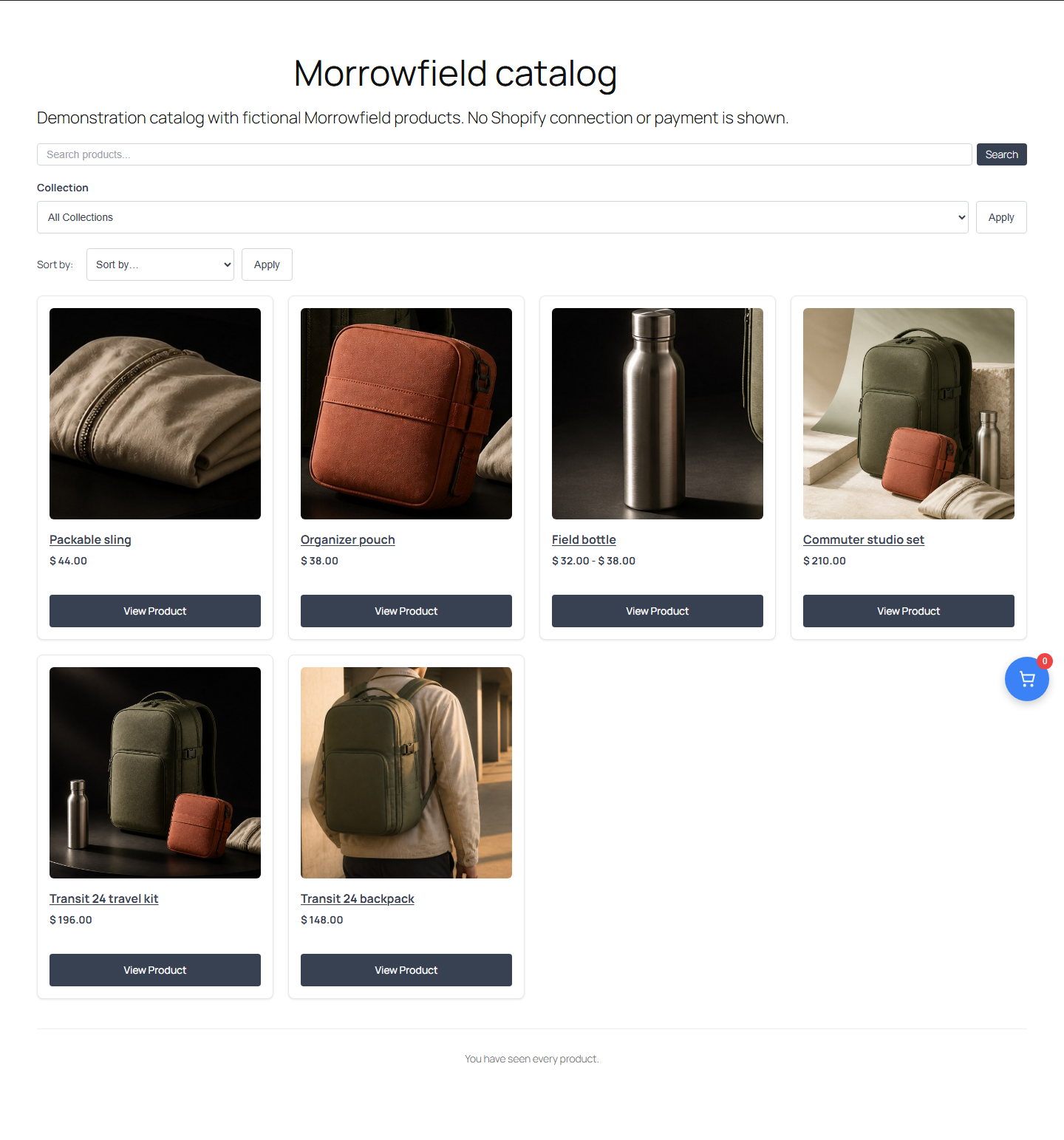
FREE catalog appearance controls with a fictional Morrowfield product loaded into local WordPress.
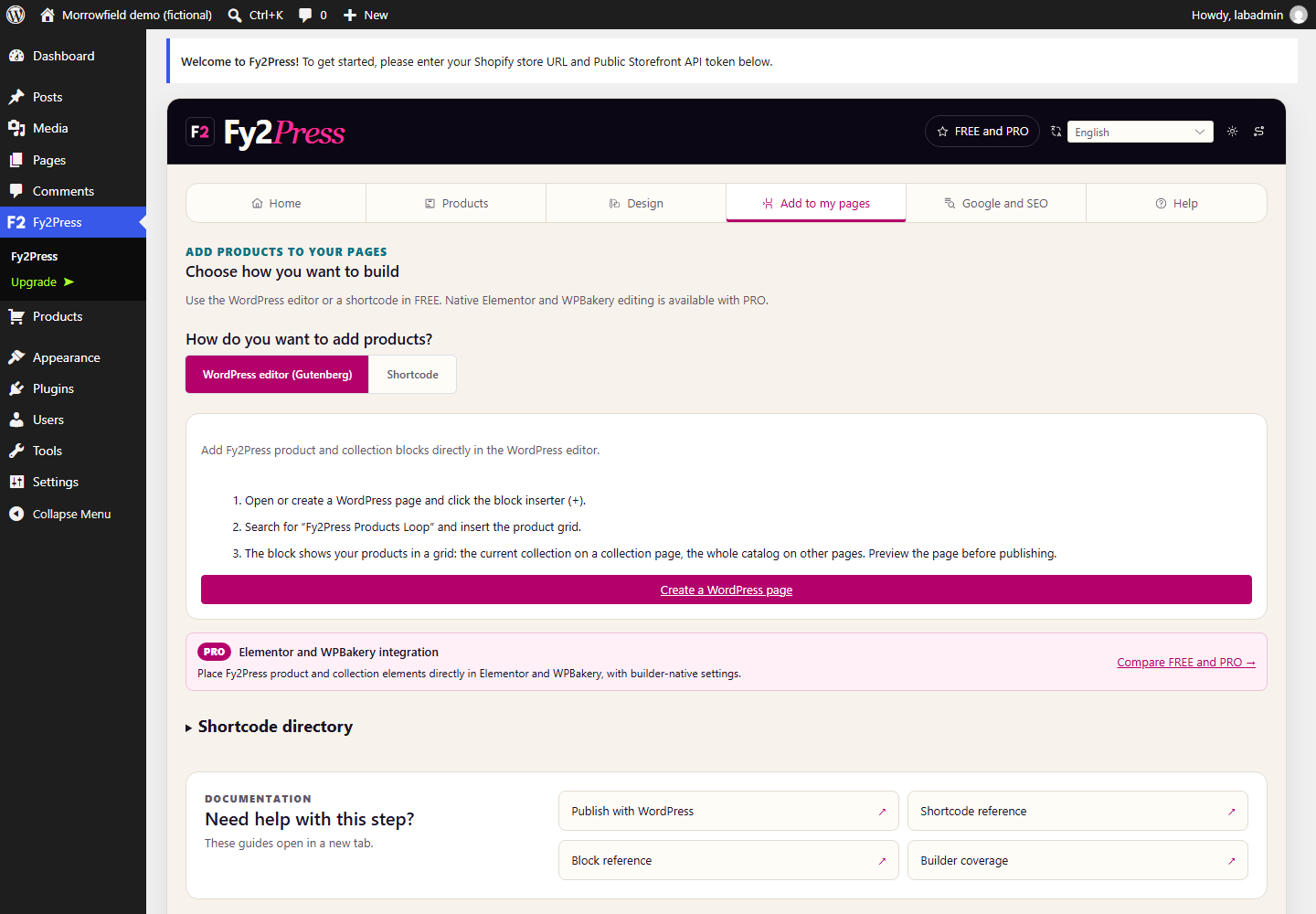
Add to my pages: the actual Gutenberg and public shortcode directory.
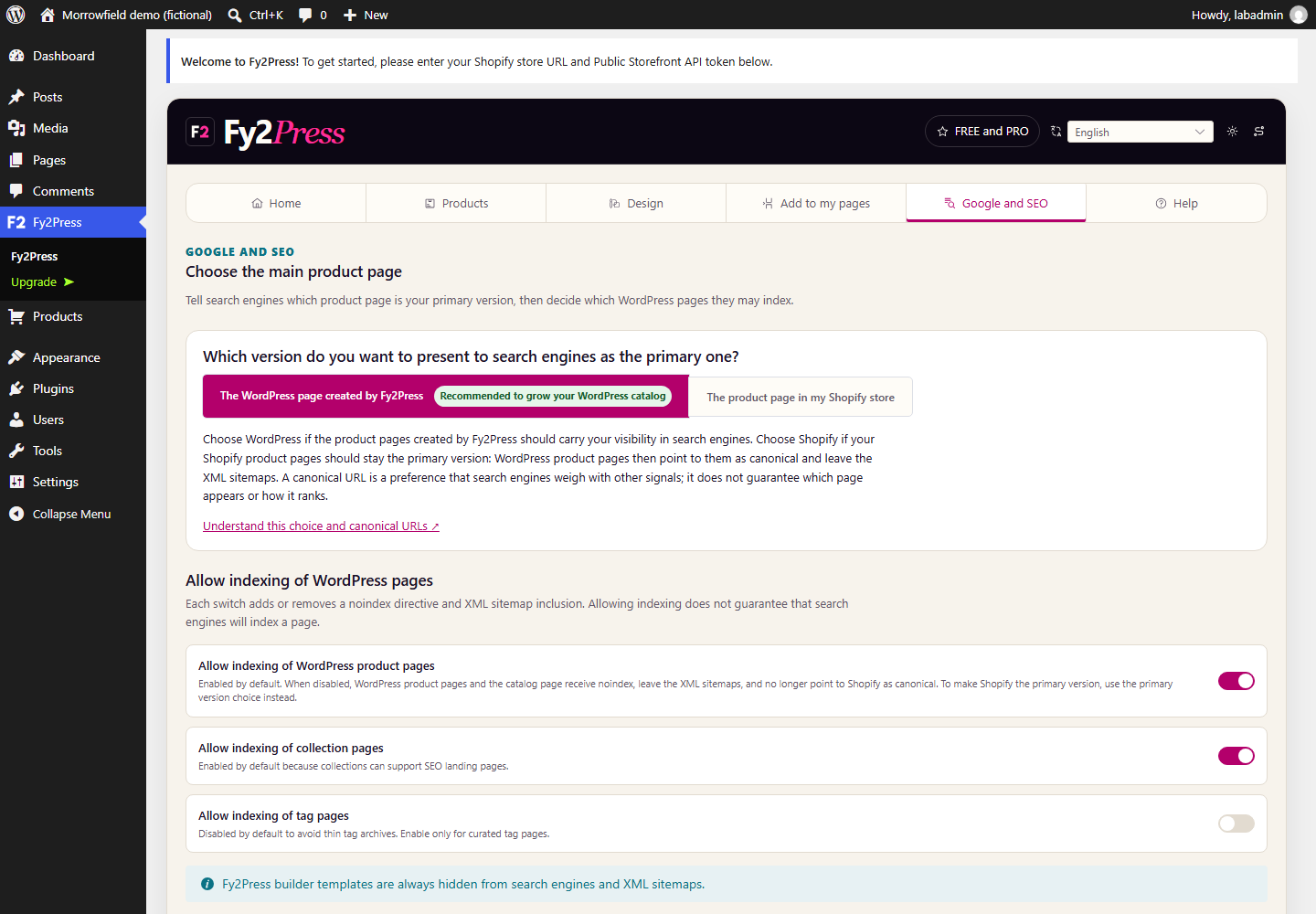
Google and SEO: canonical and indexing controls, with no ranking guarantee.
Help and shortcode documentation in the FREE interface.
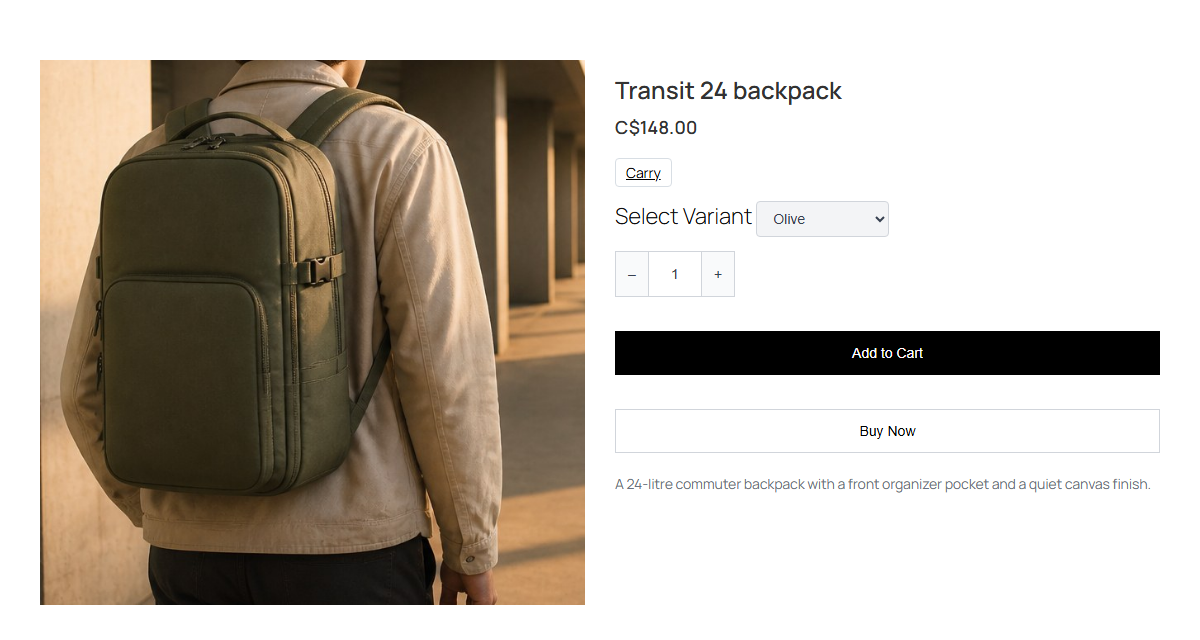
A real WordPress rendering of a fictional Morrowfield product. Variants and quantity are shown; Shopify checkout is not demonstrated.
Faq
No. WordPress renders the catalog and cart; payment takes place on Shopify.
Use only a public Storefront API token for your store, never a private token.
Product posts, collection terms and product-tag terms from the configured Shopify catalog.
Yes. Choose WordPress or Shopify product canonicals in the SEO settings.
FREE includes one product design and one collection design with live previews. PRO adds multiple templates, mobile/tablet/desktop settings, component controls, custom CSS, Elementor widgets, WPBakery elements and scheduled synchronization.
Theme titles (.entry-title, .post-title, .page-title, .wp-block-post-title) and featured images (.post-thumbnail, img.wp-post-image, .wp-block-post-featured-image) are hidden outside .shopipress-template-content; other classes need scoped CSS and mobile tests. Post title, image and date data stay intact.
In block themes, a template for Fy2Press content with Fy2Press blocks or shortcodes, even through a template part other than the header or footer, or blocks through a pattern, renders unchanged; otherwise the Fy2Press view fills its main region. Without one, pages use the theme’s header and footer parts, not the template’s own header or a sidebar.
Shortcodes expand in Shortcode, Paragraph, Heading and Classic blocks, nested ones too, not in dynamic output or data bindings; for lists, quotes, tables or other blocks, use a Shortcode block.
No maximum catalog size is qualified. PHP memory and cache limits may constrain large catalogs. Test on staging; incomplete discovery does not replace the accepted snapshot.
Not in FREE: you start catalog synchronization from the plugin. PRO can also run it on a WordPress cron schedule, off by default. Without an active PRO license it returns to manual; the saved schedule is kept.
Catalog, cart creation, mutations and legacy cart migration use IP quotas (account when logged in); authenticated cart reads and checkout use session quotas. Allowlist proxy IPs/CIDRs via shopipress_rate_limit_trusted_proxies. Only trusted proxies supply CF-Connecting-IP or X-Real-IP, never X-Forwarded-For.
Yes. Two first-party cookies retain the cart: an encrypted, authenticated Shopify reference (HttpOnly) and a script-readable 1 flag, with no ID or secret. Both last seven days (SameSite=Lax, Secure on HTTPS). Clearing/blocking may break cart continuity; Shopify availability is not guaranteed.
Describe cookies and Shopify exchanges in your privacy notice. The WordPress Privacy Policy Guide suggests wording. Freemius opt-in does not affect cart cookies.
No. It uses its own catalog content and Shopify services.
The main catalog and its filters, tag pages, tag filters and search use the synchronized WordPress catalog, including saved price and availability values, as do collection pages without a Storefront token. Synchronize again to refresh these values.
Shopify remains the source of synchronized fields. A later synchronization can reapply titles and slugs. Review publication settings and test editorial changes on staging.
With Delete Settings on Uninstall on, Fy2Press settings and caches, not synchronized content, are removed only if an administrator deactivates, then deletes the plugin. With WP-CLI, run wp plugin uninstall fy2press --deactivate --user=<administrator>.
Reviews
Changelog
1.0.0
- Connect an existing Shopify store through the Storefront API with a public token.
- Synchronize products, collections and product tags into native WordPress product posts and terms, manually and in resumable batches.
- Publish with 17 Gutenberg blocks and 27 public
fy2press_*shortcodes. - Adjust the included product and collection design with live previews.
- Control indexing, product canonical URLs and Product structured data.
- Keep the cart and checkout on Shopify.
- Use the localized administration interface in nine locales (eight languages) and open the localized public documentation.