GD bbPress Tools
GD bbPress Tools
Description
Adds various expansions and tools to the bbPress plugin implemented forums. Currently, included features:
- Quote Reply or Topic
- Change allowed HTML tags and attributes
- User signature with BBCode and HTML support
- Signature field in BuddyPress profile edit
- Toolbar menu integration
- BBCode shortcodes with 30 BBCodes
- Limit bbPress admin side access
- Tweak: Disable bbPress breadcrumbs
- Tweak: Topic tags field in reply form for author only
- Tweak: Show lead topic
- Tweak: Show search form for all forums and topics
- Tweak: Disable ‘private’ title prefix
- Topics View: Topics with most replies
- Topics View: Latest Topics
- Topics View: Topics by freshness
bbPress Plugin Versions
GD bbPress Tools 3.5.3 supports bbPress 2.6.2 or newer. Older bbPress versions are no longer supported!
More free dev4Press.com plugins for bbPress
- GD Forum Manager – quick and bulk forums and topics edit
- GD Members Directory – show filterable list of all forum members
- GD Power Search – add advanced search to the bbPress topics
- GD bbPress Attachments – attachments for topics and replies
- GD Topic Polls – add polls to the bbPress topics
Upgrade to GD bbPress Toolbox Pro
The Pro version contains many more great features:
- Enhanced attachments features
- Limit file types attachments upload
- Add custom file types for upload
- BBCodes editor toolbar
- Report topics and replies
- Say thanks to forum members
- Query Performance Booster
- Various SEO features
- Various privacy features
- Enable TinyMCE editor
- Private topics and replies
- Auto closing of inactive topics
- Notification email control
- Show user stats in topics and replies
- Track new and unread topics
- Mute Forums and Users
- Great new responsive admin UI
- Setup Wizard
- Forum based settings overrides
- Improved BuddyPress support
- 40 BBCodes (including Hide and Spoiler)
- 19 more Topics Views
- 9 additional widgets
- Many great tweaks
- And much, much more
With more features on the roadmap exclusively for Pro version.
- More information about GD bbPress Toolbox Pro
- More Premium plugins for bbPress bbPress Plugins Club
Installation
General Requirements
- PHP: 8.0 or newer
WordPress Requirements
- WordPress: 6.2 or newer
bbPress Requirements
- bbPress Plugin: 2.6.2 or newer
Basic Installation
- Plugin folder in the WordPress plugins folder must be
gd-bbpress-tools - Upload folder
gd-bbpress-toolsto the/wp-content/plugins/directory - Activate the plugin through the ‘Plugins’ menu in WordPress
Screenshots
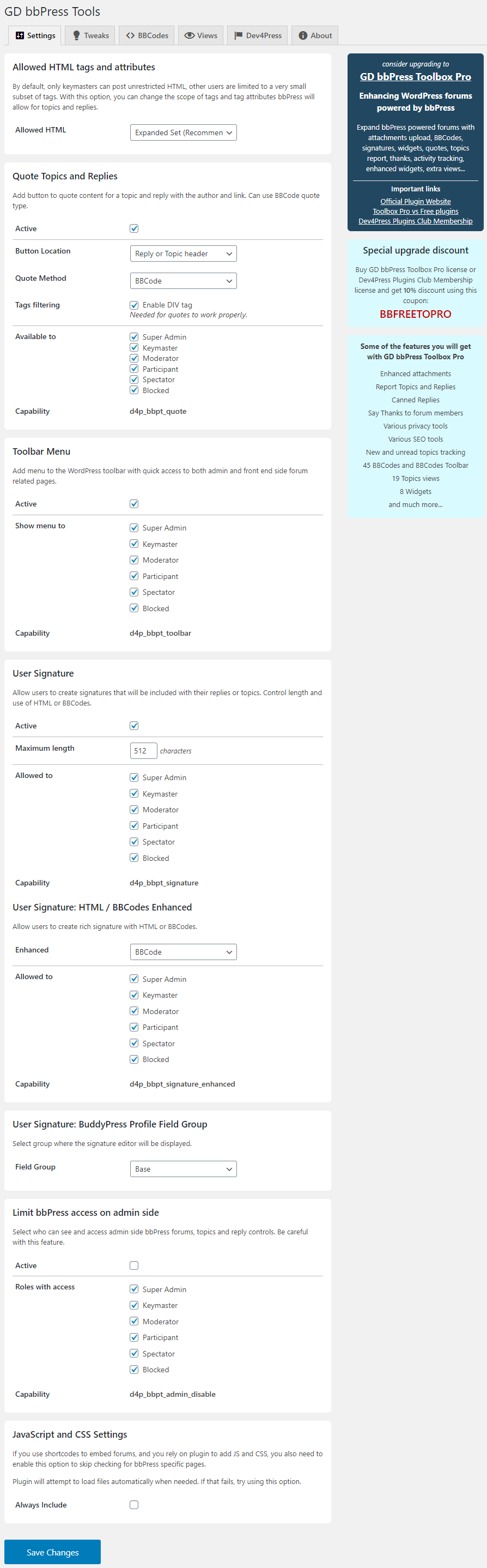
Main settings panel
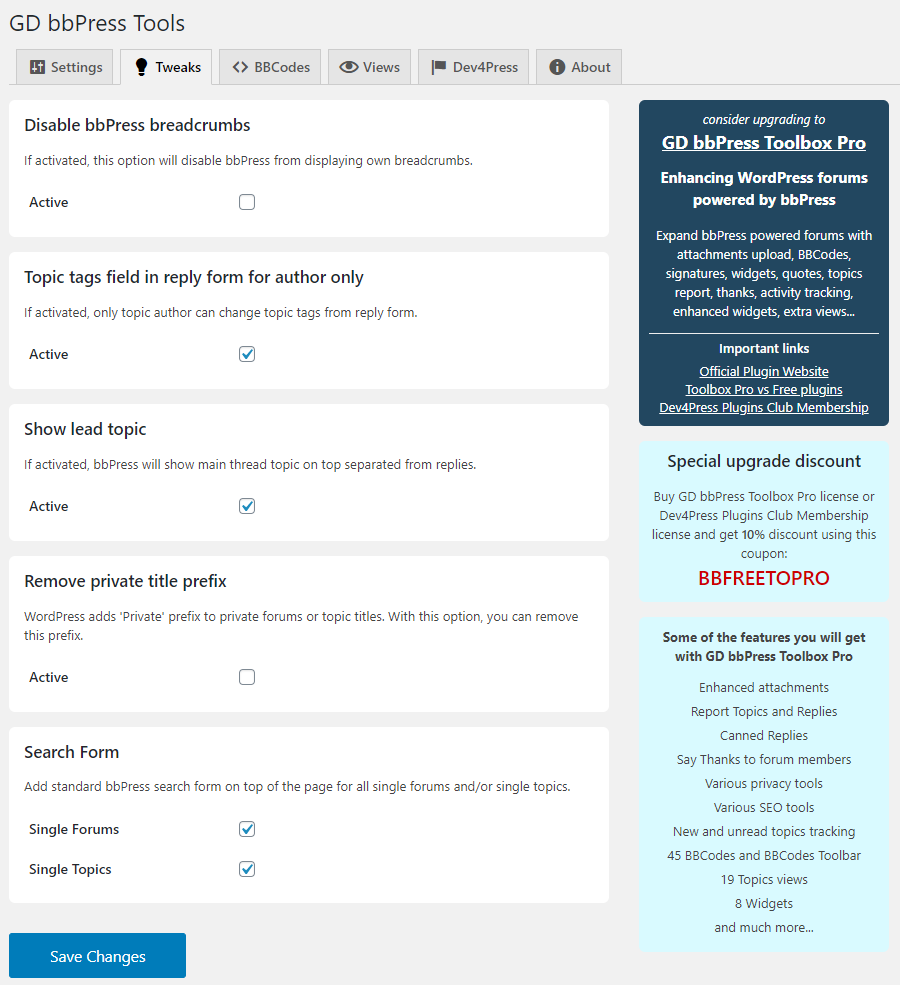
Tweaks panel
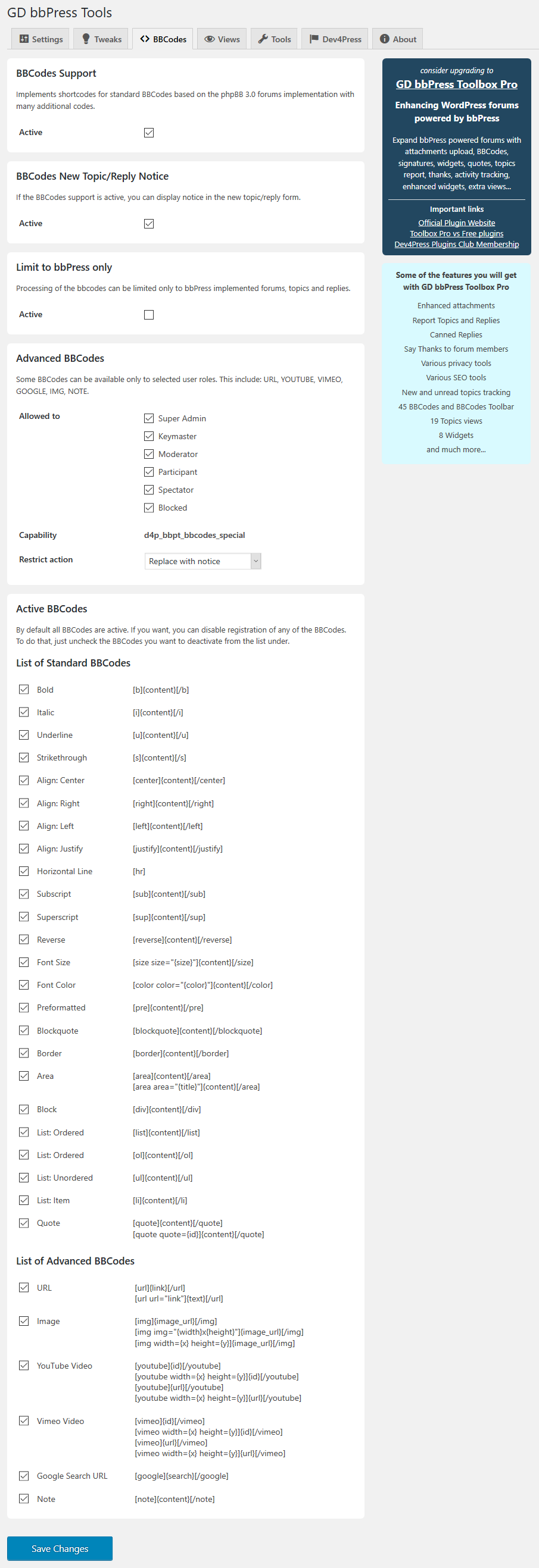
BBCodes panel
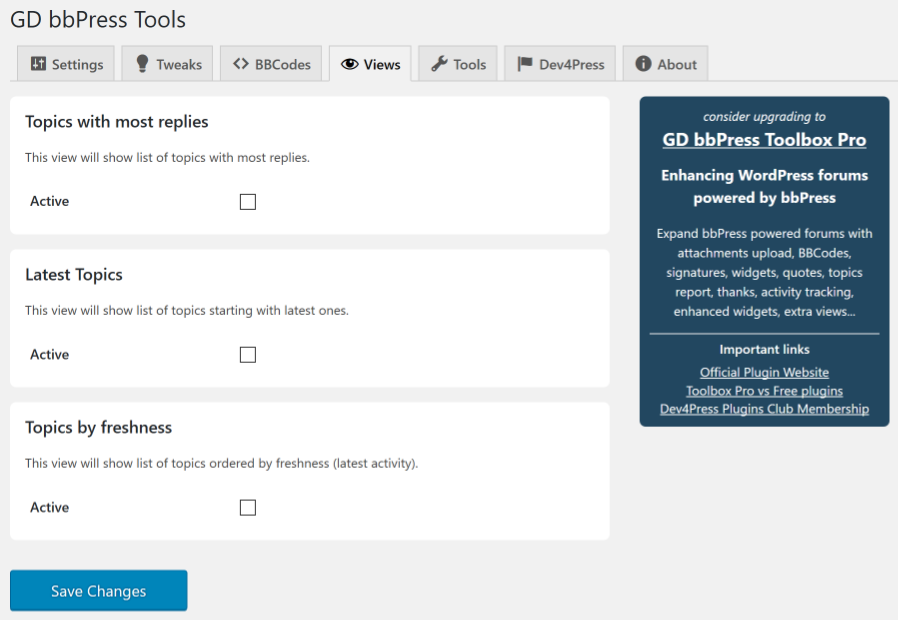
Topics Views panel
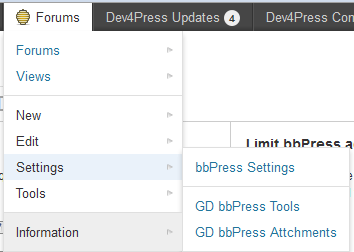
Toolbar bbPress forums menu
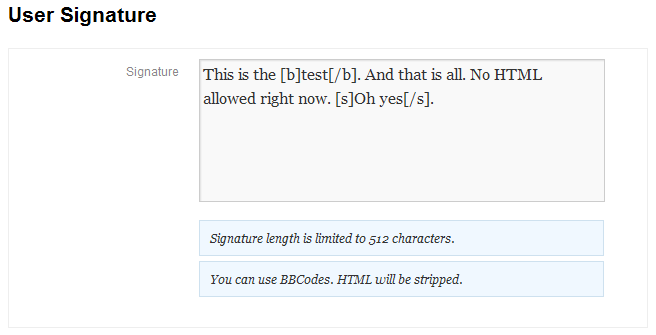
Setting up signature
Faq
Open the Forums menu, and you will see Tools item there. This will open a panel with global plugin settings.
No. This plugin requires the plugin versions of bbPress 2.6.2 or higher.
This happens if the plugin’s JavaScript is not loaded. Make sure that both CSS and JavaScript options are enabled. If that doesn’t help, make sure to enable ‘Always Include’ option too.
The quote itself doesn’t strip HTML, but bbPress does. If the quoted section contains HTML tags or tag attributes that bbPress doesn’t allow, it will strip them when the reply is saved. To solve that, you need to use the option to control allowed HTML tags in topics and replies.
This happens if the plugin’s JavaScript is not loaded. Make sure that both CSS and JavaScript options are enabled and ‘Always Include’ option is also enabled.
GD bbPress Tools 3.1 is tested with BuddyPress 6.0 using bbPress for Groups forums. Make sure you enable JavaScript and CSS Settings Always Include option in the plugin settings.
The problem is caused by the Italic BBCode due to the conflict with the Underscore templates system BuddyPress uses. You can disable Italic BBCode, or you can limit BBCodes to the bbPress content only (highly recommended).
This happens because quoting can only take rendered HTML as is, and when saved, bbPress will remove some HTML elements based on the user role. GD bbPress Toolbox Pro plugin includes additional features that expand the allowed HTML elements for all roles, and that solves this quote problem.
Reviews
A Must Have Plugin for Sites with bbPress
By 
I am revising my review to 5/5 stars after the developer updated the plugin to address security issues. This is an excellent plugin that I consider a must-have for every site that runs bbPress.
Kudos to the developer for addressing the security issue and for making this free.
Vendor is not responsive.
By 
They changed their licensing policy and said that I needed to buy a new license by 7/31, but the page to do that gives a critical error. I have reported the problem but have not gotten a response.
Update - they actually did respond and fixed the problem so I could renew. Rating changed to account for that.
A lot of issues
By 
This plugin has a lot of issues and incompatibilities.
It easily breaks your forum
Works fine for more than a decade!
By 
Great support by the editor for a long time. Thanks!
Critical bugs and no response from support
By 
Great plugin for BBPress
By 
Bait and Switch
By 
No point in the free version; just a bait and switch for the paid version.
Excellent
By 
Excellent! Would be nice if a quote action jumps to the reply form though!
After installing was locked out of admin account
By 
Not sure if this plugin had anything to do with the lock-out (suspect it was a combo of form autofill and bbpress's all in one profile page) but trying to reset the password wasn't possible until I deleted all this plugin's folders. I got a "Could not save password reset key to database." message when trying to retrieve the password.
Ouch.
Highly satisfied with pro version
By 
Plugin works well and good support from author when in doubt.
Changelog
4.0.1 (2026.05.24)
- Fix: using the wrong constant to load the template
4.0 (2026.04.21)
- New: system requirements: PHP 8.0 or newer
- New: system requirements: WordPress 6.2 or newer
- Edit: various security-related updates and improvements
- Edit: improvements to the main JavaScript code
- Fix: XSS vulnerability related to BBCodes processing
- Fix: the issue with Quote object initialization
3.5.3 (2024.08.19)
- Edit: updated links to the Dev4Press website
- Edit: various PHP code changes and improvements
- Fix: fatal error on one of the admin panel tabs
3.5.2 (2024.05.15)
- Edit: few more tweaks to the main JavaScript code
- Fix: problems with the Quote not working with TinyMCE editor
3.5.1 (2024.05.14)
- Edit: few more tweaks to the main JavaScript code
- Edit: various small updates to readme file
- Fix: missing semicolon in the JavaScript code
3.5 (2024.04.28)
- New: directive
Requires Pluginadded into main plugin file - New: System requirements: PHP 7.4 or newer
- New: System requirements: WordPress 5.8 or newer
- New: plugin fully tested with WordPress up to 6.5
- New: plugin fully tested with PHP 8.3
- Updated: code style and translation formatting
- Updated: main plugin JavaScript library
Full changelog: GD bbPress Tools Changelog