Cookie Banner for GDPR / CCPA – WPLP Cookie Consent
Cookie Banner for GDPR / CCPA – WPLP Cookie Consent
Description
WPLP Cookie Consent helps WordPress website owners display cookie consent banners, manage user preferences, and control third-party scripts in line with major privacy regulations such as GDPR, CCPA/CPRA, ePrivacy, LGPD, POPIA, PIPEDA, and similar frameworks.
The plugin is designed to be easy to configure while offering the controls needed to understand and manage cookies used on your website.
Customizable Cookie Consent Banner
You can configure the cookie banner to match your website’s design and consent requirements.
Available options include:
-
Multiple banner layouts and positions
-
Customizable text, colors, and button labels
-
Category-based consent for analytics, marketing, and functional cookies
-
Optional explicit accept or reject actions
-
Display banners based on visitor location where applicable
🔗Learn More About WPLP Cookie Consent
Cookie Scanning and Detection
WPLP Cookie Consent includes a built-in cookie scanner that detects cookies and third-party services used on your website.
The scanner helps you:
-
Identify cookies and scripts added by common service
-
Group cookies by category for clearer disclosure
-
Keep cookie information updated as your site changes
Detected cookie details can be used to inform your cookie policy and consent configuration.
Automatic Script and Content Blocking
The plugin can prevent certain third-party scripts from loading until user consent is provided.
This includes commonly used services such as:
-
Analytics tools
-
Advertising and marketing scripts
-
Embedded media and social content
Script blocking works with scripts added directly, through plugins, or via tag managers. Support for Google Consent Mode v2 is included, allowing Google services to adjust behavior based on consent signals.
Smart Embed Control
Third-party content such as videos, maps, or social embeds can be blocked until consent is given.
When content is blocked:
-
Placeholders are displayed instead of loading external resources
-
Visitors can choose to enable content by providing consent
-
Placeholder behavior can be configured from the admin area
Consent Records
The plugin can store consent-related information such as:
-
Consent status by category
-
Date and time of interaction
These records are stored on your website and can be used for reference or internal review purposes.
Supported Privacy Regulations
WPLP Cookie Consent is built to support a wide range of privacy and data protection regulations, including:
-
GDPR and ePrivacy Directive (European Union)
-
CCPA and CPRA (United States)
-
LGPD (Brazil)
-
POPIA (South Africa)
-
PIPEDA (Canada)
-
UK GDPR and related frameworks
Setup and Compatibility
-
Guided setup to help configure basic consent settings
-
Compatible with popular themes and page builders
-
Works with WooCommerce, Google Tag Manager, and commonly used plugins
-
Translation-ready and compatible with multilingual plugins
Support & Documentation
Documentation and setup guides are available to help configure the plugin.
For questions related to features or compatibility, you can contact the WPLP Legal Pages support team.
Part of the WPLP Compliance Platform
WPLP Cookie Consent integrates with the WPLP Compliance Platform to support broader privacy management workflows, including cookie policy generation and legal page management.
Additional features are available in premium plans. Details about available plans and features can be found on the pricing page.
Disclaimer
This plugin provides tools to help manage cookie consent and related settings. It does not guarantee compliance with any specific law or regulation. Website owners are responsible for ensuring their sites meet applicable legal requirements.
Screenshots
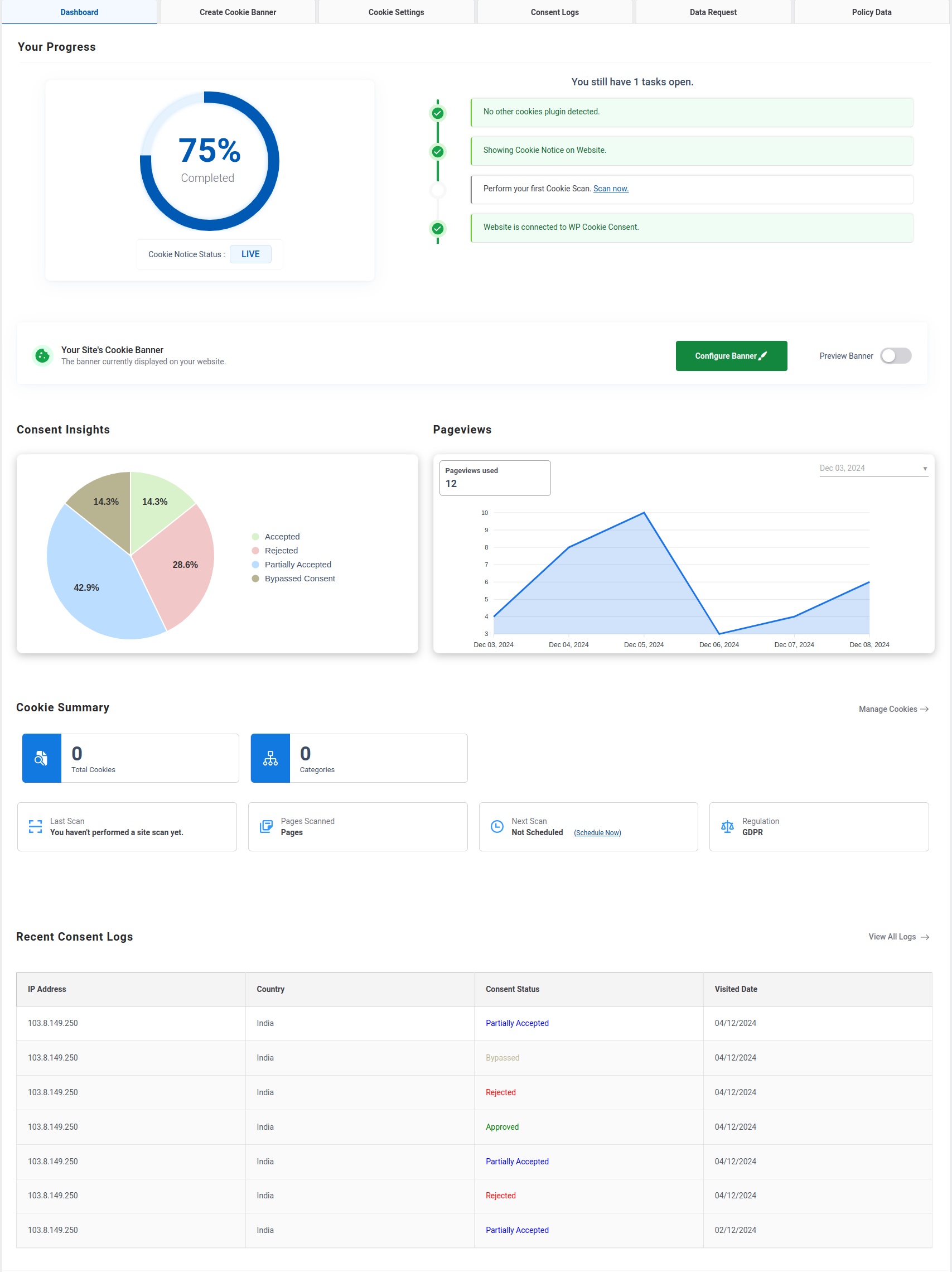
Dashboard
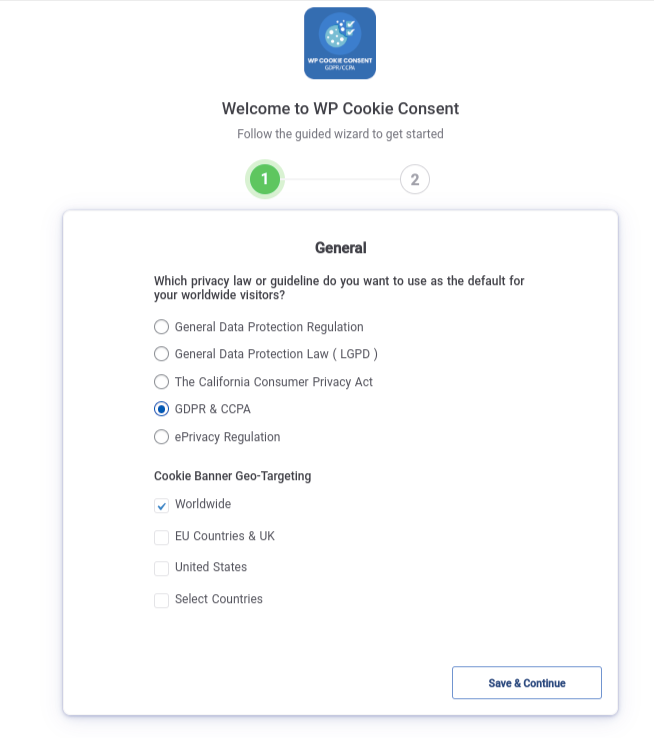
Wizard Section1
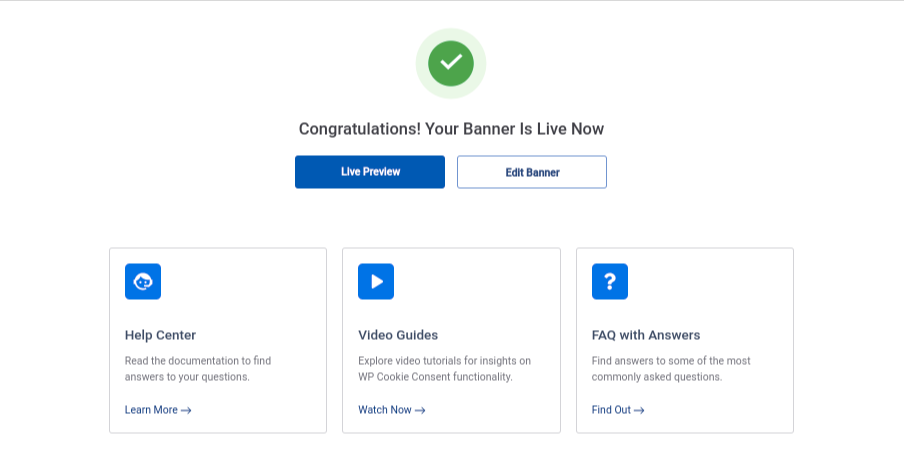
Wizard Section2
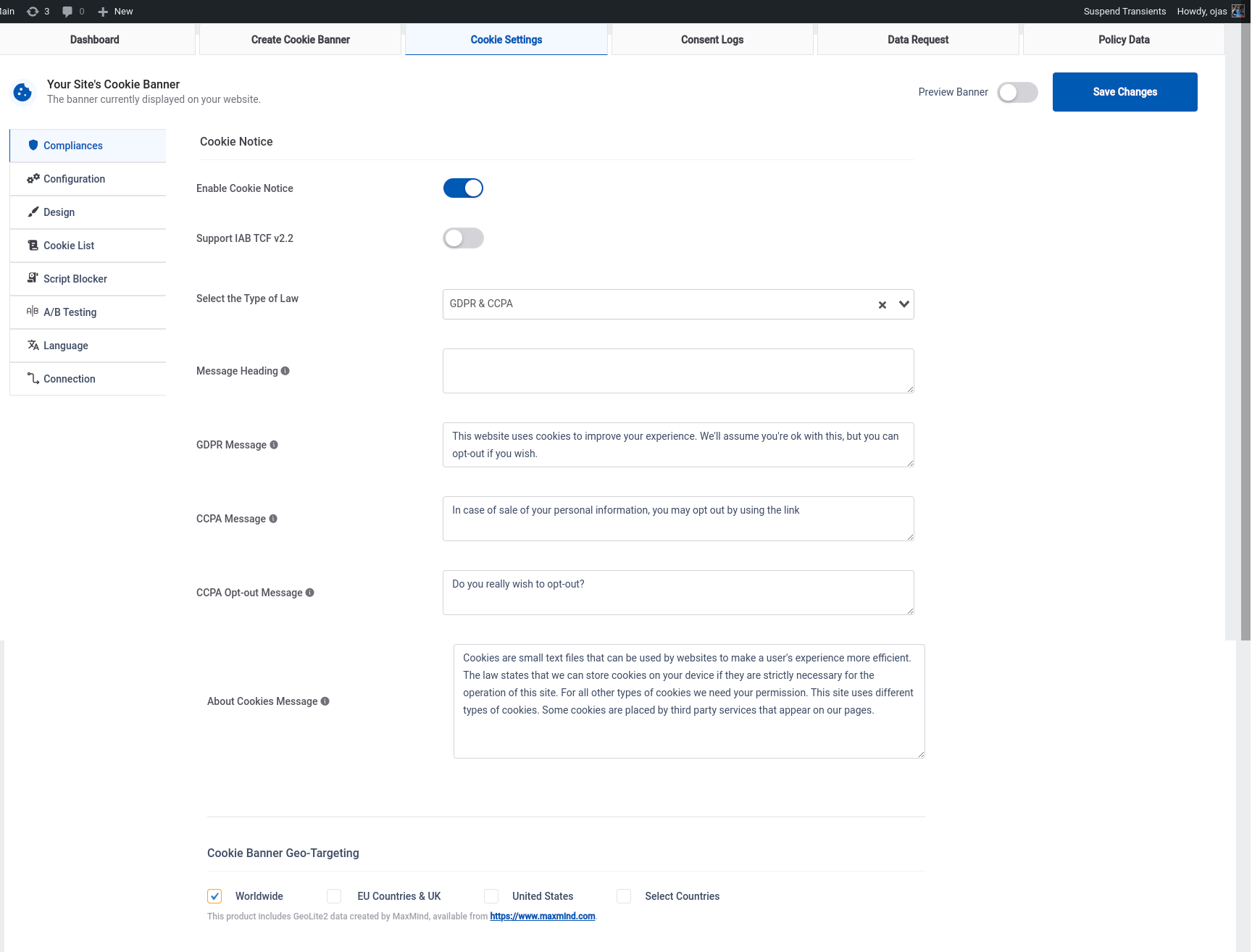
Cookie Setting
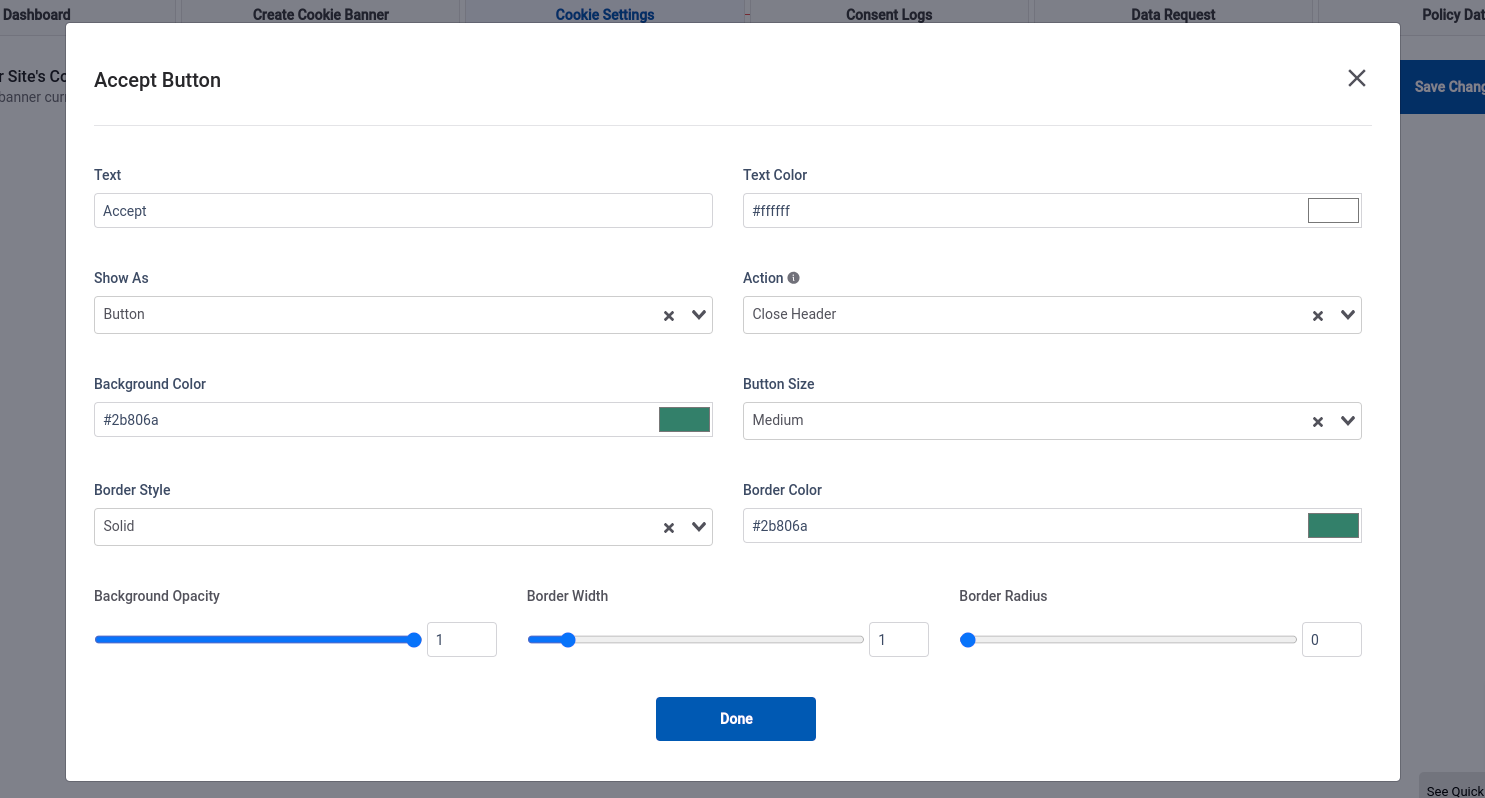
Banner buttons Customization
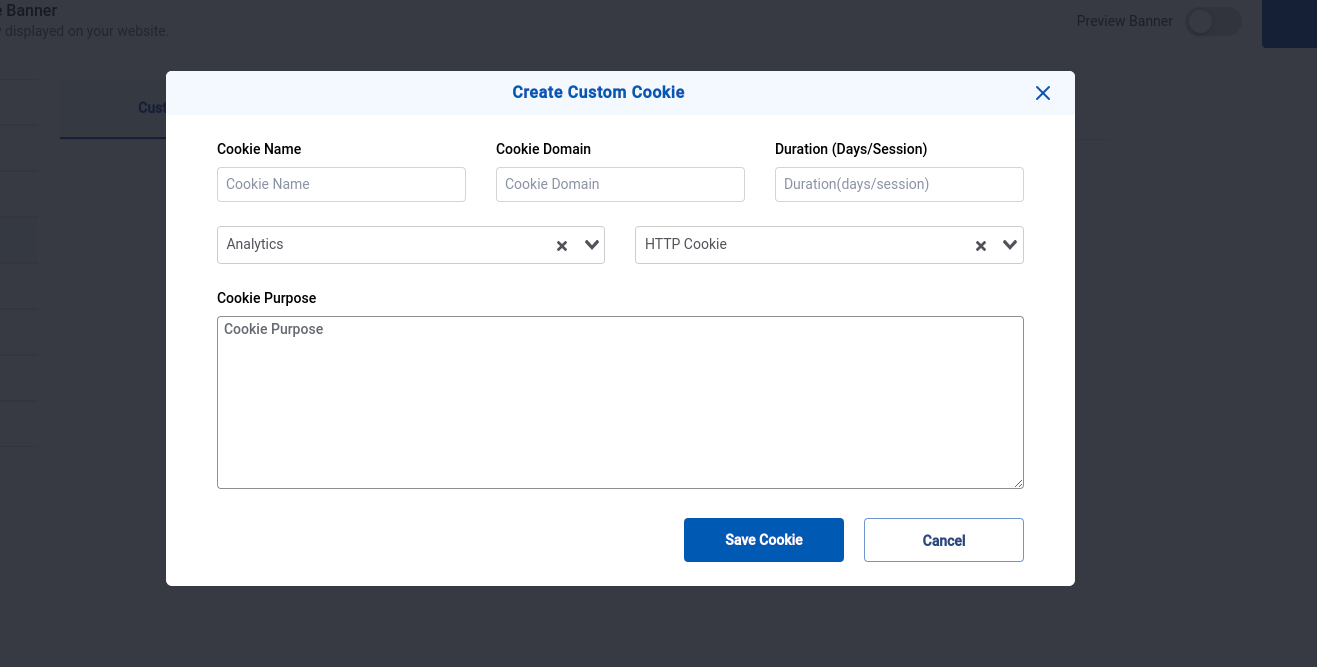
Create Custom Cookie
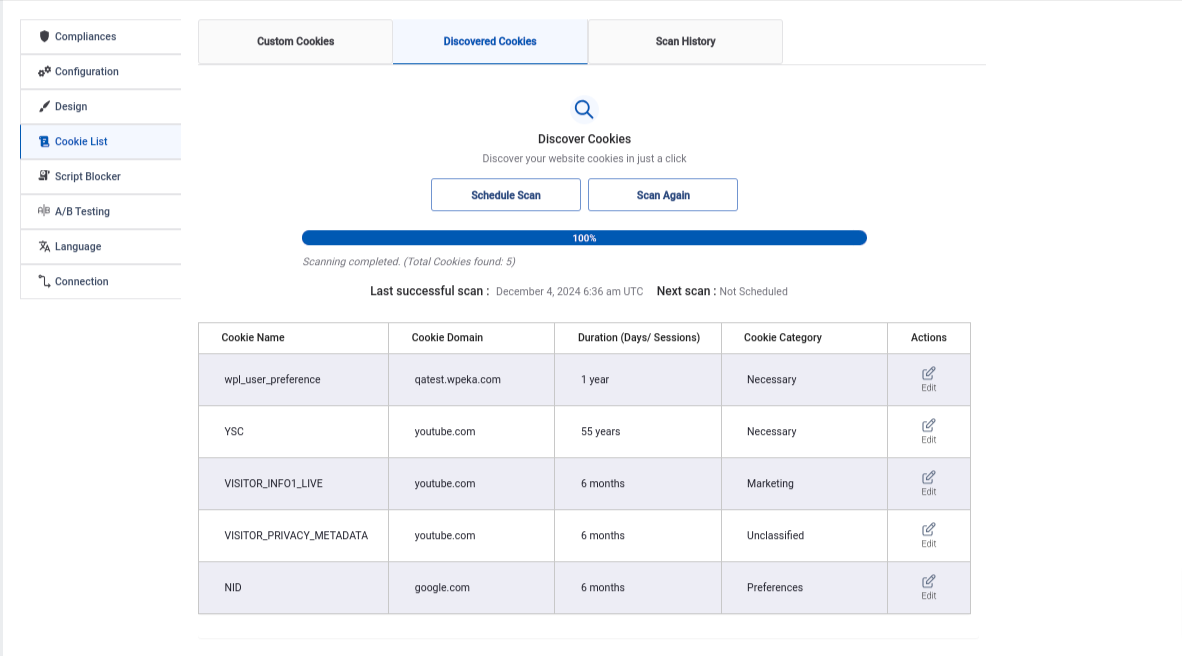
Cookie Scanning and Discovered Cookies
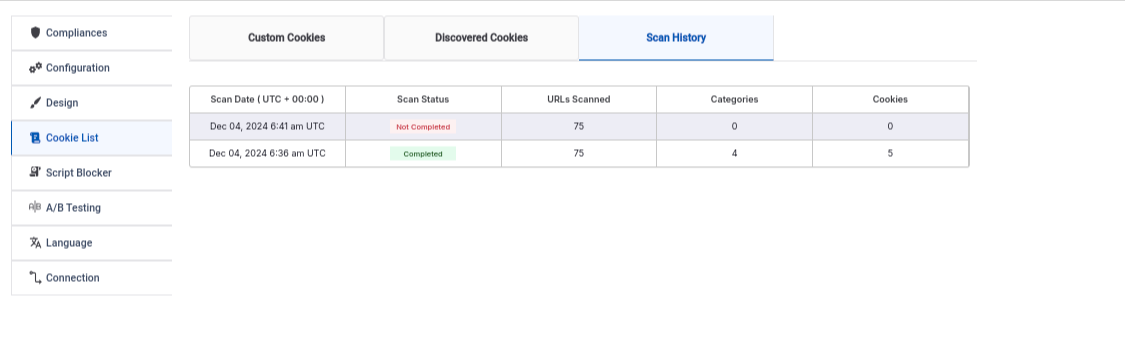
Scan History
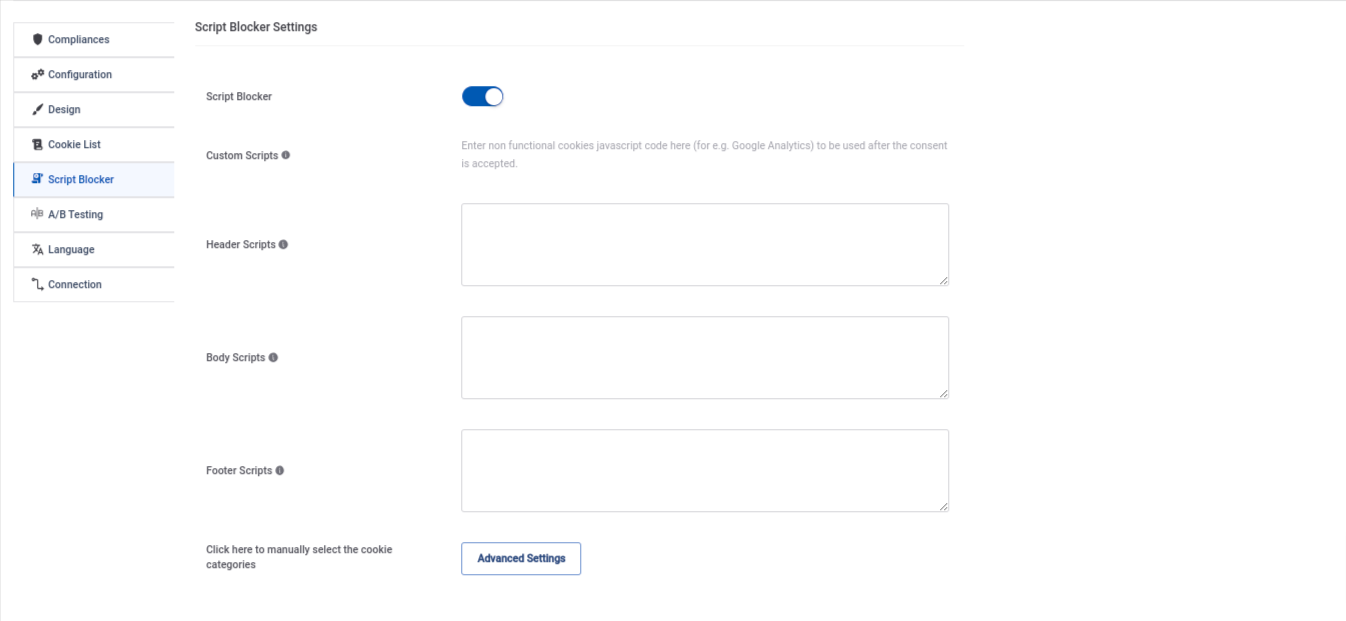
Script Blocker 10.A-B testing 11.Consent Log table
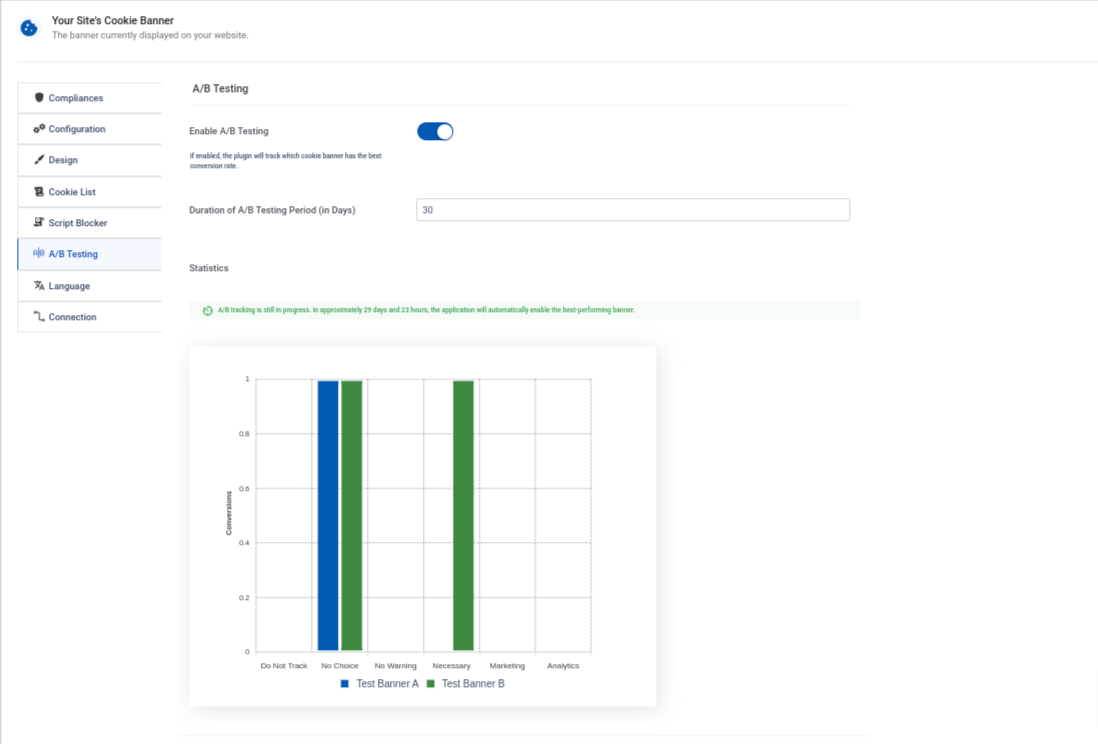
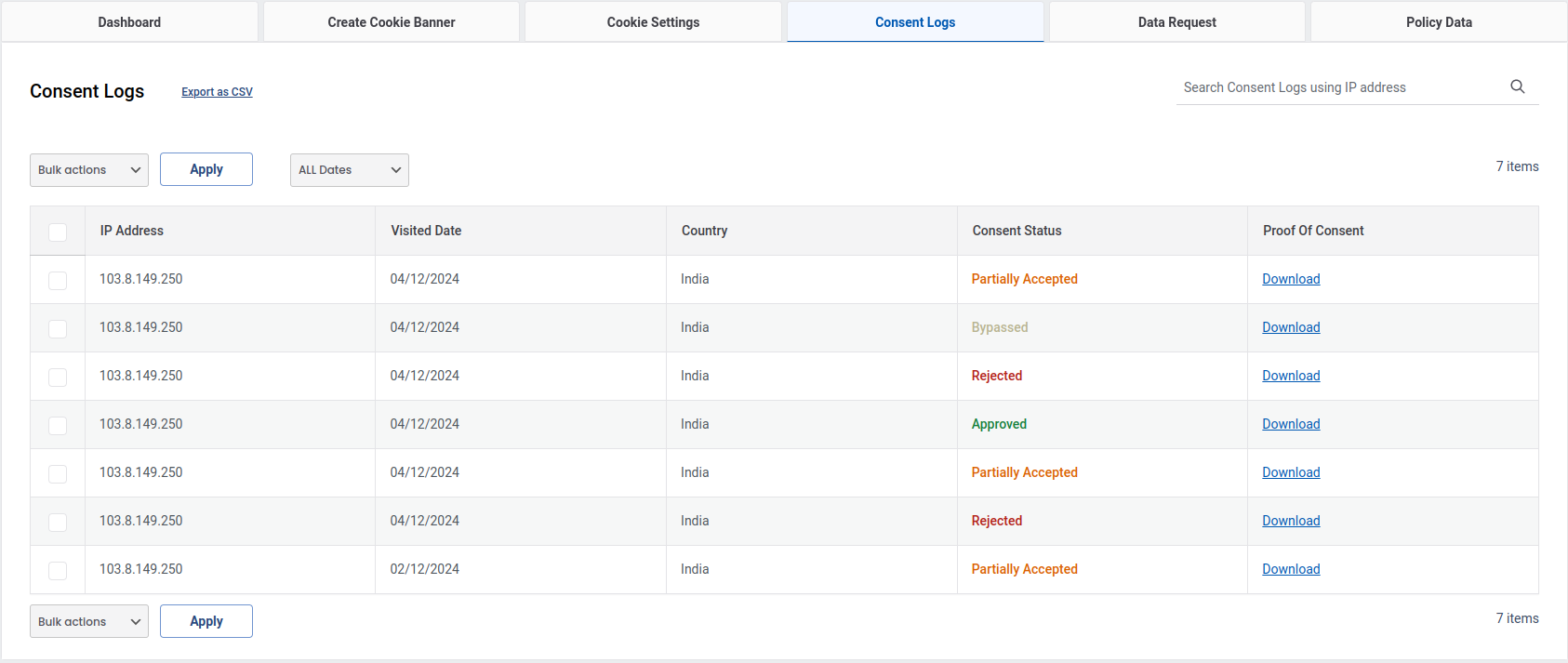
Faq
You can find the official documentation for WPLP Cookie Consent here: WPLP Cookie Consent Documentation.
This comprehensive guide covers everything from installation and setup to advanced features, ensuring you can easily configure the plugin to meet your compliance needs. 🚀
The free version allows you to scan your website for cookies, generate a basic cookie consent banner, and display it with unlimited pageviews.
It’s an excellent choice for websites with minimal cookie usage and straightforward compliance needs.
The plugin simplifies cookie consent management by helping you obtain and record user consent, ensuring compliance with GDPR, CCPA, and other privacy regulations. This helps you avoid potential legal risks and fines.
Once the scan is finished, the plugin categorizes detected cookies by type and purpose (e.g., essential, analytics, marketing). This classification allows you to provide transparent information to users in your cookie consent banner.
The consent log records important user consent data, including the date and time of consent, the user’s IP address, and the specific cookie categories they agreed to. This helps you maintain compliance records for legal audits.
Geo-targeting enables you to tailor your cookie consent banner based on a visitor’s location. For example, users in the EU can see a more detailed banner to comply with GDPR, while visitors from other regions may see a simplified version.
The plugin includes a step-by-step setup wizard that guides you through configuring your cookie consent banner. By answering simple questions about your website’s cookie usage, the wizard automatically creates a compliant and customized banner.
Yes! The wizard provides an initial setup, but you can customize the banner’s design, text, and functionality anytime from the plugin settings.
Absolutely! The plugin offers multiple pre-designed templates and customization options. You can modify the banner’s colors, fonts, button styles, and layout to align with your website’s branding.
The plugin scans your website to detect all cookies, including those set by third-party scripts. It then provides a detailed breakdown, allowing you to categorize and manage them for compliance.
Yes! You can set a delay for the banner’s appearance or configure it to auto-hide after a certain period, ensuring it doesn’t disrupt the user experience.
No. Only the ‘necessary’ cookies will be loaded until the user gives consent.
The plugin has been designed to help with the following cookie law, privacy regulations and data protection acts:
– GDPR (EU): The General Data Protection Regulation
– CCPA (California, United States): The California Consumer Privacy Act
– PIPEDA (Canada): The Personal Information Protection and Electronic Documents Act
– AAP (Australia): Australia’s Privacy Principles
– LGPD (Brazil): The Brazilian General Data Protection Law
– DSGVO, DPA, PECR, CNIL and other data, privacy regulations and cookie laws
Yes, It has an iFrame Blocker – The user data is not tracked via iFrames unless they give the consent. Users can choose which category of cookies they want to allow.
Yes, the plugin supports multiple languages, ensuring that your cookie consent banner is displayed in the visitor’s preferred language for better accessibility and compliance across different regions.
Reviews
Great banner
By 
The Cookie banner and Google consent mode seem to work well and I am pleased with the plug-in.
Great Product
By 
Makes handling cookies easy.
Comprehensive features and great support
By 
WP Cookie Consent plugin stands out not just for its comprehensive features and user-friendly interface, but also for its exceptional support. The team is incredibly responsive and helpful, resolving the issue efficiently – a level of assistance greatly appreciated, especially in free versions. This dedication to user satisfaction, combined with the plugin's robust capabilities, makes it a truly valuable asset for any WordPress website.
Excellent Plugin!
By 
WP Cookie Consent Plugin Review: A Simple and User-Friendly Solution
As a website owner, ensuring compliance with cookie consent regulations is essential. After trying out the WP Cookie Consent plugin, I can confidently say that it is an excellent choice for anyone looking for a hassle-free solution.
Ease of Use
One of the standout features of this plugin is its simplicity. The setup process is straightforward, requiring minimal configuration. Whether you're a beginner or an experienced WordPress user, you'll find it easy to install and customize.
User-Friendly Interface
The plugin provides an intuitive interface, making it easy to modify the cookie consent banner's appearance, text, and behavior. You don’t need any coding skills to customize it to match your website's design seamlessly.
Key Features
- Quick and easy installation
- Customizable cookie consent banner
- GDPR and CCPA compliance
- Lightweight and does not affect website performance
Final Thoughts
If you're looking for a reliable and user-friendly cookie consent solution for your WordPress site, WP Cookie Consent is worth considering. It does the job efficiently without overwhelming you with complicated settings. Highly recommended!
Easy to Install.
By 
Easy to Install.
Ótimo suporte a LGPD do Brasil
By 
Além de ser bonito e funcionar bem, atende a LGPD do Brasil, com evidências de aceite e registros no banco de dados local. Ah, e o suporte é ótimo (em inglês).
Accept button does not work
By 
Good morning,
I have installed your plugin but Accept button does not work. When we click to Accept button it does not appear any Accepted customer in Dashboard Consent Insights. And It does not trigger anything in google tag manager,
Can you please help?
Thanks,
Oriol
Professional software, excellent support
By 
Professional, transparent, easy to set up and use software, with excellent, fast support + all this at a good price!
tracking the customer
By 
We can <span style="color: rgb(23, 43, 77); font-family: -apple-system, BlinkMacSystemFont, "Segoe UI", Roboto, Oxygen, Ubuntu, "Fira Sans", "Droid Sans", "Helvetica Neue", sans-serif; font-size: 14px; letter-spacing: -0.07px;">tracking the customer without them agreeing to cookies</span> ?
Very good customer service.
By 
Thanks!
Changelog
4.1.2
- Bug fixes and Improvements.
4.1.1
- Modified code as per org guidelines.
4.1.0
- Bug fixes and Improvements.
4.0.9
- Added more cookie consent settings to the WPLP SaaS dashboard, giving you better control without switching back to WordPress
- Improved sync and stability between the WPLP Cookie Consent plugin and the WPLP Compliance Platform
- Fixed minor bugs and made overall performance and reliability improvements
4.0.8
- Few bug fixes and improvements
4.0.7
- Improved SaaS App Experience: We’ve upgraded the SaaS platform for better performance, faster loading, and a cleaner interface. Managing your compliance setup is now simpler and more organized.
- DSAR Management Added to SaaS: You can now view and manage Data Subject Access Requests directly from the SaaS dashboard. No need to jump between tools – everything is in one place.
- Consent Log Access in SaaS: Consent records are now available inside the SaaS app. You can view user consent details and stay audit-ready without relying only on WordPress.
- Privacy Policy Data in SaaS: Your privacy policy details are now synced with the SaaS platform, making it easier to review, manage, and update critical data.
4.0.6
- Fixed issue with Revoke content button color
- Fixed minor issue with IAB
4.0.5
- Improvements: Integrated updates to support the saas dashboard experience.
4.0.4
- Security Improvements: We’ve fixed a reported vulnerability to make sure your site stays secure and protected.
- Helpful Docs Added: A few settings now have quick documentation links – so you can get guidance right where you need it, without hunting around.
- Bug Fixes & Tweaks: We squashed some bugs and made a few behind-the-scenes improvements to keep things running smoothly.
4.0.3
- Improved Cookie Scanner: The scanner now runs in the background and automatically emails you a detailed summary once the scan is complete, making cookie detection faster, hands-free, and more convenient.
- Minor bug fixes and improvements.
4.0.2
- Minor bug fixes and improvements.
4.0.1
- Bug fixes and improvements.
4.0.0
- Major Update – Revamped Dashboard & Settings
- Completely redesigned dashboard UI for a cleaner, more intuitive experience.
- Restructured menu navigation to make key features easier to find.
- Simplified and reorganized settings pages for faster configuration.
- Improved layout consistency across all modules for better usability.
- Bug fixes and improvements.
3.9.8
- Added option to display CCPA and GDPR banners separately: Now, site owners can configure banners to show individually based on user region, ensuring a smoother and more compliant user experience.
- Minor bug fixes and improvements.
3.9.7
- Added two new cookie banner templates.
- Fixed: Debug log warnings.
- Fixed: Policy details block name.
3.9.6
- Fixed: Issue with user consent
- Fixed: IP addresses not visible in consent log
3.9.5
- Minor bug fixes and improvements.
3.9.4
- Fixed: A/B Testing functionality not working on Bluehost sites.
- Fixed: Button size customization was not applied consistently to all buttons (Accept, Accept All, Decline, Cookie Settings).
- Fixed: PHP Notices and warning messages under GDPR settings.
3.9.3
- Fix: Minor changes.
3.9.2
- Fix: Bug fixes and improvements.
3.9.1
- Improvement: Improved functional cookie handling under Google Consent Mode (GCM) settings for better accuracy and categorization.
- Fix: Resolved accessibility issues to ensure better compliance with WCAG (Web Content Accessibility Guidelines).
3.9.0
- Revamped Cookie Banner Structure: All banner templates are now fully responsive and optimized to display perfectly across all devices and screen sizes.
- Fixed Google Consent Mode Checker Issue: Resolved an issue where the “Check Status” feature was not accurately reflecting implementation results. Now users get reliable feedback on their Consent Mode setup.
3.8.4
- Added email notification for Google Consent Mode implementation status: Users will now receive an email with the status details when they click the “Check Status” button in the plugin. This helps you stay informed and take quick action if anything needs fixing.
3.8.3
- Improvement: Minor improvements.
- Improvement: Improved performance affecting page load speed.
- Fix: Fixed minor translation issue.
3.8.2
- Fix: Fixed minor issue with Maxmind integration.
3.8.1
- Improvement: Option to define dependencies between scripts for improved integration and script loading control.
- Fix: Bug fixes, code improvements, and enhanced security.
3.8.0
- Google Consent Mode – Debug Mode: Added a dedicated debug mode to test and verify GCM behavior. Easily inspect consent signals and integration status during setup.
- GCM Status Checker: Instantly view whether Google Consent Mode is active and functioning correctly on your site with the new status checker tool.
- Advertiser Consent Mode (Pro): Pro users now have access to Advertiser Consent Mode, helping you stay compliant with evolving ad tech requirements while retaining ad tracking capabilities.
- WP Consent API Compatbility: Added support for the WordPress Consent API to help improve compatibility with third-party plugins and services requesting user consent.
3.7.9
- Improvement: We’ve refreshed the look and feel of cookie banners to make them cleaner, more modern, and user-friendly.
- Fix: Minor bug fixes and performance improvements to ensure smoother operation and better stability.
3.7.8
*Added support for Google Consent Mode (v2): Easily integrate Google Consent Mode with your cookie banner to ensure compliance and accurate tracking based on user consent.
* Fix: Bug fixes and improvements.
3.7.7
- Fix: Bug fixes and improvements.
3.7.6
- Improvement: Revamped the menu structure for a more intuitive and seamless user experience.
- Fix: Bug fixes and improvements.
3.7.5
- Improvement – Optimized code for revamped banners to improve performance and maintainability.
3.7.4
- Fix – Minor bug fixes and improvements
3.7.3
- Enhanced Performance – Optimized the plugin for better speed and efficiency, ensuring a smoother user experience.
- Google Additional Consent Mode Support – Added support for Google’s Additional Consent Mode, helping users manage consent for ad partners not covered by TCF.
3.7.2
- Enhanced – A/B Testing Algorithm – Improved the accuracy and performance of cookie banner A/B testing to deliver more reliable insights.
- Fix – Minor bug fixes within the plugin.
3.7.1.1
- Improvement – Minor bug fixes and improvements.
3.7.1
- Improvement – Redesigned and improved few existing templates for a modern and user-friendly look.
- Improvement – Optimized codebase for faster loading times and smoother operation.
3.7.0
- Feature – Introduced a Unified Dashboard for managing WPLP Cookie Consent and WP Legal Pages, providing a seamless interface, improved navigation and enhanced user experience.
3.6.8
- New Feature: Added an option to auto-generate cookie banner colors based on your website’s color scheme, ensuring a seamless look and feel.
- Enhancements: Minor bug fixes and performance improvements for a smoother user experience.
3.6.7
- Feature – Introduced a step-by-step plugin tour for improved onboarding and ease of use.
- Feature – Added feature to automatically start scanning for cookies upon plugin activation. The scan progress is now visible in both the Menu and Scanner tabs.
- Fix – Minor bug fixes to improve overall plugin performance and stability.
3.6.6
- Feature – Added Cookie Banner Pageviews feature to track cookie banner performance by monitoring pageviews.
- Feature – Added feature to clear cookies before a new scan to ensure more accurate scan results.
- Fix – Minor bug fixes to improve overall plugin performance and stability.
3.6.5
- Feature – Support multiple legislation on same website.
- Feature – Added feature to set the language based on user prefered browser language.
- Fix – Fixed issue with Do Not Track.
- Fix – Improved performance of the plugin.
- Fix – Minor bug fixes within the plugin.
3.6.4
- Fix: UI improvements and bugs fixes within the plugin.
3.6.3
- Fix: Further enhanced the admin interface.
3.6.2
- Fix: Banner initialization delay now doesnot prevent hide cookie banner setting on certain pages.
- Fix: Bulk Action in Consent Logs and Data Policy fixed.
- Fix: Consent log also works now with auto-click & auto scroll accept.
- Fix: Date(month) filter in policy data & consent logs tab fixed.
- Fix: Minor bugs fixed within plugin.
- Improvement: User is now prompted to scan the website for cookies again when third party plugins are enabled/disabled.
3.6.1
- Fix: Optimized code for better performance
3.6.0
- Feature: Changes in maxmind integration so that now users do not need to put their maxmind API key. This product now includes GeoLite2 data created by MaxMind, available from https://www.maxmind.com.
- New Feature: Added translation support for 15 more languages.
3.5.1
- Fix: Minor bug fixes and improvements.
3.5.0
- Feature: IAB TCF Support: The plugin now supports the Interactive Advertising Bureau Transparency & Consent Framework (IAB TCF), allowing website owners to comply with strict data privacy regulations.
3.4.4
- Feature: Unified Dashboard: The “WP Legal Pages” menu item now serves as a central hub for managing both WP Legal Pages and WPLP Cookie Consent, streamlining the user experience.
3.4.3
- Update: Refactored CSS architecture for better modularity and maintainability.
3.4.2
- New Features: Multi-Country Geo-Targeting: Added support for selecting multiple countries in the cookie banner geo-targeting settings. This allows for more precise targeting of visitors based on their location.
- New Feature: Added translation support for 78 languages.
3.4.1
- New Feature: A/B Testing: Introduced A/B testing capabilities for cookie banners, allowing users to experiment with different banner designs and content to optimize user engagement and consent rates.
- Bug Fixes: Implemented several under-the-hood improvements to enhance plugin stability and performance.
3.4.0
- Major Update: We’ve completely revamped the interface to make it more intuitive, user-friendly, and efficient.
- Fix: Minor bug fixes and improvements.
3.3.2
- Fix: Minor bugs fixed within plugin.
3.3.1
- Fix: Minor bugs fixed within plugin.
3.3.0
- Feature: Enhanced Customization: You can now customize the background color of the “Revoke Consent” button for a more cohesive design with your website’s theme.
- Feature: Portuguese Language Support: We’re happy to announce support for the Portuguese language! This allows you to display your cookie consent message in Portuguese, catering to a wider audience.
- Update: This update includes security fixes and improvements to ensure your website remains protected.
3.2.0
- Feature: Enhanced Cookie Scanning: We’ve introduced a new shortcut button directly in your top WordPress menu bar. With a single click, you can now scan any page on your website for cookies used, along with the cookie banner activation status and script blocker status.
- Feature: Live Banner Preview: Enjoy a more dynamic experience with the real-time preview of your chosen banner template. See how your website will look with the selected design without saving changes.
- Feature: Comprehensive Preview: Gain a complete picture! The banner preview now includes a view of the preference center along with the cookie banner itself. Visualize the entire user experience for managing cookie consent.
- Fix: Minor bugs fixed within plugin.
3.1.0
- Feature: Added translation support for Polish language.
- Fix: Minor bugs fixed within plugin.
3.0.2
- Feature: Added translation support for Hungarian language.
- Fix: Minor bugs fixed within plugin.
3.0.2
- Feature: Added translation support for Hungarian language.
- Fix: Minor bugs fixed within plugin.
3.0.1
- Fix: Minor bugs fixed within plugin.
3.0.0
- New: With this update, we’ve added Pro features like script blocker, premium cookie banners, consent log, and more. Update now to unlock them!
- New: Now you can also connect your site to WPLP Cookie Consent for cookie scanning, geo-targeting, and an advanced dashboard.
- Fix: Minor bugs fixed within plugin.
2.6.1
- Fix: Minor bugs fixed within plugin.
2.6.0
- Feature: Respect Do Not Track & Global Privacy Control: Prioritize user privacy by respecting Do Not Track settings and Global Privacy Control.
- Feature: Hide Cookie Banner on Specific Pages: Selectively hide the cookie banner on specific pages for a more tailored user experience.
- Feature: Feature: Import Settings: Easily import cookie banner settings, streamlining workflow and ensuring consistency.
- Feature: Font Options: Customize typography effortlessly with new font options.
- Feature: Upload Logo: Personalize branding by uploading your logo directly to your cookie banner.
- Feature: Add Custom CSS: Unleash creativity with the ability to add custom CSS to your cookie banner.
- Fix: Minor bugs fixed within plugin.
2.5.2
- Fix: Minor bugs fixed within plugin.
2.5.1
- Fix: Minor bugs fixed within plugin and UI Enhancements.
2.5.0
- Feature: Revamped UI: Submenus are now organized into tabs for easier navigation to configurations.
2.4.1
- Fix: Minor bugs fixed within plugin.
2.4.0
- Feature: LGPD : Added new options to comply with LGPD law.
- Fix: Minor bugs fixed within plugin.
2.3.9
- Fix: Minor bugs fixed within plugin.
2.3.8
- Fix: Minor bugs fixed within plugin.
2.3.7
- Fix: Minor bug fixes.
2.3.6
- Update: Compatibility with WP 6.4
- Feature: Added option to export and erase personal data.
- Fix: Bug fixes and improvements.
2.3.5
- Fix: Minor bugs fixed within plugin.
2.3.4
- Feature: Introducing: 2 Additional Widget Styles for Cookie Banners
- Fix: Minor bugs fixed within plugin.
2.3.3
- Fix: Minor bugs fixed within plugin.
2.3.2
- Feature: Enhanced Language Support: Now offering translation support for an extended range of 10 languages for your cookie consent banner content.
2.3.1
- Feature: Preview your website’s cookie consent banner directly within the WordPress dashboard as you make changes.
2.3.0
- Feature: Streamlined cookie consent banner setup with a new Getting Started Wizard.
2.2.9
- Fix: Minor bugs fixed within plugin.
2.2.8
- Fix: Minor bugs fixed within plugin.
2.2.7
- Fix: Minor bugs fixed within plugin.
2.2.6
- Fix: Fixed CSV injection vulnerability in admin area.
2.2.5
- Fix: Minor bugs fixed within plugin.
2.2.4
- Fix – Allowed HTML in consent message.
2.2.3
- Update – Compatibility with WP 6.1
2.2.2
- Feature – Changes for Pro version compatibility
2.2.1
- Fix – Compatibility with WP 6.0
- Fix – Disabled Auto Hide milliseconds feature for CCPA.
- Feature – Added option to add custom text for CCPA opt-out message.
- Feature – Added admin strings translation compatibility with WPML.
2.2.0
- Fix: Accept All Button.
- Feature: Animation on Load for Cookie Banner.
- Feature: Accept cookie on click.
2.1.7
- Fix: String Translations
2.1.6
- Fix: Show credit not working.
- Fix: Cookie category and cookie count format.
- Fix: Broken cookie banner on frontend.
2.1.5
- Fix: Revoke Cookie settings button is not clickable, Revoke cookie settings are not shown for popup
2.1.4
- Fix: Fixed plugin code as per WP standards and PHPCS.
2.1.3
- Fix: Fixed plugin code as per WP standards and PHPCS.
2.1.2
- Fix: Fixed plugin code as per WP standards and PHPCS.
2.1.1
- Update: Removed analytics library.
2.1.0
- Update: UI Changes on Settings Page.
- Update: UI Changes on Dasboard (Getting Started) Page.
- Feature: Accept All Button for Cookie Banner.
- Fix: Cookie value encoding fixes.
2.0.7
- Fix: Pro version compatibility fixes.
2.0.6
- Fix: Fixed plugin code as per WP standards and PHPCS.
2.0.5
- Fix: Bug fix related to Popup display issue with theme conflicts.
2.0.4
- Update: Analytics library updated for PHP 8 compatibility issues.
- Fix: Minor bugs fixed within plugin.
2.0.3
- Fix: Bug fix related to MaxMind Geo targeting for GDPR and CCPA notice bar.
2.0.2
- Fix: Frontend UI theme conflicting issues.
2.0.1
- Feature: Ability to exclude pages and/or posts during scanning of website for cookies.
2.0.0
- Fix: Web content accessibility issues fixed.
1.9.9
- Fix: Minor plugin bugs fixed for compatibility with the latest WordPress version.
- Fix: Fixed for Accept, Decline buttons link URL issue.
1.9.8
- Fix: Fixed conflicting issue with BootStrap js.
1.9.7
- Fix: Fixed vulnerability issue for analytics within the plugin.
1.9.6
- Update: Updated links within the plugin.
- Update: Added Upgrade to Pro link on the plugins page.
1.9.5
- Fix: Hot fix for display of cookies information in the table.
1.9.4
- Feature: Added pre-designed templates for cookie consent notice.
- Feature: Added pre-designed layouts for cookie settings popup notice.
- Feature: Added border options to cookie consent notice and buttons.
- Update: Notice to track usage analytics for the plugin.
- Update: Added help mascot within the plugin.
1.9.3
- Fix: Conflicting issues in deactivation feedback form.
- Fix: Minor plugin conflicting issue.
- Fix: Required table creation issue on plugin activation.
1.9.2
- Fix: Fixed theme conflicting issues.
1.9.1
- Fix: Minor plugin fix hide/show popup in case of geo-targeting.
- Update: Plugin language translations.
1.9.0
- Feature: Plugin updated to address ePrivacy cookie notice.
- Feature: Added custom blocking scripts settings to the plugin.
- Feature: Added settings to delete plugin data on deactivation.
- Feature: Added option to select WordPress page for Readmore link, and synchronize with WordPress Privacy policy page.
1.8.9
- Fix: Deprecated curly braces syntax.
- Fix: CSS class name conflicts on the frontend.
1.8.8
- Feature: Added compatibility for IAB Transparency and Consent Framework (TCF).
1.8.7
- Feature: Added WPML compatibility.
- Update: Language translations.
- Update: Keyboard accessibility.
- Fix: Slow query issue while updating admin/public modules in options table.
1.8.6
- Update: WordPress 5.4.1 compatibility.
- Fix: Database tables creation issue on plugin activation.
1.8.5
- Feature: Plugin updated to address GDPR and CCPA according to user’s location.
- Update: Improved plugin for performance.
1.8.4
- Update: Added Getting Started page.
- Feature: Added Gutenberg block for Cookie details.
1.8.3
- Fix: Cookie Expiry and Settings Button option save functionality issue.
- Fix: Cookie Bar display on frontend issue when Pro plugin is active.
1.8.2
- Fix: Improved frontend for CCPA notice.
1.8.1
- Feature: Plugin updated to address CCPA Do Not Sell Requirements.
- Feature: Option added to reload the page after accepting the notice.
- Feature: Option to set cookie expiry time for the GDPR consent given by users.
- Feature: Option to set on scroll offset.
1.8.0
- Fix: Issue related to auto-tick for non-necessary cookies.
1.7.9
- Feature: Automatically accept cookie consent on scroll and close cookie notice (Option to configure – Allowed in some countries).
- Feature: Auto-hide cookie notice after delay (Can be configured).
- Feature: Provide option for user to change prior consent.
1.7.8
- Update: Improvements in Cookie notice display design.
1.7.6
- Feature: Added multiple options to display Cookie consent notice on frontend – Banner/Popup/Widget.
- Feature: Added opacity option for Cookie consent notice.
- Feature: Customization options for Cookie Settings Button.
- Update: Display Cookie consent details for categories in Popup on frontend.
- Update: Updated translations.
- Update: Made compatible with WordPress 5.3.2.
1.7.5
- Fix: Frontend translation issues for Cookie Categories and description.
1.7.4
- Feature: Added Cookie Bar position.
- Update: Improved Cookie Bar Frontend UI.
1.7.3
- Update: Updated language translations
1.7.2
- Fix: Fatal error if Analytics SDK is included in two or more plugins
1.7.1
- Fix: Read More URL is not rendered on Admin Dashboard
1.7
- Feature: Feedback form on plugin deactivation.
1.6
- Fix: Minor bug fixes.
- Update: Added support for SCRIPT_DEBUG.
1.5
- Update: Accept All button on consent bar
1.4
- Feature: Accept All button on consent bar
- Update: Made compatible with WordPress 5.2.3.
1.3
- Feature: custom post type for Cookie Policy Data
1.2
- Fix: Previous settings migration issue.
1.1
- Fix: Previous version settings issue (with respect to Pro Version).
1.0
- Initial version