GeoShield – Country Restrictions Lite for WooCommerce
GeoShield – Country Restrictions Lite for WooCommerce
Description
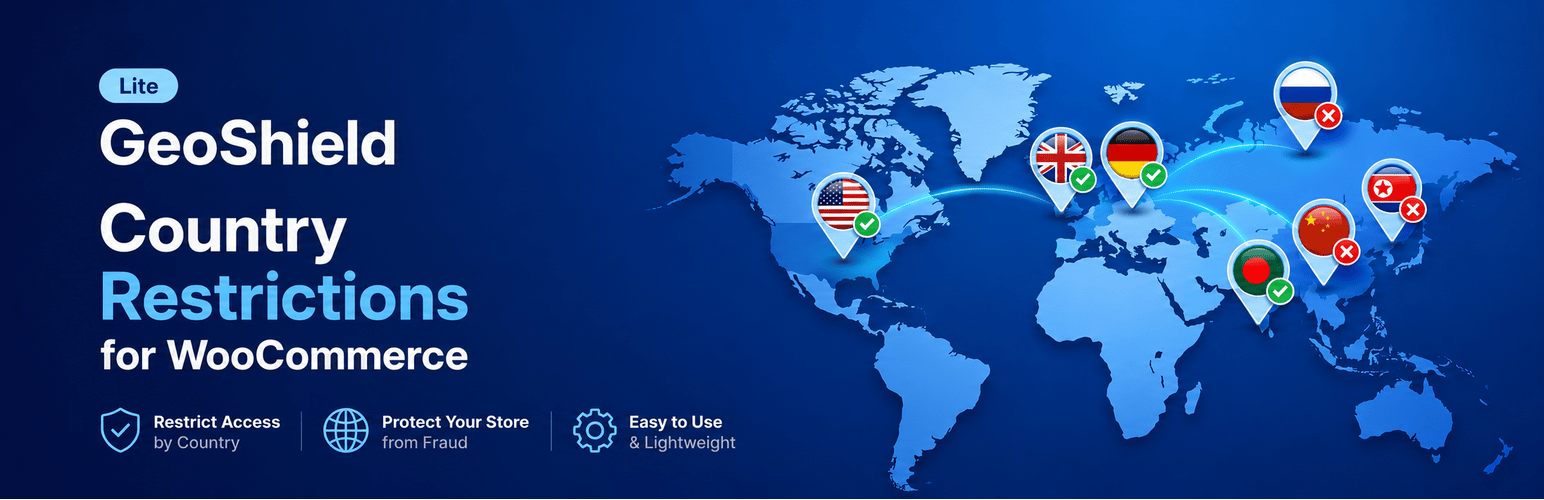
GeoShield – Country Restrictions Lite for WooCommerce lets you control exactly which products are visible and purchasable based on your customer’s country — using fast, privacy-first geolocation with zero configuration required.
Whether you are dealing with territorial licensing agreements, cross-border shipping limitations, regional export compliance regulations, or localized product lines, GeoShield gives you granular control over your product catalog by country — without writing a single line of code.
HPOS Compatible · WooCommerce Blocks Ready · Cloudflare & CDN Friendly · 100% Privacy & GDPR Safe
What You Can Do
- Restrict products per country — Choose between Blacklist (block selected countries) or Whitelist (allow only selected countries) directly inside the WooCommerce product editor.
- Two flexible restriction actions — Choose what happens when a customer visits from a restricted country:
- Hide Product (Full Restriction) — Automatically removes the product from the shop catalog and search results. Direct single-product URL visits cleanly return a 404 page or redirect to the shop page.
- Disable Checkout (Lock Purchase) — Keeps the product visible in the catalog, but locks purchasing by removing the Add to Cart button and displaying a custom restriction notice.
- Variation-level country restrictions — Apply independent restriction rules to individual product variations. Sell specific sizes, colors, or options globally while restricting others within the same variable product.
- Fast, multi-layer geolocation engine — Detects visitor country instantly:
- Checks Cloudflare’s country header (
CF-IPCountry) first for instant 0ms edge detection. - Uses WooCommerce’s native MaxMind GeoIP2 integration for accurate local server detection.
- Gracefully falls back to IP geolocation if MaxMind is not configured.
- Includes automated localhost detection so developers can test rules locally without configuration.
- Checks Cloudflare’s country header (
- Custom restriction messages — Set personalized notices per product or per variation explaining to restricted shoppers why the item is unavailable in their location.
- Global fallback settings — Set a storewide fallback restriction message and configure direct URL access behavior (Return 404 or Redirect to Shop).
- Multi-layer catalog & checkout protection — Enforces restrictions across shop loops, product archives, search results, single product templates, cart additions, and checkout submissions.
- WooCommerce Blocks & Classic ready — Works seamlessly with both classic shortcodes and the new WooCommerce Cart & Checkout blocks via the WooCommerce Store API.
- HPOS Compatible — Fully certified for WooCommerce High-Performance Order Storage (custom order tables).
- Privacy-first & GDPR compliant — Uses local MaxMind geolocation first. No customer personal data (names, emails, addresses) is ever collected, stored, or transmitted.
How It Works
- Install and activate GeoShield – Country Restrictions Lite.
- Edit any WooCommerce product and open the Country Restrictions tab in the Product Data panel.
- Toggle on Enable Restrictions, select your mode (Blacklist or Whitelist), and choose your target countries.
- Choose your restriction action: Hide Product (catalog removal + direct access control) or Disable Checkout (show product with custom restriction message).
- Save the product. Customers visiting from restricted locations will automatically experience your configured rules.
Compatible With
GeoShield is built strictly to WordPress and WooCommerce coding standards and is tested for compatibility with:
- Multilingual plugins — WPML, Polylang, TranslatePress, Weglot
- Page builders — Elementor, Divi, Beaver Builder, Gutenberg Block Editor
- Search plugins — Advanced Woo Search, Relevanssi, FiboSearch
- Caching plugins — WP Rocket, LiteSpeed Cache, W3 Total Cache, WP Super Cache, SiteGround Optimizer
- Multi-currency plugins — Works harmoniously with WooCommerce currency switchers
- WooCommerce Subscriptions — Variation-level and product-level restrictions supported on subscription products
Important Note for Caching
Caching plugins and Content Delivery Networks (CDNs like Cloudflare) can sometimes cache full HTML pages. To ensure geolocation restrictions take effect instantly:
* Ensure your caching plugin is set to vary cache by WooCommerce’s geolocation cookie (woocommerce_geo_hash).
* Alternatively, enable “Geolocate (with page caching support)” under WooCommerce > Settings > General. This allows WooCommerce to handle country detection via an unobtrusive AJAX endpoint on cached pages.
* If using Cloudflare, GeoShield automatically leverages Cloudflare’s CF-IPCountry header for instant, zero-latency detection.
External Services
GeoShield Lite is engineered to use WooCommerce’s local MaxMind GeoIP2 database and server headers whenever possible. In cases where local MaxMind data is not configured in WooCommerce settings, the plugin includes lightweight fallback services to ensure uninterrupted protection:
IP Address Detection Service (ipify)
- Purpose: Detects the server or visitor public IP address when running behind reverse proxies, CDNs, or load balancers.
- When it is used: Only when the local server environment cannot resolve the visitor’s public IP address (such as local development environments).
- Data transmitted: A standard HTTPS request to api.ipify.org. No personal data, store information, or customer credentials are ever sent.
- Service provider: ipify API (https://www.ipify.org)
- Privacy Policy: https://www.ipify.org
Geolocation Fallback Service (IP-API)
- Purpose: Resolves an IP address to country and region codes to enforce restrictions when WooCommerce MaxMind GeoIP is not installed.
- When it is used: Only as a fallback when WooCommerce native geolocation is unavailable.
- Data transmitted: The visitor’s IP address is sent over HTTPS to determine country code.
- Service provider: IP-API (https://ip-api.com)
- Privacy Policy: https://ip-api.com/docs/legal
Note: You can eliminate all third-party external requests by configuring the free MaxMind GeoIP license under WooCommerce > Settings > Integration. With MaxMind configured, 100% of geolocation lookups remain strictly local on your web server.
Installation
- Go to Plugins > Add New in your WordPress admin dashboard and search for “GeoShield Country Restrictions”.
- Click Install Now, then click Activate.
- In WooCommerce > Settings > General, ensure Default Customer Location is set to “Geolocate” (recommended for automatic location detection).
- Edit any product, click the Country Restrictions tab in the Product Data box, and configure your country rules.
- Navigate to GeoShield > Settings in your WordPress sidebar to manage global settings and default restriction messages.
Alternatively, upload the geoshield-country-restrictions-lite folder directly to your /wp-content/plugins/ directory and activate it through the WordPress Plugins screen.
Screenshots

Product Country Restrictions — Intuitive country inclusion and exclusion rules directly inside the WooCommerce product editor.

Dashboard & Status — High-level overview of store restriction settings and active configuration.

Frontend Notice — User-friendly custom notice displayed in place of the Add to Cart button for restricted visitors.

Global Options — Storewide visibility defaults and restriction controls under the GeoShield settings menu.
Faq
GeoShield uses a smart multi-layer detection engine:
1. It checks Cloudflare’s country header (CF-IPCountry) first for instant 0ms edge detection if your site is behind Cloudflare.
2. It uses WooCommerce’s built-in geolocation engine (MaxMind GeoIP2) to resolve the country locally on your server with 99.5% accuracy.
3. If a customer is at checkout or logged in, their entered billing/shipping country is respected first for maximum checkout precision.
4. A lightweight fallback API lookup acts as a backup only when local MaxMind is not configured.
Yes. Set the restriction rule to Whitelist (Allow Selected) mode, and choose the permitted countries. Customers from any country not on your list will be restricted based on your chosen action (hidden, or visible with checkout disabled).
Yes. Set the restriction rule to Blacklist (Block Selected) mode, and select the countries you wish to block. Customers from those blocked countries cannot buy or view the product, while customers from all other nations can purchase normally.
You have complete control via two restriction actions:
* Hide Product (Full Restriction): The product is hidden from shop archives, search results, and category pages. Direct single URL visits return a 404 or redirect to the shop page (configurable in Global Settings).
* Disable Checkout (Lock Purchase): The product remains visible in the catalog, but the Add to Cart button is replaced with your custom restriction notice.
Yes. GeoShield Lite fully supports variation-level restrictions. You can sell Size Large in the United States and Canada while restricting Size Small or specific color options to other countries within the same variable product.
Yes. GeoShield is fully compatible with multilingual plugins including WPML, Polylang, and TranslatePress. Restriction rules configured on a product apply consistently across all language translations.
If your host or caching plugin serves static HTML pages without recognizing location cookies, country detection can be bypassed. To prevent this, set your WooCommerce customer location setting to “Geolocate (with page caching support)” under WooCommerce > Settings > General, or configure your caching plugin (WP Rocket, LiteSpeed, W3TC) to bypass or vary cache for geolocation cookies.
Yes. GeoShield is 100% compatible with HPOS (custom order tables) and declared compliant using WooCommerce’s FeaturesUtil API.
Yes. GeoShield supports both simple and variable subscription products, including variation-level restrictions on subscription tiers.
Yes. GeoShield does not collect, store, or profile personal visitor information. Only an IP address is checked in real-time to identify the geographic country. When WooCommerce’s native MaxMind database is active, all geolocation lookups occur locally on your server without sending any data to third-party servers.
Reviews
Changelog
1.0.2
- Security: Enhanced input sanitization and output escaping across all admin interfaces following WordPress Coding Standards.
- Performance: Optimized geolocation transient caching to eliminate redundant lookups.
1.0.1
- Improvement: Enhanced core features and UI responsiveness for a smoother administrative workflow.
- Compatibility: Tested and certified compatible with WordPress 7.0.
1.0.0
- Initial public release on WordPress.org.
- Per-product country restrictions with Whitelist and Blacklist modes.
- Product variation-level geographic restrictions.
- Two restriction actions: Hide Product (full catalog & direct access control) and Disable Checkout (custom restriction notice).
- Native WooCommerce MaxMind GeoIP2 integration with IP lookup fallback.
- Full compatibility with WooCommerce High-Performance Order Storage (HPOS) and WooCommerce Blocks.