Auto Populate Country/State/City/Ward DropDown Addon for Gravity Forms

Auto Populate Country/State/City/Ward DropDown Addon for Gravity Forms
Description
AUTO POPULATE COUNTRY/STATE/CITY/WARD GRAVITY FORMS ADD-ON
If you are looking for an easy and efficient way for your users to select Country / State / City / Ward from all over the world with cascading auto-populated dropdowns in Gravity Forms, this add-on is built for you!
Free Features:
- Add a custom field for Auto Populate Country / State / City / Ward dropdowns in Gravity Forms.
- Select a default country for faster user input.
- Link Demo: Try Free Version Demo
Premium Features (PRO Version):
- Restrict to a single specific country.
- Automatically detect the user’s IP to pre-select their country by default.
- Pre-define a custom list of multiple allowed countries.
- Add, edit, or delete custom values for Country / State / City / Ward.
- Enable custom text input fallback for any level if data does not exist in the database.
👉 Try the PRO Version Live Demo
👉 Get the PRO Version on GravityExtra.com
Installation
- Upload the plugin files to
/wp-content/plugins/gf-auto-populate-country-state-city-ward-dropdown-addonor install the plugin directly through the WordPress Plugins screen. - Activate the plugin through the ‘Plugins’ screen in WordPress.
- Open your Gravity Forms editor to add and configure the Auto Populate Country/State/City/Ward field.
Screenshots
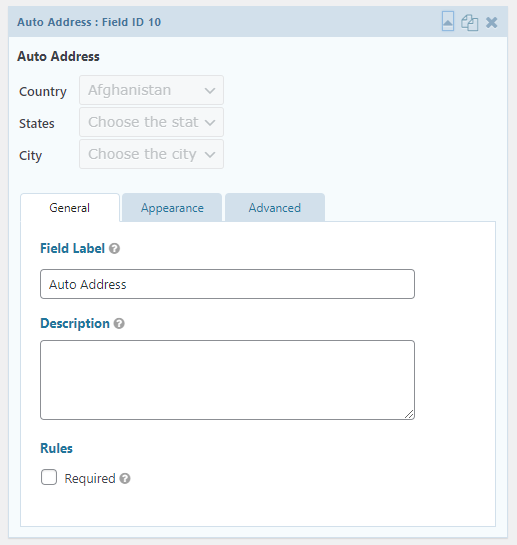
Easily choose cascading Country, State, City, and Ward information.
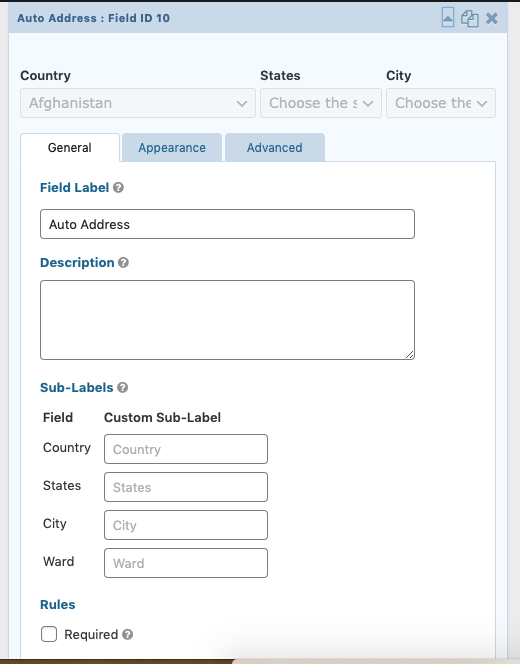
PRO Version configuration.
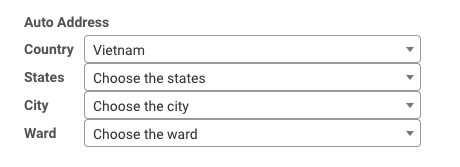
PRO Version frontend experience.
Reviews
After Activation of plugin shows error There has been a critical error on site
By 
After Activating site goes down and it shows an error
There has been a critical error on this website. Please check your site admin email inbox for instructions.While debugging error log found the following syntax error.
PHP Parse error: syntax error, unexpected '>' in /wp-content/plugins/gf-auto-populate-country-state-city-ward-dropdown-addon/includes/class-gffield-countrycity.php on line 119 PHP Parse error: syntax error, unexpected '>' in /wp-content/plugins/gf-auto-populate-country-state-city-ward-dropdown-addon/includes/class-gffield-countrycity.php on line 119
Changelog
1.1.1
- Tested and verified compatibility with WordPress 7.1.3 and the latest Gravity Forms release.
- Improved readme formatting and updated documentation links.
1.1
- Stability and compatibility improvements.
1.0.0
- Initial release.