Block IPs for Gravity Forms

Block IPs for Gravity Forms
Description
Using this plugin, you can now prevent specific IP addresses from submitting form requests created with Gravity Forms.
Installation
- Upload the folder
gravity-block-ipsto the/wp-content/plugins/directory - Activate the plugin through the \’Plugins\’ menu in WordPress
- Add the IP(s) you want to block for that cannot submit information in the forms \”Gravity Forms\” of the site
- That\’s it!
Screenshots
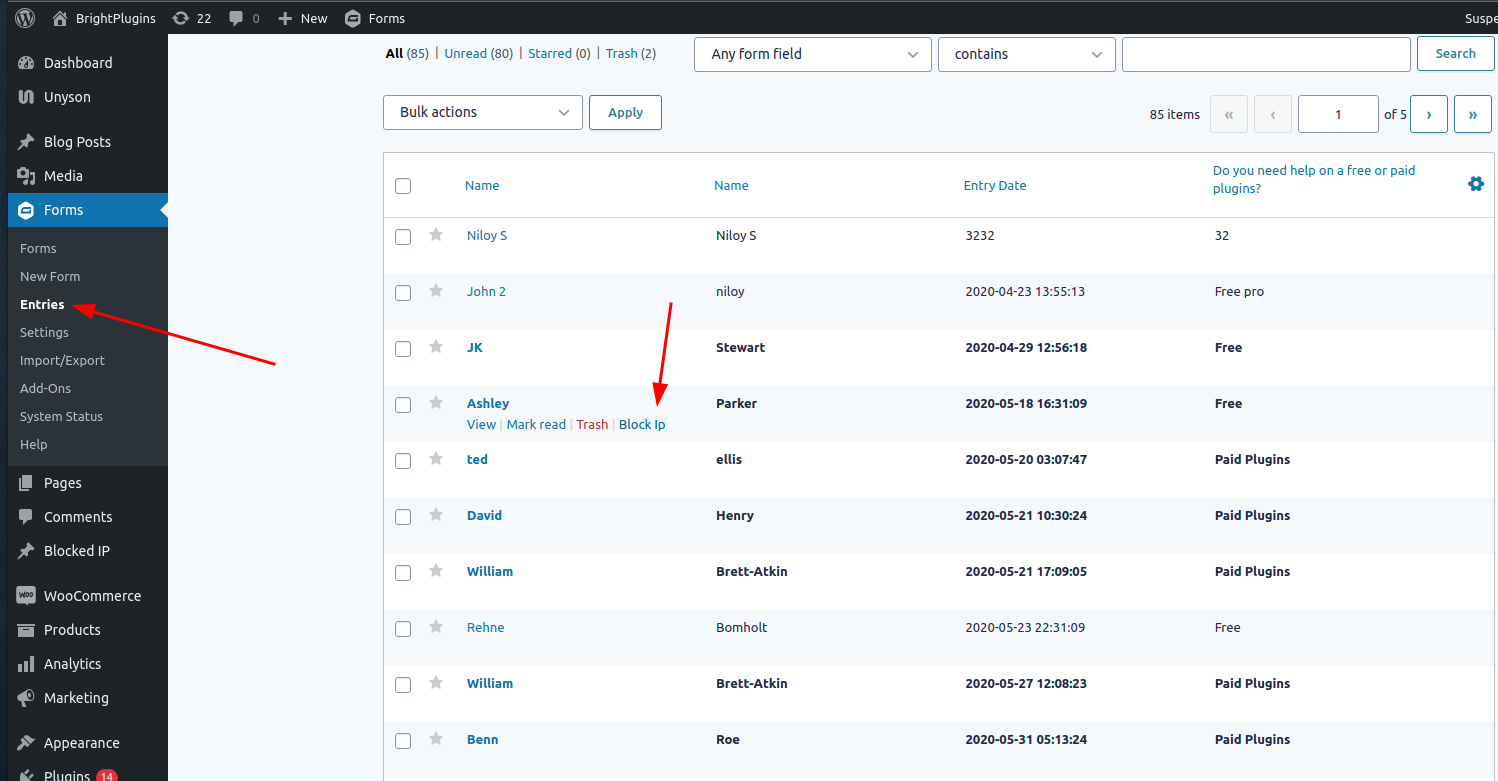


Reviews
Very Good!
By 
Its the only plugin that I found that really works.
Plugin Looks Good
By 
Very good interface and works well! This is important plugin!
This is a great plugin
By 
Thanks I didn’t find any issue. Works very well.
It Does Work - Thanks
By 
This is a great little app it works very well.
Excellent Plugin
By 
Many Thanks guys, for the amazing job.
Beyond Awesome. Thank you!
By 
This works. No more SPAM.
Worked as Expected
By 
This plugin does exactly what it is supposed to do.
Simple and Effective
By 
Very easy to configure. Works as advertised
Fantastic – Works great
By 
Excellent apps; it does what it says!
Eliminated spam from my site
By 
Thanks, glad it helps.
Changelog
1.0.2 – 16 Sep 23
- Updated compatibility with WordPress 6.3
- Bug Fix
1.0.1 – 1 Nov 22
- Updated compatibility with WordPress 6.1
1.0.0 – 30 Nov 21
- Updated compatibility with WordPress 5.8.2 and Gravity Forms 2.5.15
- All bugs from previous version fixed
- Link to support added
- Direct link added to \”Blocked Ips\”
0.1