WP Gravity Forms HubSpot

WP Gravity Forms HubSpot
Description
Gravity Forms HubSpot Add-on automatically sends form submissions to HubSpot when someone submits a form. Learn more at crmperks.com
Unlock Powerful HubSpot Integration with Our Enhanced Features
We’ve added a host of new features to our Gravity Forms HubSpot integration, making it more powerful and versatile than ever.
Seamless Support for All HubSpot Objects
Effortlessly create and manage any HubSpot object, including Contacts, Companies, Tasks, Tickets, Deals, Leads, Carts, Orders, Invoices, Listings, Services, Courses, and even Custom Objects. Easily associate objects with one another for example, linking a contact to a lead, deal, or invoice with just a few clicks.
Transform Your Gravity Forms into Genuine HubSpot Formss
With our enhanced form mapping feature, you can seamlessly submit Gravity forms as authentic HubSpot online forms. Simply create a feed, map your HubSpot form fields to your Gravity form fields, and let the plugin handle the rest. Plus, track user web activity directly in HubSpot for deeper insights.
Gravity Forms HubSpot Add-on Setup
- Go to Forms -> Settings -> HubSpot then add new account.
- Go to Forms -> select any form -> Settings -> HubSpot then create new feed.
- Map required HubSpot fields to Gravity Forms form fields.
- Send your test entry to HubSpot.
- Go to Forms -> select any form -> Settings -> HubSpot Logs and verify previously sent entries.
Connect hubspot crm account
Connect any gravity forms to HubSpot account by safe and secure Oauth 2.0 or your Private Hubspot App. Additionally, you can connect multiple hubspot accounts.
Mapping HubSpot fields
Simply select any HubSpot object(Contact, Ticket etc) or hubspot form then map gravity forms form fields to HubSpot object fields.
Manually send entries to HubSpot
Automatically Send gravity forms submissions to HubSpot when user submits form. Also , you can manually send gravity forms submissions to HubSpot.
Filter Gravity Forms HubSpot submissions
Either send all gravity forms entries to HubSpot or filter entries sent to HubSpot based on user input. For example , only send that entry to HubSpot which contains work email address.
Gravity Forms HubSpot logs
View a detailed log of each gravity forms entry whether sent or not sent to HubSpot and easily resend gravity forms entry to HubSpot.
Send Data As HubSpot object Notes
if a contact form has fields which can not be mapped to any HubSpot contact fields, So you can send such fields as HubSpot contact note.
Hubspot Error Reporting
If there is an error while sending an entry to HubSpot, an email containing the error details will be sent to the specified email address.
Create Or Update Contact in HubSpot
If a contact already exists in HubSpot, update it otherwise create a new contact in HubSpot CRM.
Premium Version Features.
Following features are available in premium version Gravity Forms HubSpot Pro.
- Custom fields, file attachments, custom lists and Phone Number fields.
- HubSpot Custom fields and custom objects.
- Add HubSpot Contact to Deal, Lead, Order, Ticket, Task, Company.
- Assign a Company to Contact, Ticket, Task.
- Add Contacts to HubSpot Lists and WorkFlows.
- Assign Pipeline and stage to any Hubspot Object.
- Assign a Contact to Ticket or Task.
- Update deals and tickets in HubSpot.
- when a user submit a form, you can save gclid, utm parameters and Geo location.
- Lookup lead’s email and phone number using email or phone number lookup services when user submits a contact form.
- 20+ premium addons
Need HubSpot Plugin for Woocommerce or Contact Form 7 ?
Want to send Gravity Forms data to a different crms
We have Premium Gravity Forms add-ons for 20+ CRMs.View All CRM Extensions
Screenshots
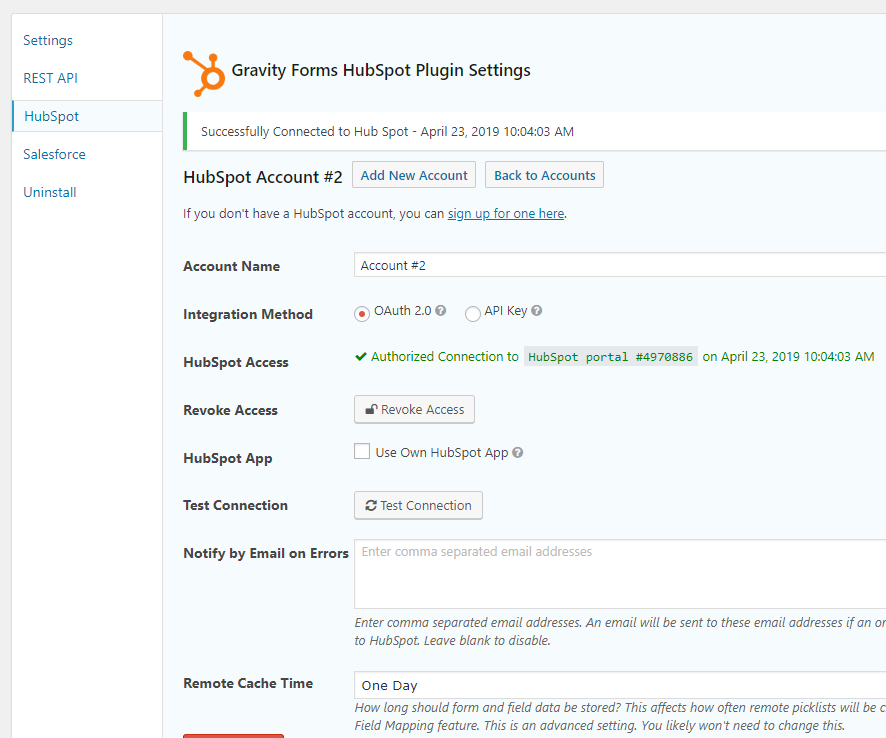
Connect your HubSpot Account to Gravity Forms.
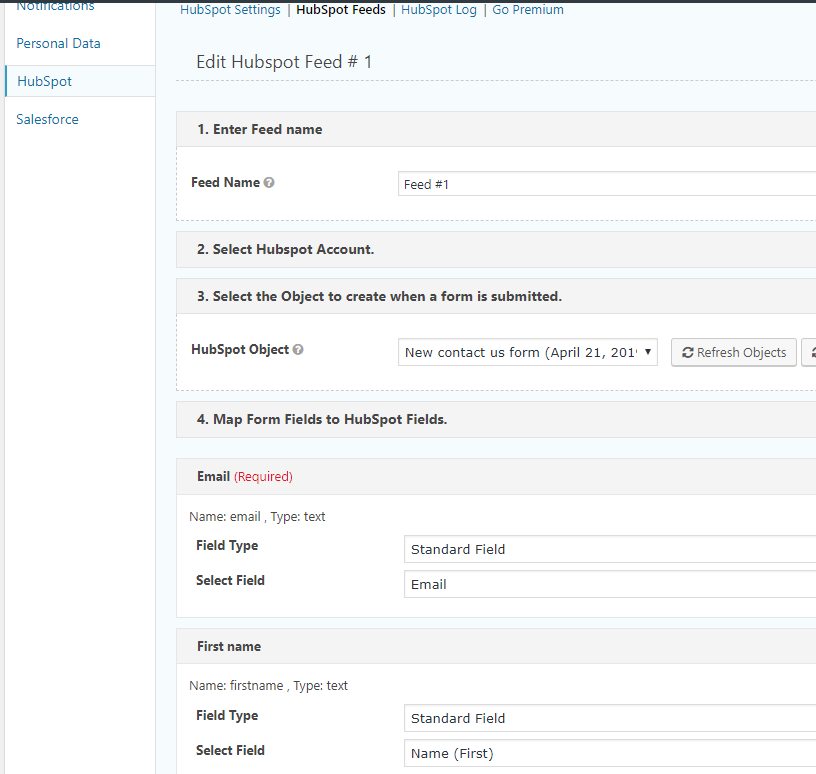
Map required HubSpot fields.
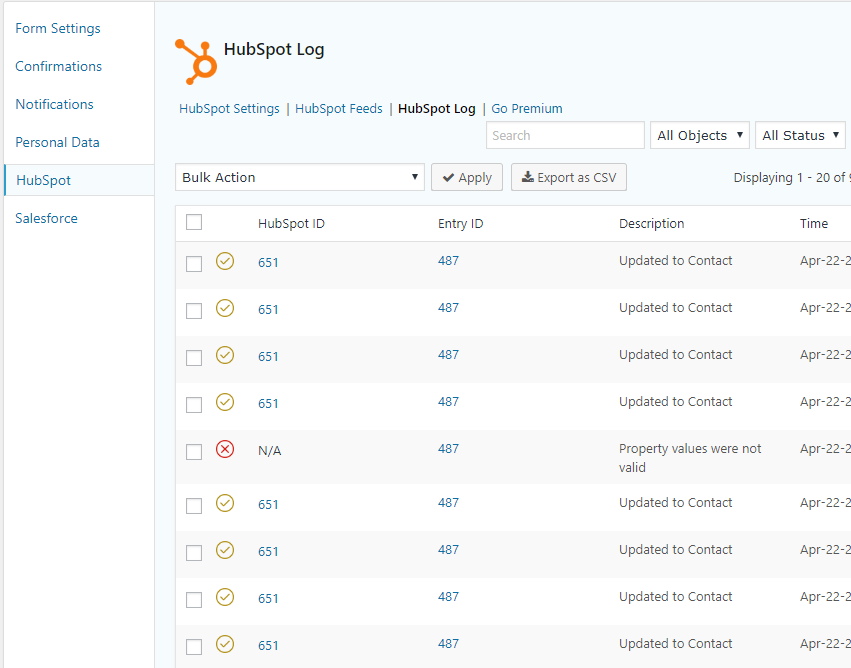
Gravity Forms HubSpot logs.
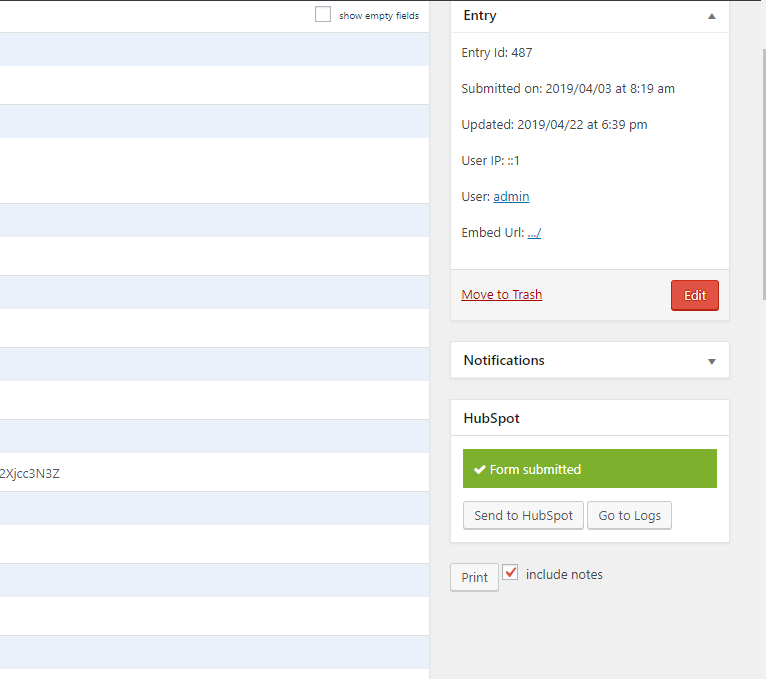
Manually Send Gravity Forms entry to HubSpot.
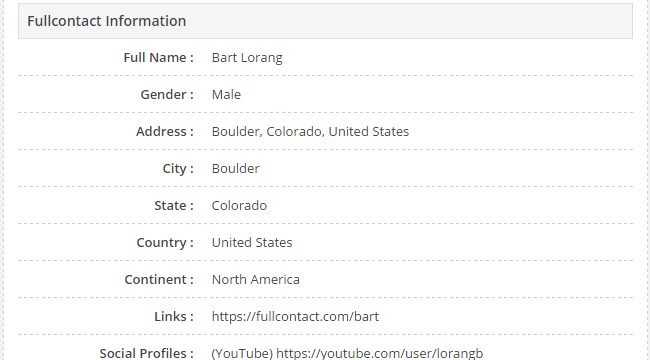
Get Customer's email and phone infomation from Full Contact(Premium feature).
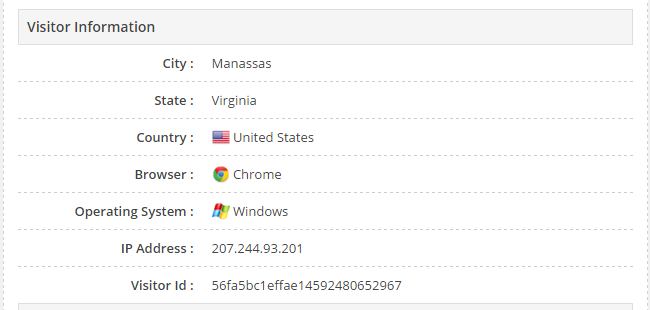
Get visitors's gclid , utm parameters, geolocation, browser and OS (Premium feature).
Faq
Our team provides free support at https://www.crmperks.com/contact-us/.
Gravity forms is a popular form builder, connecting HubSpot to gravity forms is very easy with this free Gravity Forms HubSpot add-on. Simply Connect HubSpot account then create a feed and map gravity forms fields to HubSpot fields.
You can easily connect Gravity forms and HubSpot with this free plugin. When anyone submits a form, you can add this as a contact in HubSpot.
* Connect HubSpot account to Gravity forms.
* Create a feed then map HubSpot fields to form fields.
* Send Gravity forms entry to HubSpot.
Reviews
Best Hubspot Plugin
By 
This plugin is by far the best Hubspot and Gravity Forms connector. Their support is very responsive and helpful.
Responsive Support
By 
Thanks to the team for responsive support.
Great Support
By 
Very quick to respond to questions!
Excellent plugin and amazing support
By 
Excellent plugin and awesome support
By 
Useful app, quick support
By 
Robust Plugin and Great Support!
By 
Awesome plugin with great support
By 
Not bad, not perfect
By 
Flawless integration and highly helpful, friendly, skilled support
By 
Changelog
1.2.7
- fixed “list field” issue.
1.2.6
- fixed “image choice field” issue.
- fixed “open redirect vulnerability” issue.
1.2.5
- added “textarea for custom value in feed” feature.
- fixed “PHP Object Injection Vulnerability” issue.
1.2.4
- added support for hubspot sensitive data.
1.2.3
- fixed “post_image field” issue.
- added “all hubspot objects” feature.
1.2.2
- fixed “missmatch scopes” issue.
1.2.1
- fixed “missing lists” issue.
- fixed “checkbox filter” issue.
1.2.0
- fixed “hubspot api error code” issue.
- fixed “curl error when connecting account” issue.
1.1.9
- fixed “note title” issue.
- upgraded to hubspot API V3.
1.1.8
- fixed “ticket forms” issue.
1.1.7
- fixed “contacts lists scope missing” issue.
1.1.6
- fixed “missing scopes” issue.
1.1.5
- fixed “subscription types” issue.
1.1.4
- fixed “add to workflow when update is disabled” issue.
- fixed “hubspot scopes” issue.
1.1.3
- fixed “html entity in hubspot options” issue.
1.1.2
- added “search by ID” feature.
1.1.1
- fixed “token expired” issue.
1.1.0
- fixed “invalid date exception” issue.
1.0.9
- fixed “debug xss” issue.
1.0.8
- fixed “payment completed” feature.
1.0.7
- fixed “conditional fields in hubspot forms”.
1.0.6
- fixed “query string with url in hubspot forms”.
1.0.5
- fixed file upload field in hubspot form.
- added search deals and tickets feature.
1.0.4
- added “pipeline” support for deals.
- fixed “assign company” feature.
- Do not send spam entries to hubspot.
1.0.3
- fixed checkbox issue in forms.
1.0.2
- fixed nothing posted to hubspot issue with API key.
1.0.1
- Fixed GDPR consent option.
1.0.0
- Initial release.