WP Gravity Forms Salesforce

WP Gravity Forms Salesforce
Description
Gravity Forms salesforce Add-on sends form submissions from Gravity Forms to Salesforce CRM when anyone submits a form on your site. Learn more at crmperks.com. We also offer other connector for Pardot Gravity Forms Pardot Integration.
Gravity Forms salesforce Add-on Setup
- Go to Forms -> Settings -> salesforce then add new account.
- Go to Forms -> select any form -> Settings -> salesforce then create new feed.
- Map required salesforce fields to Gravity Forms form fields.
- Send your test entry to salesforce CRM by clicking “Send to Salesforce” button.
- Go to Forms -> select any form -> Settings -> salesforce Logs and verify status of previously sent entries.
Connecting salesforce account
Connect any gravity forms form to salesforce account by safe and secure Oauth 2.0. Additionally, you can connect multiple salesforce accounts to Gravity Forms.
Map salesforce crm fields
Select any Salesforce Object then Map gravity forms form fields to salesforce object(Contacts, Company, Order, account, case, Opportunity etc) fields.
Filter Gravity Forms Salesforce entries
Either send all entries to salesforce or send specific entries based on user input. For example , only send those form entries to salesforce which contanin work email address.
Manually sending entries to salesforce
You can automatically Send gravity forms submissions to salesforce crm when a user submits a form. Also, you can manually send gravity forms submissions to salesforce.
Gravity Forms Salesforce CRM logs
View a detailed log of each gravity forms submission Whether sent or not sent to salesforce CRM , You can easily resend any entry to salesforce.
Send Data As salesforce object Notes
Send one to many Gravity Forms form fields as salesforce Object notes when someone submits a contact form on your site.
Create Or Update Contact in Salesforce
If a contact,lead,account or any object already exists in salesforce , update it otherwise create a new object in salesforce.
Premium Version Features.
Following features are available only in premium version. Gravity Forms Salesforce Add-on Pro.
- Salesforce Custom fields and particularly Phone fields fields.
- Upload attachments to “Files” section of Salesforce.
- Add Lead or Contact to a Campaign.
- Assign one Object to other object. for example Assigning an Account to Salesforce Contact.
- Assign Object(Contact, Lead etc) Owner in Salesforce.
- When any user submits a contact form, track gclid, utm parameters and geolocation.
- Lookup customer’s email or phone number using popular email and phone number lookup services.
- 20+ premium addons
Free Gravity forms Salesforce add-on
Easily integrate Gravity Forms to Salesforce with this free Gravity Forms Salesforce add-on. You can Create/Update a contact, account, case, Opportunity or Order in Salesforce crm when anyone submits a contact form on your site.
Want to send Gravity Forms entries to other crms
We have Premium Extensions for 20+ CRMs.View All CRM Extensions
Need Salesforce Plugin for Woocommerce ?
We have Salesforce add-on for Woocommerce. Woocommerce Salesforce Integration
Gravity Forms Pardot Integration
We have a separate plugin for Pardot. Gravity Forms Pardot Integration
Gravity Forms Klaviyo Integration
We have a separate plugin for Pardot. Gravity Forms Klaviyo Integration
Screenshots
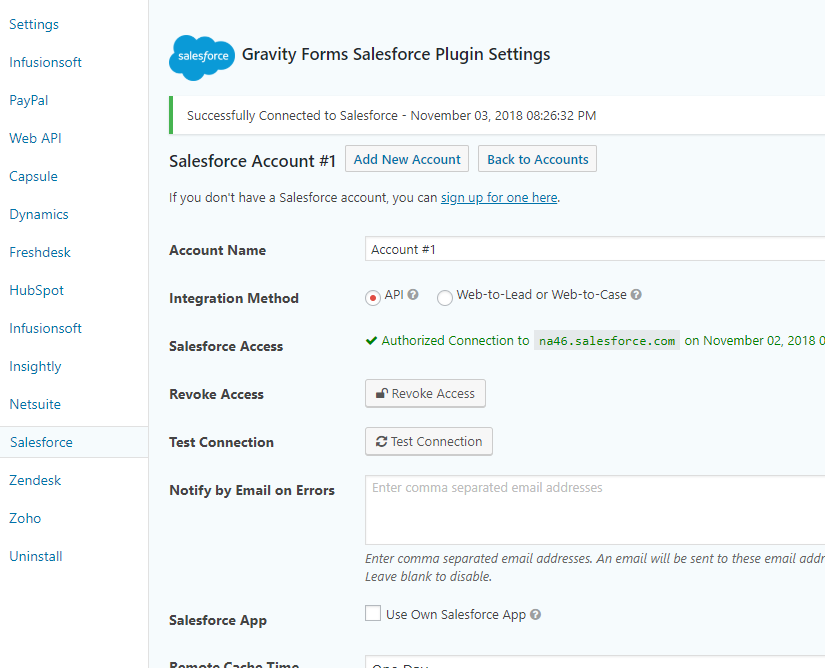
Connecting Salesforce Account to Gravity Forms.
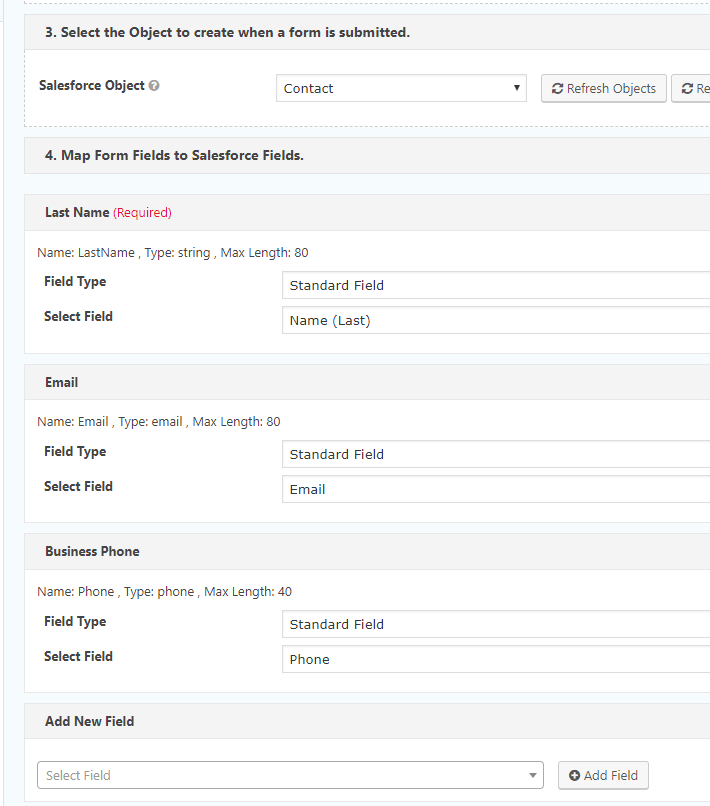
Mapping Salesforce fields.
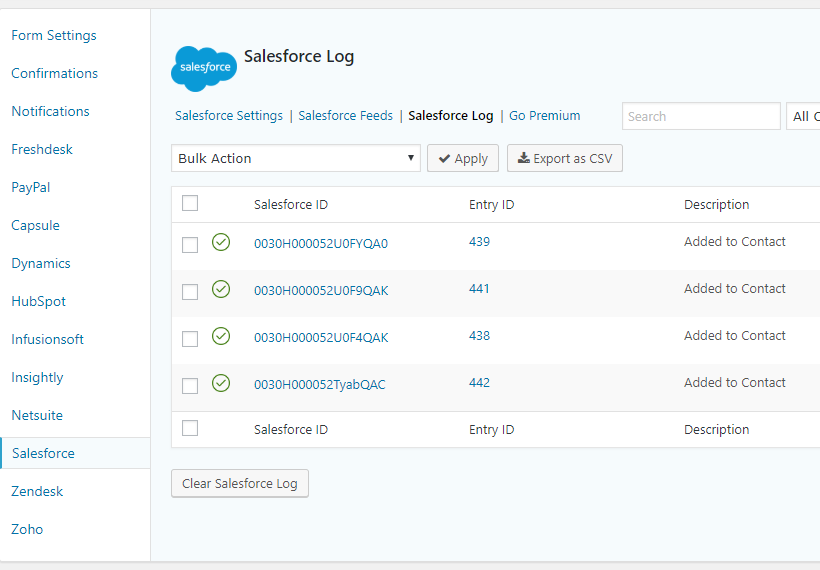
Gravity Forms Salesforce crm logs.
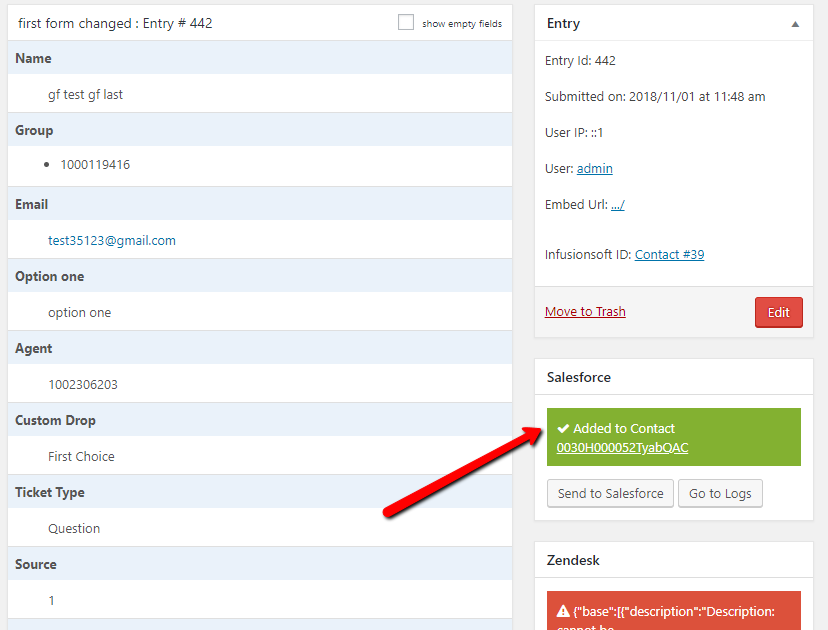
Manually Send Gravity Forms entry to Salesforce crm.
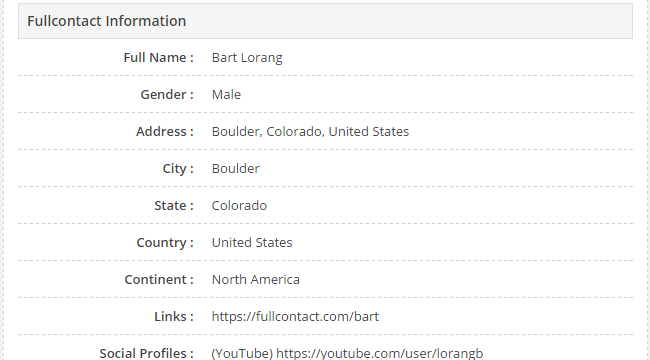
Get Customer's email and phone infomation from Full Contact(Premium feature).

Get Customer's gclid, utm parameters , geolocation, browser and OS (Premium feature).
Faq
Our team provides free support at https://www.crmperks.com/contact-us/.
You can easily integrate salesforce with Gravity Forms. Simply install this free Salesforce wordpress Gravity Forms plugin, Connect salesforce account and map Gravity Forms fields to salesforce object(lead, account etc) fields.
if your organization does not has API access then simply use salesforce web to lead feature. Easily map Gravity Forms form fields to salesforce case or lead fields.
create or update any object(contact, account, lead, case, opportunity, task, custom object etc) in salesforce crm when any user submits a contact form.
Salesforce API access is enabled in following editions.
- Enterprise Edition
- Unlimited Edition
- Developer Edition
- Performance Edition
You can purchase Salesforce API access in following editions.
- Professional Edition
Following salesforce editions do not support API access.
- Contact Edition
- Group Edition
- Spark Edition
- Essential Edition
No, because Some features like Salesforce custom modules and phone number and custom fields fields are available only in Pro version.
Yes, date/time fields are supported in both API and web to lead.
yes, gravity forms salesforce add-on supports both salesforce checkboxes and multiple select fields.
yes, You can use ID of an object created or updated by one feed in other feed. For example, adding a contact to Opportunity.
yes, You can map a form field to any salesforce object field. Similarly, you can map your custom value to a salesforce field.
Following features are not available in free version.
- Salesforce custom fields and particularly phone number fields.
- Assign ID of object created by one feed to other feed.
Yes, as you connect your normal salesforce account similarly, you can connect your sandbox account. fields mapping is same for both normal and sandbox accounts.
Reviews
Thank you!
By 
Thank you for your support!
Better than the competition!
By 
I was using another plugin to send from Gravity Forms to Salesforce before I found this one. Eventually, I needed more features and was happy to find this had everything I need. Support is great too. I needed some help with a field and they fixed it for me. So thankful for well-thought-out plugins with excellent support!
Fantastic plugin!!!
By 
We came across this plugin while looking for a light solution for connecting our gravity forms to Salesforce. I can't believe how easy the setup was and how little issues we have had to date. Also the support has been quick and responsive. Five stars!
Perfect product
By 
Great product, easy to use !
Excellent and Reliable Plugin – Perfect Salesforce Integration!
By 
We have been using CRM Perks Plugin for years, and we couldn't be more satisfied! The integration with Salesforce is flawless, and we have never encountered any issues. This WordPress plugin is incredibly stable, making it a reliable solution for our business needs. If you're looking for a seamless way to connect your WordPress site with Salesforce, this is the perfect choice. Highly recommended!
Good product, easy to use
By 
This plugin works well for getting form information into Salesforce. It's also more powerful than I initially thought. You can create say, a contact, and then add another object linked to that contact, for example a case. It has nice little touches, such as being able to add a campaign member at the same time as adding a contact, just by putting the campaign id into the "feed".
The documentation isn't that thorough, though I've been told it will be improved in future.
Great product and great support
By 
been using the plugin for a few months now and have had zero issues and all questions were answered very quickly when contacting support!
Great product and support!
By 
Great product and support!
Very good plugin and support
By 
Very good plugin and support
Very good plugin
By 
Good support, good plugin
Changelog
1.5.2
- fixed “list field” issue.
1.5.1
- fixed “image choice field” issue.
1.5.0
- fixed “comma issue with custom value”.
- fixed “subscription paid event” issue.
- fixed “PHP Object Injection Vulnerability” issue.
1.4.9
- fixed “multiple file links issue with Notes”.
- fixed “500 error with invalid data” issue.
1.4.8
- fixed “post_image field” issue.
1.4.7
- fixed “misspells in logs” issue.
1.4.6
- fixed “note title split” issue.
1.4.5
- added “gravitypdf field” feature.
1.4.4
- fixed “order line items” issue.
1.4.3
- fixed “custom primary key datetime” issue.
1.4.2
- fixed “custom primary key” issue.
1.4.1
- added “custom primary key” feature.
1.4.0
- fixed “line item update” issue.
1.3.9
- fixed “note title” issue.
1.3.8
- fixed “empty checkbox with payment trigger” issue.
- fixed “salesforce date field timezone” issue.
1.3.7
- fixed “send to salesforce” checkbox issue in gravity entry.
1.3.6
- added filter for adding primary key fields.
1.3.5
- fixed “Trying to get property ‘type’ of non-object” issue.
1.3.4
- fixed “entry does not exist” issue.
- fixed “live options mapping” issue.
1.3.3
- fixed “failed logs search” issue.
1.3.2
- added “after form submission” event.
1.3.1
- fixed “salesforce ID in merge tags” issue.
1.3.0
- fixed gravity forms icon issue.
1.2.9
- fixed “undefined post function” issue.
1.2.8
- fixed “empty space in string field” issue.
- fixed “new line from textarea field” issue.
1.2.7
- fixed “empty note fields” issue.
1.2.6
- added “auto trim lengtly fields” feature.
1.2.5
- fixed “date escaping” issue.
1.2.4
- fixed “connection lost” issue.
1.2.3
- fixed “missing Order fields” issue.
1.2.2
- fixed “updating product price” issue.
1.2.1
- fixed “optin filter” issue with feed ID.
1.2.0
- fixed missing logs issue.
1.1.9
- fixed date format issue.
- fixed “partial entry” issue.
1.1.8
- added campaign ID field.
1.1.7
- fixed permission error with settings page.
1.1.6
- fixed us date format issue with web2lead.
- fixed survey addon question field.
- fixed live picklists.
1.1.5
- added support entries added via GF REST API.
- fixed date field.
1.1.4
- fixed timezone issue in date_created field.
- fixed sanitize currency issue.
- added “disable_log” feature.
- fixed “salesforce option label”.
1.1.3
- fixed timezone issue in date field.
1.1.2
- added separate note title feature.
- fixed file_get_contents function for files.
- fixed “test connection” button
- fixed “hidden connection notice” issue
1.1.1
- fixed another “self::$order is undefined” error.
1.1.0
- fixed “self::$order is undefined”.
1.0.9
- added name and email as Primary key.
- fixed entities issue in multi-picklist value.
1.0.8
- fixed empty date issue.
1.0.7
- fixed checkbox field in salesforce web2lead.
- fixed date time field formats.
- fixed filter options.
1.0.6
- fixed empty gravity forms fields list.
1.0.5
- fixed “Invalid options[object-object] in picklists”.
1.0.4
- fixed “error while getting fields”.
1.0.3
- added salesforce sandbox support.
1.0.0
- Initial release.