Gift Vouchers for Amelia

Gift Vouchers for Amelia
Description
Gift Vouchers for Amelia bridges WooCommerce and the Amelia booking plugin so you can sell gift vouchers for your services:
- Mirror any visible Amelia service into a virtual WooCommerce product (name + price) from a checkbox list under WooCommerce Gift Vouchers. Unchecking a service sets its product back to draft (reversible).
- Products live in a “Gift Vouchers” product category and are listed on an auto-created page.
- Each voucher product is limited to one per order (quantity locked server-side).
- When an order is paid, the plugin generates — for each purchased service — an Amelia coupon: 100% discount, restricted to that service, single-use, with an expiry date (6 months by default, configurable).
- The code(s) are emailed to the buyer, added to the admin “New order” email, and stored on the order.
The recipient books the service in Amelia and enters the code: the discount covers 100% of the price. Amelia natively enforces expiry, single-use and the service restriction.
Requirements
- WooCommerce (active)
- Amelia booking plugin (active)
- A configured WooCommerce payment gateway
- PHP 7.4+
Installation
- Upload the plugin folder to
wp-content/plugins/, or install the ZIP via Plugins Add New Upload. - Activate the plugin.
- Go to WooCommerce Gift Vouchers: set the validity duration and the booking page URL, then tick the services to offer and save.
- The public vouchers page is available at
/gift-vouchers/.
Screenshots
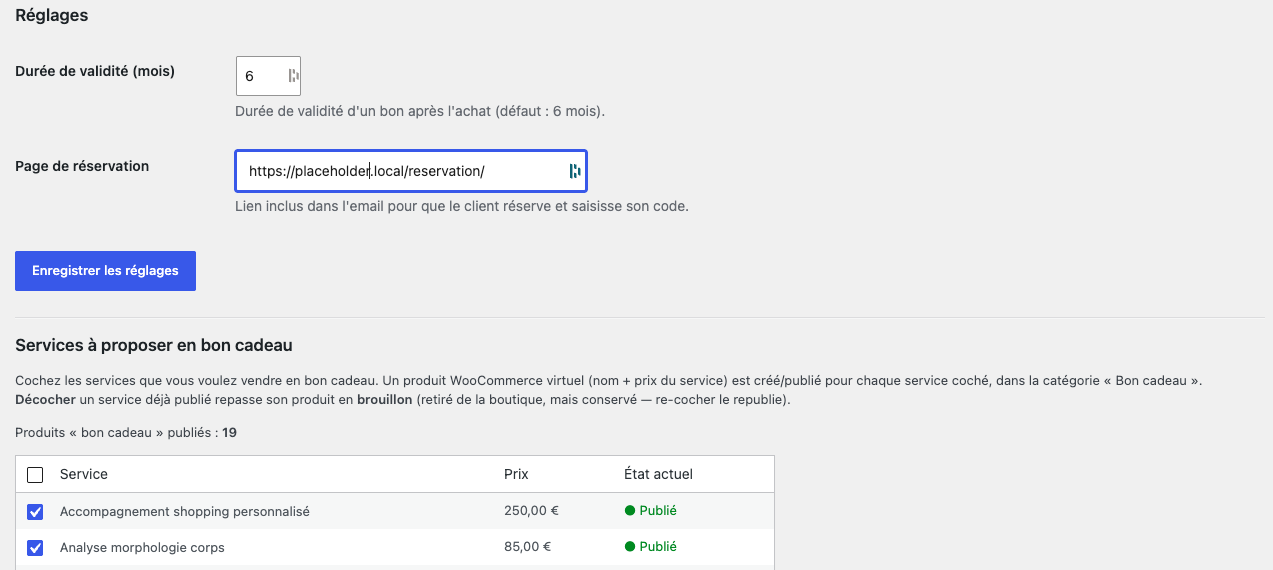
Admin: pick the Amelia services to sell as gift vouchers.
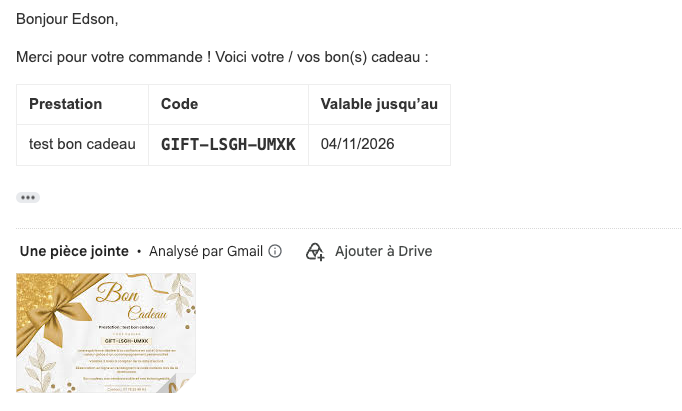
The email a buyer receives, containing the gift code.
Faq
One distinct code is generated per service (and per quantity unit), each restricted to its own service. An Amelia coupon is consumed by a single booking, so you need one code per service to gift.
No. Expiry and single-use are enforced natively by Amelia.
No. Only the plugin’s own option is removed. Products, the vouchers page and generated coupons are kept.
Reviews
Changelog
1.0.0
- Initial release: Amelia service to WooCommerce product sync (checkbox list), automatic 100% Amelia coupon generation on paid orders, buyer email, code(s) added to the admin “New order” email, quantity locked to 1, vouchers page, optional printable gift-voucher image (configurable message) attached to the buyer email. Fully translatable (English default, French translation bundled).