Gou Manage My Account Menu – User Roles
Gou Manage My Account Menu – User Roles
Description
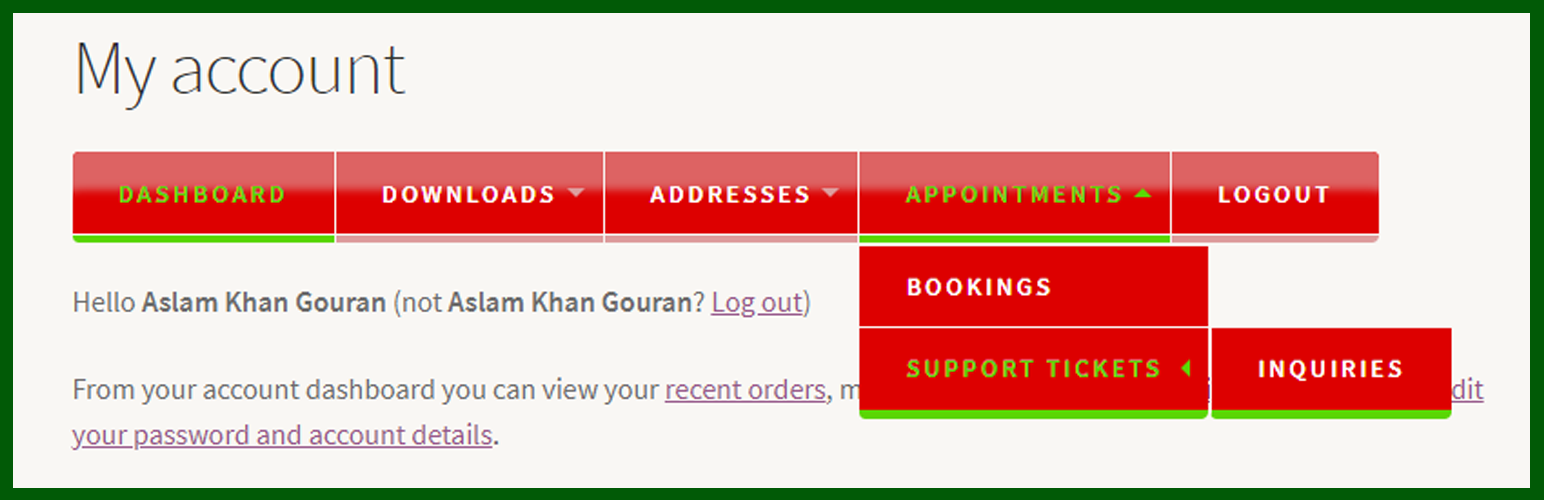
Extension for WooCommerce to manage my account menus. Functionality to add/edit, show/hide and change the layout of menus, and you can also set the menus according to user roles on my account page and you can build Multi-Level Dropdown menus by drag the items.
Set the layout/design of menus. You can set the menus on left, right or top of the my account page. You can see also live preview of menus.
Synchronize : This will search all endpoints in all plugins and theme and then it will set menus, which are still not in menus listing.
Reset : This will reset all menus and also search all endpoints in all plugins and theme and then insert all in menu listing, which are still not in menu listing (This will remove all custom menus which are created from “Add New Menu” form and only default menus will show in listing).
Features
- Create new menu, edit existing menu, set the menus according to user roles, and you can build Multi-Level Dropdown menus by drag the items.
- Set the layout/design of menus. You can set the menus on left, right or top of the my account page. You can see also live preview of menus.
- Automatically set all menus which are added by code in any plugin or theme.
You may also like
-
Gou Manage Related Posts | Similar Posts: https://wordpress.org/plugins/gou-manage-related-posts-similar-posts/
-
Gou PreLoader: https://wordpress.org/plugins/gou-preloader/
Screenshots

General Settings

Layout Settings (Set menus left side of page)

Layout Settings (Set menus right side of page)

Layout Settings (Set menus top of the page)

Menu Settings

Add Menu Form

Menus top of my account page

Menus left side of my account page

Menus right side of my account page
Reviews
Lightweight
By 
Just wow
By 