GRAJ License Manager

GRAJ License Manager
Description
GRAJ License Manager gives digital product sellers a simple WordPress dashboard for creating product records, issuing activation codes and validating customer licenses.
The free edition is intentionally focused: it handles products, manual licenses, domain limits, admin validation, a public license verification endpoint and basic delivery through WordPress email.
Free features
- Create unlimited product records with setup URLs.
- Store product type metadata for non-WordPress products.
- Create editable setup pages per product.
- Render setup instructions with
[graj_product_setup product_id="my-product"]. - Set domain limits per product.
- Create manual activation codes.
- Validate licenses from wp-admin.
- Public REST endpoint for license verification.
- Optional domain registration during validation.
- Basic license email delivery with
wp_mail(). - Event logs that store buyer email hashes.
- Activation codes stored as hashes, not plain text.
- Built-in admin documentation with the Free workflow and a clear Pro upgrade path.
Premium features
GRAJ License Manager Pro adds product versions, protected downloads, deploy provider connections, audit workflows, payment webhooks, n8n fulfillment, advanced email providers and secure product update automation.
Security model
- Activation codes are never stored in plain text.
- Lookup keys use HMAC.
- Admin forms use nonces.
- Admin screens require
manage_options. - Public verification responses avoid exposing buyer details.
- Domain validation rejects local/private hosts.
- Public verification has basic rate limiting.
Installation
- Upload the
graj-license-managerfolder to/wp-content/plugins/. - Activate GRAJ License Manager from the WordPress Plugins screen.
-
For stronger portability, add a master key to
wp-config.php:define( ‘GRAJ_LICENSE_MANAGER_MASTER_KEY’, ‘replace-with-a-long-random-secret’ );
-
Go to GRAJ Licenses -> Products and create your first product.
- Under Products configured, create its public activation form page so emailed licenses include the setup link.
- Go to GRAJ Licenses -> Licenses and create a manual license.
- Copy the activation code when it appears. It is shown only once.
Screenshots
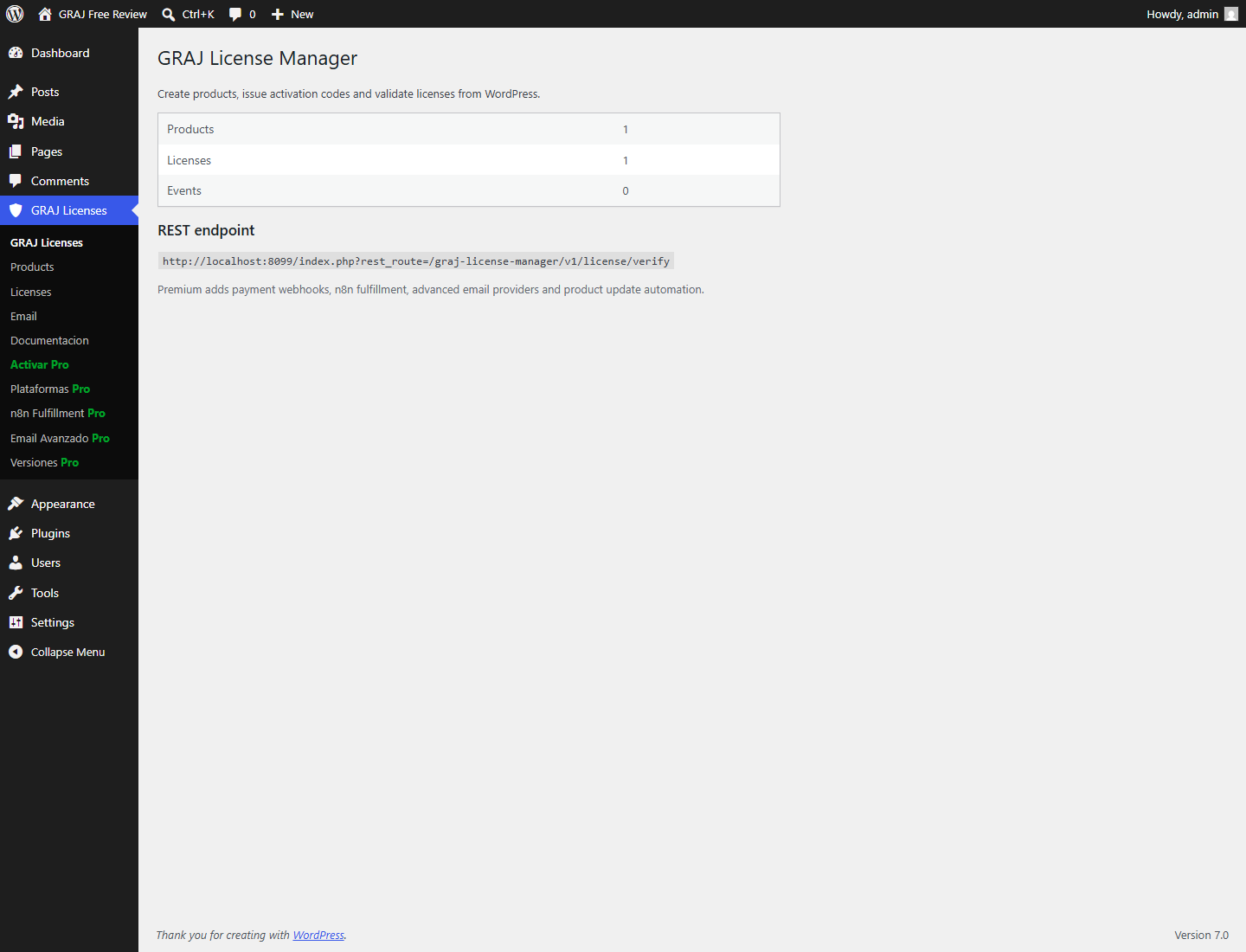
Dashboard summary with product, license and REST endpoint overview.
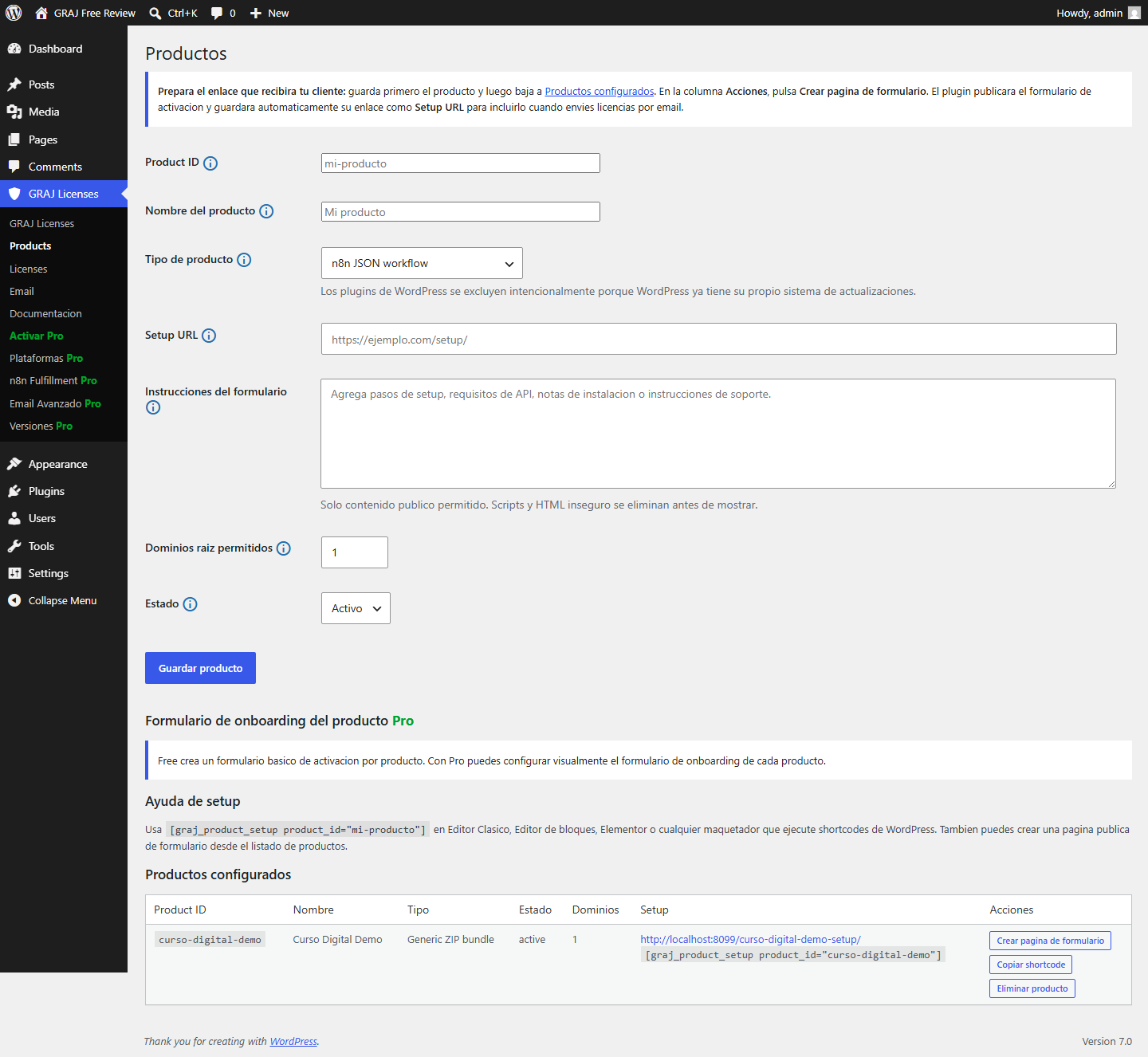
Product configuration with setup page and shortcode fields.
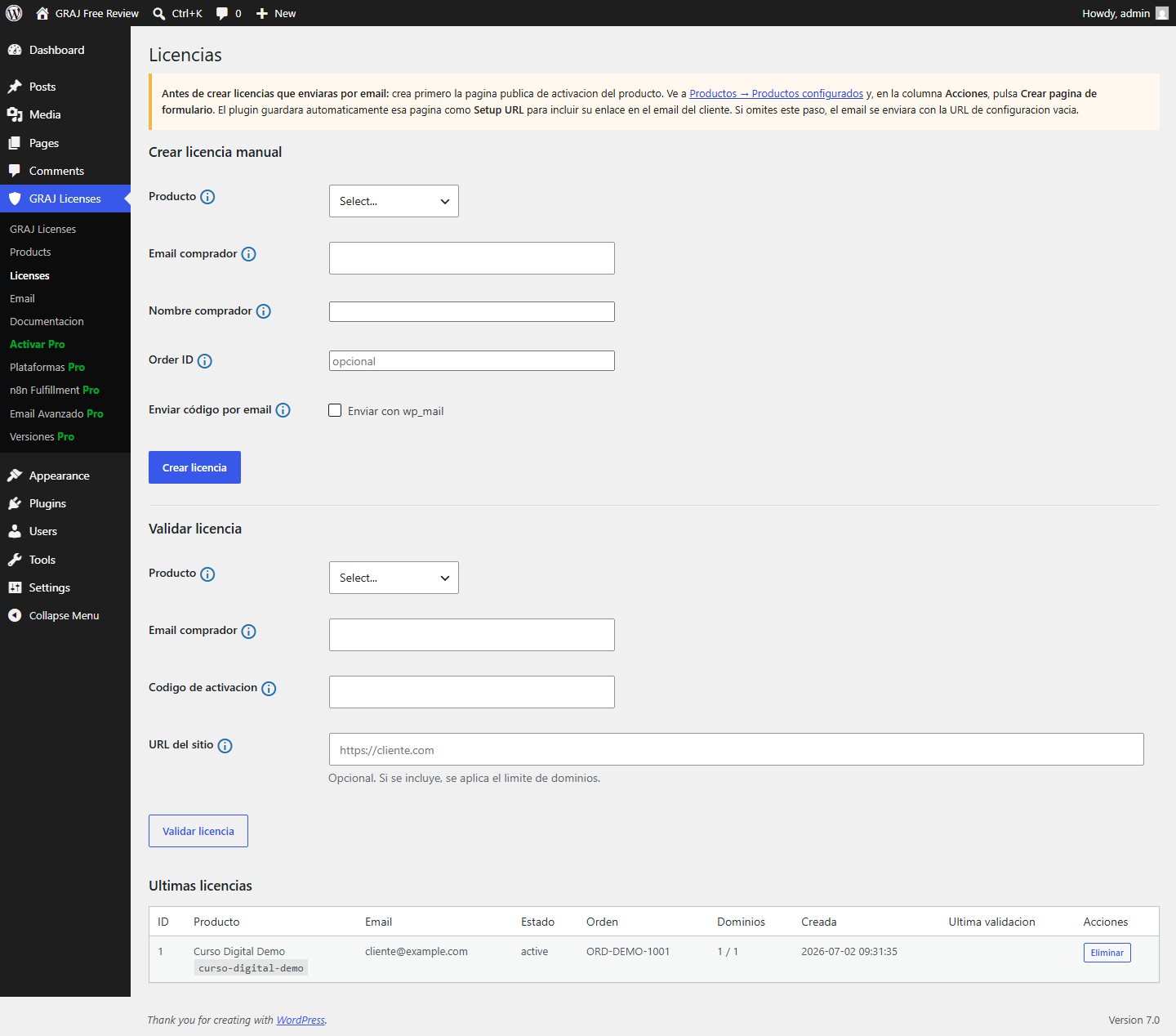
Manual license creation and recent license table.
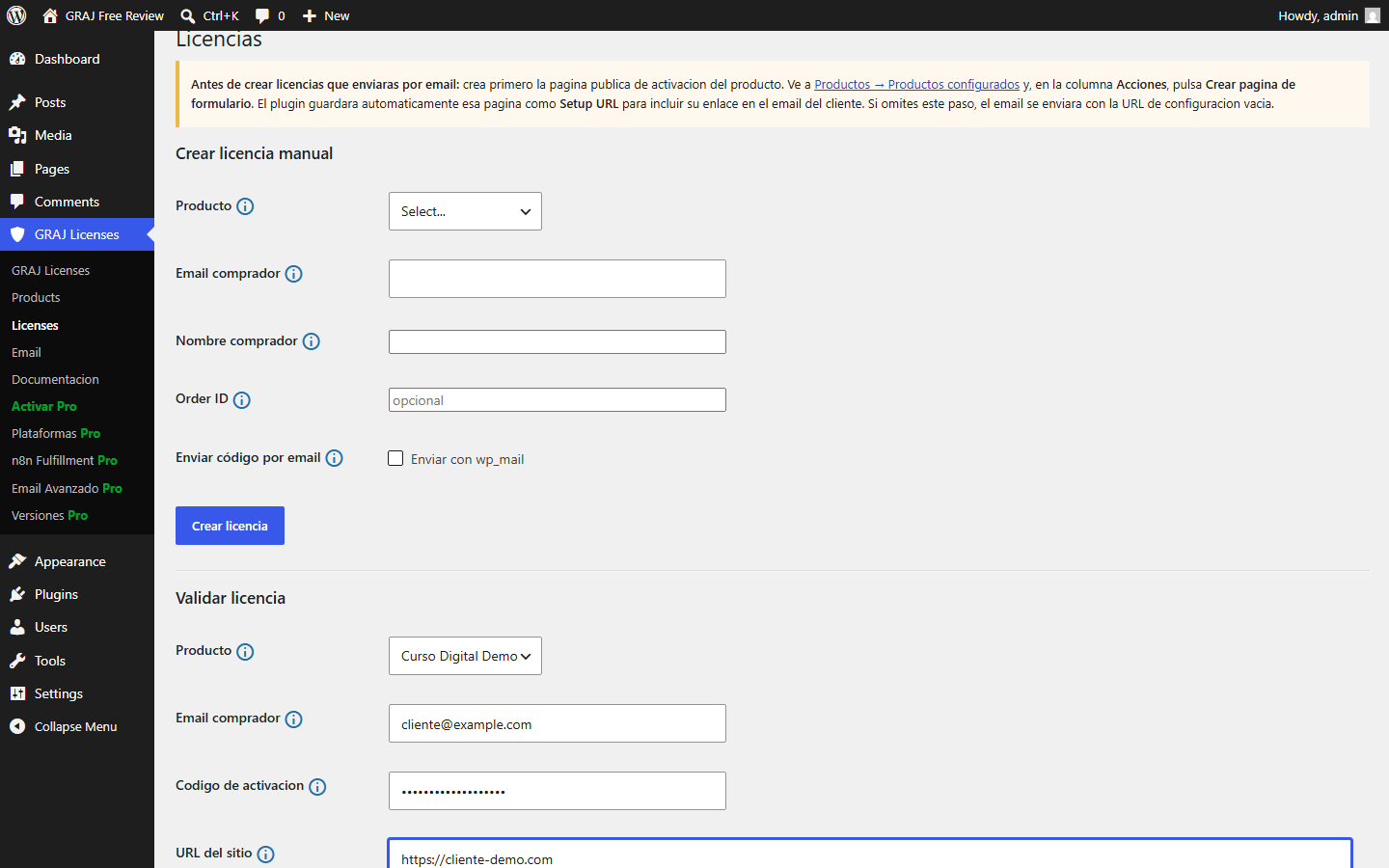
Admin license validation form with product, buyer, code and site URL fields.
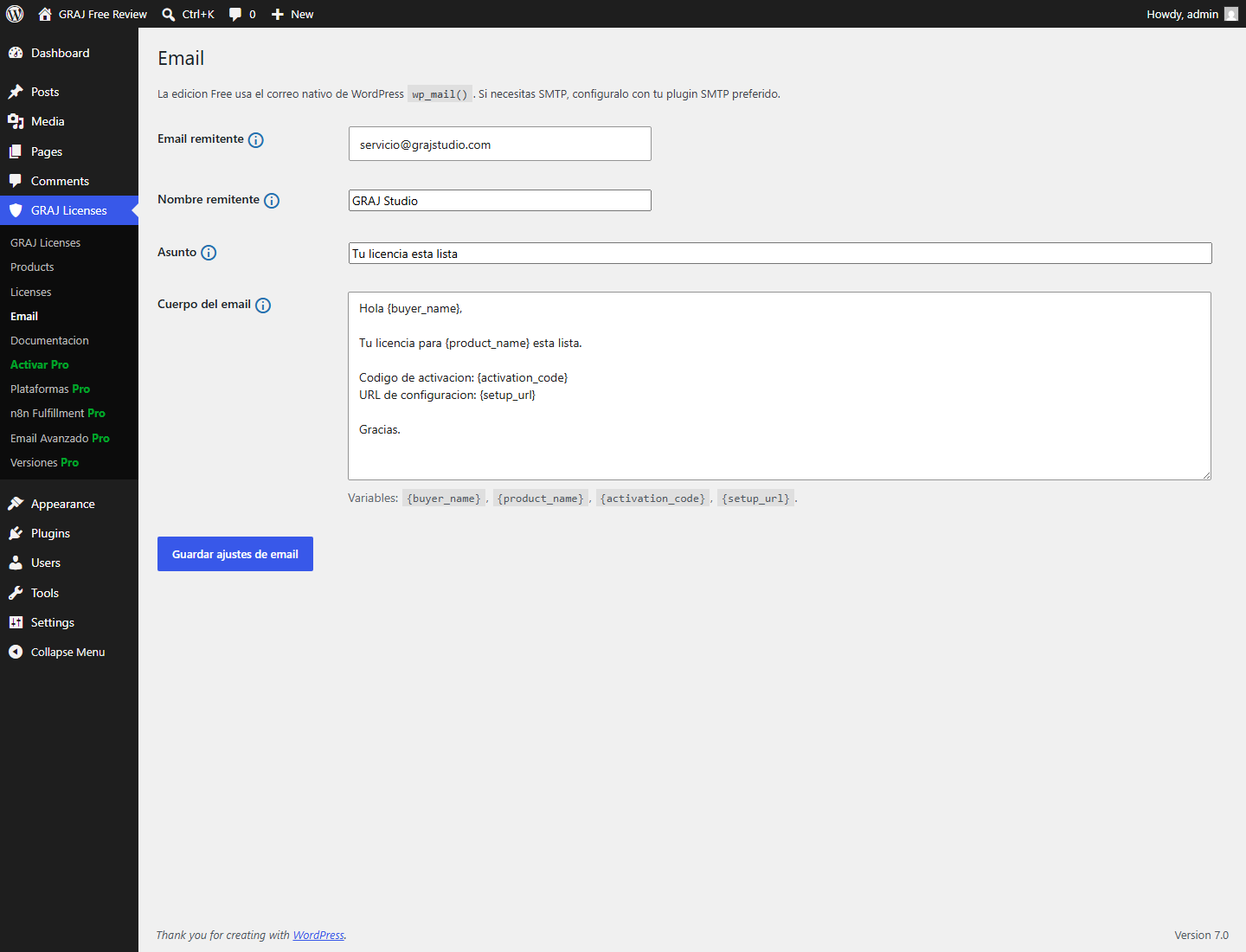
Basic email settings for license delivery through wp_mail().
Faq
No. The free edition manages products and licenses after a purchase happens elsewhere.
No. Activation codes are hashed. The code is displayed only once when created.
Yes. Send a site_url during validation or enter it in the admin validation form.
Yes, using WordPress native wp_mail(). For more delivery providers, use the Pro edition or an SMTP plugin.
Pro adds payment webhooks, n8n fulfillment, advanced email providers and update automation.
Yes. The setup shortcode works in Classic Editor, Block Editor, Elementor and builders that render WordPress shortcodes.
No. Frontend apps and Vercel-like platforms are handled as downloadable bundles in this phase. Automatic API deploys are planned as a separate future phase.
Reviews
Changelog
0.1.19
- Adds an informational link from the Pro admin screens to the GRAJ License Manager Pro page so users can learn how to upgrade.
0.1.18
- Adds permanent reminders on the Products and Licenses screens to prepare the product activation page before emailing licenses.
- Links directly to the configured-product action that creates and saves the setup URL.
- Clarifies the plugin description shown on the WordPress Plugins screen.
0.1.17
- Normalized the plugin source against WordPress Coding Standards.
- Strengthened admin input sanitization while preserving existing workflows.
- Added blocking WPCS, PHP compatibility and smoke-test quality gates.
0.1.16
- Hardens admin input handling to consistently unslash values before sanitization.
0.1.2
- Adds product type metadata for multiformat products outside the WordPress plugin update system.
- Adds editable setup page creation per product.
- Adds
[graj_product_setup product_id="..."]for Classic Editor, Block Editor, Elementor and shortcode-compatible builders. - Adds visible production reminder: frontend apps and Vercel-like platforms are downloadable bundles in this phase; no automatic API deploys yet.
0.1.1
- Core package now uses the central
graj_lm_*data tables shared with Pro. - Preserves the existing
graj_license_manager_install_secretoption so previous activation codes remain valid. - Prepared for the separate Free/Core + Pro add-on distribution model.
0.1.0
- Initial free edition.
- Product management.
- Manual license creation.
- Admin license validation.
- Public license verification endpoint.
- Domain limit enforcement.
- Basic wp_mail delivery.