Groundworx GTM – Simple Insert for Google Tag Manager
Groundworx GTM – Simple Insert for Google Tag Manager
Description
Groundworx GTM is a lightweight plugin that cleanly adds Google Tag Manager (GTM) to your WordPress site.
It uses core WordPress hooks like wp_head and wp_body_open, ensuring compatibility and avoiding messy theme edits.
Features:
* Injects GTM scripts in the proper locations (<head> and after <body>)
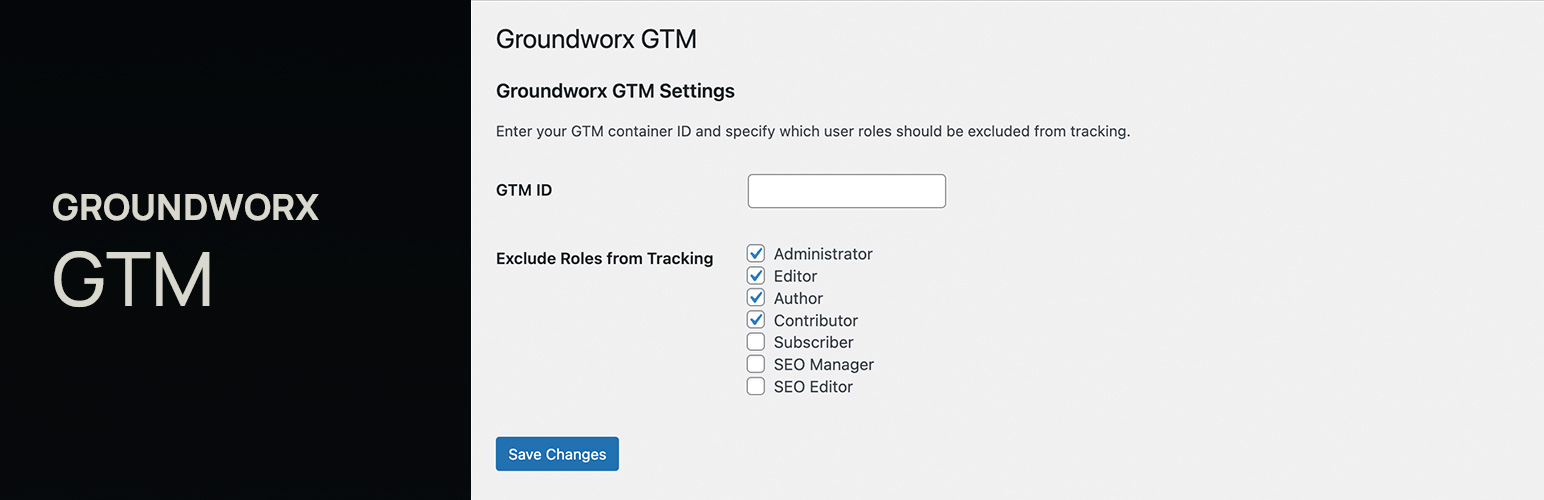
* Option to disable tracking for logged-in users, by user role
* No ads, no tracking — just works
License
GPLv2 or later
Installation
- Upload the plugin folder to
/wp-content/plugins/or install via Plugins > Add New. - Activate the plugin.
- Go to Settings > Groundworx GTM and enter your GTM ID.
- Optionally choose user roles to exclude from GTM injection.
External services
This plugin relies on the following third-party service:
Google Tag Manager (GTM)
• Purpose: Loads your GTM container so you can manage analytics/marketing tags from GTM.
• When it runs: Only when a valid GTM Container ID (e.g., GTM-XXXXXXX) is saved in the plugin settings and output is enabled. If no ID is set or output is disabled, nothing is loaded.
• What is sent and where: The plugin outputs the standard GTM bootstrap script and a <noscript> iframe. The visitor’s browser then requests:
– https://www.googletagmanager.com/gtm.js
– https://www.googletagmanager.com/ns.html
These requests send standard browser metadata (IP, user agent, referrer, page URL) to Google to serve the files.
• Scope: Front-end pages only. The plugin does not transmit admin data.
• Policies:
– Google Tag Manager Terms of Service
– Google Privacy Policy
• Data stored by this plugin: None. The plugin does not log, transmit, or store visitor data in WordPress.
Screenshots

Settings panel with GTM ID and role exclusions.
Faq
No, not if you exclude their role from the settings panel.
- The
<script>is injected in the<head>usingwp_head. - The
<noscript>fallback is injected after<body>usingwp_body_open.
You’ll see an admin notice prompting you to update your theme.
If your theme doesn’t support wp_body_open, you can manually add it by inserting <?php wp_body_open(); ?> immediately after the opening <body> tag in your theme’s header.php file.
Usually no — most modern themes include wp_head and wp_body_open. But if your theme is older or custom, you might need to add wp_body_open() manually after <body>.
Reviews
Changelog
1.1.1
- Confirmed compatibility with WordPress 7.1
1.1.0
- Rebuilt settings page with React using WordPress components
- Moved settings under shared Groundworx admin menu
- Added REST API for settings (replaces Settings API)
- Added settings link to plugin action links
- Added keyboard shortcut (Ctrl/Cmd+S) to save settings
- Lowered PHP requirement to 7.4
1.0.0
- Initial release: inject GTM via
wp_headandwp_body_open