Growify

Growify
Description
Growify.ai is a powerful analytics integration platform that helps you track important events on your WordPress website. By connecting your site to Growify.ai, you can gain deep insights into your marketing performance and user behavior.
Key Features:
* Easy Setup: Just enter your Growify API key and you’re ready to go.
* Visit Tracking: Track visits to your website automatically.
* WooCommerce Integration: Track order conversions and detailed product data automatically.
* Lead Tracking: Automatically detects and tracks submissions from popular form plugins including Contact Form 7, WPForms, Gravity Forms, Ninja Forms, Forminator, Fluent Forms, Elementor Pro Forms, Formidable Forms and Everest Forms.
* Performance-Friendly: Lightweight tracking script with minimal impact on performance.
* Admin Controls: Option to enable or disable tracking for administrators and editors.
Installation
Via WP Dashboard:
- Go to your website’s WordPress admin dashboard.
- Navigate to Plugins > Add Plugin and search for Growify
- Click Install Now button and then click Activate button
- Once activated, you should automatically be redirected to Growify plugin settings page
- If not redirected automatically, find the Growify link in the dashboard’s left sidebar menu.
- Enter your API key in the Growify plugin settings page and click Save Changes button.
Manual Installation:
- Download the .zip file of the plugin
- Upload and extract the
growify-aifolder to the/wp-content/plugins/directory. - Find and activate the Growify plugin through the ‘Plugins’ menu in WordPress.
- Once activated, you should automatically be redirected to Growify plugin settings page.
- If not redirected automatically, find the Growify link in the dashboard’s left sidebar menu.
- Enter your API key in the Growify plugin settings page and click Save Changes button.
Screenshots
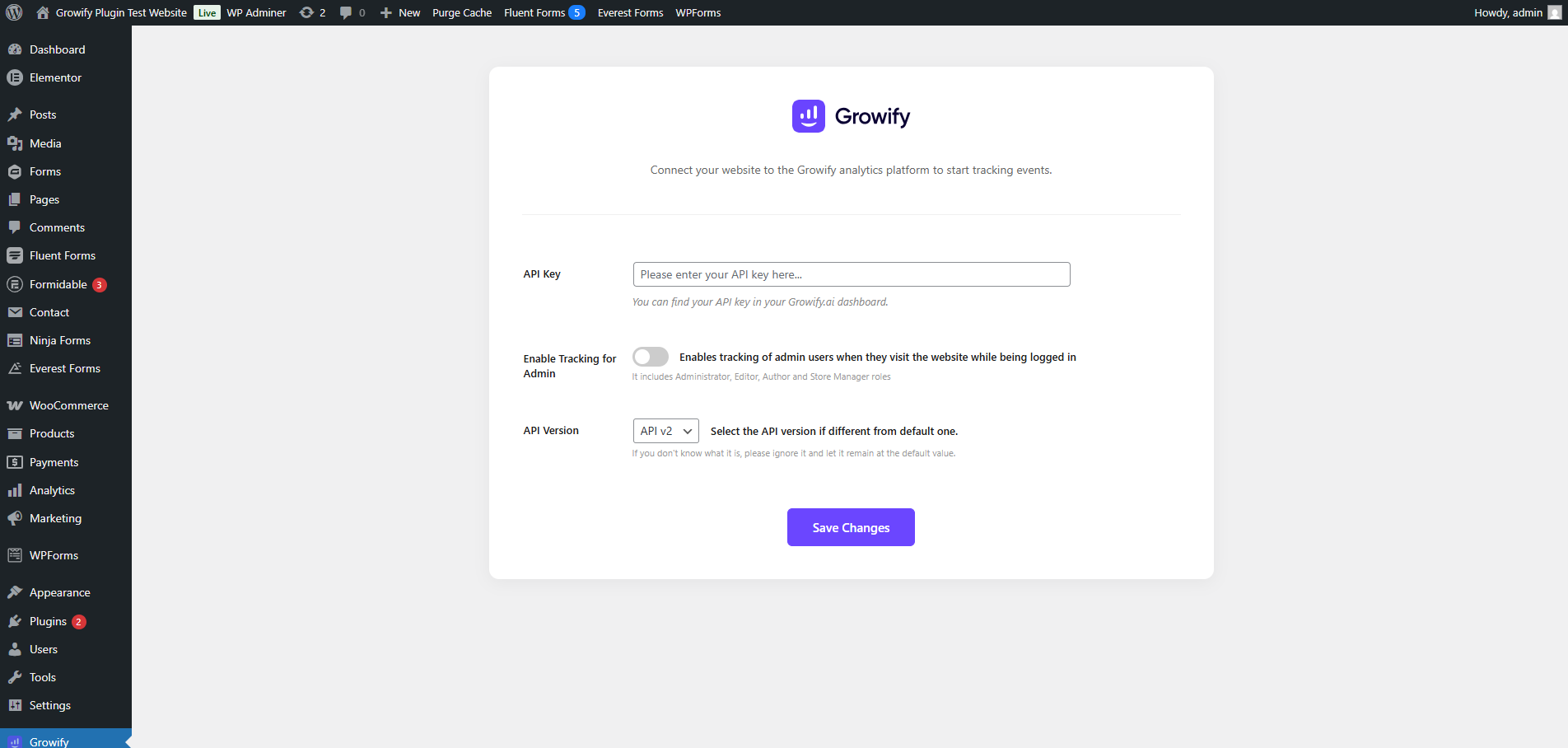
The Growify plugin settings page.
Faq
You can find your API key in your Growify.ai dashboard on Settings > PowerPixel page.
We support almost all popular form plugins. Supported form plugins are Contact Form 7, WPForms, Gravity Forms, Ninja Forms, Forminator, Fluent Forms, Elementor Forms, Formidable Forms and Everest Forms. More integrations are coming soon!
Reviews
Changelog
1.0
- Initial release.
1.1
- Minor update
1.2
- Added Bricks theme form support
- Simplified form hooks initiation