Gutenverse – WordPress Blocks, Page Builder & Site Editor
Gutenverse – WordPress Blocks, Page Builder & Site Editor
Description
Gutenverse is a WordPress blocks plugin, page builder, and website builder for the native Block Editor and Site Editor. Create fast, responsive websites without code using 57 blocks, 600+ templates, global styles, responsive controls, popup builder tools, and block theme support.
Build landing pages, business websites, blogs, portfolios, headers, footers, archive templates, single post templates, popups, and full site designs with WordPress blocks in the native Block Editor and Site Editor.
Use Gutenverse when you want a lightweight page builder experience that extends WordPress, Gutenberg, and the Site Editor instead of replacing the editor.
Why Choose Gutenverse
- Build pages and websites with WordPress blocks
- Use page builder controls inside the native Block Editor
- Create full site layouts with the WordPress Site Editor
- Start from 600+ starter templates, sections, and layouts
- Use block themes and Full Site Editing (FSE)
- Design responsive pages for desktop, tablet, and mobile
- Build popups, landing pages, headers, footers, and post templates
- Keep the editing workflow close to WordPress core
Key Features
- 57 WordPress blocks for the Block Editor
- 600+ ready-to-import starter templates and sections
- WordPress Site Editor and block theme support
- Page builder controls inside the native Block Editor
- Popup builder tools
- Responsive editing controls and custom breakpoints
- Global color and global font controls
- Flexible layout blocks for sections, containers, and columns
- Block management to enable or disable unused blocks
- Icon library with 100+ icons
- Advanced styling controls for spacing, background, border, typography, visibility, and animation
- Lightweight, performance-focused website building experience
WordPress Blocks Included
Gutenverse includes layout blocks, content blocks, design blocks, post blocks, and site building blocks for WordPress.
Block categories include:
- Layout and wrapper blocks: Container, Section, Column, Flexible Wrapper, and Popup Builder
- Content and design blocks: Heading, Button, Image, Gallery, Tabs, Accordion, Icon Box, Team, Testimonials, Google Maps, and more
- Post and site blocks: Post Block, Post Title, Post Content, Post Featured Image, Archive Title, and Search Result Title
Explore the full block list at Gutenverse Blocks.
Template Library
Gutenverse includes 600+ starter templates, layouts, and sections for faster website creation. Start from prebuilt designs, then customize each section with WordPress blocks, responsive controls, global colors, and global fonts.
Template types include landing pages, business websites, portfolio layouts, content sections, headers, footers, archive layouts, single post layouts, and full site templates.
Built For The WordPress Site Editor
Gutenverse works with the WordPress Site Editor, block themes, and Full Site Editing. You can create and customize site parts such as headers, footers, archive pages, and single post templates using WordPress blocks.
For a ready-made block theme, try Unibiz.
Free And Pro Features
The free version of Gutenverse includes the core WordPress blocks, template library access, responsive controls, global styles, layout tools, and popup builder features needed to build a complete WordPress website.
Gutenverse Pro adds advanced blocks, templates, form builder tools, popup options, dynamic data, display conditions, custom fonts, premium templates, and advanced site building features.
Use of 3rd-Party Services
Gutenverse may connect to the following third-party services when you enable or use related features.
Gutenverse.com
The Gutenverse dashboard may show optional links, template/library access, theme data, documentation, support, banners, license checks, or newsletter subscription features from gutenverse.com. Newsletter data is sent only when you manually submit your email address.
Website: https://gutenverse.com/
Terms: https://gutenverse.com/terms-and-conditions/
Google Maps
If you add the Google Maps block, the map may load content from Google Maps.
Service endpoint: https://maps.google.com/maps
Privacy Policy: https://policies.google.com/privacy
Terms of Service: https://policies.google.com/terms
Google Fonts
Some Gutenverse dashboard screens may load Google Fonts for dashboard typography.
Service endpoint: https://fonts.googleapis.com/
Privacy Policy: https://policies.google.com/privacy
Terms of Service: https://policies.google.com/terms
Social Share Links
If you use social sharing blocks, visitors may open external social sharing URLs when they click a share button.
Installation
From The WordPress Plugin Dashboard
- Go to Plugins > Add New in your WordPress dashboard.
- Search for “Gutenverse”.
- Click Install Now.
- Click Activate.
- Open the WordPress Block Editor or Site Editor and search for Gutenverse blocks.
Using The Upload Method
- Download the Gutenverse plugin ZIP file.
- Go to Plugins > Add New in your WordPress dashboard.
- Click Upload Plugin.
- Choose the Gutenverse ZIP file.
- Click Install Now.
- Activate the plugin.
For more help, read the Gutenverse installation guide.
Screenshots
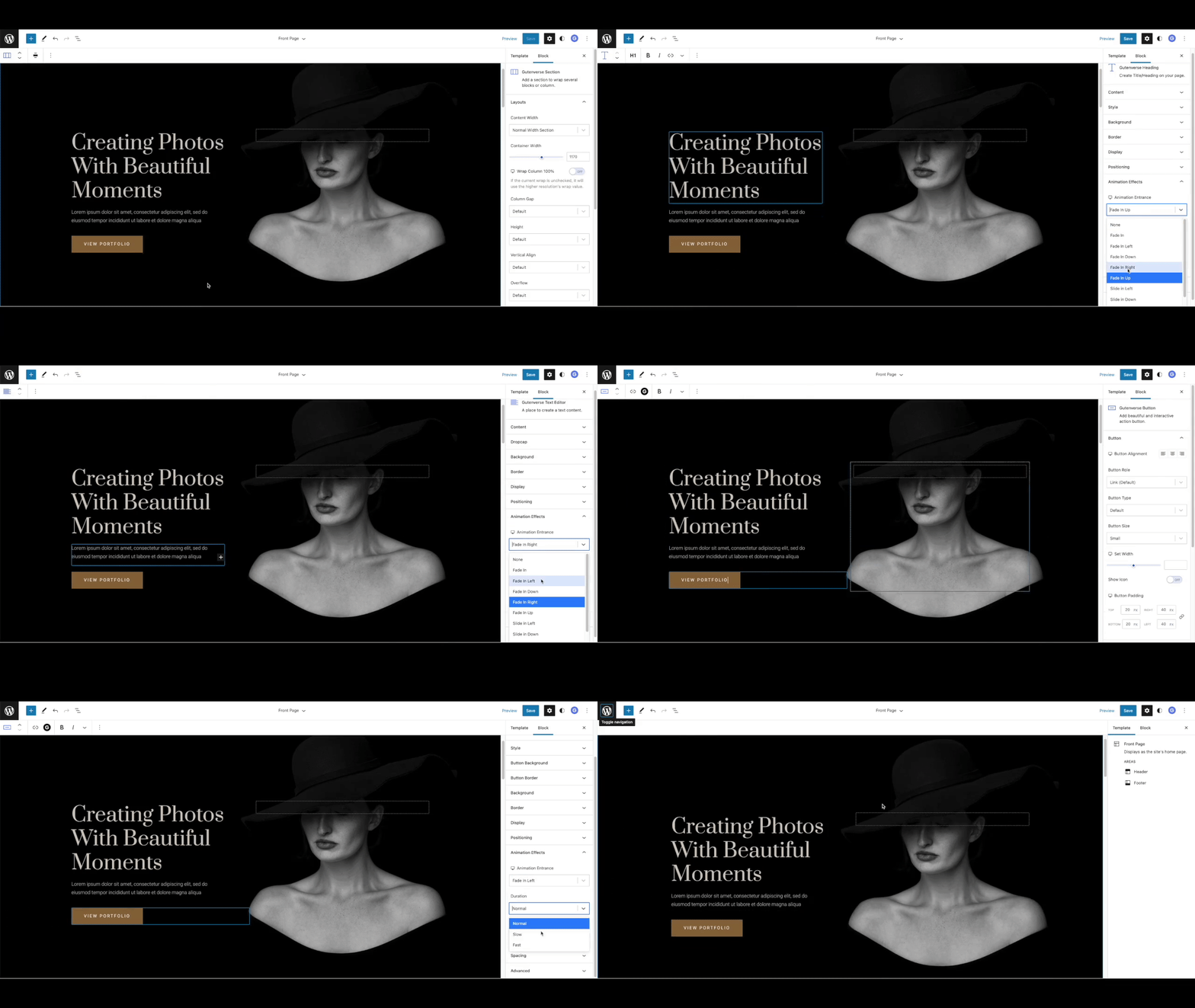
Animation Effects - Add animation effects to WordPress blocks.
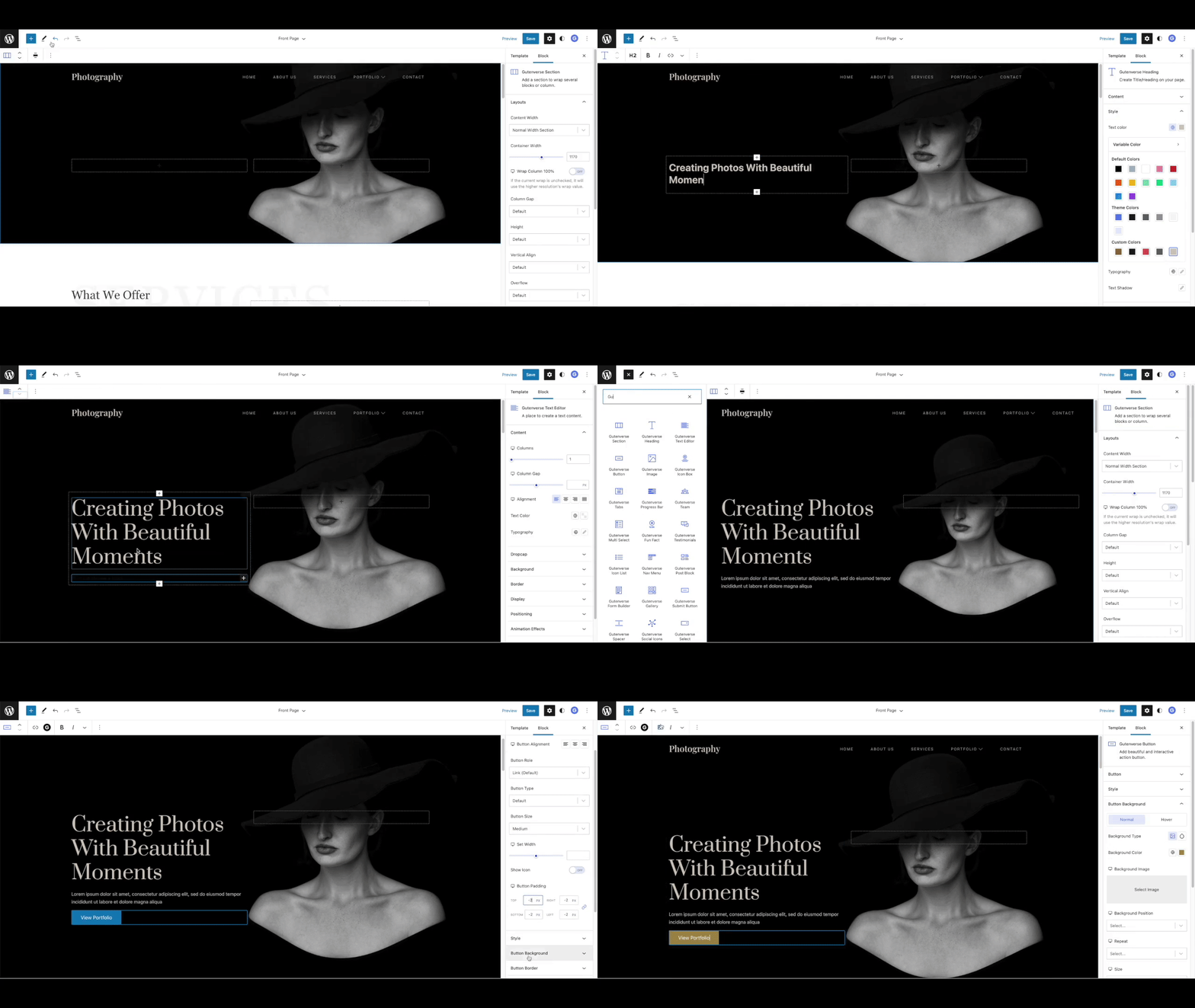
Drag And Drop Blocks - Search for Gutenverse blocks and start building pages.
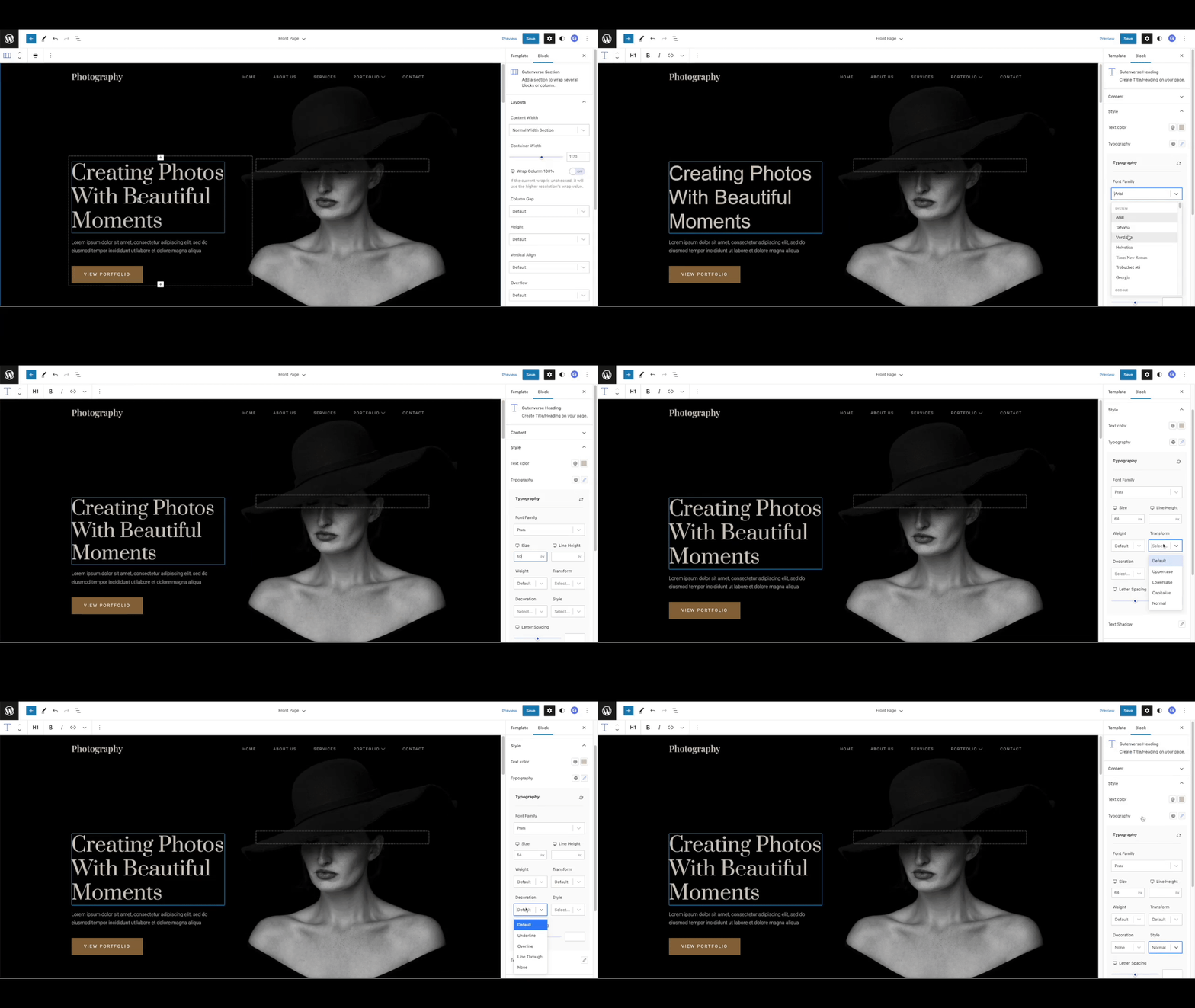
Font Styles - Customize typography with flexible font controls.
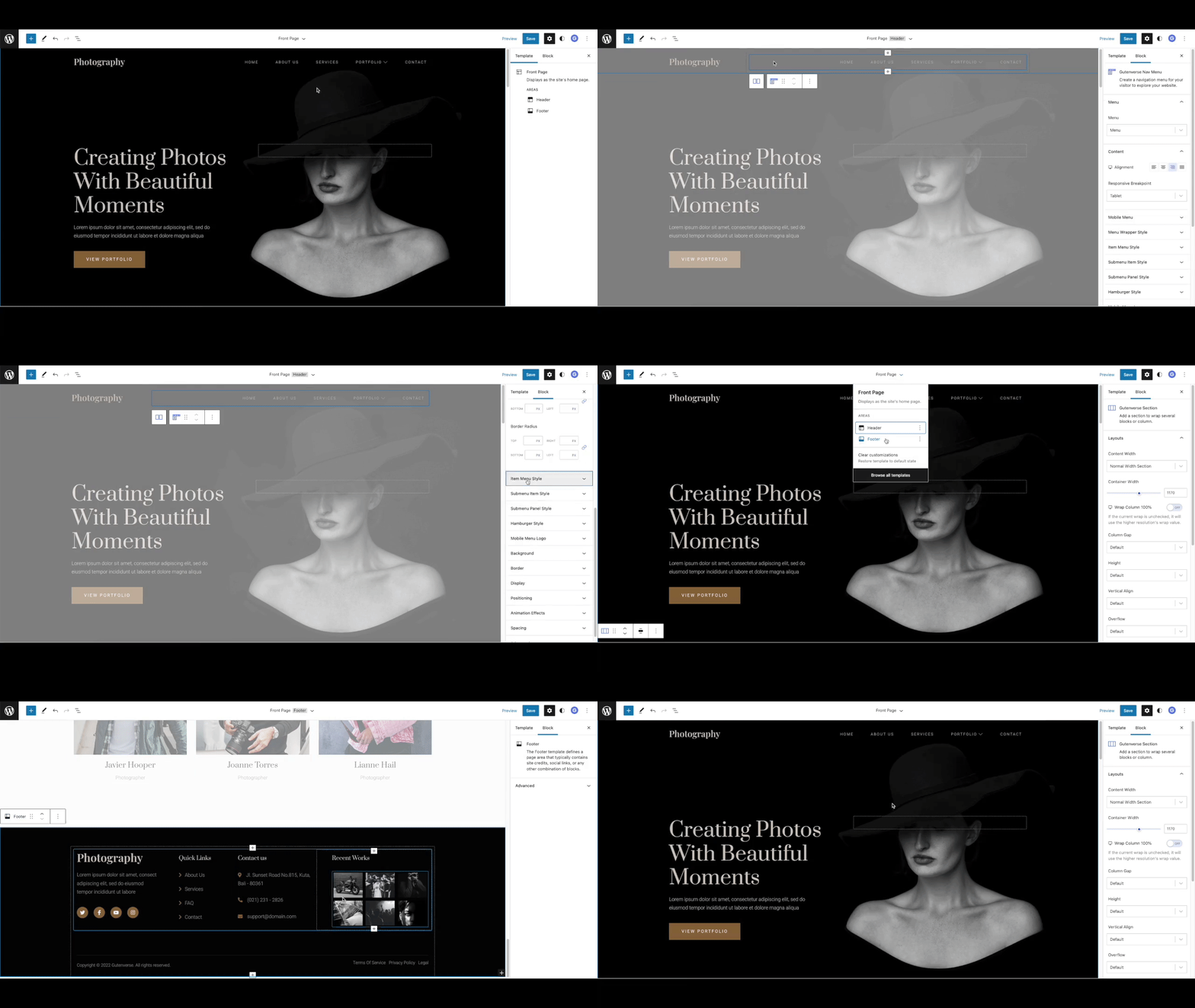
Full Site Editing - Build with Gutenverse blocks in the WordPress Site Editor.
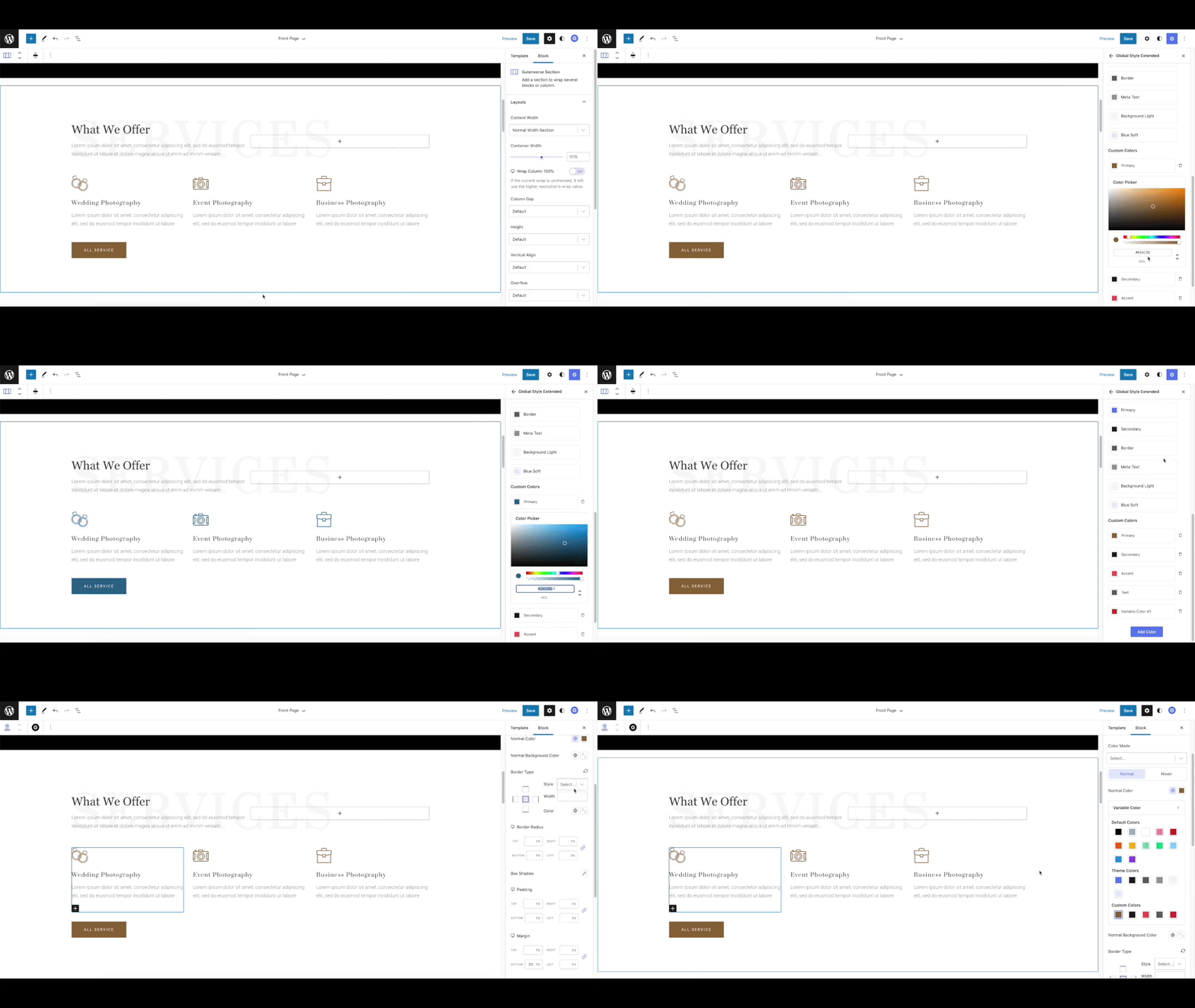
Global Color - Manage reusable global colors.

Global Font - Manage reusable global fonts.
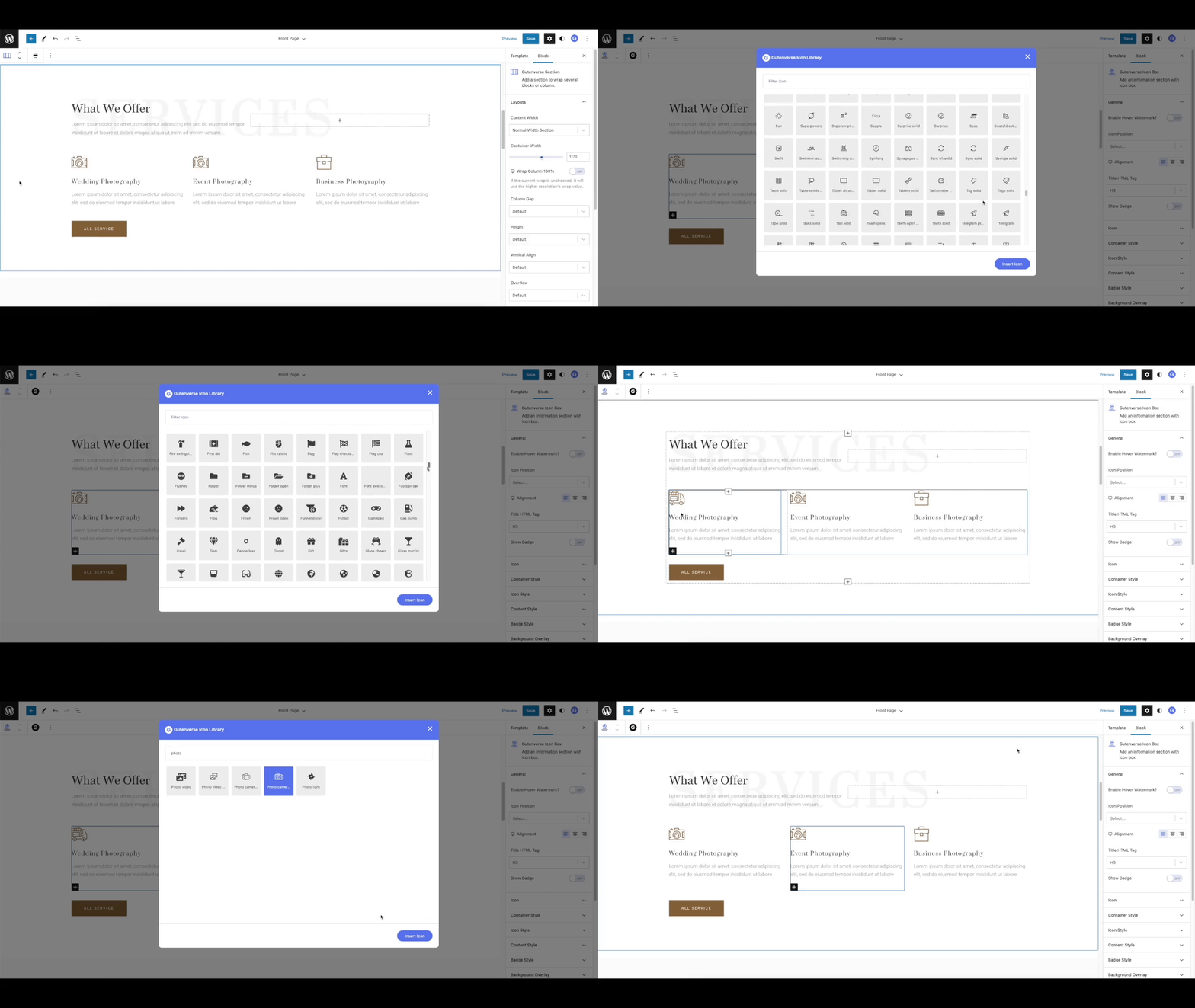
Icon Library - Choose from 100+ icons.
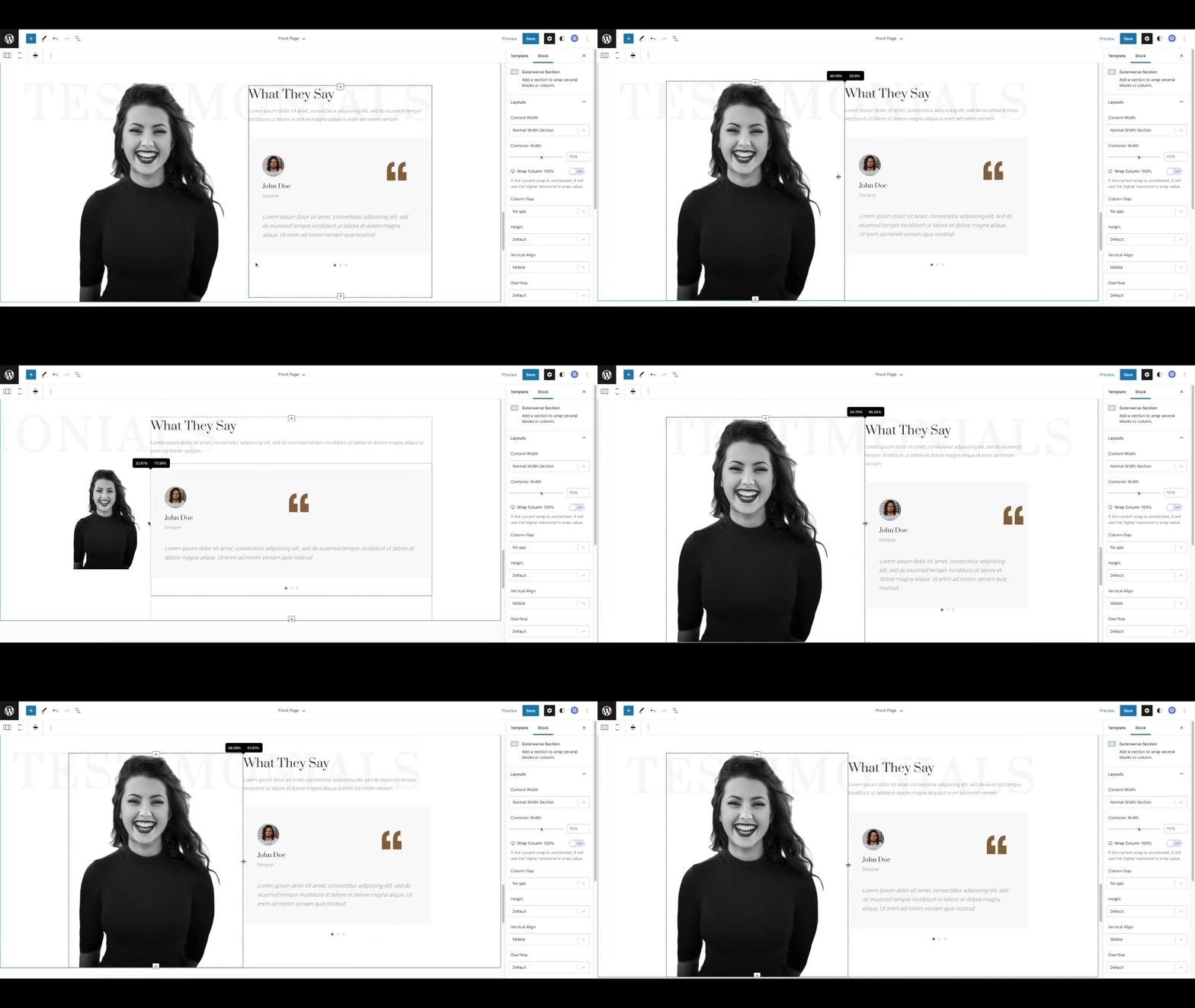
Resize Column - Resize columns with visual controls.
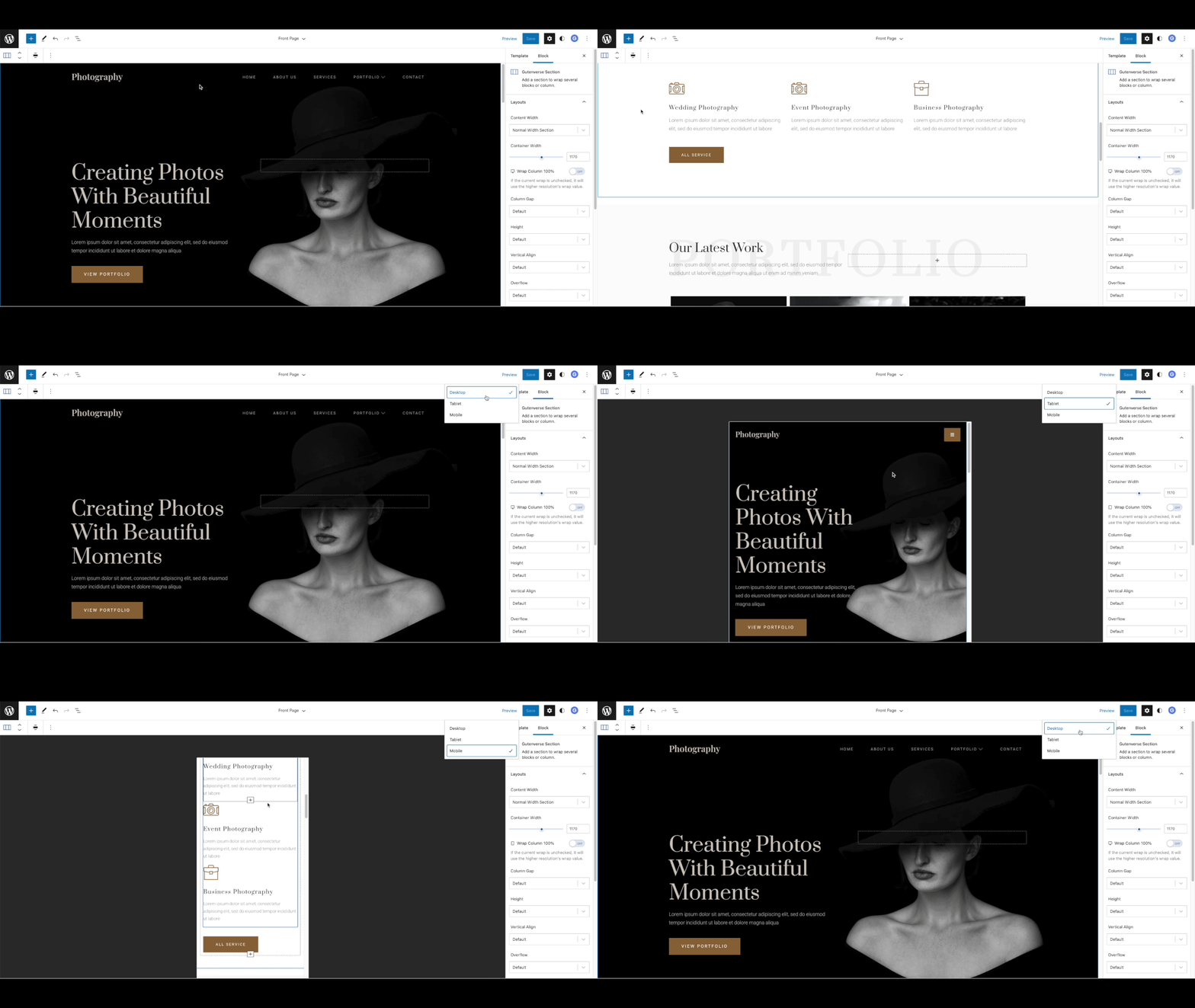
Responsive View - Adjust page design for desktop, tablet, and mobile.
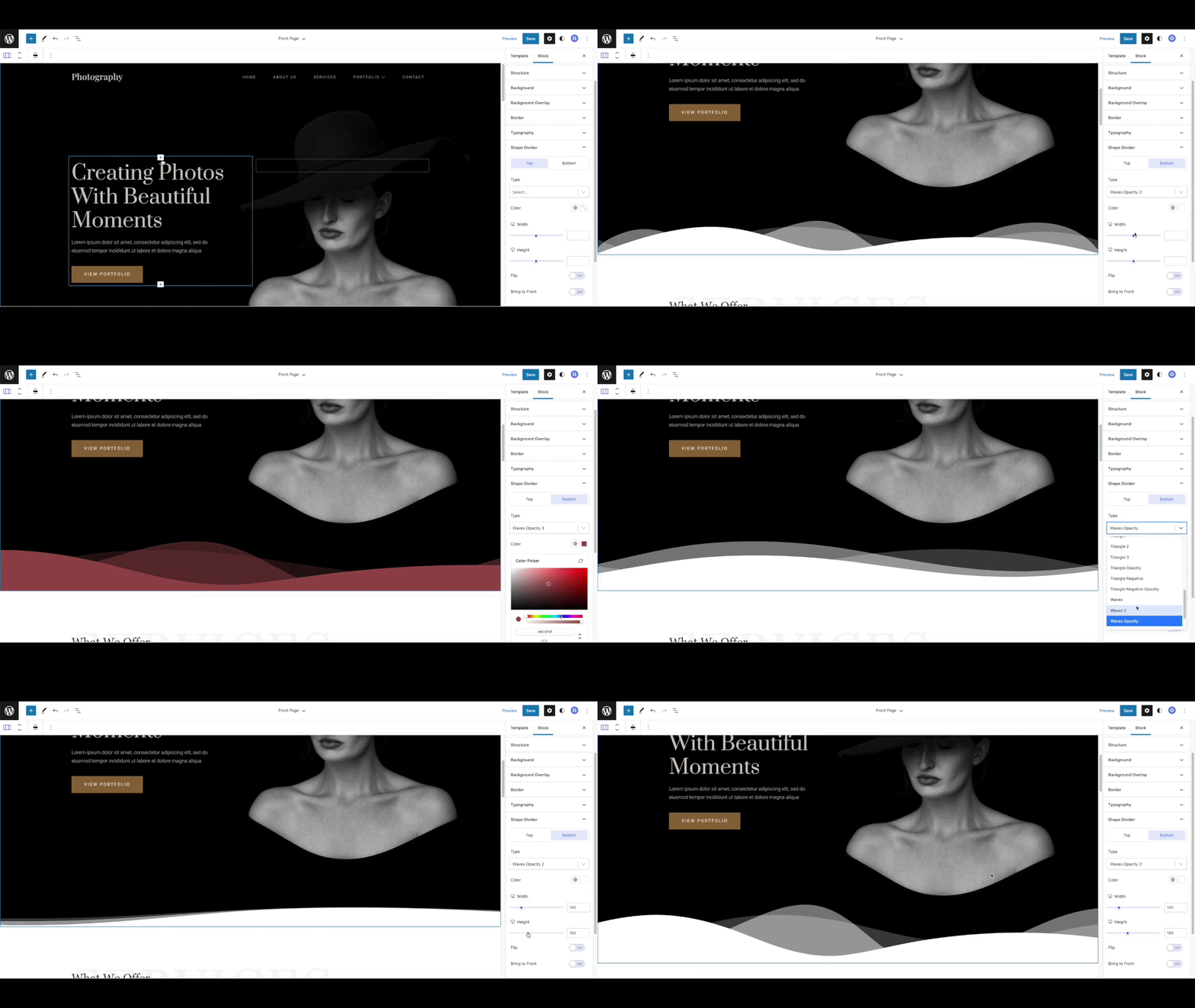
Shape Divider - Add section dividers to improve page design.
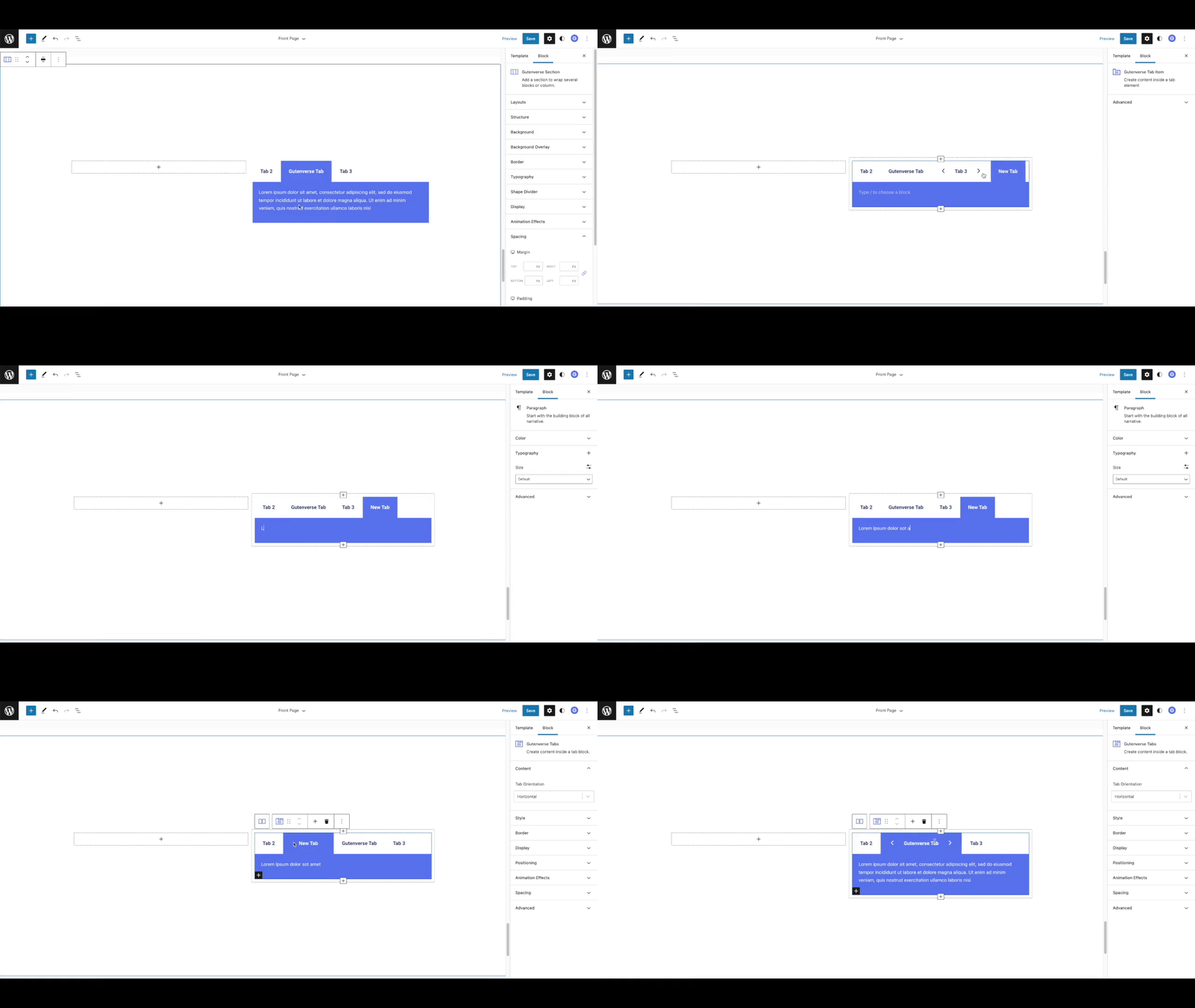
Tabs - Organize content with Gutenverse tab blocks.
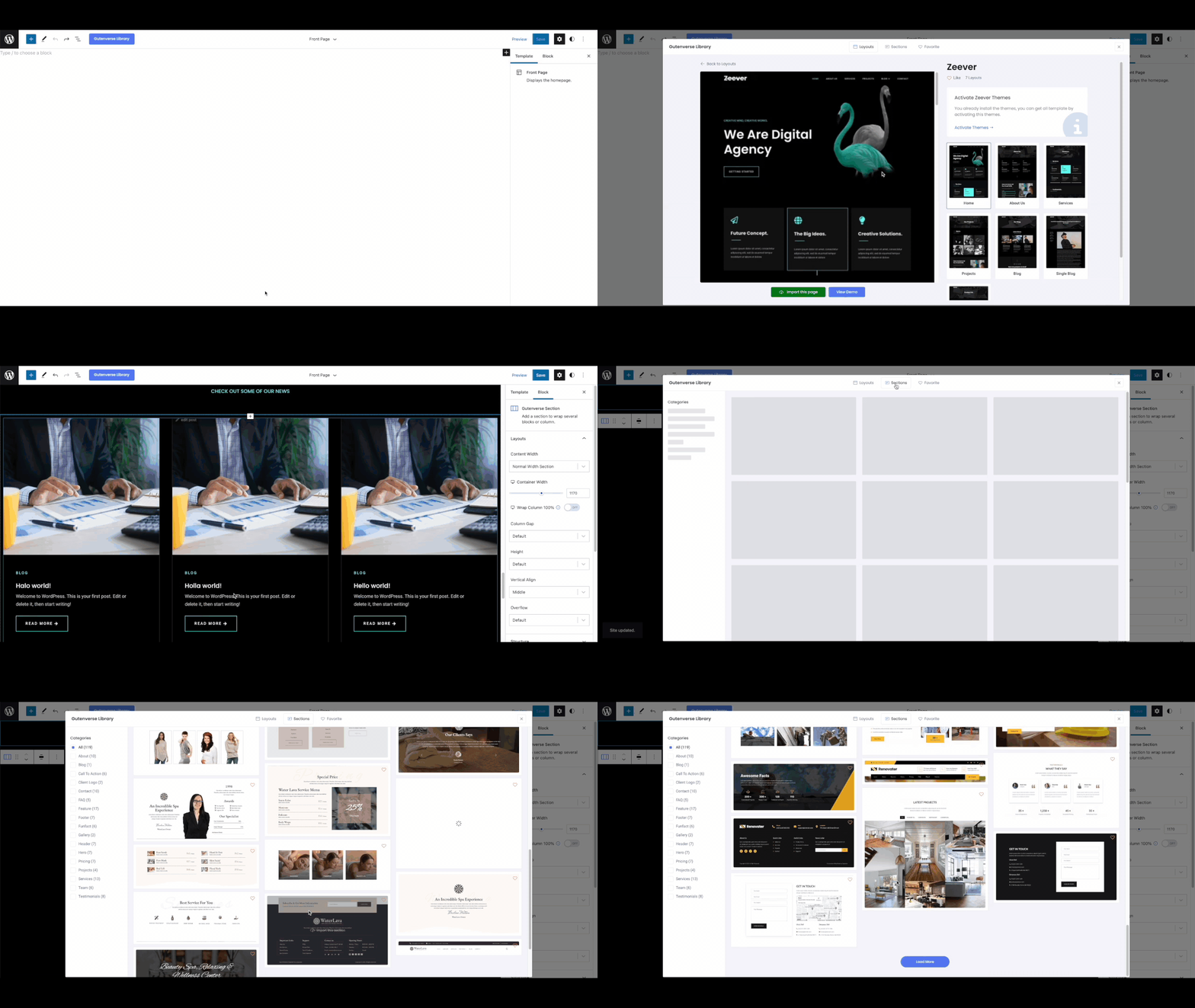
Template Library - Import prebuilt templates, layouts, and sections.
Faq
Yes. Gutenverse works as a WordPress page builder built on top of Gutenberg and the native Site Editor. You can build pages, landing pages, headers, footers, archive templates, single post templates, and full site layouts without using a separate page builder interface.
Yes. Gutenverse can be used as a WordPress website builder for block themes and Full Site Editing. You can build pages, templates, site parts, content sections, and responsive layouts with WordPress blocks.
Yes. Gutenverse adds WordPress blocks for layout, content, design, posts, popups, templates, and full site editing inside the native Block Editor.
Yes. Gutenverse is built for the WordPress Block Editor, Site Editor, block themes, and Full Site Editing workflows.
No. WordPress 5.9 and newer already include the block editor features needed by Gutenverse. You do not need to install the separate Gutenberg plugin unless you specifically want to test experimental Gutenberg features.
Gutenverse works best with block themes that support the WordPress Site Editor. You can use the free Unibiz block theme or other block themes that follow WordPress Full Site Editing standards.
Yes. Gutenverse is designed to work inside the native WordPress Block Editor and should work alongside most well-coded Gutenberg block plugins.
Yes. Gutenverse includes 600+ starter templates, layouts, and sections that you can import and customize with WordPress blocks.
Open the block inserter in the WordPress editor and search for “Gutenverse”. You can also search for a specific block, such as “Gutenverse Accordion”, “Gutenverse Gallery”, or “Gutenverse Button”.
Gutenverse is built for the native WordPress Block Editor and focuses on a fast editing and frontend experience. You can also disable unused Gutenverse blocks with block management tools to keep your workflow cleaner.
After some updates, WordPress may show an “Attempt Block Recovery” button for blocks affected by older markup or styling changes. Click that button first. If the issue continues, please open a support ticket.
Reviews
Unauthorized Direct Debit
By 
Warning! Even if you cancel your subscription, the payment provider Lemon Squeezy will still charge the specified account. Refunds are not available.
To much commercial
By 
Started with this plugin @ v1.9.2 but now @ v3.8.2 more the 50% is now gone and must be paid I am switching to another
pretty good
By 
they have a good support
Interesting
By 
Easy and Cool
Great
By 
Simple, clear and effective.
Best Builder I’ve Used
By 
I’ve worked with many website builders over the years, starting all the way back with Dreamweaver.
Recently, Elementor-style builders have become very popular, but honestly, they often feel heavy and unintuitive. As websites grow, it starts to feel like they might break at any moment.
Gutenverse is clearly different. It’s lightweight, intuitive, and makes building websites simple and fast. I’ve already built several websites using Gutenverse, and the experience has been consistently smooth.
One thing worth noting: when using Wordfence for security, it can be quite heavy and may occasionally cause 500 errors during crawling. Switching to a lighter firewall like NinjaFirewall solved this issue for me.
Overall, Gutenverse is a builder with a very promising future. If you’re on the fence, I highly recommend giving it a try. It’s truly intuitive, efficient, and a pleasure to work with.
Great blocks and excellent functionality.
By 
Great blocks and excellent functionality. The support team is very responsive and truly committed to helping solve any issues. Highly recommended!
Nice plugin and form
By 
Nice plugin and form
Gutenverse is a great choice to boost your productivity in website building
By 
Gutenverse is the right choice for me, and perhaps also for other WordPress web designers or developers who want the enhanced power of FSE, especially when we want modern designs, flexibility, and visually rich websites without having to switch to more demanding page builders. Gutenverse is the only one best block-based page builder plugin from Indonesia 🇮🇩
Inconsistences between Editor vs Frontend
By 
Your Plugin generated inconsitence style / css !!! between Frontend & Editor!
This is THE MOST HORRIBLE THING!
Also your theme hikker contain invalid validation on block registration on sync!! without validating keys existences! and always update_option on every page load and many more. The big mstake that your popular theme in jnews! Please do the QC before launch! You provide premium price, but just make sure the display is "AWESOME!" and ignoring the bugs!
Changelog
4.1.0
Compatibility:
– Update minimum PHP version required to 7.4
New and improved:
– Add option to load CSS as file in the Dashboard Frontend settings
Bug fixes:
– Fix search block: close button showing on first render
– Fix social share block: share to twitter not working properly if there is special character
4.0.12
New and improved:
– Add fixed height option to post featured image
Bug fixes:
– Fix legacy form fallback
– Check if SVG value is empty
4.0.10
New and improved:
– Improve mechanism to check Installed Google Fonts
Bug fixes:
– Fix social share: apply styles ot the load more button and fix solid button background color
– Fix post list; background color
– Fix star rating; add decimal option
4.0.9
New and improved:
– Add more options for nav menu sidebar
Bug fixes:
– Fix issue with line height
– Fix icon list vertical alignment
– Fix post term block’s text hover
– Fixed vulnerability issues. credit: Wordfence.
4.0.8
New and improved:
– Add more styling option for social share block
– Add rel options for anchor tags in block
– Improve php load time
– Improve plugin version check
– Improve banner event experience
Bug fixes:
– Fix loadmore in Select Search component
4.0.8
New and improved:
– Add more styling option for social share block
– Add rel options for anchor tags in blocks
4.0.7
Bug fixes:
– Fix event banner
4.0.6
Bug fixes:
– Fix nav menu responsive
– Fix feature list icon type image not show up on frontend
4.0.5
Bug fixes:
* Fixed issue with block element ID
* Fixed styling handler id
4.0.3
Bug fixes:
* Fixed vulnerability issues. credit: Wordfence.
4.0.2
Bug fixes:
* Fix issue with background featured image
4.0.0
New and improved:
* Improved frontend performance, asset loading, and cache handling
* Moved featured image background rendering from JavaScript to PHP
* Added on-demand nonce generation and automatic icon-to-SVG conversion
* Improved dashboard ecosystem, plugin dependency notices, and editor/backend controls
Bug fixes:
* Fixed inherited query handling for post blocks
* Fixed responsive breakpoints for hide display option
3.8.2
Bug fixes:
* Fix issue with font slug name
3.8.1
New and improved:
- Add background fallback for video background type.
- Add image fallback for background slider.
- Improved icon list icon line height.
Bug fixes:
- Fixed WP 7.0 video editor issue.
- Fixed image fetch priority remaining high when normal load is set with fetch priority high disabled.
- Fixed font global vulnerability.
- Fixed section slider not working when the page has multiple section sliders.
- Fixed fun fact block icon type image not showing on frontend.
- Fixed funfact icon position on responsive.
- Fixed post block nesting redirect to its own editor when clicked in editor.
- Fixed taxonomy list warning array Tablet when exporting theme and installing on local.
3.8.0
New and improved:
* Add LemonSqueezy payment gateway integration.
3.7.1
New and improved:
* Add responsive option for background color
Bug fixes:
- Fixed featured image block width and height options visibility when using custom option.
- Fixed accordion block issue on iOS.
- Fixed background image preload fetch priority.
- Fixed color option bug with hex input.
- Fixed testimonial block default data issue.
- Fixed video background issue.
- Fixed template library only load two layouts initially.
3.7.0
New and improved:
- Improve premium upgrade UI
3.6.3
Bug fixes:
- Fixed frontend animation rendering issue.
3.6.2
New and improved:
- Improved responsive background color controls.
Bug fixes:
- Fixed YouTube video URL issue.
- Fixed breadcrumb block issue on pages.
- Fixed post terms block container sizing.
For full changelog history, please visit the Gutenverse GitHub repository.