GW Count Down

GW Count Down
Description
GW Count Down is a simple and flexible plugin for inserting a live countdown timer on your site. Fully customizable design, supports multiple countdowns on the same page.
The timer is powered by your WordPress time settings and displays the remaining time until a specified date and time.
Features
- Add a countdown with a shortcode.
- Live timer synced to server time.
- Supports multiple countdowns per page.
- Custom message when countdown ends.
- Hide timer after expiration (optional).
- Choose font, size, color, alignment.
- Light or boxed style presets.
- Full or short label format (e.g. days / d).
- Settings page under WordPress Tools.
Works perfectly for product launches, events, offers, maintenance notices, and more.
Installation
- Upload the plugin to
/wp-content/plugins/or install via Plugins > Add New. - Activate via the Plugins screen.
- Go to Tools > GW Count Down to adjust the design settings.
- Use
[gwcountdown date="2025-12-31 23:59" message="Happy New Year!"]in your post, page, or widget.
Screenshots
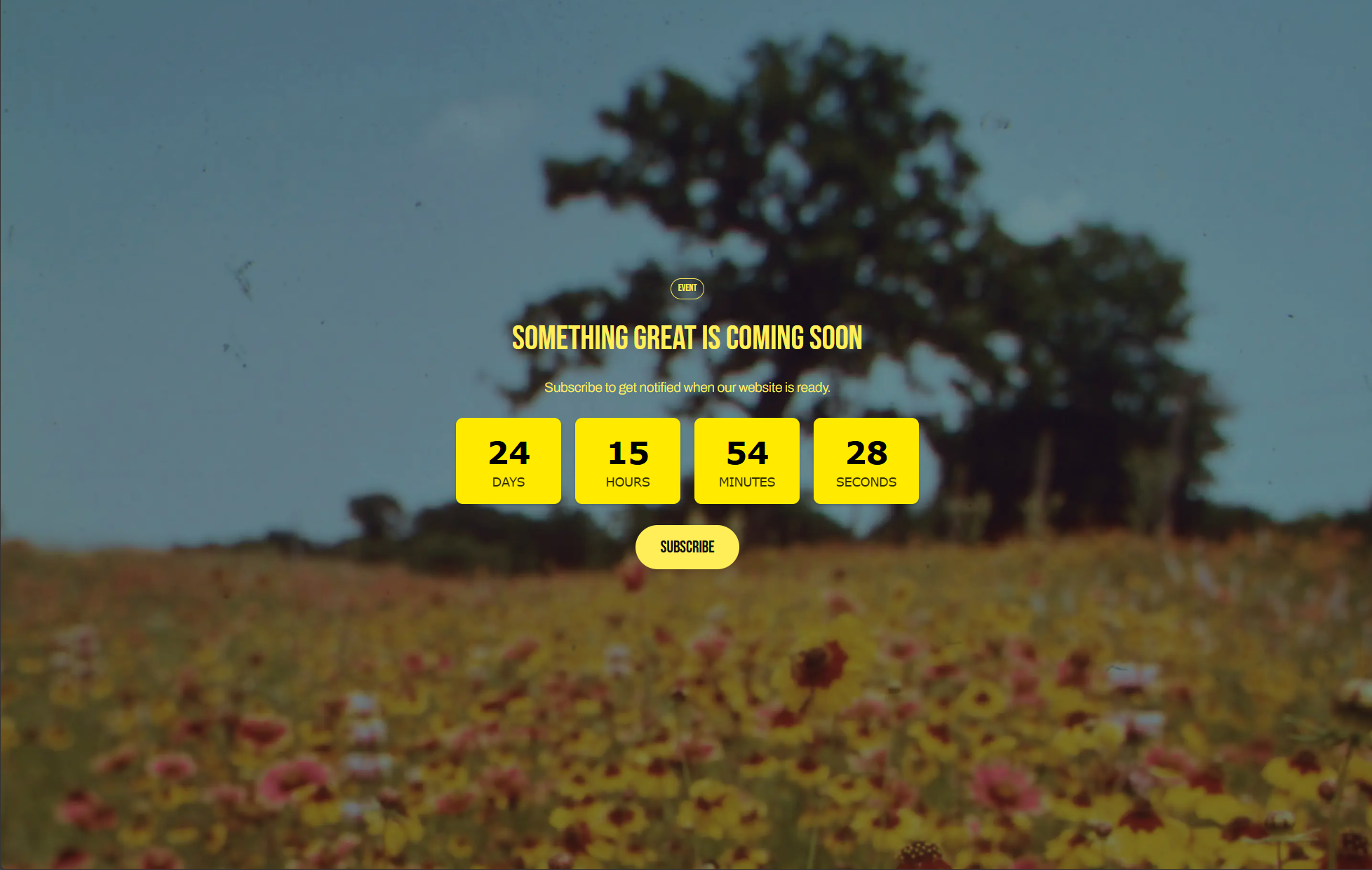
Example: Countdown timer on front-end (boxed preset)
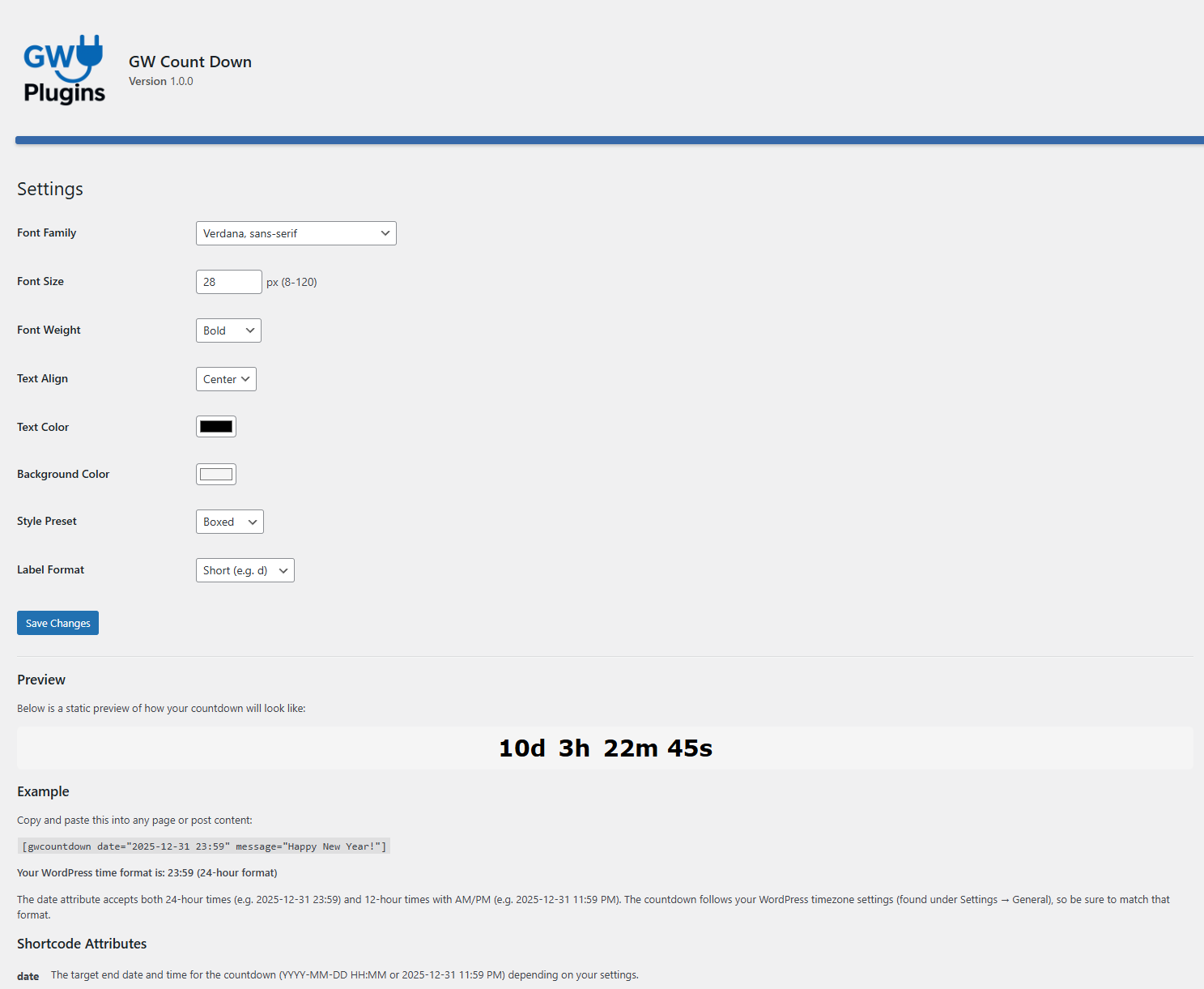
Admin settings page
Faq
Example: [gwcountdown date="2025-12-31 23:59" message="Happy New Year!"]
It accepts both 24‑hour and 12‑hour times (e.g. 11:59 PM). Your WordPress timezone setting will be used.
Yes. You can place several [gwcountdown] shortcodes on the same page or post—each works independently.
Yes. Add hide_on_expire="true" in the shortcode to remove the timer once the countdown reaches zero.
Go to Tools > GW Count Down in your WordPress admin to change font, size, color, label format and more.
Visit https://plugins.se/ for more information and support.
Reviews
Happy
By 
Lightweight, easy and works like a charm!
Changelog
1.1.1
- Small updates in CSS code.
1.1.0
- Style and layout improvements.
1.0.0
- Initial release.