Halfborg Pixel Tracking for WooCommerce

Halfborg Pixel Tracking for WooCommerce
Description
Halfborg Pixel Tracking for WooCommerce sends your store’s e-commerce events to Meta and Google from one plugin.
For Meta, it sends events both from the browser (Meta Pixel) and from your server (Facebook Conversions API), so conversions are still recorded when the browser pixel is blocked. The two halves share an event ID so Meta counts each event once.
For Google, it loads one Google tag at the top of every page and sends the full WooCommerce funnel to Google Analytics 4 and Google Ads.
Features
- Meta: ViewContent, AddToCart, InitiateCheckout and Purchase, sent from both the browser and the server with deduplication
- Google Analytics 4: view_item_list, select_item, view_item, add_to_cart, remove_from_cart, view_cart, begin_checkout, add_shipping_info, add_payment_info and purchase, with full item data
- Google Ads: purchase conversion with transaction ID and new-customer flag, dynamic remarketing (retail) with product IDs that match your Merchant Center feed, and optional enhanced conversions
- Each Google purchase is reported once, even if the thank-you page is reloaded
- Consent Mode defaults that deny storage in the EEA, UK and Switzerland until a consent tool updates them
- Shop managers and administrators are left out of Google tracking by default
- Works with WooCommerce’s High-Performance Order Storage (HPOS)
- Works with the classic and the block-based cart and checkout, and with classic and block themes
- Customer data is SHA-256 hashed before it is sent
How It Works
- As a visitor browses, adds to cart and checks out, the plugin sends each step to the services you have configured
- Google add-to-cart and remove-from-cart events are recorded from WooCommerce’s own cart, so they are captured whether the product was added from a product page, a shop page link, an AJAX button or a cart block, and when a quantity is changed
- When a customer completes an order, the purchase is sent with its value, currency, items and order number
- Customer data is hashed with SHA-256 before it leaves your server
External services
This plugin connects to Meta (Facebook) and Google to send e-commerce tracking events. This is the core purpose of the plugin and it cannot function without them. Each service is used only once you enter its ID on the settings screen.
1. Meta Conversions API (server-side)
The plugin sends conversion events from your server to the Meta Conversions API endpoint at https://graph.facebook.com. This is what allows conversions to be attributed to your Meta ad campaigns even when the browser pixel is blocked.
Events are sent when a visitor views a product (ViewContent), adds a product to the cart (AddToCart), begins checkout (InitiateCheckout), and completes an order (Purchase).
The data sent with these events is: the customer’s email address, phone number, first and last name, city, state, postcode and country — each of which is irreversibly hashed with SHA-256 before it leaves your server — together with the order or product value, the currency, the product IDs, the number of items, an event ID used for deduplication, the page URL, and the visitor’s IP address, browser user-agent and Meta browser cookies (_fbc and _fbp), which Meta requires in unhashed form for attribution.
Nothing is sent until you enter a Pixel ID and a Conversions API Access Token on the settings screen. If either is missing, no server-side event is sent.
2. Meta Pixel (browser-side)
When a Pixel ID is configured, the plugin loads Meta’s tracking script fbevents.js from https://connect.facebook.net into your visitors’ browsers, and the pixel reports page views and the events listed above to https://www.facebook.com. Each browser event carries the same event ID as its server-side counterpart so Meta can deduplicate the pair. A <noscript> image fallback to https://www.facebook.com/tr is included for visitors with JavaScript disabled.
This service is provided by Meta Platforms, Inc. Please review their terms and privacy policy, and make sure your site’s own privacy policy and cookie consent notice disclose this tracking to your visitors:
- Meta Terms of Service: https://www.facebook.com/legal/terms/
- Meta Business Tools Terms: https://www.facebook.com/legal/terms/businesstools
- Meta Privacy Policy: https://www.facebook.com/privacy/policy/
3. Google Analytics 4 and Google Ads (browser-side)
When a GA4 Measurement ID or Google Ads Conversion ID is configured, the plugin loads Google’s tag gtag.js from https://www.googletagmanager.com into your visitors’ browsers. Nothing is loaded for Google if both IDs are empty.
The tag reports page views and the following events to Google Analytics (google-analytics.com) and Google Ads (google.com, googleadservices.com, doubleclick.net): product list views, product clicks, product views, add to cart, remove from cart, cart views, begin checkout, shipping and payment method selection, and purchases. These events carry the product IDs, SKUs, names, categories, prices and quantities involved, the cart or order value, the currency, any coupon codes, and for purchases the order number, tax and shipping. Google’s tag also collects the page URL, the visitor’s IP address, browser details and Google cookies.
If you turn on enhanced conversions, the purchase conversion also includes the customer’s billing email address, phone number, first and last name and street address, each SHA-256 hashed before it is added to the page, plus their unhashed city, state, postcode and country.
This service is provided by Google LLC. Please review their terms and privacy policy, and make sure your site’s own privacy policy and cookie consent notice disclose this tracking to your visitors:
- Google Terms of Service: https://policies.google.com/terms
- Google Analytics Terms of Service: https://marketingplatform.google.com/about/analytics/terms/us/
- Google Privacy Policy: https://policies.google.com/privacy
Installation
- Upload the plugin files to the
/wp-content/plugins/halfborg-pixel-tracking-for-woocommercedirectory, or install the plugin through the WordPress plugins screen directly. - Activate the plugin through the ‘Plugins’ screen in WordPress
- Go to WooCommerce > Pixel Tracking to configure the plugin
- For Meta, enter your Facebook Conversions API Access Token and Pixel ID
- For Google, enter your GA4 Measurement ID and/or Google Ads Conversion ID and purchase conversion label
- Deactivate any other plugin that sends the same events to Meta or Google, so nothing is counted twice
Screenshots
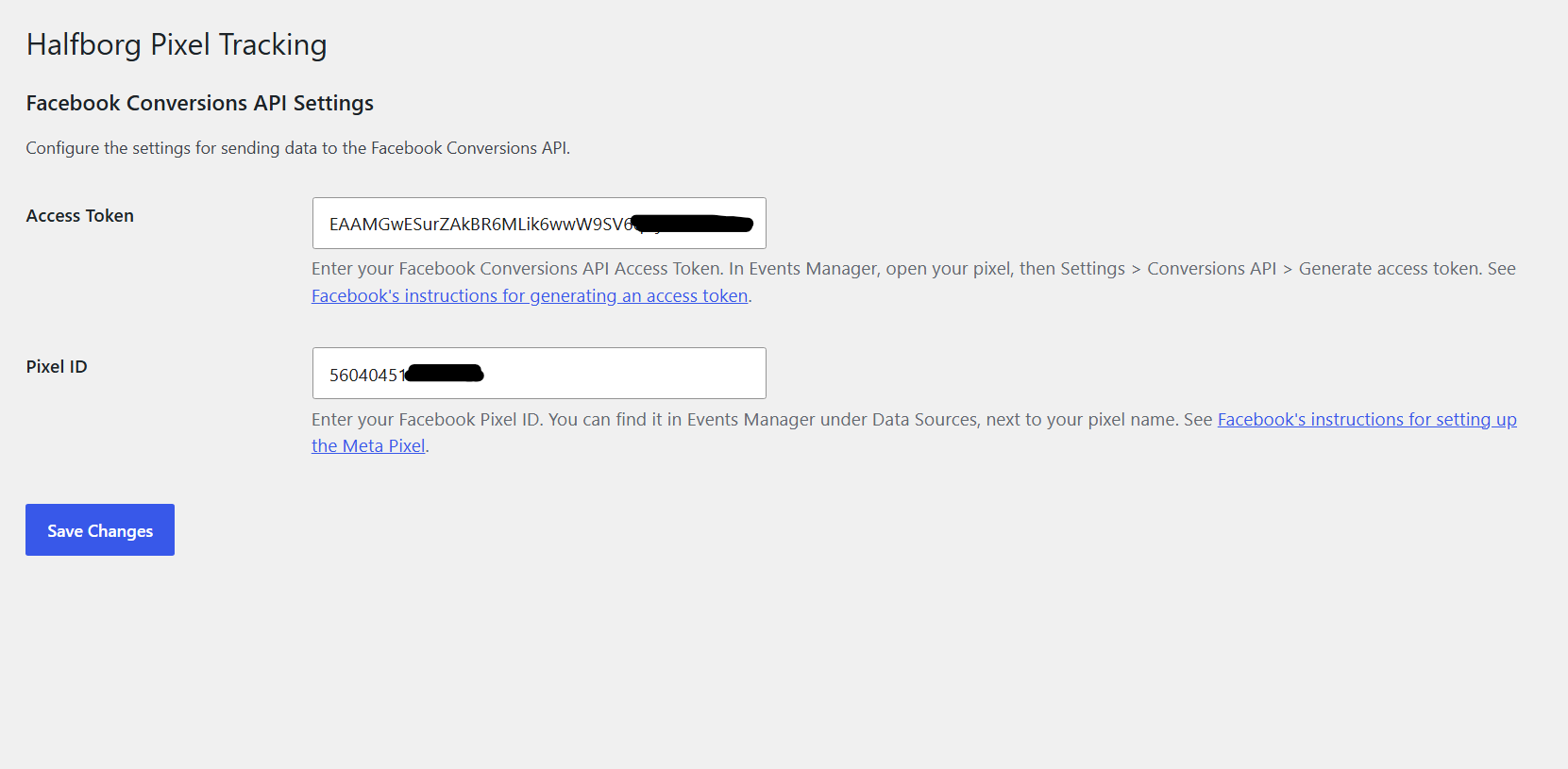
Settings page
Faq
You can generate an access token in Events Manager. Go to Events Manager > Data Sources > select your Pixel > Settings > Conversions API > Generate access token.
Facebook’s official instructions: https://developers.facebook.com/docs/marketing-api/conversions-api/get-started/
Your Pixel ID can be found in Events Manager under Data Sources, next to your pixel name.
Facebook’s official instructions: https://www.facebook.com/business/help/952192354843755
In Google Analytics, go to Admin > Data streams, open your web stream, and copy the Measurement ID (it starts with G-).
Google’s official instructions: https://support.google.com/analytics/answer/9539598
In Google Ads, go to Goals > Conversions, open your Purchase conversion action, and choose to set up the tag yourself. The event snippet contains send_to: ‘AW-XXXXXXXXX/label’. The part before the slash is the Conversion ID and the part after it is the label.
Google’s official instructions: https://support.google.com/google-ads/answer/6095821
The product IDs the plugin sends must be the IDs in your Merchant Center feed. Check two settings under WooCommerce > Pixel Tracking: “Remarketing Product ID” must match your feed plugin’s ID format, and “Product Variations in Feed” must match whether your feed lists each variation separately or only the parent product. Products you have excluded from your feed are not in Merchant Center, so they can never be matched; their sales still count as conversions.
Only if those plugins are not sending the same events. Two plugins sending GA4 or Google Ads events will count every page view, add to cart and purchase twice. Switch the duplicate tracking off in the other plugin, or deactivate it.
Yes, this plugin is fully compatible with WooCommerce’s High-Performance Order Storage (HPOS) feature.
Reviews
Changelog
1.2.1
- Google Ads: variations now send their own product ID by default, matching feeds that list each variation separately, so sold items match Merchant Center
- Google Ads: a variable product’s views send its default (or first in-stock) variation instead of the parent, which isn’t in such feeds
- New “Product Variations in Feed” setting for feeds that list only parent products
1.2.0
- Adds Google Analytics 4 and Google Ads tracking, configured under WooCommerce > Pixel Tracking
- Loads one Google tag near the top of the page head, with Consent Mode defaults for the EEA, UK and Switzerland
- GA4 events across the funnel: view_item_list, select_item, view_item, add_to_cart, remove_from_cart, view_cart, begin_checkout, add_shipping_info, add_payment_info and purchase
- Google Ads purchase conversion with transaction ID, a choice of conversion value and a new-customer flag, plus retail dynamic remarketing with a choice of product ID format to match your Merchant Center feed
- Optional Google Ads enhanced conversions, hashed on the server
- Works with both the classic and the block-based cart, checkout, mini-cart and order confirmation, and with classic and block themes
- Add-to-cart and remove-from-cart are captured from WooCommerce’s cart hooks, so every route into the cart is covered, including quantity changes
- The Google purchase events fire once per order, even if the thank-you page is reloaded
- Shop managers and administrators are excluded from Google tracking by default
1.1.0
- Initial release
- Sends server-side Purchase events to the Facebook Conversions API, plus browser Meta Pixel and Conversions API events fired together with a shared event_id for deduplication
- Server-side + browser ViewContent, AddToCart and InitiateCheckout events, with a REST endpoint so browser-initiated AddToCart events deduplicate against the server event
- Captures the _fbc and _fbp cookies at checkout (reconstructing fbc from an fbclid URL parameter when the cookie is unavailable) and includes them in the payload
- Hashes customer email, phone, name and address fields (SHA-256) before sending, per Facebook Advanced Matching
- Compatible with WooCommerce’s High-Performance Order Storage (HPOS)
- Redirects to the settings screen on plugin activation
- Adds a Settings link to the plugin listing on the Plugins screen
- IMPORTANT: disable any other Meta/Facebook pixel (e.g. in Pixel Manager) to avoid duplicate browser events