Happy Coders OTP Login for WooCommerce

Happy Coders OTP Login for WooCommerce
Description
Happy Coders OTP Login is a simple, secure, and customizable OTP login plugin for WordPress and WooCommerce sites. It enables users to log in using their mobile number via one-time password (OTP) verification, using the MSG91 SMS API, and also supports email-based OTP login.
The plugin supports full-screen and popup login forms, integrates smoothly with WooCommerce, and improves user experience by replacing traditional email/password logins with secure phone-based authentication.
Now, you can fully customize your transactional SMS messages using dynamic variables like ##customer_name##, ##order_id##, and more, directly from the plugin settings.
Watch our quick video tutorial to see how easy it is to set up!
MSG91 Integration
This plugin uses the MSG91 SMS and WhatsApp gateway (https://msg91.com) to send and verify OTPs, and also to send order-related notifications. You must have a valid MSG91 account and approved SMS/WhatsApp templates. You can sign up here
Visit MSG91’s Terms of Service and Privacy Policy for more details about how they handle data
Data Handling and Privacy
- Only the phone number is sent to MSG91 for OTP and transactional SMS/WhatsApp delivery.
- No personal or sensitive user data is stored or tracked by this plugin.
- Plugin does not collect analytics or track users without consent.
- All configurable from the plugin settings page.
🔥 Features:
– Full-screen or popup OTP login form
– WooCommerce login compatibility
– OTP verification via MSG91 (SMS & WhatsApp)
– Email OTP login option
– WhatsApp Send OTP support
– Automatic SMS/WhatsApp alerts for:
– New user registration
– Order placed
– Order shipped
– Order completed
– Cart cronjob (abandoned cart reminders)
– Customizable resend timer
– Country code and flag selection
– Shortcodes for embedding login anywhere
– Admin panel for MSG91 and plugin settings
– Customizable transactional SMS templates with dynamic variables (e.g., ##customer_name##, ##order_id##).
– Dynamic OTP length (4 or 6 digits).
🎯 Shortcodes:
– [msg91_otp_form] – Display full-screen OTP login form anywhere (pages, posts, widgets).
🔧 Admin Settings:
– MSG91 Auth Key, Sender ID, Template IDs
– Enable/disable WhatsApp OTP option
– Country code options
– OTP resend timer settings
– Button/text color customization
– Post-login redirect URL
– OTP send limit per user/day
– Enable/disable specific SMS/WhatsApp features (registration, order, cart)
– Customizable SMS message templates with dynamic variables.
Configuration
- Get an MSG91 Account: This plugin requires an MSG91 account. If you don’t have one, you can sign up here.
- Enter Credentials: In the plugin settings, enter your MSG91 Auth Key, Sender ID, and DLT-approved Template IDs.
- Display the Form: Use the shortcode
[msg91_otp_form]on any page or add the CSS classotp-popup-triggerto a button/link to show the login form.
Support
We are committed to helping you succeed. To get you the fastest and most accurate help, please direct your query to the correct team.
For Plugin Issues & Configuration (Happy Coders Support)
If you need help with installing the plugin, configuring its settings in WordPress, encounter a bug, or have a feature request for the plugin itself, please use our official support channel.
Primary Support Channel: WordPress.org Support Forum
For MSG91 Service & Delivery Issues (MSG91 Support)
If your question is about the MSG91 service itself—such as your account, API key, billing, Sender ID approval, DLT templates, or SMS/WhatsApp delivery reports—you must contact the MSG91 support team directly. They are the experts on their platform and can assist you with all service-related inquiries.
Contact MSG91 Support: Visit the MSG91 Contact Page
Installation
- Upload the plugin to the
/wp-content/plugins/happy-coders-otp-logindirectory. - Activate it from the ‘Plugins’ menu in WordPress.
- Go to MSG91 OTP & SMS in the admin menu to configure the settings.
- Enter your MSG91 credentials and setup options.
- Add shortcodes to posts/pages/widgets for login.
Screenshots

Admin settings screen (1/5)

Admin settings screen (2/5)

Admin settings screen (3/5)
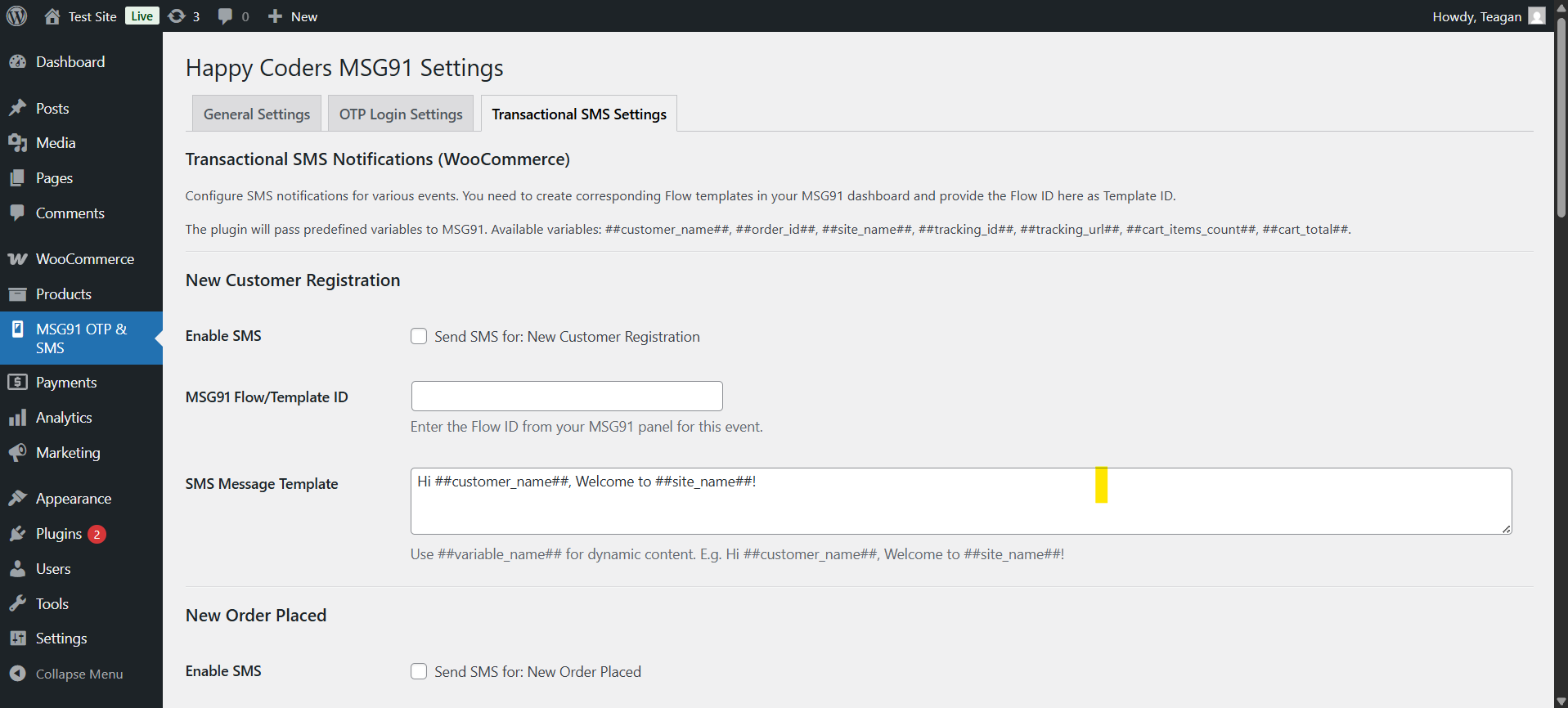
Admin settings screen (4/5)
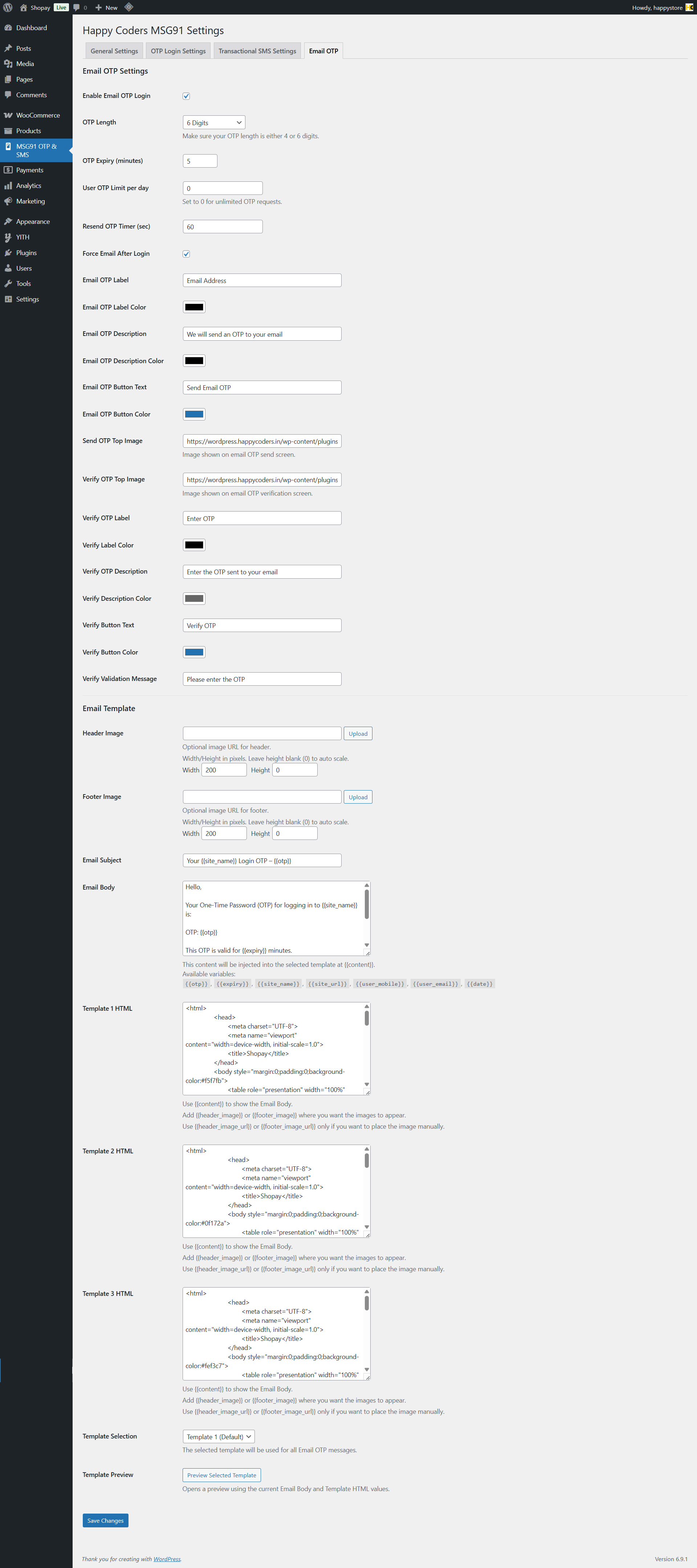
Admin settings screen (5/5)
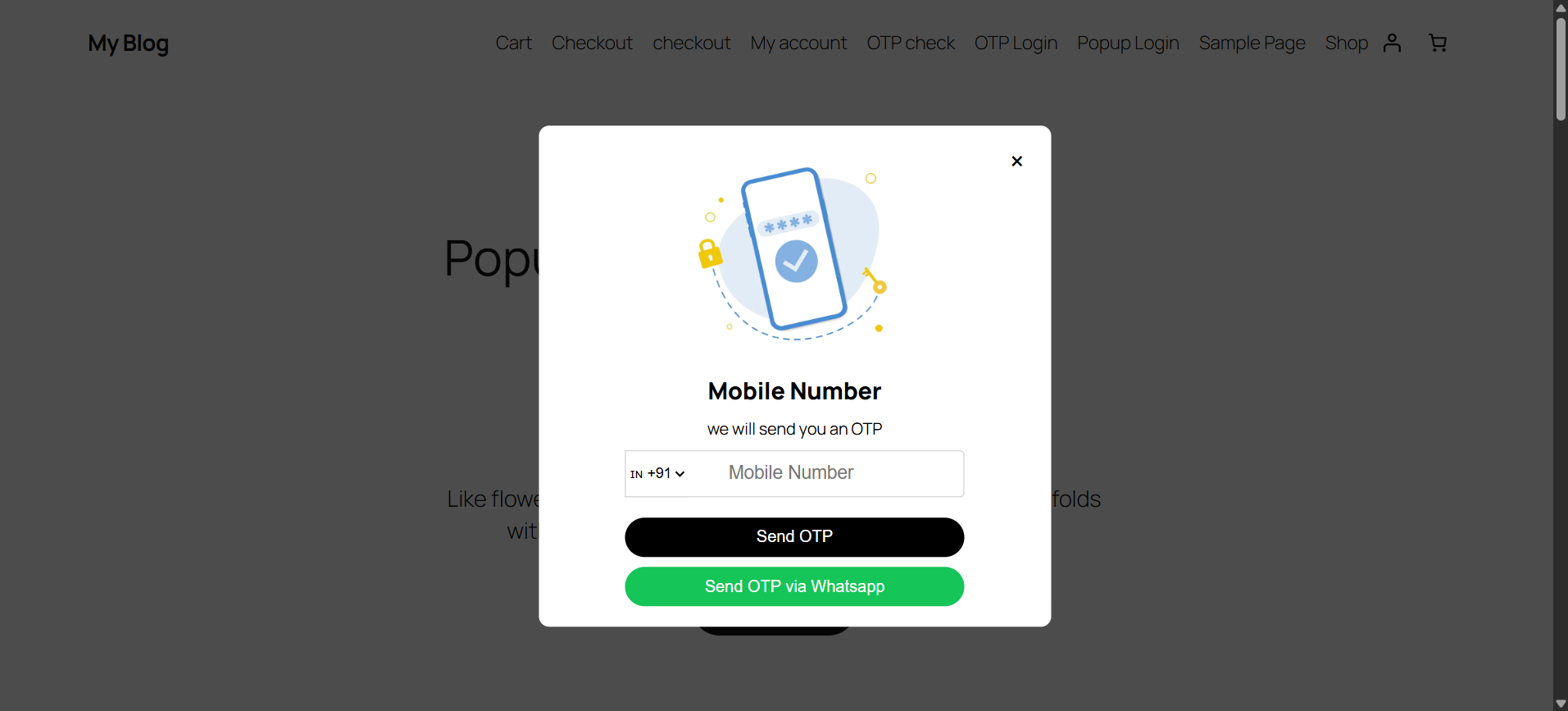
OTP popup login
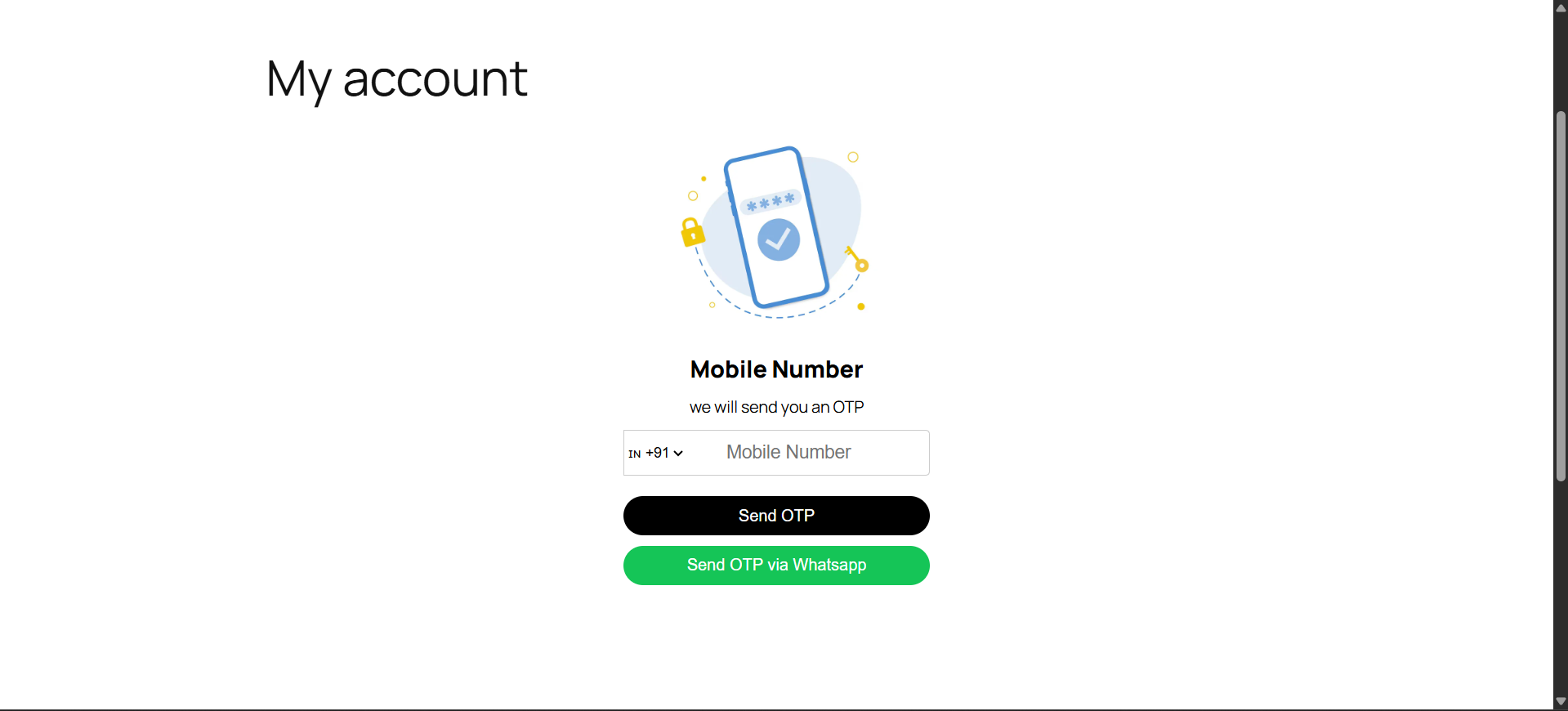
OTP full-screen login
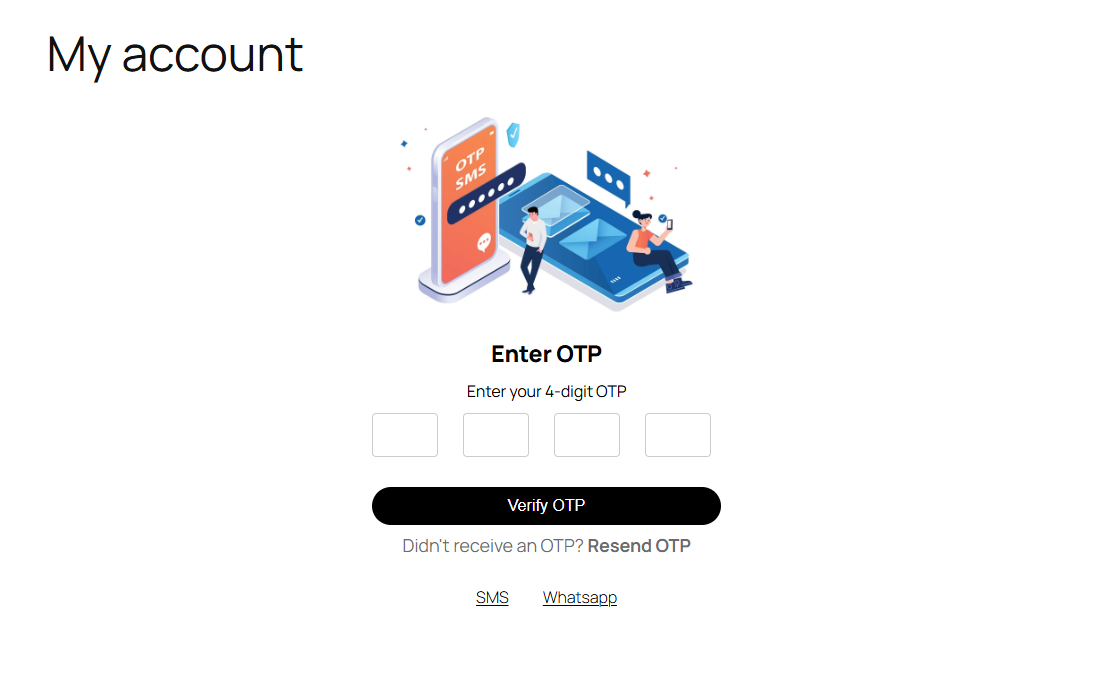
OTP verification screen
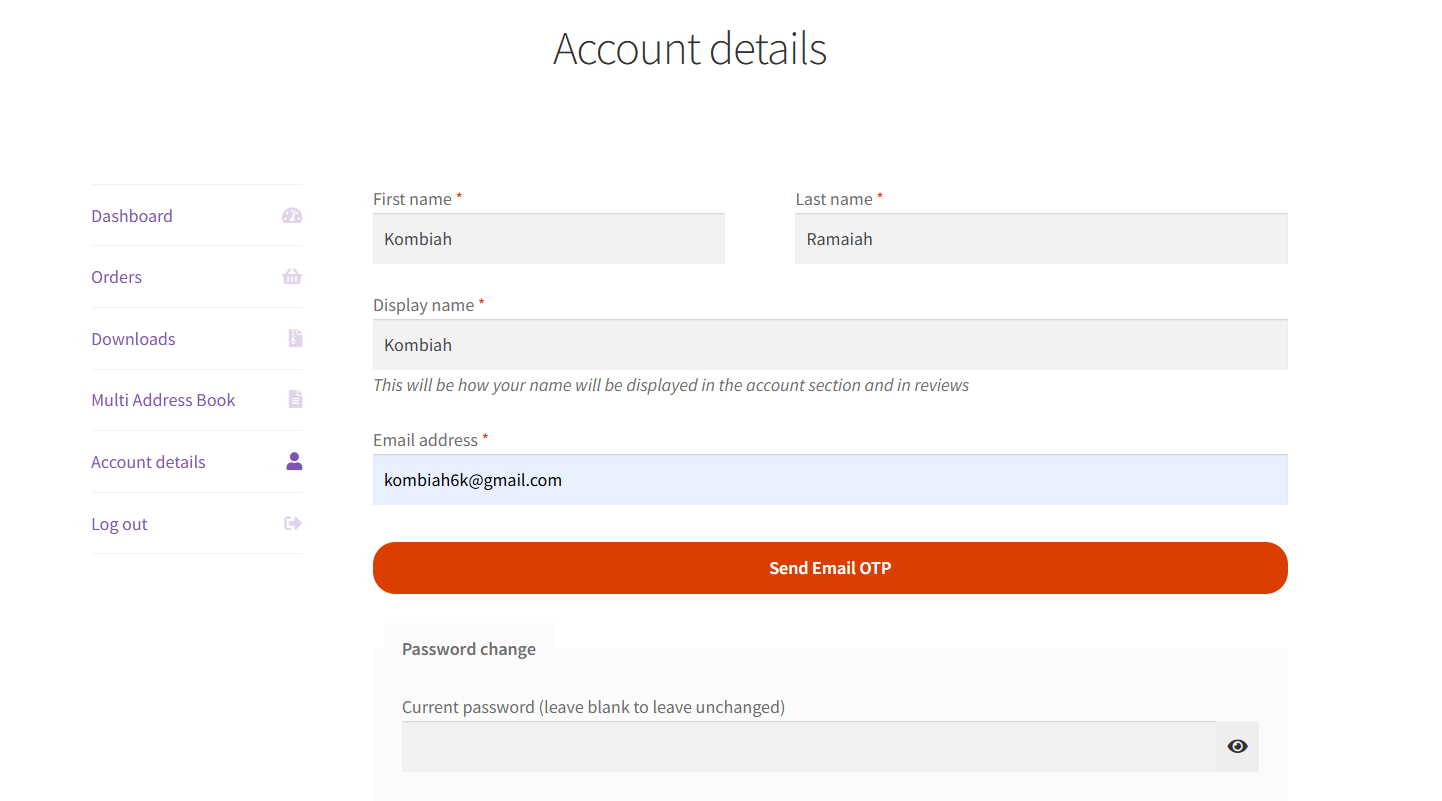
Email OTP Verfication Screen
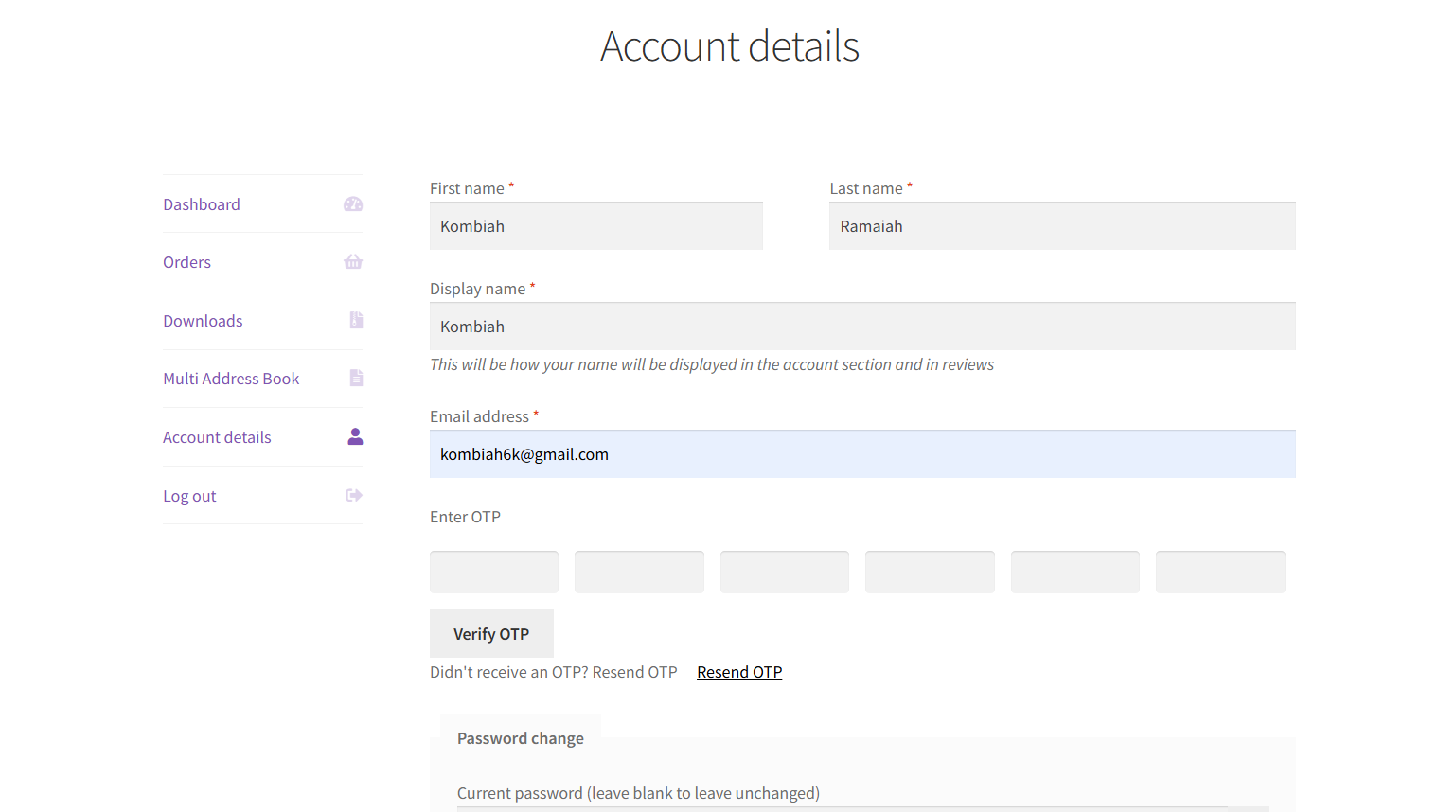
Email OTP Verfication Screen
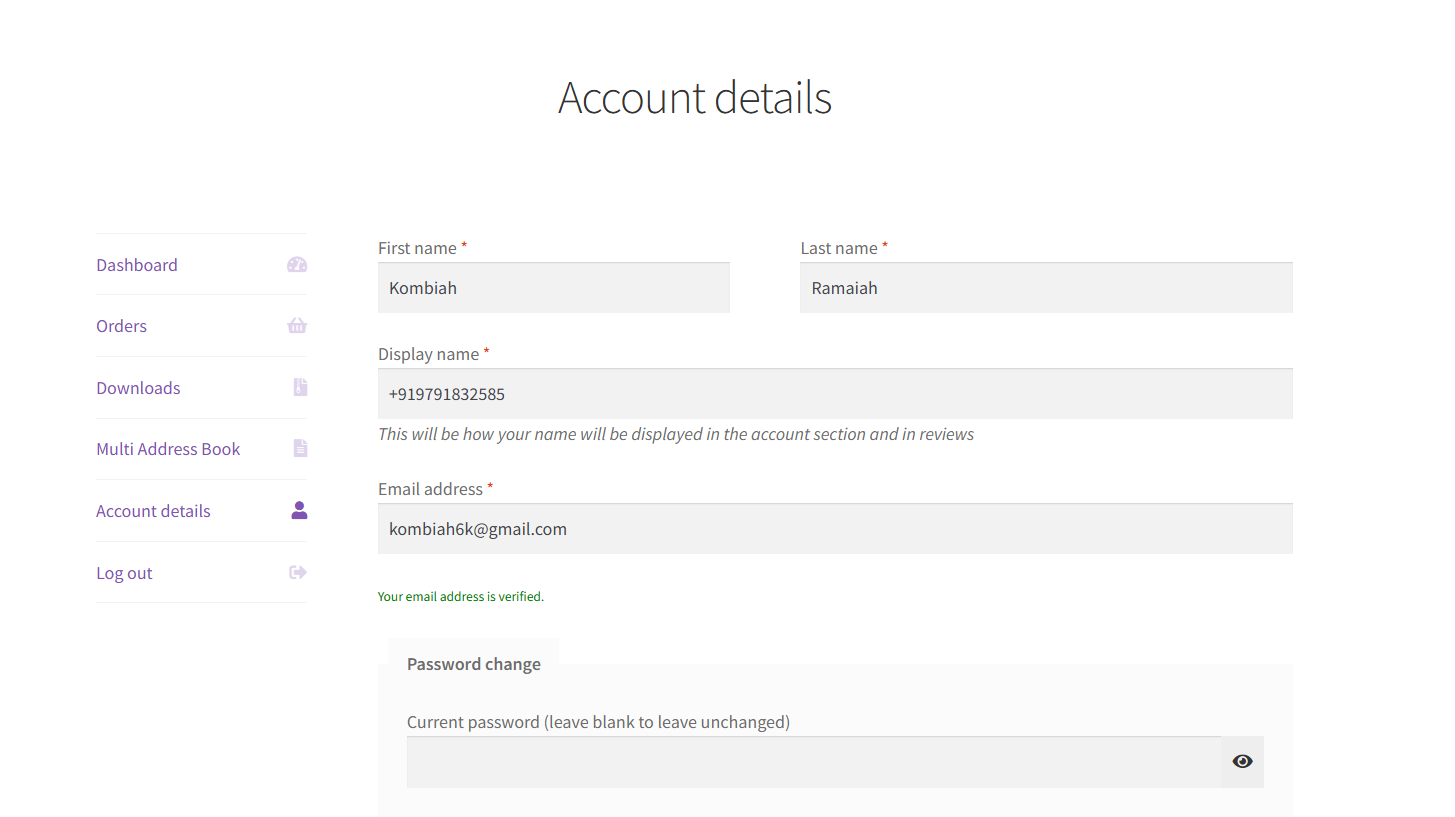
Email OTP Verfication Screen
Faq
Yes, this plugin is a connector for the MSG91 service. You must have an active MSG91 account. Sign up for MSG91 here.
You have two easy options:
1. Shortcode: Place [msg91_otp_form] on any page, post, or text widget.
2. Popup/Modal: Add the CSS class otp-popup-trigger to any button or link. Example: <a href="#" class="otp-popup-trigger">Login here</a>.
Yes, it works with WooCommerce login and sends order status notifications via SMS/WhatsApp.
Yes. In the “Transactional SMS Settings” tab, each notification type (new order, shipped, etc.) can be individually enabled or disabled with a simple toggle.
Users must first register using Mobile OTP. On the first login after registration, they must verify their email address with an Email OTP. After this one-time email verification, they can use Email OTP for future logins.
Reviews
HAPPY CODERS MADE MY EXPERIENCE AMAZING!
By 
I am extremely impressed with this plugin! It’s not only highly functional and user-friendly, but the support team behind it is also incredibly responsive and helpful. Their dedication made my experience seamless and stress-free. I highly recommend this plugin to everyone—truly a game-changer. Thank you for creating such an amazing tool!
HAPPY CODERS MADE ME HAPPY
By 
THE PLUGIN IS VERY GOOD AND THERE TEAM IS VERY SUPPORTIVE ,I SUGGEST EVERYONE TO USE THAT PLUGIN .THANYOU FOR THIS AMAZING PLUGIN
Simple & Easy Setup
By 
thank you team happy coders pvt. ltd. - very highly recommended great OTP signup plugins - highly suitable for MSG91 gateway and customer support also very great - again appreciate you team happy coders. from UAE - BAHRAIN and Kerala, India Team BEOEB
Highly recommended!!
By 
Very useful OTP plugin. By default it works for login and registration, but I customized it for WooCommerce order delivery confirmation and it works smoothly. The developer’s communication and support are amazing. Highly recommended!
Excellent OTP Plugin – Reliable and Easy to Use!
By 
I installed the Happy Coders OTP plugin on my WooCommerce store, and it's been working perfectly right from the start. The installation process was quick, and the configuration was simple even for someone without a technical background. OTPs are sent instantly, and the verification process feels seamless for customers. It adds a strong layer of security during checkout, which is exactly what I needed. I also reached out to support with a minor question, and they responded quickly and helpfully. Very satisfied with this plugin – reliable, efficient, and well-developed. Highly recommended!
Happy Coders OTP Plugin: Smooth Setup, Lightning-Fast Delivery
By 
I recently used the Happy Coders OTP plugin for WordPress, and I’m very happy with the results. The setup was straightforward, and the plugin works exactly as expected. OTPs are delivered quickly and reliably, which is crucial for user verification.
Great Plugin for OTP Verification – Works Smoothly!
By 
I recently started using the Happy Coders OTP plugin for my WooCommerce website, and I'm very impressed with its performance. The integration was simple and quick. OTP messages are delivered instantly, and the whole verification process is smooth for customers. It really helps enhance security and trust during checkout.Highly recommended for anyone looking for a reliable OTP verification solution on WooCommerce. No bugs or issues so far – just clean, effective functionality. Great job by the developers!
Changelog
2.8
- Security: Fixed a critical authentication bypass vulnerability (CVSS 9.8) reported by the WPScan security team (discovered by moonge). The auto-login handler was incorrectly exposed as a public unauthenticated AJAX endpoint, allowing any visitor with the publicly available nonce to log in as any existing user — including administrators — without OTP verification. The handler is no longer registered as an AJAX endpoint; login is now performed exclusively within the OTP verification handler after server-side confirmation.
- Security: WhatsApp OTP flow no longer creates a WordPress user account at OTP send time. Account creation is now deferred until after the OTP is successfully verified, preventing phantom account creation for unverified numbers.
- Security: WhatsApp OTPs are now stored as short-lived transients (10-minute expiry) and are deleted immediately upon successful verification to prevent replay attacks.
- Security: Resolved a logical flaw in the SMS OTP verification path where the fallback code path could bypass the user-existence check.
- Fix: Send OTP button no longer changes to “Sending…” state when the mobile number field is empty. Validation now runs before the button state changes, so the form correctly shows the error message without disabling the button.
- Fix: WhatsApp option no longer appears in the Resend OTP section when WhatsApp OTP is disabled in settings. The resend buttons now correctly reflect the admin configuration.
- Security: OTP rate-limit counter now initializes to 0 before the database check, preventing a bypass when the rate-limit table is unavailable.
- Security: MSG91 API key and parameters are now properly URL-encoded in the OTP send request, preventing potential injection via special characters in credentials.
- Security: Verification cookies (msg91_verified_mobile, msg91_verified_user_id) are now set with HttpOnly, Secure, and SameSite=Strict flags to prevent JavaScript access and cross-site transmission.
- Security: Duplicate AJAX hook registration for hcotp_send_otp_ajax removed — previously caused each OTP send to be processed twice, including double rate-limit counting and double API calls.
- Security: WhatsApp OTPs are now stored as bcrypt hashes (via wp_hash_password) in both transients and user meta, preventing plaintext OTP exposure if the database is compromised.
- Security: Email account enumeration prevented — sending OTP to an unregistered email now returns a generic success response instead of a distinct error message.
- Security: Settings migration function now requires manage_options capability, preventing lower-privilege admin users from triggering the migration.
- Security: Checkout login notice now uses wc_get_page_permalink() for the account URL instead of a hardcoded path, and output is properly escaped.
- Security: Transactional SMS message templates now saved with sanitize_textarea_field instead of wp_kses_post, preventing HTML tags from being stored and sent inside SMS messages.
- Security: Admin asset versions changed from time() to HCOTP_VERSION, enabling proper browser caching.
- Fix: Server error messages in the OTP form are now rendered with .text() instead of .html() to prevent potential XSS from untrusted response content.
- Fix: Removed console.log statements that were exposing the nonce and plugin configuration in the browser developer console.
2.7
- Fix: Updated blocked numbers table queries to use the active WordPress database prefix instead of hardcoded
wp_hcotp_blocked_numbers.
2.6
- Tweak: Added default Email OTP subject/body in settings when fields are empty.
2.5
- Feature: Added customizable HTML email templates for Email OTP messages.
- Feature: Added header/footer image support and preview for Email OTP templates.
- Tweak: Improved Email OTP settings UI and template controls.
2.4
- Feature: Added Email OTP login option.
- Tweak: Updated plugin version to 2.4.
2.3
- Feature: Added ‘otp_length’ parameter to the MSG91 API call for dynamic OTP length.
- Tweak: Updated plugin version to 2.3.
2.2
- Feature: Added setting to configure OTP length dynamically (4 or 6 digits).
- Tweak: Updated plugin version to 2.2.
- Fix: Minor bug fixes and improvements.
2.1
- Feature: Introduced customizable transactional SMS message templates with dynamic variable support (e.g., ##customer_name##, ##order_id##).
- Tweak: Enhanced settings page to allow direct input of SMS message templates using descriptive variables.
- Fix: Ensured backward compatibility for existing SMS notes by repurposing the field for message templates.
2.0
- Fix: Corrected an issue where SMS settings were not being saved properly.
- Feature: Added a migration function to move old settings to a new format.
1.9
- Fix: General bug fixes and performance improvements.
1.8
- Fix: General bug fixes and performance improvements.
1.7
- Feature: Added support for sending OTPs via WhatsApp.
- Tweak: Improved UI and clarity on the settings pages.
- Fix: General bug fixes and performance improvements.
1.6
- Fix: Minor bug fixes and overall improvements for better performance and stability.
1.5
- Feature: Added automated SMS notifications for New User Registration, Order Placed, Order Shipped, Order Completed, and Abandoned Cart.
- Tweak: Enhanced admin settings UI for managing new transactional SMS features.
- Fix: Minor bug fixes and improvements.
1.0.0
- Initial release with OTP login features (full-screen and popup) and core MSG91 integration.