HeadlessNext Connector

HeadlessNext Connector
Description
HeadlessNext Connector adds headless/API-friendly capabilities to any
active WordPress theme. It does not require, and is not required by, any
particular theme.
Features in this release:
- A Settings HeadlessNext Connector page where you can configure the
base URL of a decoupled front end (for example a Next.js or Nuxt app),
the path that accepts revalidation requests, and an optional shared
secret. - An on-demand revalidation webhook: when enabled, the plugin fires a
fire-and-forgetPOSTrequest to your configured frontend every time a
post or page is published or updated, so your frontend can revalidate its
own cache for that content. WordPress’s own save/publish flow is never
slowed down waiting for a response. - When no Frontend URL is configured, the plugin makes zero outgoing
requests — it is completely inert out of the box.
This plugin does not modify your site’s public-facing templates, register
any custom post types, or gate any feature behind a license key. It is
free and fully functional standalone.
Installation
- Upload the plugin files to the
/wp-content/plugins/headlessnext-connector
directory, or install the plugin through the WordPress Plugins screen
directly. - Activate the plugin through the “Plugins” screen in WordPress.
- Go to Settings HeadlessNext Connector and enter your frontend’s URL.
- Check “Automatically ping the frontend…” if you want revalidation
requests to fire automatically on publish/update.
Screenshots
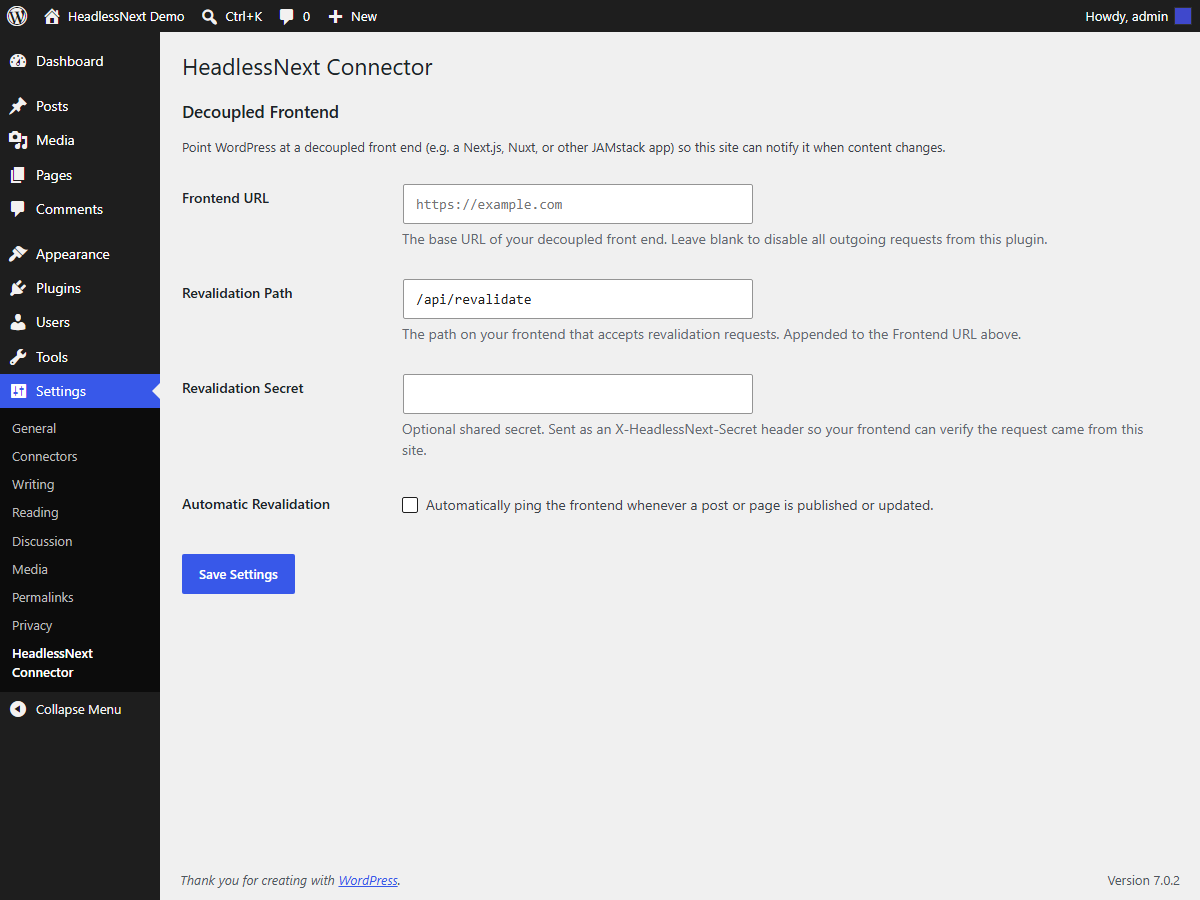
The Settings → HeadlessNext Connector page.
Faq
No. It works with any active theme, including the default WordPress themes.
A JSON POST body containing the post ID, post type, slug, permalink, the
triggering action, and the site’s home URL, plus an
X-HeadlessNext-Secret header if you’ve set a shared secret.
No. There is no license gating, tracking, or paid tier in this plugin.
Set a Revalidation Secret in the settings page, then check the
X-HeadlessNext-Secret header on your frontend’s revalidation endpoint
before honoring the request.
Reviews
Changelog
1.0.0
- Initial public release: settings page, on-demand revalidation webhook.