Hide Price For WooCommerce

Hide Price For WooCommerce
Description
Hide Price for WooCommerce is an add-on plugin for WooCommerce, By using this plugin you can set the condition to display Price and Add to cart button.
Installation
- Upload plugin files to your plugins folder, or install using WordPress built-in Add New Plugin installer;
- Activate the plugin;
- Navigate to Plugin Settings and fill settings.
Screenshots
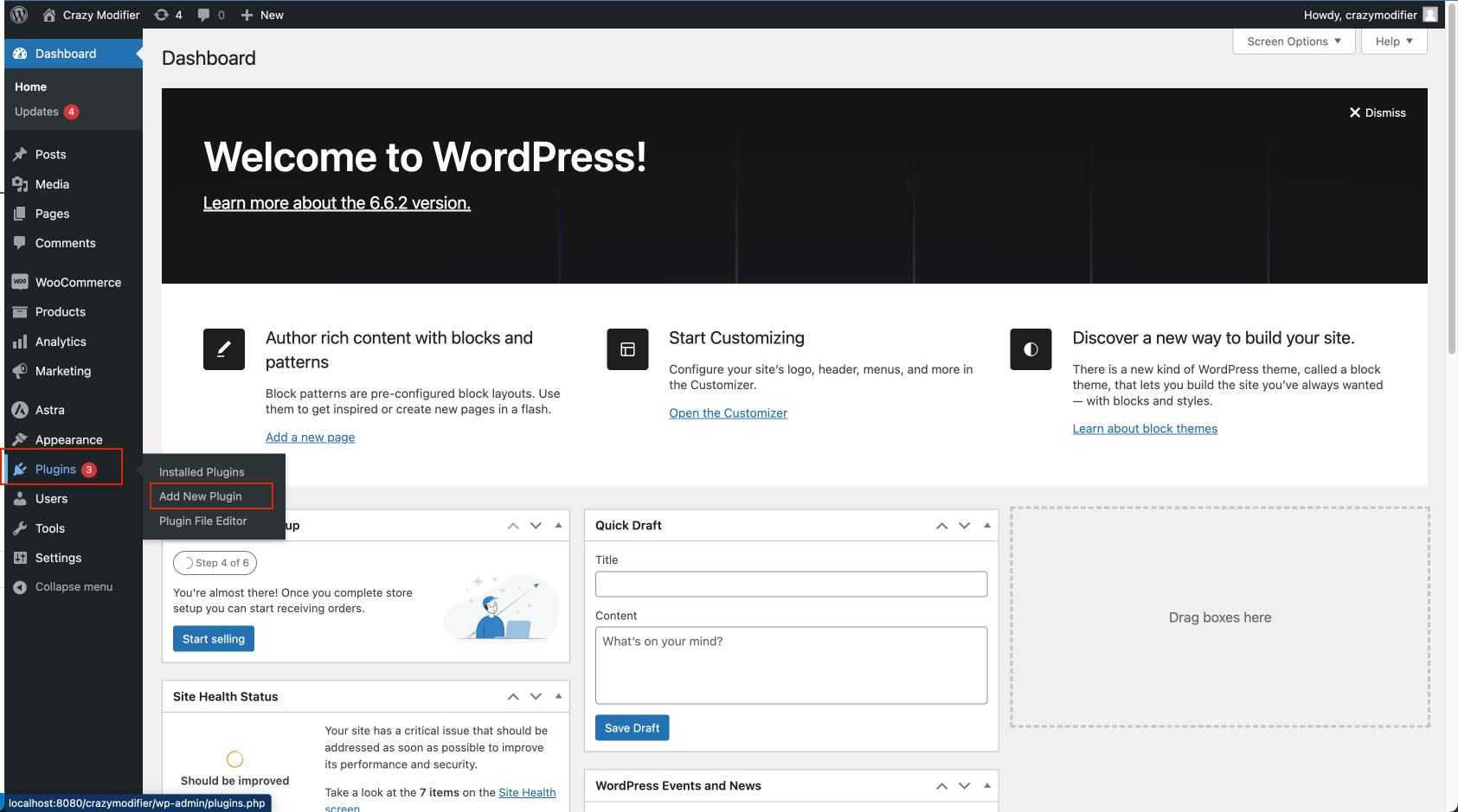
Add new Plugin on your WordPress site.
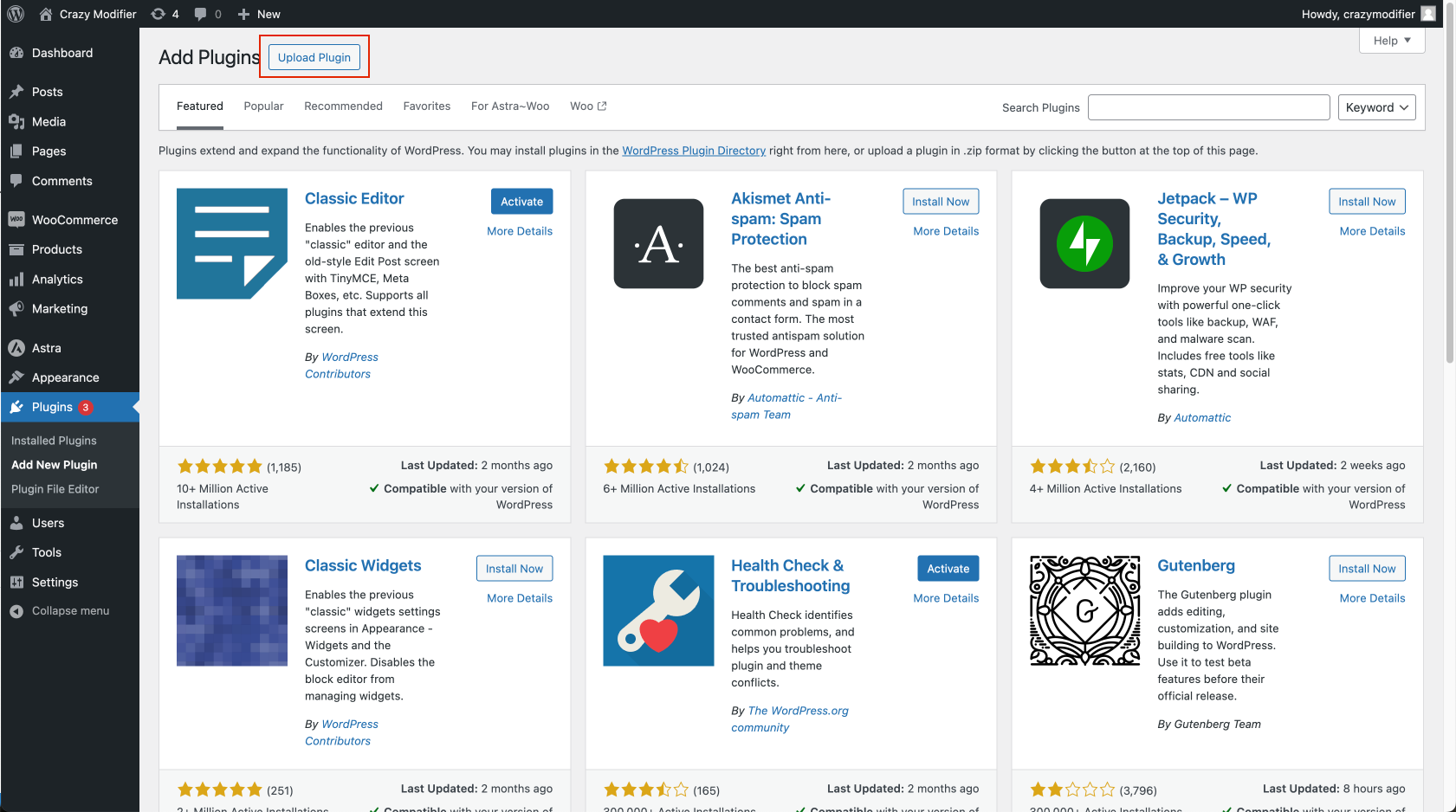
Upload Plugin files to your plugins folder, or install using WordPress built-in Add New Plugin installer;
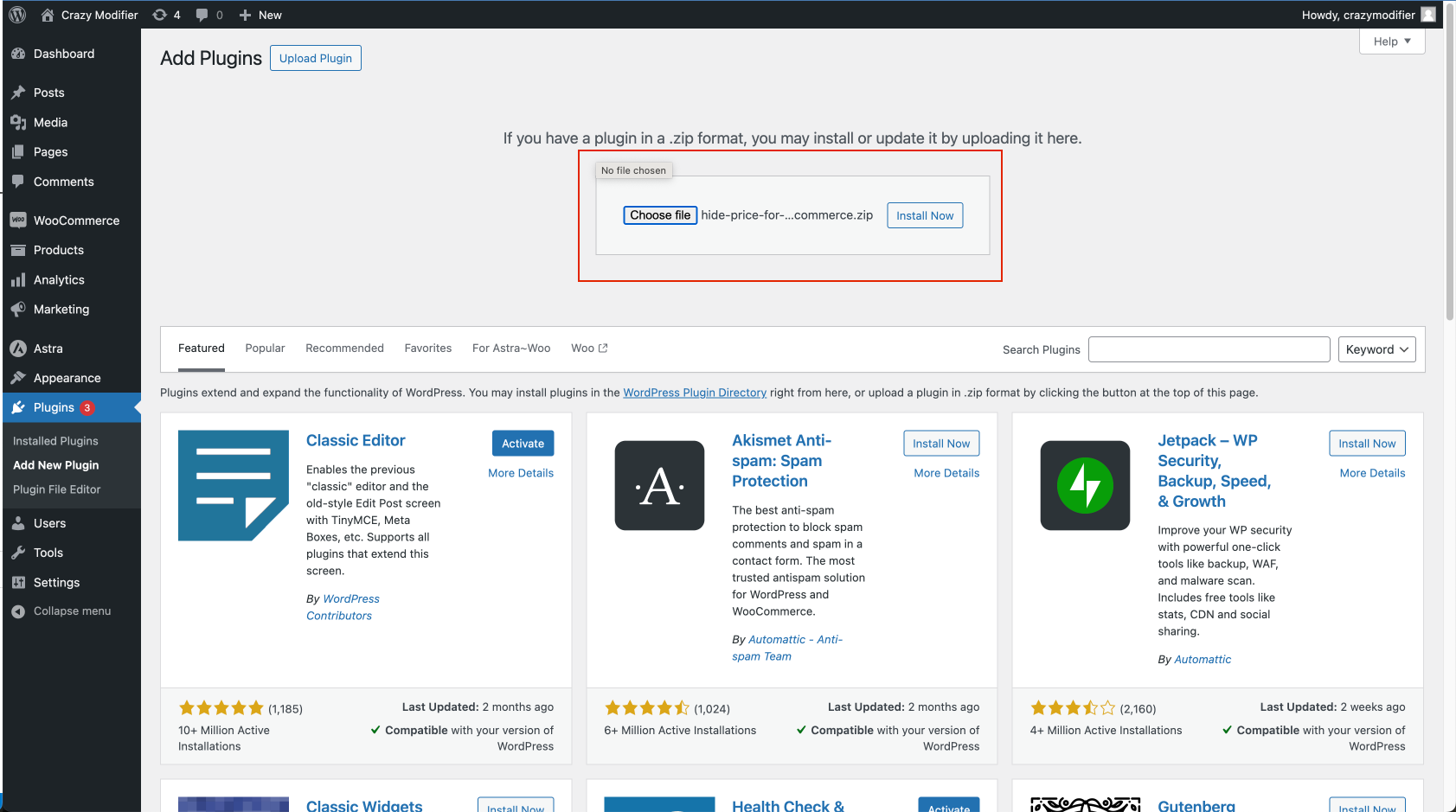
Choose plugin files from your computer

Activate Hide Price For WooCommerce
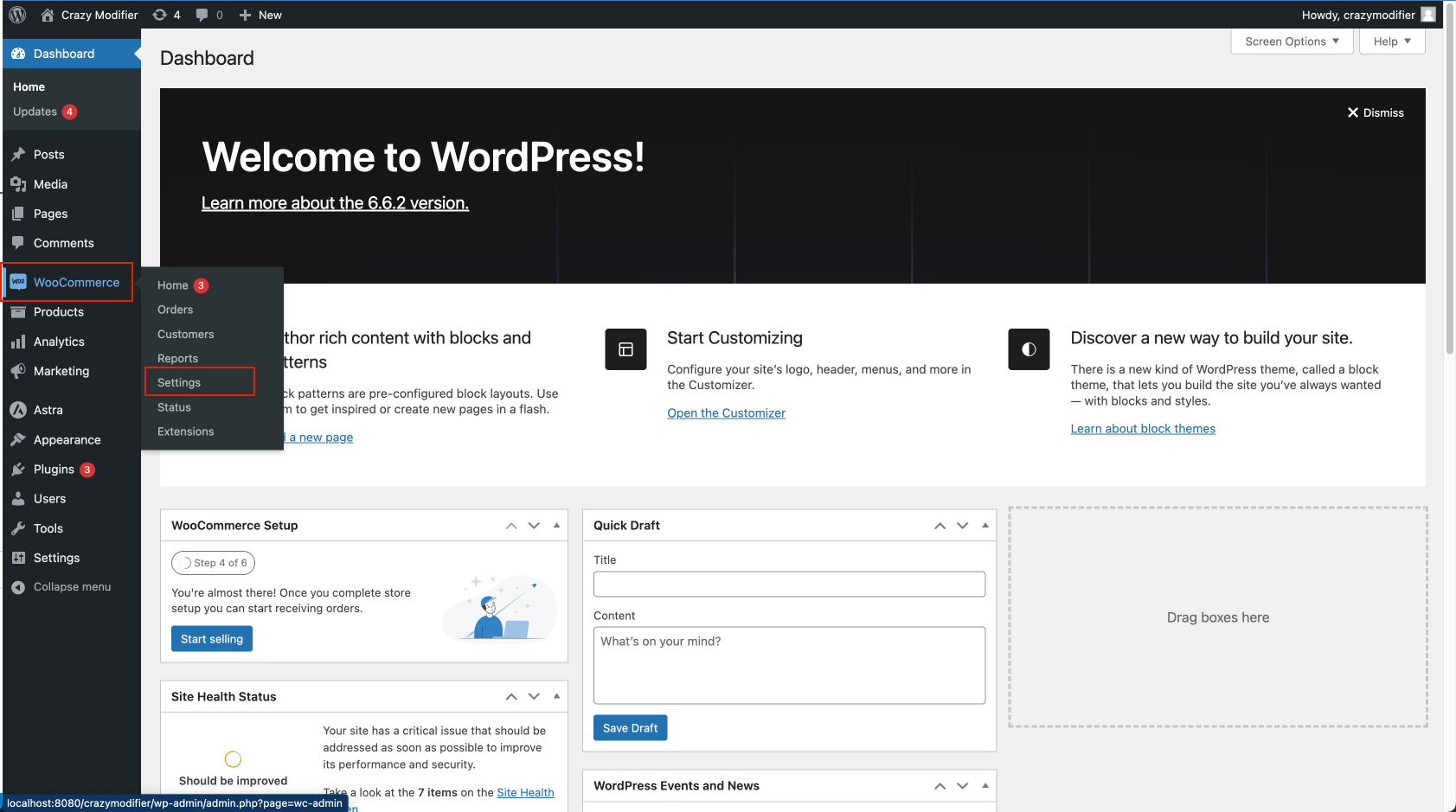
Goto WooCommerce settings page
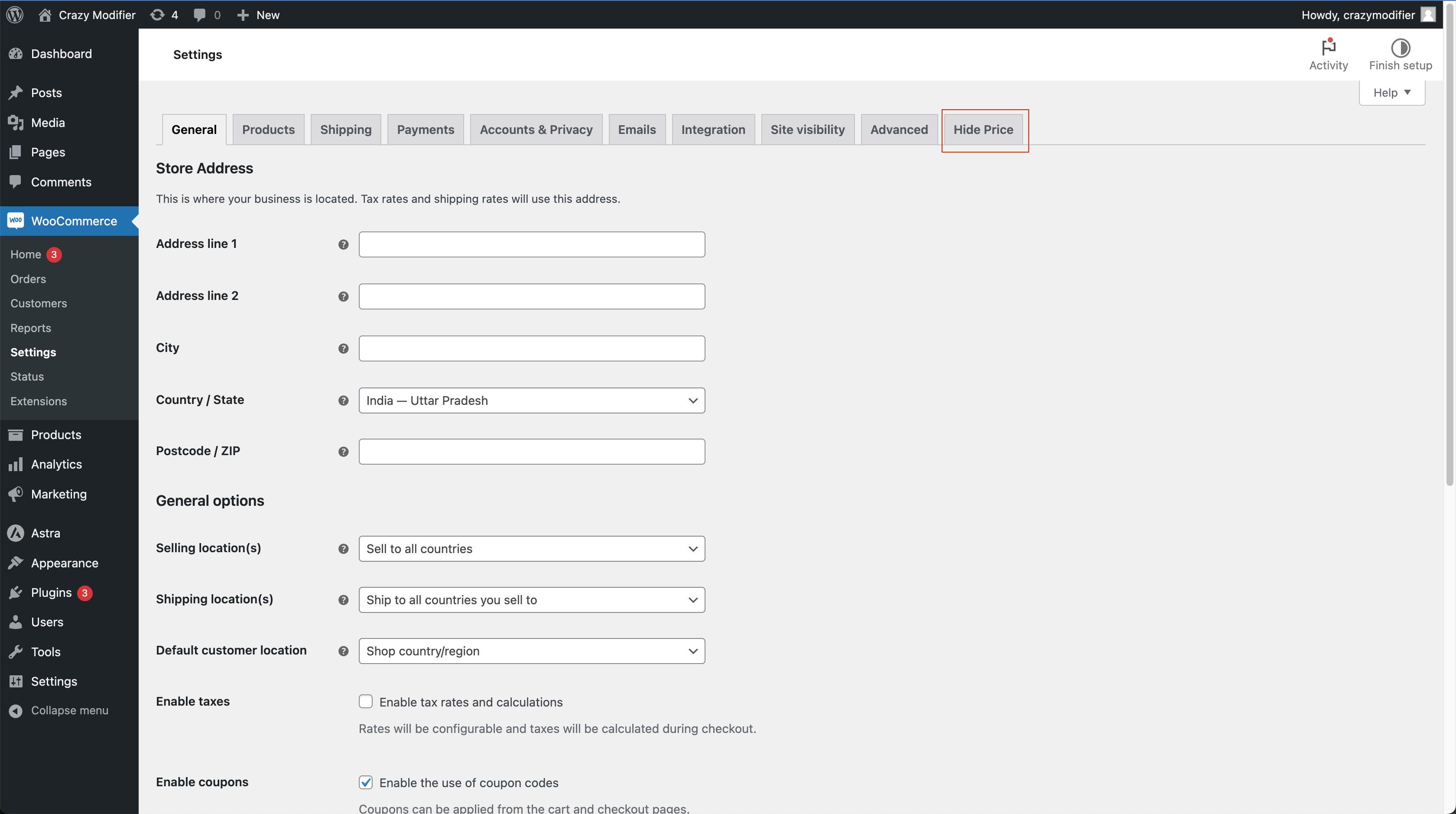
Goto Hide Price For WooCommerce settings tag
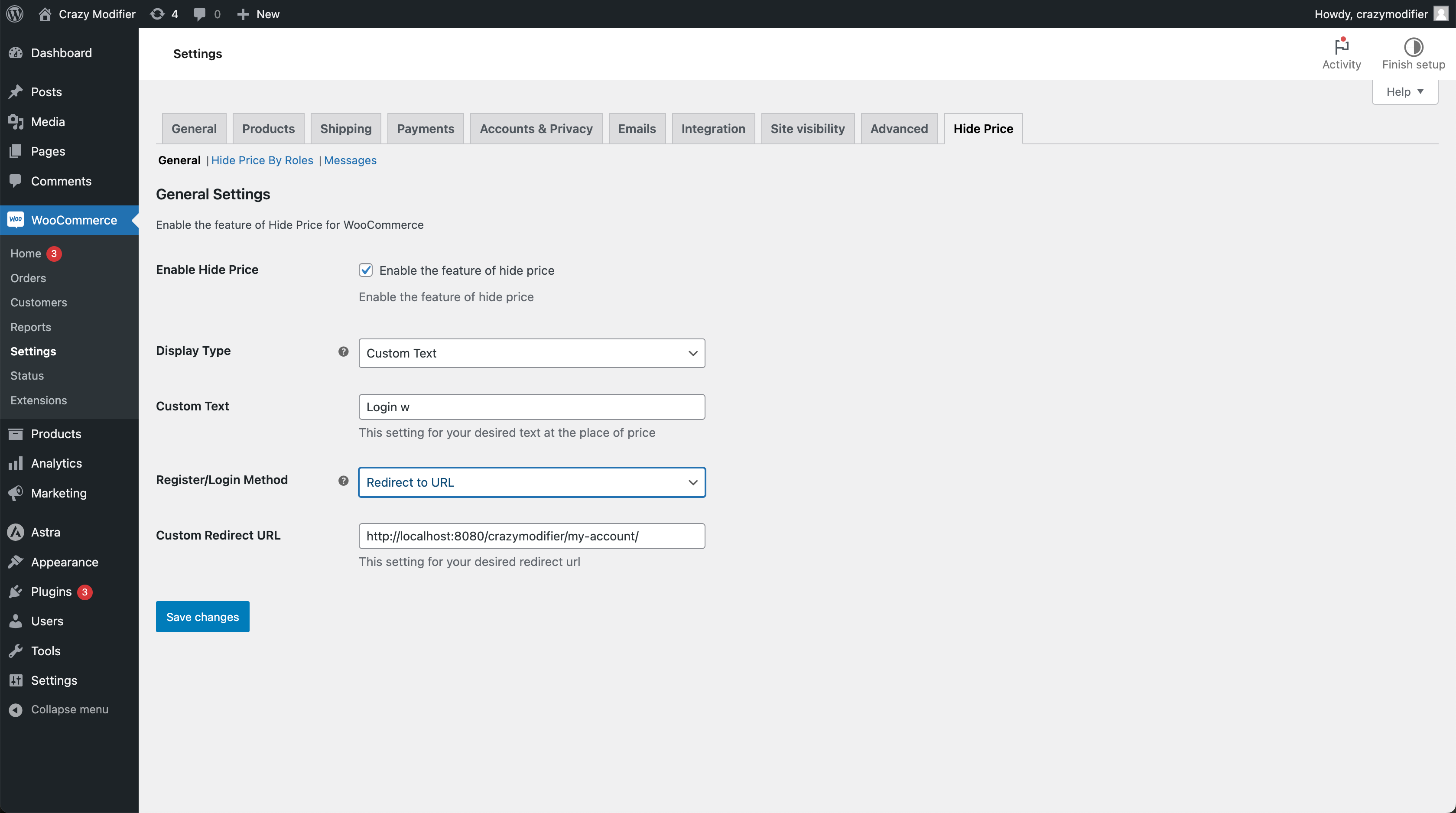
General settings
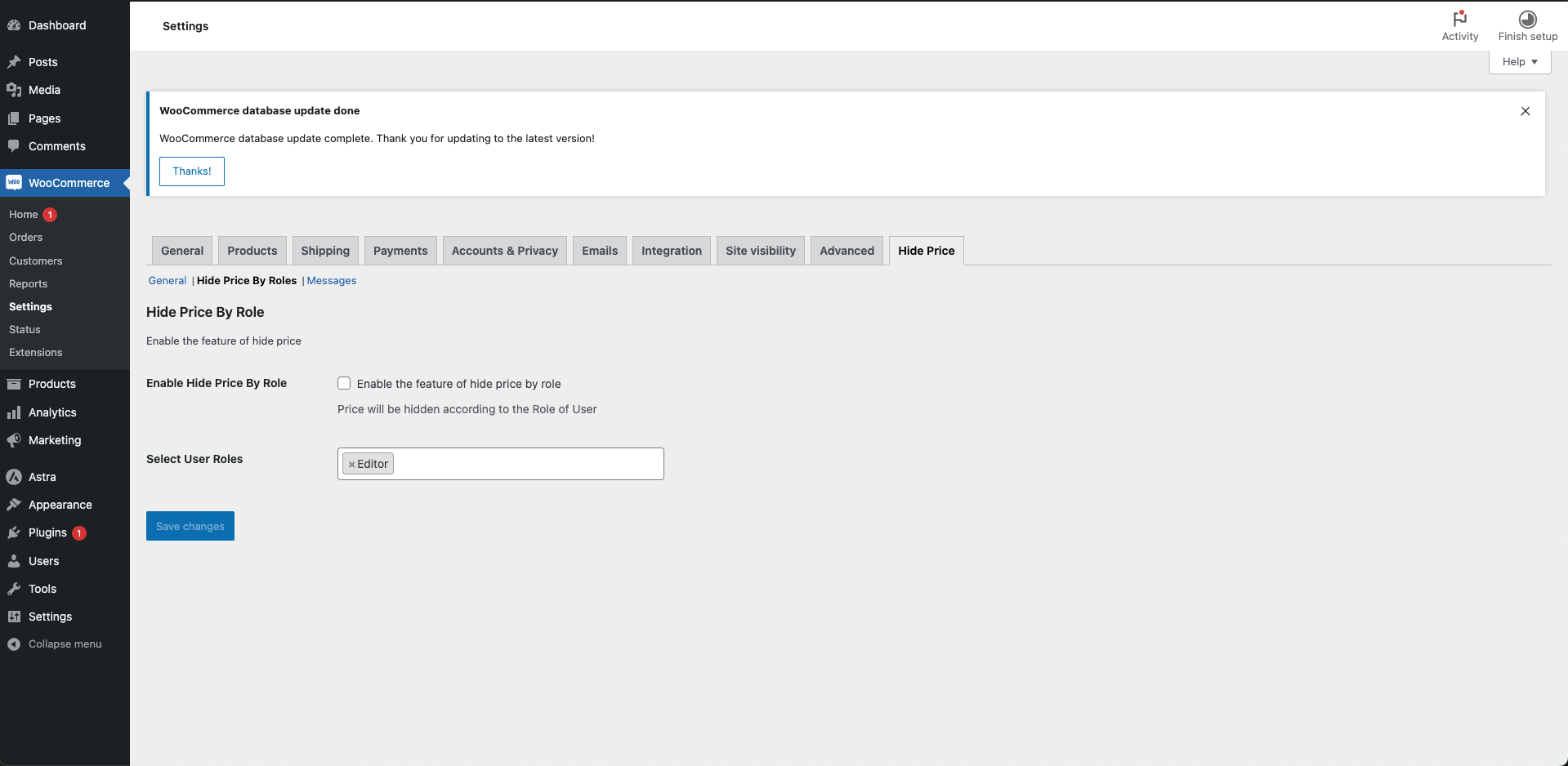
Hide Price By Role settings tab
Faq
- This plugin is released under a GPL license.
Reviews
Changelog
1.0.2
security enhancement
1.0.1
Bug fixes and added .po and .mo files
1.0.0
feat: initial deployment of version