Hide Product Image for WooCommerce

Hide Product Image for WooCommerce
Description
Hide Product Image for WooCommerce is a plugin/extension for WooCommerce that removes product images from WooCommerce product pages.
This plugin can be useful if you don’t have time to individually hide each product image or want to temporarily hide all product images.
Hide Product Image for WooCommerce doesn’t simply hide product images from the visitors. It removes the image element from the WooCommerce product page to ensure it is not visible to search engines either. When this plugin is active there is no need to edit each product and remove the product image from it.
For detailed documentation please check out the Hide Product Image for WooCommerce plugin page.
Hide Product Image for WooCommerce Add-ons
Installation
- Go to the Add New plugins screen in your WordPress Dashboard
- Click the upload tab
- Browse for the plugin file (hide-product-image-for-woocommerce.zip) on your computer
- Click “Install Now” and then hit the activate button
Screenshots
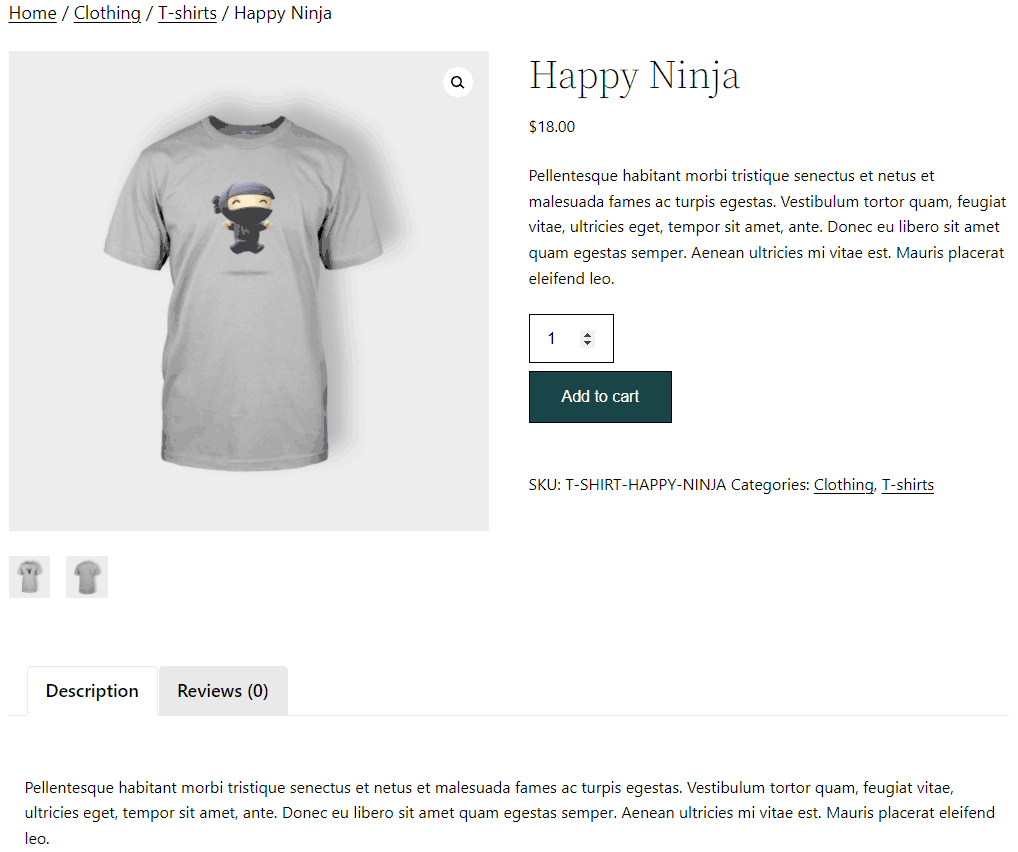
WooCommerce Product Page with Product Image

WooCommerce Product Page without Product Image
Faq
Yes.
Reviews
doesn't hide thumbnail in cart page
By 
doesn't hide thumbnail in the cart page.
It just works!
By 
I love the fact that it just works! Thank you Noor Alam
It works right out the box!
By 
Changelog
1.0.5
- File naming changes.
1.0.4
- Added support for the hide cart images add-on.
1.0.3
- Added a checkbox to enable/disable the feature.
1.0.2
- Fixed a CSS bug
1.0.1
- First commit