HTML5 Video Player – embed fast, responsive videos with ease

HTML5 Video Player – embed fast, responsive videos with ease
Description
Embed beautiful, responsive videos anywhere on your site – no code required, trusted by 30,000+ websites worldwide.
HTML5 Video Player | Documentation | Pricing | Support | Demo
Why HTML5 Video Player?
HTML5 Video Player is a flexible, fully responsive video player plugin for WordPress. Embed MP4 and other video formats with ease, customize the player to match your site design, and enjoy smooth playback across all major browsers and devices.
Add players to posts, pages, or widgets using shortcodes or the Gutenberg block – no code needed. Built-in options let you control video behavior such as autoplay, loop, mute, and more, while schema markup helps search engines understand and index your videos.
Free Features
- Responsive HTML5 Video Player: Seamlessly adapts to all devices and screen sizes.
- No-Code Embedding: Use shortcodes to quickly add videos anywhere on your site.
- Cross-Browser Compatibility: Works perfectly on Chrome, Firefox, Safari, and more.
- iOS & Mobile Friendly: Plays video files on all major devices without extra plugins.
- Autoplay, Loop & Mute Options: Customize how your videos behave.
- Preload Options: Choose how much of the video loads up front (metadata, auto, none) to balance speed and bandwidth.
- Inline iOS Playback: Play videos inline on iOS devices instead of forcing fullscreen.
- Skins & Color Customization: Style the player to match your brand.
- Supports Multiple Formats: Embed MP4, WebM, OGG, and MOV files.
- Preview for Paid Content: Great for selling digital video files with previews.
- Lightweight & Compact: Doesn’t take up unnecessary space on your page.
- Fast by Default: YouTube and Vimeo load only when played, players below the fold load as they scroll into view, and the page never jumps while a player loads.
- Custom CSS Support: Fine-tune your player with custom styles.
- SEO Optimized: Schema markup helps search engines understand and index your videos.
- Video Playlist Block: Build a playlist of videos with a simple list layout, auto-play next with a 5-second “Up Next” countdown, custom thumbnails, and duration badges.
- HLS Streaming: Play
.m3u8adaptive streams, with automatic quality levels. - Subtitles & Captions: Add a
.vttcaption track to any player, with your own language label. - Player Alignment: Align the player left, centre or right from the block editor, the classic metabox, the Quick Player settings, the shortcode or Elementor.
- Audio Player Block: A skinnable audio player with four skins — Modern Bar, Waveform, Podcast Card and Compact Pill — plus speed, skip, volume and download controls.
Pro Version
The Pro version adds more flexibility and advanced controls for managing video playback and customization:
- Color Picker: Change player colors to match your site perfectly.
- External Hosting Support: Embed videos from Amazon S3 and other sources.
- Multiple Subtitles Support: Add more than one caption track and let viewers choose the language.
- Advanced Playlists: Three extra playlist layouts (List With Thumb, List on Right Side, Grid), a live search filter, prev/next arrows, plus a playlist post type and
[video_playlist]shortcode. - DASH Streaming: Play
.mpdadaptive streams alongside HLS. - Quality Switcher: Viewers can toggle video quality like on YouTube.
- Page Load Optimizer: Defer player assets and video loading for better page speed scores.
- Restart, Rewind, Fast Forward: Full playback control buttons.
- Download Button Toggle & Custom Download URL: Enable, hide, or redirect video downloads.
- Customize Every Control: Show/hide any button or control.
- Speed & Quality Control: Let users adjust playback speed and resolution.
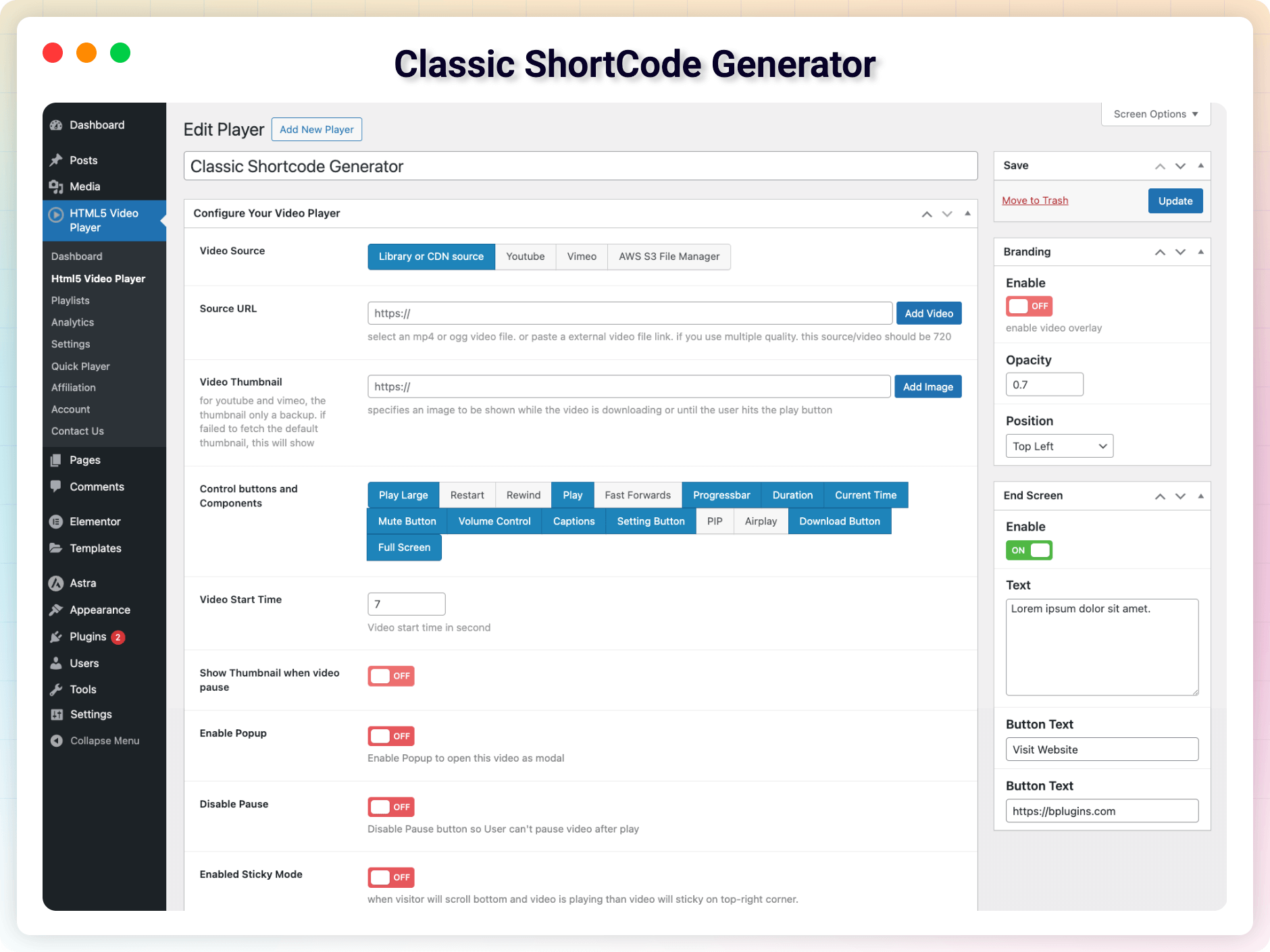
- Advanced Shortcode Generator: Right inside your post/page text editor.
- Autoplay When Visible on Screen: Smart autoplay triggers only when the video enters the viewport.
- Disable Pause: Prevent viewers from pausing the video.
- Show Thumbnail on Pause & Sticky on Scroll: Keep viewers engaged as they browse.
- Seek Time & Start Time: Customize jump distance and auto-start position.
- Google VAST Tag URL: Integrate ad tags using Google VAST for monetization.
- Chapters & Overlay: Add chapter markers and custom overlays for a better experience.
- End Screen & Popup Player: Show a custom end screen or open videos in a distraction-free modal.
- Password Protected Videos: Restrict video access to users with a valid password.
- Watermark Support: Add branding or copyright with a watermark.
- Additional ID/CSS Class: Add unique IDs or CSS classes for advanced custom styling.
Try the Pro Version – Unlock all premium features today!
How to Use HTML5 Video Player – Quick Start
- Install and activate the plugin.
- Go to the HTML5 Video Player menu in the WordPress dashboard.
- Create a new video player and configure your settings.
- Copy the shortcode displayed for your player.
- Paste the shortcode into any post, page, or widget.
Prefer the block editor? Add the HTML5 Video Player block, select your player, and publish – your video is live!
Quick Player shortcode:
[video_player src="video src"]
More attributes you can use:
controls="play-large, restart, rewind, play, fast-forward, progress, current-time, mute, volume, captions, settings, pip, airplay, download, fullscreen"
autoplay="true/false"
muted="true/false"
preload="auto/metadata/none"
playsinline="true/false"
width="500px"
align="left/center/right"
caption="https://example.com/subtitles.vtt"
caption_label="English/en"
reset_on_end="true"
Use Cases
- Product Demos: Embed demo videos on landing and product pages.
- Courses & Tutorials: Display video tutorials and course content.
- Testimonials: Showcase client testimonial videos.
- Portfolios: Build a video portfolio of your work.
- Digital Sales: Add previews for paid video content.
What Users Say
❛❛We got multiple support from the developer. Outstanding and fabulous! 100 % satisfied and my personal recommendation for video player plugin!❜❜
-newbie2004
❛❛This guy is the future of WordPress plugins. The interface is the very definition of simplicity and everything just works right out of the box.❜❜
-amallulla
Like the plugin? Missing a feature? Send your feedback
Check Out Our Other WordPress Plugins
Html5 Audio Player – Listen audios with awesome visuals.
PDF Poster – Display/Embed PDF files with different styles.
StreamCast – Customizable radio player with different skins.
3D Viewer – Embed 3D models and 3D products with interaction.
Advanced Post Block – Show posts and custom posts in different layouts.
Source Code
You can find the source code, report bugs, and contribute to the development of this plugin on our GitHub repository:
HTML5 Video Player on GitHub
Third-Party Libraries
This plugin bundles the following third-party library:
Codestar Framework
- Source: http://codestarframework.com/
- GitHub: https://github.com/Codestar/codestar-framework
- License: GPLv2 or later – https://github.com/Codestar/codestar-framework/blob/master/LICENSE
- Purpose: Provides the options framework for the plugin’s settings and shortcode generator.
Plyr
– Version: 3.8.4
– Purpose: Provides the customizable HTML5, YouTube, and Vimeo media player interface used to render videos.
– License: MIT
– Website: https://plyr.io
– Source code: https://github.com/sampotts/plyr
– Bundled file: public/js/plyr-v3.8.4.polyfilled.js
hls.js
– Version: 1.7.0
– Purpose: Adds HLS (.m3u8) streaming playback with automatic quality levels; only loaded on pages that actually contain an HLS source.
– License: Apache-2.0
– Website: https://github.com/video-dev/hls.js
– Bundled file: public/js/hls.min.js
bpl-tools
- Source / GitHub: https://github.com/bPlugins/bpl-tools
- License: GPL-2.0-or-later – https://www.gnu.org/licenses/gpl-2.0.html
- Purpose: Shared utility library providing admin dashboard components and common Gutenberg editor controls.
- External Services: The library may connect to bPlugins, WordPress.org, and Freemius services for product data and checkout functionality. See full details: https://github.com/bPlugins/bpl-tools#external-requests–why-they-are-made
Freemius SDK
- Source: https://freemius.com/
- GitHub: https://github.com/Freemius/wordpress-sdk
- License: GPLv3 – https://github.com/Freemius/wordpress-sdk/blob/master/LICENSE.txt
- Purpose: Provides opt-in usage tracking and analytics to help improve the plugin.
External Services
This plugin connects to the following third-party services:
YouTube oEmbed
When you save a video player whose source is a YouTube URL, the plugin sends the video ID to YouTube’s public oEmbed endpoint (https://www.youtube.com/oembed) to fetch the video’s title for display in the admin list and Video Manager. No personal data is sent — only the video ID. This request is cached for 24 hours and is not made on page views by site visitors. YouTube Terms of Service: https://www.youtube.com/t/terms
Vimeo API
When you save a video player whose source is a Vimeo URL, the plugin sends the video ID to Vimeo’s public oEmbed-style endpoint (https://vimeo.com/api/v2/video/{id}.json) to fetch the video’s title, the same way as above. Vimeo Terms of Service: https://vimeo.com/terms
Installation
From your WordPress dashboard (recommended):
- Go to Plugins Add New.
- Search for “HTML5 Video Player”.
- Click Install Now, then Activate.
- Go to the HTML5 Video Player menu to create your first player.
Manual installation:
- Upload the plugin folder to the
/wp-content/plugins/directory. - Activate the plugin through the Plugins menu in WordPress.
- Use the shortcode in any page, post, or widget.
- To embed in theme PHP, place
<?php echo do_shortcode('YOUR_SHORTCODE'); ?>in your template.
Screenshots
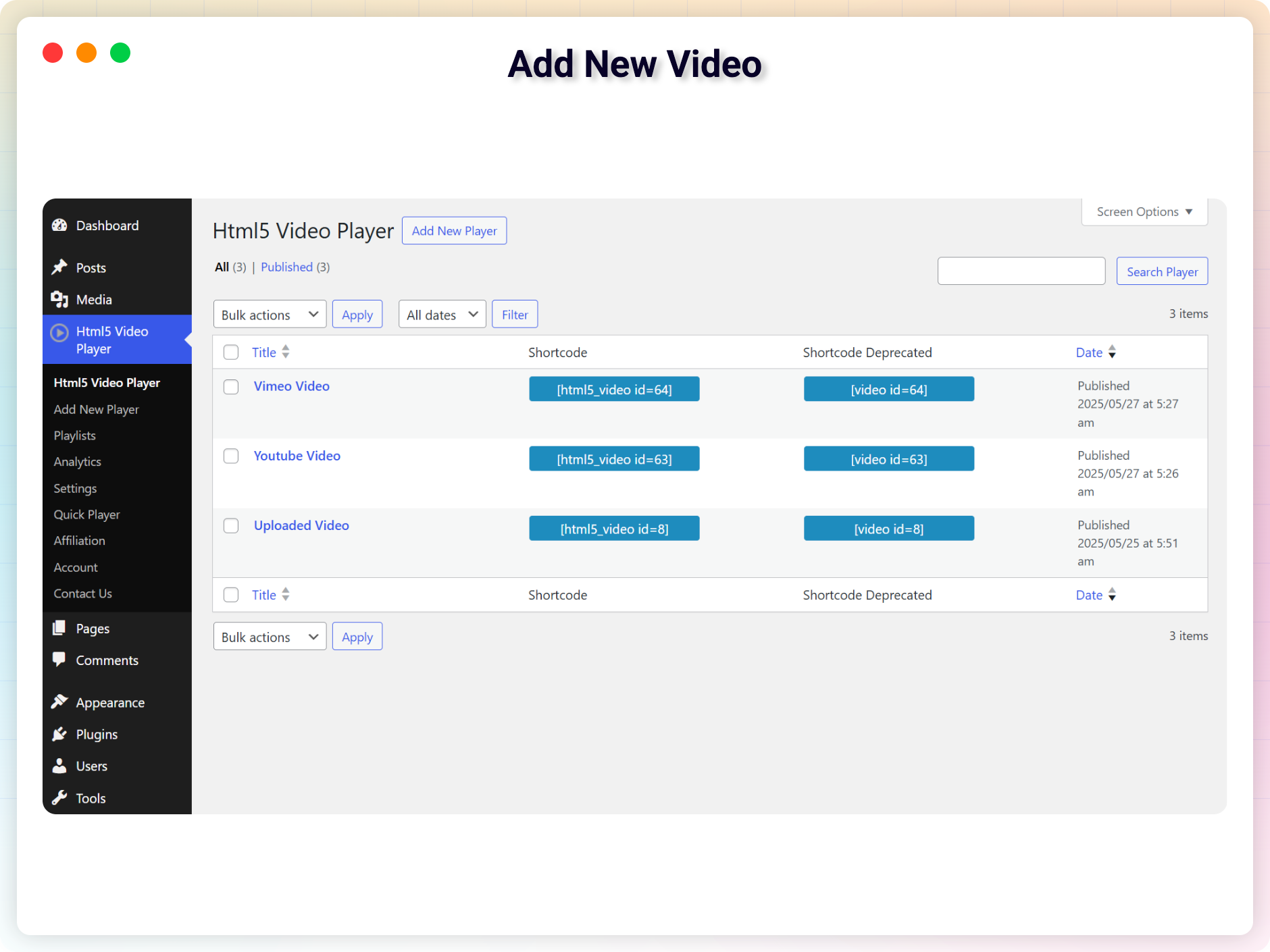
Add New Video
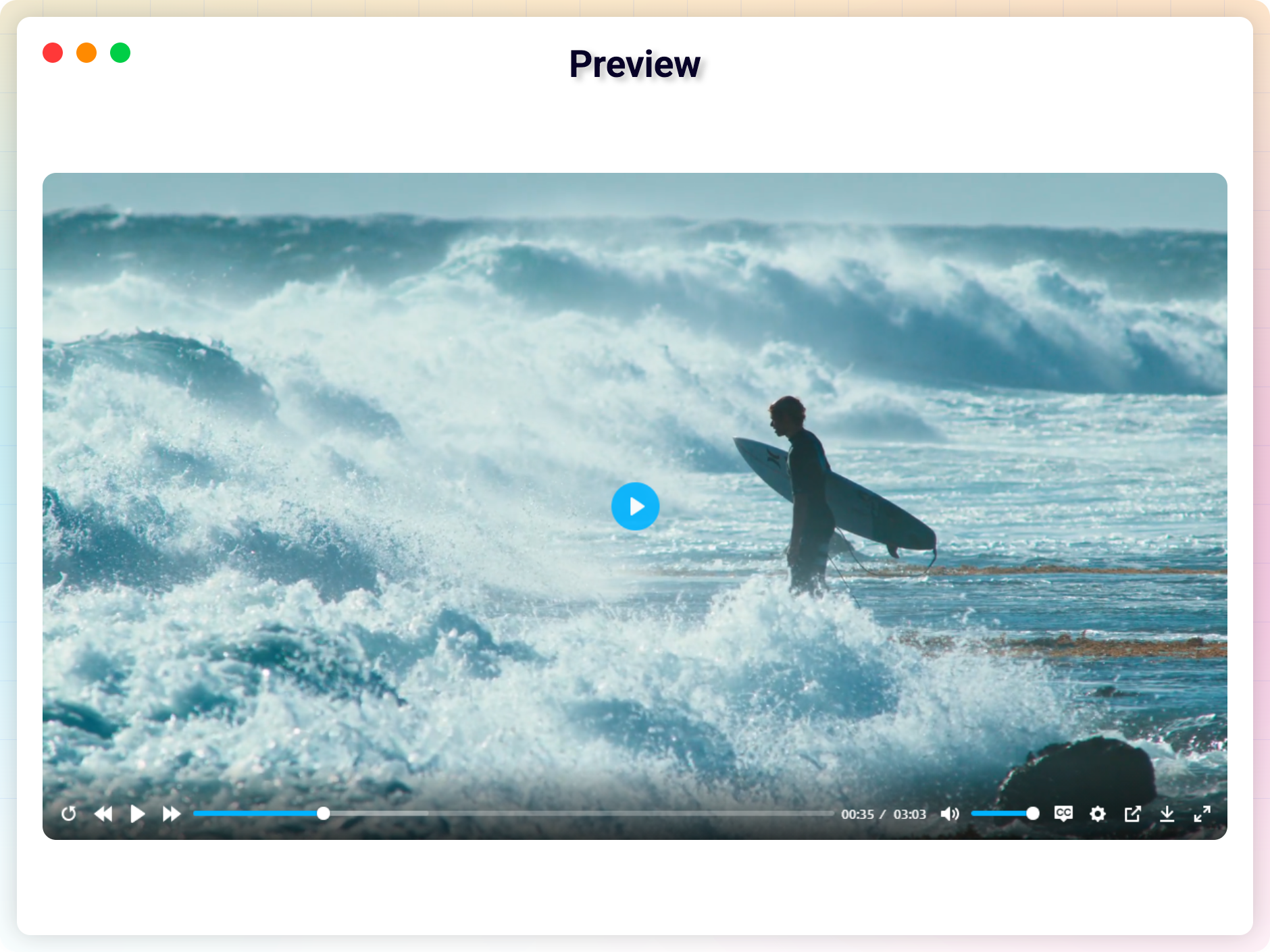
Preview
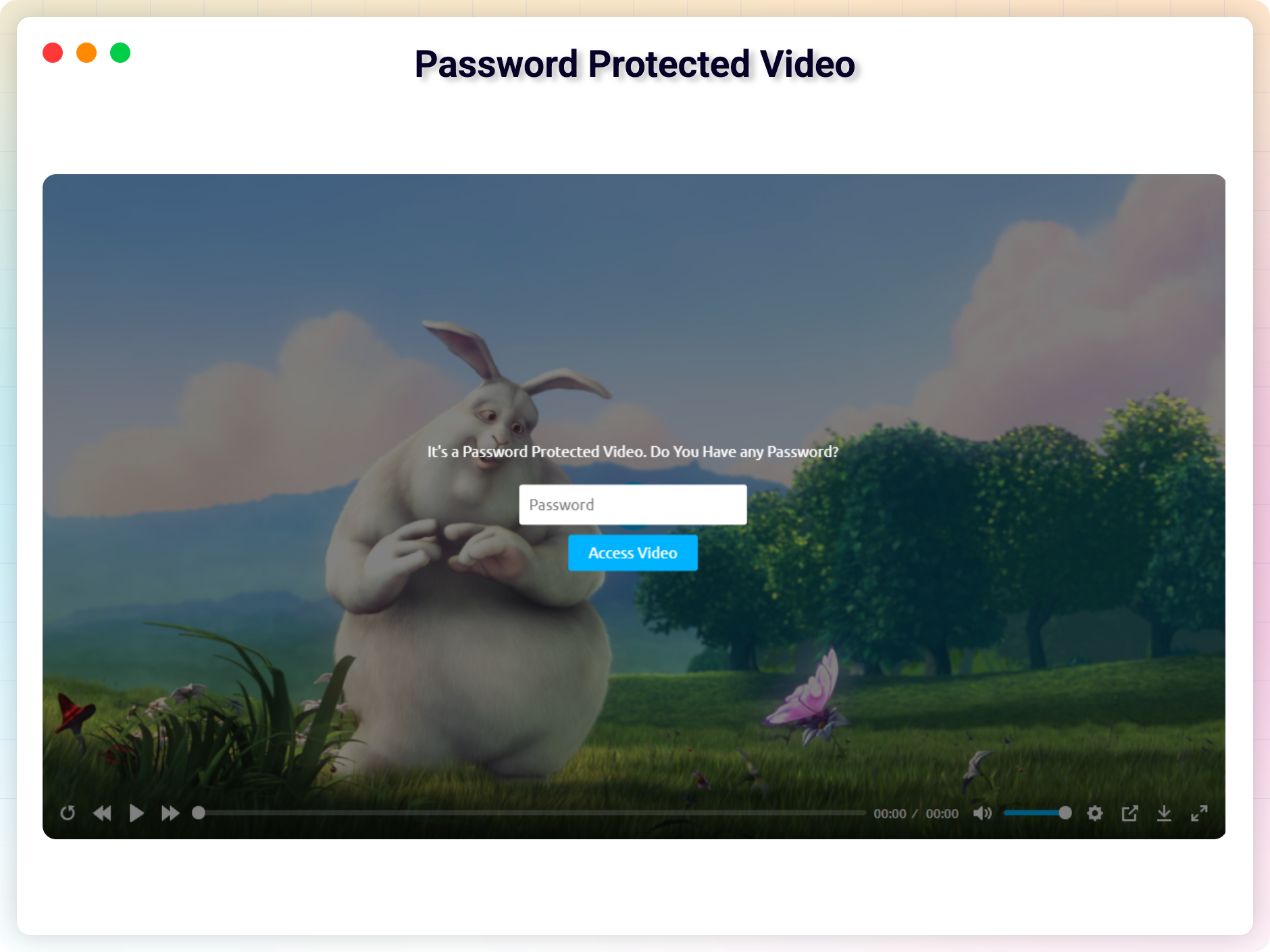
Password Protected Video
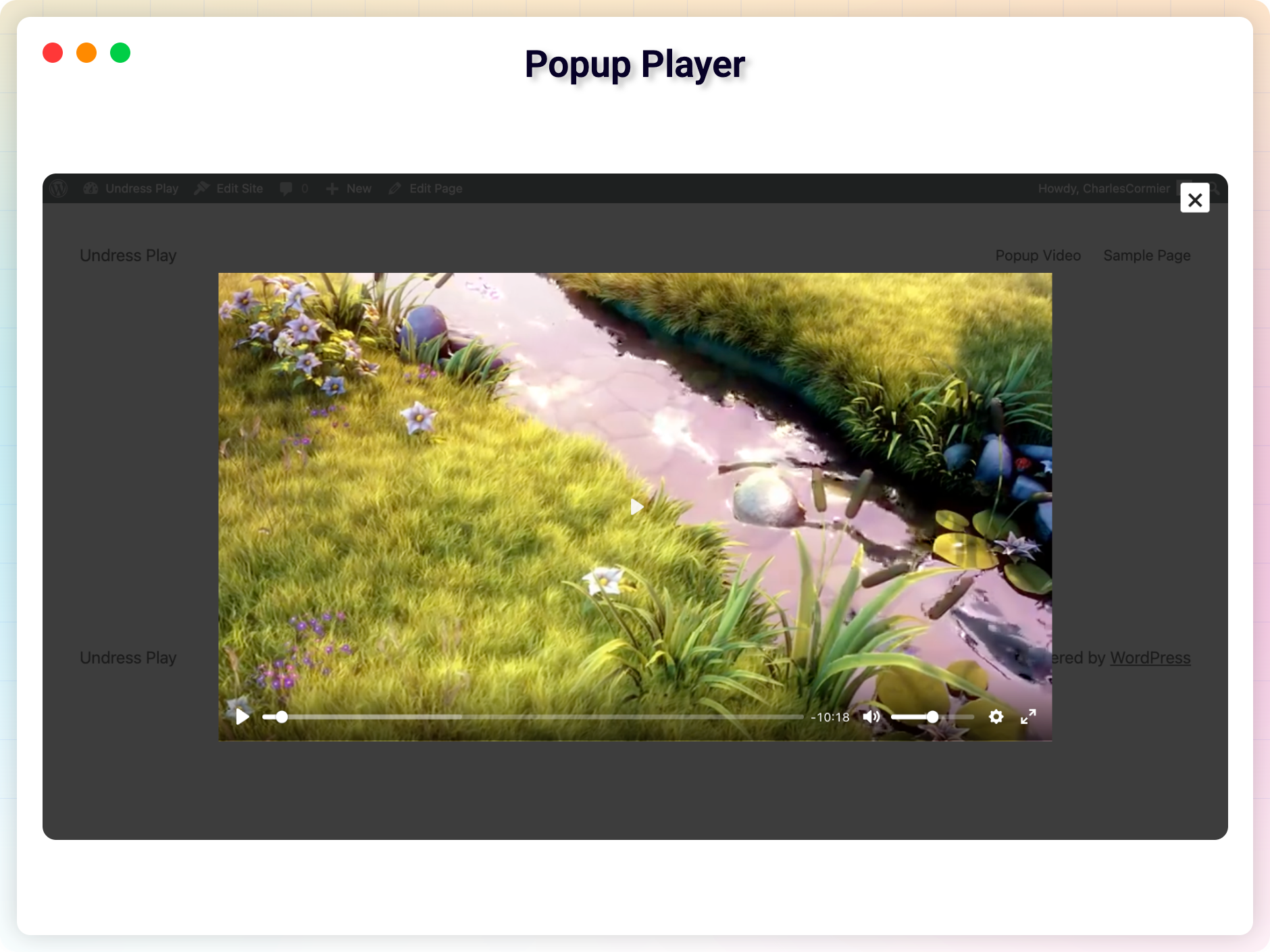
Popup Player
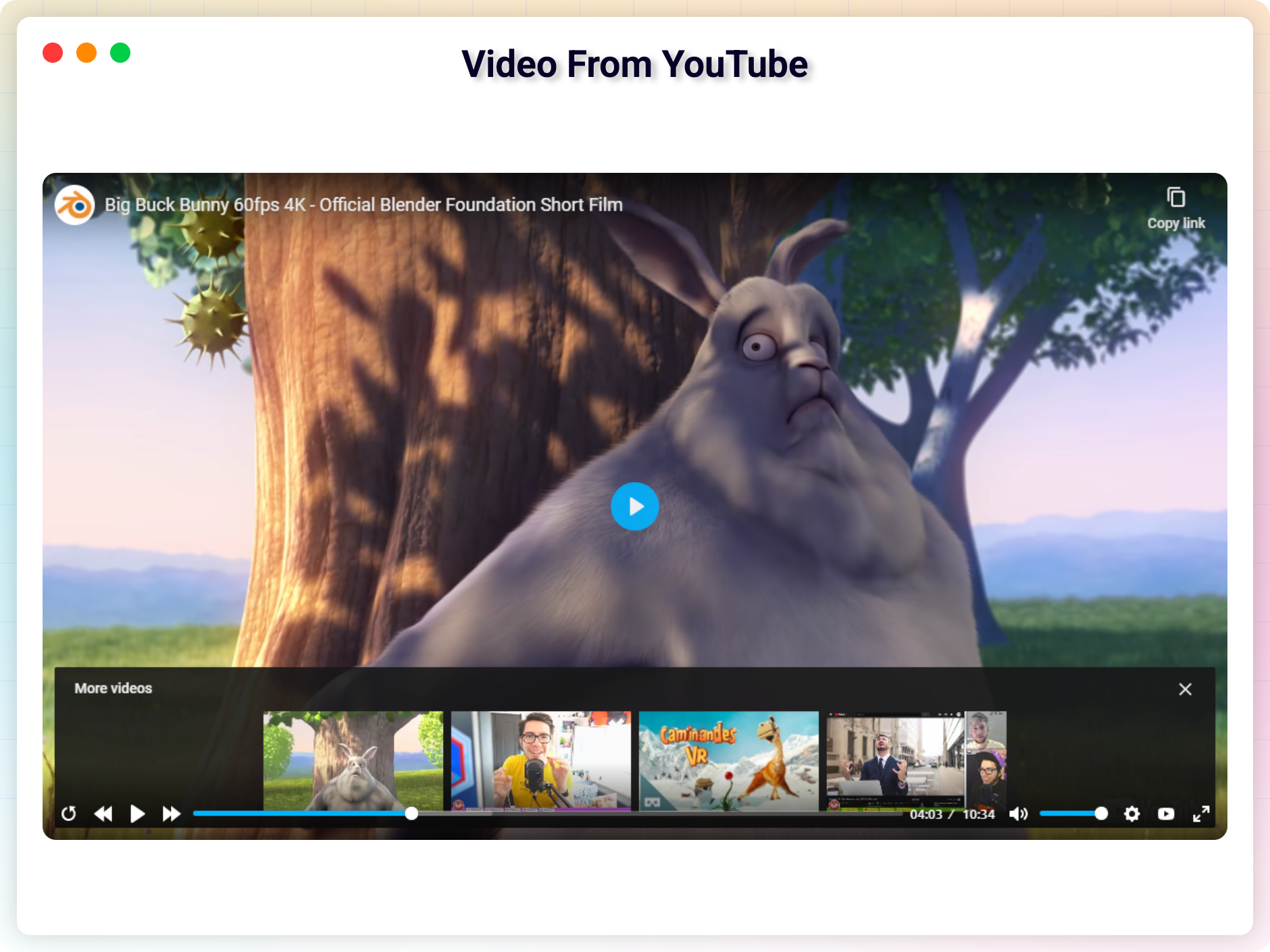
Video From YouTube
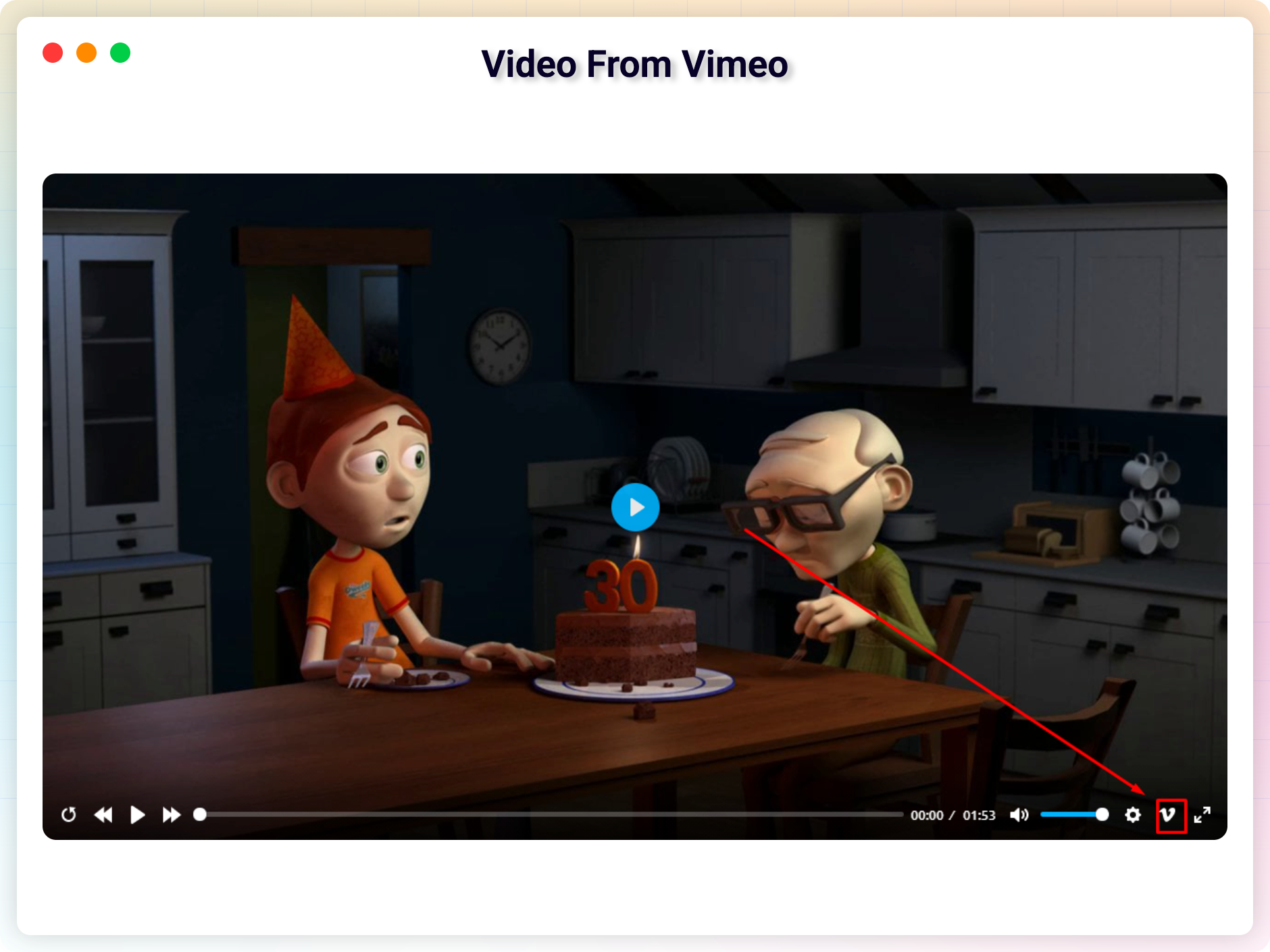
Video From Vimeo
VAST Ads
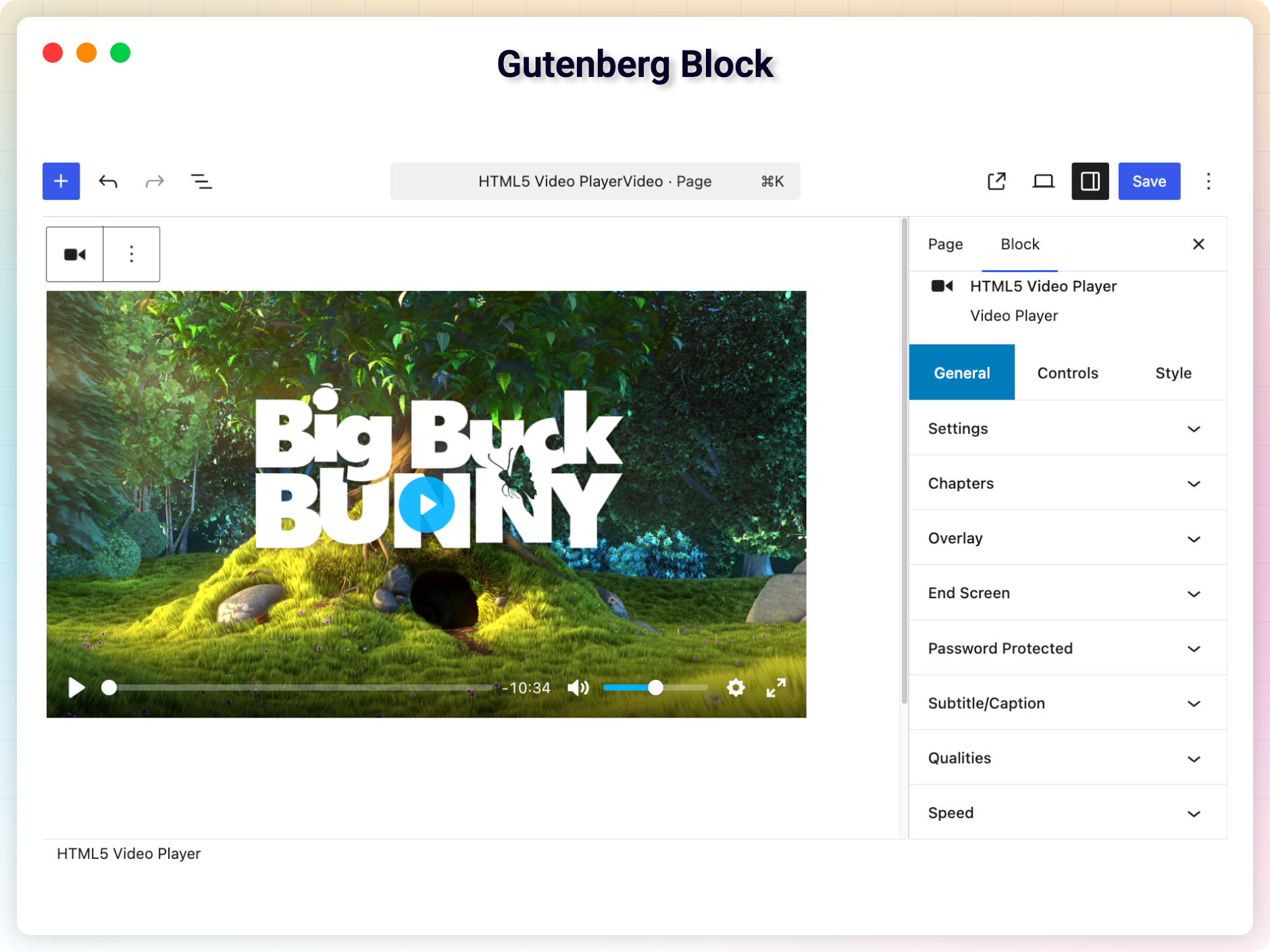
Gutenberg Block
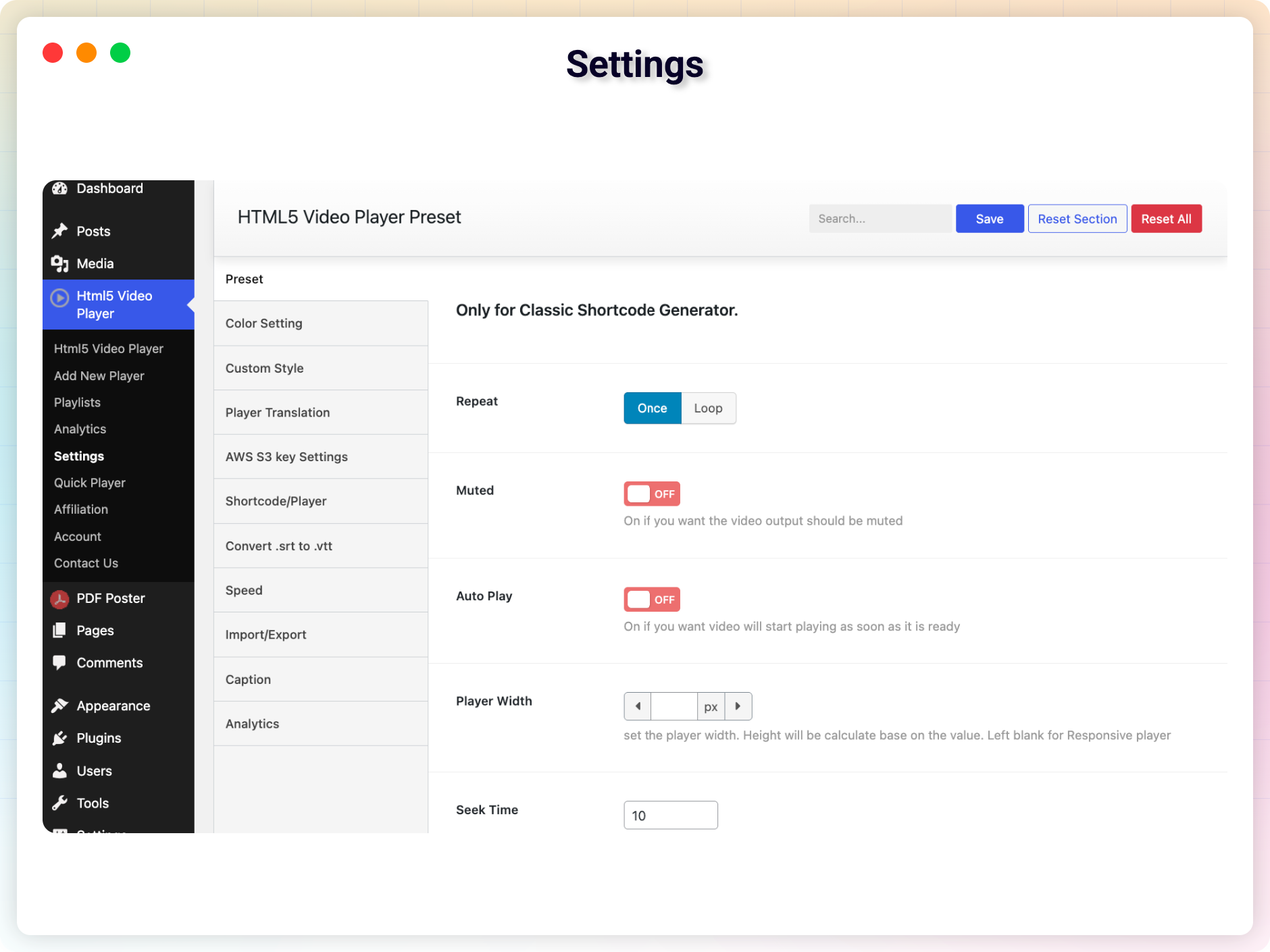
Settings
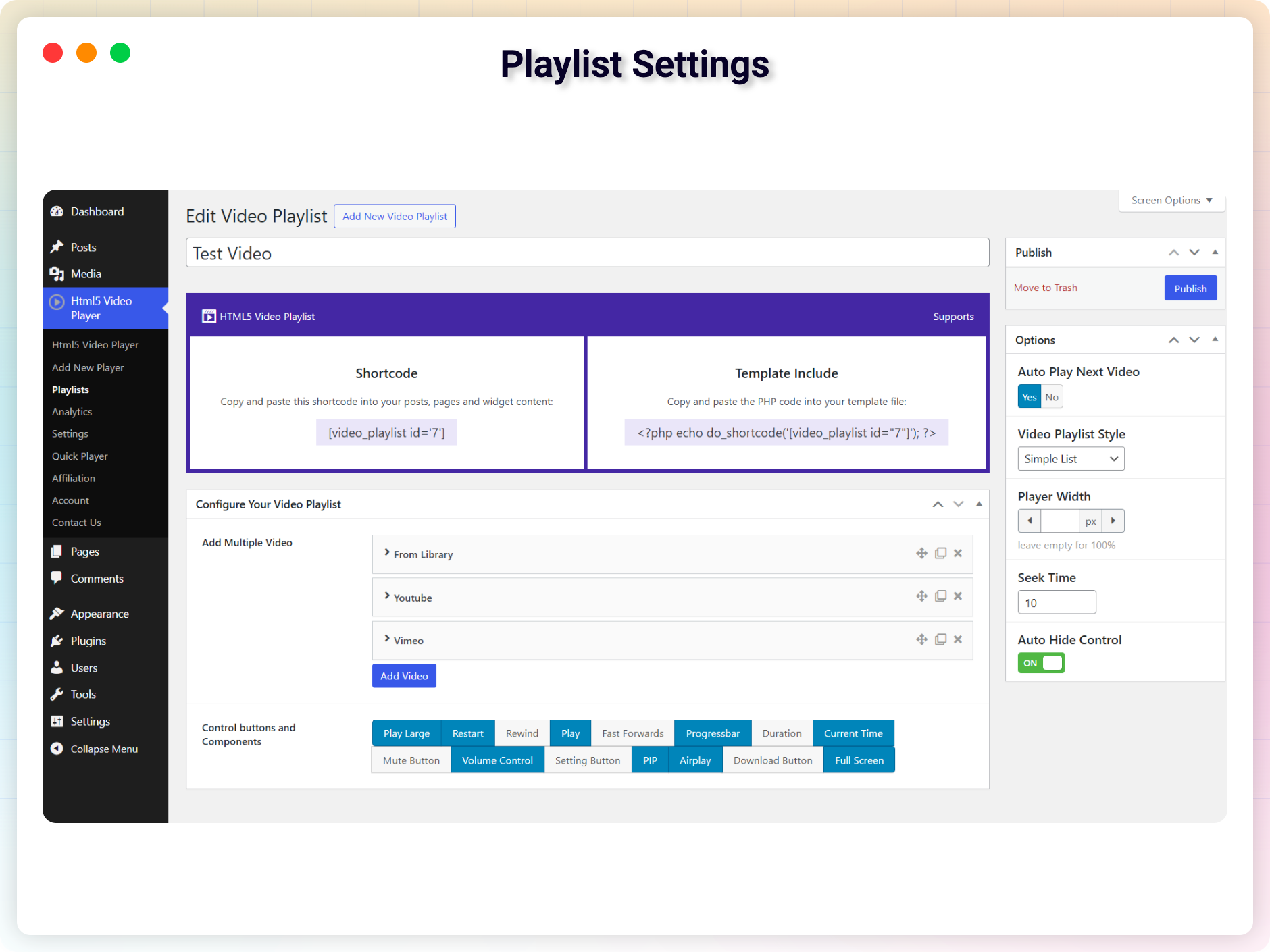
Playlist Settings
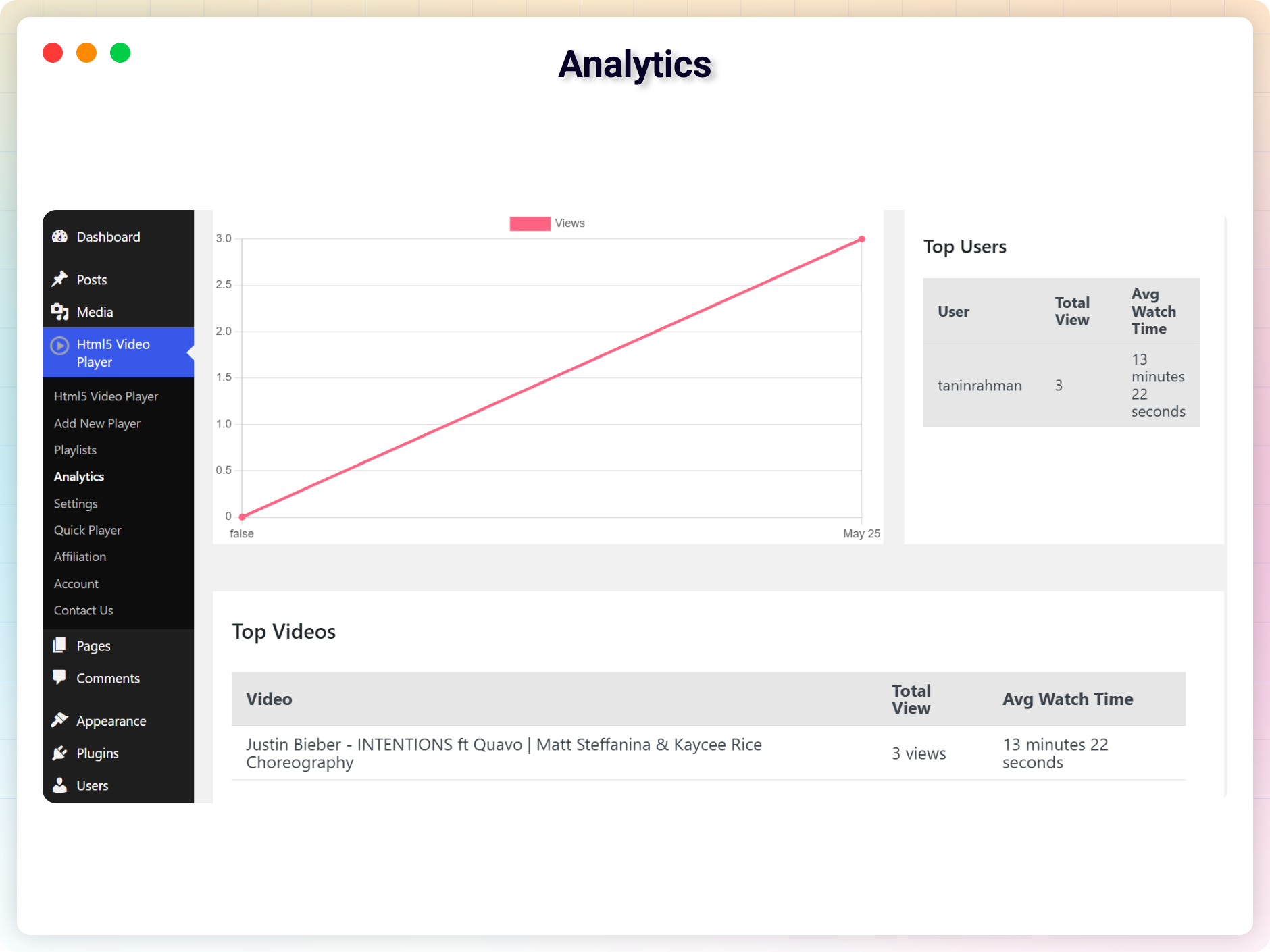
Analytics
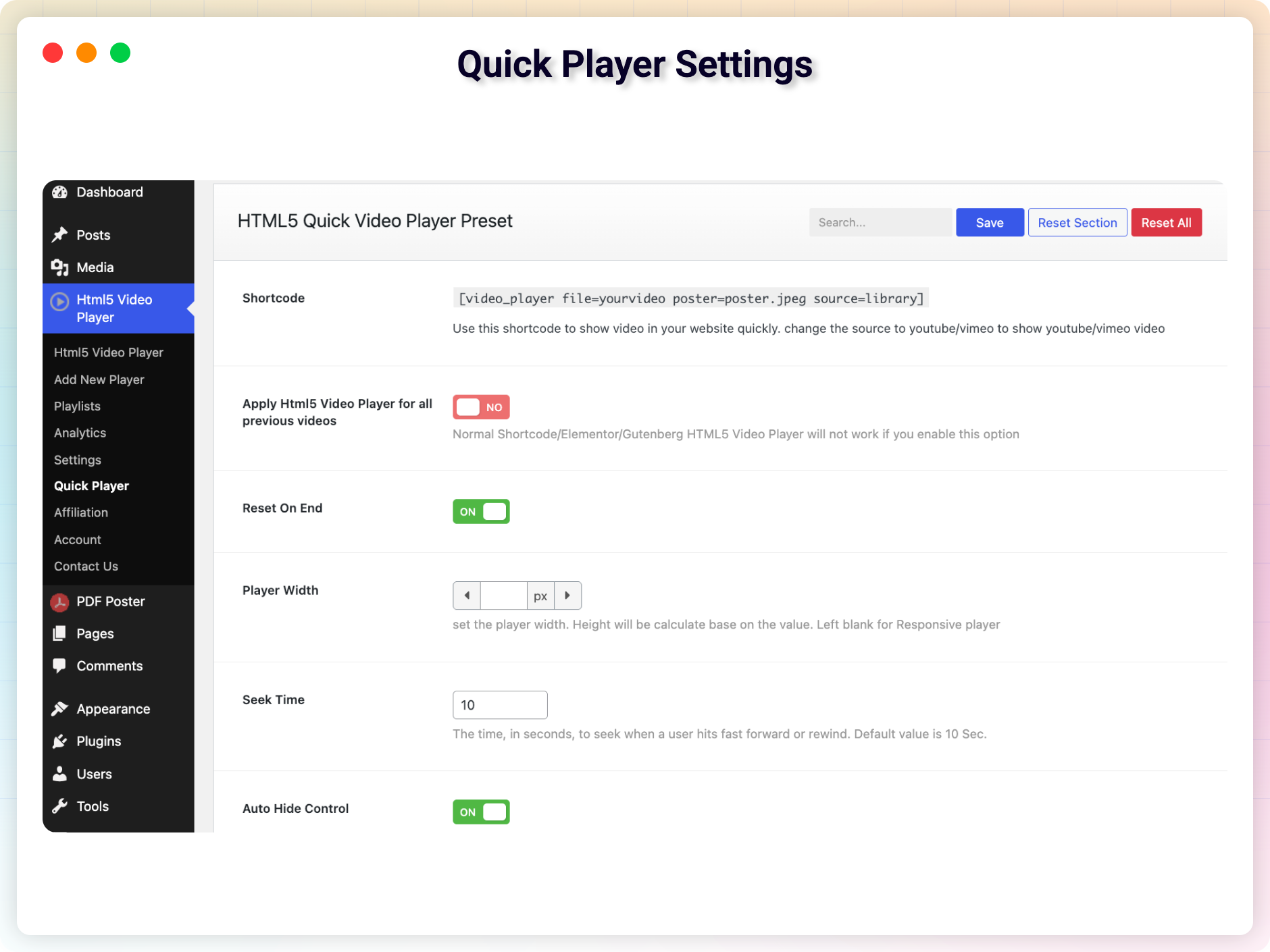
Quick Player Settings
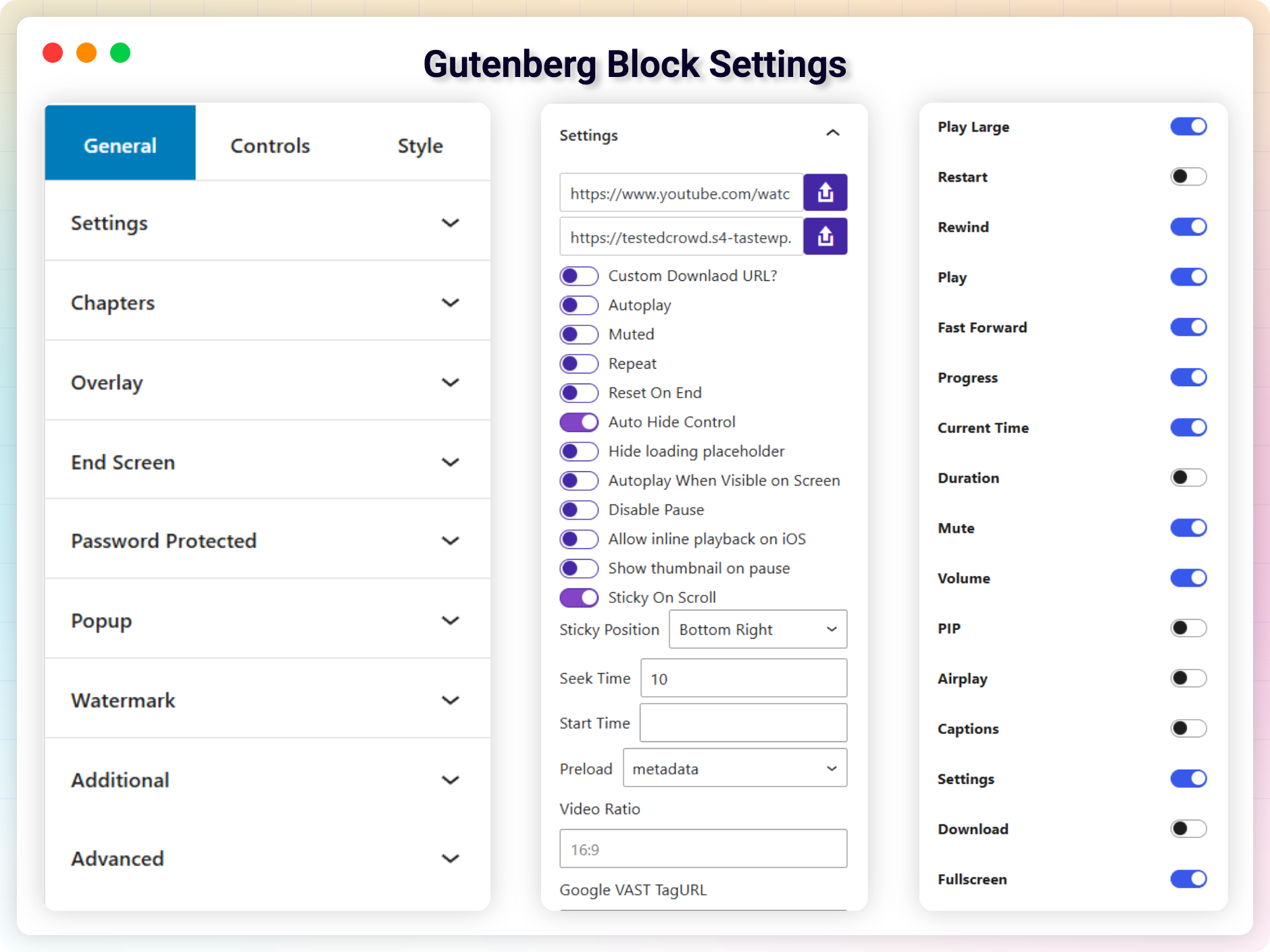
Gutenberg Block Settings
Faq
Install it like any regular WordPress plugin – from Plugins Add New in your dashboard, or by uploading it manually. See the Installation tab for step-by-step instructions.
The free version plays MP4, WebM, OGG, and MOV video files, and you can also embed YouTube and Vimeo videos.
You can publish unlimited videos – there are no limits.
Yes. Use the shortcode generator or simply add the HTML5 Video Player Gutenberg block, select your player, and publish.
Yes. The Pro version lets you restrict video access to users with a valid password.
This plugin is compatible with most themes. Unfortunately, we cannot check it with all third-party themes (especially paid ones), so there are cases when it may not work with a specific theme. We constantly test for compatibility, and if we find an incompatibility we can fix on our side, we release an update. If you find a conflict between our plugin and a third-party theme, please let us know and we will work on a fix.
This plugin is compatible with most plugins. We cannot test against every third-party plugin (especially paid ones), but we constantly check compatibility and release fixes when issues are found on our side. If you find a conflict with another plugin, please let us know and we will work on an update to fix it.
- The free version requires PHP 7.4 or higher.
- The Pro version (with advanced features and Freemius integration) requires PHP 8.1 or higher.
Please report security bugs found in the source code of the HTML5 Video Player plugin through the Patchstack Vulnerability Disclosure Program. The Patchstack team will assist you with verification, CVE assignment, and notify the developers of this plugin.
Reviews
Excellent Plugin AND support
By 
They were fast and they fixed my issue. The playlist wasn't updating. I'd add songs and it would just "still be 27 songs" and they fixed it over the weekend. Very nice. Gausul Azam was my dude and was great. So, great Plugin and great support.
HTML5 Video Player
By 
The service these guys give is amazing
Disappointment
By 
I understand you want to make money, but your Pro version has broken the website!
Thanks to ai, we can now create the same plugin—only much better and for free :)))
Disaster
By 
Guys, I know there's PRO version, but there's too much GET PRO bloat into free version for one simple video player block.
version 2.8.0 bugs
By 
a lot og bugs with the last version 2.8, broke my website, i cant use my plugin formidable forms.
Scam
By 
S3 function doesn't work and the tech support takes forever to repsond. Don't waste your time on it.
I can change the size of the video and the support answers
By 
I have the free version of this plugin, and it is possible to change the size of the video. Also, some other things like an endless loop.
And I had a support question, it was resolved within 3 days.
Thanks!!!
Don't waste your time
By 
The majority of the reviews/stars here are fake.
This plugin will not work. I tried on different types of posts/pages, with different types of media to the same result. nothing. I have a conventional WordPress 6.6.2 setup, no weird configs, just straight out of the box on a conventional wp shared hosting account.
I realize that support is not available on unpaid accounts, but if the plugin does not work at all, it is just a dud. and a scammy way to force people to upgrade to the paid service.
If that is what you want bplugins llc then do not offer the free version, just say "only paid version available", I understand the need to make money but being a tease is wasting everyones time.
definitely do not waste your time with this plugin ( I would avoid the paid version just as well, since scammy companies are scamming wether or not you pay.)
yes if you can't tell I am pissed.
Please keep up your great work!!
By 
My favorite service of this kind thus far. Thanks so much!
Ticks all boxes
By 
Perfect player for basic needs and a bit more than that. Optionally, purchase the premium edition to get everything that's possible. Works smoothly and configuration is a no-brainer. 5 stars.
Changelog
2.14.0 – 14 October, 2026
- Improved: Much faster pages. YouTube and Vimeo players now show a lightweight thumbnail and load the full player only when the visitor presses play (mobile PageSpeed score 71 99 on a YouTube page)
- Improved: Players further down the page load only when they are scrolled into view — a page with five videos now downloads about 0.5 MB on load instead of 17.8 MB
- Improved: No more layout shift while players load (CLS 0). Space is reserved for videos, playlists and audio players before they appear
- Improved: Each video file is downloaded once instead of up to three times, and the player no longer fetches a blank video from cdn.plyr.io
- Improved: Player scripts no longer block the page from rendering, jQuery and Underscore are no longer loaded on the front end, and the HLS library loads only when an HLS video plays
- Improved: Playlists load YouTube/Vimeo items only on play, and read video durations after the page has finished loading
- Improved: The audio player uses far less CPU while playing
- Improved: Works smoothly with caching and optimization plugins such as WP Rocket (“Delay JavaScript execution”), Autoptimize and WP Super Cache
- Improved: A “Copied!” confirmation when you copy a player’s shortcode
- Improved: A copy icon next to the Quick Player shortcode
- Improved: The admin settings page remembers the tab you were on
- Fixed: On iPhone and iPad, YouTube videos did not start when tapped; they now also play inline instead of forcing fullscreen
- Fixed: Captions stayed on screen after being turned off with the CC button
- Fixed: YouTube
live/links were rejected as invalid - Fixed: Entering a Vimeo link or a video ID did not work in some cases
- Fixed: A playback issue in the single video player
- Fixed: A PHP warning, and the playlist scrollbar styling
- Fixed: The download button color
- Fixed: A narrower, centered player briefly showed at full width while loading (Elementor)
2.13.1 – 16 September, 2026
- Fix: The Elementor widget did not appear in the Elementor editor.
2.13.0 – 22 August, 2026
- Added: Video Playlist block — simple list layout, auto-play next with a 5-second “Up Next” countdown, duration badges, custom thumbnails, and Library/YouTube/Vimeo sources
- Added: Audio Player block with four skins (Modern Bar, Waveform, Podcast Card, Compact Pill), plus playback speed, 10-second skip, volume, download, and title/artist/artwork fields
- Added: HLS (
.m3u8) streaming with automatic quality levels - Added: Subtitle/caption support — attach a
.vtttrack with your own language label from the block editor, the classic metabox, the[video_player]shortcode or Elementor - Added: Player alignment (left/center/right) in the block editor, the classic metabox, the Quick Player settings, the shortcode and Elementor
- Added: Preload option (none/metadata/auto), moved down from the Pro version
- Added: “Allow Inline Playback on iOS” option, moved down from the Pro version
- Fixed: the Elementor widget never rendered a player inside the Elementor editor preview
- Fixed: block-level classes and styles were dropped from the video block’s front-end markup, because the wrapper emitted two
classattributes and the browser kept only one - Fixed: a poster image passed to the player was ignored unless it was re-applied by hand after the player was created
- Improved: the block’s “Choose a Video Type” screen now uses icon cards for Video, YouTube, Vimeo and Audio instead of plain buttons
- Improved: the video block’s start screen now supports drag-and-drop uploads, the media library and pasting a URL, all in one place
- Improved: player, poster, thumbnail and artwork URLs are now sanitized before rendering
- Changed: the “Delete data during uninstall” option moved to a new storage key — if you had it switched on, switch it on again after updating
2.12.0 – 3 August, 2026
- Added: Extensions & Modules manager for managing plugin add-ons
- Added: Guided setup wizard shown after activation — walks you through choosing an editor, setting player defaults, and creating your first player
- Added: “Guided Setup” link in the plugin dashboard so you can re-run it any time
- Improved: Site-wide settings changes now require the manage_options capability
2.11.4 – 11 July, 2026
- Update: Freemius WordPress SDK
2.11.3 – 16 June, 2026
- Improved: Updated admin dashboard design
- Improved: Removed unused code, dead asset registrations, and leftover images
- Improved: Code quality and general maintenance
- Fixed: Custom poster not showing for Vimeo player
2.11.2 – 20 May, 2026
- Fixed: Player does not showing
- Fixed: Block encounter error
2.11.1 – 18 May, 2026
- Removed: Locked premium-only fields
- Improved: Security hardening for video data storage and AJAX request handling
- Improved: Code cleanup — removed unused code
2.11.0 – 26 Apr, 2026
- New: Added 6 Skin (Default, Stacked, Modern, Floating Pill, Classic Minimal, Stacked Dual-Row, Modern Mobile Stack) (Pro)
- New: Email Capture (Default, Mailchimp, MailerLite, ActiveCampaign, Webhook, FluentCRM) (Pro)
- New: Save State option in Classic Shortcode Generator
- Update: Added Popup options in Classic Shortcode Generator
- Fixed: Watermark issue
2.10.1 – 05 Apr, 2026
- Improved: PHP Compatibility
- Fixed: Security Vulnerabilities
- Fixed: Video Fullscreen Orientation on mobile (Only the last video works correctly)
- Fixed: Duplicate caption for vimeo video
- Improved Code
2.10.0 – 15 Mar, 2026
- New: Add logo in admin menu
- New: Add Presets
- Update: Freemius SDK
2.9.1 – 05 Mar, 2026
- Fixed: Cross origin issue
2.9.0 – 03 Mar, 2026
- New: Integrate Google Analytics GA4 (Premium)
- Fixed: Duplicate Video Player
- Update: Help & Demo page
- Update: Move shortcode area to top
2.8.1 – 18 Feb, 2026
- Fixed: crashed the WooCommerce order view page
- Fixed: Loading your CSS everywhere.
2.8.0 – 17 Feb, 2026
- New: Custom Play Button (Premium)
- New: Display video based on user role — logged-in users, logged-out users, or everyone (Premium).
- New: Edit Icon in toolbar to change/upload new video
- Update: Icons before each PanelBody title in the Gutenberg block
- Update: Help text for control fields
- Update: Remove Extra menus (affiliate, contact)
- Update: Move the shortcode area from the top to the right in the classic editor
- Update: SVG icons now loading from the self-host
- Improved: Gutenberg Block Settings UI
- Improved: Classic Shortcode Generator UI
- Improved: Overall UI consistency and clarity
- Fixed: Analytics issue and added new information to get accurate analytics
- Fixed: Play/Pause icon does not work in playlist video list
- Fixed: hasBtn enable/disable getting error on block (Popup)
2.7.2 – 25 Oct, 2025
- Fixed: Stream Video does not play on iPhone (Premium)
- Update: Dashboard
- Feature: Change Brand Color
2.7.1 – 24 Sep, 2025
- Fixed: Stream video does not play on playlist
2.7.1 – 16 Aug, 2025
- Fixed: Video does not play when Gutenberg plugin installed
2.7.0 – 12 Aug, 2025
- Fixed: Elementor issue
- Fixed: Box shadow in progressbar
- New Page: Dashboard
- New Block: Vimeo Player
- New Block: Youtube Player
- Improved: Code
2.6.2 – 3 July, 2025
- Fixed: Not initialized properly when metadata is set to none
- Feature: Hide/Encoded Stream Video URL
2.6.1 – 26 May, 2025
- Fixed: Error on update Ratio
2.6.0 – 23 May, 2025
- Feature: Index video on google
- Feature: Autoplay when visible on Screen (Elementor) – (Premium)
- Security: Improved Security
- Update: WordPress SDK
2.5.39 – 8 May, 2025
- Fixed: progressbar does not update
- Fixed: Function _load_textdomain_just_in_time was called incorrectly.
2.5.38 – 27 Jan, 2025
- Update: Freemius SDK Update
2.5.37 – 18 Jan, 2025
- Fixed: Undefined array key “passwordProtectedâ€
2.5.36 – 11 Jan, 2025
- Fixed: Vulnerability
2.5.35 – 4 Sep, 2024
- Improved: Security
2.5.34 – 24 Aug, 2024
- Fixed: Video only showing for administrator
2.5.33 – 22 Aug, 2024
- Fixed: Security Issue
2.5.32 – 3 Aug, 2024
- Tried to Fixed: Unknown Error when activate (not for everyone)
2.5.31 – 29 July, 2024
- Improved: Removed extra code
2.5.30 – 23 June, 2024
- Fixed: brand color
- Fixed: Caption font-size
2.5.28 – 17 March, 2024
- Improved: Password Protected
- Fixed: Thumbnail on Safari
2.5.27 – 4 Feb, 2024
- Improved: Security issues
2.5.26 – 24 Jan, 2024
- Fixed: aws.png not found in backend
2.5.25 – 23 Jan, 2024
- Improved: Security
2.5.24 – 11 Jan, 2024
- Fixed: Removed CDN URL
2.5.23 – 9 Jan, 2024
- Fixed: 404 not found
2.5.22 -27 Dec, 2023
- Fixed: Undefined property: stdClass::$plan_id
2.5.21 – 25 Dec, 2023
- Fixed: download button
- Fixed: 404 not found error
2.5.20 – 24 Dec, 2023
- Fixed: Added Quick Player
2.5.19 – 30 Nov, 2023
- Fixed: AWS picker is not working
2.5.17 – 24 Nov, 2023
- Feature: Set Default Ratio
2.5.15 – 28 Sep, 2023
- fixed: str_contains issue
2.5.14 – 24 Sep, 2023
- Improved: Autoplay in all devices
2.5.13 – 23 Sep, 2023
- Fix the aspect ratio issue
2.5.12 – 22 Sep, 2023
- Fix the iOS video height issue.
2.5.8 – 29/09/2022
- issue fixed: autoplay on mobile
2.5.7 – 22/08/2022
- Codestar framework updated
2.5.6 – 16/04/2022
- Added an option to pause other players on play video
2.5.5 – 16/04/2022
- pause other players on play
2.5.4 – 23/03/2022
- Solved the fullscreen issue on Safari
2.5.3 – 22/03/2022
- rotate screen automatically when entering fullscreen
2.5.2 – 08/02/2022
- option to disable shortcode to avoid conflict
2.5.0 – 08/02/2022
- removed black background before load.
2.4.9
- Removed unnecessary text
2.4.6
- Fixed Elementor Addon mobile issue
2.4.5
- Option to disable Gutenberg shortcode generator
2.4.3
- Fullscreen issue fixed.
2.4.1
- Advanced Shortcode Generator
2.3.7
- Ability To Customize ALL Controls
- Added Elemenotor Addons
- Added Gutenberg Block
- Improved code quality
- Fixed Security issue
1.5.0
- Added Fast Forward Button
- Added Fast Rewind Button
- Added Fast Reset Button
- Fixed a minor bug
1.4
- Fix Volume issue
- Enable Direct Download with file name.
- Improved performance
1.3
- Add support for Gutenberg Block
1.2
- Add modern player skin
- Improved performance
1.1
- Fix player position issue
1.0
- Initial Release