HuxxConnect
HuxxConnect
Description
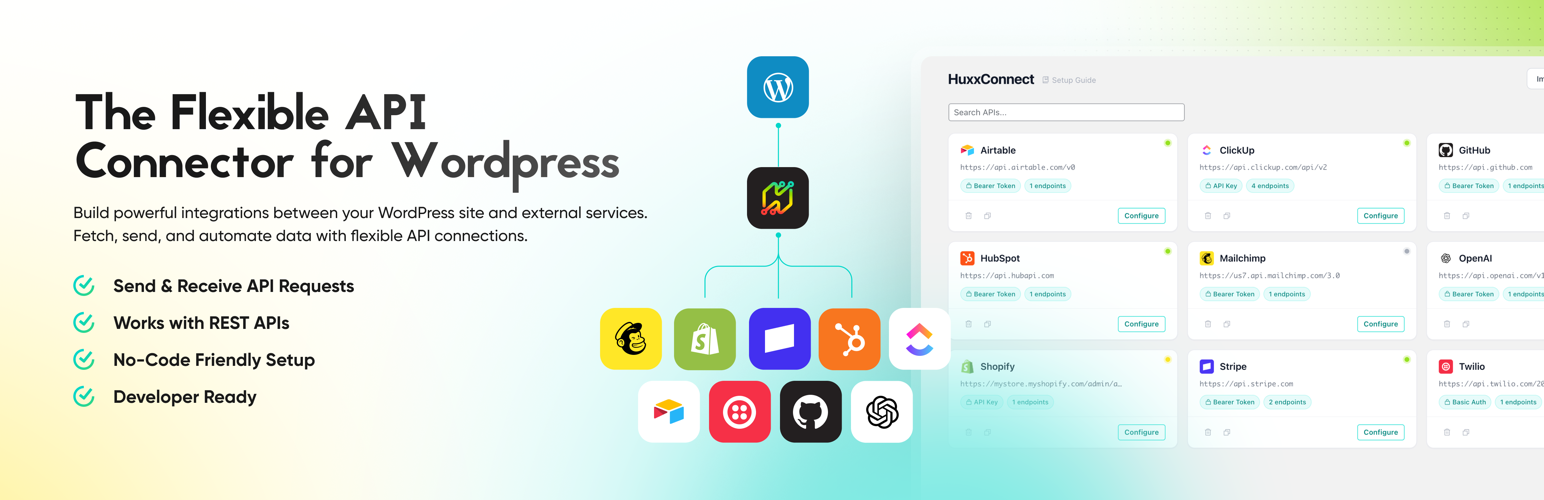
HuxxConnect is a modern WordPress plugin for connecting your site to external REST APIs — no coding required. Set up your APIs, configure endpoints, and display the returned data anywhere on your site using shortcodes or PHP template functions.
Built with security and portability in mind, HuxxConnect encrypts all stored API credentials with AES-256-GCM, provides a clean Alpine.js-powered admin interface, and offers 25+ hooks for developers who need to extend or customize behavior.
Features
- Unlimited APIs and endpoints — connect to as many external APIs as you need
- All major HTTP methods — GET, POST, PUT, PATCH, DELETE
- Flexible authentication — Bearer Token, API Key (header or query), Basic Auth, custom hook-based auth. WordPress constants and environment variables can be used for any credential value.
- Secure credential storage — AES-256-GCM encryption with portable key management and environment lock protection
- Shortcodes and template functions — display API data anywhere with
[huxx_api]orhuxx_api()in your theme - Built-in endpoint testing — test API calls directly from the admin panel with live request/response preview
- Smart caching — automatic cache detection (object cache or transients) with per-endpoint TTL
- Request logging — built-in log viewer with filterable request history
- Import and export — migrate from WPGetAPI, share configs between sites, or import from Postman collections (v2.1) with HuxxConnect Pro
- WPGetAPI compatibility — optional compatibility layer maps WPGetAPI hooks, functions, and shortcodes for seamless migration
- Dynamic path variables — use
{post_id},{0},{1}in endpoint paths with runtime substitution - Multipart/form-data support — upload files to APIs with WordPress Media Library integration
- Query, header, and body parameters — configure static parameters in the admin or pass dynamic values at runtime
- Per-API controls — enable/disable individual APIs, configure SSL verification, set custom timeouts
- WCAG AA accessible admin UI — keyboard navigation, ARIA attributes, focus management, reduced motion support
- Mobile-responsive admin — fully usable on tablets and phones
- Developer-friendly — 25+ filters and actions, PSR-4 autoloading, clean architecture
Shortcode Usage
[huxx_api api_id="my_api" endpoint_id="get_users"]

[huxx_api api_id="weather" endpoint_id="forecast" query_variables="city=London"]
Template Function Usage
<?php $data = huxx_api( 'my_api', 'get_users' ); ?>

<?php $forecast = huxx_api( 'weather', 'forecast', array( 'query_variables' => array( 'city' => 'London' ) ) ); ?>
Documentation
Extending HuxxConnect
HuxxConnect Pro adds advanced features for professional workflows:
- Post Creator — automatically create and sync WordPress posts from API response data with field mapping, taxonomy assignment, scheduling, and preview
- Remote Unlock — securely migrate encrypted credentials between environments (staging, production) without re-entering API keys
- Pagination — cursor-based, page number, and offset pagination for endpoints that return paginated results
- Results filtering — filter API response data with rules before syncing to WordPress
- HTML formatter — display API data as styled HTML tables with number formatting support
- Postman Import — import collections from Postman (v2.1 format) with automatic mapping of authentication, headers, query parameters, and body configuration
- OAuth 2.0 authentication — connect to APIs that require OAuth 2.0 authorization flows (coming soon)
- Page builder integrations — dedicated widgets and modules for Elementor, Beaver Builder, and more (coming soon)
Third-Party Service Usage
HuxxConnect does not phone home, collect telemetry, or send any data to Huxx & Co or any third party.
When you configure an API connection in HuxxConnect, the plugin makes HTTP requests to the external API endpoints that you specify. All API URLs, credentials, headers, and request parameters are configured entirely by you. These requests are made using the WordPress HTTP API (wp_safe_remote_request()), which provides built-in SSRF protection.
Google Favicon Service: When you add or import an API, HuxxConnect attempts to fetch a favicon for the API’s base URL. As part of this process, the plugin may make a server-side request to Google’s S2 favicon service (https://www.google.com/s2/favicons) to retrieve a high-resolution icon. The only data sent is the API’s root domain name (e.g., api.example.com). No user data, credentials, or site information is transmitted. This service is subject to Google’s Terms of Service and Privacy Policy.
You are responsible for reviewing the terms of service and privacy policies of any external APIs you connect to through this plugin.
Installation
Requirements
- WordPress 5.8 or later
- PHP 7.4 or later
Installation
- Upload the
huxx-connectfolder to/wp-content/plugins/ - Activate the plugin through the ‘Plugins’ menu in WordPress
- Navigate to HuxxConnect in the admin sidebar to start adding APIs
Quick Start
- Click Add API and enter a name and base URL (e.g.,
https://api.example.com/v1) - Choose your authentication method and enter credentials
- Add an endpoint with a path (e.g.,
/users) and HTTP method - Click Test to verify the connection
- Copy the shortcode or template function and use it in your content or theme
Screenshots

API dashboard showing configured connections with auth type, endpoint count, and status

API configuration with authentication settings and endpoint management

Endpoint editor with parameters, body encoding, live testing, and request preview

Developer reference with PHP functions, shortcode examples, and runtime parameters

Settings page with encryption, security, WPGetAPI compatibility, and Pro feature comparison

Request log viewer with expandable entry details, headers, and error inspection

Import and export with support for HuxxConnect, WPGetAPI, and Postman formats
Faq
Yes. HuxxConnect’s core features are free and always will be. The plugin provides unlimited APIs and endpoints, all HTTP methods, multiple authentication types, caching, logging, import/export, and a comprehensive hook system — all at no cost.
HuxxConnect Pro is a separate add-on plugin that adds Post Creator (API-to-posts sync), Remote Unlock (credential migration), pagination, results filtering, and more.
In most cases, yes. HuxxConnect supports the most common authentication methods (Bearer Token, API Key, Basic Auth) and all standard HTTP methods. If your API uses a non-standard authentication flow, the huxx_connect/auth/custom filter hook lets you implement any authentication logic.
Use the shortcode in any post, page, or widget:
[huxx_api api_id="your_api" endpoint_id="your_endpoint"]
Or use the template function in your theme:
<?php $data = huxx_api( 'your_api', 'your_endpoint' ); ?>
Yes. Use dynamic path variables ({post_id}, {0}) in endpoint paths, and pass query, header, or body variables at runtime through shortcode attributes or template function arguments.
All API credentials (tokens, keys, passwords) are encrypted at rest using AES-256-GCM. Credentials are never exposed in HTML source, REST API responses, or admin page markup. The encryption supports three tiers — Standard (portable), Advanced (wp-config constant), and Locked (server-bound) — so you can choose the security level appropriate for your environment.
Yes. HuxxConnect includes a built-in migration tool that reads your existing WPGetAPI configuration and converts it to HuxxConnect format — no manual re-entry required.
HuxxConnect includes an optional compatibility bridge (enable it in Settings > WPGetAPI Compatibility) that lets your existing WPGetAPI code work without modification:
- Function compatibility —
wpgetapi_endpoint()calls are routed to HuxxConnect’s executor, so existing theme and plugin code continues to work. - Shortcode aliases —
[wpgetapi_endpoint]and[wpgetapi]shortcodes are registered and mapped to HuxxConnect’s shortcode handler. - Filter hook bridge — 10 WPGetAPI filter hooks (e.g.,
wpgetapi_final_url,wpgetapi_header_parameters,wpgetapi_raw_data) are bridged to their HuxxConnect equivalents with return-value validation. - Safe coexistence — function stubs are always loaded to prevent fatal errors if WPGetAPI is deactivated. Shortcode aliases are only registered when WPGetAPI itself is not active, avoiding conflicts.
This gives you a gradual migration path: enable compatibility, deactivate WPGetAPI, verify everything works, then update your code to use HuxxConnect’s native API at your own pace.
Yes, with HuxxConnect Pro. Export your collection from Postman as a JSON file (Collection v2.1 format) and import it directly into HuxxConnect. Authentication settings, path variables, headers, query parameters, and body configuration are all mapped automatically.
Yes. Set a cache duration (TTL) per endpoint. HuxxConnect automatically detects whether your site uses an object cache (Redis, Memcached) or falls back to WordPress transients. Cache can be cleared per-API or per-endpoint from the admin interface.
Visit huxx.dev/support to submit a support request.
Reviews
Changelog
1.0.0
- Initial public release on WordPress.org.
0.9.6
- Improved: Build script produces wp.org-compatible ZIP filename.
0.9.5
- Improved: WordPress.org Plugin Check compliance — replaced short PHP echo tags, removed deprecated
load_plugin_textdomain()call, fixed WP 5.8 compatibility in uninstall cleanup. - Improved: Added
composer.jsonto distribution for Plugin Check validation.
0.9.4
- Added: Extensibility hooks for custom authentication types — Pro and third-party plugins can register new auth methods via the centralized auth type dropdown. (Dev: new
huxx_connect/auth/typesfilter andhuxx_connect/auth/fields/{type}action.) - Added: Wildcard array syntax (
[]) for extracting data from nested arrays in API responses. (Dev:[]in dot-notation paths traverses array elements, e.g.,data.[].name.) - Improved: Redesigned admin interface with design tokens, Phosphor icons, and consistent styling across all views.
- Improved: Styled confirmation modal replaces browser-native confirm dialogs.
- Improved: WPGetAPI compatibility bridge documented in readme files.
- Improved: Tested up to WordPress 6.9.4.
- Fixed: Boolean and integer values in authentication configuration are preserved correctly during import.
- Fixed: OAuth 2.0 capitalization corrected on API card auth badges.
0.9.3
- Fixed: WPGetAPI compatibility no longer causes fatal errors when WPGetAPI is activated or reactivated. (Dev: activation detection now uses request parameters instead of hook timing.)
- Fixed: Empty API credential fields display correctly instead of showing masked placeholder asterisks.
- Fixed: Postman import handles empty collection variables and warns about values that need manual attention.
0.9.2
- Added: Brace syntax for the
keysshortcode attribute — extract multiple fields from a response usingkeys="{id},{name}". (Dev: pipe-delimited paths also supported for WPGetAPI compatibility. Both dot-notation and brace/pipe formats work.) - Added: Shortcode output filter hook for extensions to customize response rendering. (Dev:
huxx_connect/shortcode/format_outputfilter.) - Added: Export data filter hook for extensions to modify exported configurations. (Dev:
huxx_connect/export/datafilter.) - Improved: API favicons automatically sync when importing API configurations.
- Improved: Request preview headers now show masked credential values instead of raw secrets.
- Improved: API key values in request URLs are masked in the request log before storage.
For the complete pre-1.0 changelog, see CHANGELOG.md included with the plugin.