Iconic Button

Iconic Button
Description
Iconic Button is a lightweight, accessible WordPress block plugin that lets you create beautiful buttons with icons.
Built with performance and accessibility in mind, it follows WCAG 2.1 Level AA standards and WordPress coding best practices.
The free version includes 12 essential Font Awesome icons. Upgrade to Pro for unlimited custom icons with drag-and-drop manager.
Key Features (Free Version)
- Gutenberg Native – Two blocks: Icon Buttons (wrapper) + Icon Button
- 12 carefully selected Font Awesome icons included
- Fill and Outline style variants
- Full Accessibility – WCAG 2.1 Level AA compliant
- Automatic dark mode detection
- Theme color palette support
- Text before/after icon or icon-only
- Smart automatic tooltips for icon-only buttons
- Internal, external & anchor links
- External link indicator icon
- Hover/focus/active state preview in editor
- RTL + reduced motion + high contrast support
- Mobile-optimized (44×44px touch targets)
- Zero database tables – ultra lightweight
- Translation-ready (.pot included)
Perfect For
- Call-to-action buttons
- Download buttons
- Social media links
- Navigation elements
- Contact buttons
- Accessible web apps
Upgrade to Pro
Iconic Button Pro gives you:
– Unlimited custom icons – add any of the 2,000+ free Font Awesome icons (or your own SVGs in future updates)
– Drag-and-drop icon manager with live reordering, add/remove, and inline editing
– Instant live refresh in the editor (no page reload or Ctrl+F5 needed)
– Priority email support
– Lifetime updates
Upgrade here: https://dg-devstudio.com/iconic-button-pro
Credits
Author: Dvora Gvili, dvorag
Company: Dvora Gvili DevStudio
Website: https://dg-devstudio.com
Third-Party Resources:
– Font Awesome 7.1.0 Free
License: Icons CC BY 4.0 | Fonts SIL OFL 1.1 | Code MIT
License URL: https://fontawesome.com/license/free
– Source: https://fontawesome.com
Support
Free support: WordPress.org forums
Premium support: Available with Pro version
License
GPLv2 or later – https://www.gnu.org/licenses/gpl-2.0.html
Installation
- Upload the plugin files to
/wp-content/plugins/iconic-button - Activate the plugin
- Use the “Iconic Button” block in the editor
Screenshots
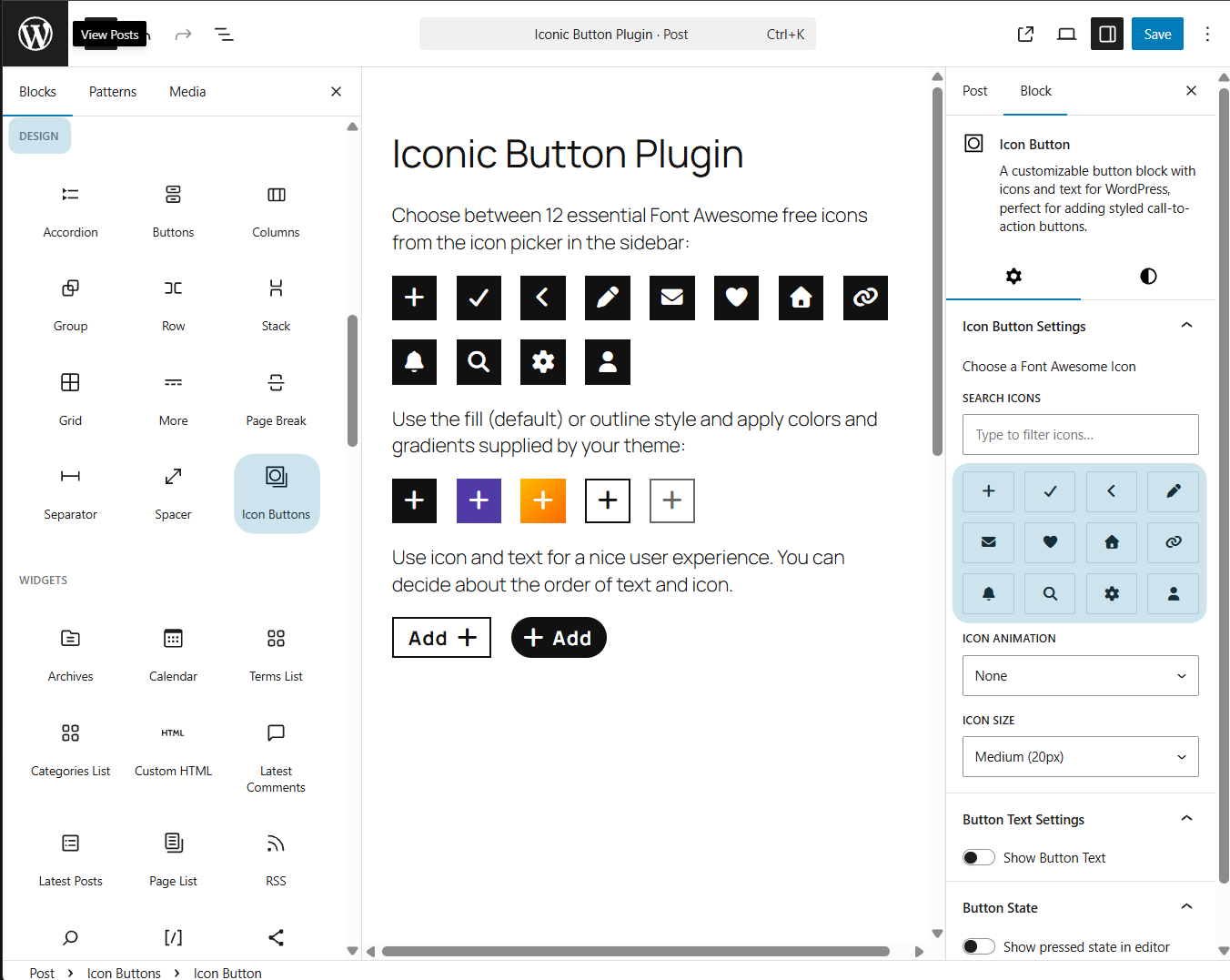
Iconic Button block in the Gutenberg editor – clean controls and live preview
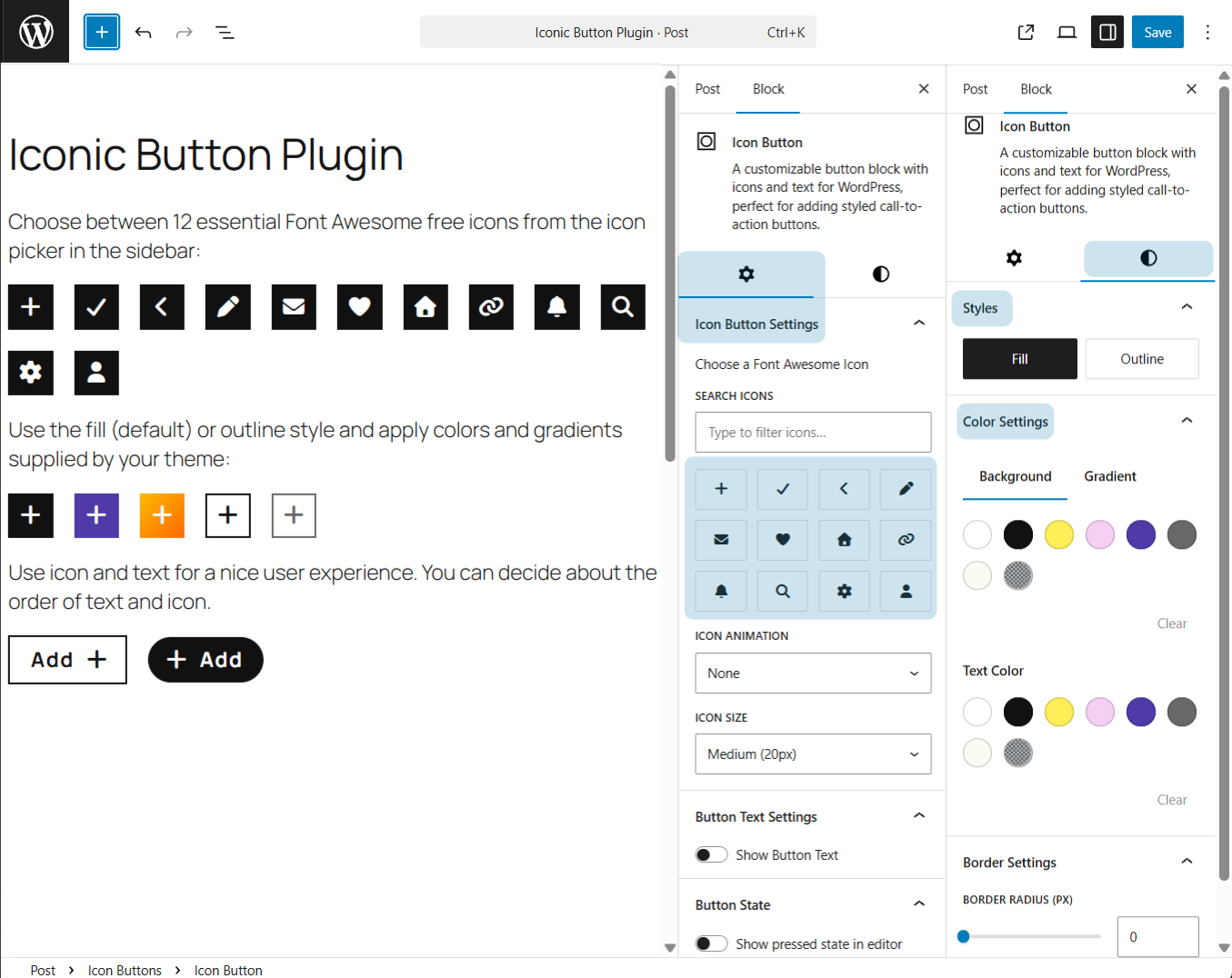
Choose from 12 essential Font Awesome icons + Fill/Outline styles and theme colors
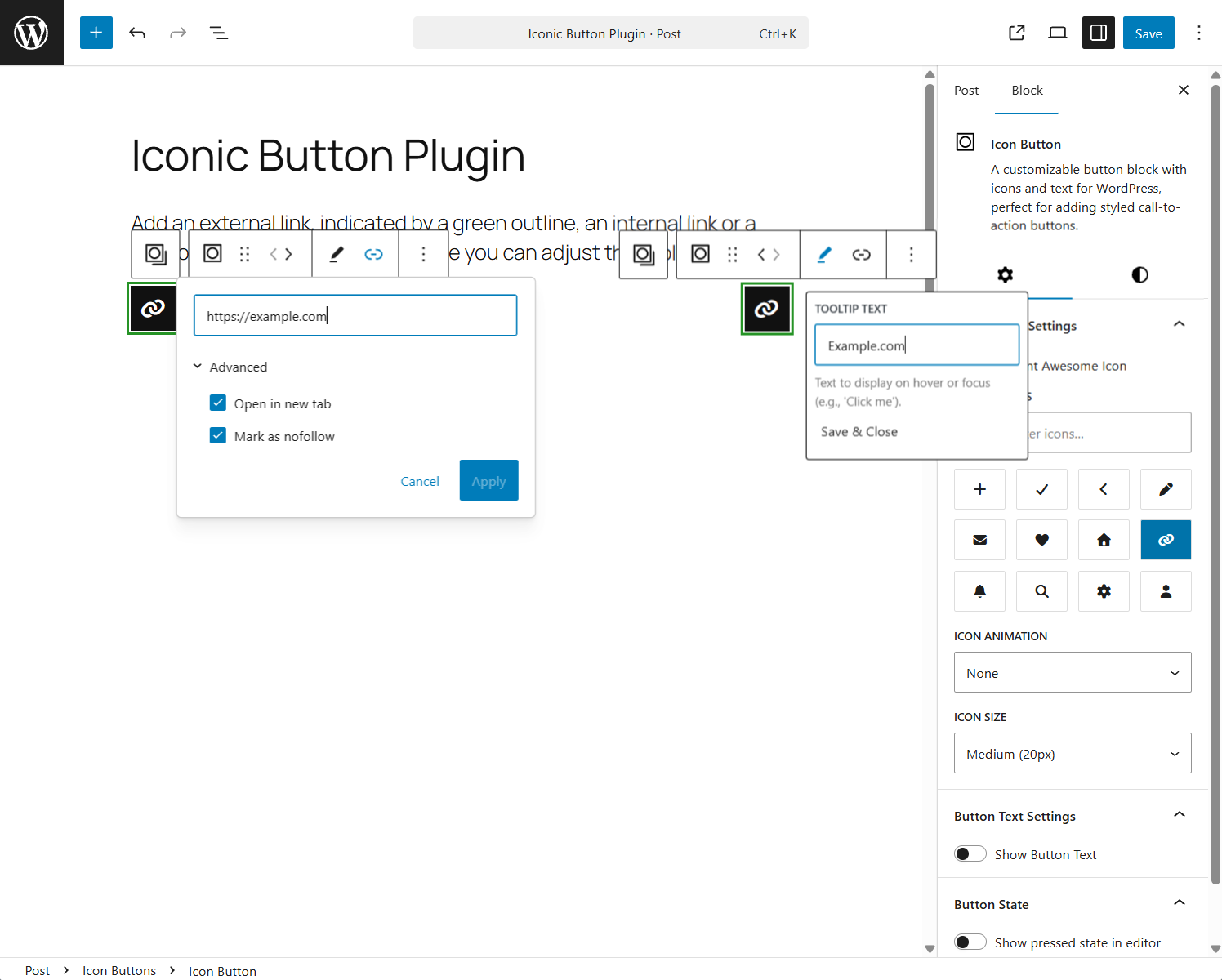
External link with green indicator, tooltip settings, and link options
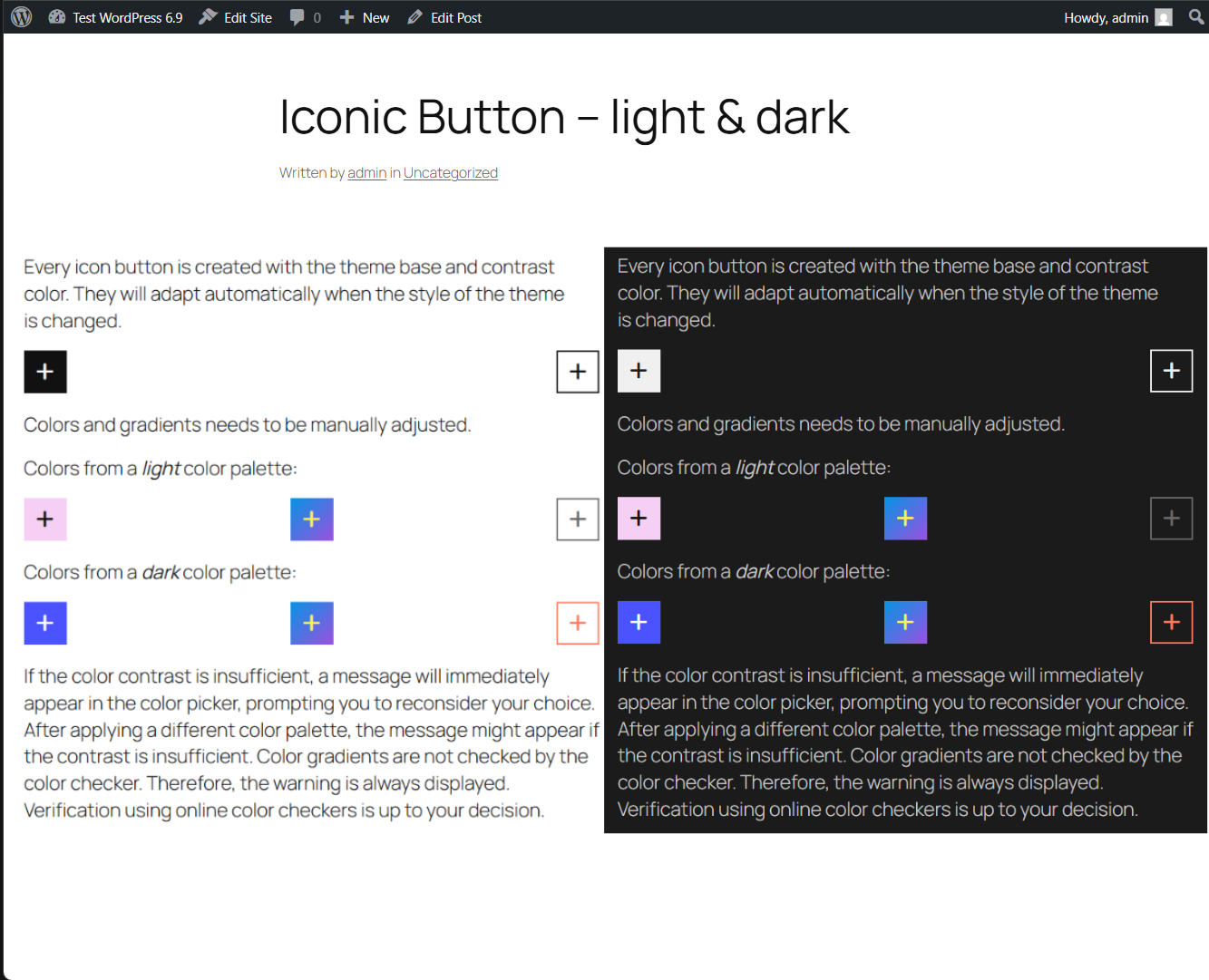
Automatic dark mode detection – buttons adapt perfectly to light & dark themes
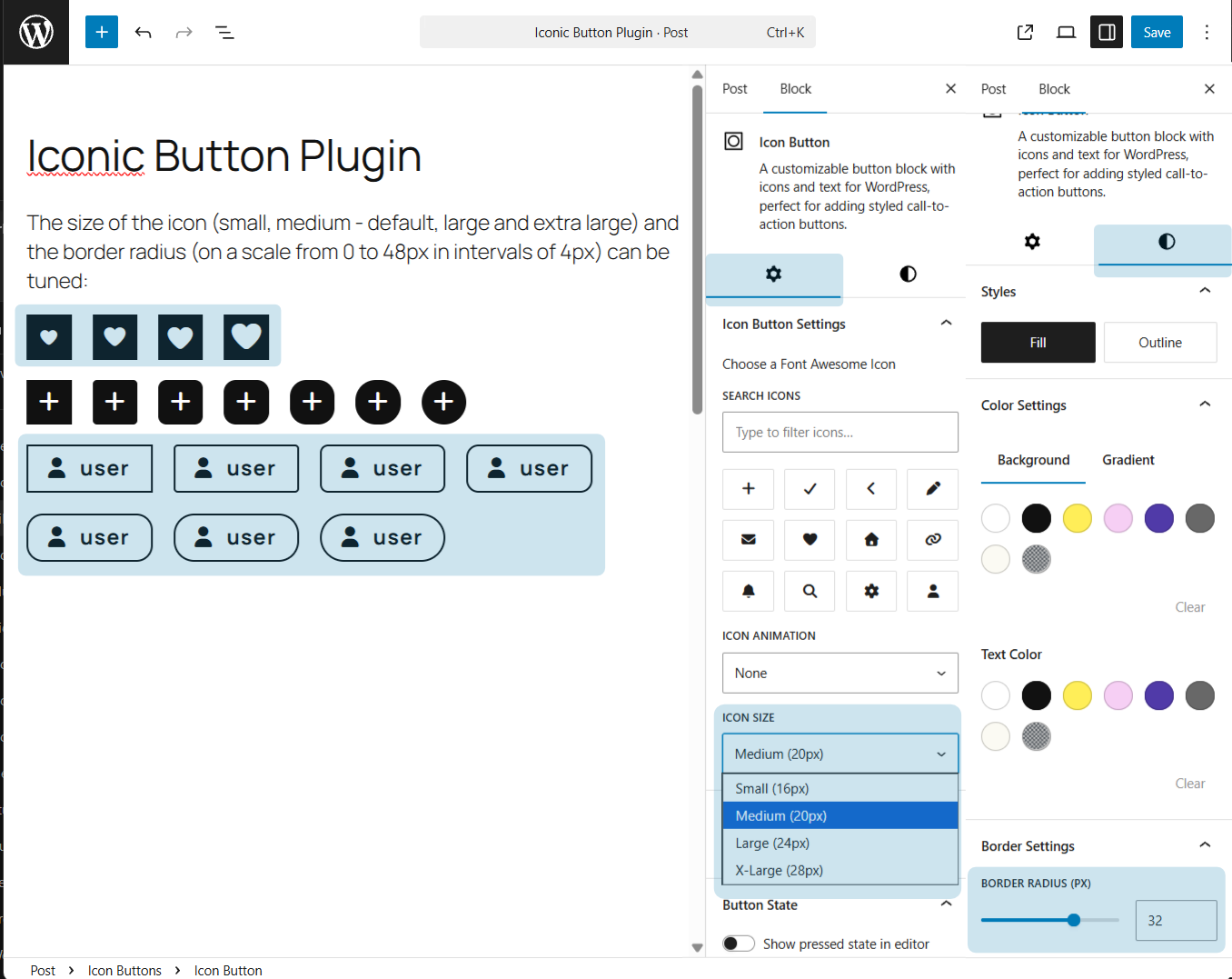
Various icon sizes, border radius, and icon-only button examples
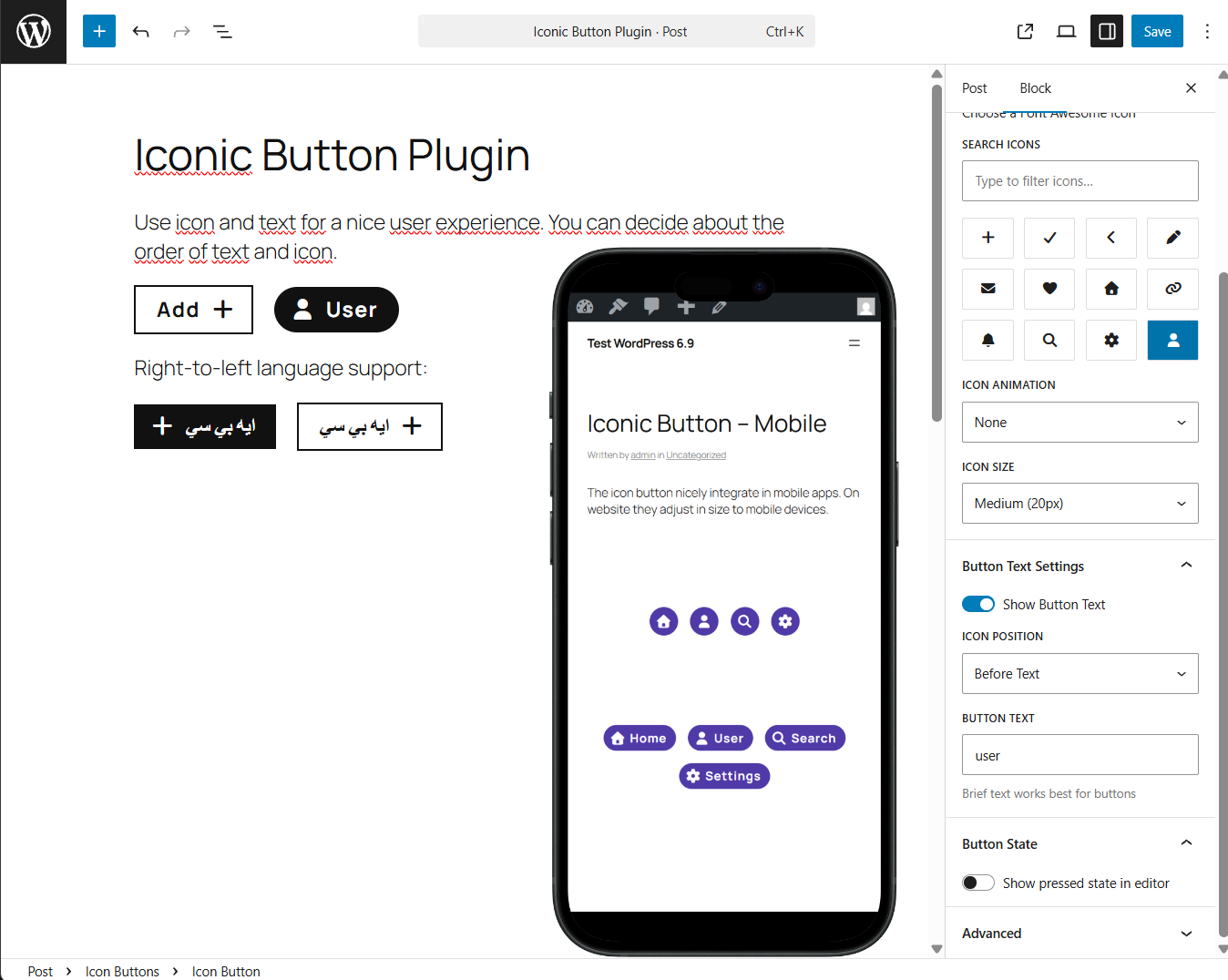
Full RTL support and perfect touch targets on mobile
Faq
12 essential icons in the free version.
Adding or changing icons is a Pro feature and only available there.
You can add all 2,000+ free Font Awesome icons (and we’ll add SVG upload support later). That’s effectively unlimited for 99.9% of real-world use cases.
Reviews
Changelog
= 1.0.2 – 2025-12-15
* Fix: Corrected Author URI and Plugin URI domain spelling.
* Prep: Removed unnecessary screenshot files from plugin package (to be added via SVN assets after approval).
* Tweak: Minor ownership verification updates for WordPress.org submission.
= 1.0.1 – 2025-12-07
* Removed manual textdomain loading (now auto-loaded by WordPress)
1.0.0 – 2025-12-06
- Initial release –
- 12 Font Awesome icons
- Fill & Outline styles
- Full WCAG 2.1 AA compliance
- Automatic dark mode
- RTL, reduced motion, high contrast support
- ~1.7 KiB JavaScript, ~15 KiB CSS
- Tested up to WordPress 6.9