IdealData for WooCommerce

IdealData for WooCommerce
Description
IdealData for WooCommerce connects your store to the IdealData platform, which turns your WooCommerce orders, customers and abandoned carts into actionable business signals — recovery, risk and opportunity — delivered to the tools your team already uses.
- Connect from IdealData. You connect your store from the IdealData app, not from inside this plugin. The plugin’s WooCommerce IdealData screen is an “About IdealData” page: if your store isn’t connected yet it links you to start a trial (with your store address pre-filled); once connected it links you to log in to your dashboard. Connecting uses WooCommerce’s own authorization screen to grant IdealData a REST API key — no manual key copying.
- Cart tracking. WooCommerce has no cart REST endpoint, so this plugin tracks cart activity in the storefront and forwards it to IdealData. This is what powers abandoned-cart signals (high-value and VIP).
- Customer increments. WooCommerce’s customers API has no “modified since” filter; the plugin forwards customer create/update events so IdealData keeps customers in sync without re-scanning the whole list.
Products and orders are pulled by IdealData over the standard WooCommerce REST API using the key created when you authorize IdealData. The key is read/write: reads power the sync, and writes are limited to signal remediations you trigger from IdealData (for example, disable a product or revert a price change). The plugin only exchanges data with the IdealData backend you configure; no other third parties are involved.
Using IdealData requires an IdealData account.
External services
This plugin connects your store to IdealData, the analytics and signals platform operated by IdealData (https://idealdata.io/). A connection to IdealData is the entire purpose of the plugin; without it the plugin does nothing.
What is exchanged, and when:
- On connect: you authorize IdealData from the IdealData app using WooCommerce’s own authorization screen, which grants IdealData a WooCommerce REST API key for your store. After you approve, IdealData sends your store the connection identifier it needs to authenticate the events below; this is authenticated by the API key you just granted.
- While connected — cart activity: when a shopper adds to, updates or changes their cart, the plugin sends the current cart snapshot (line items, quantities, totals, currency, and the shopper’s email/first name/last name when WooCommerce already has them) to IdealData. This powers abandoned-cart signals.
- While connected — customer changes: when a customer account is created or updated, the plugin sends the customer’s WooCommerce ID so IdealData can fetch the updated record over the REST API.
- While connected — sync: IdealData reads your products, orders and customers over the WooCommerce REST API using the key granted at connect time, and may write product/price changes only when you trigger a signal remediation.
- On deactivate: the plugin notifies IdealData that the store disconnected.
The IdealData backend endpoint defaults to https://my.idealdata.io/api and can be changed on the plugin’s Advanced settings (for example to target a staging environment).
Your use of IdealData is governed by its terms and privacy policy:
- Terms of Service: https://idealdata.io/terms
- Privacy Policy: https://idealdata.io/privacy-policy
Installation
- Install and activate WooCommerce (the plugin lists it as a required plugin).
- Upload and activate IdealData for WooCommerce, or install it from the Plugins screen.
- Go to WooCommerce IdealData and click Start your trial. This opens the IdealData app in a new tab with your store address pre-filled.
- In the IdealData app, sign up or log in and connect your store. You approve the connection on WooCommerce’s standard authorization screen; syncing begins once the store is connected.
Screenshots
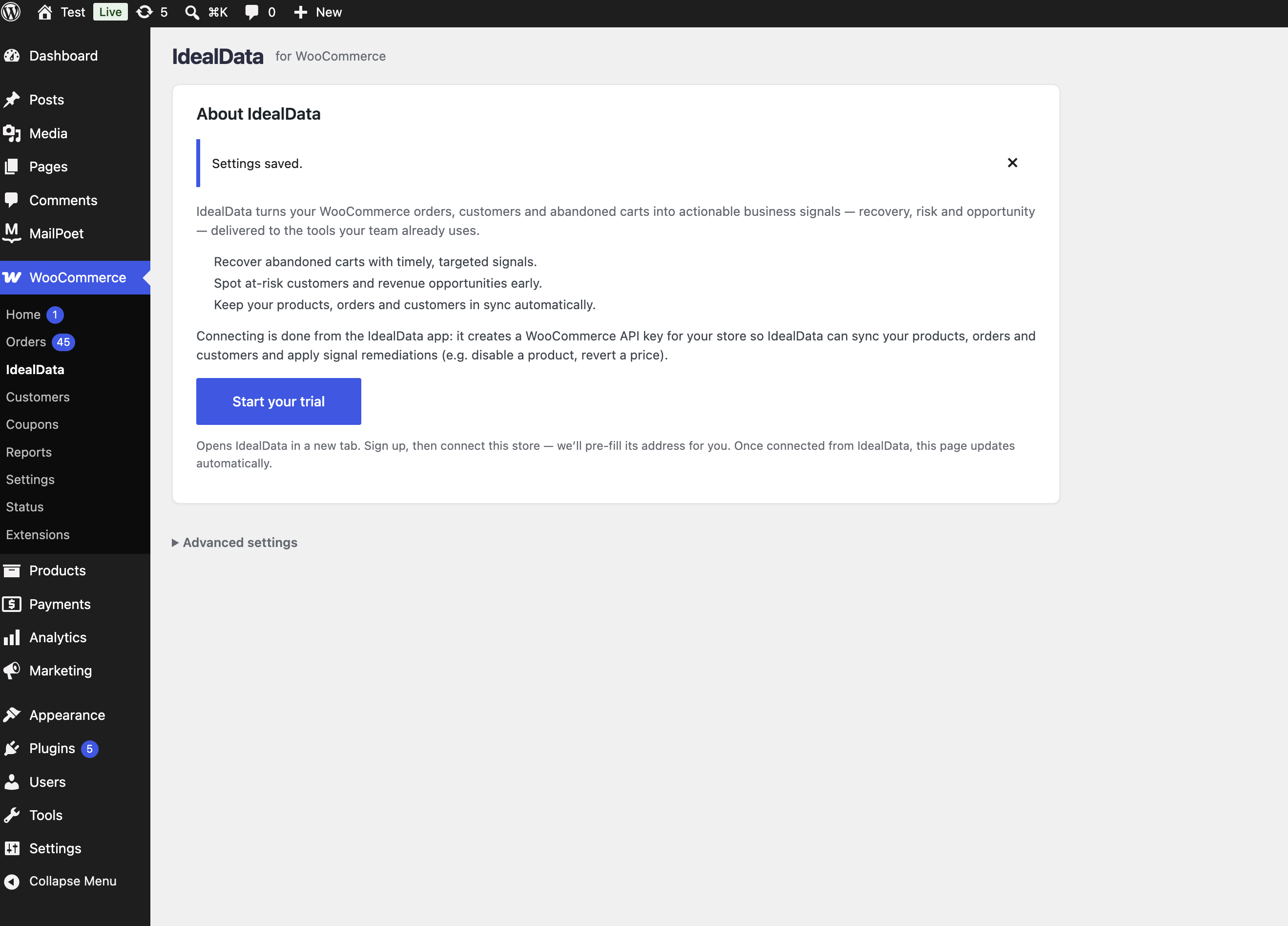
The WooCommerce → IdealData admin screen before connecting: an "About IdealData" page with a Start your trial button that opens the IdealData app to connect your store.
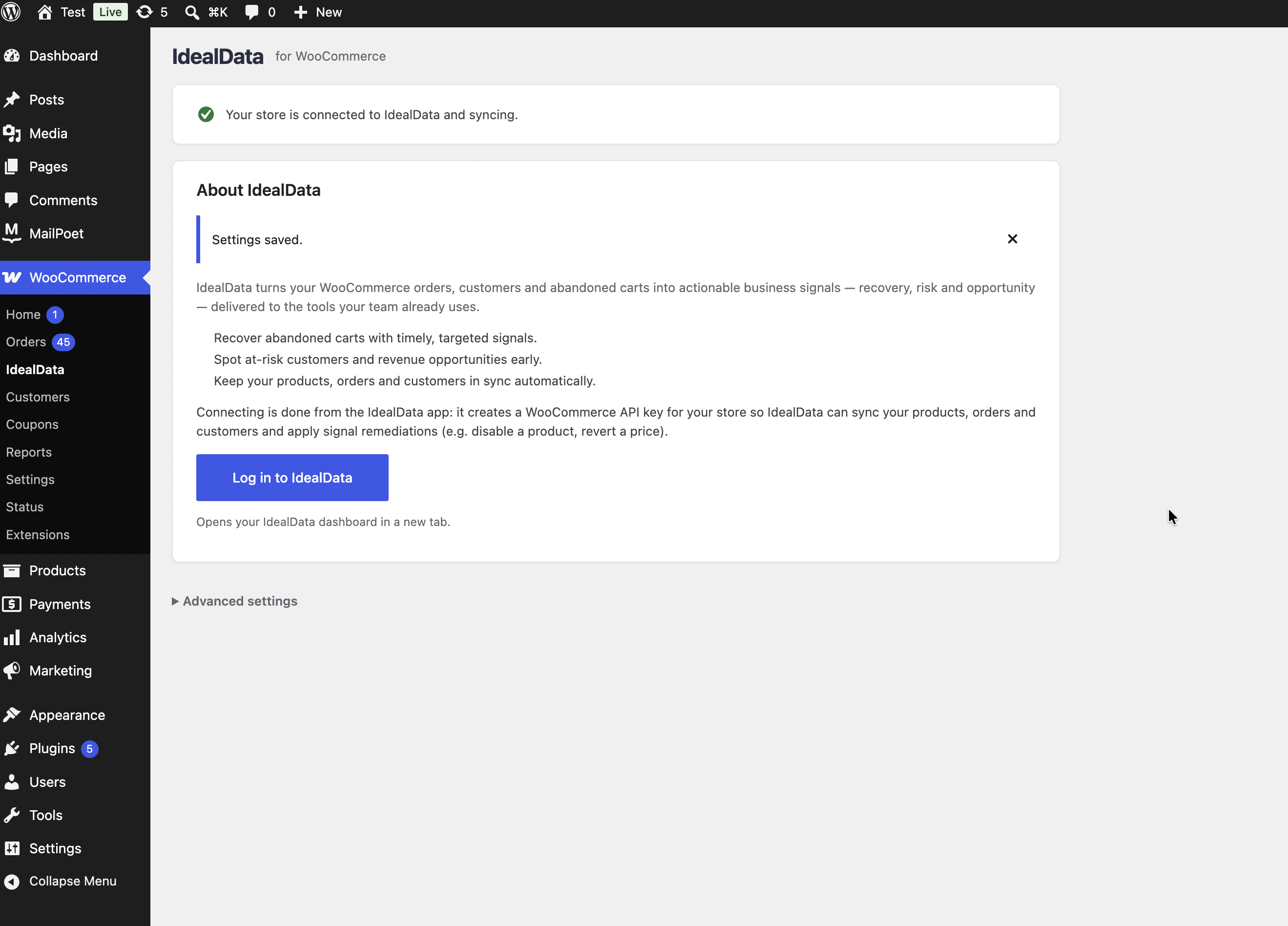
The WooCommerce → IdealData admin screen once connected: your store is syncing, with a Log in to IdealData button.
Faq
Yes. The plugin connects your store to the IdealData platform (https://idealdata.io/). You create the account and connect your store from the IdealData app; the plugin only links you there.
- Product, order and customer records are read by IdealData over the standard WooCommerce REST API, using the key you grant when you authorize IdealData.
- Cart contents (including a shopper’s email and name when WooCommerce has them) and customer create/update events are sent to the IdealData backend you configure on the settings page.
See the External services section below for the full disclosure.
You connect from the IdealData app (WooCommerce IdealData Start your trial). To disconnect, disconnect the WooCommerce source inside the IdealData app, and/or revoke the API key from WooCommerce Settings Advanced REST API. Deactivating the plugin stops cart/customer tracking; deleting it removes the connection options it stored.
Yes. The plugin does not read or write the order tables directly — orders are pulled over the WooCommerce REST API, which works the same with HPOS on or off. It also works with the block-based cart and checkout.
Reviews
Changelog
1.0.0
- Initial release: connect your store from the IdealData app, storefront cart tracking, customer increment events, and HPOS / block cart-checkout compatibility.
- The authenticated connect endpoint now requires the presented WooCommerce API key to be write-scoped, owned by a user who can manage WooCommerce, and issued to IdealData — so only the IdealData-authorized key can bind the connection.