Idun Simple Upload Renamer

Idun Simple Upload Renamer
Description
Idun Simple Upload Renamer lets you rename files automatically using customizable patterns, or review and edit filenames individually through a simple popup, before WordPress saves uploaded media. It supports WordPress Core media upload workflows, including the Media Library and Block Editor.
Choose between two normalization modes: Idun normalization, the default option for consistent lowercase ASCII filenames, and WordPress standard, which preserves filenames according to WordPress settings.
Simple. Lightweight. Effective.
- Review and edit filenames individually, or use
{original-name}in a filename pattern to rename files automatically without individual confirmation. - Build filenames with
{upload-name},{original-name},{post-name},{custom-string},{date}(YYYYMMDD),{year},{month},{day}, and{sep}(the selected hyphen or underscore separator). - Choose Idun normalization for lowercase ASCII filenames or WordPress standard normalization to leave final filename sanitization to WordPress.
- Enable renaming for all accepted file types or selected file groups.
- Review a live pattern example and reset the editable filename when needed.
- Upload several files while retaining individual filename preparation.
Clear, descriptive filenames can also support SEO by helping search engines understand the content of uploaded files, particularly images. Idun Simple Upload Renamer makes it easier to apply consistent naming conventions, while leaving the choice of filenames and naming patterns to the user.
WordPress continues to determine permitted file types, process uploads, sanitize filenames, resolve filename collisions, and store attachments. For block-editor uploads, Idun uses the WordPress REST upload workflow. It does not rename existing media, change existing URLs, or replace WordPress upload handlers. Uploaders that do not use the supported WordPress Core interfaces are not intercepted.
Installation
- Install the ZIP using Plugins > Add New > Upload Plugin, or copy the plugin directory into
wp-content/plugins/. - Activate Idun Simple Upload Renamer.
- Open Settings > Idun Simple Upload Renamer.
- Set the filename pattern, normalization method, and applicable file types.
- Upload media using a supported WordPress Core media workflow.
Screenshots
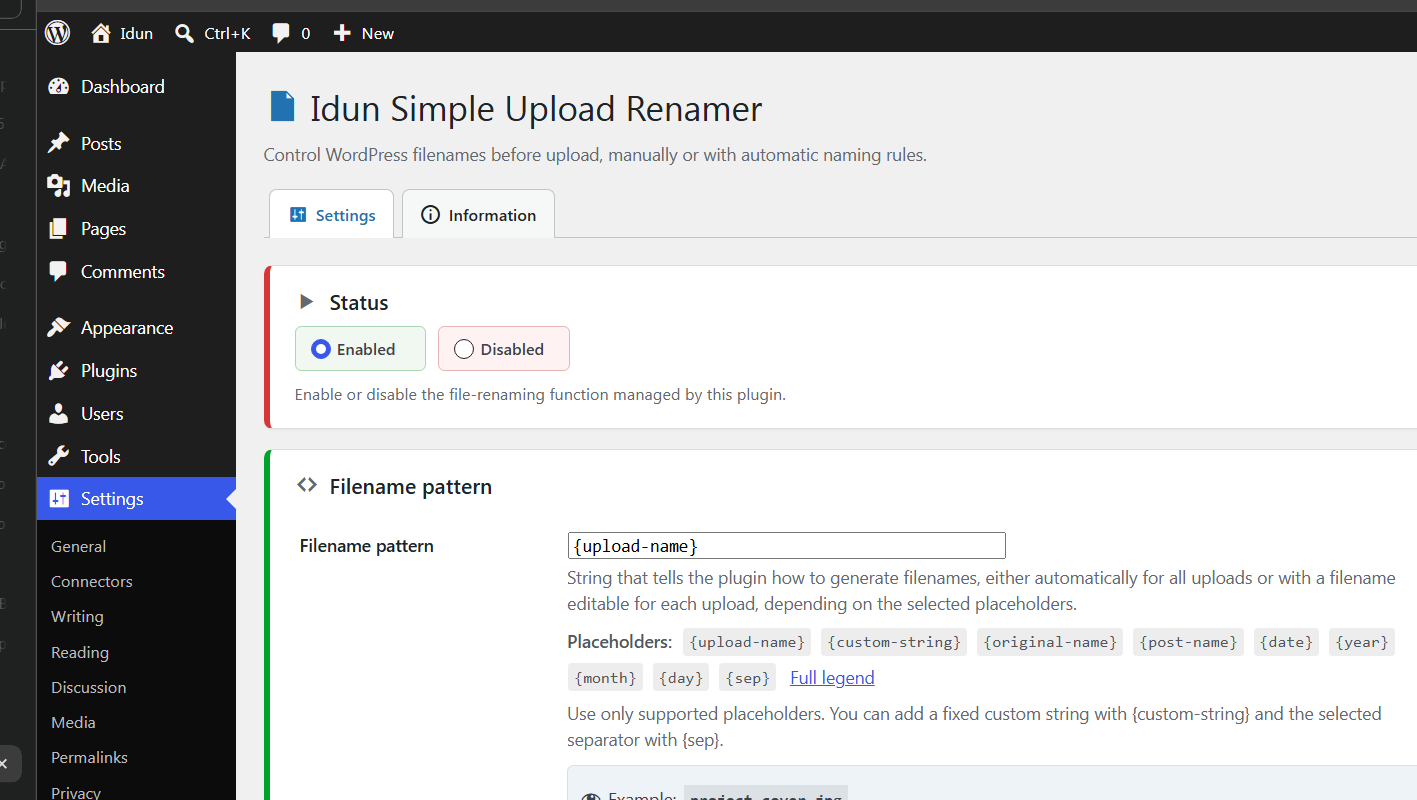
Configure filename patterns and review a live example in Settings.
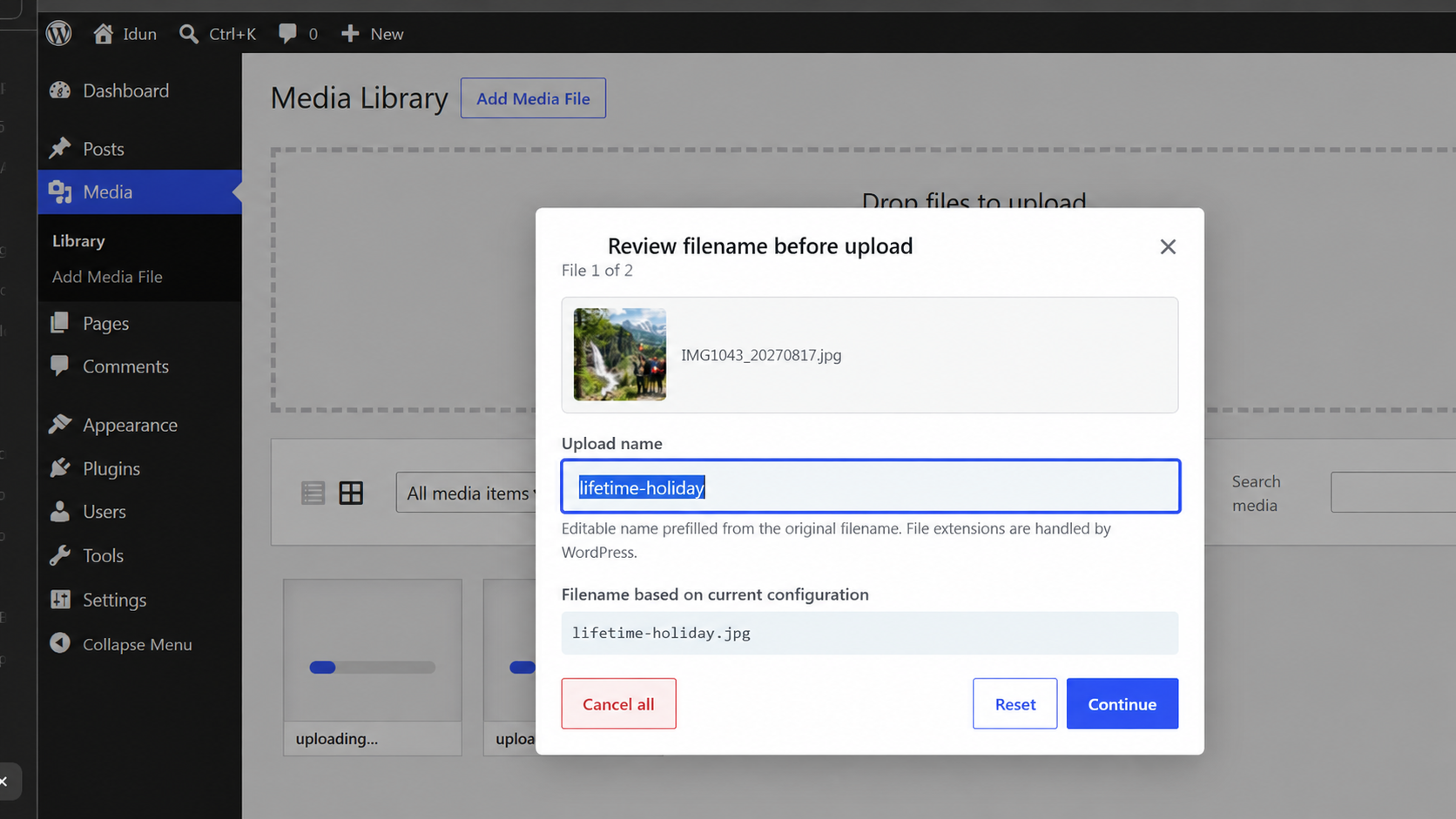
Review and edit a filename during a Media Library multi-file upload.
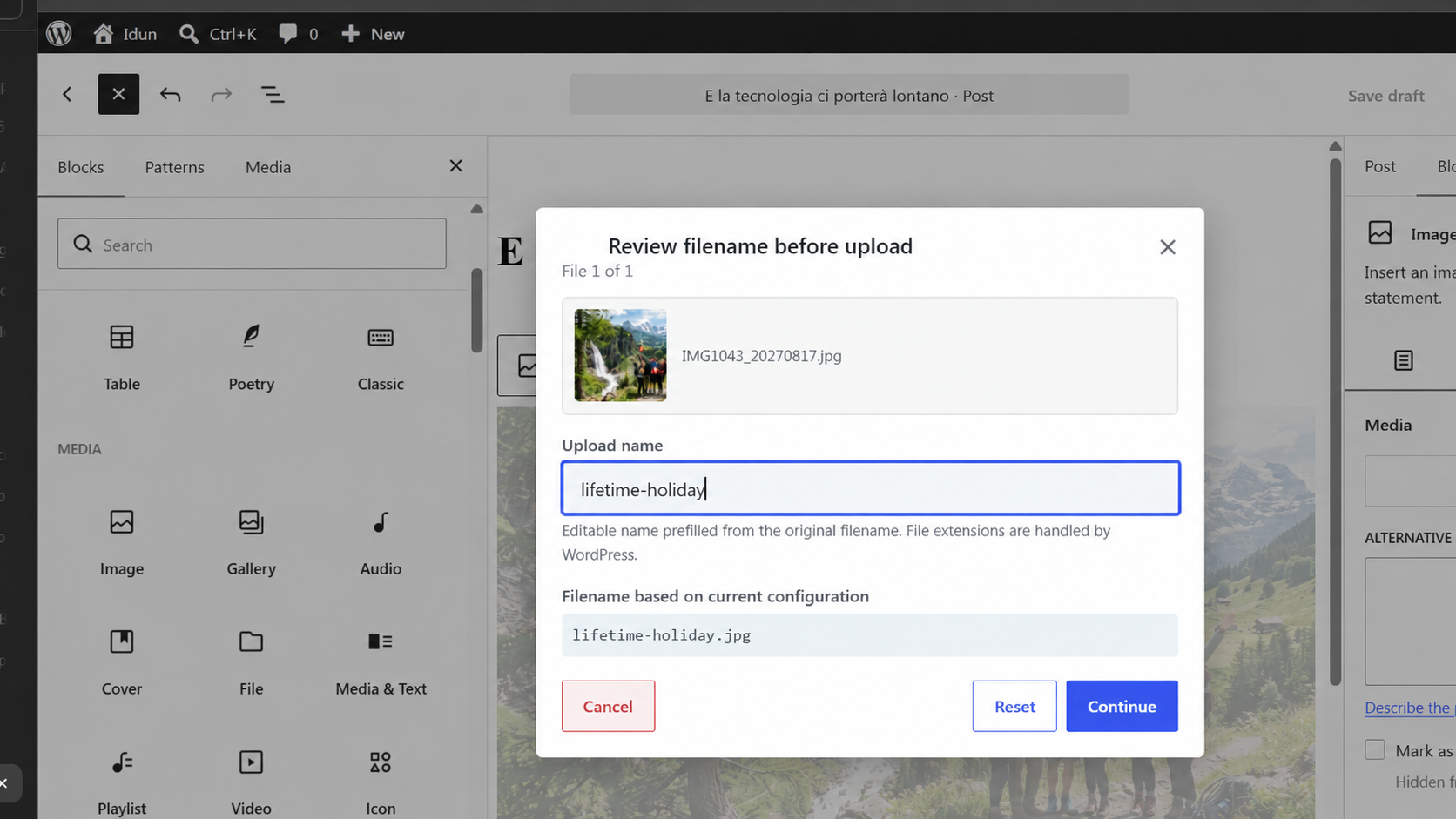
Rename a file before upload from the WordPress Block Editor.
Faq
Simply include {original-name} in your filename pattern, optionally combining it with other placeholders such as {sep}, {date}, or {custom-string}.
For example, {date}{sep}{original-name} automatically applies your naming pattern without requiring individual confirmation.
Idun normalization produces consistent lowercase ASCII filenames, using the selected separator and converting supported accented characters.
WordPress standard follows WordPress filename sanitization rules, preserving filenames according to WordPress settings.
You can switch between the two modes at any time in the plugin settings.
Yes. The plugin offers two normalization modes:
- Idun normalization (default): Produces consistent lowercase ASCII filenames.
- WordPress standard: Preserves filenames according to WordPress settings, including Chinese, Hindi, Arabic, Cyrillic, and other non-Latin scripts where supported.
Simply select your preferred mode in the plugin settings.
No. The naming rules are applied before supported new uploads, not to media already saved in the library.
No. WordPress remains responsible for upload permissions, file-type validation, filename sanitization, and uniqueness.
Yes. Supported block-editor media uploads are handled through the WordPress Core REST media endpoint.
The plugin features a lightweight compatibility check that identifies registered callbacks on selected hooks and highlights potential interactions with other plugins. The plugin is designed to work alongside other components without altering their hooks or execution order, allowing them to continue processing files through the normal WordPress upload flow.
The selected file is not uploaded by Idun’s pending operation. Other files in a batch can continue according to their own choices.
Yes. Use Reset in the filename dialog.
Reviews
Changelog
2.1.0
- Updated Apply to settings with WordPress Core file groups and broader file type coverage.
- Improved integration with WordPress MediaFrame and customized Core media uploaders.
- Aligned block editor REST uploads with automatic and manual filename patterns.
- Improved multi-file upload error handling and added Skip file during manual preparation.
- Improved interface clarity and usability with targeted refinements to visual feedback, contextual guidance, and upload interactions.
- Refined settings guidance and compatibility information.
2.0.2
- Improved filename settings management and validation.
- Refined filename pattern editing and automatic naming behavior.
2.0.1
- Added a dedicated save button for the Enabled/Disabled setting.
- Refined the compatibility check and its presentation in the Information tab.
- Improved settings layout and filename dialog alignment.
2.0.0
- Added support for supported WordPress block-editor media uploads using the Core REST endpoint.
- Unified filename preparation across classic and block-editor workflows.
- Added independent, short-lived upload authorizations with atomic one-time consumption and bounded expiration cleanup.
- Improved handling of simultaneous uploads, cancellation, and contextual filename preparation.
- Added selectable Idun and WordPress-standard filename normalization.
- Refined pattern validation, live examples, and the settings interface.
- Kept WordPress Core in control of accepted file types, upload processing, and filename collisions.