If Widget – Visibility control for Widgets

If Widget – Visibility control for Widgets
Description
With If Widget you can control on which pages widgets are shown. Show or hide widgets with custom visibility rules (no PHP or technical knowledge required).
The plugin is easy to use, each widget will have a new option “Show widget only if” which will enable the selection of visibility rules (example in Screenshots). Visibility rules can be combined with AND/OR to create even more personalised visibility options.
Examples
- Display a widget only if User is logged in
- Hide widgets if Is mobile device
ORVisitor is from US - Display widgets only for Admins and Editors
- Hide Login or Register widgets for Logged in Users
- Show widget only for Admins
ANDIs not mobile device
Visibility Rules
These are the visibility rules you can add for widgets:
- User state:
User is logged in - User role:
User is Admin or Editor(plus all the available roles) - User registration:
User registration is allowed - Post type:
Current post type is Post or Product - Page type:
Current page is Front Page or Blog Page - URL:
Current URL starts/ends with "this-page" - URL:
Current URL contains with "keyword" - Device detection:
Is mobile device - Visitor location:
Visitor is from US or Spain✱ - Visitor language:
Visitor language is English or Spanish✱ - Third-party plugin integrations:
Show if user is in Group "Group Name",Show if user has Subscription "Example Subscription"and more ✱
More Visibility Rules Add-on
The paid Add-on provides more visibility rules and priority support.
Visibility Rules: unlock all visibility rules like: visitor location, membership status, user groups and more. A few examples are marked with ✱ above.
Support: get one-on-one email support for any questions you may have about installing and configuring our plugins.
Get More Visibility Rules.
Screenshots

If Widget plugin demo
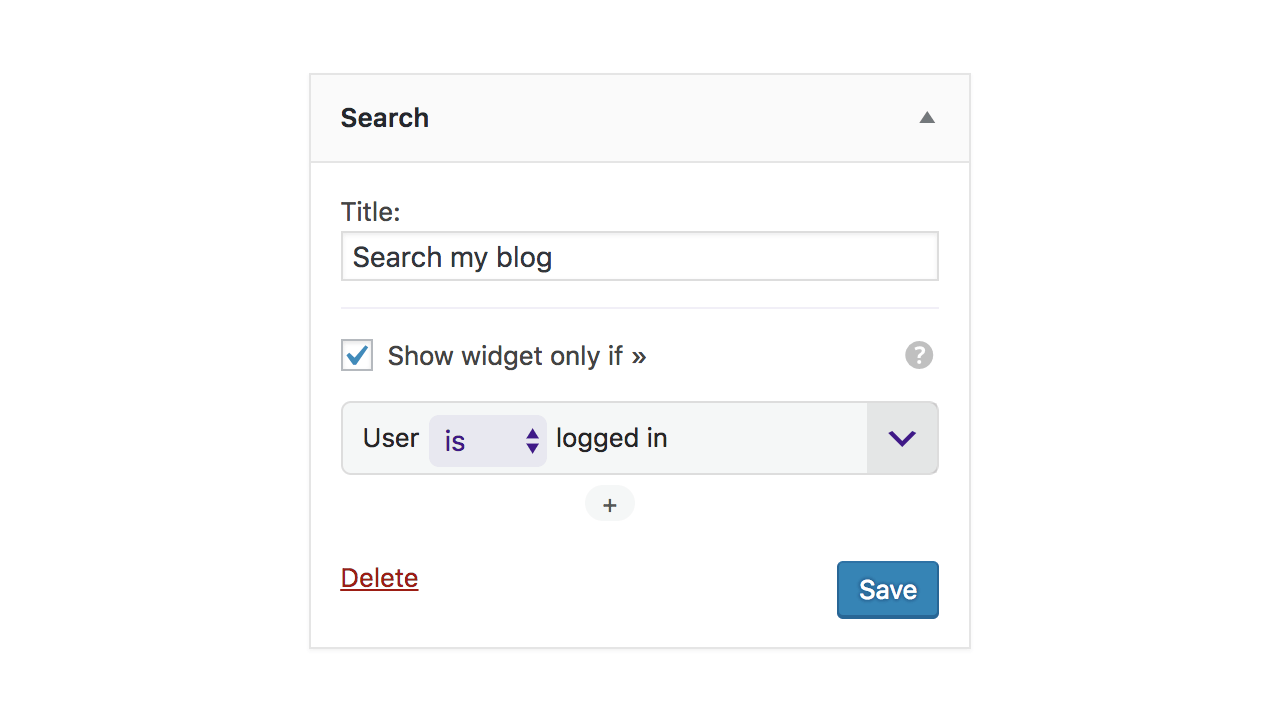
Enable and choose visibility rules for Widgets
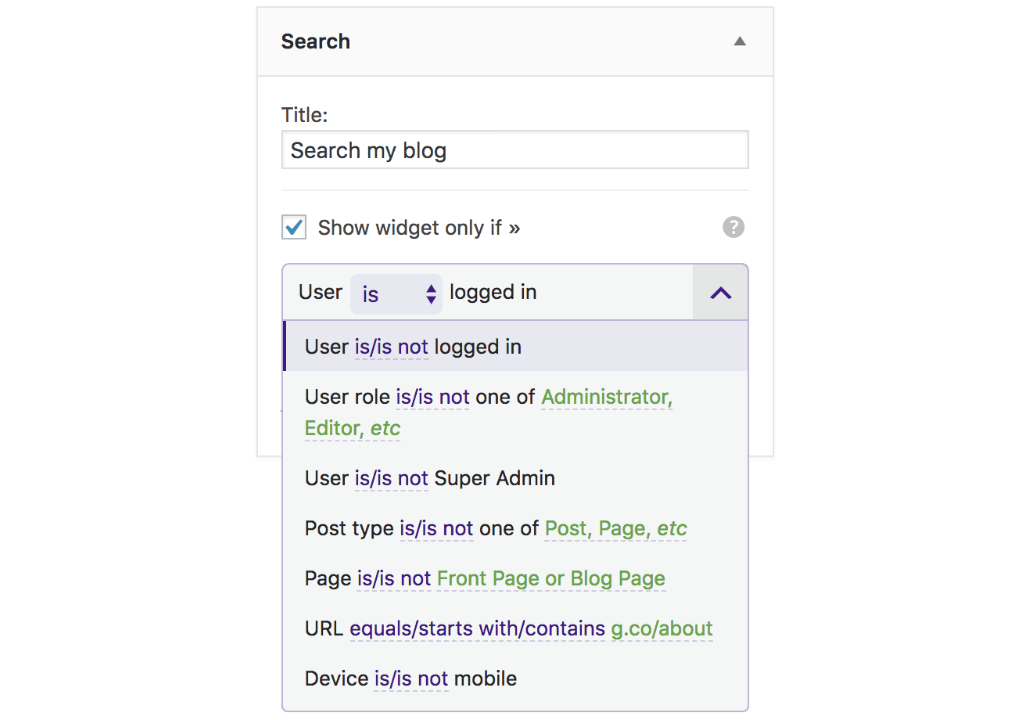
Visibility rules
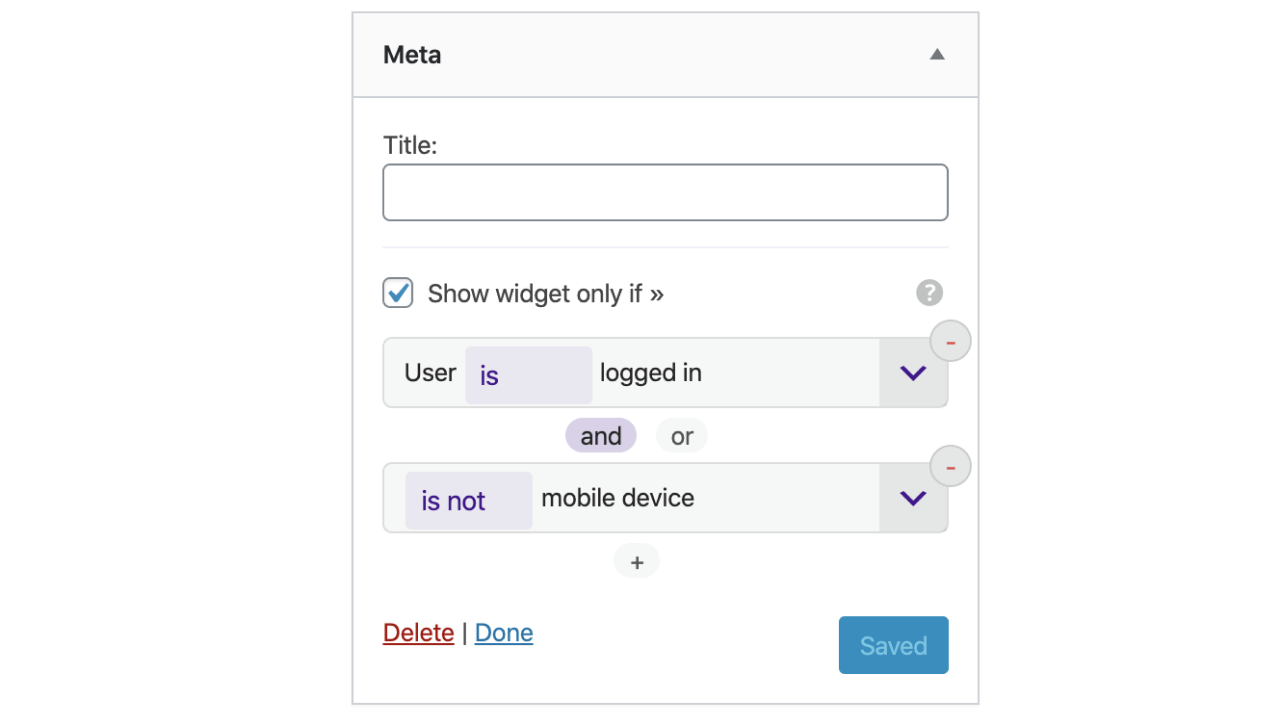
Mix multiple visibility rules
Faq
On Widgets editing page, each widget will have a section for controlling visibility. Enable the option “Show widget only if” to reveal and configure visibility rules (Example in screenshots).
New rules can be added by code in any other plugin or theme.
Example of adding a new custom rule for displaying/hiding a widget when current page is a custom-post-type.
// theme's functions.php or plugin file
add_filter('if_visibility_rules', 'my_new_visibility_rule');

function my_new_visibility_rule(array $rules) {

  $rules['single-my-custom-post-type'] = array(
    'name'      =>  __('Single my-CPT', 'i18n-domain'),     // name of the condition
    'callback'  =>  function() {                            // callback - must return Boolean
      return is_singular('my-custom-post-type');
    }
  );

  return $rules;
}
WordPress provides a lot of functions which can be used to create custom rules for almost any combination that a theme/plugin developer can think of.
Reviews
Works better than the rest
By 
This is the only plugin that actually let me target by URL. Other plugins apparently could, but none worked for me. This was the last plugin I was willing to try before giving up. The interface is also simple and intuitive. I hope to see this plugin become more popular!
No longer works
By 
This is Comprehensive!
By 
Works fine but missing....
By 
This is perfect
By 
Lightweight, easy to use!
By 
Far best of its type
By 
Great!
By 
Easy to use and that is what i looking for.
By 
Changelog
0.5 – 7 March 2020
- Added – Visibility rule – Is Archive page (checks for year/month/category archive page)
- Updated – Ensure compatibility with WordPress 5.4
- Fixed – Vsibility rules control in Customizer
0.4 – 24 October 2019
- Updated – Text Visibility rule option: Text doesn’t contain
- Updated – Ensure compatibility with WordPress 5.3
0.3 – 5 July 2019
- Added – Visibility rule – Users can register
- Added – Support for paid Addon, which adds more visibility rules
0.2 – 2 March 2019
- Updated – Plugin texts
- Updated – Compatibility with WordPress 5.1
0.1
- Plugin release. Includes basic visibility rules