Image Auto Descriptions for ACF
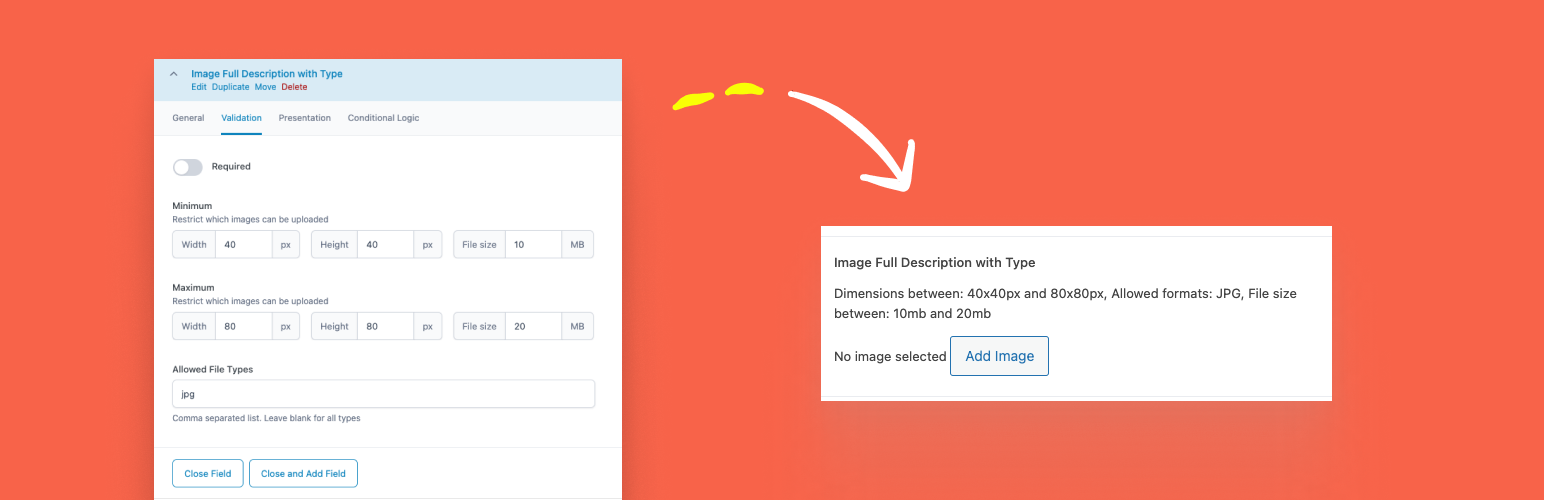
Image Auto Descriptions for ACF
Description
This plugin automatically generates and displays descriptions for Advanced Custom Fields (ACF) image fields based on their settings. It helps users understand the constraints and requirements for the image they need to upload.
Installation
- Upload the plugin files to the
/wp-content/plugins/bronte-acf-image-auto-descriptionsdirectory, or install the plugin through the WordPress plugins screen directly. - Activate the plugin through the ‘Plugins’ screen in WordPress.
- Ensure that the Advanced Custom Fields (ACF) plugin is installed and activated.
Screenshots

Example of the generated descriptions displayed below an ACF image field.
Faq
Yes, this plugin requires the Advanced Custom Fields (ACF) plugin to be installed and activated.
The plugin generates descriptions for image fields, including minimum and maximum dimensions, allowed formats, and file size constraints.
Reviews
Changelog
1.0
- Initial release.