Import Export Menu

Import Export Menu
Description
Import Export Menu makes it easy to move WordPress navigation menus between sites and manage them from one place. Export a menu to a portable file, then import it into another WordPress install — keeping the menu hierarchy, theme location assignments, and per-item settings intact.
Unlike a raw JSON dump, the importer remaps each menu item to the matching content on the target site (by slug, path, then title), so links keep working after a migration instead of pointing at the wrong post ID.
Beyond import and export, manage every menu from one dashboard: duplicate or delete menus, and control who sees each item with per-item visibility rules (everyone, logged-in, or logged-out).
Key Features
- Menus dashboard — see every menu with its item count, theme location, and last-modified date at a glance.
- Duplicate any menu in one click (items, hierarchy, and visibility rules included), or delete one with a safety confirmation.
- Per-item visibility — show or hide each menu item for everyone, logged-in users only, or logged-out visitors only.
- Export one menu, several, or every menu at once to a portable file.
- Import menus back into any WordPress site, and optionally assign the imported menu to a theme location.
- Smart object remapping so menu items resolve to the right content on the target site.
- Preserves menu hierarchy, item order, CSS classes, and theme location assignments.
- Choose how to import: create a new menu, replace an existing one, or merge — with a one-click undo of the last import.
- Works with any theme that uses the standard WordPress menu system.
Installation
- Upload the
import-export-menufolder to the/wp-content/plugins/directory, or install the plugin through the WordPress “Plugins” screen. - Activate the plugin through the “Plugins” menu in WordPress.
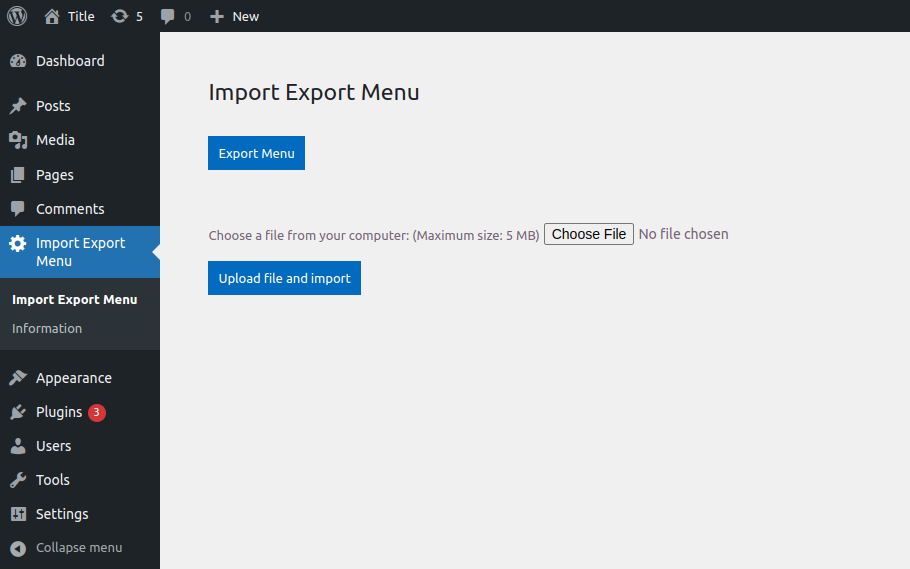
- Open the “Import Export Menu” entry in the admin sidebar to start importing and exporting menus.
Screenshots
The Menus dashboard: every menu with its item count, theme location, and last-modified date, plus Duplicate, Edit, and Delete actions.
Faq
Yes. You can select one menu, several, or export every menu on the site at once.
Menus are exported as a versioned JSON file, which the importer reads back to reconstruct the menu.
The importer remaps each item to matching content on the target site by slug, then path, then title. When no match is found you decide whether to keep it as a custom link or skip it.
It works with any theme that supports the standard WordPress navigation menu system.
Yes. Export the menu from one site and import the file into another.
Yes. Every menu item has a Visibility option in the menu editor — show it to everyone, only logged-in users, or only logged-out visitors. The rule travels with the menu when you export and import it.
Yes. Open Import Export Menu Menus and click Duplicate on any menu; the copy keeps every item, the hierarchy, and the visibility rules. You can also delete a menu from the same screen, with a confirmation prompt.
Reviews
Great
By 
Simple plugin, did exactly what I was looking for!
Doesn't export CSS classes
By 
Thanks, I mean, it does export menus and save time, but I had to do some manual cleanup because the plugin doesn't export CSS classes on menu items, which is a native WordPress Menu feature and not some external plugin, so you'd expect that to be the case. Not sure if it exports Link relationships because I had none.
And like the Turkish guy said, the fact that you can't pick which menu to export sounds kind of a bummer, although it didn't bother me in my case.
Thank you and have a nice day.
Nem működik
By 
Egyszerűen nem emeli át a menü elemeket.
Az már csak hab a tortán, hogy egyenként ki sem lehet választani a menüket
Saved my butt
By 
Worked well. One submenu got screwed up - I dont know why - but I easily fixed it.
Make sure to deactivate all plugins that touch menus - I had a site critical error until I did.
There is no option to select just one menu??
worked - thank you very much
By 
This plugin could be improved with a few things, but it works...
would be nice to select individual menus instead of bulk all menus
the import process doesn't signal that the process was completed
Another commonly recommended plugin loads a bunch of advertising junk into admin dashboard and creates gigantic files full of unknown crap.
Another plugin with similar name is throwing script errors and doesn't work for me.
the Import Export Menu plugin worked without headaches
Works perfectly
By 
Simple & efficient, reliable!
THANK YOU for this plugin
Simple and objective.
By 
Very good plugin
Changelog
3.0.0
- New: Menus dashboard listing every menu with its item count, theme location, and last-modified date.
- New: Duplicate a menu in one click — items, hierarchy, and visibility rules included.
- New: Delete a menu from the dashboard, with a confirmation prompt.
- New: Per-item visibility — show or hide each menu item for everyone, logged-in users, or logged-out visitors.
- New: Optionally assign an imported menu to a theme location, with a report of any menu it replaces.
- New: Undo the last import to restore your menus from an automatic backup.
- Improved: refreshed admin interface with a consistent button and panel design.