InDesign Random Quotes Widgets
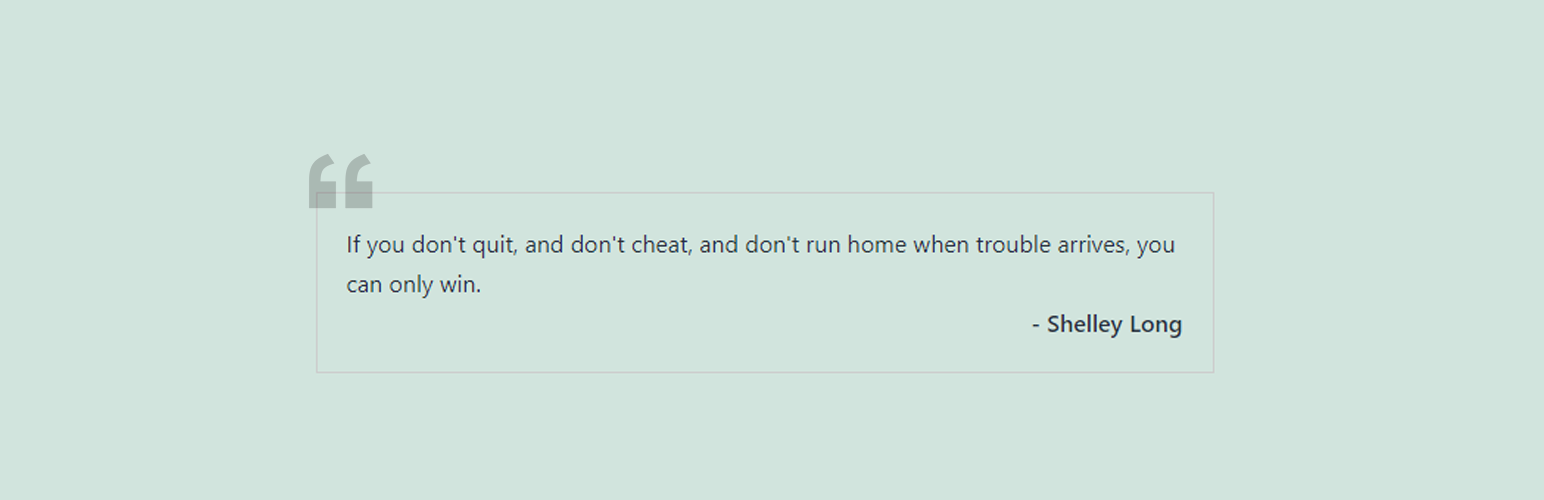
InDesign Random Quotes Widgets
Description
Add a random quote to any page, post, or widget area with a single shortcode. Pick from 16 layouts, run a fading carousel of your full list, and manage everything from a clean admin that saves as you type.
What you get
- Two shortcodes:
[id_popular_quotes]for one random quote and[id_popular_quotes_carousel]for a fading slideshow. - 16 layouts: Classic, Modern Blockquote, Minimalist, Vibrant Card, Glassmorphism, Gradient Border, Dark Sleek, Quote Bubble, Elegant Serif, Neon Glow, Paper Note, Brutalist, Typewriter, Floating Shadow, Cyber Punk, Retro Wave.
- A default layout you set once in the admin. Any shortcode without a
layoutattribute uses that default. - Two sources: your own manual quotes, or the built-in list of 100 popular quotes.
- Auto-saving admin. No Save button, no unsaved state to worry about.
- Drag-to-reorder your quotes, edit or delete any of them inline.
- Live preview of the active default layout so you always know what visitors see.
- No jQuery on the front end. One small CSS file, plus a tiny inline script for the carousel.
Shortcode examples
Single random quote using the site-wide default layout:
[id_popular_quotes]
Pick a specific layout:
[id_popular_quotes layout=”neon-glow”]
Fading carousel:
[id_popular_quotes_carousel]
Carousel with a specific layout and speed (seconds per slide):
[id_popular_quotes_carousel layout=”glass” speed=”5″]
Every layout works for both the single shortcode and the carousel.
The admin (Quotes Studio)
The settings screen lives under ID Quotes in the main WordPress admin menu. It has two tabs:
- Quotes. Pick your source (Manual or Universal). In Manual mode, add quotes with a two-field form, edit or delete any card, drag the handle to reorder. In Universal mode, browse the built-in 100 quotes with a live search box.
- Layouts. Click any of the 16 preview cards to make it the site-wide default. The status banner at the top and the live preview both update instantly.
Every change on this screen saves automatically. A small toast in the corner confirms each save.
Installation
- Upload the
indesign-random-quotesfolder to/wp-content/plugins/, or install the zip from the Plugins screen. - Activate the plugin from the Plugins menu.
- Open ID Quotes in the admin menu to add your own quotes or pick a default layout.
- Drop
[id_popular_quotes]into any page, post, or shortcode-aware widget.
Screenshots

Quotes Studio: the auto-saving Quotes tab with the mode picker and card-based quote list.

Layouts tab: click any preview to set the site-wide default layout.
Faq
Paste [id_popular_quotes] into any page, post, or shortcode-aware widget. Each page load picks a fresh random quote from your active list.
Open ID Quotes in the admin menu, make sure Manual is selected, and use the “Add a new quote” form. Type the quote, type the author, click Add. It appears in the list below as a card.
No. Everything on the settings screen saves automatically as you click, type, edit, or drag. A small toast in the corner confirms each save.
Yes. Each quote card has a pencil icon (edit inline) and a trash icon (delete). Both save straight away.
Yes. Grab the six-dot handle on the left of any card and drag it up or down. The new order saves automatically.
Open the Layouts tab and click any preview card. That layout becomes the site-wide default, and any shortcode without a layout attribute uses it from then on. The status banner at the top of the page updates instantly.
Add the layout attribute with the layout slug, for example [id_popular_quotes layout="typewriter"] or [id_popular_quotes_carousel layout="cyber-punk"]. Layouts set this way override the site-wide default for that shortcode only.
Manual serves only the quotes you add. Universal serves the built-in list of 100 popular quotes. Switch between them at any time by clicking the mode card. Your manual quotes stay saved even when Universal is active.
The plugin falls back to the built-in universal list, so visitors never see a blank space.
Use [id_popular_quotes_carousel] and add speed="10" in seconds to control the interval. For example, [id_popular_quotes_carousel layout="glass" speed="5"] fades every five seconds.
Yes. Each one runs on its own, so different layouts and carousels can coexist on the same page.
Open the Layouts tab. Each preview card has two ready-to-copy shortcodes: one for the single quote and one for the carousel. Click either to copy.
Yes. In the admin, switch to Universal mode and use the search box above the list to filter by quote text or author name.
Yes. The shortcodes work in any builder that supports shortcodes. In Elementor, use a Shortcode widget or Text Editor. In Divi, use a Code module. In Beaver Builder, use a Text module.
No. The front end loads one small CSS file and adds no JavaScript unless a carousel is on the page. Quotes are stored in a WordPress option, so there are no extra database queries per page load.
Your quotes and settings stay in the database, so if you reactivate the plugin later everything is exactly where you left it.
No. The admin uses vanilla JavaScript. The front end loads a single small CSS file and only prints a tiny inline script when you use the carousel shortcode.
Reviews
GreatDeals99
By 
Great Plugin
By 
Very Useful and efficient
By 
Wonderful plugin
By 
Changelog
2.0.0
- Renamed the plugin to “InDesign Random Quotes Widgets”.
- New Quotes Studio admin with two tabs, pill navigation, and a live status banner that shows the active mode, pool size, and default layout.
- New default layout picker. Click a preview card to set the site-wide default. Shortcodes without a
layoutattribute fall back to this setting. - New card-based quote manager. Add, edit, delete, and drag the handle to reorder your quotes.
- Universal mode now shows the built-in 100 quotes in a scrollable, searchable list.
- Every change saves automatically over AJAX. The Save button is gone. A small toast in the corner confirms each save.
- Refactor: split the single-file plugin into a small
includes/folder. - Security: nonce and capability checks on every AJAX endpoint. Strict allowlists for mode and layout values.
1.4
- Refactor into an
includes/folder with per-concern files. - Layouts driven by a single registry so front-end output and admin previews stay in sync.
wp_rand()replacesrand(). Strict allowlist for mode. Capability check on the settings screen.- Fixed a stray CSS declaration in the admin styles.
- Text Domain header added.
1.0.4
- Expanded the Frequently Asked Questions with more detailed entries.
1.3
- Doubled the number of layouts from 8 to 16, including Elegant Serif, Cyber Punk, Floating Shadow, Neon Glow, and Retro Wave.
- Added the
[id_popular_quotes_carousel]shortcode for a fading slideshow. - Redesigned the admin screen with a live preview grid.
- Added 1-click shortcode copy buttons.
- Added the Quick Add form for manual quotes.
- Grew the built-in universal collection to 100 quotes.
- Removed hardcoded author name prefixes across layouts.
1.2
- Moved the settings panel to a top-level admin menu item.
- Added sanitization callbacks for settings storage.
1.1
- Added the settings page for managing custom quotes.
- Added the
layoutattribute for design variants. - Shortcode returns output instead of echoing it.
1.0
- Initial release.