Indobe – Bank dan e-Money Indonesia

Indobe – Bank dan e-Money Indonesia
Description
Indobe – Bank dan e-Money Indonesia
The WooCommerce Bank and e-Money Indonesia Payment Gateway plugin provides a comprehensive collection of Indonesian banks and e-Wallets for WooCommerce payments.
By default, WooCommerce only provides a generic bank transfer option. This plugin expands that by offering specific payment methods for major Indonesian banks (BCA, BNI, Mandiri, BRI, Jago) and e-Money services (Dana, LinkAja, OVO, GoPay).
Key Features:
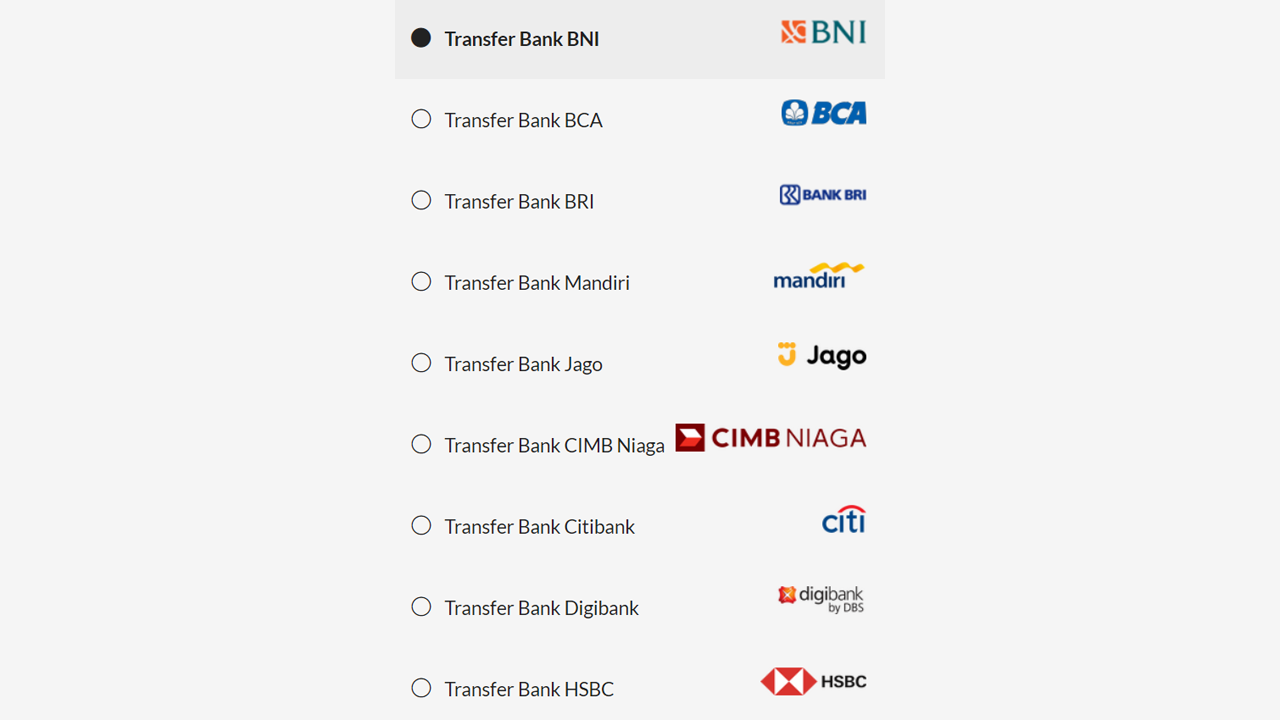
* Payment Icons: Display professional logos for every bank and wallet (can be toggled on/off).
* Unique Payment Code (Kode Unik): Automatically adds a random 3-digit code to the total checkout amount to make it easier to verify transfers in your bank mutation.
* HPOS Support: Fully compatible with High-Performance Order Storage.
* Blocks Support: Compatible with the new WooCommerce Checkout Blocks.
Available Payment Methods:
* Banks: BCA, BNI, BRI, Mandiri, Jago, Neo Commerce, Digibank, Citibank, HSBC, TMRW, Line Bank, Allo Bank, OCBC NISP, CIMB Niaga, Danamon, BTN, BSI (Syariah), Permata, Muamalat, Seabank, Jenius, Krom.
* e-Money / Wallets: OVO, GoPay, Dana, LinkAja, ShopeePay.
* QRIS: Standard QRIS payment method support.
Installation
- Upload the plugin files to the
/wp-content/plugins/indobe-for-woocommercedirectory, or install the plugin through the WordPress plugins screen directly. - Activate the plugin through the ‘Plugins’ screen in WordPress.
- Go to WooCommerce > Settings > Payments.
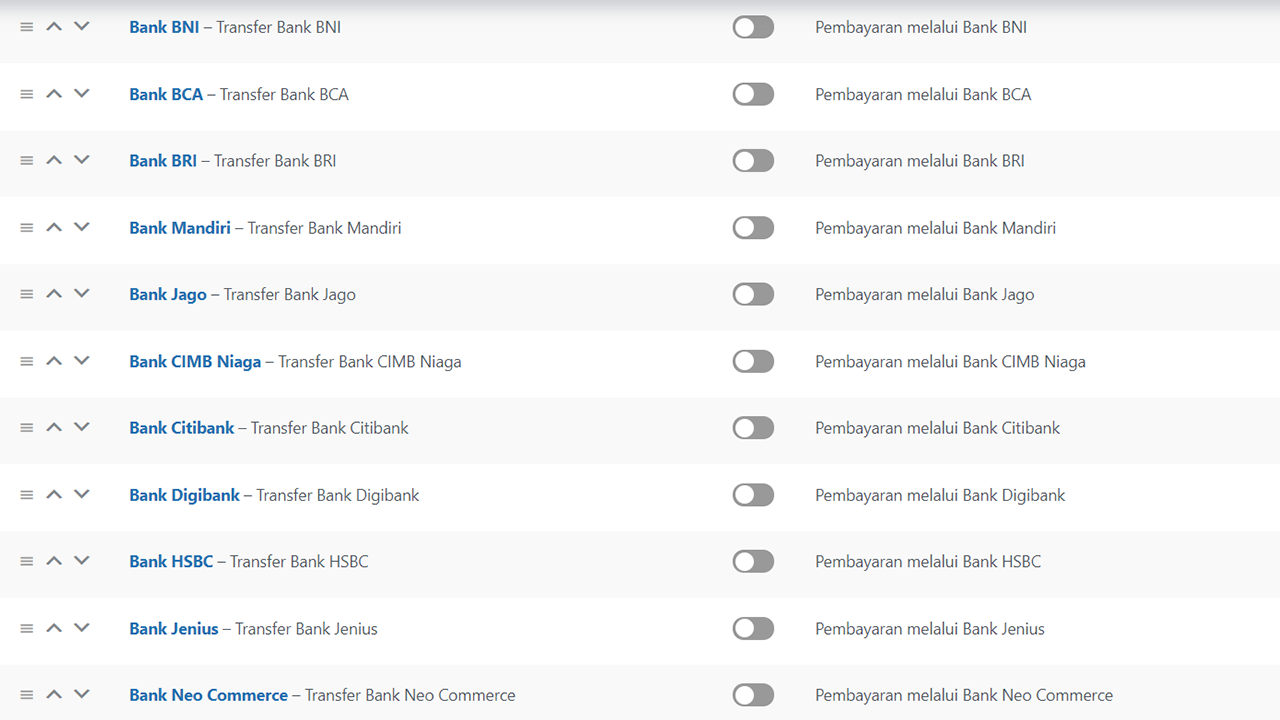
- Enable the specific banks or e-money gateways you wish to accept.
- (Optional) To enable the Unique Payment Code, go to WooCommerce > Settings > Advanced > Kode Pembayaran.
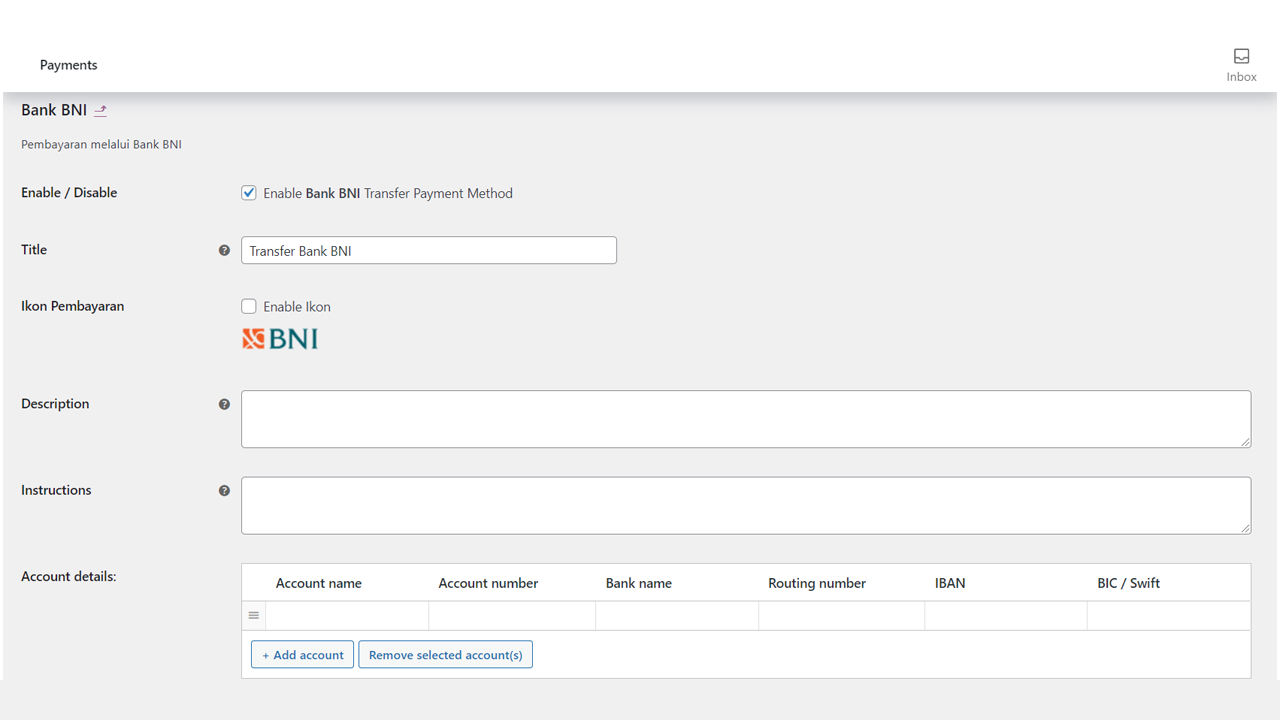
- Click Manage next to a payment method to configure account numbers and instructions.
Screenshots
Checkout Page: How the payment methods appear to customers during checkout.
Payment Settings: The admin interface for enabling/disabling specific banks.
Unique Code Settings: Configuration for the random payment code generation.
Faq
No. This is a Direct Bank Transfer (BACS) extender. It displays the bank account details and adds a unique code to the total. You must manually check your bank account (mutation) to confirm the funds have been received before processing the order.
Yes, as of version 1.0.0, this plugin supports the block-based Checkout and Cart pages.
Yes, you can configure the minimum and maximum range for the unique random code in the settings.
Reviews
Changelog
1.0.0 – February 18, 2026
- Initial Release
- Compatibility: WooCommerce 10.4 and WordPress 6.9
- Feature: HPOS (High-Performance Order Storage) support
- Feature: Cart/Checkout Blocks support for block-based checkout
- Feature: 22 Bank payment methods and 5 e-Money/Wallet payment methods
- Feature: QRIS payment method support
- Feature: Unique Payment Code (Kode Unik) with configurable range
- Feature: Payment icons for all methods