Instant Chat Checkout
Instant Chat Checkout
Description
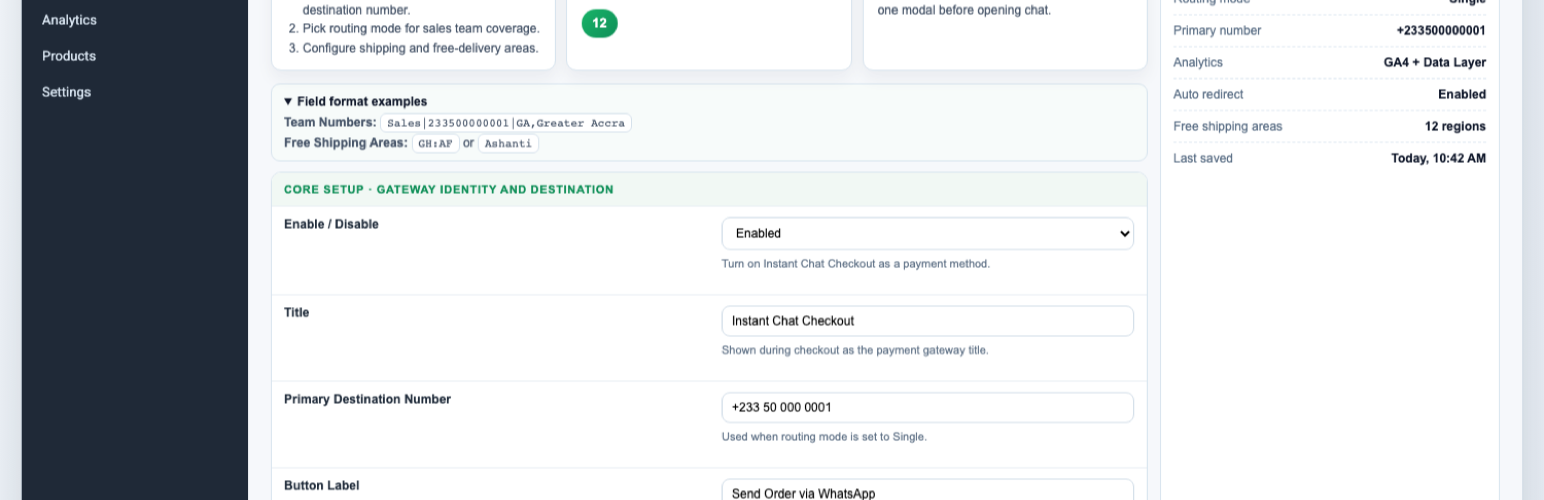
WhatsApp WooCommerce adds a WhatsApp-first ordering flow for WooCommerce stores while still creating normal WooCommerce orders.
Key features:
- Checkout payment gateway for WhatsApp ordering.
- Product page quick order modal with customer and shipping fields.
- Shipping-aware order estimates that follow WooCommerce shipping setup.
- Team routing modes: single, round robin, and region/state routing.
- Free-shipping area controls driven by WooCommerce country/state settings.
- Google Analytics compatible tracking (
gtagand/ordataLayer). - Thank-you page WhatsApp handoff link.
- Admin dashboard snapshot for WhatsApp order activity.
This plugin is distributed under GPLv2 or later.
Installation
- Upload the plugin files to
/wp-content/plugins/instant-chat-checkout, or install via the WordPress plugin installer. - Activate the plugin.
- Go to
WooCommerce > Settings > Payments > WhatsApp Order. - Enable the gateway and configure your WhatsApp number and routing.
- Save changes and run a test order from product page and checkout.
Screenshots
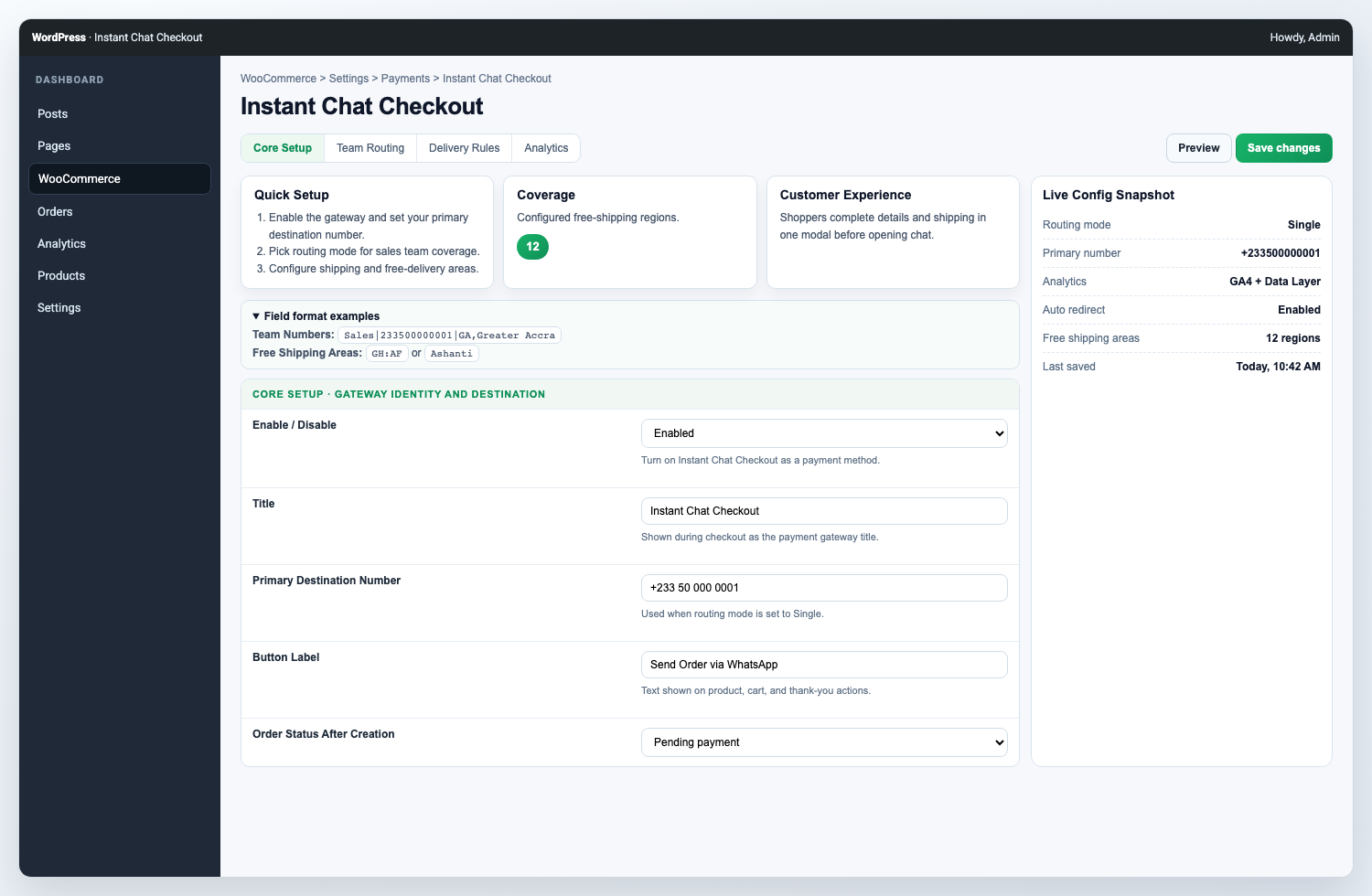
Configure the WhatsApp Order payment gateway, routing, delivery behavior, and button style.
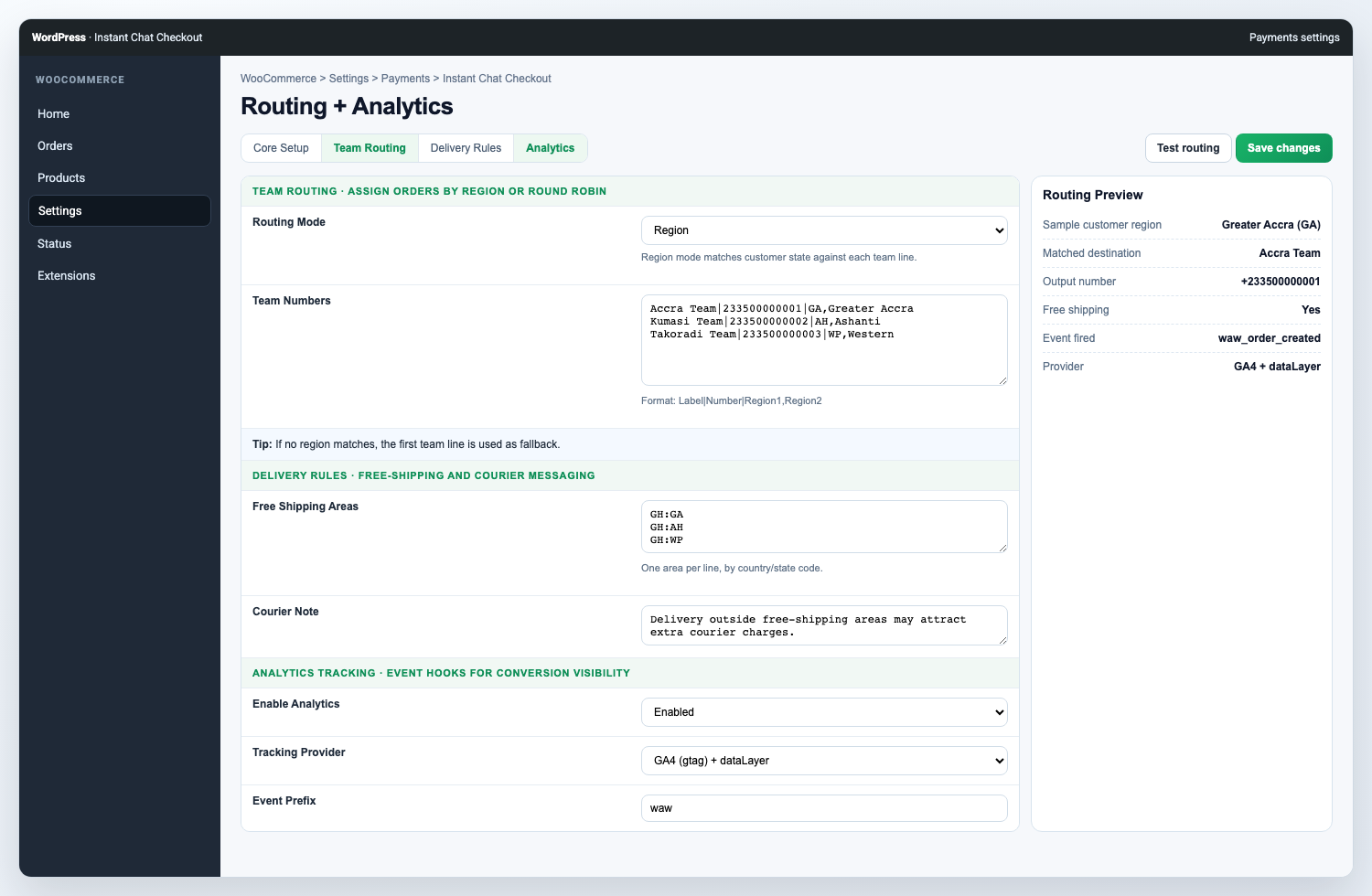
Manage team routing, free-shipping areas, and analytics tracking from WooCommerce settings.
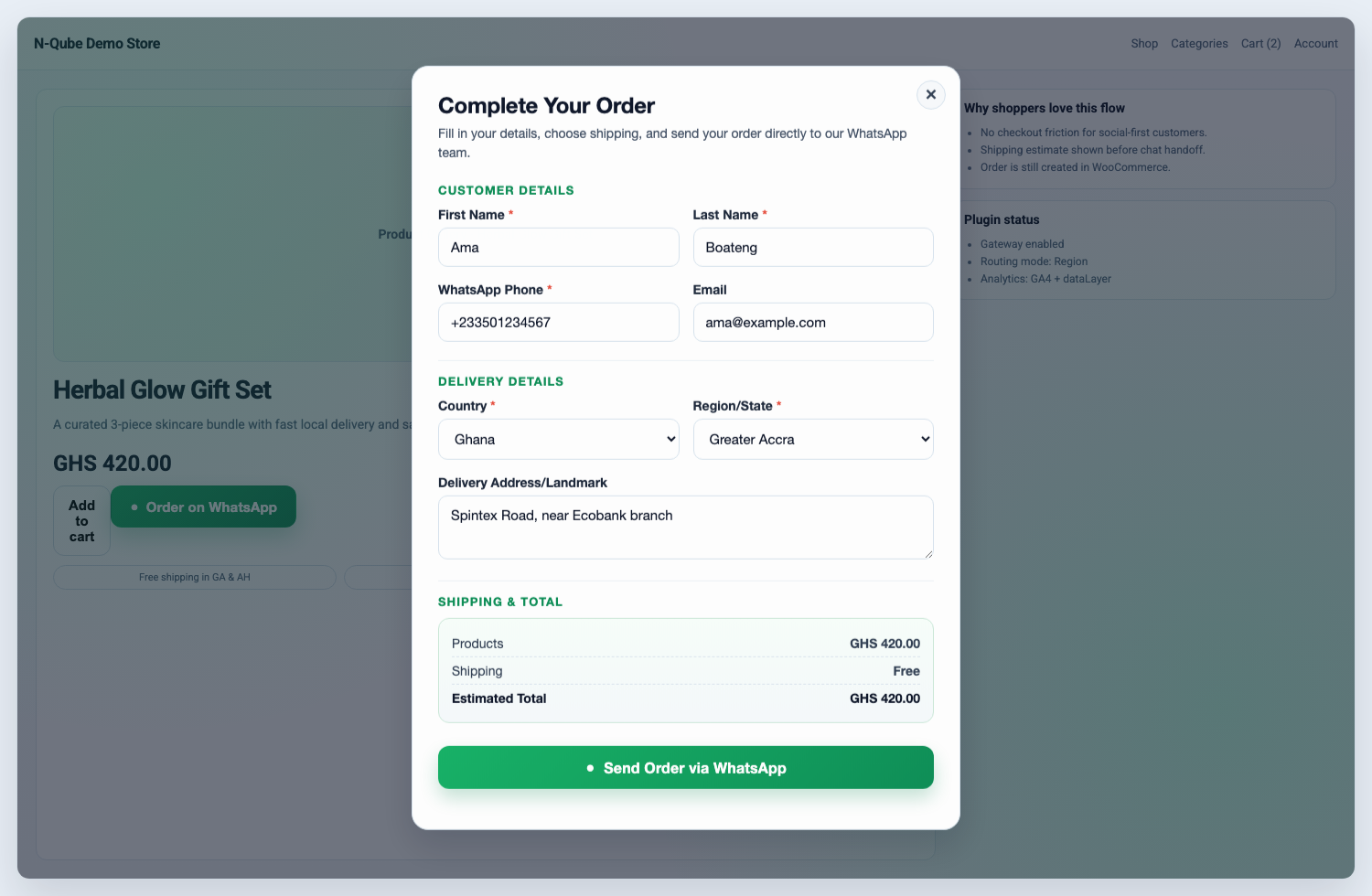
Let shoppers place a shipping-aware WhatsApp order from the product page modal.
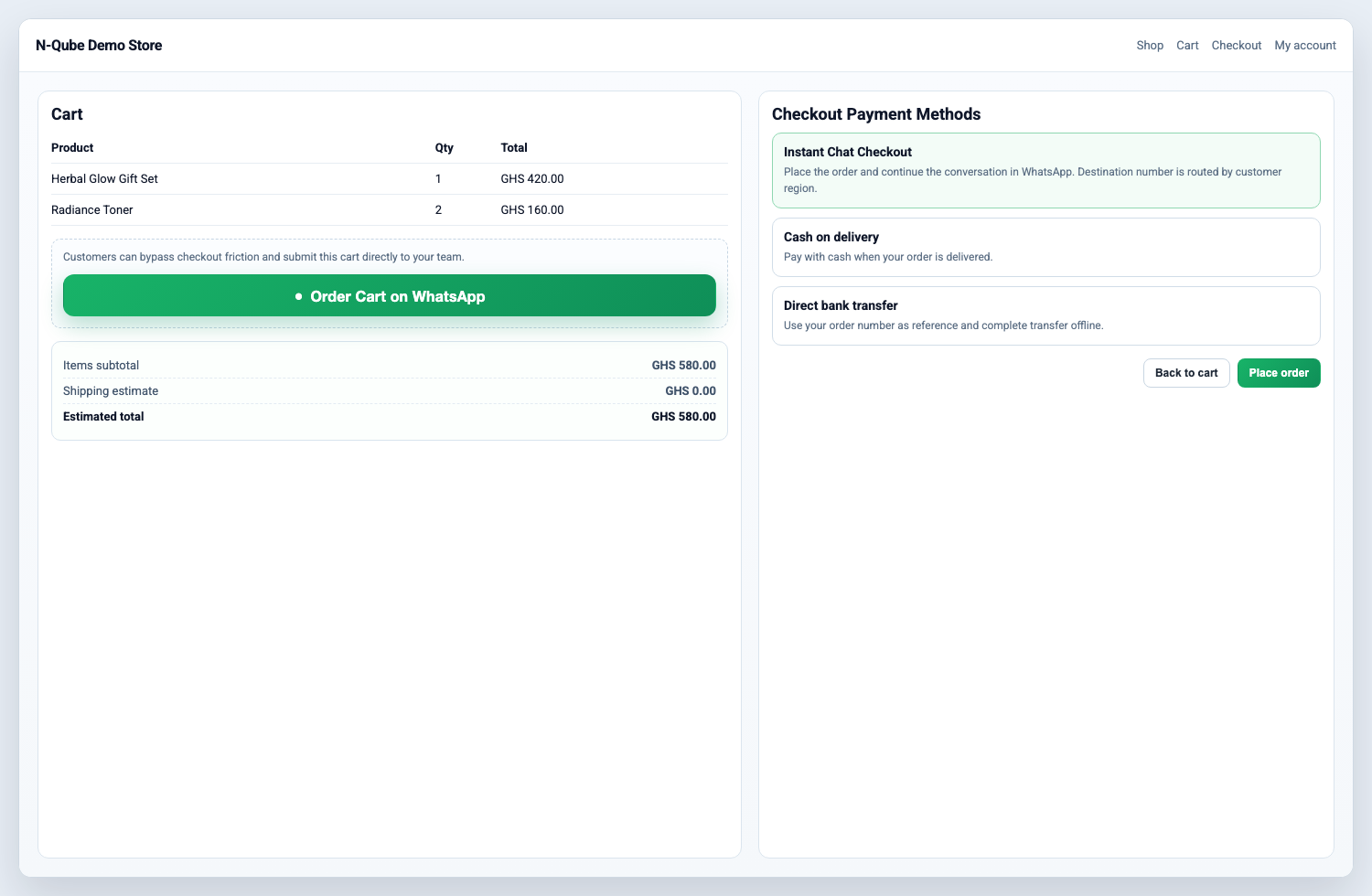
Add WhatsApp ordering to cart and checkout while keeping normal WooCommerce order creation.
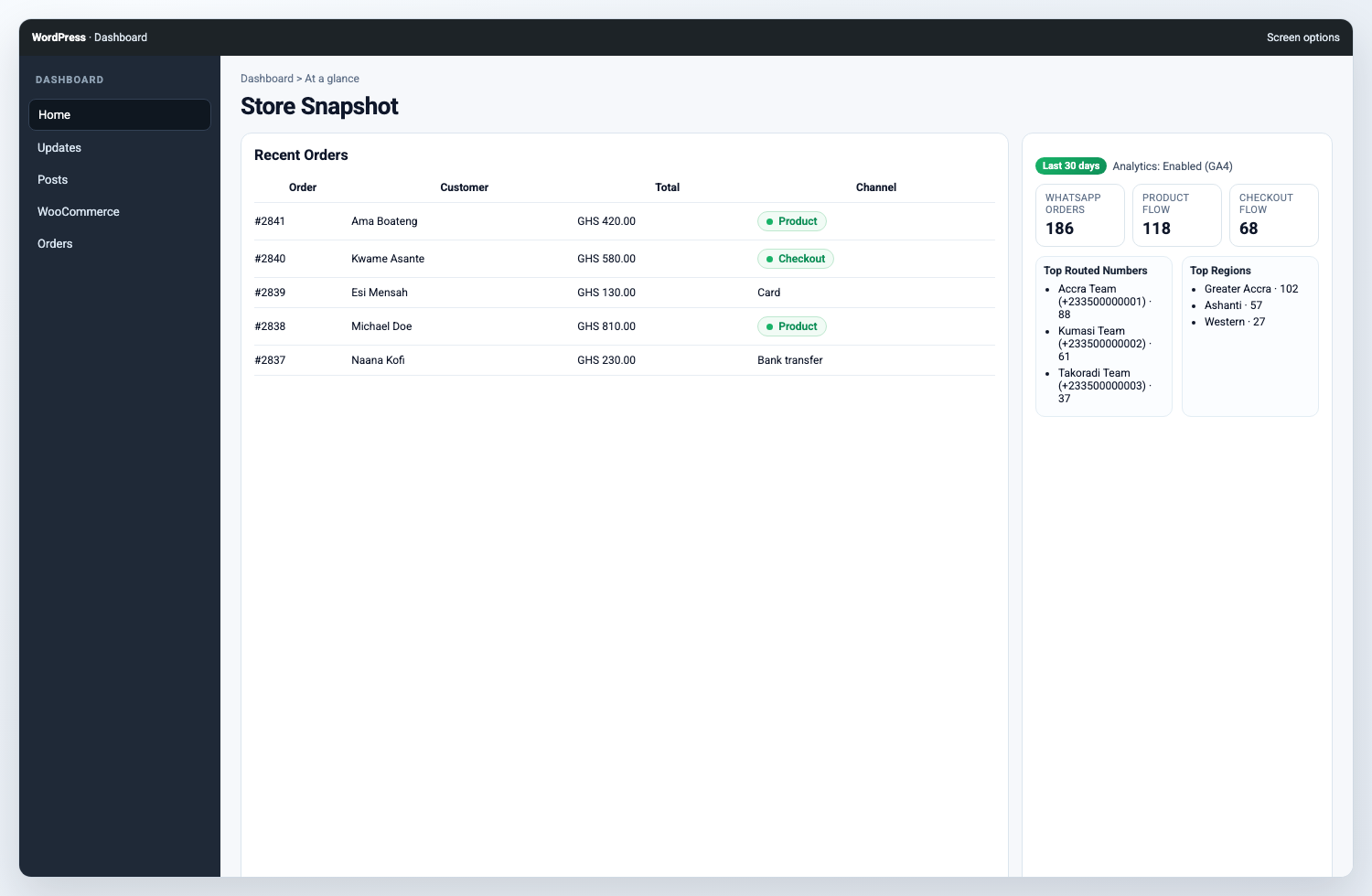
Review WhatsApp order activity in the dashboard widget and order table.
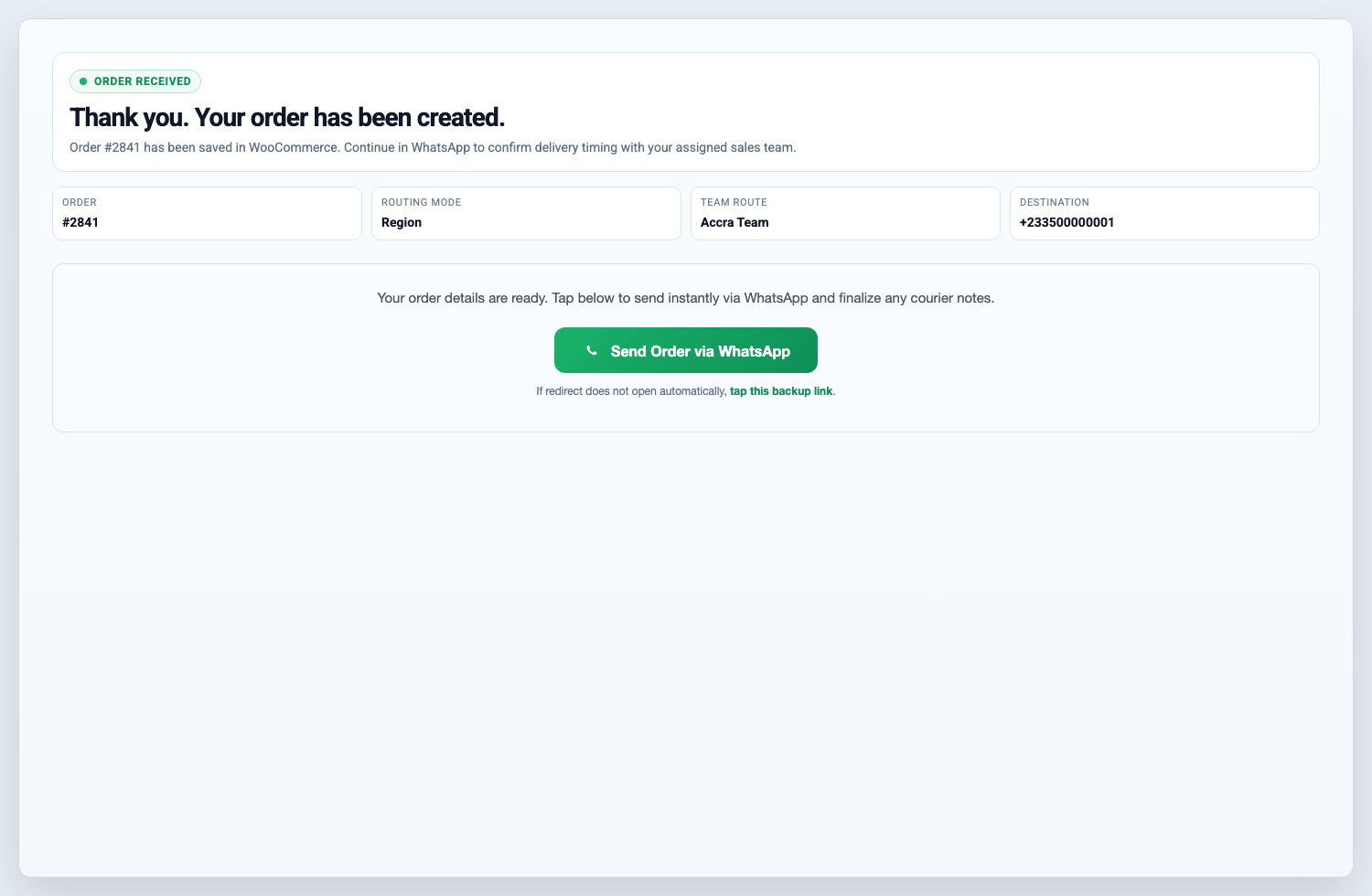
Hand off completed orders to WhatsApp from the thank-you page.
Faq
Yes. WordPress.org plugin hosting is free if you follow the Plugin Directory Guidelines and use GPL-compatible licensing.
Yes. Use Team Routing with Round robin or Region mode, then add one teammate per line in Team Numbers.
Yes. Enable Analytics Tracking in settings to send events to GA4-compatible gtag and/or dataLayer.
After approval, use your plugin page (including Advanced View) on WordPress.org for public stats and download history.
Reviews
Changelog
1.2.2
- Updated ownership URLs to the active n-Qube domain.
- Aligned WordPress.org contributor name with the submitting account.
- Replaced short PHP/storage prefixes with the longer
icchatprefix. - Moved flagged inline scripts and styles into enqueued assets.
1.2.1
- Fixed Plugin Check i18n/domain warnings (text domain consistency and translators comments).
- Hardened request input handling for flagged
$_POSTfields. - Reduced order list query cost by replacing
meta_querywithmeta_key/meta_valuewhere applicable. - Added
languages/directory for validDomain Path. - Shortened short description to avoid readme parser trimming warning.
1.2.0
- Added shipping-aware product modal flow.
- Added team routing modes and improved admin UX.
- Added configurable free-shipping areas tied to WooCommerce location setup.
- Added analytics tracking options.
- Added mobile UX improvements and accessibility updates.