Insyta Click Tracker

Insyta Click Tracker
Description
Insyta Click Tracker records every click on a link or button on your site, together with the UTM parameters (source, medium, campaign, content, term) that brought the visitor in.
What it tracks (100% free, no account or license required):
- Clicks on links and buttons, with the visible text and target URL
- UTM source / medium / campaign / content / term
- Basic device and browser
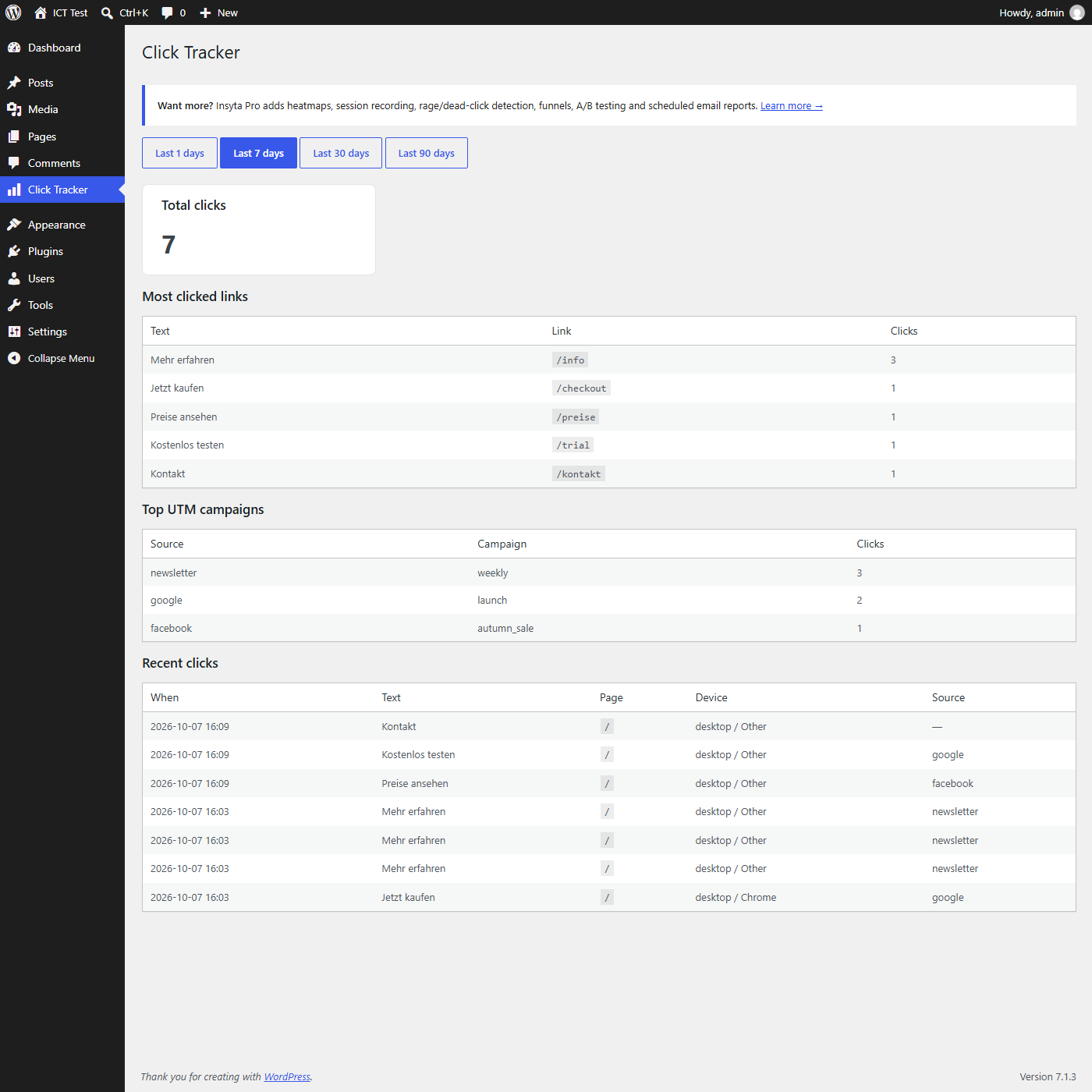
- A simple dashboard: most-clicked links, top campaigns, recent activity
What it does not do:
- No cookies required for tracking to work (UTM is only kept in
sessionStoragefor the current browser tab, never sent anywhere else) - No external service calls — all data is stored in your own WordPress database
- No user accounts, emails, or IP addresses are stored
Need more?
Insyta Pro (a separate, paid product at insyta.io) adds heatmaps, session recording, rage/dead-click detection, scroll depth, conversion funnels, A/B testing and scheduled email reports. This free plugin does not require Pro and works completely on its own.
Installation
- Upload the plugin files to
/wp-content/plugins/insyta-click-tracker, or install directly from the WordPress plugin directory. - Activate the plugin through the ‘Plugins’ screen.
- Go to Click Tracker in the admin menu to see your data once visitors start clicking.
Screenshots
Faq
No. The tracker is a small script that only sends data when a visitor actually clicks something, using navigator.sendBeacon where available so it never blocks page rendering.
In your own WordPress database, in a single table (wp_ict_clicks). Nothing is sent to any external server.
90 days by default, cleaned up automatically once a day. (Configurable in a future version.)
Yes — it listens for clicks on any link or button on the page, regardless of which builder created it.
Reviews
Changelog
1.0.0
- Initial release: click tracking + UTM tracking + basic dashboard.