Breev AI Chatbot – AI Chatbot for Your Website

Breev AI Chatbot – AI Chatbot for Your Website
Description
Breev AI Chatbot adds an AI assistant to your WordPress website that answers your visitors’ questions around the clock, based on your own company information, FAQs, products and prices. Made in Germany, for businesses everywhere.
No prompt writing, no coding: fill in what your customers usually ask, enter your chatbot ID in WordPress and the chat button appears on every page.
Why Breev?
- Answers from your knowledge, not from the internet. The chatbot uses your company information, opening hours, FAQs and product catalog. Questions outside your business are politely declined, and it only shares what you approved.
- FAQs in minutes. Enter the address of your FAQ page or upload a PDF, and Breev creates the question catalog with AI. CSV import is available too.
- Products and prices always up to date. Keep products and services with description and price in a catalog, so the chatbot names your current prices.
- Every inquiry in view. All conversations are saved in your Breev dashboard, you get an email for new inquiries, and an AI summary shows what your customers are asking about.
- Multilingual. The chatbot replies in the language your visitors write in: English, German, French, Spanish, Turkish and more. The chat window itself appears in German or English, depending on the browser.
- Privacy built in. Breev runs on servers in Germany and does not store visitors’ IP addresses. The chat window only loads when a visitor clicks the button, so your pages stay fast and no data is sent before that.
- Your design. Choose button color, icon color and position (bottom right or left), and set headline, greeting and colors of the chat window in Breev.
- Lightweight. One small script and stylesheet (no jQuery, no tracking), loaded with
defer.
Ideal for
Online shops, craftsmen, doctors’ and law practices, agencies, restaurants, hotels, associations and SaaS companies, and anyone who answers the same questions every day.
How it works
- Create your account at breev.ai and start the free 14-day trial.
- Add your company information, FAQs and products in Breev.
- Install this plugin, open Settings Breev Chatbot and enter your chatbot ID.
That’s it. The chatbot is live on your website.
For developers
breev_chatbot_showfilter: returnfalseto hide the chatbot on certain pages, e.g.add_filter( 'breev_chatbot_show', fn( $show ) => $show && ! is_checkout() );breev_chatbot_configfilter: change the colors, position or labels passed to the chat button.
External services
This plugin connects your website to Breev (https://breev.ai), an AI chatbot service operated by Breev from Germany. Without a Breev account and chatbot ID the plugin does nothing.
What is sent and when: As long as a visitor does not click the chat button, nothing is loaded from Breev. When a visitor opens the chat, the chat window is loaded as an iframe from https://breev.ai/chat/<your chatbot ID>; like any web request this transmits the visitor’s IP address and browser information to Breev’s servers in Germany. Breev does not store IP addresses with the conversations; technical server logs are deleted after 14 days at the latest. Breev stores the messages the visitor enters, the generated answers, the time and a random session ID, so you can view the conversations in your dashboard. To generate answers, Breev sends the messages together with the company information you stored to OpenAI’s API. OpenAI does not use this data for training.
The chat window itself is provided and controlled by Breev. You as the website operator are the controller for the chat data, and Breev acts as your processor (a data processing agreement is available on request).
- Breev terms of service: https://breev.ai/en/terms
- Breev privacy policy: https://breev.ai/en/privacy
- OpenAI privacy policy: https://openai.com/policies/privacy-policy
Installation
- In your WordPress admin go to Plugins Add New, search for “Breev” and click Install now, then Activate.
- Create a free Breev account at breev.ai and add your company information, FAQs and products under Chatbot.
- Copy your chatbot ID in Breev from Chatbot General, at the bottom under “What is my chatbot ID?”.
- In WordPress open Settings Breev Chatbot, paste the ID (or the whole embed code) and save.
- Optional: pick the button color, icon color and position. Use the same primary color as in Breev, so button and chat window match.
Screenshots
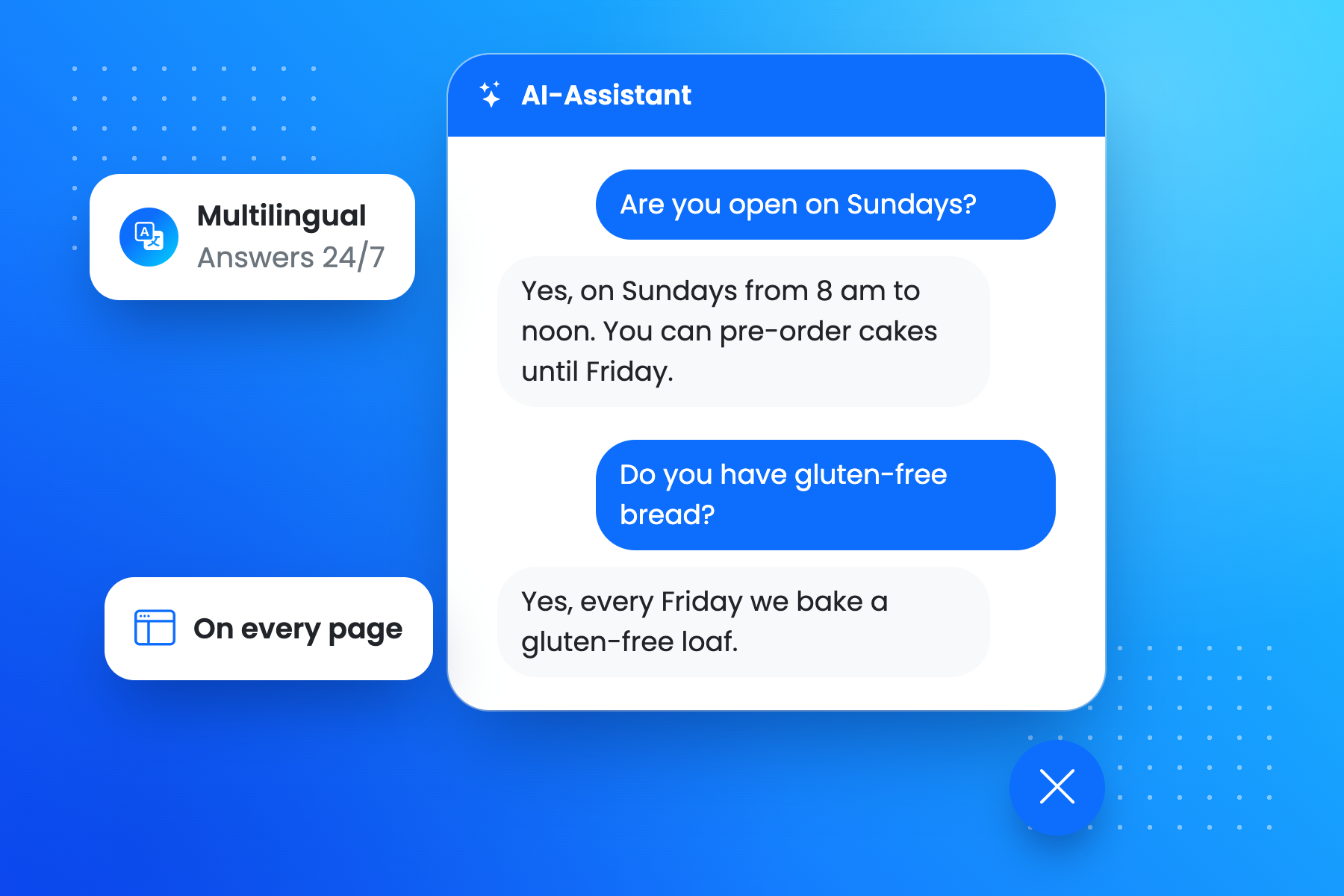
The AI chatbot on your website answers customer questions around the clock, in your visitors' language.
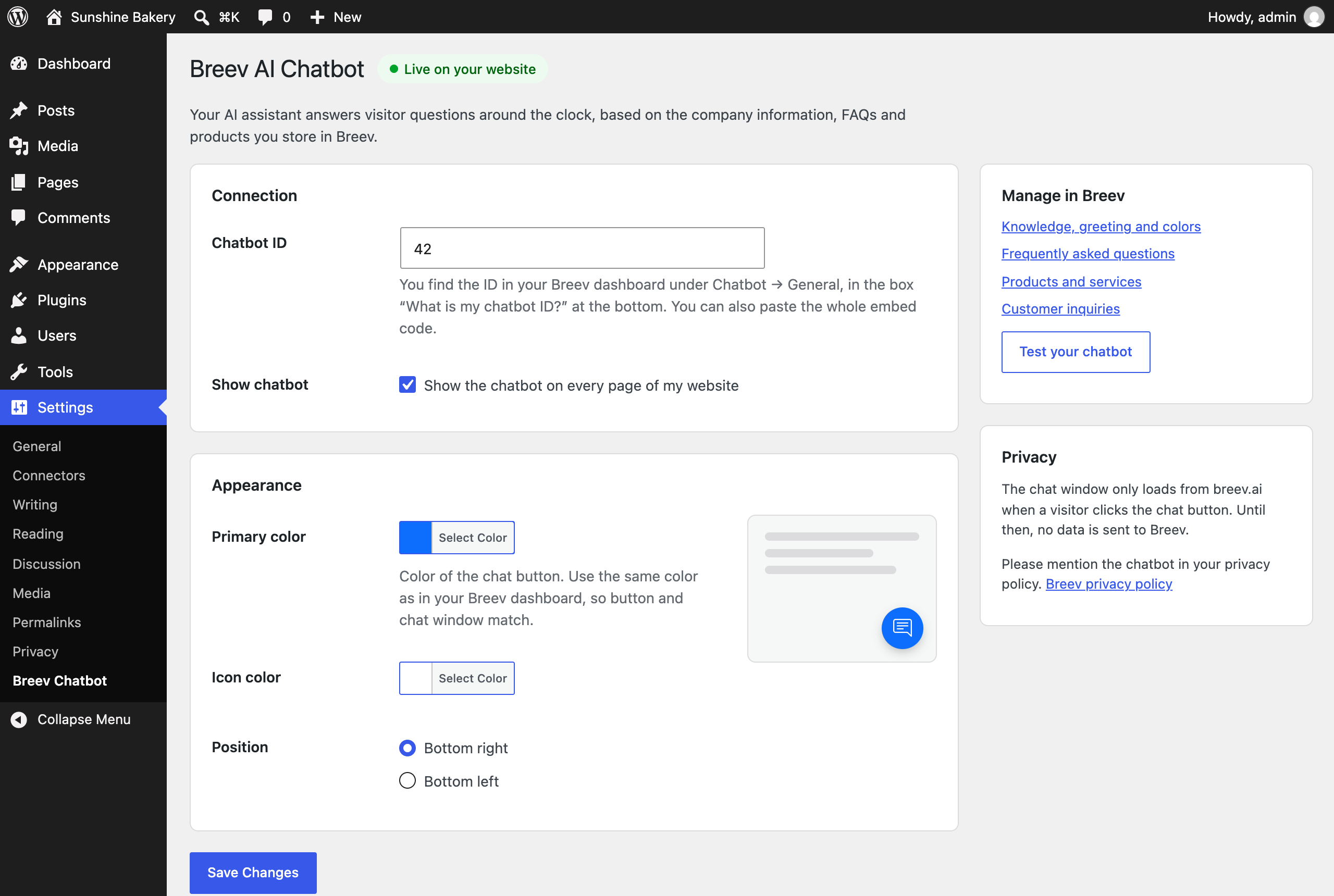
Settings → Breev Chatbot: enter your chatbot ID, choose colors and position, done.
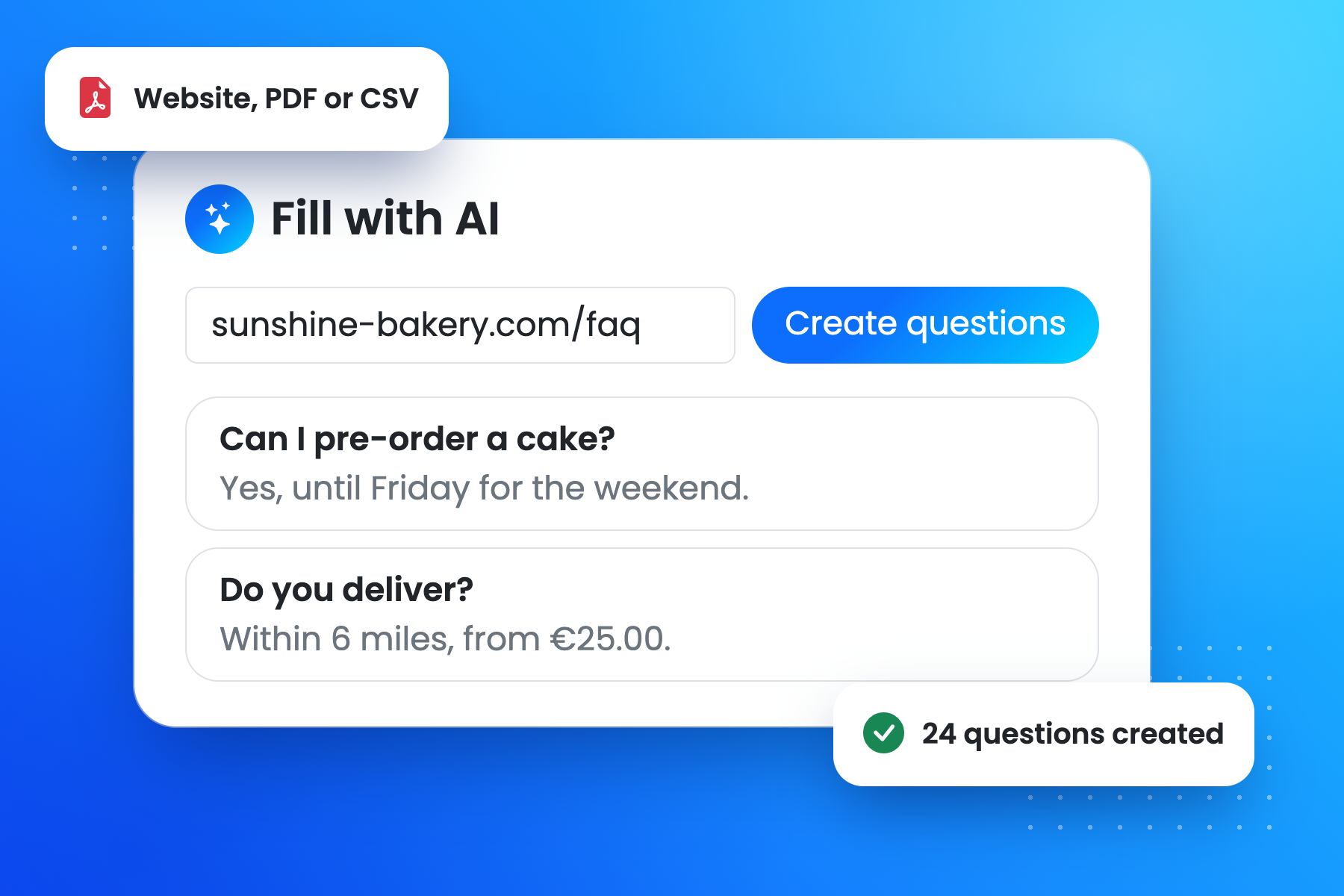
Create your FAQ catalog with AI from your FAQ page or a PDF.
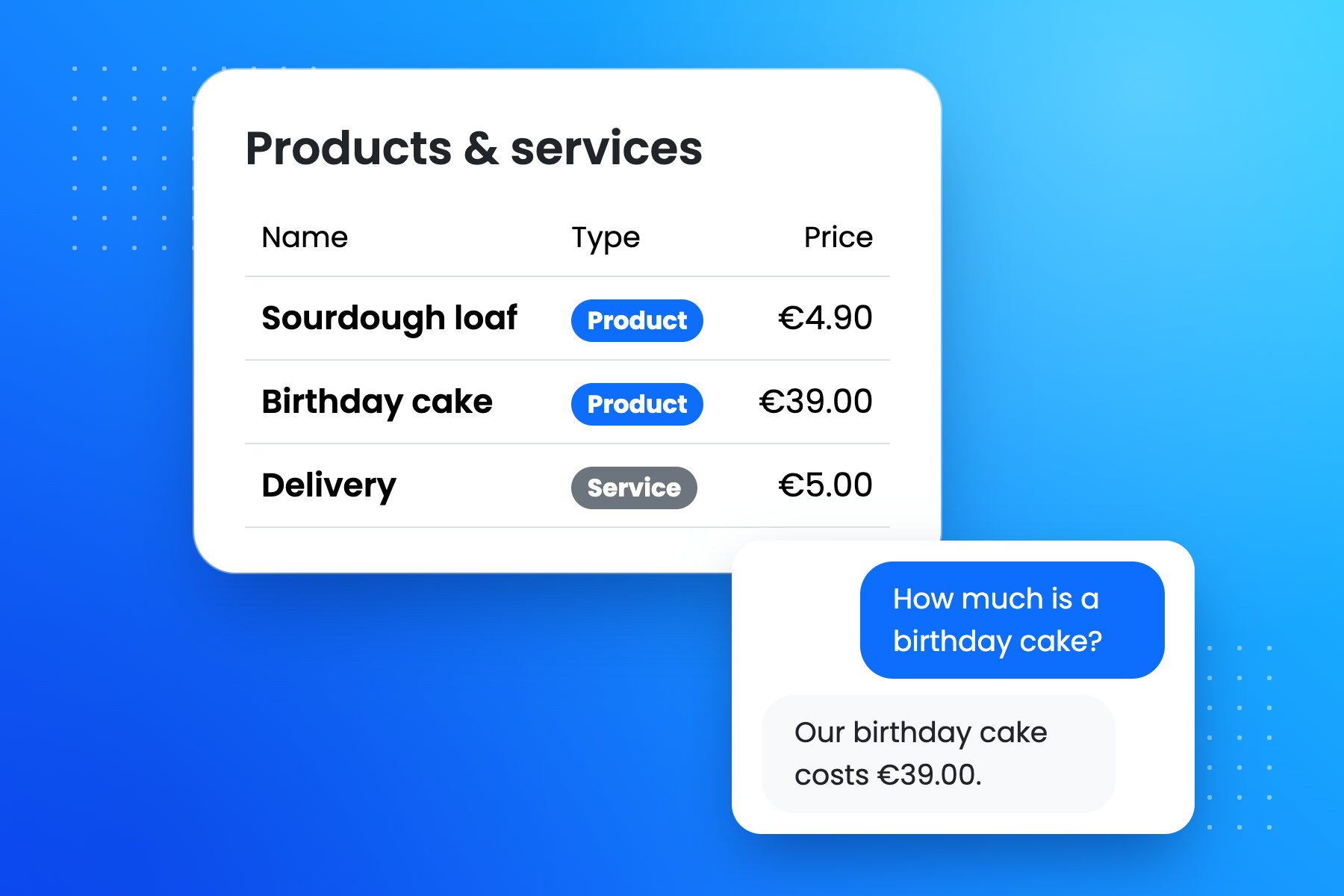
Products and services with prices, so the chatbot always names your current offer.
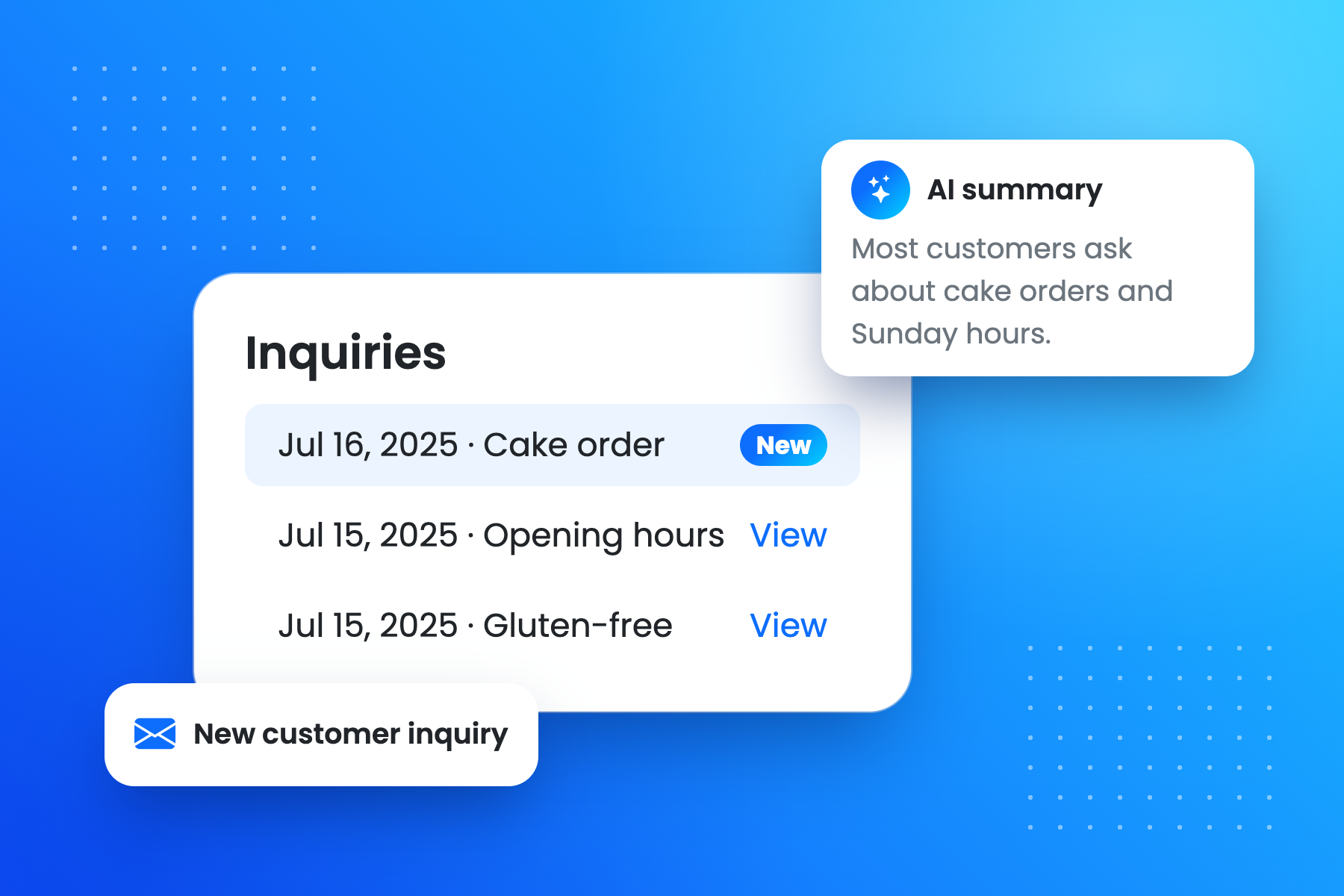
Every inquiry in your dashboard, with email notification and AI summary.
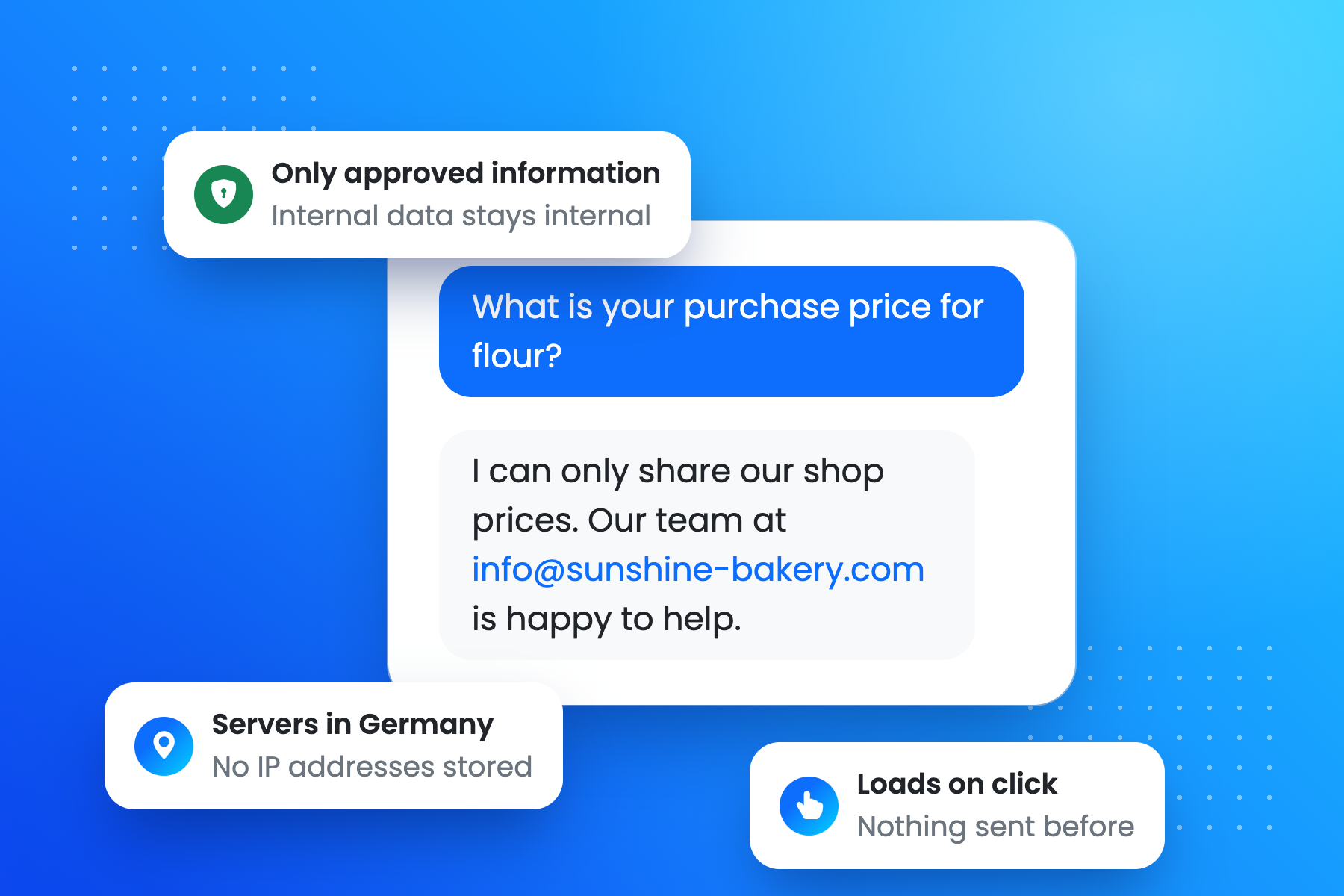
Privacy built in: servers in Germany, only approved information, chat loads on click.
Faq
The plugin is free. The chatbot itself runs on Breev and can be tested for 14 days at no cost, without a credit card. The trial ends automatically. After that the chatbot is part of the Breev Enterprise plan; current prices are on breev.ai/en/pricing.
The chatbot answers in a polite, professional tone in the language the visitor writes in: English, German, French, Spanish, Turkish and many more. The chat window shows its own texts in English or German, depending on the visitor’s browser.
Only from what you store in Breev: company details, contact information, opening hours, services, payment methods, FAQs, your product catalog and your own instructions. Questions that have nothing to do with your business are not answered, and the chatbot does not make binding commitments.
No. Enter the address of your FAQ page or upload a PDF, and Breev creates a catalog of up to 50 questions and answers with AI. You can also import questions and products from a CSV file.
Breev is designed for use under the GDPR: servers in Germany, no storage of visitors’ IP addresses, a data processing agreement on request, and the chat window only loads after a click. Answers are generated with OpenAI’s API (EU contract partner OpenAI Ireland, standard contractual clauses for transfers to the USA, no training on your data). Mention the chatbot in your privacy policy; WordPress shows suggested text under Settings Privacy Policy Guide. This is not legal advice.
The plugin itself sets no cookies and loads nothing from Breev until a visitor opens the chat. Whether you need consent for the chat depends on your setup; please check with your data protection officer.
In your Breev dashboard under Chatbot Inquiries. New inquiries are marked, you get an email notification, and an AI summary shows the topics your customers ask about most.
Yes. In WordPress you set the button color, icon color and position. In Breev you set the headline, greeting and colors of the chat window.
Yes, with the breev_chatbot_show filter (see “For developers”). To hide it everywhere, uncheck Show chatbot in the settings.
No. It loads one small deferred script and stylesheet. The chat window is only loaded from Breev when a visitor clicks the chat button.
Yes. The chat button is added in the footer of every page, independent of Elementor, Divi, Gutenberg or your theme, and works with caching plugins.
Reviews
Changelog
1.1.1
- Fixed: The settings page stayed in English on German sites, because WordPress used an incomplete language pack instead of the bundled German translation.
1.1.0
- New: Settings page under Settings Breev Chatbot with live preview, status and quick links to your Breev dashboard.
- New: Color pickers and choice of position (bottom right or left).
- New: Switch to hide the chatbot without removing the ID.
- New: The chat window is only loaded when a visitor opens the chat. Faster pages, no data sent before.
- New: Accessible chat button (keyboard, screen readers, Escape to close) and better layout on phones.
- New: Paste the whole embed code and the plugin picks the chatbot ID.
- New: Suggested text for your privacy policy, German translation (Du and Sie), developer filters.
- New: Settings are removed when the plugin is deleted.
- Improved: Script loaded with defer, no global JavaScript variables.
1.0
- First release.