Interactive World Map

Interactive World Map
Description
Put a free high-quality Interactive World Map to your WordPress powered website!
Try our World map plugin with clickable countries
Whenever you need to give your visitors a simple yet effective way to navigate through regional sections of your site, or if you want to provide some geography-related information to your visitors, Fla-shop.com interactive HTML5 map plugin is a one-stop solution. The plugin allows you to display a World map by merely adding a shortcode into the main content of a page or a post. Thanks to the visual editing of the map’s properties and effortless installation, the map can be deployed in mere minutes.
Features:
- Interactive map of the World
- Responsive and mobile-friendly
- SVG based
- Works on iOS/Android devices
- Popup windows that show when the mouse cursor is over it
- Customizable landing page links
- Easy embedding by a shortcode
Additional features of the Premium World Map:
- Map of the World with clickable countries
- The ability to add markers to the map
- Function to set up your own regions
- Integration with Popup Builder to display lightbox popups
- Color customizing, smooth change color
- No brand link
The plugin allows you to create an unlimited number of clickable world maps with different settings – colors, links, pop-ups, etc.
The plugin is compatible with any WordPress theme, including the popular Divi and Avada themes. The map can be inserted in any page builder such as Elementor, Gutenberg, Visual Composer, etc.
The plugin Interactive World Map is based on and uses cdn-hosted map library.
The free version of the map display the “Map by Fla-shop.com” link as required by the license agreement found here.
All premium plugins are branding free and additionally included all required map libraries to put on your server.
Installation
- Use the Plugins -> Add new -> Upload menu and select plugin’s ZIP file to open.
- Wait for the upload to complete and activate the plugin.
- After that, insert the following shortcode into the text of a page or a post where you want the map to be:
[freeworldhtml5map id="0"].
Alternatively, upload the folder of the plugin to your /wp-content/plugins/ folder then follow steps 2 and the rest as above.
Screenshots
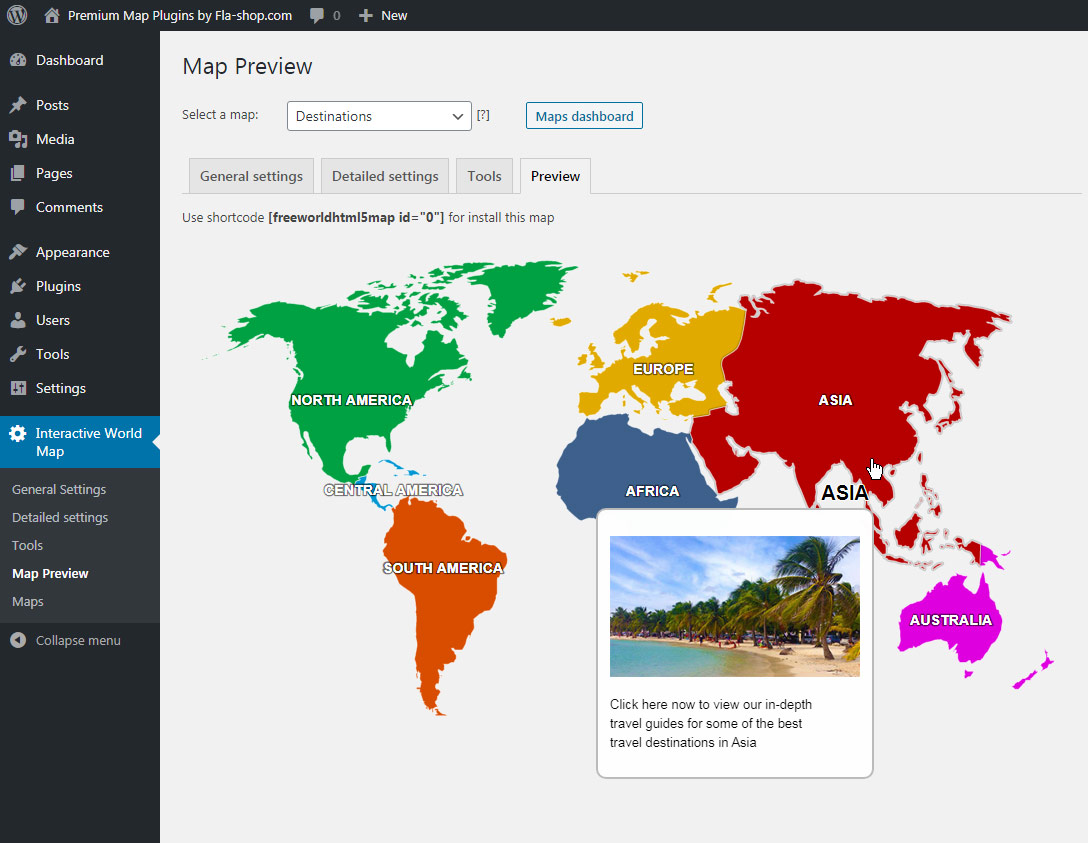
Map preview with tooltip
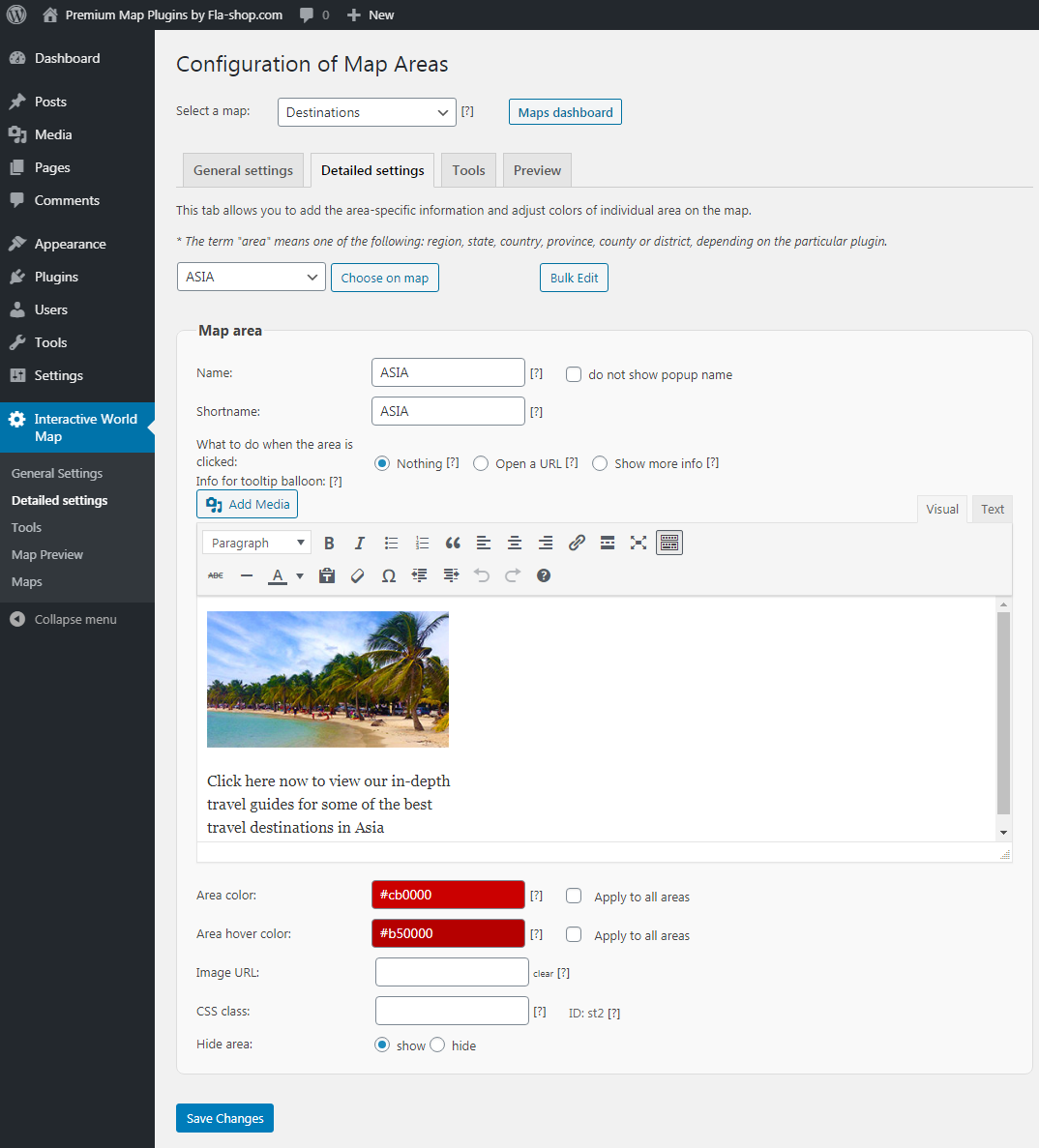
Detailed settings for the continent
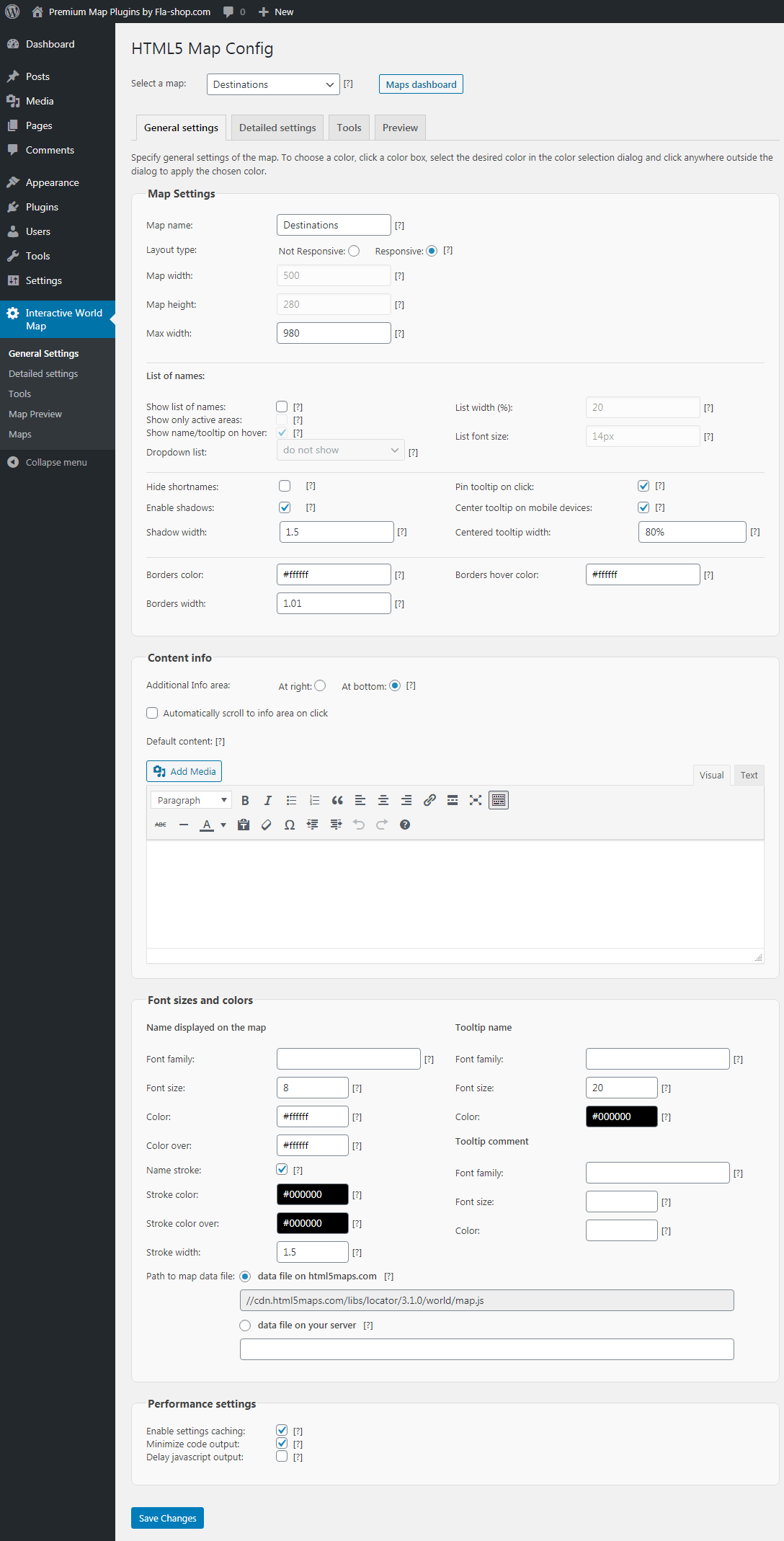
Basic map settings
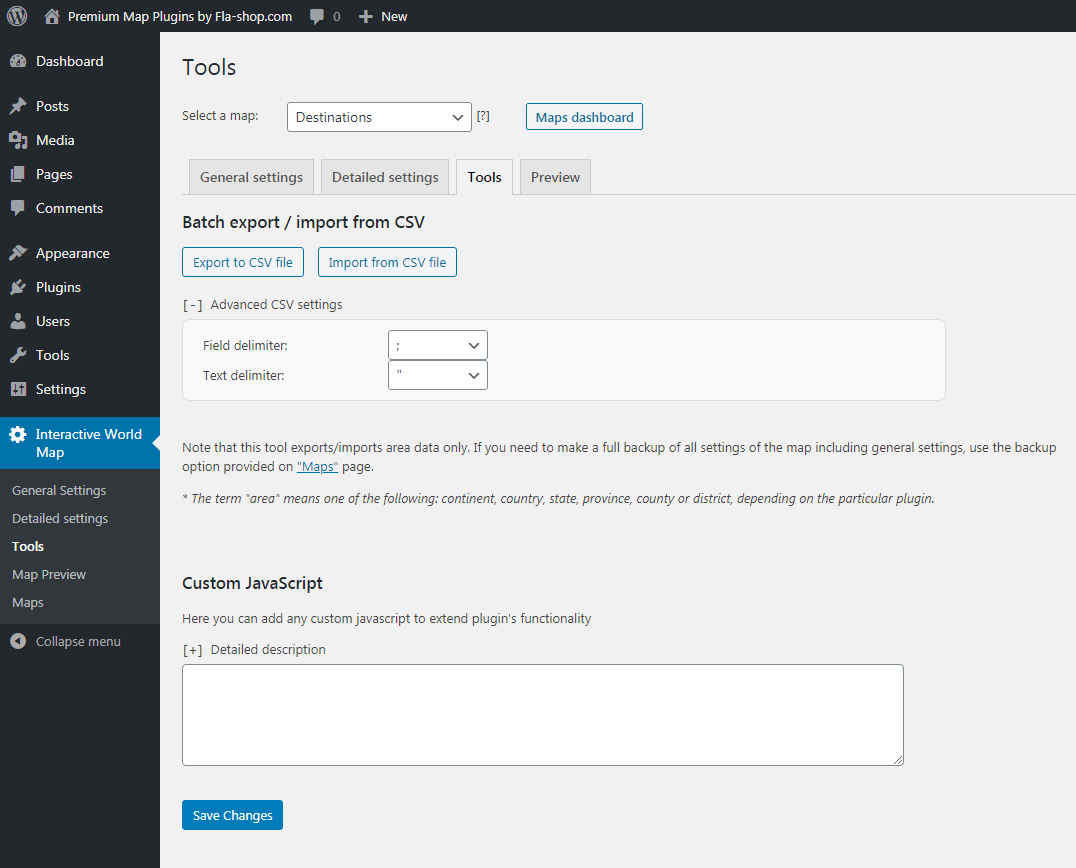
Export and import spreadsheets
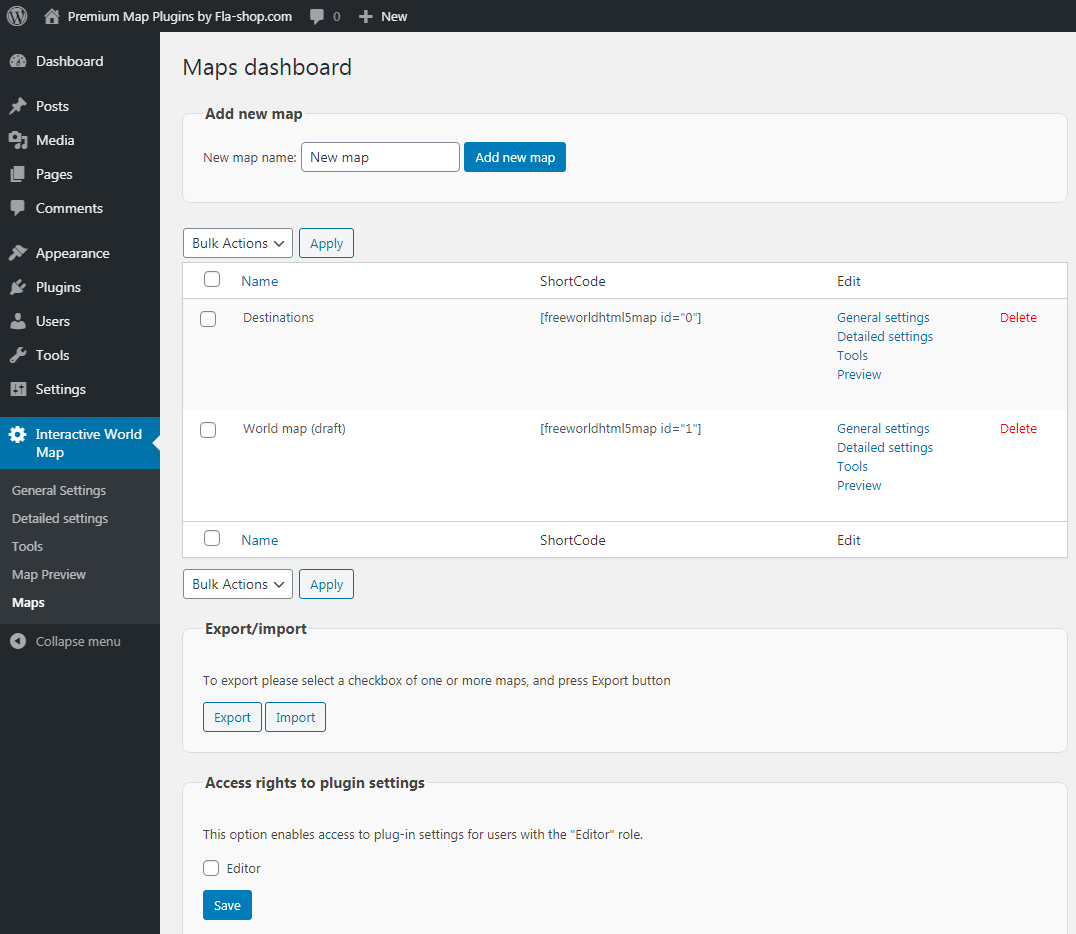
Export/import maps for transfer between sites and backup
Faq
Type [freeworldhtml5map id="0"] in the text of a page or a post. Shortcodes can be viewed on the page Maps Dashboard.
Yes, you can create several maps with different settings.
Set the continent’s click option to “Show more info” in the Detailed Settings section, and type the information you would like to display or upload media.
Any type that WordPress can deal with.
Reviews
Doesn't seem to do anything it claims to do.
By 
Attempted to use this, can't select to display just UK, have to select all of Europe. Even then, once saved, the resulting map doesn't only show Europe it shows the full map. Can't find any option to add any marker to the map at all.
Deactivated and deleted within 30 minutes.
Works
By 
Other than the link at the bottom of the map, it seems to work fine. Can make changes with your own theme styling, but does what it needs to.
Great plugin
By 
Incorrect MAP! Turkey, Georgia, Azerbaijan, Armenia are placed 100% in Europe
By 
Works great after update
By 
Funciona perfecto y soporte increíble.
By 
Changelog
3.5.1
- Fixing bugs and vulnerabilities.
3.4.8
- Fix XSS vulnerability.
3.4.4
- Fixes CSRF and XSS vulnerabilities.
- New options in the settings.
3.2.0
- Improve compatibility with WP Multisite
3.1.9.2
- Fixed map width issue with Avada theme
3.1.9
- Compatibility with WordPress v5.6.
3.1.8
- Compatibility with WordPress v5.5.
- Bug fixes and improvements.
3.1.4
- Major update. Completely updated plugin interface, responsive map based on SVG graphics, and many settings.
1.1
- Minor changes.
1.0
- Initial release.