Internal Link Builder

Internal Link Builder
Description
This plugin allows you to improve your internal link building on your site. By creating a list of keywords and URL,
this plugin automates the process of creating internal links. No need to bother about you personally, will do it all
automatically.
And when you insert a keyword and a URL, the plugin automatically publish the link in all your articles in the archive,
without you having to manually make the connections.
Installation
- Upload
InternalLinkBuilderfolder to the/wp-content/plugins/directory - Activate the plugin through the ‘Plugins’ menu in WordPress
- Click on the link ‘Int. Link Builder’ on the left menù of the admin interface
- Type a key and the associated url, then click ‘Save Keys!’ button
- Repeat the point 4 until you’re satisfied
Screenshots
Admin Panel

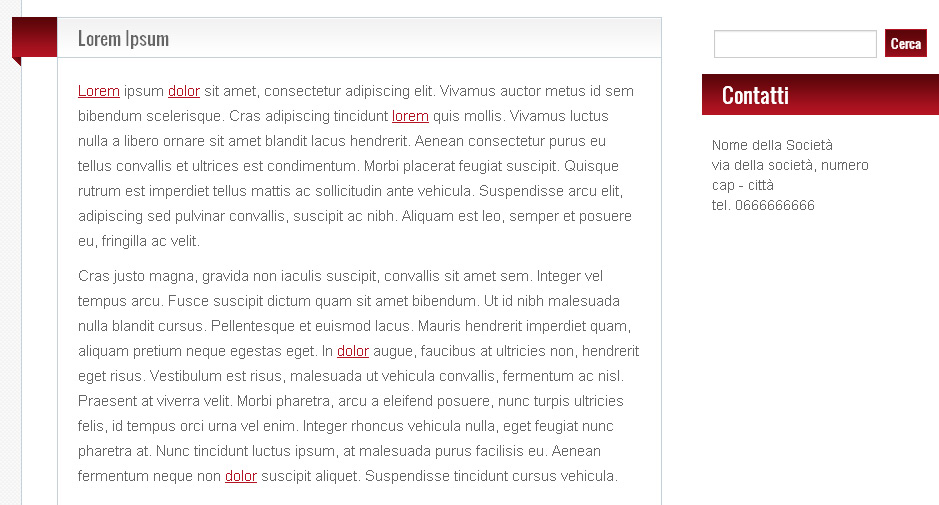
The effect on the text on the site
Faq
How can I delete a Key with associated url?
Simply empty the Key field anche click ‘Save Keys!’ button
Reviews
Changelog
1.0
- First release!