IP Location Block

IP Location Block
Description
IP Location Block is a WordPress geo blocking plugin for blocking or allowing visitors by country, US state or equivalent region, IP address, CIDR range, or ASN.
Simple view covers common rules. Advanced view adds login, registration, comment, XML-RPC, bot, response, logging, privacy, provider, and diagnostic controls.
For the recommended setup, connect the IP Location Block Cloud provider for premium, frequently updated data, better country accuracy, ASN data, and state or region precision.
WordPress geo blocking by country, state, or region
Use a blocklist to deny selected locations or an allowlist to limit access. Regional rules use the administrative area returned for a country, such as a state, province, prefecture, territory, or region. This supports regional availability, service areas, store access, and site policies. Country rules remain active when precision is unavailable.
Key features
- Block or allow visitors by country and state or equivalent region.
- Add priority rules for IP addresses, IPv4 or IPv6 CIDR ranges, and ASNs.
- Protect public pages, login, registration, comments, XML-RPC, and selected wp-admin requests.
- Configure blocked responses and control failed logins or unwanted bots.
- Search IPs and review validation logs, statistics, and diagnostics.
- Use frequently updated data from the IP Location Block Cloud provider with country-level fallbacks.
- Encrypt stored IP addresses, with optional anonymization.
IP Location Block Cloud provider
- Better accuracy: Premium geolocation databases are updated frequently for more reliable country results.
- Regional precision: Add state, province, prefecture, territory, or equivalent regional rules.
- Broader data: Use IPv4, IPv6, and ASN information through one managed provider.
Legacy local and third-party providers remain supported for existing installations and country-level fallback rules. Regional precision requires the IP Location Block Cloud provider.
External services and privacy
- IP Location Block Cloud provider: Selecting this provider sends the visitor IP and configured credential to IP Location Block for lookup. Review its privacy policy and terms.
- IP2Location LITE: For compatibility with this provider, the plugin downloads country databases on activation and scheduled updates. Review its terms and privacy policy.
- MaxMind GeoLite2: For compatibility with this provider, the plugin uses your license key to download databases. Review its license and privacy policy.
- Other remote providers: Selecting IPInfoDB, IPinfo.io, ipapi, or ipstack sends the visitor IP and configured credential to that service for lookup. No remote provider is selected automatically.
Other remote provider policies: IPInfoDB privacy and service agreement; IPinfo.io privacy and terms; ipapi privacy and terms; ipstack privacy and terms.
The administrator chooses the providers and is responsible for any required consent or disclosure.
Documentation, support, and credits
Use the documentation, troubleshooting guide, support forum, or GitHub.
Independently maintained, IP Location Block is based on IP Geo Block by tokkonopapa. It uses IP2Location LITE and GeoLite2 data under their licenses.
Installation
- Open Plugins > Add New Plugin, search for IP Location Block, install it, and activate it.
- Open Settings > IP Location Block.
- In Simple view, choose whether to block or allow locations and where protection applies.
- Connect the IP Location Block Cloud provider for the recommended accuracy, ASN data, and regional precision.
- Verify representative IPs in Search, save the rules, and use Advanced view when you need more control.
See the getting started guide for a complete walkthrough.
Screenshots
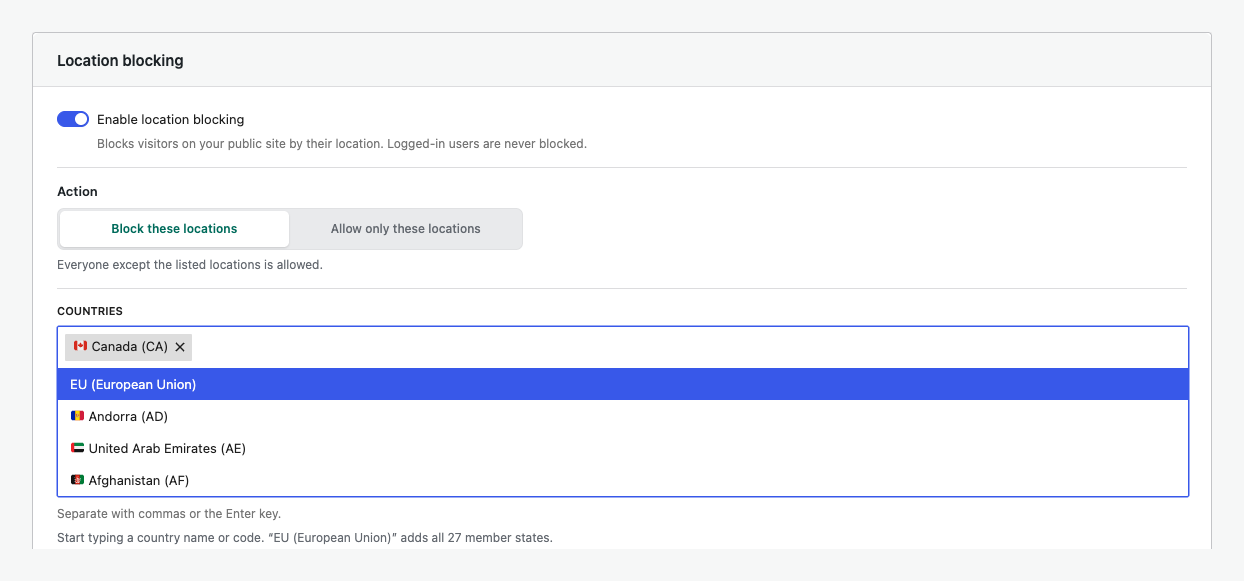
Searchable country blocking with European Union shortcuts.
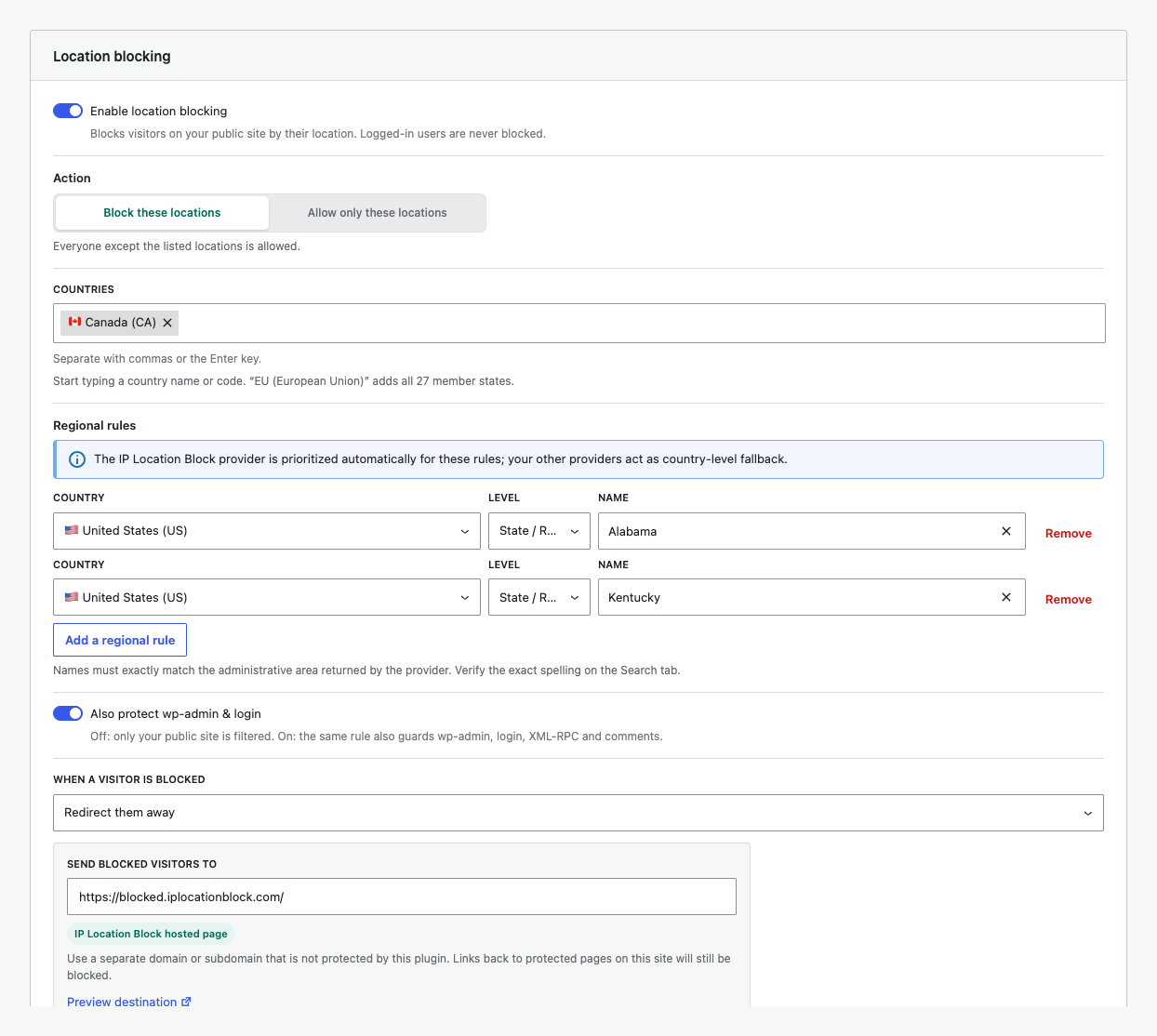
Block selected United States states or regions alongside country rules.
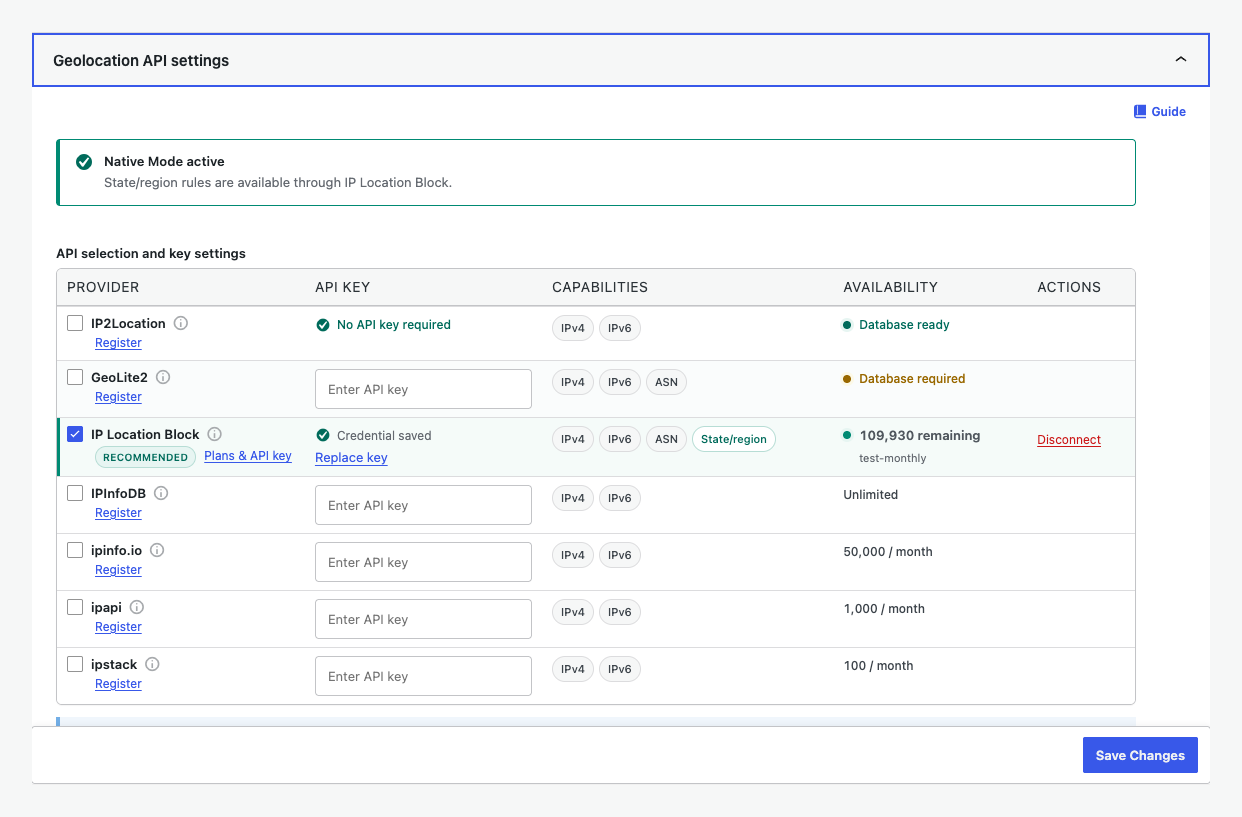
Manage provider precision, IPv6, ASN, quota, and connection status.
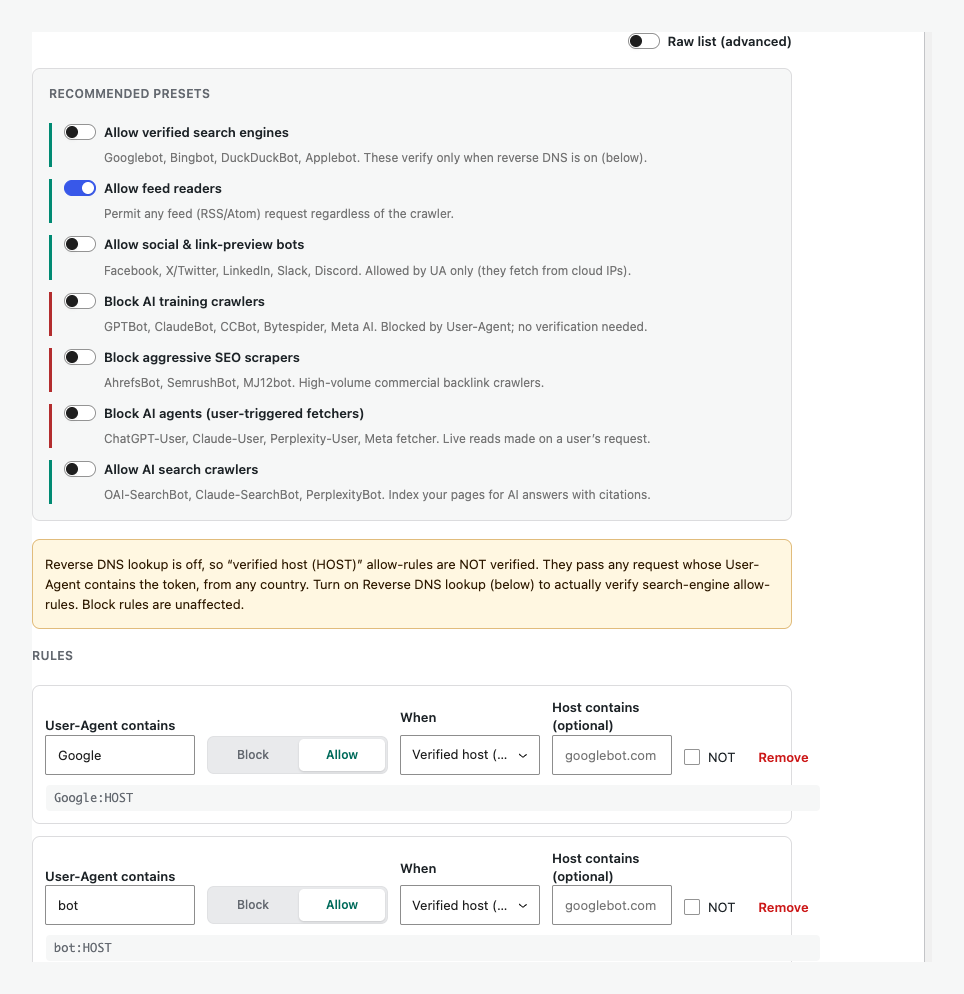
Use curated bot presets or control individual crawler rules.
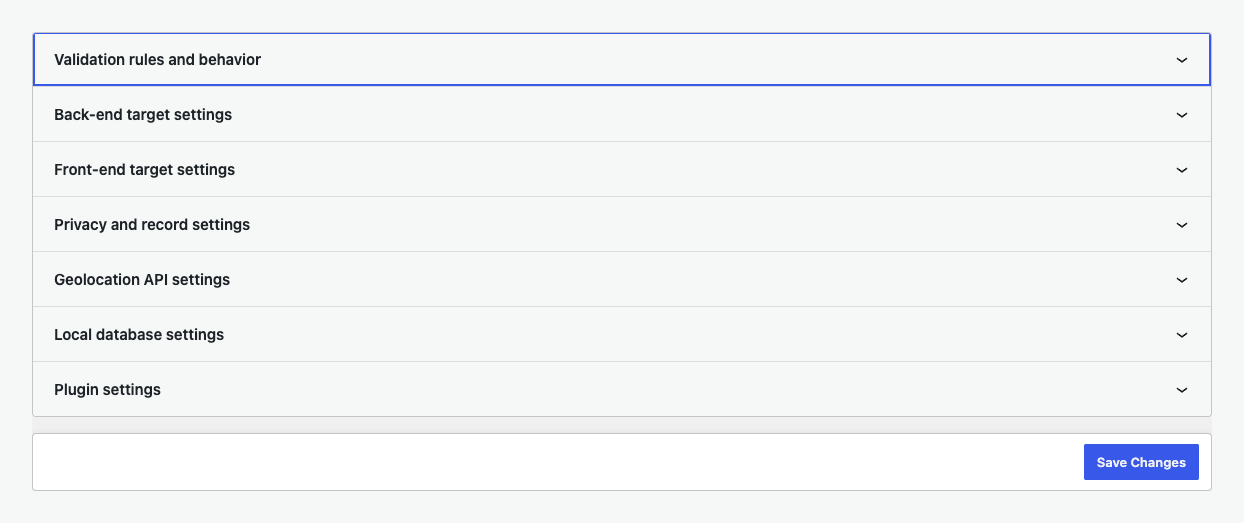
Configure every validation target and advanced security control.
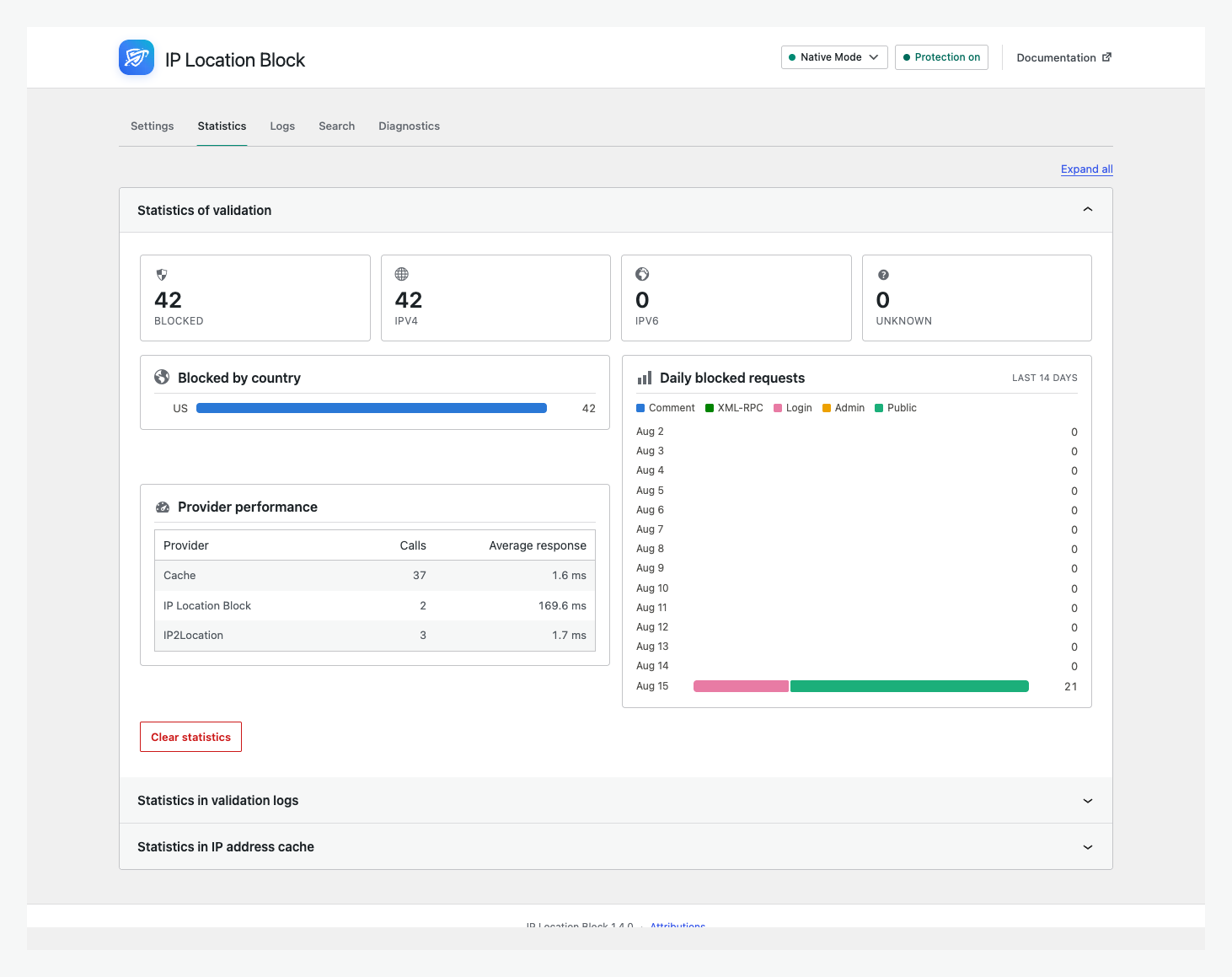
Review blocked requests, countries, IP versions, and provider performance.
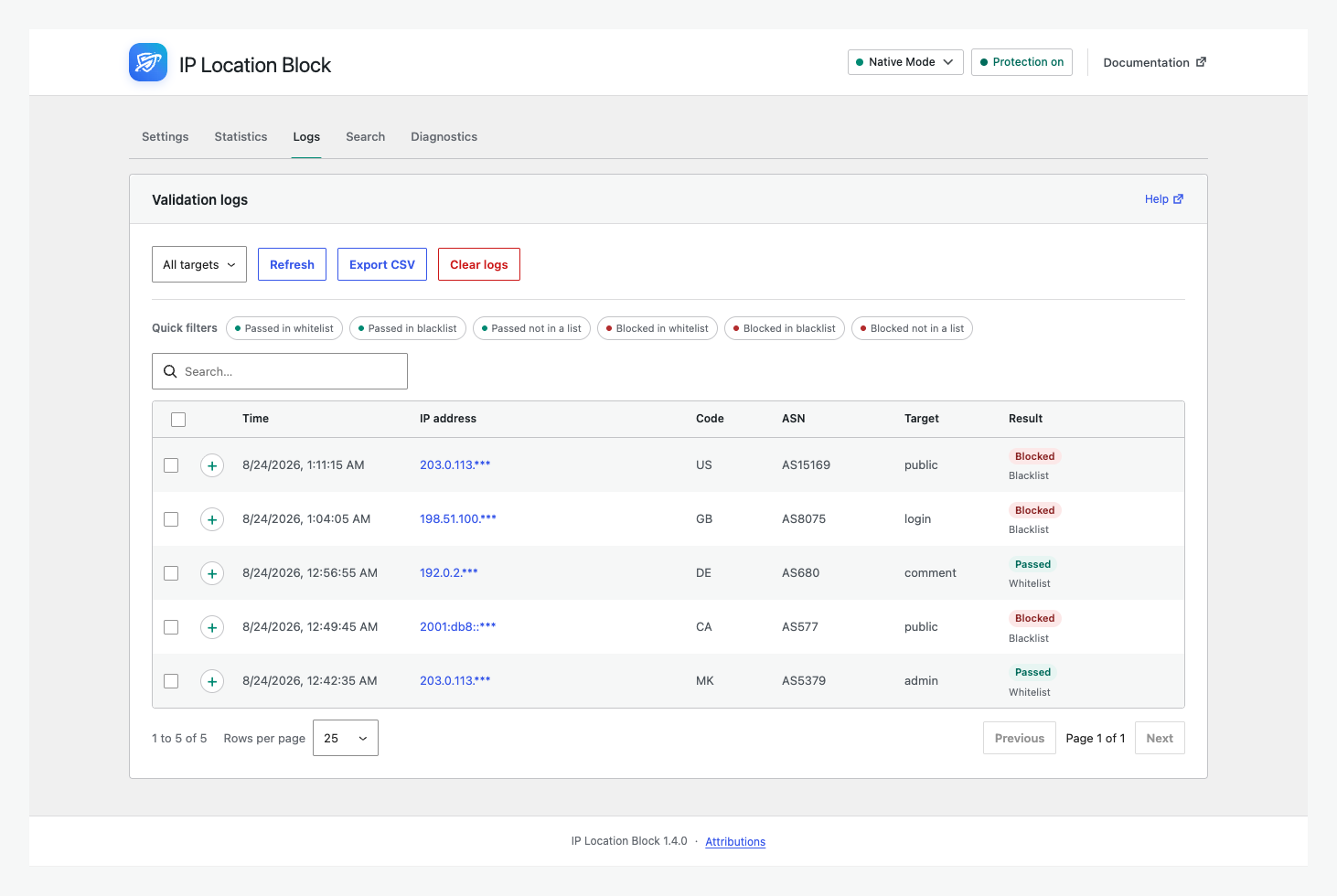
Filter, inspect, and export blocked or allowed validation logs.
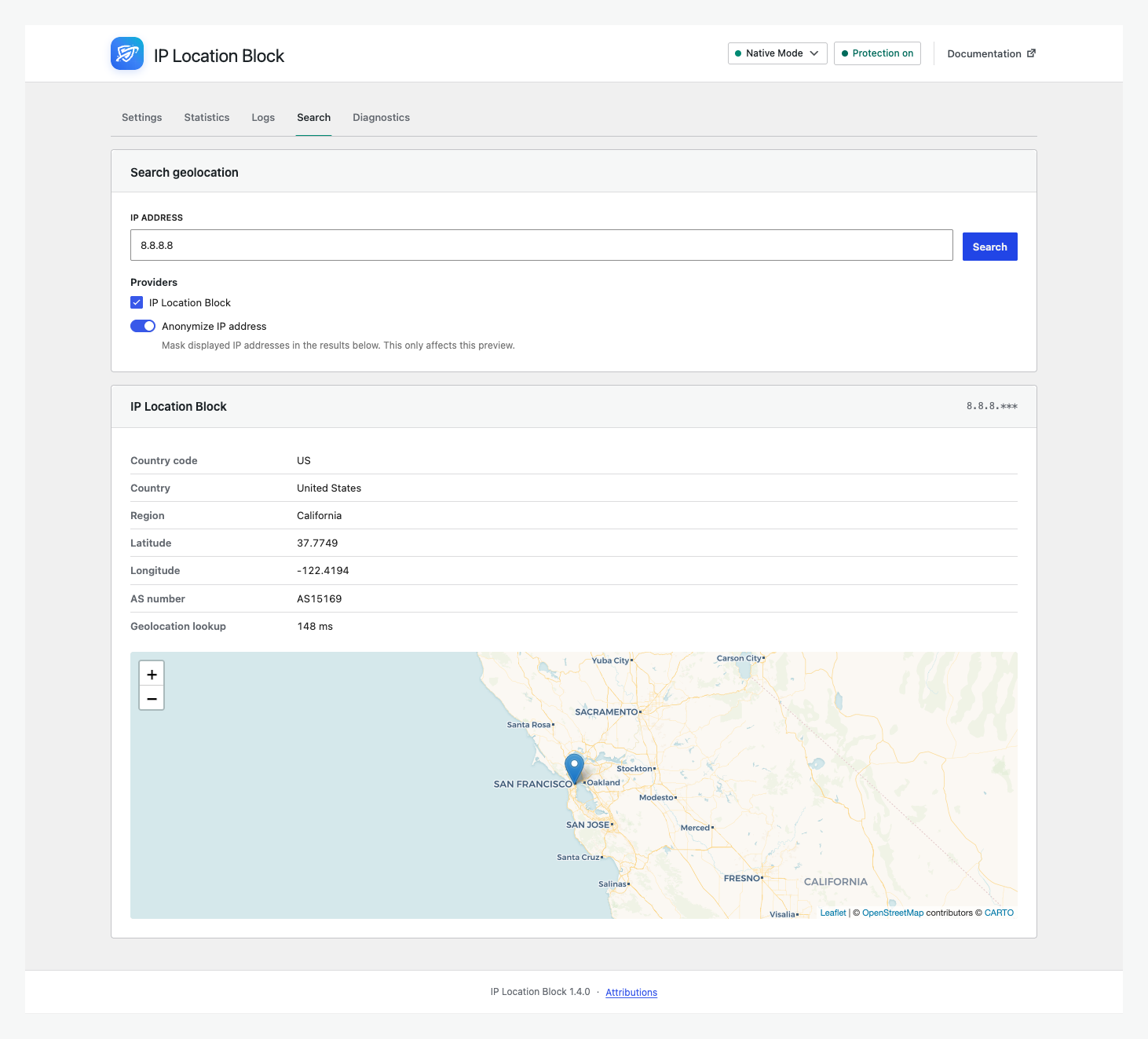
Preview country, state or region, ASN, and map results.
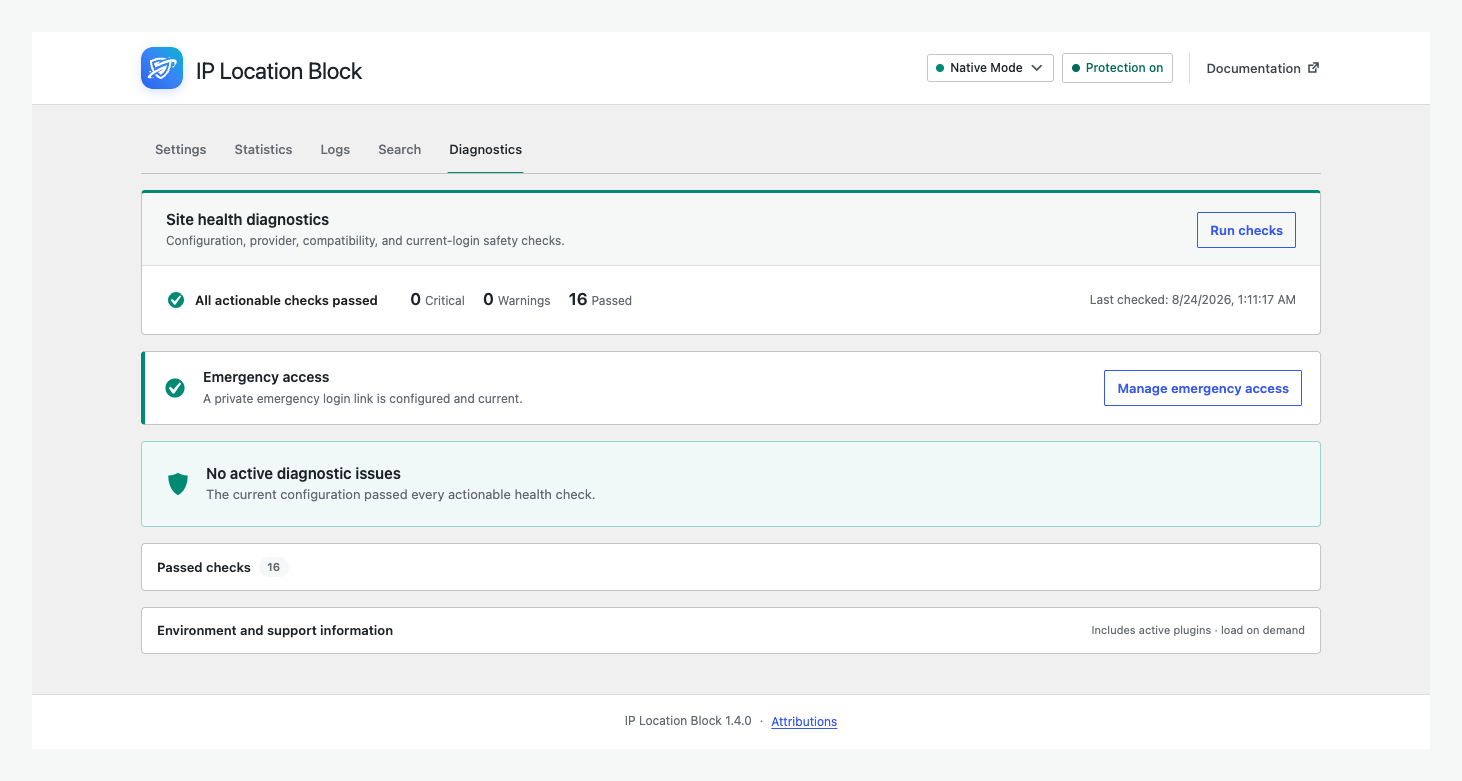
Check configuration, providers, compatibility, and emergency access.
Faq
Yes. Connect the IP Location Block Cloud provider, add a United States rule, then select states under Regional rules. Other countries use their equivalent administrative areas. See state or region rules.
It uses premium, frequently updated geolocation data for better country accuracy, ASN information, and state or region precision.
Public pages, login, registration, comments, XML-RPC, and selected wp-admin requests. Advanced view controls each target.
Yes, when configured correctly. Page caches may respond before WordPress runs, while a CDN or proxy can hide the visitor IP. Review the page-cache guide and test Search.
Bookmark the private emergency link before enforcing admin rules. If blocked, follow the admin access steps.
Yes. When old settings are detected, Plugin settings offers a migration preview before saving them.
Reviews
The upsell and marketing in the app absolutely sucks!
By 
spending more time opting out of all the upsell, marketing, and advertising that this app does that we've decided it's time to remove it from all 389 websites that we manage.
It pisses off clients, as well as us the developers at the same time.
Good
By 
Good so far. Just needs to stop reminding me on every single page to leave a review and will be great. Thank you.
Great plugin does what it promises!
By 
Works as promised, I just have a few problems with the nonce...
Exactly What I Needed for GEO Blocking!
By 
This plugin is a lifesaver for managing access by location. Setup was quick and straightforward, and it’s been working perfectly right out of the box. Since installing it, I’ve noticed a significant decrease in suspicious login attempts. If you want an easy, reliable way to block visitors from certain countries, this is an excellent choice. A practical and well-built plugin!
funciona força bé i redueix trànsit innecessari
By 
S'ha de ficar com a "mu" a les opcions per a tallar el trànsit que no es vol.
Si el teu target de clients està al Chunguetistan, pots fer una white list de chunguetistan, la teva IP de gestió i la IP del servidor.
D'aquesta manera evites els centenars d'atacs continuats que rebia des de EEUU, Alemanya, Irlanda, França, ... i ara gràcies a aquest plugin només rebo visites dels meus clients, que estan a Chunguetistan. 0 bots o crawlers, només visites reals i ventes!
gràcies!
Doesn't Work
By 
It doesn't seem to work. Under Settings, in the Matching Rule, Whitelist is selected and it says 'A request from which the country code or IP address is NOT in the whitelist will be blocked.' I've added my state US:State:Colorado. When spam is submitted, I looked-up their IP address and saw they were from Florida. In the Blacklist matching rule, I added US:State:Florida, and I still get spam from Florida.
⭐⭐⭐⭐⭐ Perfect for Country-Based Blocking!
By 
This plugin does exactly what I needed—blocks traffic from specific countries without any hassle. Super easy to set up, and it works flawlessly. I’ve seen a big drop in unwanted login attempts since installing it. If you're looking for a simple and effective way to control access by location, this is the one to go for.
Huge thanks to the developer, Darko G., for creating such a useful plugin!
I am From India, Tamilnadu.
Good Geoblocking Tool
By 
I am using this plugin to block all countries from the backend (except my own of course) and to redirect foreign visitors (bots) from my contact page with a form to another contact page without a form (to prevent spam). This all works very well!
The disadvantage is that the UI is rather poor and difficult to navigate.
Thank you for the plugin!
excellent, with my suggestion
By 
excellent plugin, one suggestion: file class-ip-location-block.php line 1486 replace strpos to stripos
Best in class with precision blocking and excellent support
By 
I tried many solutions, even hired developers and spent $$$$$ to create state blocking mechanism for my site and failed miserably. This plugin does that for us at very small fraction of the cost.
The developer is amazing, positive, replies fast and always ready to help.
Changelog
1.4.3
Release Date – 20 Oct 2026
- Fix: Saving settings in the new interface failed with “The response is not a valid JSON response” on hosts with a web application firewall, such as WordPress.com. The bad-signature list is now sent encoded, as the classic interface always did. Importing and exporting settings are covered too.
- Fix: On hosts without the PHP bcmath extension, IP Location Block 1.4.0 to 1.4.2 defined global bcmath functions that always failed, which broke other plugins that use them (for example, saving rules in Woo Discount Rules). The plugin no longer defines global functions, and IPv6 lookups with the local IP2Location database keep working without bcmath.
- Fix: On hosts where WordPress cannot write files directly, the WordPress FTP credentials form no longer appears in front of pages and admin requests. This also caused “Failed to load settings” in the new interface.
- Fix: Diagnostics no longer report a missing database update schedule on sites that don’t use a local database, and missing database update and cleanup schedules are recreated automatically.
- Improvement: “Failed to load settings” and failed saves now say which request failed and why.
1.4.2
Release Date – 1 Oct 2026
- Fix: Service endpoints moved to iplocationblock.net while iplocationblock.com is unavailable, restoring IP Location Block Cloud lookups and quota checks.
- New: Define
IP_LOCATION_BLOCK_API_BASEin wp-config.php to point the cloud provider at a different API address. - Change: The default page for blocked visitors moved to geoblocked.im. Sites still using the old default are moved over automatically; custom redirect URLs are not changed.
1.4.1
Release Date – 4 Sep 2026
- The release notes panel now appears only on fresh installations. Existing sites are no longer shown it after an update, on single sites and across a network.
- Simple Mode now has a compact Native Mode suggestion that can be permanently hidden for all administrators on the site.
- Uninstalling now clears the stored release notes panel state, so a later re-installation is treated as a first install again.
1.4.0
Release Date – 24 Aug 2026
- Redesigned the admin with Simple and Advanced views, provider setup, statistics, logs, search, and diagnostics.
- Added searchable state or region rules and a modern bot-rule builder.
- Prioritized the IP Location Block provider for regional rules while retaining country fallbacks.
- Rebuilt internals with PSR-4 and scoped dependencies, plus broad provider, cache, database, filesystem, and interface fixes.
- Requires PHP 8.1 and WordPress 6.5 or newer. The redesigned admin requires WordPress 6.6.
Older release history is available in changelog.txt included with the plugin.