iSpring Learn JWT

iSpring Learn JWT
Description
iSpring Learn JWT lets you easily integrate your WordPress blog with your iSpring Learn account so that your users can seamlessly log into both services with one login/password pair.
Installation
- Activate the plugin through the ‘Plugins’ menu in WordPress
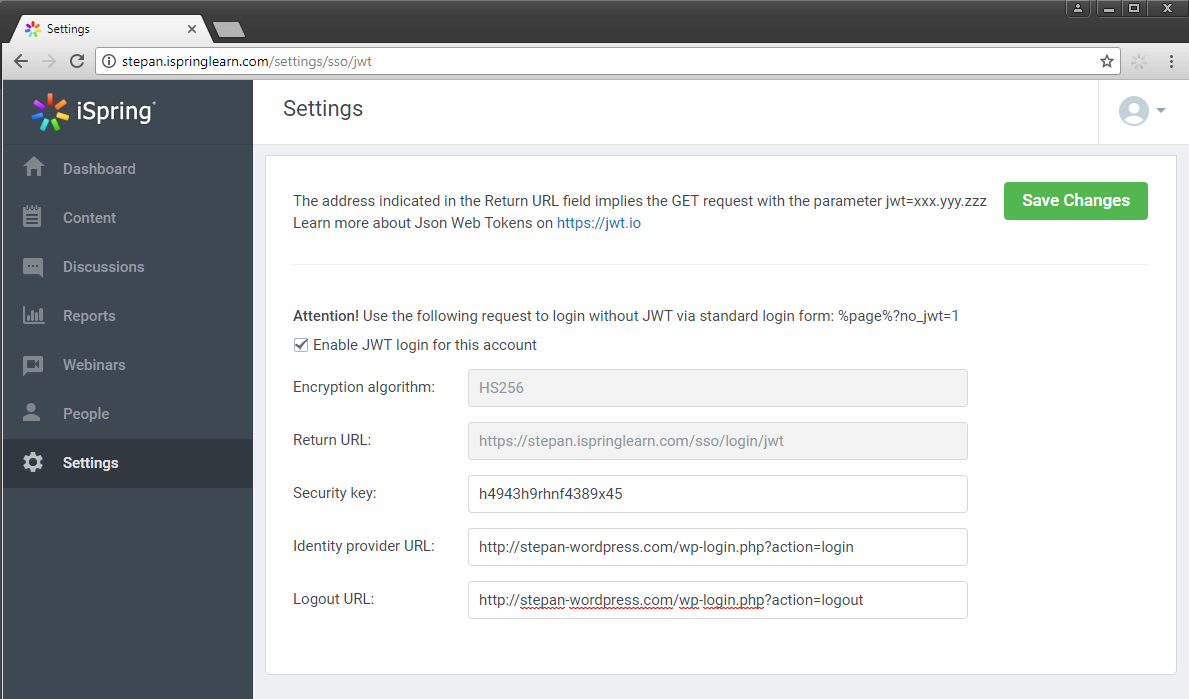
- Go to your iSpring Learn account to configure the JWT settings. To access the JWT settings follow https://yourdomain.ispringlearn.com/settings/sso/jwt
- Configure the plugin through the “General settings” page in the plugin, you can retrieve the info requested here from the JWT settings page of your iSpring Learn account.
Screenshots

Faq
You are welcome to get a free 14-day trial of iSpring Learn at http://www.ispringsolutions.com/ispring-learn to test all of its features.