REPORTiT – Advanced Reporting for WooCommerce

REPORTiT – Advanced Reporting for WooCommerce
Description
Are you struggling with the limited reporting options in WooCommerce? Advanced WooCommerce Reporting transforms your sales data into clear, actionable insights that help you understand your customers and grow your business.
Easily analyze information about your orders, products, and customers with a beautiful and intuitive dashboard. Make data-driven decisions and finally see the whole picture of your store’s performance.
⭐ YOUR FREE REPORTING TOOLKIT ⭐
The free version gives you the essential tools to start understanding your store’s data right away.
- ✅ Full Dashboard: Get a complete overview of your store from a single, powerful dashboard.
- ✅ Powerful Search Form: Instantly find the data you need with an advanced search form.
- ✅ Chart View: Visualize your key metrics with clear and easy-to-understand charts.
- ✅ Export Reports (CSV, Excel): Export your reports to CSV and Excel to use your data anywhere.
- 📈 Basic Revenue Reports: Get a summary of your orders to track sales. (Full reports are in Pro).
- 👕 Basic Product Reports: Understand your product performance at a glance. (Detailed reports are in Pro).
- 👤 Basic Customer Reports: See a basic overview of your customer data. (In-depth reports are in Pro).
- 💰 Basic Coupon Reports: Access a summary of coupon information.
🚀 UNLOCK YOUR STORE’S FULL POTENTIAL WITH PRO 🚀
Upgrade to Advanced Report Pro to get the ultimate business intelligence toolkit.
- 🎯 Set Target Sales: Create sales goals and track your progress to build a roadmap for success.
- 📧 Automate Email Reports: Get store sales summaries automatically sent to your email on a schedule you set.
- 🔗 Integration with AddOns: Connect with other powerful tools to expand your reporting capabilities.
- ✨ Unlimited & Detailed Reports: Unlock the full, unlimited versions of all Order, Product, Customer, Location, and Tax reports for deep insights.
- …and many more advanced dashboards and features!
See Everything The Pro Version Can Do!
Explore our full range of powerful WordPress plugins on the official iThemelandCo website.
External services
This plugin connects to a license server to activate the plugin and check for updates.
It sends the site admin’s email address and license key to iThemelandCo when the license is activated or when checking for updates. The server responds with activation status, update availability, or error messages.
This service is required to verify valid licenses and deliver updates.
This service is provided by “iThemelandCo”. http://ithemelandco.com/
Installation
- Upload the plugin files to the
/wp-content/plugins/plugin-namedirectory, or install the plugin through the WordPress plugins screen directly. - Activate the plugin through the ‘Plugins’ screen in WordPress.
- After activation, a new “IT Woo Report” menu will be added to your admin dashboard.
Screenshots
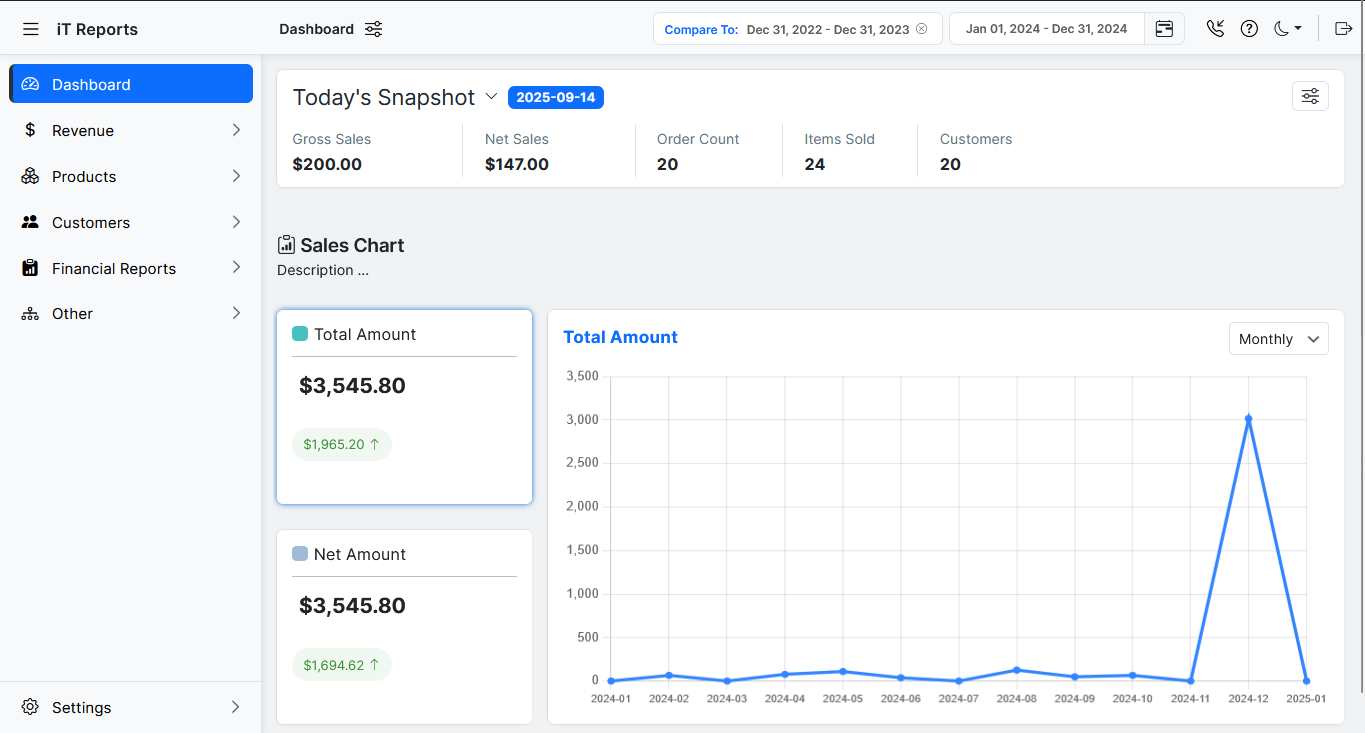
Main Dashboard: Get a complete overview of your store's performance in one beautiful dashboard.
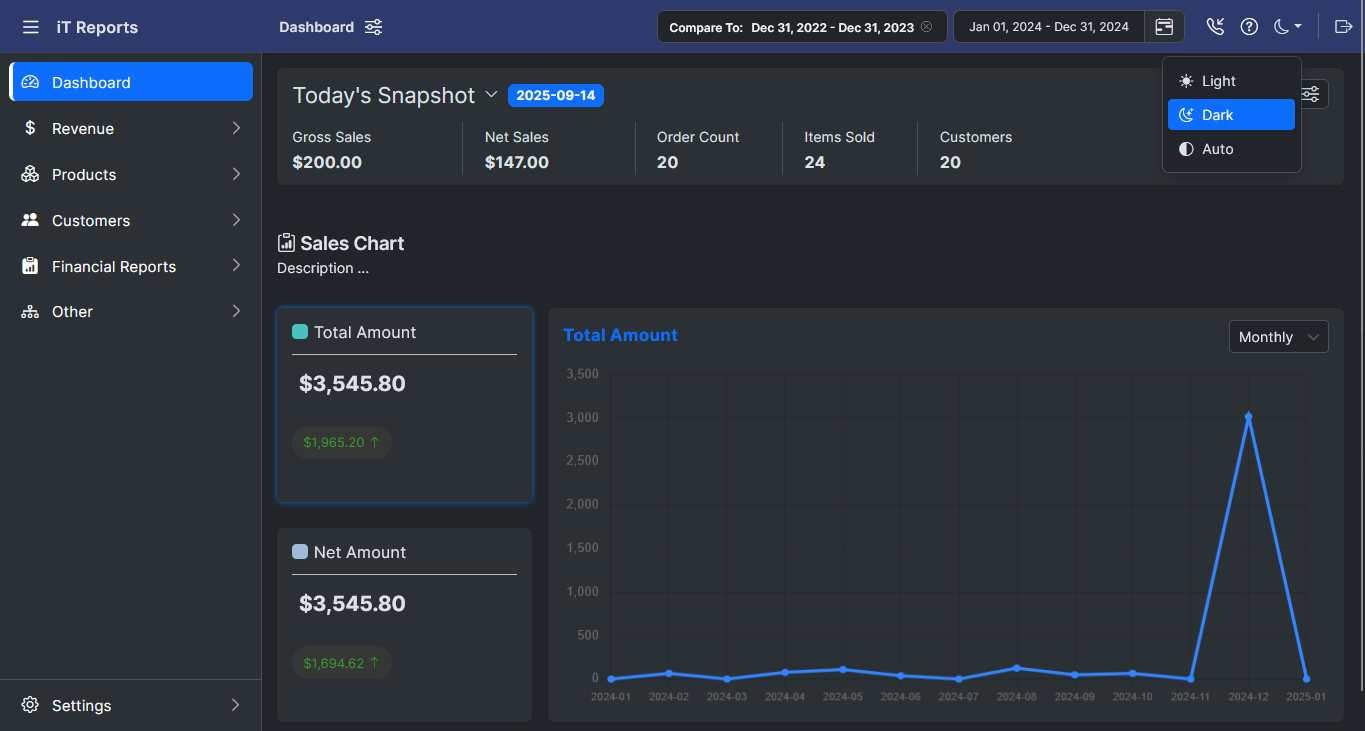
Dark Mode Dashboard: View your reports in a sleek dark mode interface.
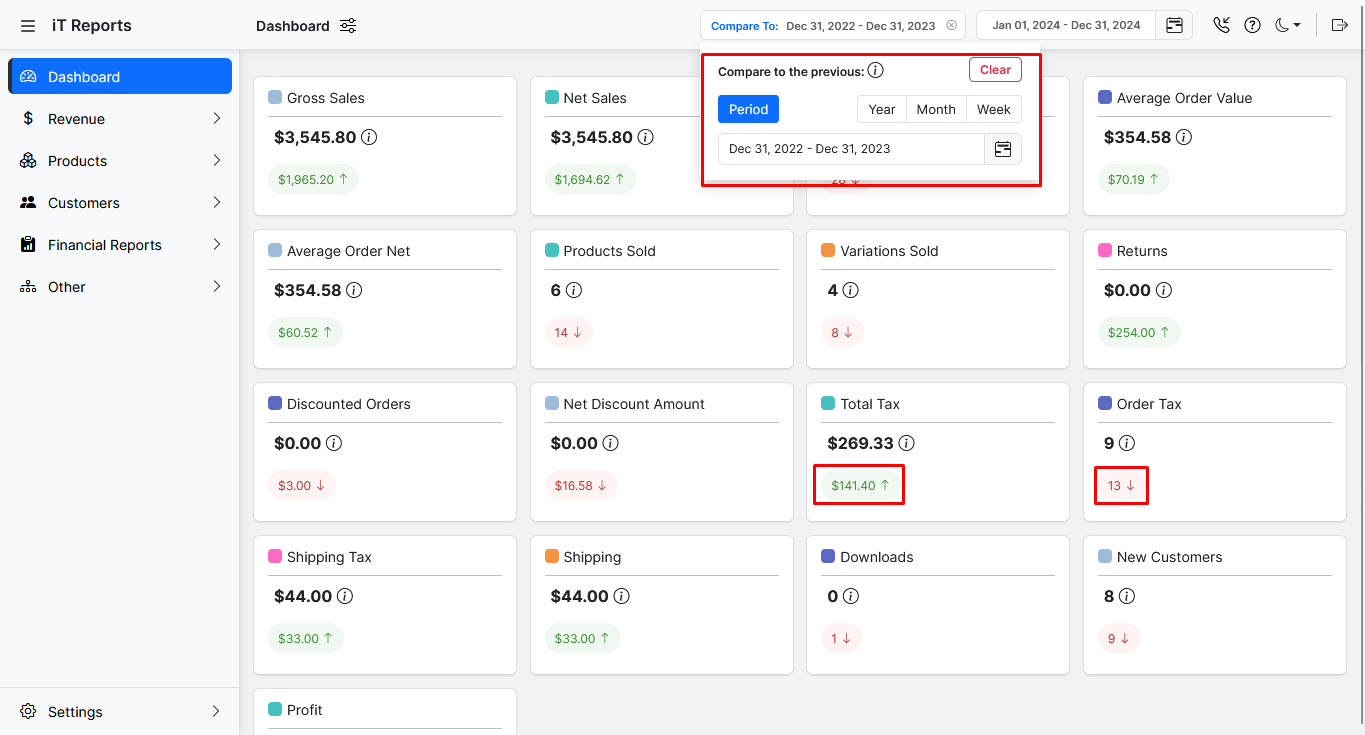
Compare Report: Compare different time periods side by side to track growth and spot trends
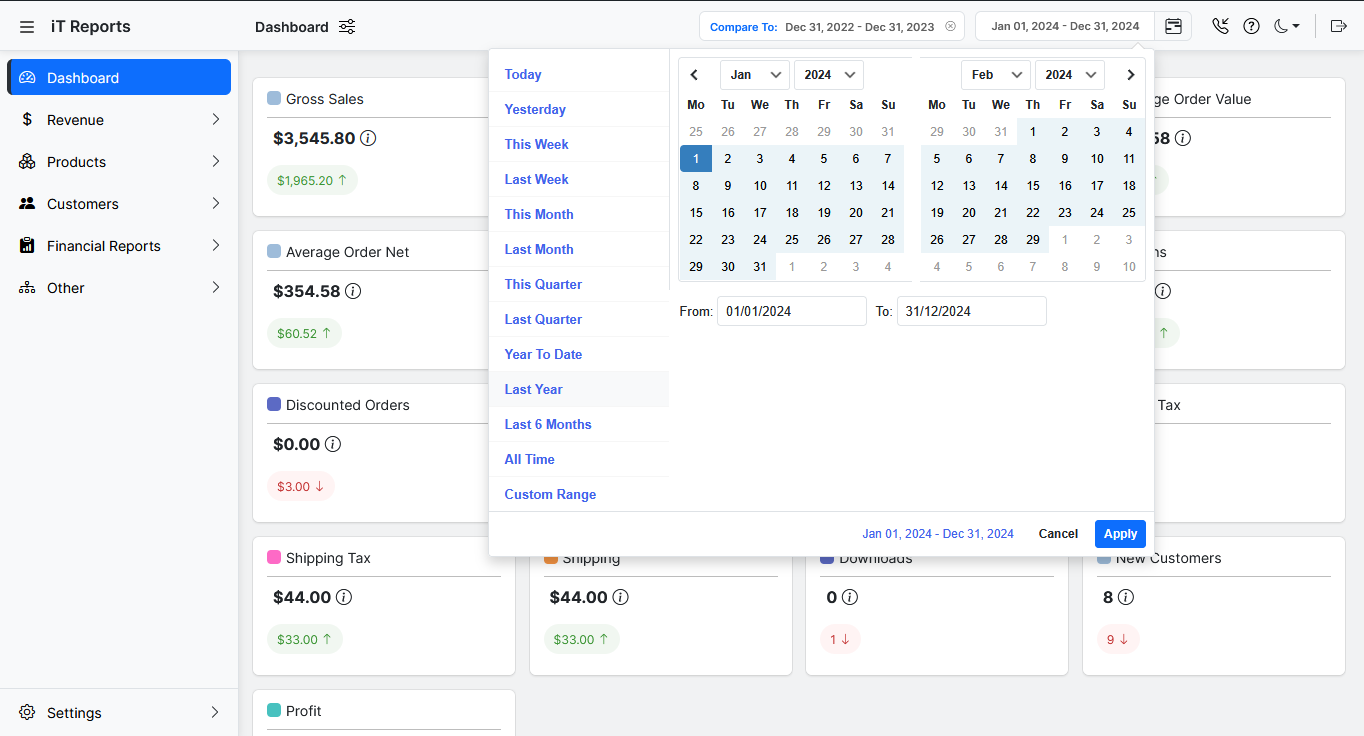
Date Filter: Adjust reports for any custom date range with a powerful global date filter
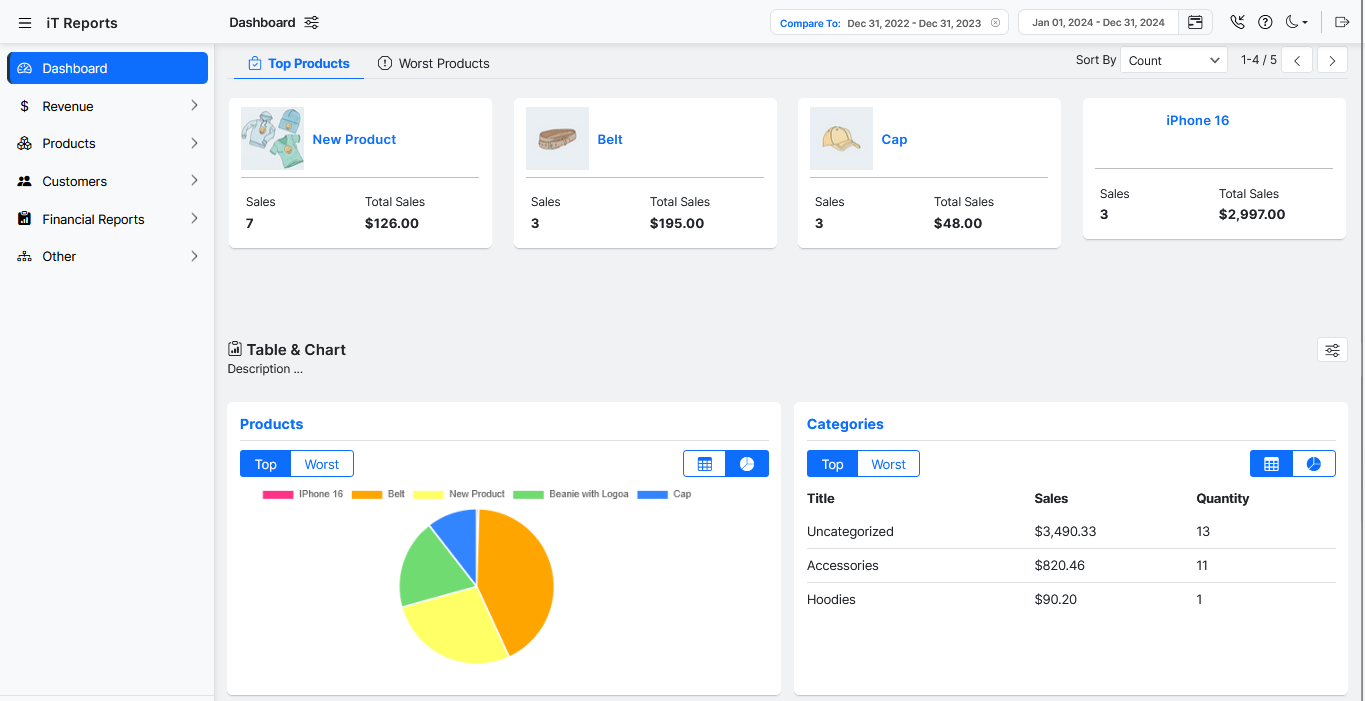
LeaderBoard: Instantly see your top-performing and lowest-performing products in one glance
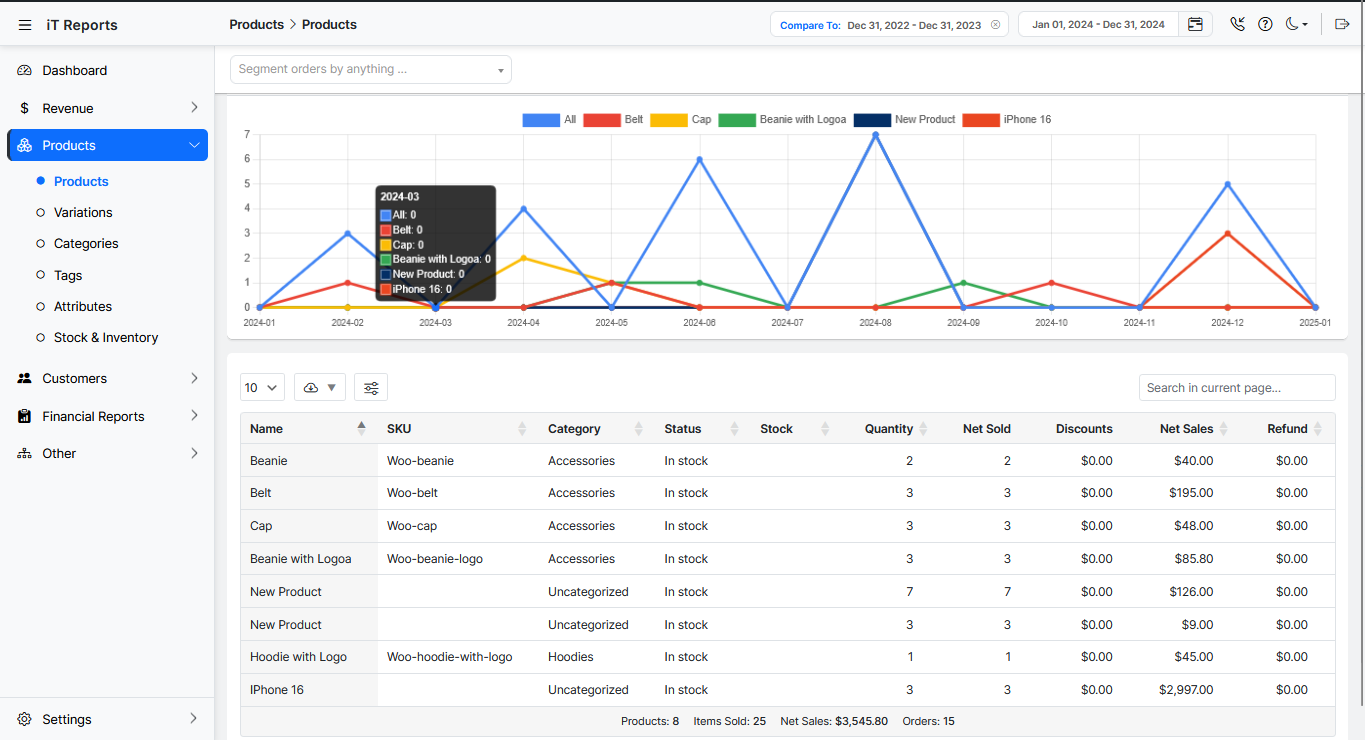
Products Repot: Analyze product-level performance with sales, orders, and revenue breakdowns
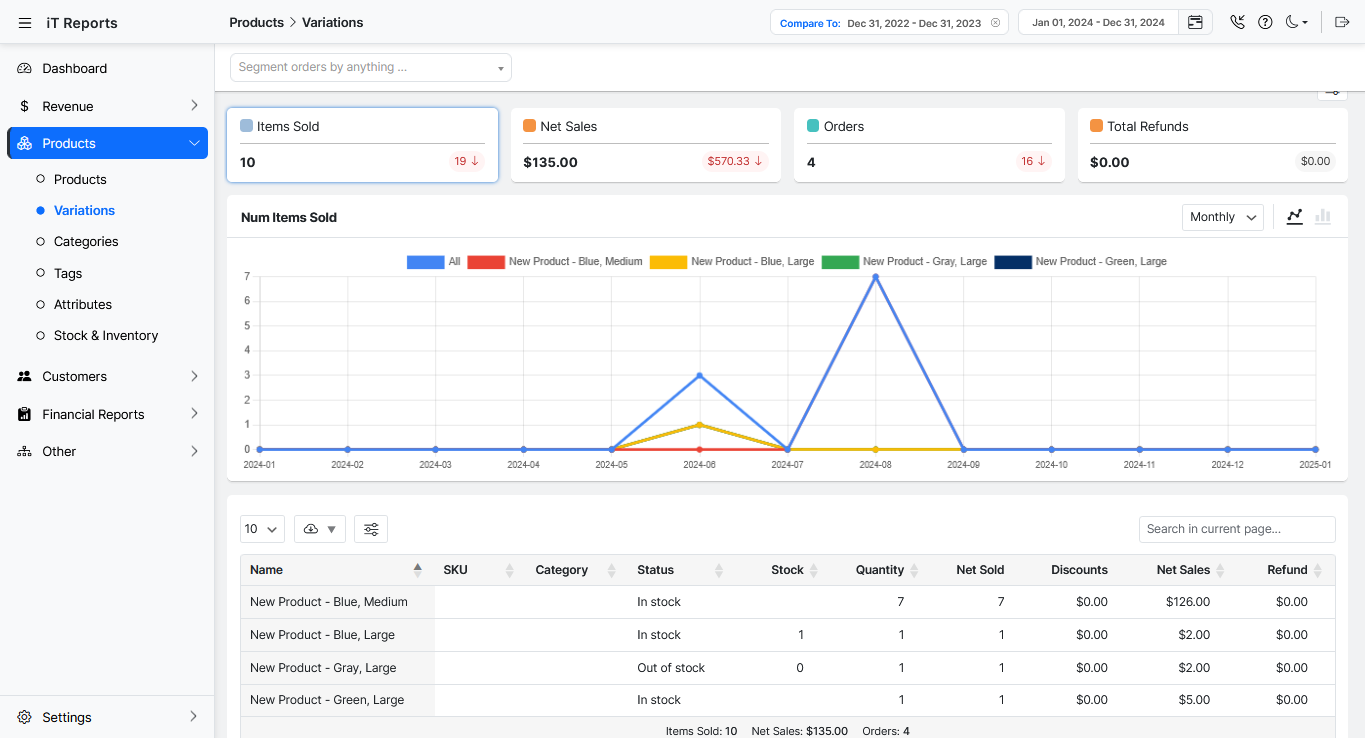
Variations Report: Dive into variation-specific metrics like color, size, or style performance
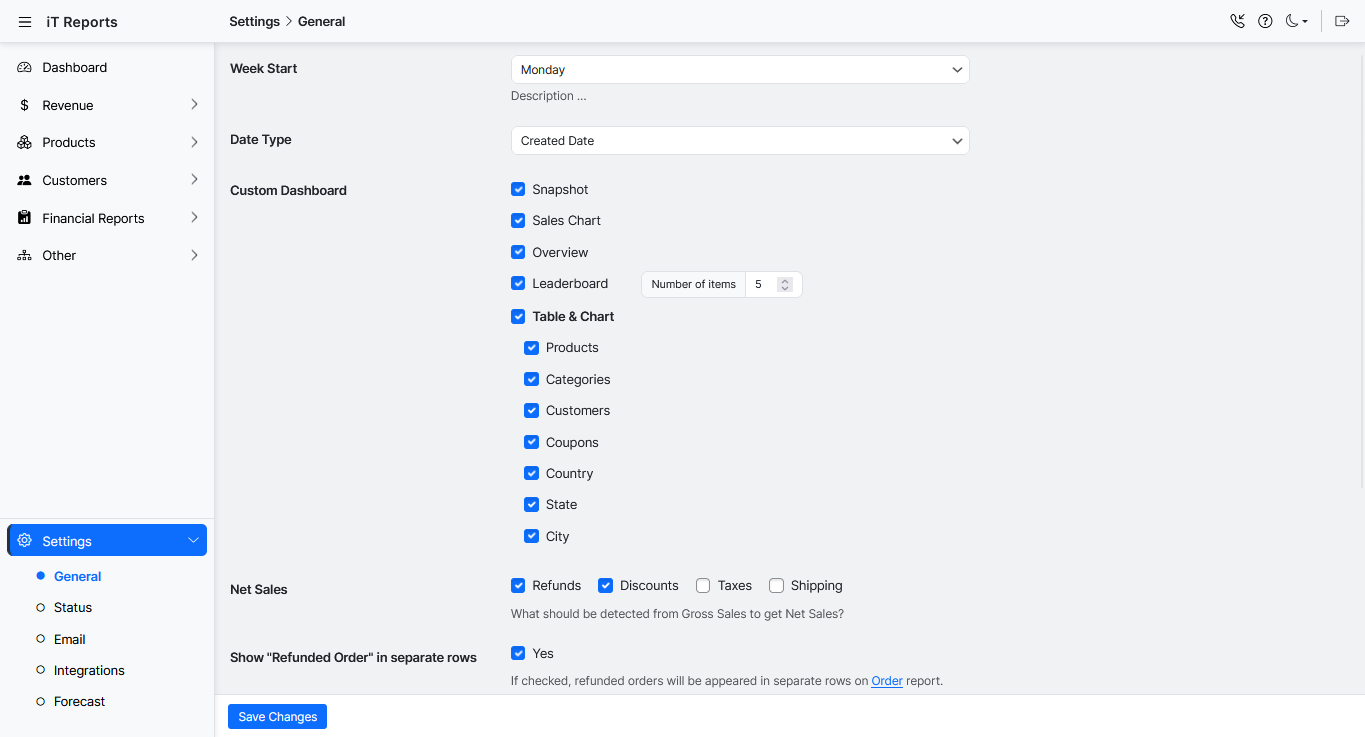
Advenced Settings: Customize your reports with flexible options
Faq
While WooCommerce provides basic reports, our plugin offers a much more powerful and user-friendly dashboard with advanced filtering, export options, and clear data visualizations to give you a true understanding of your business.
Yes! You can test-drive the plugin in a real environment. Go to our plugin demo page and click the “Launch Admin Demo” button in the top bar to get started.
No. Advanced WooCommerce Reporting is built with performance in mind and is optimized to run efficiently without impacting your store’s speed.
You can find our complete playlist of tutorials on the WooCommerce Reporting Plugin YouTube channel.
For more detailed documentation, please check our knowledge base. If you have any questions or ideas, please contact us through our support system.
Reviews
Doesn't work
By 
Report returns 0. Tested with latest wordpress / woocommerce
There is a glitch
By 
I needed a simple report for orders, where they were shipped, tax, and total. After two weeks of going back and forth one email a day with their support I never have gotten the report to generate properly. I asked for a refund and got it from their shopping cart provider, but they continue to email me after I have told them I deleted the plugin and won't be using it.
amazing plugin
By 
for any website that has a WooCommerce plugin installed you need WooCommerce Report, amazing features, support amazing, and direct help for anything.
on top of all that the plugin provides report depth of everything.
very helpful
By 
Like where this plugin is going
By 
Changelog
3.0.2
- Fixed Some Issues
3.0.1
- Tested up to: WP 6.8.3
- Tested up to: Woo 10.2.X
- Fixed Some Issues
3.0.0
- Add Added full compatibility with WooCommerce HPOS and legacy database
- Add Introduced Permission Add-on for assigning report/menu access per user
- Add Each report now includes dedicated charts and KPIs for deeper insights
- Update Complete Redesign – The plugin has been fully rebuilt with a modern UI/UX
- Update New Dashboard – Access KPIs, charts, leaderboards, and real-time store insights
- Update Advanced Filtering – Multi-layer filters available for all reports
- Update Dashboard performance optimized for large stores with high order volume
2.0.2
- Fixed Important Security issues
2.0.1
- Fixed Some Issues
2.0.0
- Changes to the core plugin
- Implementing important security changes
- Tested up to: WP 6.8.x
- Tested up to: Woo 9.8.X
- Fixed Some Issues
1.5.5
- Fixed WP 6.7
- Fixed Some Issues
1.5.4
- Fixed Summary Report on Dashboard
- Fixed Switch chart on Dashboard
- Fixed Setting tabs
- Fixed Some Issues
1.5.3
- Fixed Some Issues
1.5.2
- Tested up to: WP 6.6.2
- Fixed Passed the Check Plugin issues
- Fixed Some Issues
1.5.1
- Tested up to: WP 6.6.x
- Tested up to: WC 9.3.x
- Fixed Some Issues
1.5.0
- Fixed All of Security & General Issues
- Fixed Some Issues
1.4.5
- Tested up to: WP 6.5.x
- Tested up to: WC 8.8.x
- Not Compatible With HPOS
- Fixed Some other issues
1.4.4
- Fixed Add ‘Shipping Method’ field to search form
- Fixed Some other issues
1.4.3
- Tested up to: WP 6.3.2
- Tested up to: WC 8.2.1
- Fixed Some other issues
1.4.2
- Fixed Chart Swap on Dashboard
- Fixed Some other issues
1.4.1
- Fixed Compatible with WordPress 6.2
- Fixed Compatible with WooCommerce 7.6.X
- Fixed Column resize on Responsive
- Fixed Some other issues
1.4.0
- Fixed Close search form after search
- Fixed Export as XLS
- Fixed Some other issues
1.3.9
- Fixed Product purchased by customers
- Fixed Search orders by date
- Fixed Some other issues
1.3.8
- Fixed Show columns after resize the page
- Fixed Some other issues
1.3.7
- Fixed Compatible with WordPress 6.1.1
- Fixed Some other issues
1.3.6
- Fixed Optimize search engine for better performance
- Fixed some other issues
1.3.5
- Fixed Compatible with WordPress 6.1.0
- Fixed some other issues
1.3.4
- Fixed Purchase product by Customer
- Fixed Some Issues
1.3.3
- Fixed Get all of order statues
- Fixed Some Issues
1.3.2
- Fixed Compatible with WooCommerce 6.9.2
- Fixed Variation and Simple product report Quantity
- Fixed Some Issues
1.3.1
- Fixed Order items in product sale report
- Fixed Compatible with WordPress 6.0.2
- Fixed Some Issues
1.3.0
- Fixed Compatible with WooCommerce 6.8.1
- Fixed Some Issues
1.2
- Fixed Compatible with WordPress 6.0.1
- Fixed Some Issues
1.1
- Fixed Some Issues
1.0
- Hello World!