Jalma Who Sees Updates

Jalma Who Sees Updates
Description
If you manage a site for someone else — or just don’t want every administrator nagged about updates you handle yourself — Jalma Who Sees Updates quietly removes the update notices from the people who shouldn’t act on them, while keeping everything normal for you.
It hides the core, plugin and theme update notices, the update count bubbles in the admin menu, the “Updates” link in the menu and admin bar, and it blocks the updates screen for hidden users. Updates still install normally for anyone who is allowed to see them — nothing is disabled, and nothing is changed in the database. The update data is simply filtered per user, on each request.
Two simple modes
- Hide from roles — pick the roles that shouldn’t see updates. Tick “Administrator” to hide updates from other administrators too.
- Show only to users — pick exactly who is allowed to see updates. Everyone else is hidden, including other administrators.
You don’t combine them — choose whichever fits.
You can’t lock yourself out
The user who activates the plugin is recorded as the owner. The owner always sees updates and always sees the settings page, no matter how the rules are configured. If the owner account is ever deleted, the plugin fails open — updates become visible to everyone again, so a broken configuration can never hide security updates from the whole site. There is also a define( 'JWSU_DISABLE', true ) escape hatch for wp-config.php.
Honest about what it is
This hides update notices from view; it is not a security boundary. Any administrator can still deactivate the plugin. It’s a tidiness and “please don’t touch the updates” tool for sites you maintain — not a lock.
Installation
- Install and activate the plugin. Whoever activates it becomes the owner.
- Go to Settings Who Sees Updates (visible only to you, the owner).
- Choose a mode and pick the roles or users, then save.
Screenshots
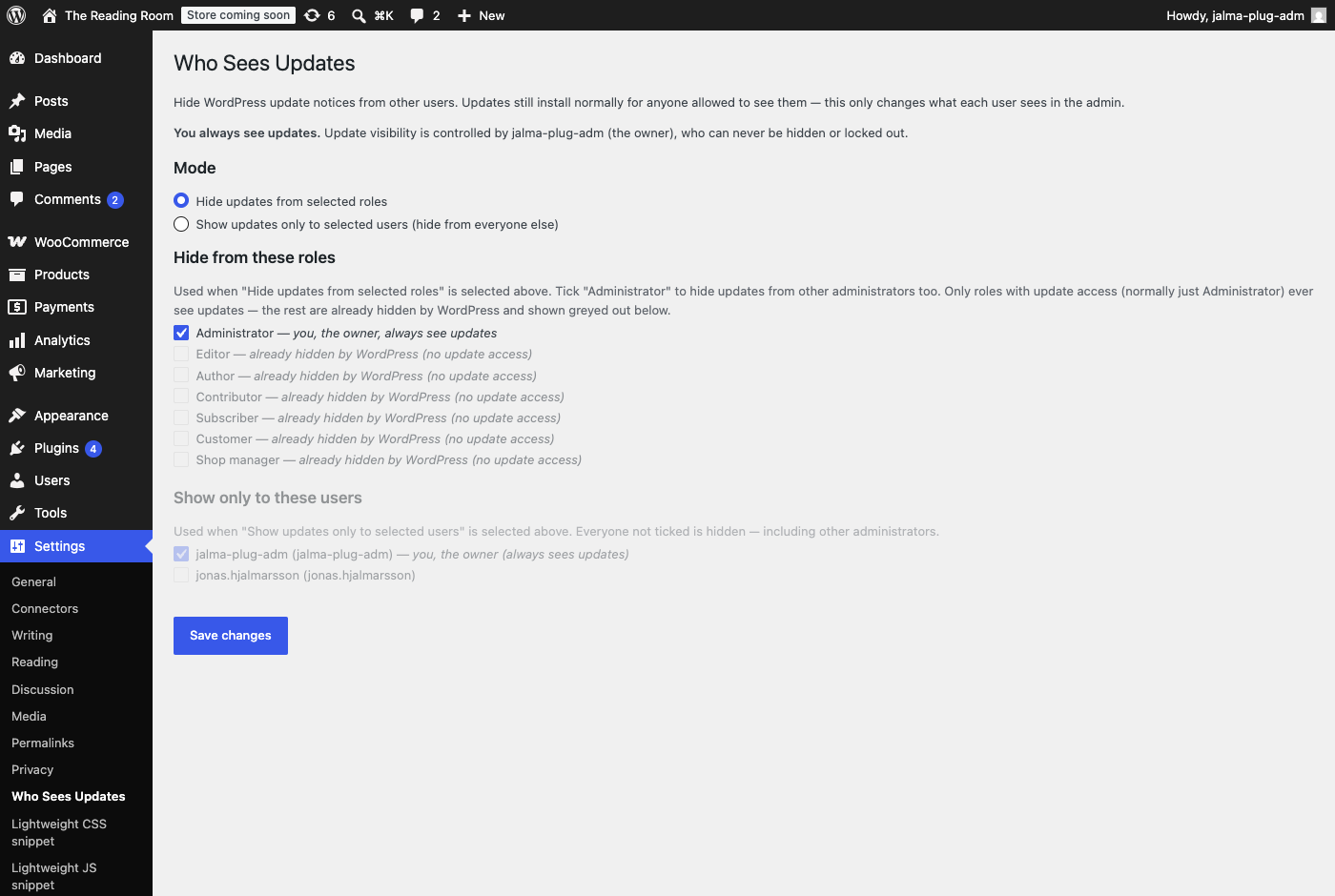
Settings → Who Sees Updates. Pick a mode — hide updates from selected roles, or show updates only to selected users. You (the owner) are always ticked and can never be locked out.
Faq
Yes. In “Hide from roles” mode, tick Administrator. In “Show only to users” mode, tick only yourself (and anyone else you trust). Either way, you — the owner — always keep seeing updates.
No. It only hides the notices from view. Updates still install for allowed users, and automatic background updates are unaffected.
The plugin fails open: updates become visible to all administrators again, and any administrator can open the settings to reconfigure and become the new owner.
The update nags are removed in both site and network admin. Per-site activation records that site’s owner.
Reviews
Changelog
1.1.1
- Fix: a currently-allowed user outside the first 200 accounts (alphabetically) could silently disappear from “Show only to these users” on save — their checkbox never entered the page, so nothing told the browser to submit it. The settings page now always renders a checkbox for every currently-allowed user, even ones outside the initial batch.
- Fix: switching mode (roles users) and saving no longer wipes the other mode’s saved selection. The inactive fieldset is disabled in the browser, so its checkboxes were never submitted — the save handler now only updates the active mode’s list and leaves the other one untouched.
1.1.0
- “Show only to users” list now works on sites with more than 200 accounts: role filter tabs plus a “Show all” button load and filter everyone dynamically, no page reload.
1.0.0
- First release.