Jamie's Visual HTML Editor

Jamie's Visual HTML Editor
Description
Jamie’s Visual HTML Editor enhances the core Custom HTML block so you can paste in any HTML and let editors change the copy and images without touching the markup.
- Edit content — render the HTML live and click any heading, paragraph, list item, link, or button to edit its text in place. Select text to get a small toolbar for bold, italic, and adding a link. Click any
<img>to replace it from the Media Library, change its URL, or edit its alt text. Adddata-vc-bgand an inlinebackground-imageon hero sections to make backgrounds editable too. - Edit code — the normal raw-HTML view for pasting or writing markup.
- Wide and Full width — adds Wide and Full alignment options to the Custom HTML block. It does not change the block’s content width; it only lets you choose Wide or Full alignment so full-bleed sections can break out of the theme’s content area.
Content is stored as a native Custom HTML block, so revisions and saving work exactly as they do in core. The plugin only changes how the block is edited and aligned.
This plugin is open source. See the Development section below for the full human-readable source code and build instructions.
Development
This plugin is open source (GPL-2.0-or-later). The complete, human-readable source code — including the un-minified JavaScript in src/ and the build configuration — is publicly available at:
https://github.com/jamiemarsland/jamies-visual-html-editor
The compiled files in build/ are generated with @wordpress/scripts:
npm install
npm run build
No third-party libraries are bundled; the plugin relies only on the WordPress-provided editor packages (@wordpress/*).
Installation
- Upload the
jamies-visual-html-editorfolder to the/wp-content/plugins/directory, or install the plugin through the Plugins screen in WordPress. - Activate the plugin through the Plugins screen.
- Add or select a Custom HTML block in the block editor and use the “Edit content” / “Edit code” toolbar buttons. Use the alignment control for Wide or Full width.
Screenshots
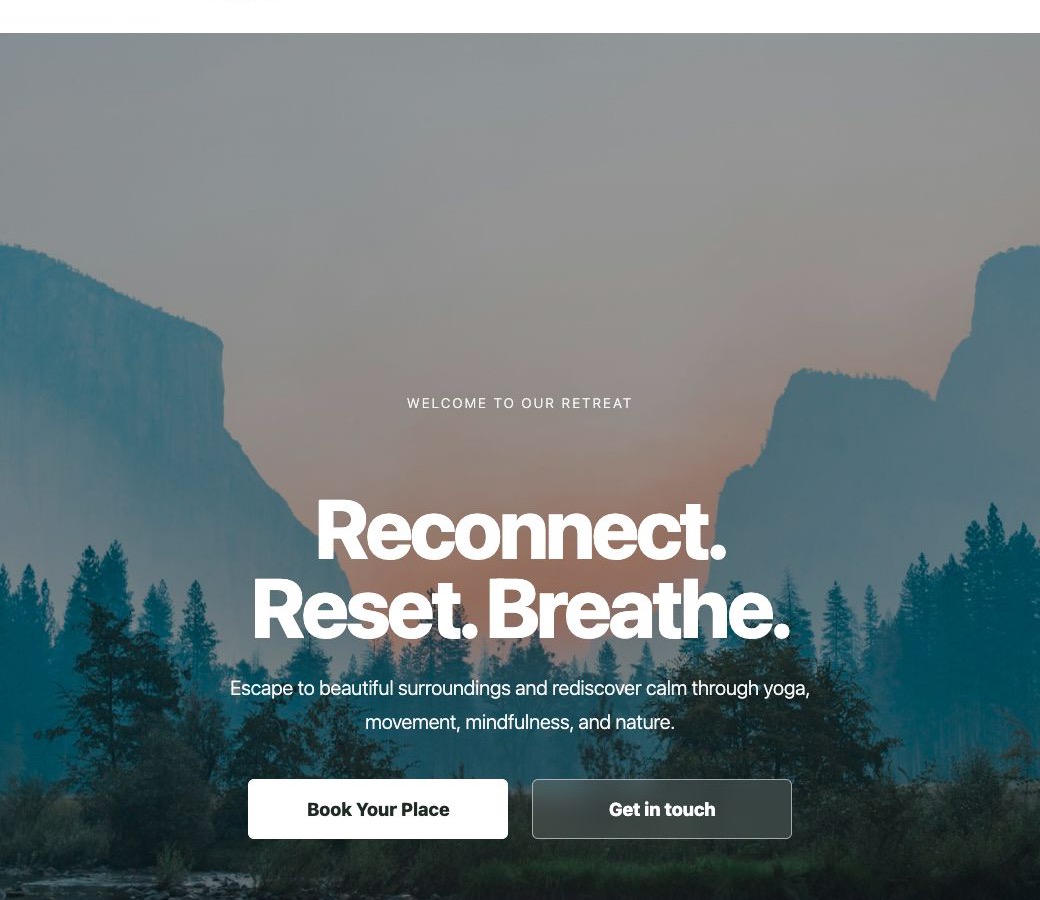
The block toolbar in "Edit content" mode — click any text or image to edit it in place.
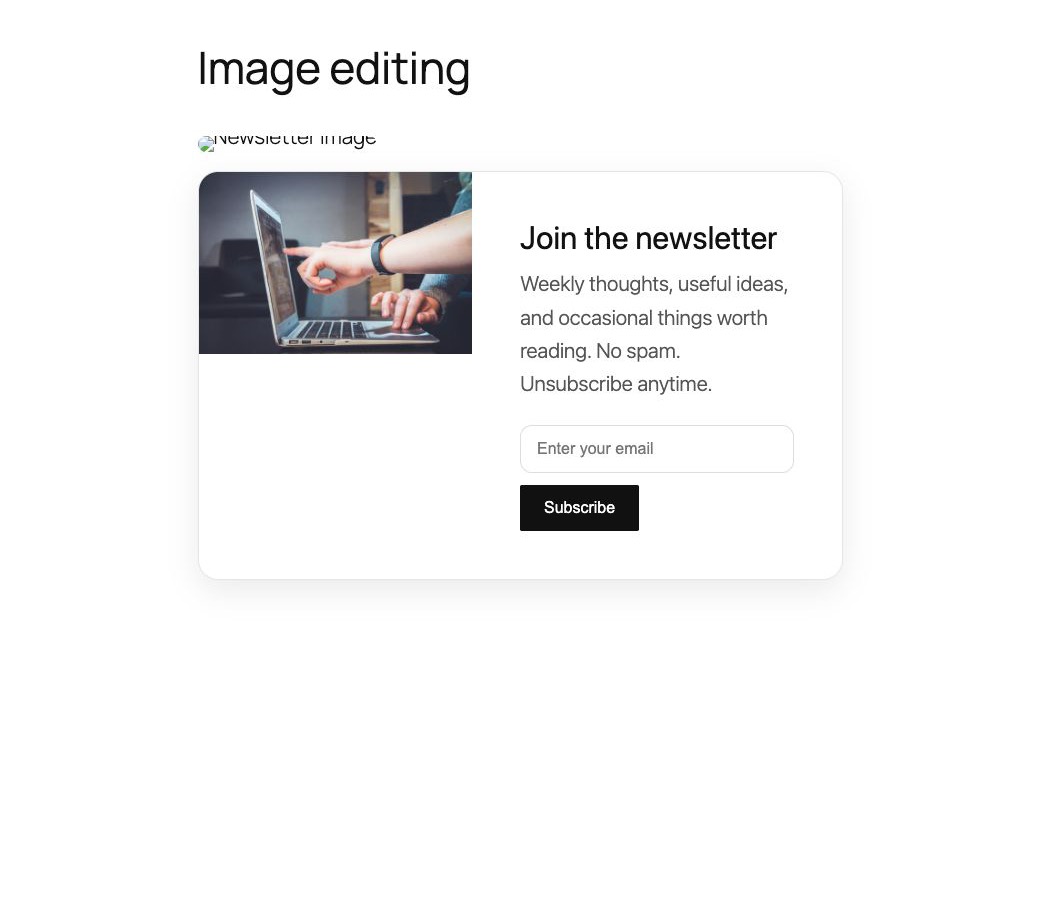
Clicking an image opens the replace modal: choose from the Media Library, paste a URL, or update alt text.
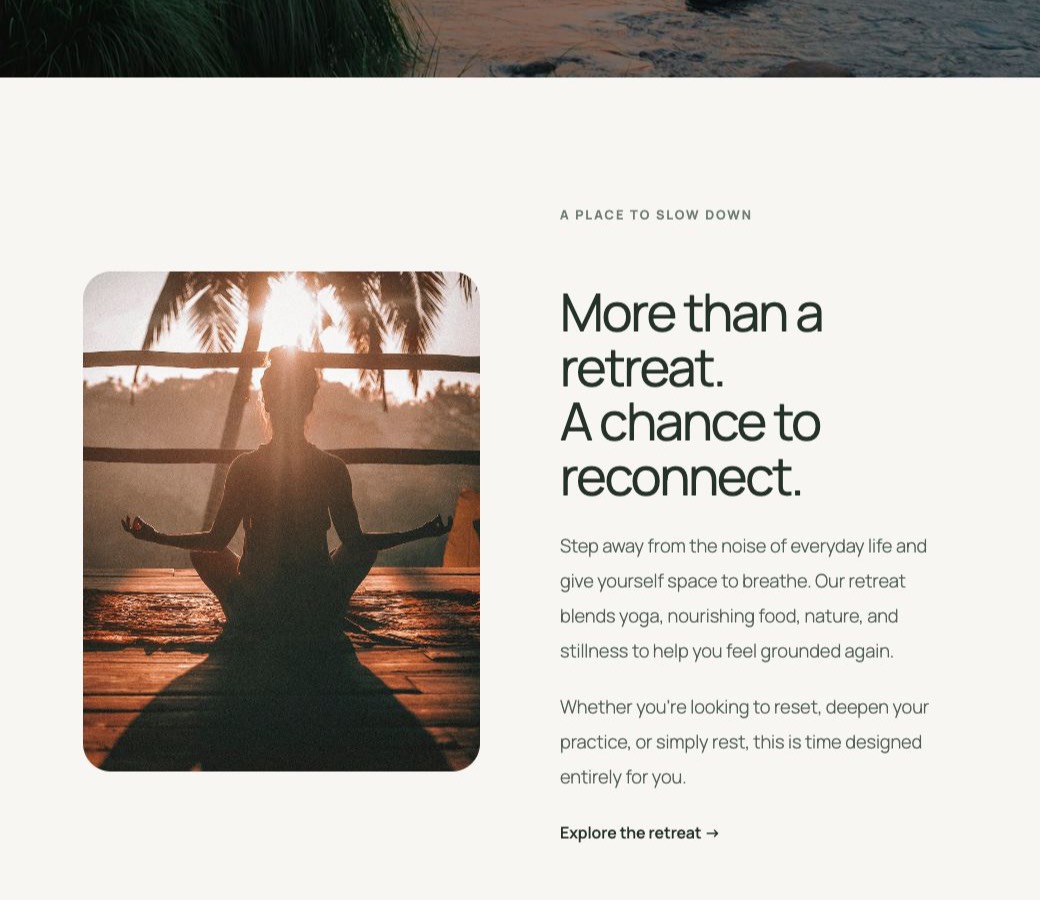
Wide and Full width alignment options in the block toolbar for full-bleed sections.
Faq
It enhances the core Custom HTML block (core/html). Other blocks are unchanged.
The block is still stored as a standard Custom HTML block. Editing text updates the words; editing an image updates its src and alt attributes. Structure, classes, and styles stay unchanged. Switch to “Edit code” to see the raw markup.
Yes. In “Edit content” mode, click an image to open a modal where you can choose a replacement from the Media Library, paste an external URL, or edit the alt text.
Yes. In “Edit content” mode, hover a hero section whose background is set inline or in a <style> block inside the HTML, then click Edit background. You can also tag any element with data-vc-bg and an inline background-image. Gradients layered with a photo are supported — only the photo URL is swapped.
Set the block’s alignment to Full width using the block toolbar. The block must be a direct child of the content area for the theme’s layout to break it out.
Reviews
Great Plugin
By 
Simply fantastic.
By 
I had been dreaming of a plugin with this functionality for years, congratulations, my friend!
A product from legend
By 
Amazing plugin by the unstoppable creative guy. I love the plugin. The overall experience its just hats-off.
Improves my Productivity
By 
The plugin is a great advancement for WordPress. It helps us easily edit the AI-generated content blocks on the go!
Changelog
0.6.1
- Fix: edits to a Custom HTML block were discarded on save on setups where the core block stores its markup outside the saved attributes — the Save/Update button appeared to work but the page was unchanged and the edits were lost when reopening. The block’s content is now written back so edits persist reliably. Blocks you don’t edit are left exactly as they were.
0.6
- New: select text in “Edit content” mode to get a small toolbar for bold, italic, and adding a link. Formatting is saved as clean
<strong>,<em>and<a>tags.
0.5
- Fix: existing Custom HTML blocks opened blank. The block’s saved markup is now read correctly, so previously published HTML shows up in both the content and code views instead of an empty placeholder.
- Tested up to WordPress 7.1.
0.4
- Added a live demo preview (WordPress Playground blueprint).
0.3
- Fixed: the Wide/Full alignment control now appears in the Custom HTML block toolbar (it was previously hidden because the custom editor replaced the block’s default controls).
- Wide/Full alignment selection is now stored reliably via a registered
alignattribute. - Added a plugin icon.
0.2
- Clarified in the description that the plugin adds Wide and Full alignment options and does not change the block’s content width.
0.1
- Initial release.
- Custom HTML block: click-to-edit text, plus image, link, and background editing with an “Edit content” / “Edit code” toggle.
- Custom HTML block: Wide and Full width alignment support, applied on the front end.