Jamie’s WP Arrow Newsletter Subscriber

Jamie’s WP Arrow Newsletter Subscriber
Description
A Widget to add an Arrow newsletter subscription form .
Installation
This section describes how to install the plugin and get it working.
- Upload arrow-newsletter folder to the
/wp-content/plugins/directory - Activate the plugin through the ‘Plugins’ menu in WordPress
- Drag the widget to you desired siderbar
User ID == Given by Arrow Service – individual account of user == REQUIRED
List ID == Given By Arrow – id of database to add emails to == REQUIRED
Submit Value == enter submit, process or whatever you want the button to say – leave blank if using background image for button through external css
Thankyou Url == Customize a thankyou page and enter url here == leave blank to go to default
Error Url == Customize a error page and enter url here == leave blank to go to default
Screenshots
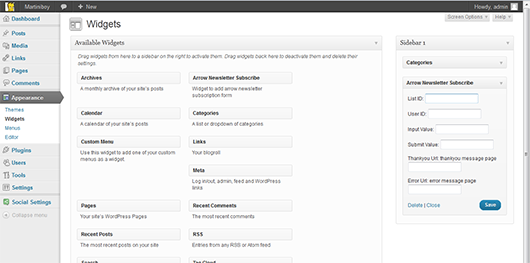
screenshot-1.png