Shared Albums for Google Photos (by JanZeman)
Shared Albums for Google Photos (by JanZeman)
Description
Embed a Google Photos shared album directly from the source, without uploading copies to your WordPress media library.
Add one shortcode, choose a gallery, slider, or carousel layout, and the plugin turns your album into a responsive photo experience for desktop and mobile visitors.
It is built for photographers, bloggers, clubs, families, travel sites, event pages,
and anyone who already organizes photos in Google Photos and wants to show them beautifully on a WordPress site.
Why Install It
- No duplicate uploads – Keep your photos in Google Photos and show them on your WordPress site.
- Less gallery maintenance – Update the album at the source instead of rebuilding galleries by hand.
- A better visitor experience – Give people a responsive gallery, slider, carousel, fullscreen view, or lightbox.
- Photo and video support – Share mixed albums without splitting them into separate WordPress galleries.
- Mobile-friendly browsing – Let visitors swipe, tap, zoom, navigate, and enjoy slideshows naturally.
- Useful presentation options – Show descriptions, dates, counters, buttons, and image details when they help.
- Built for real albums – Caching, lazy loading, and progressive loading help larger albums stay practical.
Why People Use It
Google Photos is convenient for storing and sharing albums.
WordPress is where your audience is.
This plugin connects the two.
Instead of exporting photos, uploading them to the media library, rebuilding galleries,
and repeating the work after every album change, you can share the Google Photos album once and embed it where you need it.
What Happens After Installing
The plugin adds its own WordPress admin menu with a friendly Guide page,
ready-to-use examples, a live shortcode playground, and the current parameter reference.
Start with a sample, paste your own Google Photos share link,
preview the result, and place the shortcode where you want the album to appear.
Community Inspiration
The optional Community Directory helps you discover what other users are building with the plugin.
- Browse real shortcode examples for layout ideas.
- Copy a configuration and adapt it to your own album.
- Rate useful examples and share your own.
- Add a sample page URL if you want curious visitors to find your site.
Community features are optional. You can use the gallery plugin without joining or publishing anything.
Credits
Privacy Policy
This plugin does not collect or store any user data for its core gallery functionality.
Use of external Google services
- The plugin fetches public Google Photos album pages from
https://photos.google.comand image files from*.googleusercontent.comin order to render the galleries. - Only publicly shared album links are supported; the plugin has no access to private albums or any content that is not already available via a public share link.
- The plugin does not collect, store, or transmit user credentials or personal data. It only caches album HTML and image URLs in WordPress transients for performance, and this cache is stored locally in your WordPress database.
Community Directory (optional, opt-in)
The Community Directory is optional. Browsing samples loads public examples from jzsa.janzeman.com.
Sign-in, ratings, and publishing are used only when you choose to connect to the community.
If you publish an entry, the community service stores the information you submit,
such as title, shortcode, description, tags, optional sample page URL, and optional display name.
You can delete your community account from the plugin admin page.
The community backend does not use cookies, analytics, advertising, or newsletters.
Support
- Bug reports: Open an issue on GitHub
- Feature requests: Post on the support forum
- Privacy, account, or sensitive questions: email support@janzeman.com
- Leave a rating: Review on WordPress.org
- Buy Me a Coffee: buymeacoffee.com/janzeman
Installation
- Install and activate the plugin.
- Open the new
Shared Albums for Google Photosmenu in WordPress admin. - Start with the Guide page and its live examples.
Screenshots

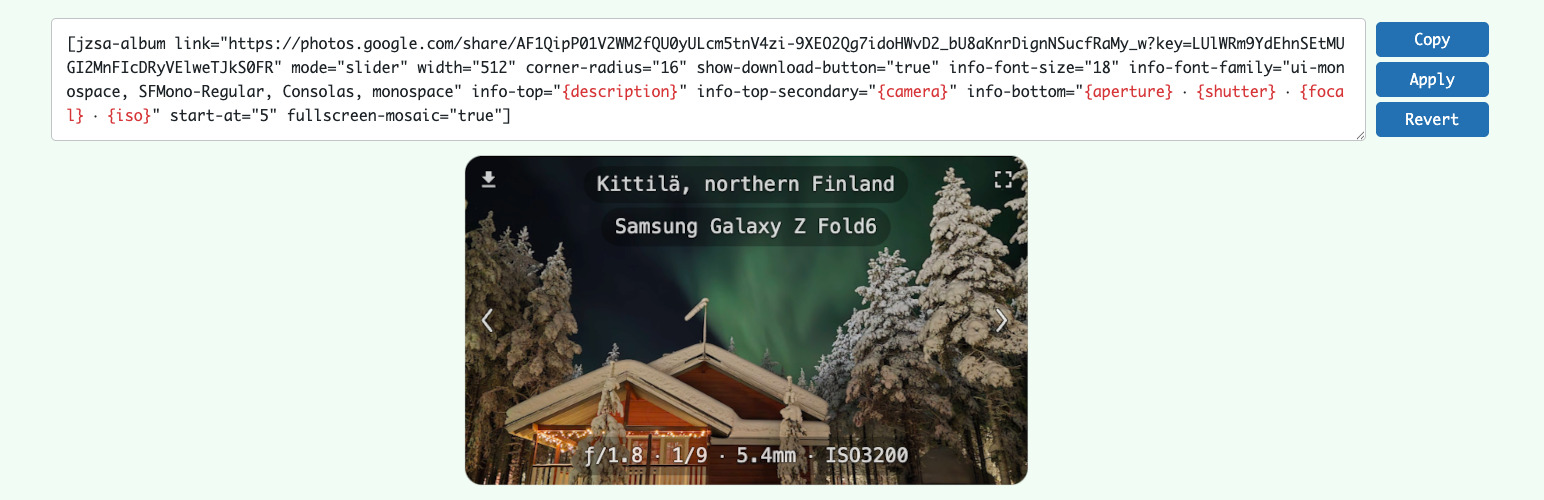
Slider layout with navigation and paging

Slider layout with mosaic thumbnails

Gallery layout

Carousel layout with video support

Fullscreen view with description and photo info

Progressive loading from preview to high-resolution image
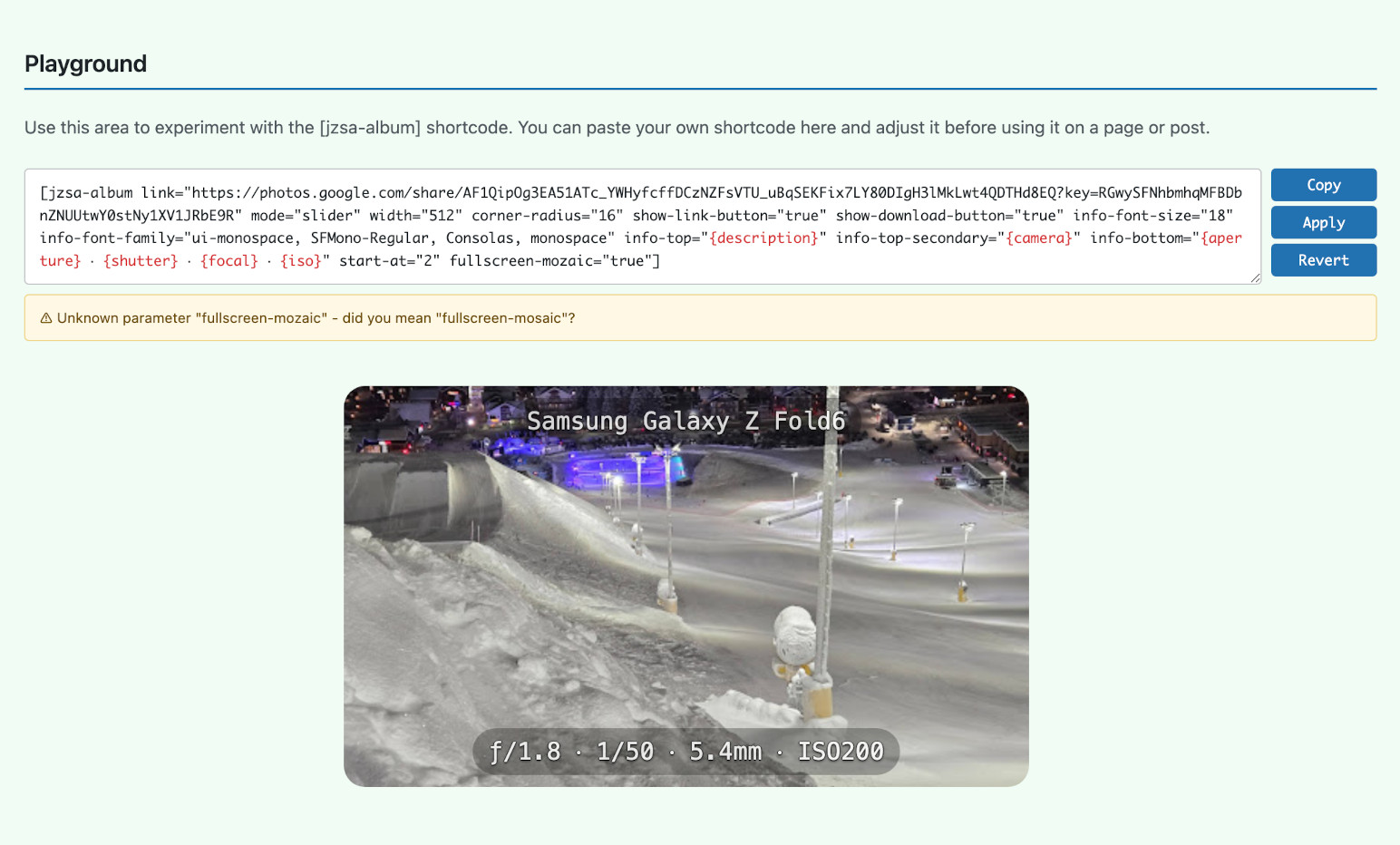
Live preview on the Guide page

Custom description styling
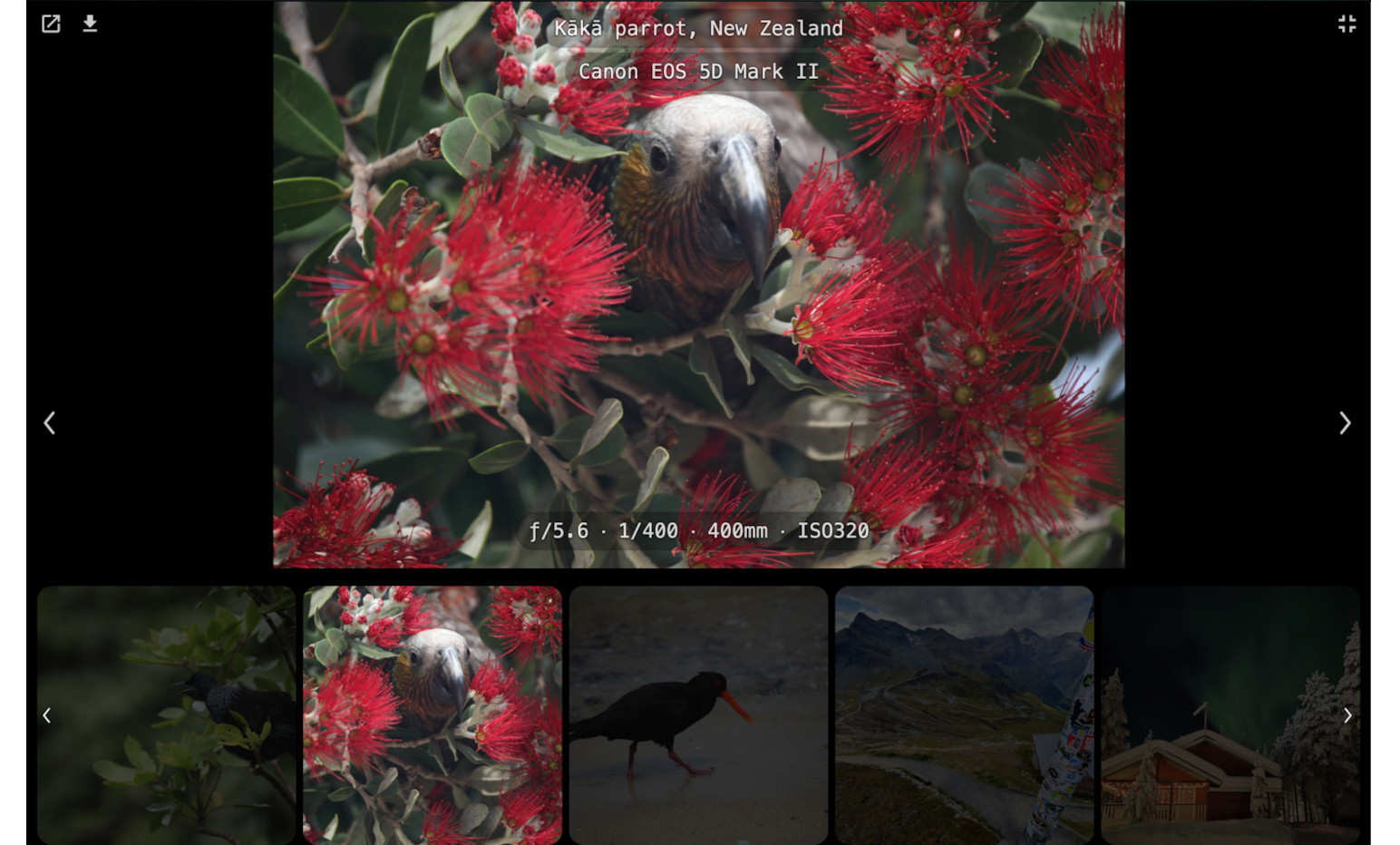
Fullscreen mosaic view

Overlay mosaic strip
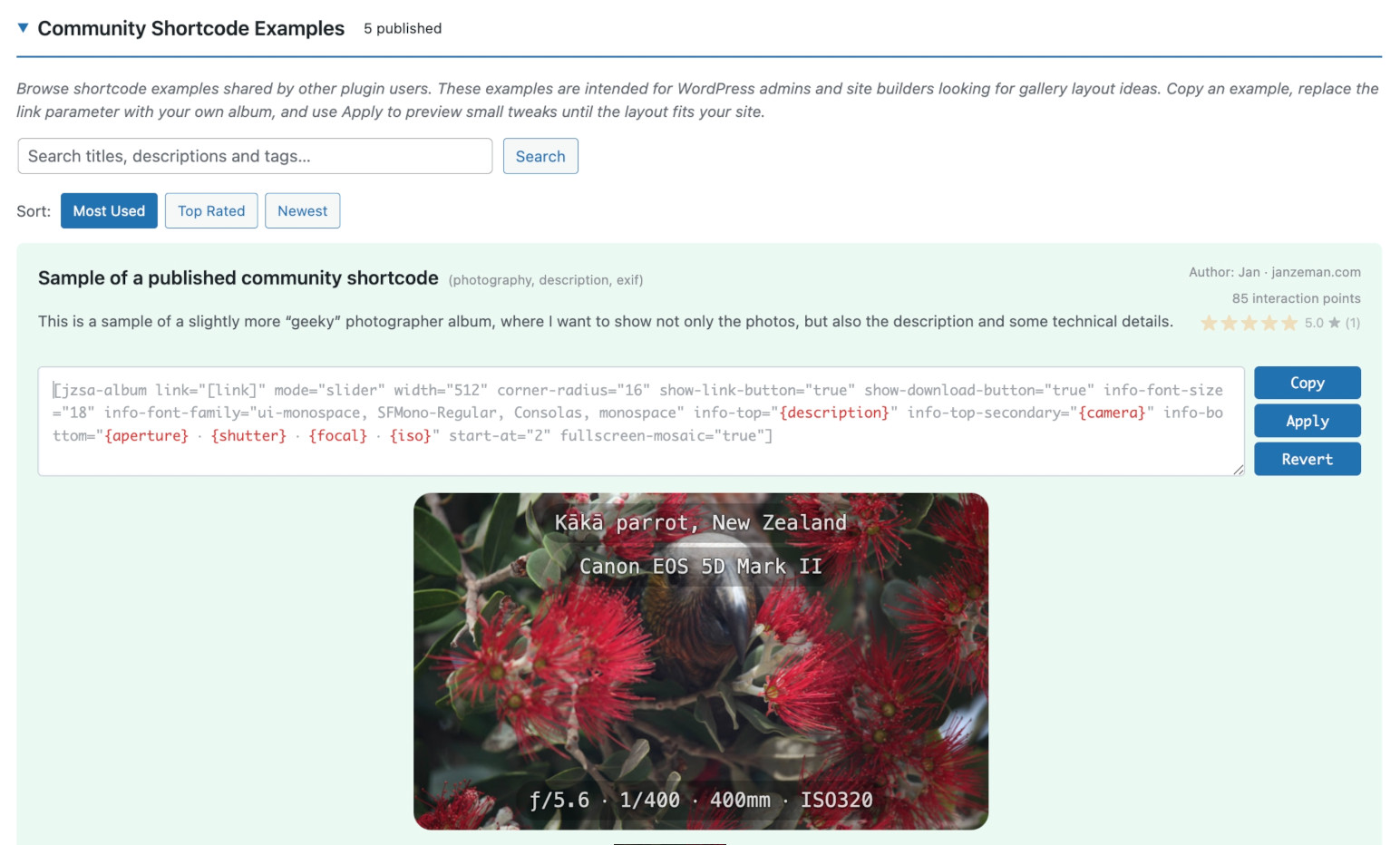
Community Directory for browsing and sharing examples
Faq
No. The album must be shared by link in Google Photos.
The plugin can handle up to 300 photos per album.
Google Photos usually exposes about 300 items from the shared album page.
It is designed to be light in normal use.
Album data is cached, images load progressively, and visitors do not download the whole album at once.
Yes. The plugin includes ready-made examples and many presentation options.
You can also add your own CSS when you want full visual control.
Yes. The gallery is responsive and supports touch gestures, fullscreen viewing, and mobile-friendly navigation.
No. This plugin is not affiliated with or endorsed by Google LLC. Google Photos™ is a trademark of Google LLC.
Reviews
Excellent plugin for publishing a photo album with Google Photos in WordPress
By 
This plugin is excellent for managing a photo album with Google Photos.
I haven't found any others with these features yet.
The shortcode is very simple, both to create and edit.
The author is very helpful, quick to respond, and responsive to any new needs.
Highly recommended.
- Valter
EXCELLENT, BUT one suggestion
By 
I'm just hoping that in the future a fullscreen-mode=mosaic, can be added to preview the smaller photos in addition to the main image. It's a beautiful plugin; you can tell there's effort and dedication behind it. I truly find it gorgeous. 5 STARS. ¡GRACIAS!
Works as described. Good UX!
By 
The Shared Albums for Google Photos plugin by Jan Zeman has been terrific for my photo blog, making it effortless to pull photos from Google Photos into my gallery pages without the hassle of manual uploads.
I also suggested a few feature requests to suit photographers' needs. Jan was not only prompt in his response, but soon pushed an updated release that included those improvements!
This plugin is well worth using and deserves five stars.
Ottimo plugin
By 
Per l'incorporamento degli album pubblicati su Google Photos è di gran lunga il miglior plugin che ho trovato. Great job. Thanks, Jan
PS. If you could enter the name of the photo that would be great
Excellent for Digital Signage slideshows
By 
Sandefjord Tennis Club uses Shared Albums in Google Photos to display slideshows on Digital Signage in our clubhouse. This is a great way to showcase photos—not only on our webpage and social media but also when members and guests visit our club facilities.
Tips on how to use this: Create a page in WordPress for the album you would like to display. Example of shortcode to use with cache refresh set to 1 hour.
[jzsa-album link="YOUR URL HERE" mode="slider" show-title="true" show-counter="false" width="1920" height="1080" source-width="1920" source-height="1080" slideshow="true" slideshow-delay="5" interaction-lock="true" start-at="random" cache-refresh="1"]Remember to choose template "Page Builder Full Width", "no sidebar", "disable navigation" and "disable Footer" in the Page Settings
Add the following CSS code to remove the white space on the top of the page
.pagebuilder-section {
    padding: 0 0 !important;
}
Extra: Add the following CSS code to add a nice title on the page. Adjust the size of the font as necessary
.jzsa-album .swiper-pagination {
	font-size: 70px !important;
	font-weight: bold !important;
	color: #000000 !important;
	background-image: linear-gradient(
      to bottom,
      rgba(255,255,255,0) 0%,
      rgba(255,255,255,1) 25%,
      rgba(255,255,255,1) 75%,
      rgba(255,255,255,0) 100%
    );
}
Also I recommend resizing photos to 1920x1080 px in Google Photo album to make sure the photos are displayed correctly. If you are using a WordPress caching-plugin, make sure the page is excluded from caching.
Add the website to your favorite Digital Signage system. I recommend AbleSign as they provide Digital Signage for free with unlimited # of screens.
This is a really easy way to display your photo album, not only on your WordPress homepage, but anywhere you can think of where you can display a webpage!
Amazing functionality and support
By 
I recently started using the Shared Albums for Google Photos (by JanZeman) plugin, and it has been a game-changer for my WordPress site. It is a really feature-rich, easy-to-use tool that makes it incredibly simple to display photos from Google Photo Albums without the usual headache of manual uploads or complex API configurations.
What impressed me even more than the plugin itself was the developer’s responsiveness. I had a couple of suggestions for some minor feature tweaks, and Jan was super fast in responding. Not only did he listen to the feedback, but he actually improved and released a new version of the plugin with those exact improvements in record time.
If you are looking for a modern, responsive way to showcase your Google Photos—backed by a developer who genuinely cares about the user experience—I cannot recommend this plugin enough. Really impressive work! 5 stars from me...
Nice, but ...
By 
I was excited to see your plugin in the new section here and downloaded it. to check it out.
It was an easy install with good instructions with easy-to-understand shortcodes. It took a while to get the yellow and red banners away, but I learned more about the shortcode with each try. If I may offer an opinion on some of the features, I liked the image quality and speed. I ran through most of the shortcodes; I was hoping gallery mode meant a grid of images with pagination. In carousel mode, I feel it would be best, if clicking on one of the 3 panel images, it took you to that particular image's full, non-cropped image.
I am not sure if any of these suggestions could be accomplished by shortcode, but I thought I would give you some feedback. Appreciate your work!
Changelog
2.3.7
- Improved plugin intro
- Improve warning about “gallery-columns” in the “justified” mode
2.3.4
- Email-based login for the Community feature
- Extensive unit and end-to-end testing
2.3.1
- Tested with WordPress 7.0
- New: Lightbox – an alternative to native fullscreen
- Thanks to
@valterbrunofor the Lightbox feature request! - Basic shortcode real-time validation
- Preparation of the Community feature for the release
- Once more huge thanks to
@naveenbachwanifor sharp and inspiring feedback about this feature!
2.2.0
- New: Community Directory – browse, copy, and publish shortcode configurations and inspire others 🙂
- Privacy by design: your email is never sent; account identity uses one-way hashes, and publishing data is sent only when you choose to share
- Passwordless authentication: Connect from your WordPress admin, with no email or external account required
- Interaction points and shortcode ratings are community fun, not a competition
- Delete your account and all published entries at any time
- Special thanks to
@naveenbachwanifor the truly inspirational “Gallery links” request!
2.1.8
- Fullscreen support of mosaic. Many thanks
@luisbenitez777for sharing the idea. - Warning added: Google truncates descriptions to 100 chars. Thanks
@naveenbachwanifor the detailed repro steps.
2.1.7
- Fixed info-wrap bug
2.1.6
- Fixed slider mode getting stuck on loading spinner (regression from 2.1.5)
2.1.5
- Reworked Guide page loading to reduce blocking and improve responsiveness
- Improved cache/help guidance on the settings page
- Big thanks to
@naveenbachwanifor detailed testing, UX observations, and support-thread feedback
2.1.4
- Screenshots added
2.1.3
- Add “How the cache works” section
- Improve Guide page loading experience
2.1.2
- Make caching description more clear and prominent
2.1.0
- Settings page moved to top-level admin menu with subpages for easier navigation and reference
- Google Photo description can be supported after all 🙂
- Introduce a halo effect to improve text readability
2.0.11
- Swiper loop navigation
2.0.10
- Lighter loading for large sliders
2.0.9
- New
fullscreen-display-max-widthandfullscreen-display-max-height - New
info-wrapand info text alignment parameters - New
gallery-buttons-on-mobilebehavior for touch devices - Responsive layout improvements
2.0.8
- File name bug fix
2.0.7
- New dynamic photo info overlays
- EXIF placeholders with background loading
- Slider, carousel, gallery and fullscreen photo info
- All Settings page samples are editable by now, not only the Playground
2.0.6
- Touch devices: Controls appear on tap and fade out on inactivity
2.0.5
- Fullscreen vs inline controls
- Video download support
- Download UX & settings improvements
2.0.4
- New: Mosaic thumbnail strip (
mosaic="true") for slider and carousel modes - Mosaic feature inspired by Mateusz Starzak’s fork
- Added
fullscreen-background-color(default#000) to control fullscreen background separately - Fixed gallery mode where
show-download-button="true"did not render the download button - Fixed slideshow option logic: use
disabled,manual, orautoforslideshowandfullscreen-slideshow - Fixed
fullscreen-toggle="click"for video slides in gallery mode - Improved iPhone pseudo-fullscreen behavior, including fullscreen arrow navigation
- Added restore-to-last-viewed position when closing fullscreen
- Thanks to Peter and Ulf for detailed bug reports and testing
2.0.3
- New parameter: “cache-refresh”
- Clear Cache button added
2.0.1
- Fixed album titles being truncated (dates and special characters are now preserved)
2.0.0
- Gallery mode support
- Experimental video support
- Shortcode parameters and their default values changed (Breaking. Apologies!)
1.0.6
- New animated logo
1.0.3
- Improved Settings page with more intuitive onboarding and richer, example-driven documentation
- Added Shortcode Playground on the Settings page to test and preview
[jzsa-album]shortcodes without leaving admin
1.0.2
- Initial Settings page and onboarding content
1.0.1
- Release related improvements
1.0.0
- Initial release
- Modern Swiper 11 library integration
- Fullscreen mode with dedicated button
- Play/pause button in fullscreen with spacebar keyboard shortcut
- Download button with server-side proxy (optional, disabled by default)
- Zoom support (pinch on touch devices)
- Keyboard navigation (arrows to navigate, spacebar to play/pause in fullscreen)
- Lazy loading for optimal performance
- Progressive image loading with error recovery and placeholders
- Click-to-fullscreen option
- Random start position for galleries
- SSRF protection and proper escaping
- WordPress coding standards compliance
- 24-hour caching mechanism
- User-friendly error messages for invalid album URLs
- Responsive design with touch gestures