JCWT Order Timeline for WooCommerce
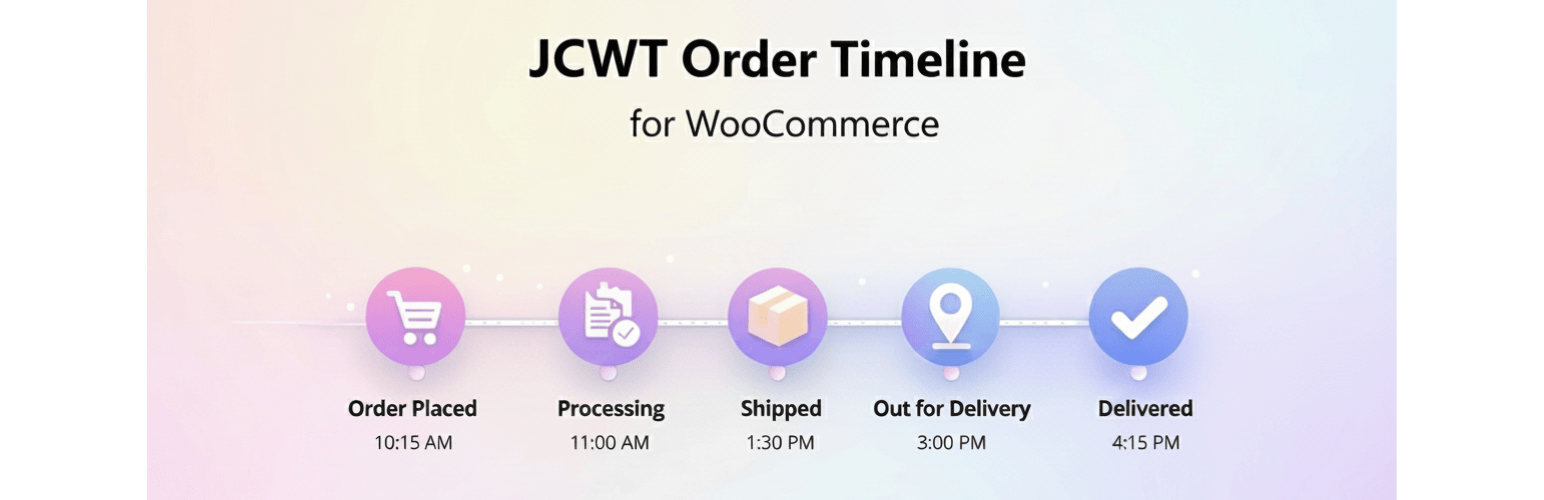
JCWT Order Timeline for WooCommerce
Description
JCWT Order Timeline for WooCommerce adds a beautiful, intuitive visual timeline to the WooCommerce store orders based on order history, helping customers track their order status from placement to delivery, visually.
Features
- ✅ HPOS Compatible – Fully supports WooCommerce High-Performance Order Storage
- 🎨 Customizable Design – Adjust colors and text to match your brand
- ⚡ Performance Optimized – Built-in caching with Redis/Memcached support
- 📱 Mobile Responsive – Looks great on all devices
- 🌍 Translation Ready – Fully translatable with .pot file included
- 🔒 Secure & Clean Code – Follows WordPress coding standards
Display Locations
- Order tracking page
- My Account order view page
Customization Options
- Brand color customization
- ETA (Estimated Time of Arrival) settings
- Customizable text messages for all order states
- Cache duration control
- Show/hide on specific pages
Performance
- Intelligent caching system
- Redis/Memcached support for high-traffic stores
- Database transient fallback
- Auto-cache invalidation on order status change
Developer Friendly
- Clean, well-documented code
- WordPress coding standards
- Action and filter hooks
- Extensible architecture
Support
For support, feature requests, or bug reports, please visit JC Web Technologies
Privacy Policy
JCWT Order Timeline for WooCommerce does not collect, store, or transmit any personal data. All timeline information is generated from existing WooCommerce order data stored in your WordPress database.
Installation
- Upload the plugin files to
/wp-content/plugins/jcwt-order-timeline-for-woocommerce/directory, or install through the WordPress plugins screen - Activate the plugin through the ‘Plugins’ screen in WordPress
- Navigate to Order Timeline Settings to configure the plugin
- Customize colors, text, and display options as needed
Screenshots
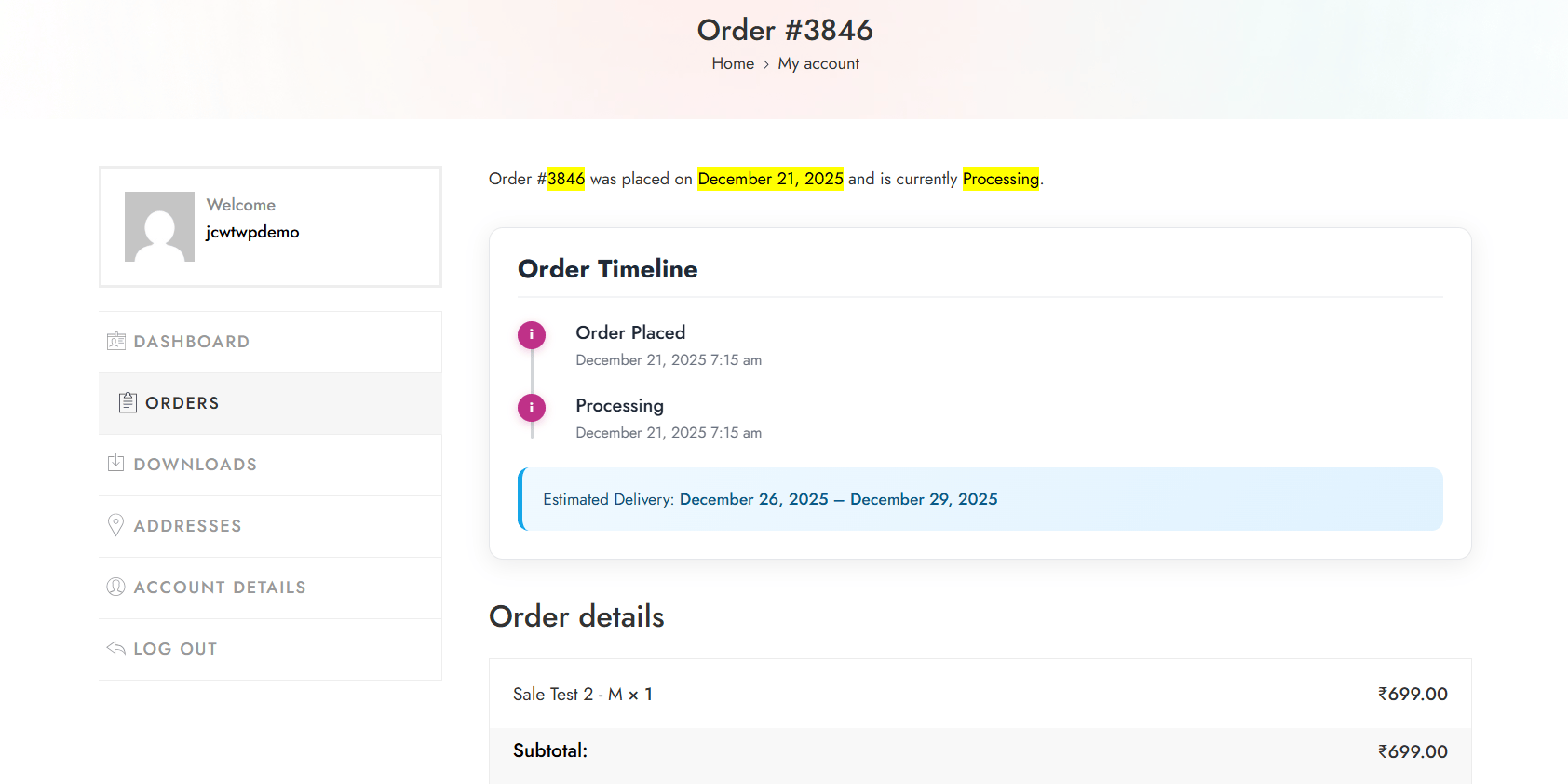
Order timeline on customer's order view page
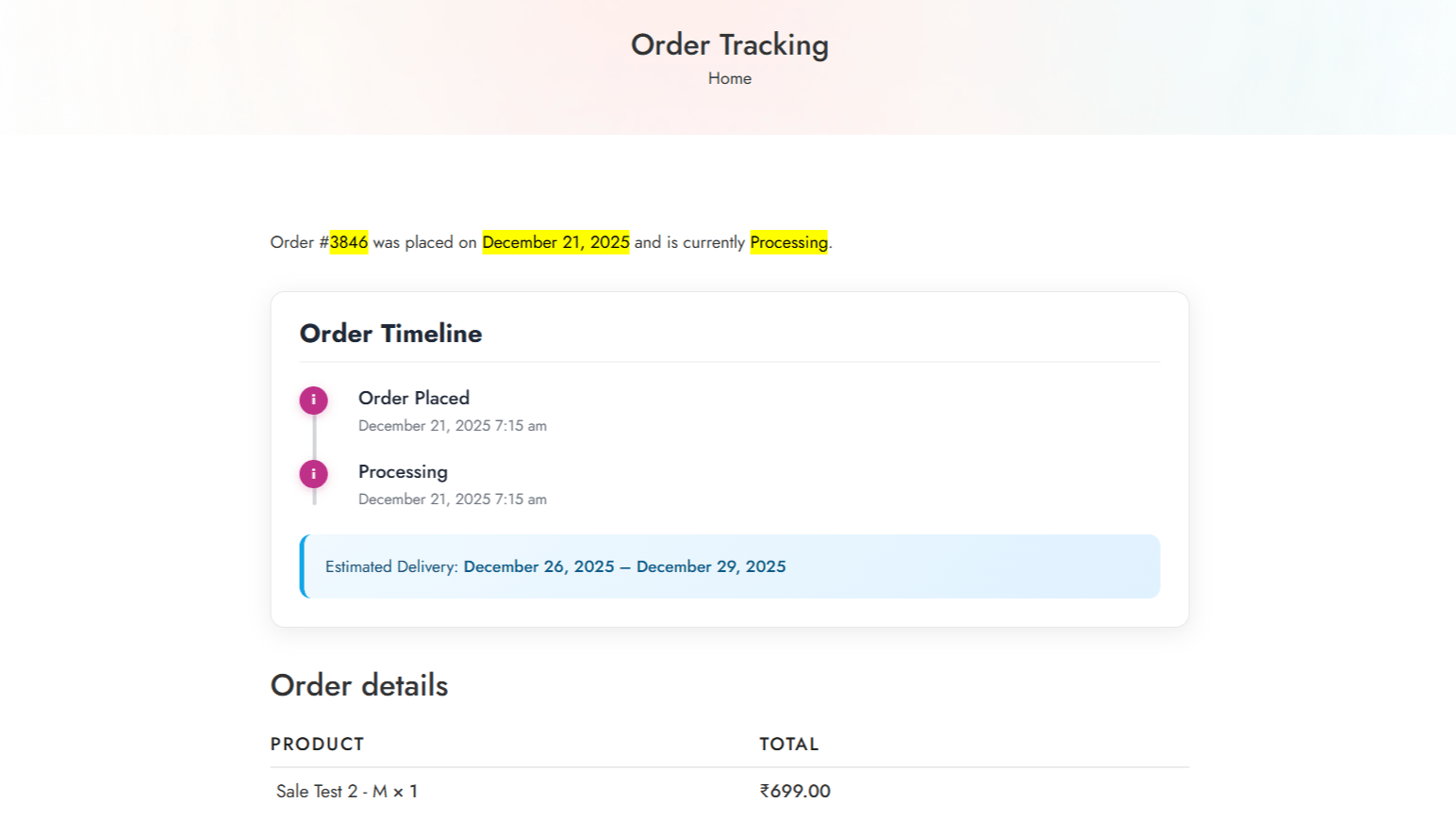
Order timeline on public order tracking page
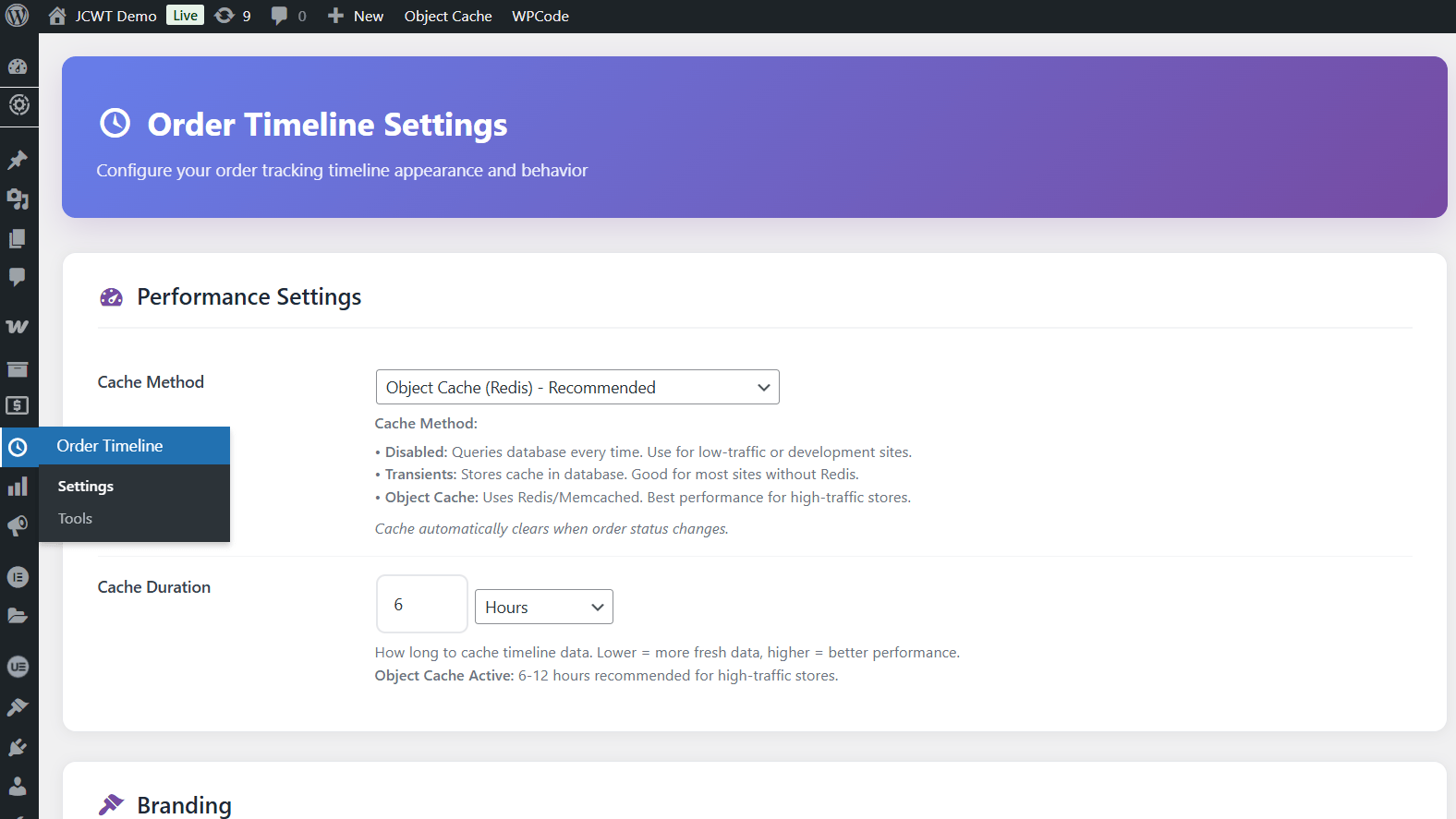
Admin settings page with customization options
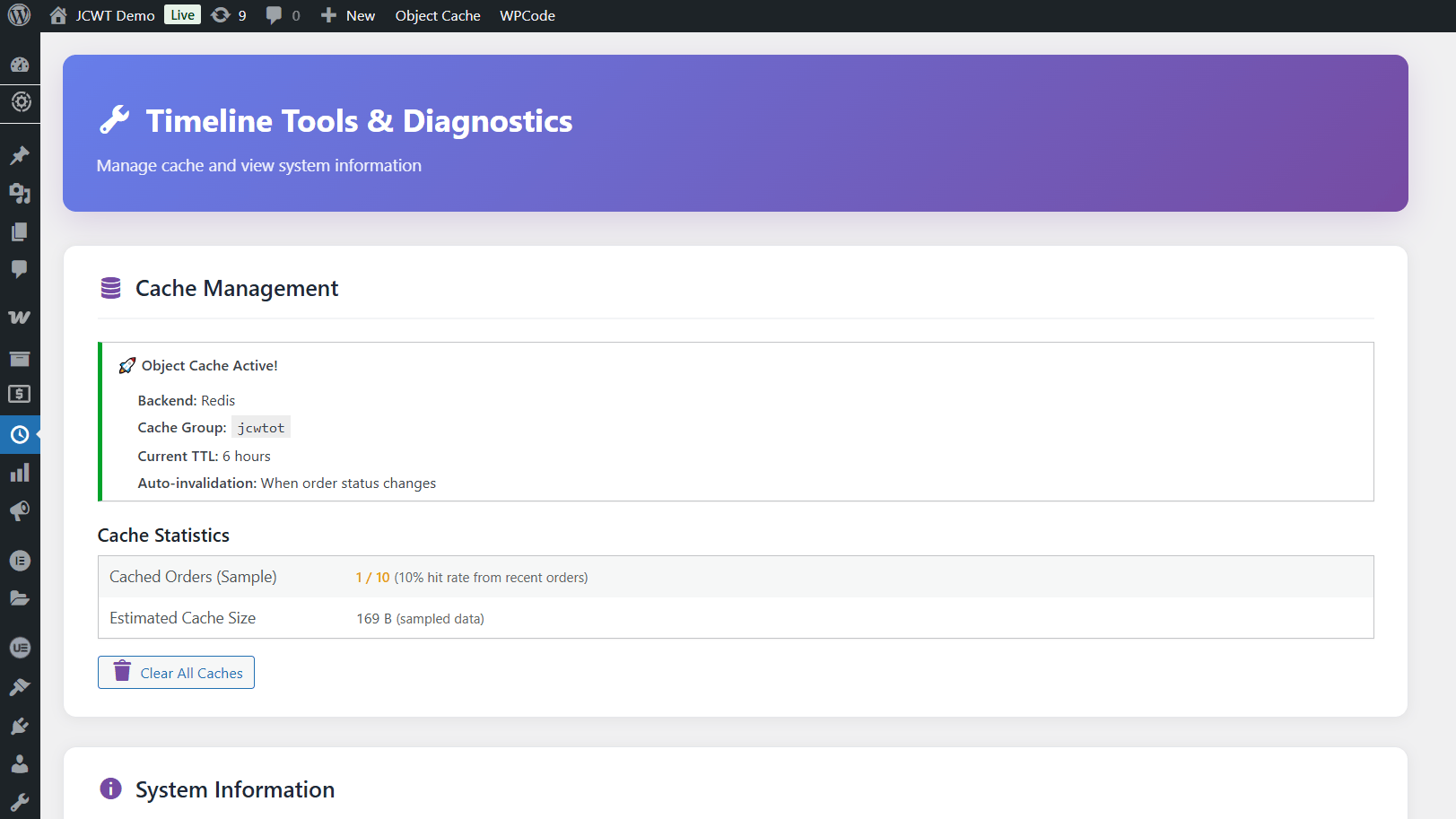
Cache management and diagnostics tools
Faq
Yes! JCWT Order Timeline for WooCommerce is fully compatible with WooCommerce’s High-Performance Order Storage (HPOS).
Yes, the plugin has built-in intelligent caching that works alongside WordPress caching plugins. It supports Redis and Memcached for optimal performance.
Absolutely! You can customize the brand color, all text messages, and control where the timeline appears.
No, the plugin is performance-optimized with caching. It only loads assets on relevant pages and uses minimal resources.
The plugin is translation-ready. You can use Loco Translate plugin or create .po/.mo files in the /languages/ directory.
Yes, the timeline uses standard WooCommerce hooks and is designed to work with any properly coded WordPress theme.
Reviews
Changelog
1.0.0 – 2025-12-28
- Initial release
- HPOS compatibility
- Caching system with Redis support
- Customizable colors and text
- Mobile-responsive design
- Multiple display locations
- Admin settings interface
- Diagnostic tools