Jock On Air Now (JOAN)

Jock On Air Now (JOAN)
Description
🎙️ Transform Your Radio Station’s Online Presence
Jock On Air Now (JOAN) is the most comprehensive WordPress plugin for radio stations, offering professional schedule management with intelligent features that adapt to your content.
From small internet radio stations to major broadcasting networks, JOAN delivers.
✨ Revolutionary Features in Version 6.0:
🎯 Smart Display System
– NEW: Intelligent image positioning
– NEW: Dark mode support with manual toggle and system preference detection
– UPDATED: Customizable widget title centering and custom text options
– NEW: Real-time green/red notification system with visual feedback
– NEW: Auto-timezone detection with visitor override capability
– ENHANCED: Mobile-optimized responsive design for all devices
– ENHANCED: Clean, professional styling with modern UX and accessibility features
📅 Advanced Schedule Management
– NEW: Visual weekly schedule editor with inline editing capabilities
– UPDATED: WordPress media library integration for seamless image management
– UPDATED: Clickable show/jock links throughout all displays
– NEW: Support for overnight shows (11 PM to AM next day)
🔗 Enhanced User Experience
– NEW: Three powerful shortcodes: [joan-now], [joan-schedule], [schedule-today]
– NEW: Real-time AJAX updates with proper error handling
– NEW: Adaptive dark/light mode for improved viewing comfort
– UPDATED: “What’s on today” focused daily schedule view
– ENHANCED: WordPress widgets integration with customization options
– ENHANCED: Professional admin interface with modern design
🎨 Advertisement & Partnership System
– NEW: Partner advertisement management with lazy loading
– NEW: Cached advertisement system for optimal performance
– UPDATED: Support for multiple advertising partners
– NEW: Fallback text support for failed image loads
⚡ Modern Technical Foundation
– REBUILT: Complete codebase redesign
– NEW: Enhanced security with proper nonce verification
– NEW: Multisite compatibility with improved performance
– NEW: SEO-friendly markup throughout
– NEW: Cross-browser dark mode compatibility
– IMPROVED: Cross-browser compatibility and WordPress optimization
– NEW: Button loading states and notification positioning
Perfect for radio stations, podcasters, streaming services, TV stations, and any organization needing sophisticated scheduling capabilities with professional presentation.
Premium Features – JOAN Premium
🚀 Take Your Radio Station to the Next Level
Upgrade to JOAN Premium for professional broadcasting features:
🎯 Advanced Management
* Schedule Backup & Export – Backup and transfer schedules effortlessly with one-click export/import
* Social Media Integration – Auto-post current shows to Facebook & Twitter
* User Role Management – Designate staff to manage schedules without full admin access
* Multi-site Support – Manage multiple stations from one dashboard
🎨 Enhanced Display Options
* Multiple Layout Options – Grid view, list view, and custom layouts
* Advanced Image Features – Automatic resizing, default jock images, custom dimensions
* 24-Hour Format Support – Professional time display options
* Custom Styling Options – Brand colors, fonts, and layout customization
* Premium Dark Mode Themes – Additional dark mode styling options and custom color schemes
⚡ Professional Tools
* Bulk Schedule Operations – Duplicate shows, mass updates, recurring schedules
* Advanced Shortcodes – Additional display options and filtering
* Show Status Management – Live, recorded, repeat indicators
* Analytics Integration – Track listener engagement with schedules
🛠️ Premium Support
* Priority Support – Direct access to our development team
* Lifetime Updates – Never pay for upgrades again
* Early Access – Beta features and new releases first
* Custom Development – Request specific features for your station
💰 Investment Protection
* One-time Purchase – No recurring subscription fees
* Lifetime License – Use forever with unlimited updates
* 30-Day Money Back – Risk-free upgrade guarantee
* Multi-site Licensing – Manage all your properties
Purchase exclusively from our website: JOAN Premium
Transform your radio station’s digital presence with professional-grade scheduling and display capabilities.
Installation
- Upload the
joanfolder to/wp-content/plugins/directory - Activate the plugin through WordPress ‘Plugins’ menu
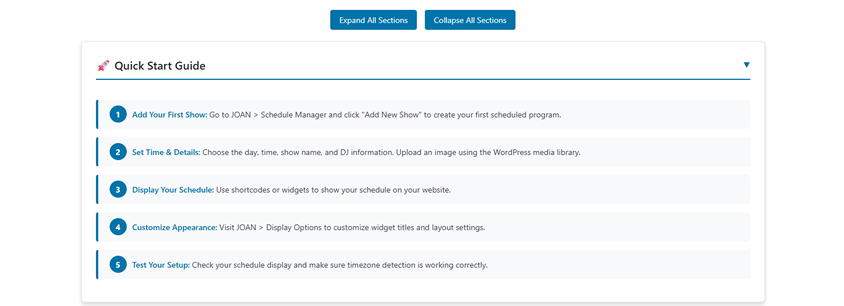
- Configure your schedule at JOAN > Schedule Manager
- Add shows using the intuitive form interface
- Display current show with
[joan-now]shortcode or widget - Show full schedule with
[joan-schedule]or[schedule-today] - Customize display options in JOAN > Display Settings
- Manage advertisements in JOAN > Advertisements (optional)
Screenshots
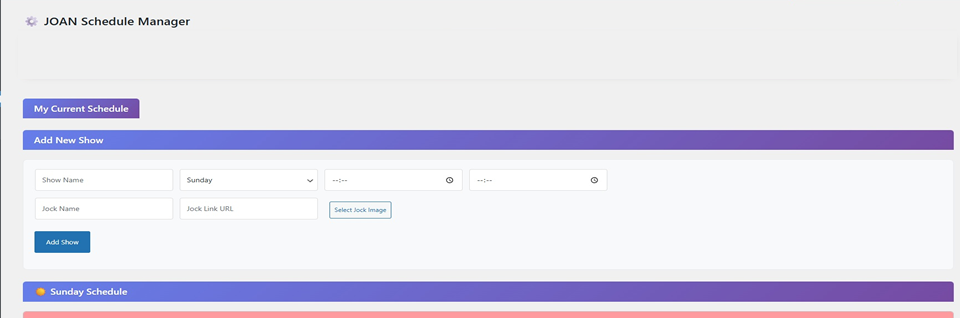
Schedule Manager - Modern admin interface with inline editing and smart notifications
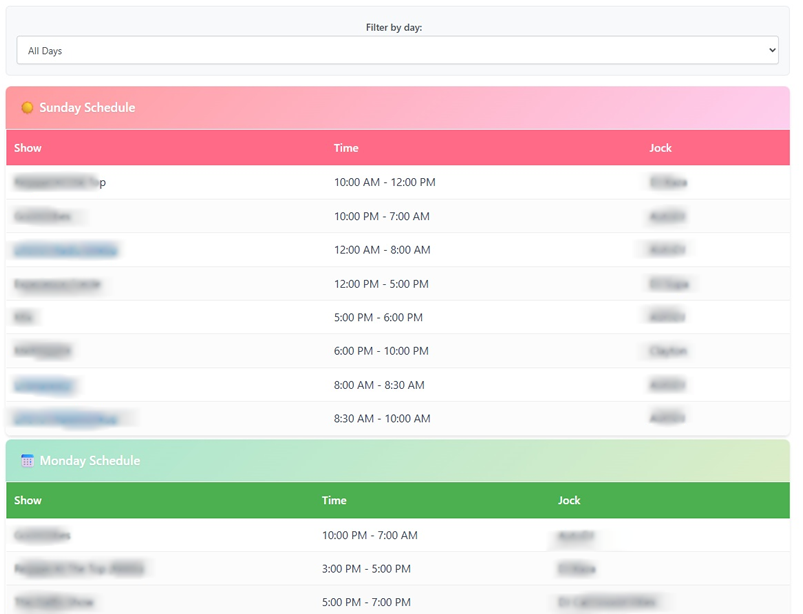
Full Schedule Display - Professional weekly schedule with clickable links and highlighting
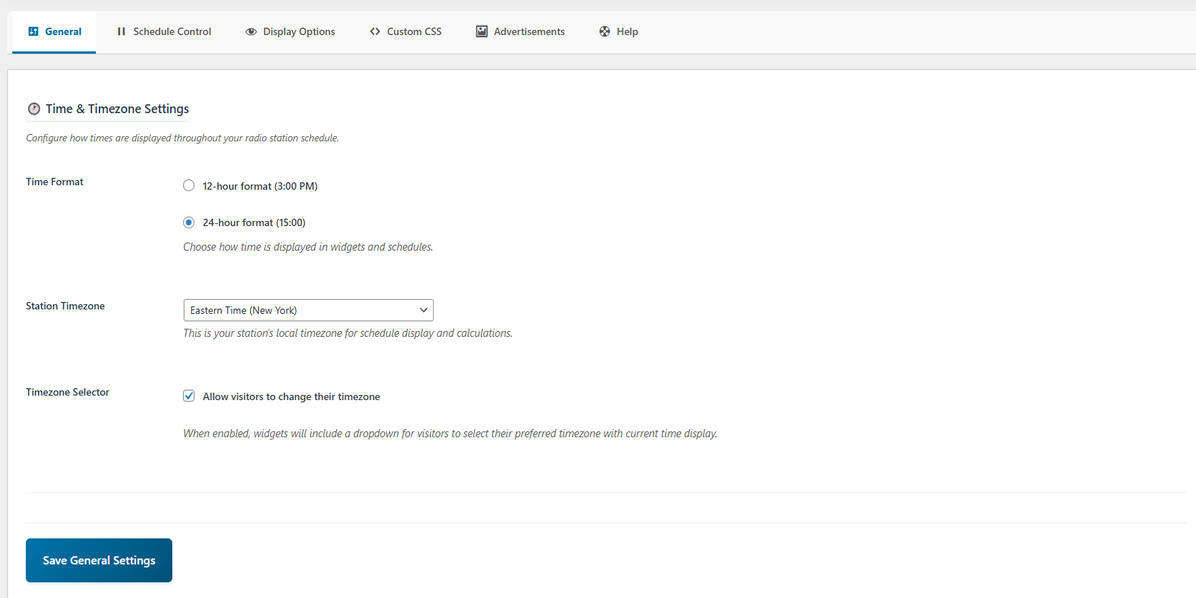
General Settings Tab - Manage your station timezone, format, allow visitors to use their own timezone
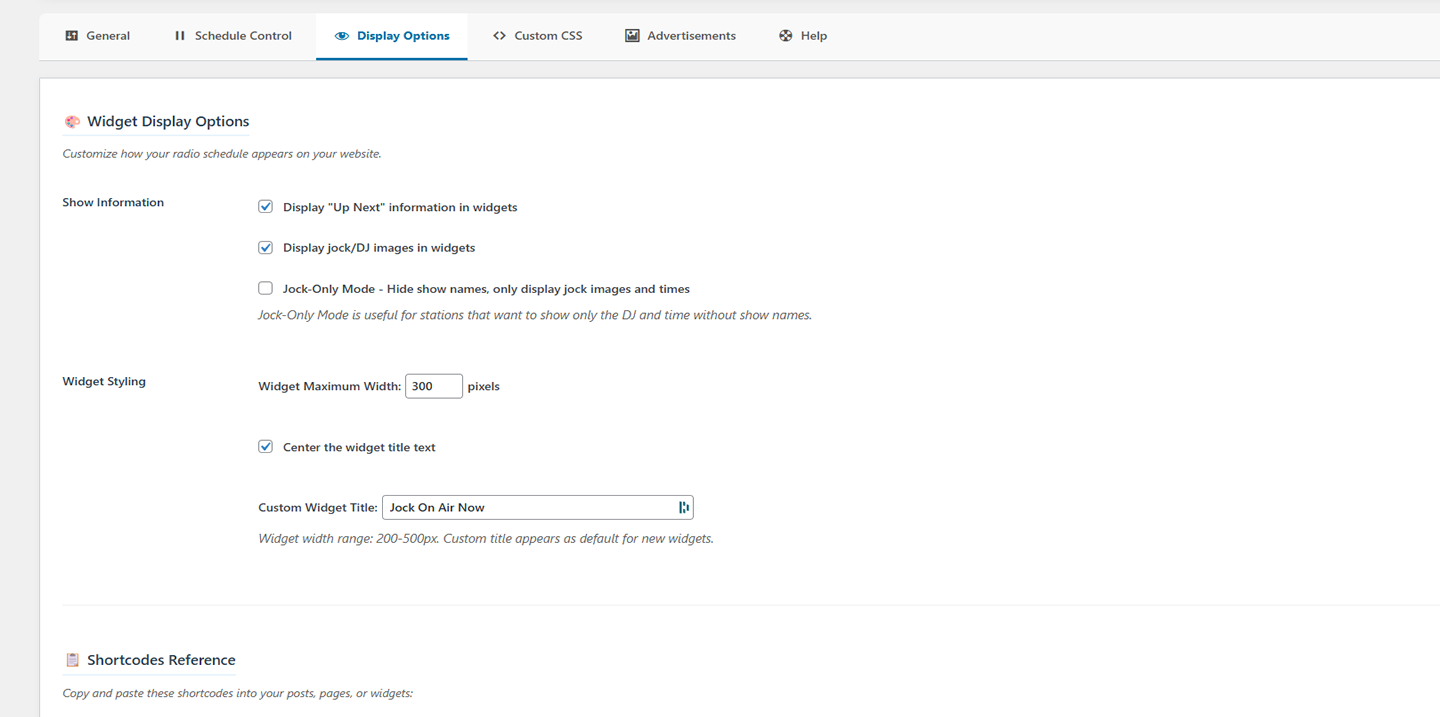
Display Options - Decide what visitors see on your widget
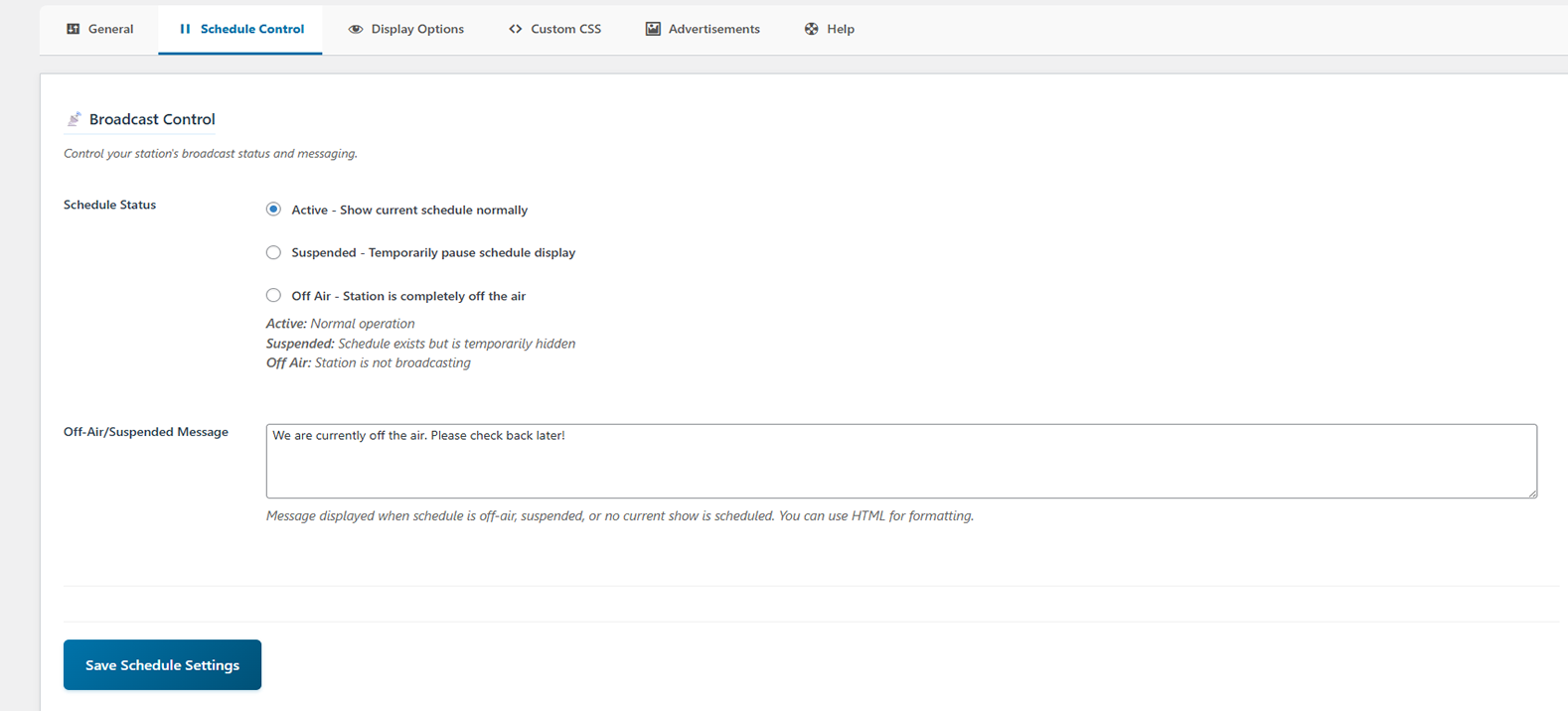
Schedule Control Tab - Activate, deactivate your schedule, customize your off air message
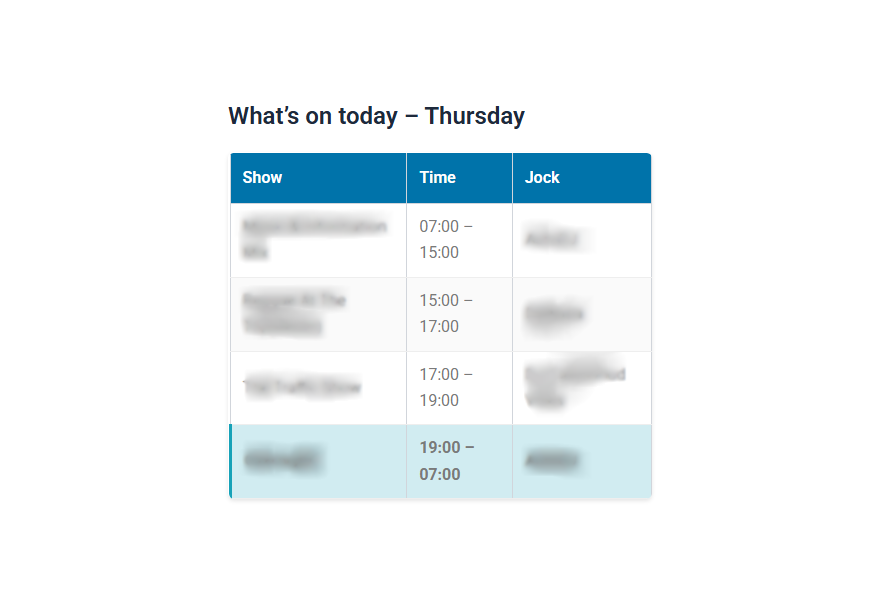
What's on today - - Shows the shows scheduled for each day
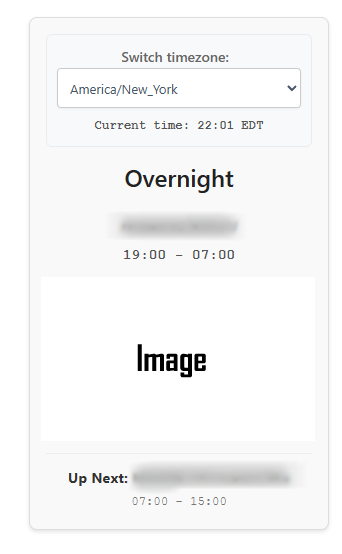
Jock on Air Now Widget - Shows the show and host/DJ currently on air and (optionally) the upcoming show

Smart Notifications - Informs you of admin actions on schedule manager
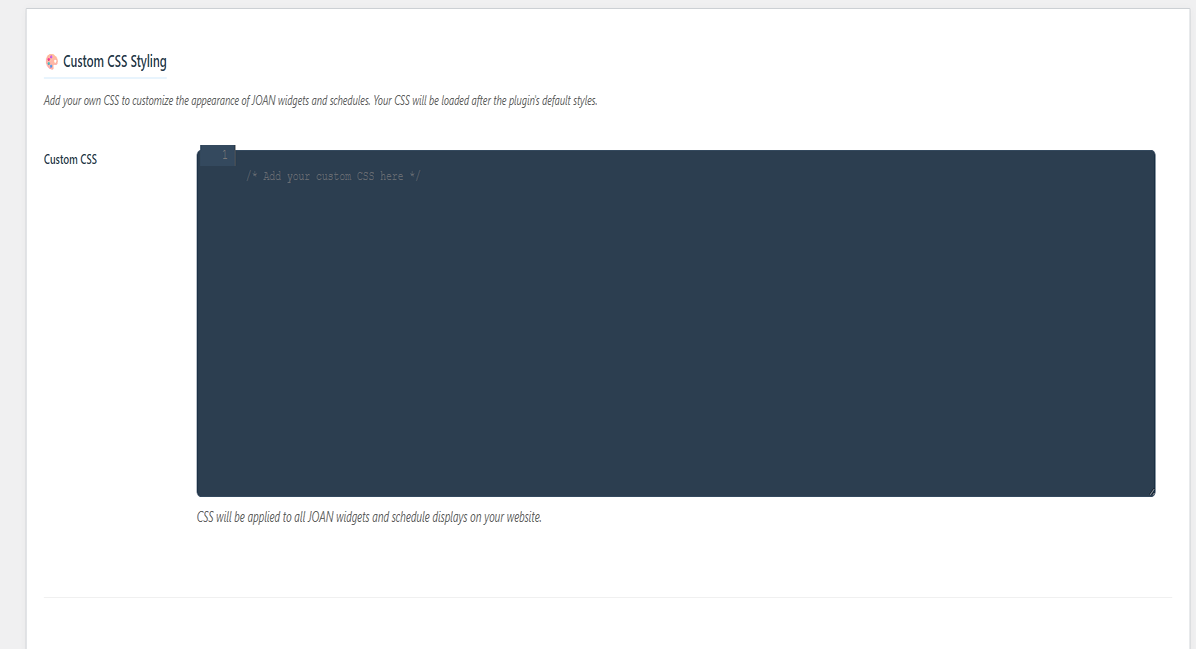
Custom CSS Editor - Use your own CSS to style JOAN widgets and schedules 10.Help Tab - We've added a help tab so you don't have to leave the plugin to get basic assistance for JOAN
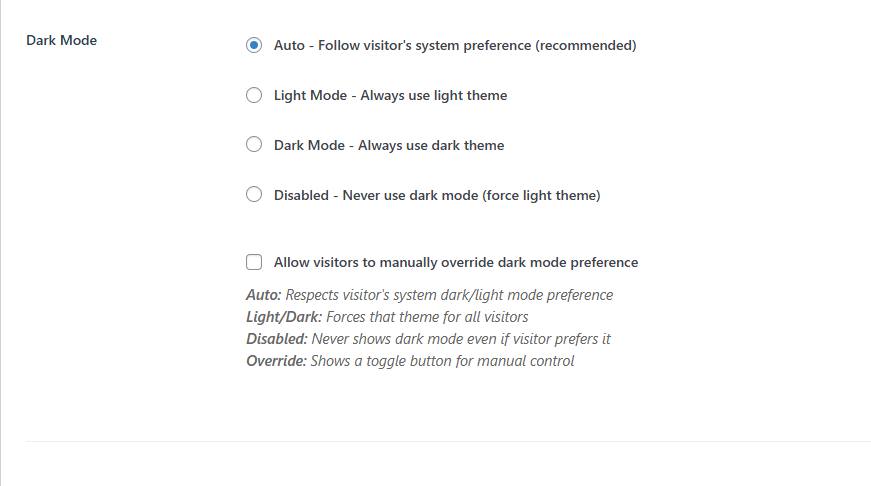
Dark Mode Display - Automatic dark mode support with manual toggle for optimal viewing comfort
Faq
Use the [joan-now] shortcode anywhere on your site, or add the JOAN widget to your sidebar. The display automatically updates and shows the currently scheduled content with smart image positioning.
[joan-now]– Displays currently scheduled show with jock info and smart image positioning[joan-schedule]– Shows complete weekly schedule in table format with clickable links[schedule-today]– Displays only today’s schedule with current show highlighting titled “What’s on today”
JOAN automatically positions images
– **Centered below show details, above “Up Next”
JOAN includes intelligent dark mode support with multiple options:
– Automatic Detection: Respects your visitors’ system preferences (dark/light mode)
– Manual Toggle: Visitors can manually switch between dark and light modes using the toggle button
– Settings Storage: User preferences are remembered across sessions
– Accessibility: Dark mode maintains full accessibility and contrast standards
Yes! In JOAN Settings > Display Options, you can:
– Enable “Center Widget Title” to center all widget titles
– Set a custom default title (e.g., “Live Now”, “On Air”, “Currently Playing”)
– Individual widgets can still override the title if needed
Partner advertisements help support JOAN plugin development and showcase useful services for radio stations. You can:
– Enable/disable advertisements in JOAN > Advertisements
– Advertisements are cached and lazy-loaded for optimal performance
– All ads include fallback text if images fail to load
– The advertisement system is completely separate from main plugin functionality
Yes! JOAN detects visitor timezones automatically and provides a dropdown for manual override. All times display in the visitor’s preferred timezone.
No, JOAN’s timezone setting is completely separate from WordPress’s global timezone. JOAN stores its timezone as joan_timezone and only uses it for radio schedule displays and calculations. Your WordPress site’s main timezone setting (found in Settings > General) remains unchanged and continues to control post timestamps, comments, and other WordPress core functions. You can safely set JOAN to use a different timezone than your WordPress site.
⚠️ IMPORTANT: Version 6.x (starting with 6.0.0) is a complete redesign. Schedules from versions 5.9.0 and below cannot be automatically imported. Please save your existing schedule information before upgrading, as you’ll need to re‑enter your shows after updating.
In the admin schedule manager, simply enter a URL in the “Jock Link” field. This link will appear on the show name throughout all schedule displays and open in a new tab.
Schedule backup and export functionality is available exclusively in JOAN Premium. This professional feature allows you to export, backup, and transfer schedules between sites with ease.
Yes! JOAN includes clean CSS classes for customization. The plugin follows WordPress design standards and integrates seamlessly with most themes. Premium users get additional styling options and custom layouts.
Reviews
Loving the new version
By 
Wow. Thanks JOAN team for updating the plugin. I'm loving the new look. The design is definitely upgraded. The plugin works better and is much easier to use with the new interface. Well done.
Not suitable for multi-radio sites
By 
The plugin is good, however they have left aside the most important function and that is being able to create weekly programming for different radio stations. It would be as easy as being able to create a weekly programming, which offers a unique shortcode, to show said programming on the specific radio station and not a general shortcode for a single radio station's website. This modification would take the plugin to a level of excellence but unfortunately it does not offer this function.
No Valid Header
By 
Sorry I Installed it, whlie activating it says, could not activate , no valid header
Functioning
By 
Great Work
By 
No está preparado para traducirse
By 
Fantastic Plugin!
By 
So far so good and a great replacement for DJ Rotator! Excellent!
Works Perfect
By 
New and improved
By 
There's no better reason to create something when it's something you know others need but cannot create themselves. Creating from scratch is awesome, nevertheless not re-inventing the wheel saves a whole-lot of time.
Improved functionality, following proper development practices, compatible with newest WordPress version, new features added.
Works, does what it was meant to do.
Changelog
6.1.2 – 2025-10-29
- FIXED: Resolved persistent schedule header issues on Android by introducing a dedicated
joan-schedule-headerclass on all<th>cells, then adding late‑loading CSS overrides. These rules force a blue background in light mode and a dark background in dark mode, withcolor-scheme: lightto opt out of browser forced dark mode. The headers now remain visible across all devices.
6.1.1 – 2025-10-29
- FIXED: Elementor “JOAN – On Air Now” widget now registers properly. The earlier code checked for
elementor/loadedtoo soon, causing the widget to never appear. We removed the premature check and now register the widget whenever Elementor is active. - FIXED: Resolved an issue where show titles containing apostrophes accumulated backslashes each time they were edited. Inputs are now unslashed before saving, and existing values are unslashed for the admin interface.
- FIXED: WPBakery Page Builder widget integration confirmed and unchanged; no additional fixes were necessary.
- FIXED: On Android devices in light mode, schedule table headers (Show/Time/Jock) could become invisible because forced dark mode inverted colors. We now explicitly set a colored background on the header cells and opt the schedule tables into a light color scheme. This prevents forced dark mode from overriding the styles and keeps the headers visible across all browsers.
6.1.0 – 2025-10-08
*Added Dismiss Forever on Activation Notice
*Added new translatable strings
6.0.9 – 2025-10-01
- ADDED: Language switcher
- IMPROVED: Better language persistence across page reloads and
browser sessions. - IMPROVED: Translations and added more pre-translated languages by request.
6.0.8 – 2025-09-30
- **Fixed issue with WPBakery. In some case the switch timezone dropdown wouldn’t load.
6.0.7 – 2025-09-04
- UPDATED: The Host Field Label now acts as a fallback rather than an override. When provided, it is used only when a show’s own host/jock name is empty. Per‑show names take priority, and leaving the field blank uses the individual show names.
6.0.7 – 2025-09-04
- **Updated “Host Field Label” logic, enter a global host, appears where no individual host name is empty
6.0.6 – 2025-09-04
- NEW: Added global “Host Field Label” fallback. Provide a default host or jock name that will only be used when a show’s own host field is empty. Per‑show names now take precedence, and leaving the field blank always uses the individual show names; if both are empty, the host line is hidden.
- UPDATED: Added link assignment flexibility, choose to apply show/jock links to the show title, the host name or both.
- NEW: Introduced selectable image display modes: Constrained (smart positioning with max‑width and automatic scaling), Full Width (images span the full widget width) and Custom (use your own CSS).
- UPDATED: Added Jock‑Only mode, when enabled, clicking the image follows the jock/host link if provided.
- UPDATED: Updated admin labels to use “Jock/Host” terminology consistently throughout the Schedule Manager.
6.0.5 – 2025-9-3
- **Fixed a security issue that could allow certain unauthorized users to make unwanted changes to schedules. Update immediately.
6.0.4 – 2025-08-26
- **Fixed issue with 12 hour time format where schedule wouldn’t update after admin made a change
- **Fixed issue when using 12 hour time format shows displayed shuffled on the frontend
6.0.3 – 2025-08-21
🌙 NEW DARK MODE FEATURES
* NEW: Comprehensive dark mode support with manual toggle button
* NEW: Automatic system preference detection (respects user’s OS settings)
* NEW: User preference storage for consistent experience across sessions
* NEW: Dark mode compatibility for all widgets, schedules, and admin interfaces
* IMPROVED: Enhanced accessibility with high contrast support in dark mode
* IMPROVED: Mobile-responsive dark mode toggle positioning
* ADDED: Fallback support for browsers without JavaScript
* ENHANCED: Cross-browser dark mode compatibility testing
🔧 TECHNICAL IMPROVEMENTS
* IMPROVED: CSS optimization for better performance
* ENHANCED: WordPress coding standards compliance
* FIXED: Minor display issues in certain theme combinations
* UPDATED: Accessibility improvements for screen readers
6.0.0 – 2025-08-06
🚨 BREAKING CHANGE: Complete Plugin Redesign
* WARNING: Schedules from versions 5.9.0 and below cannot be imported. Please save your schedule information before upgrading.
🎨 NEW DISPLAY FEATURES
* NEW: Widget title centering option in Display Settings
* NEW: Custom widget title text setting (default “On Air Now”)
* NEW: Advertisement management system with partner integrations
* NEW: Lazy-loaded and cached advertisements with fallback support
* IMPROVED: “Today’s Schedule” label changed to “What’s on today” for better UX
* IMPROVED: Mobile responsiveness for all widget sizes
* ADDED: Cache management system for optimal performance
🎯 CORE REDESIGN FEATURES
* NEW: Complete visual admin interface redesign with modern UX
* NEW: Smart image positioning system
* NEW: Real-time green/red notification system
* NEW: Clickable show/jock links in all schedule displays ([joan-schedule], [schedule-today])
* NEW: Updated [schedule-today] shortcode with current show highlighting
* NEW: Inline editing with immediate visual feedback
* NEW: Auto-timezone detection with visitor override capability
* NEW: Mobile-optimized responsive design throughout
* IMPROVED: AJAX performance with proper error handling and timeout management
* IMPROVED: Database schema optimization and legacy cleanup
* IMPROVED: Security enhancements
* FIXED: Cross-browser compatibility improvements
5.9.0 – 2024-12-15
- Updated for compatibility with WordPress 6.8
- Fixed: Minor timezone handling errors
- Improved: Better admin feedback and schedule stability
- Updated: Deprecated code modernization
5.8.1 – 2024-10-22
- Improved localization support
- Minor performance optimizations
- Enhanced error handling
5.8.0 – 2024-09-10
- Enhanced widget display options
- Improved mobile responsiveness
- Added basic timezone support
- Fixed: Schedule display issues on some themes
5.7.2 – 2024-07-18
- WordPress 6.6 compatibility
- Security improvements
- Performance optimizations
- Bug fixes for edge cases
5.0.0 – 2024-01-15
- Major interface redesign
- Improved shortcode functionality
- Enhanced admin experience
- Better mobile support