JobWP – Job Board Plugin for WordPress | Job Listings, Career Page & Applications

JobWP – Job Board Plugin for WordPress | Job Listings, Career Page & Applications
Description
JobWP is a powerful, easy-to-use WordPress job board plugin built for two types of sites that most plugins ignore: companies that want a professional career page for their own vacancies, and recruitment agencies that post jobs on behalf of multiple clients and need each listing to carry the right company name and logo. Both use cases are fully supported out of the box — no add-ons, no workarounds.
Every listing automatically includes Google structured data, making your jobs eligible to appear in Google’s dedicated job search results and reach candidates you’d never find otherwise — free, with zero configuration. Built-in reCAPTCHA keeps spam applications out. And the whole thing is live in under 10 minutes using a single shortcode.
📌 Why teams choose JobWP
✔ Jobs show up in Google Search — every listing includes Schema.org JobPosting structured data so your roles are eligible for Google’s dedicated job search panel, free, automatically, no setup needed
✔ Three ways for candidates to apply — built-in application form, redirect to LinkedIn/Indeed/any external URL, or connect a third-party form (WPForms, CF7, and more)
✔ Manage all applications in WordPress — a dedicated application panel lets you view, review, and action every submission without leaving your dashboard
✔ Spam-free applications — optional reCAPTCHA keeps bots out of your applicant inbox
✔ Works for single companies and recruitment agencies — post jobs for your own organisation or build a job board that serves multiple clients (full multi-company features available in Pro)
✔ Live in under 10 minutes — add one shortcode to any page and your job board is ready
✔ Works with every WordPress theme — fully responsive, no style conflicts
✔ Translation-ready — ships with 9 languages including Spanish, French, German, Italian, and Portuguese
How It Works
- Install JobWP from the WordPress plugin directory
- Create a page and add the shortcode [jobwp_listing]
- Publish the page — your job board is live
- Add jobs from the WP Jobs menu in your dashboard
- Applications land in your application panel automatically
🌟 Everything in the free version
✓ Publish unlimited job listings with title, description, experience, job type, deadline and location
✓ Control listing card content — show or hide the job overview, set word length for both title and overview,
keeping your listing cards neat and consistent
✓ Display jobs anywhere using the [jobwp_listing] shortcode
✓ List/grid view toggle so candidates can browse the way they prefer
✓ Basic styling control — customise job title font colour, font size, hover colour, and job overview font
colour and size without touching CSS
✓ Built-in search panel — filter by keyword, category, job type, and location
✓ Show or hide job information fields — control which of the four core details appear on
listings (experience, deadline, location, job type)
✓ Customise field label text — rename any job information label to suit your own terminology
✓ Reorder job information fields — control the display order of job details on listing cards
✓ Show or hide pagination on your job board
✓ Search panel customisation — show or hide the entire search panel, control which search filters appear
(keyword, category, job type, location), and customise all placeholder text and search button label
✓ Search panel styling — customise search container, field colours, search button and reset button colours, fonts,
and hover states
✓ Full job detail page control — show or hide any job information field, customise all label text, and
set your job title HTML tag (h1–h6) for SEO
✓ Apply procedure section — add custom application instructions with your own title and content
✓ Apply button customisation — set your own apply button text
✓ Apply form customisation — show or hide form fields, customise all label text including form title, name,
email, cover letter, and resume upload labels
✓ Detail page styling — customise container, job title, job info labels, apply procedure, and apply button
colours, fonts, and hover states
✓ Candidates apply directly from the job detail page
✓ Third-party form support — connect WPForms, Contact Form 7, or any shortcode-based form as your
application form
✓ Resume/CV upload (PDF) on the application form
✓ Instant email notification to admin when a new application arrives
✓ Application management panel — view, review, and delete submitted applications one by one from your
WordPress dashboard
✓ Google structured data on every listing — eligible to appear in Google Jobs, automatically,
no configuration needed
✓ reCAPTCHA spam protection on the application form
✓ Deadline management — hide jobs automatically when the deadline passes
✓ Fully responsive on all devices
✓ Translation-ready with POT file included
🚀 Upgrade to JobWP Pro — built for growth and professional use
The free version is built for getting started. Pro is built for sites where applications are coming in daily, where you need to run a polished, branded operation, or where you’re managing job boards for multiple clients as a recruitment agency.
👤 Multi-company support — the feature that turns JobWP into a full recruitment agency platform:
Assign any job to a client company with their own name and logo displayed on the listing
Create dedicated company profile pages
Filter and display jobs by company using a dedicated shortcode
Post on behalf of unlimited clients from one WordPress dashboard
Earn placement fees while your clients get a professional, branded job board experience
🏢 Company directory — a dedicated company grid page showing all your client companies with their logo, open job count, and latest
listings. Display it anywhere using a shortcode
🏆 Featured jobs slider — pin priority listings to the top of your board
🖼️ Featured image on job cards — add a visual banner to each job card in grid view for a more engaging, professional-looking job board
📥 Export all applicant data to CSV/Excel in one click — stop copying applications by hand into spreadsheets
🗑️ Bulk application management — select and delete multiple applications at once, saving time when managing high
application volumes
🔗 External application URLs — link any job to LinkedIn, Indeed, or any external platform
✉️ Full email control — customise every aspect of your candidate notification emails:
Set the From name and From email so emails arrive from your brand, not a generic WordPress address
Write your own subject line
Fully customise the email body with your own wording and formatting
Optionally disable candidate confirmation emails entirely
🔀 Post-submission redirect — send applicants to a branded thank-you page, conversion tracking URL, or next-step page
after they apply
🖥️ Two job detail page layouts — choose between a Vertical (single-column) or Horizontal (two-column with apply form alongside) layout.
Switch instantly from your settings panel, no CSS needed
️ Drag and drop job detail ordering — reorder any job information field on the detail page by dragging it before or after another.
Changes reflect instantly on the frontend without saving it.
🎨 Full styling control — customise colours and typography to match your brand without touching CSS
📊 Role-based email routing — route new applications to the right team member automatically, not just the admin
👥 HR User role — assign a dedicated HR user who can create, edit, and manage all job listings from the dashboard without
needing full admin access
📄 DOC & DOCX resume uploads — accept Word document CVs alongside PDFs
🔒 GDPR consent checkbox with custom message — collect applicant consent with your own specific wording at point of application
🔒 Login-required applications — restrict the apply button to registered users only
📱 Display mobile number on the application form
🔢 Job level option in the search panel — let candidates filter by seniority
🔍 Display single job details by ID — embed the full job detail page for any specific job on any page using a shortcode with
the job ID
👉 See all Pro features, pricing, and a live demo at wpjoblisting.com
🎯 Who uses JobWP?
✔ Recruitment agencies — build a professional job board for your clients, post on their behalf, and display each client’s company name and logo on their listings. The most complete agency job board solution available for WordPress (Pro)
✔ Small and medium businesses — launch a career page in minutes, accept applications directly in your dashboard, and get your jobs found on Google automatically
✔ Affiliate job boards — display listings and send traffic to external application URLs to earn referral commissions (Pro)
✔ Membership and community sites — gate applications behind a login so only your members can apply (Pro)
✔ Non-profits and universities — post openings and collect applications at zero cost
📈 Get your jobs found on Google — free, on every listing
JobWP automatically adds Schema.org JobPosting structured data to every listing you publish. This makes your jobs eligible to appear in Google’s dedicated job search feature — the panel that appears above regular search results when someone searches for a role. No configuration needed, no Pro upgrade required. Most job board plugins don’t include this at all, or lock it behind a paid add-on. With JobWP, every job you post is Google Jobs-ready from day one.
🔧 Compatibility
✔ Works with any modern WordPress theme
✔ Compatible with Elementor, Divi, Beaver Builder, Gutenberg, and all major page builders
✔ Fully responsive on mobile, tablet, and desktop
✔ Works alongside all major caching plugins and CDNs
✔ Translation-ready — POT file included, compatible with Loco Translate
✔ Available in 9 languages: Bengali, Italian, Russian, Spanish, French, German, Dutch, and Portuguese
To add your own language, load the POT file from the /languages/ folder into Loco Translate or your preferred translation tool.
⭐ Rated 5 stars by every reviewer
JobWP has a perfect 5-star rating on WordPress.org. Users consistently highlight the clean frontend design, ease of setup, and responsive support. If you run into any issues or have a feature suggestion, the support forum is actively monitored and every ticket gets a response.
Found a bug or have an idea to make JobWP better? Post in the support forum — your feedback directly shapes the plugin’s roadmap.
🔗 See it in action — demo & Pro version
Want to see JobWP running live before you install? Or ready to unlock multi-company support, CSV export, custom email templates, and more?
👉 Visit wpjoblisting.com for the live demo and Pro pricing.
Pro plans start at $49.99/year with a 14-day money-back guarantee.
Installation
Install JobWp as a regular WordPress plugin. Here are different ways to install plugin:
Install by search plugin:
Install JobWP as a regular WordPress plugin. There are two ways to install:
Install by searching:
1. In your WordPress Admin, go to Plugins > Add New
2. Search for “JobWP”
3. Click Install Now
4. Activate the plugin
5. Configure your settings under the WP Jobs menu
Install by uploading:
1. Download the latest JobWP .zip file from WordPress.org
2. In your Admin, go to Plugins > Add New
3. Select “Upload Plugin”
4. Click “Choose File”, select the wp-stripe-donation.zip file, and click “Install Now”
5. Activate the plugin
6. Configure your settings under the WP Jobs menu
Screenshots
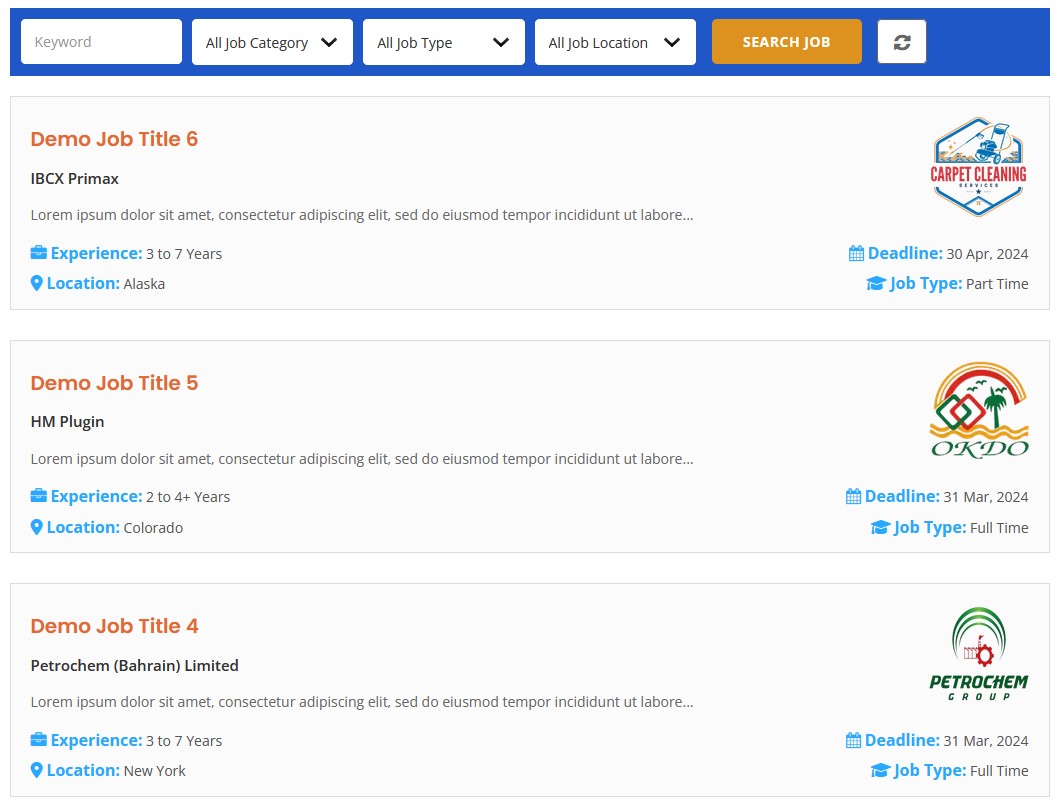
Job board frontend (clean, modern) List View
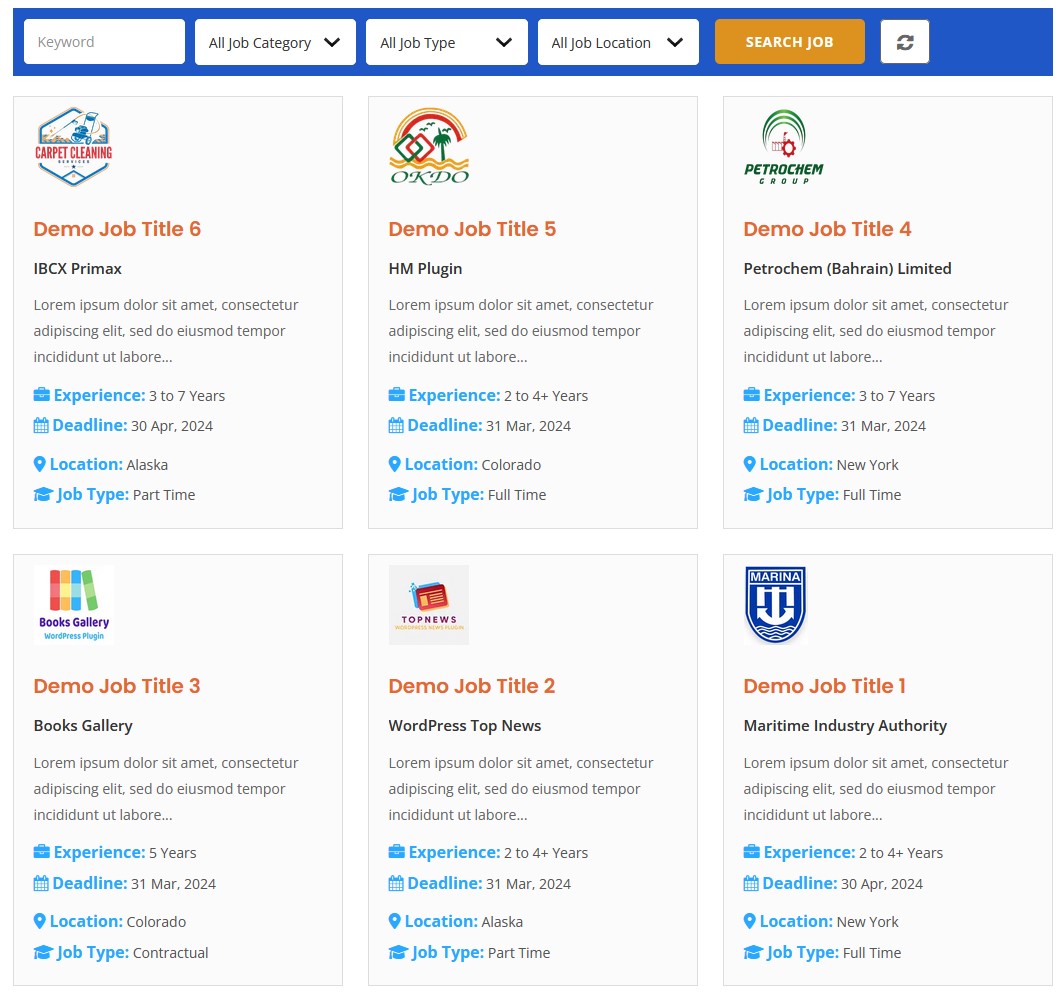
Job listing frontend Grid View
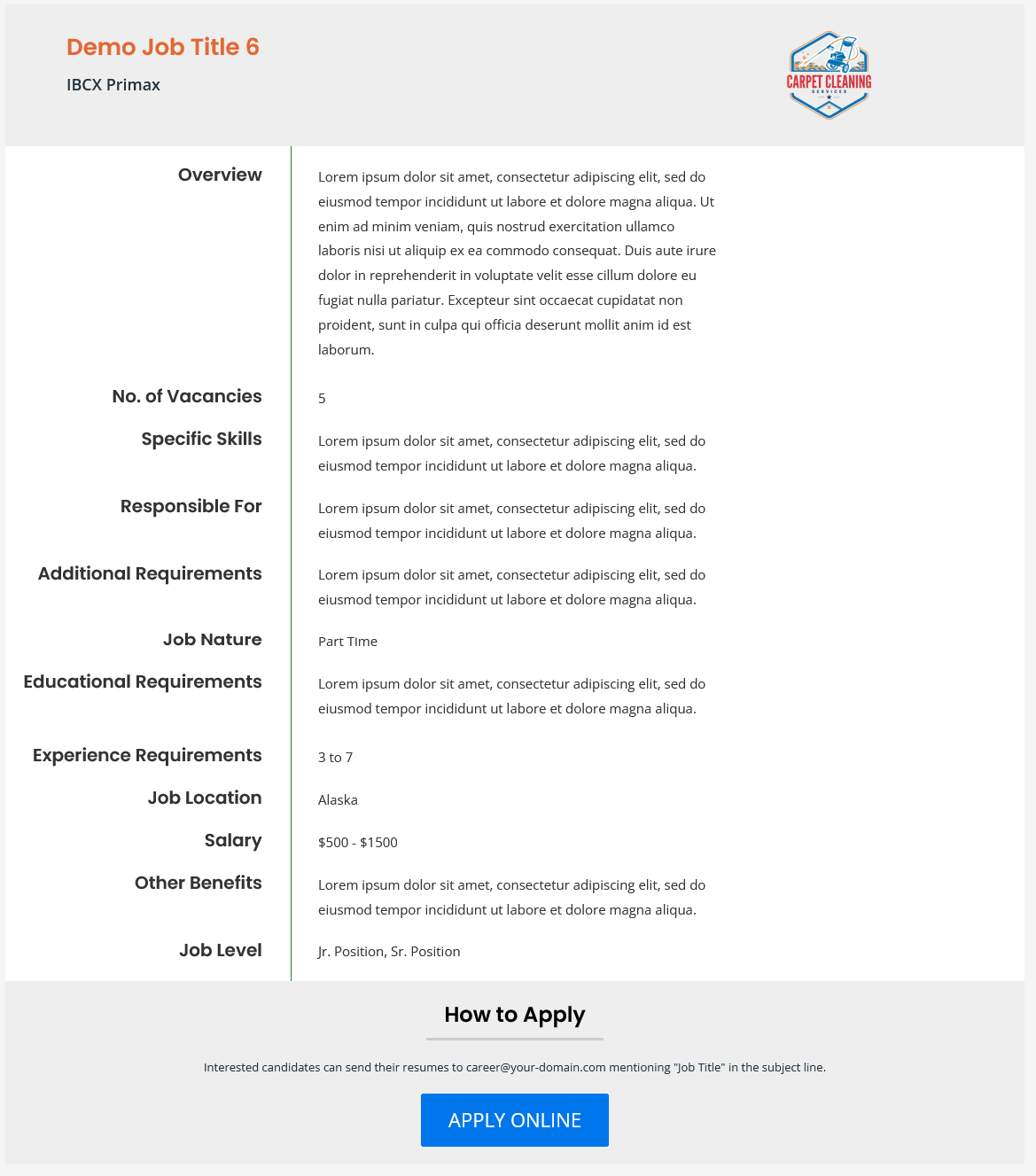
Single career page view
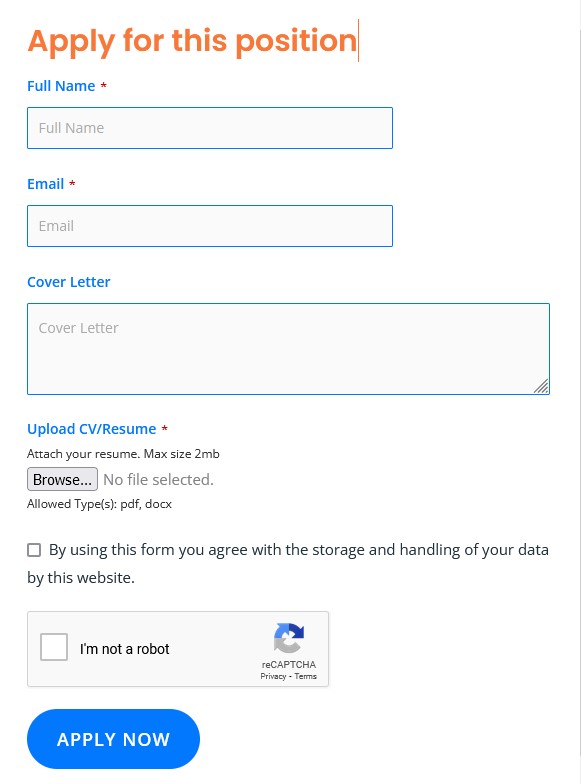
Job submission form
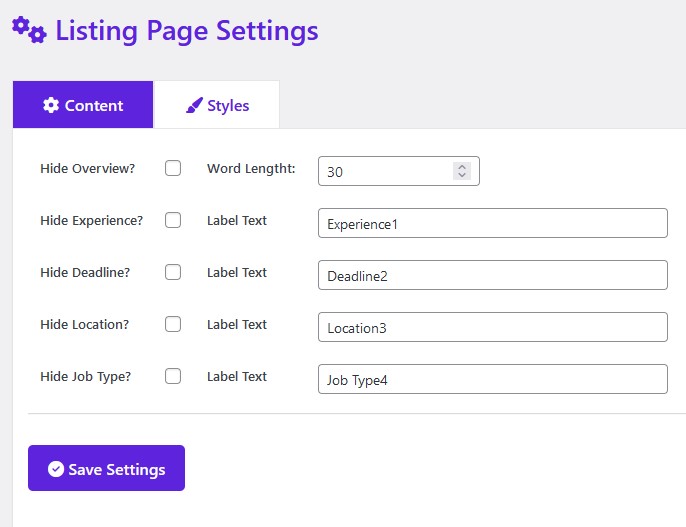
Listing page content settings
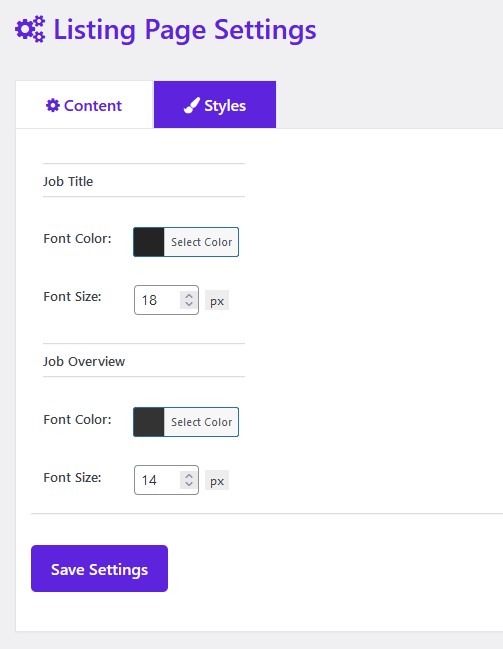
Listing page styles settings
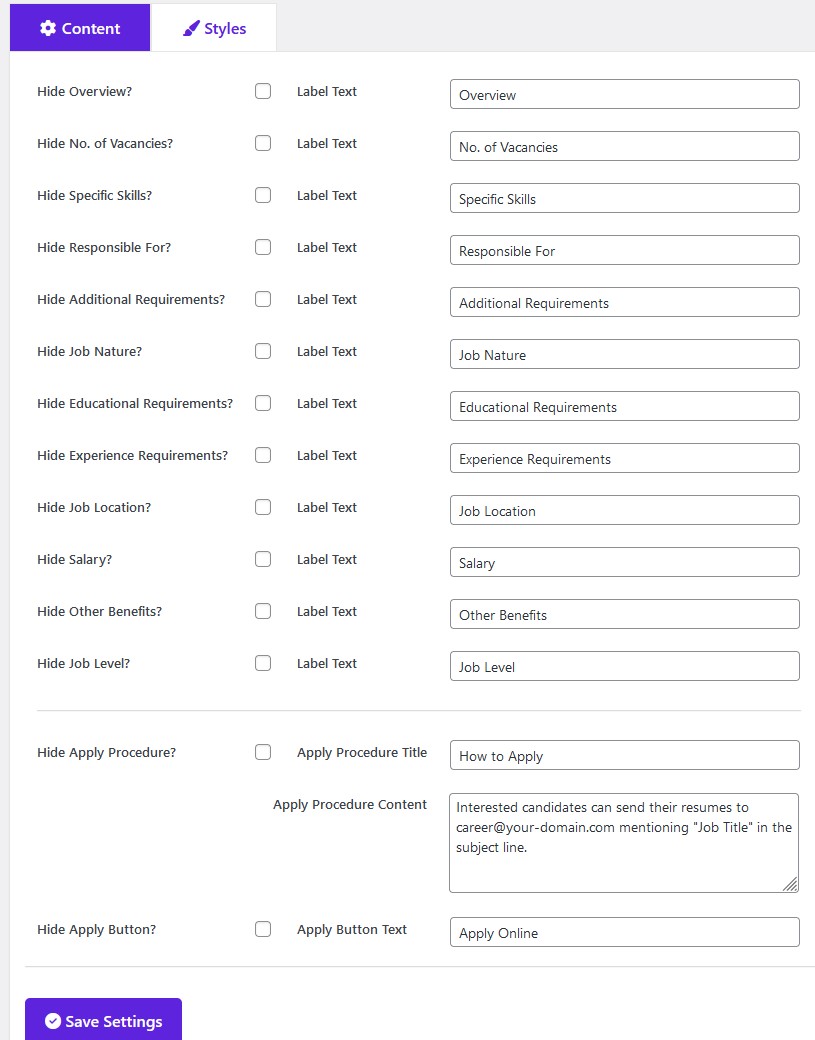
Details page content settings
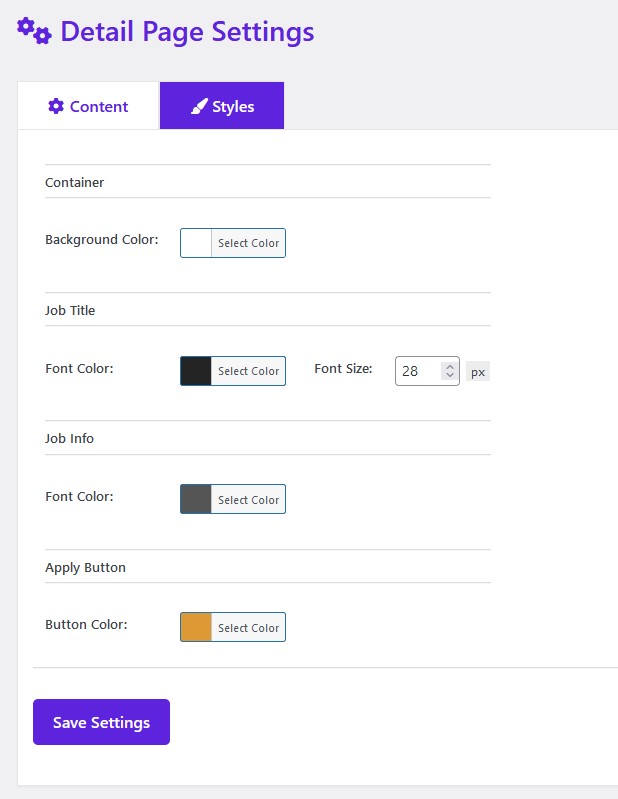
Details page styles settings
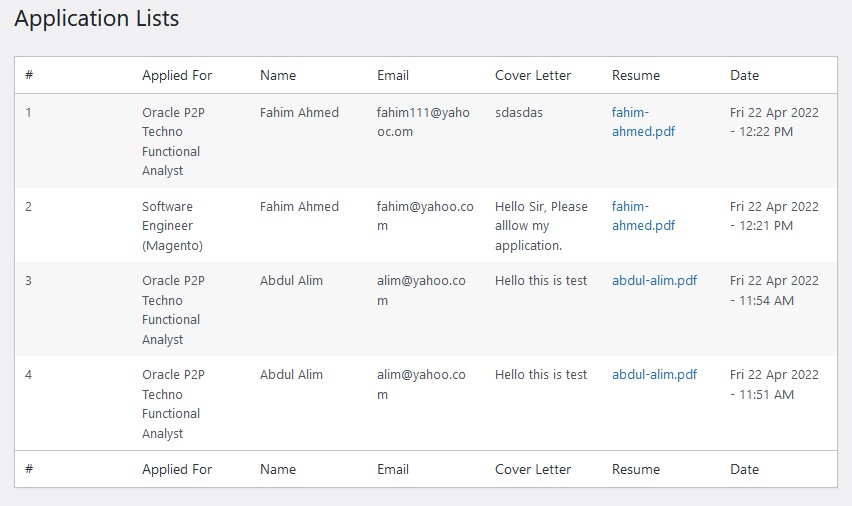
Admin management screen
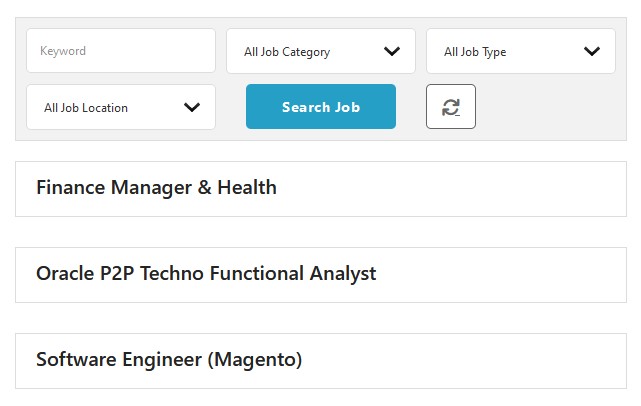
Job listing minimal view
Faq
Yes. Install JobWP, create a page, paste in the [jobwp_listing] shortcode, and publish. Your job board is live. Add jobs from the WP Jobs menu in your dashboard — no developer, no HTML, no CSS required at any point.
All applications are stored in your WordPress database and accessible from a dedicated application management panel in your dashboard. You can see every submission, review the applicant’s details and uploaded CV, and delete entries you no longer need — all without leaving WordPress. This is included in the free version.
Every application is stored in WordPress and visible in the Application List panel under your WP Jobs menu. You can see the applicant’s name, email, the job they applied for, their cover message, and download their uploaded CV. This panel is included in the free version. JobWP Pro adds one-click export of all applications to CSV or Excel so you can process them in bulk.
JobWP works with any well-coded WordPress theme. It uses your theme’s base styles so the job board blends naturally with your site design. The [jobwp_listing] shortcode can be placed inside Elementor, Divi, Beaver Builder, Gutenberg, or any other editor without issues.
This is a WordPress permalink issue, not a plugin bug. Go to Settings Permalinks in your WordPress dashboard and click Save Changes — this refreshes the rewrite rules and the job detail pages will load correctly straight away.
Yes — and this is free for every JobWP user. Every listing you publish automatically includes Schema.org JobPosting structured data, which makes it eligible to appear in Google’s dedicated job search panel (the jobs feature that shows above regular search results). No configuration, no upgrade needed. It works from the moment you publish your first job.
Yes — and this is one of the most popular reasons agencies upgrade to JobWP Pro. The free version gives you a fully functional job board where you can post unlimited listings and receive applications. When you’re ready to run a professional agency operation — displaying each client’s company name and logo on their listings, creating company profile pages, and filtering jobs by company — that’s all available in Pro. It’s the feature set that takes JobWP from a job board to a complete recruitment agency platform.
Both plugins handle job listings, but there are meaningful differences in what’s free. JobWP includes Google structured data (Schema.org JobPosting), reCAPTCHA spam protection,
a built-in application management panel, and two application methods in the free version — a built-in application form and third-party form integration (WPForms, CF7, and more).
External application URL redirect is available in Pro. WP Job Manager gates most of these behind paid add-ons. If you’ve tried WP Job Manager and found yourself buying extensions
for features that should come standard, JobWP is worth a look.
Yes, with JobWP Pro. On any individual job you can set an external application URL — when a candidate clicks Apply they are redirected to LinkedIn, Indeed, a Google Form, or
any other destination. This is particularly useful for recruitment agencies and affiliate job boards that drive traffic to external platforms.
Yes. The built-in application form supports PDF resume uploads in the free version. JobWP Pro adds support for DOC and DOCX (Word document) uploads as well, so you can accept CVs
in whichever format applicants prefer.
Yes, with JobWP Pro. The email settings page gives you full control: set the From name and From email address so messages arrive from your brand, write a custom subject line,
edit the full email body with your own content and tone, and optionally disable candidate confirmation emails entirely. In the free version, only the admin receives an email
notification when a new application is submitted — candidate confirmation emails are a Pro feature.
JobWP is built with performance in mind. The plugin generates clean, minimal HTML and has no external API calls on the frontend, making it compatible with all major caching
plugins and CDNs. As with most WordPress plugins, scripts and styles load sitewide, but the impact on page speed is minimal and unlikely to affect your site’s performance scores.
All your job listings and applicant data are stored in your own WordPress database — JobWP has no external dependency or cloud account. If you deactivate the plugin, the data
stays in your database. You own it completely.
Yes. JobWP Pro comes with a 14-day money-back guarantee. If you upgrade and decide it’s not right for you within 14 days, contact support for a full refund — no questions asked.
Reviews
Fast and accurate support
By 
The dev responded fast and helped to "customize" the form to our needs
Best job manager plugin - easy to use and fully functional
By 
This is probably the best job manager wp plugin. Very easy to use, very beautiful and fully functional plugin. Thanks a lot to the developper.
An outstanding plugin for job listings!
By 
Job Board is by far the best plugin I've tried for posting and managing job offers on my website. It's easy to use, intuitive, and comes with a modern design that blends perfectly with my WordPress site. Customization is simple yet powerful, and the overall look is highly professional. A fantastic tool for any business or recruitment agency! I highly recommend it. 👌🔥
The plugin is very useful and very good, customer support is very fast
By 
The plugin is very useful and very good, customer support is very fast
Great Plugin, Very great Customer Support
By 
So glad I found this plugin! Customer Support is very helpful. Thank you!
Support & Customizations = AMAZING
By 
The support alone is worth the plugin. You don't see a lot of these plugins offering chat support, especially when a lot of the features are free! The customizations that are EASY to edit in the backend is what makes this plugin stand out from the rest.
I wish I found this earlier, so I didn't waste as much time with a different one.
Excellent!
By 
That is how I can describe it.
Awesome Job Board and Support
By 
Wow! I had been searching for a job board plugin for a client for some time and tried a few which always required CSS to get them to work.
This plugin is sensational. Easy to use and the options are all laid out in an easy to understand format. I love the colour styles panel which allows you to really brand this to your company (no more coding and css)
But the true mark of a great plugin is in it's support. I have had a few questions during the set up and Hossni has been truly outstanding in quick and knowledgebale support. At $49 for a single site license, this plugin is truly a bargain.
I'd implore any developer who is building a recruitment site or needs to add job board functionality to an existing site, take a look at this plugin.
Has a great range of shortcodes to show jobs in different formats.
Has the checkbox function for users to accept data privacy (very important)
Has a great applications database showing all your applicants.
I could not be more happier.
UPDATE:
I have now been using this plugin for around a year. I recently had some issues with job formatting.
Jumped on the support chat with Hossni (Superstar) and in minutes he had my issues fixed perfectly.
This is the type of support that makes customers very happy and to have a plugin that is continuously supported shows how much Hossni cares about his customers.
UPDATE 13/12/2024
This plugin and the support continues to be absolutely top notch. It is clearly the best job board plugin available for WordPress. But thenplugin pales into the background when you start talking about support.
You can get Hossni, usually in minutes and he always comes up with a solution to add even more functionality. He really helps you get the best from the plugin. I cannot believe this is still such a low price.
VERY HAPPY CUSTOMER
Great plugin. Clean, Easy. Simply the Best
By 
Plugin is easy to use. Clean, meaning it is easy for your eyes and for finding things. Not confusing at all.
Person who made it is very professional. Provides support fast if you have any additional questions. Added new feature ( asking for login when applying ) in 1 -2 days. After that the original version got the update with this feature. Simply awesome. Could not ask for a better service / product.
Edit. After several months needed some help and creator provided support in minutes. I really thank him. If all creators would be so professional world would be a better place!
Excellent Support
By 
These guys are responsive. One email and your issue is addressed. That's the way it should be and these guys nailed the support.
Changelog
2.5.0
- New: Google structured data (Schema.org JobPosting) moved to free version —
every listing is now eligible to appear in Google Jobs automatically - New: Contextual Pro upgrade sidebar on every settings page — shows only
relevant locked features per page with pricing and money-back guarantee - New: Visual free/Pro row distinction across all settings pages — green rows
for free features, amber rows for locked Pro features - New: In-plugin review prompt added to all settings pages
- Improved: Pro upgrade messaging rewritten with benefit-focused descriptions
- Improved: Settings pages reorganised with clearer section groupings
- Fix: Employment type structured data format corrected to underscore format
- Improved: Pagination rebuilt with cleaner HTML structure and optimised
CSS/JS for faster rendering and better theme compatibility - Improved stability and compatibility
- Tested compatibility with WordPress 7.0
- Freemius SDK upgraded to 2.13.4
2.4.8
- Freemius SDK upgraded to 2.13.1
- Apply form upload cv label text option added
- Apply form Attach Resume label text option added
- Apply form Allowed Types label text option added
2.4.7
- Tested compatibility with WordPress 6.9.1
- Added JobWP slug option in permalink settings
- Added clearer labels and helper text in plugin settings
- Improved UI in plugin settings
- Fixed minor bugs
2.4.6
- Freemius SDK upgraded to 2.13.0
- Sanitization applied to resume upload
- URL escaping applied to admin resume view
2.4.5
- Reset button styling option added
- Search button border color option added
- Freemius SDK upgraded to 2.12.2
- Css fixed
- Code optimized
2.4.4
- Nonce verification applied in application list
- Order by option added with title, date and menu_order
2.4.3
- Listing page job info order option added
- Freemius SDK upgraded to 2.12.1
- Textdomain changed from define to real textdomain
- Code optimized
- Css fixed
2.4.2
- Job title word length option added
- Pagination hide option added
- Minor css fixed
2.4.1
- Freemius SDK upgraded to 2.12.0
- Code optimized
2.4.0
- CSRF checking applied to the General settings page
- CSRF checking applied to the Listing Content settings page
- CSRF checking applied to the Listing Styles settings page
- CSRF checking applied to the Search Content settings page
- CSRF checking applied to the Search Styles settings page
- CSRF checking applied to the Single Content settings page
- CSRF checking applied to the Single Styles settings page
- CSRF checking applied to the Email settings page
- CSRF checking applied to the Apply Form Content settings page
- CSRF checking applied to the Apply Form Styles settings page
- Wpdb prepare applied to job application insert data
2.3.9
- Updated Freemius SDK to the latest version
2.3.8
- Hide apply procedure and apply button separated
- Total jobs found text change option added
- Show hide cover letter option added
- Code optimized
2.3.7
- Freemius SDK upgraded to 2.9.0
- Job description info label font size option added
- Job description info font size option added
- CSS fixed
- Details page responsive issue fixed
2.3.6
- Details styles admin settings page css fixed
- Details page top-bottom margin option added
- Apply button styling option added
- How to apply styling option added
- Job overview paragraph issue fixed
- Details page layout fixed
2.3.5
- Freemius SDK upgraded to 2.8.1
- Minor bug fixed
- Nerwork site database prefix issue fixed
- Issue with option value & fixed in the search
- Combined search implemented
- Allow HTML into apply procedure content
- Years text removed from listing
2.3.4
- Layout changing option at front view
- CSS fixed
2.3.3
- Hide Jobs When Deadline Over option added
- Hide Total Jobs Found option added
- Action added for job single page before, after body container
- reCaptcha implemented for job apply form
- Enable/Disable reCaptcha option added
- Delete resume when delete an application
2.3.2
- Display jobs which deadlines are equal or grater than Today
- Search button bg color option added
- Search button font color option added
- Search button font size option added
- Search button hover bg color option added
- Search button hover font color option added
- Search container bg color option added
- Search container border color option added
- Search item bg color option added
- Search item border color option added
- Search item font size option added
- Freemius SDK updated to 2.6.2
- Css improved
2.3
- Css improved
- Code optimized
- Minor bug fixed
2.2
- UniqueId added to filename to make it more secured
- Freemius SDK upgraded
- Pro feature panel added to admin sidebar
2.1
- Security fix at server side
2.0
- Freemius SDK update to 2.5.10
1.9
- Total job found message added
- Parsing bug fixed
- Listing page styling issue fixed
- File security issue fixed
- Css fixed
- Grid layout issue fixed
- General and Details page styling conflict issue fixed
1.8
- Limit shortcoded option added
- Category shortcoded option added
- Search shortcoded option added
- Pagination added
- Job application delete feature added
- Made content hidden if they are empty in detail page
- Hide search panel option added
- Search keyword show hide option added
- Search category show hide option added
- Search job type show hide option added
- Search location show hide option added
- Search button text option added
- Application form settings added
1.7
- Listing and detail settings bug fixed
1.6
- Job detail page not found issue fixed
- Apply form nonce field verified
- Application table drop issue fixed
- Freemius sdk updated
- Modal css fixed
- Option to use external form in the application form
1.5
- Location label text option added
- Job type label text option added
- Details page item show hide option added
- Details page item label text option added
- Detail container bg color option added
- Detail job info font color option added
- Detail apply online button bg color option added
- Detail mobile responsive improved
- List job info item show hide option added
- List mobile responsive improved
- Two layouts added – List/Grid
1.4
- Font Awesome Free 6.1.1 integrated
- Search by Job Type Feature added
- Search by Job Location Feature added
- Css fixed
- js console error fixed
- Job location added in listing
- Job type added in listing
- Admin notification email features added
1.3
- Search by Job Title item added
- Search by Job Category item added
- Job Application Form Added
1.2
- List page overview show-hide option added
- List page overview word length option added
- List page experience label text option added
- List page deadline label text option added
- List page title font color option added
- List page title font size option added
- List page overview font color option added
- List page overview font size option added
- Single page title font color option added
- Single page title font size option added
- Admin design improved
1.1
- Primary color changed
- Job listing hover color changed
- Font Awesome 4 integrated
- Css changed
1.0
- Initial release