JokeShogun – Random Jokes in Admin Dashboard

JokeShogun – Random Jokes in Admin Dashboard
Description
JokeShogun – Random Jokes in Admin Dashboard is a lightweight, fun plugin that displays a random joke at the top of your WordPress admin area on every refresh. Designed to keep the workspace fun without being intrusive, it comes with a dedicated settings page to customize where and how the jokes appear.
Jokes are loaded from a clean, separate jokes.php file, making it incredibly fast and easy to maintain or expand your joke collection.
Features
- Customizable Locations: Choose exactly which admin pages (Dashboard, Posts, Settings, etc.) display the jokes.
- Visual Styling: Select from WordPress’s native notice colors (Blue, Green, Yellow, Red) to match your vibe.
- Custom Prefix: Change the default “Joke of the Moment:” text to anything you like, or remove it entirely.
- Per-User Opt-Out: Respects individual preferences! Any user can disable jokes for their own account via their User Profile page.
- Developer Friendly: Jokes are cleanly separated into a
jokes.phpfile, ensuring lightning-fast performance.
Installation
- Upload the
jokeshogunfolder to the/wp-content/plugins/directory. - Activate the plugin through the ‘Plugins’ menu in WordPress.
- Navigate to Settings > JokeShogun to configure your display preferences, styling, and custom prefix.
- To add more jokes, access your site via FTP/File Manager, open the plugin folder, and add your text strings to the array inside
jokes.php.
Screenshots
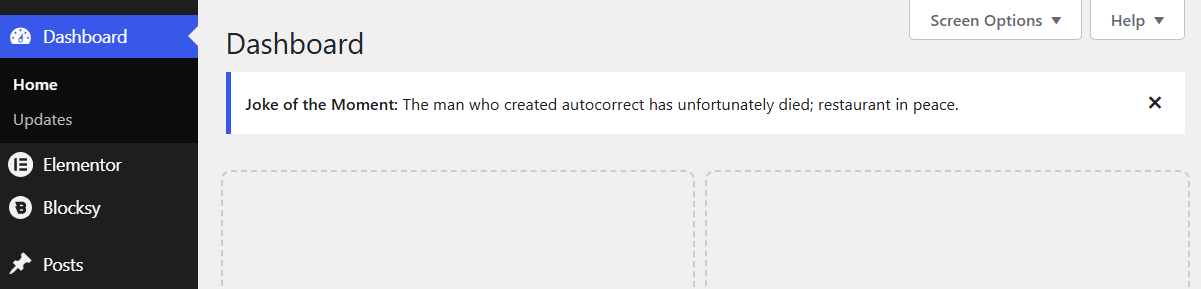
A joke displayed natively in the WordPress admin dashboard.
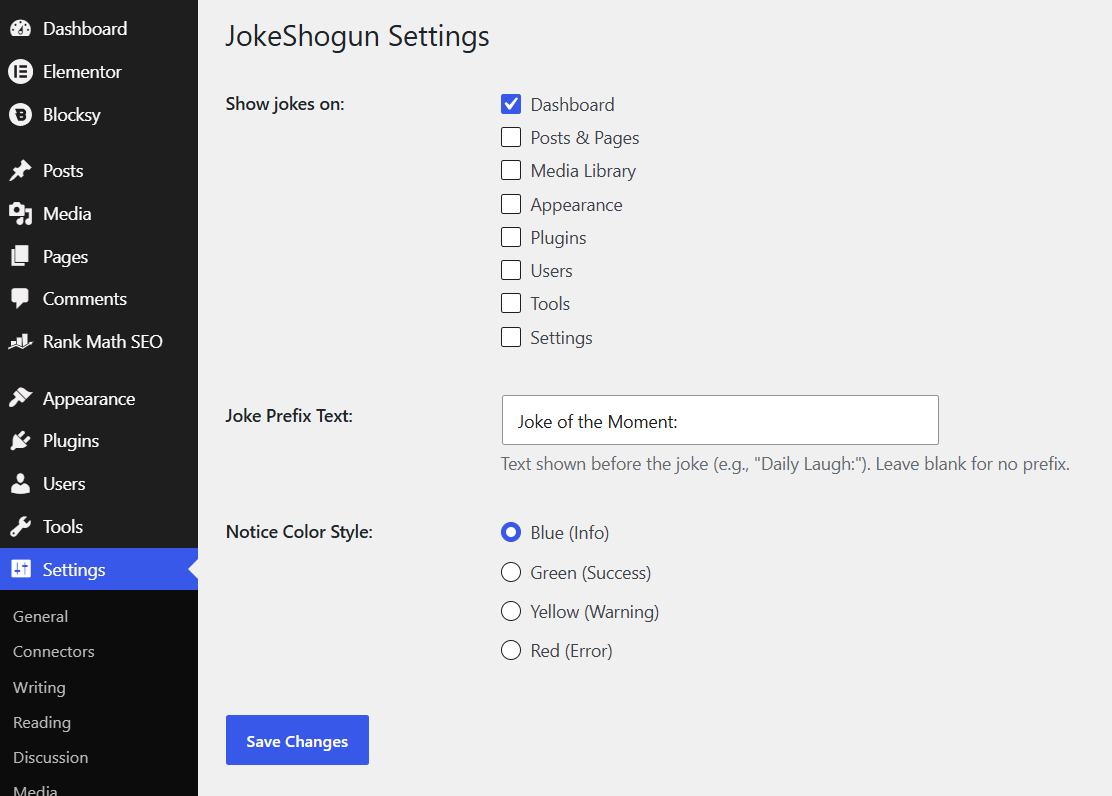
The Random Admin Jokes Settings page where you can customize locations, prefixes, and colors.
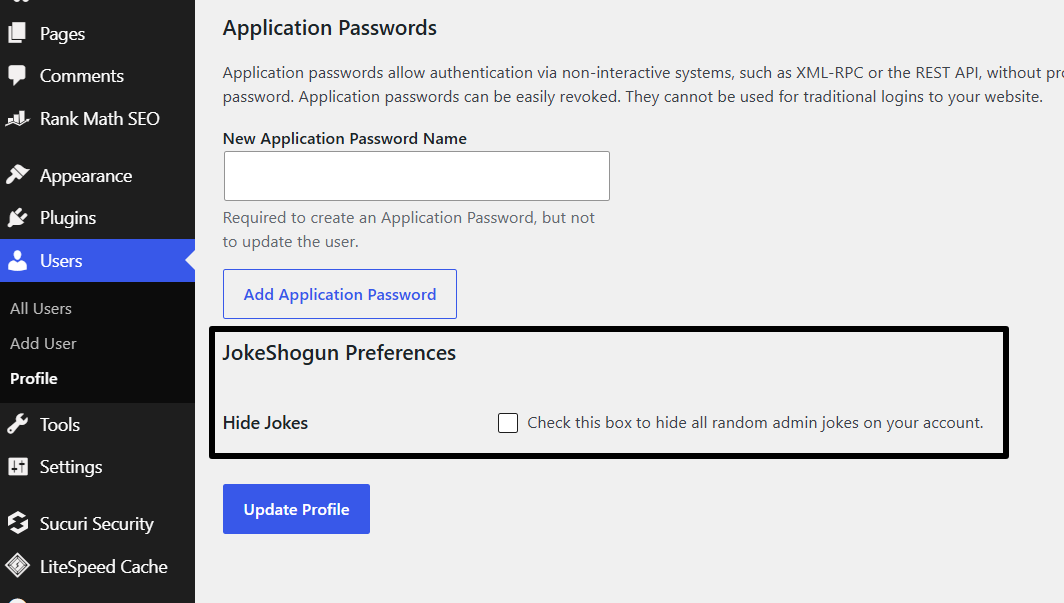
The per-user opt-out setting on the User Profile page.
Faq
Open the jokes.php file located in the plugin folder. You will see an array of strings. Simply add a new string wrapped in quotation marks and end the line with a comma. You can add as many jokes as you want!
Yes! If you want to hide the jokes just for yourself, go to Users > Profile and check the “Hide Jokes” box under the “JokeShogun Preferences” section.
Absolutely. Go to Settings > JokeShogun and select your preferred Notice Color Style (Blue, Green, Yellow, or Red).
Reviews
Changelog
1.0
- Initial release.