JumpsuitAI – llms.txt + Markdown Endpoints
JumpsuitAI – llms.txt + Markdown Endpoints
Description
JumpsuitAI – llms.txt + Markdown Endpoints automatically publishes:
Plugin website: https://jumpsuitai.com
- /llms.txt — a structured list of links to your public content, using the canonical filename URL without a trailing slash. On supported single-site installations, the completed file is also synchronized to the physical website root.
- /llms-full.txt — the entire documentation in a single file (enabled by default and configurable in Settings)
- .md endpoints — request a public URL with .md appended to get a lightweight Markdown representation
Optional agent discovery, disabled by default, can publish a virtual /agents.md mirror of the completed llms.txt index and a minimal /sitemap_agentic_discovery.xml file. The Markdown mirror reuses the existing private cache; the deterministic XML response is assembled on request from the site’s public URL without rendering or querying site content. A separate opt-in setting can register that child sitemap with a supported active sitemap provider without replacing or editing the provider’s sitemap files.
The plugin pre-generates llms.txt, llms-full.txt, and per-content Markdown from a private cache instead of rebuilding site content during each public request. Relevant content, visibility, grouping, and settings changes automatically queue regeneration. The physical root file uses the completed private artifact and the existing WordPress endpoint remains available as a fallback when root publishing is unavailable. A cache status and manual regeneration control are available on the Settings screen.
An optional setting, disabled by default, can add a clearly marked comment containing the public llms.txt URL to robots.txt. It preserves existing crawler rules and works with WordPress-generated robots output, including output assembled by common SEO plugins. When a physical robots.txt already exists, only the JumpsuitAI managed comment block is added or removed; the plugin never creates a physical robots.txt file.
Markdown output includes valid pipe-table formatting for standard WordPress tables. Complex tables that cannot be represented reliably in pipe-table syntax are retained as sanitized HTML.
It also includes a simple Groups & Content screen to keep your output organized with sensible defaults (Pages and Posts), plus per-item controls like Hide from LLMs.
Pro (separate plugin)
JumpsuitAI – llms.txt + Markdown Endpoints Pro adds:
- Custom groups and manual ordering
- Per-item short descriptions
- Optional section support
- Custom intro text and blockquote customization
External Services
This plugin uses Freemius for plugin updates and (optional) usage analytics. Any data collection is opt-in.
- Service: Freemius
- Terms: https://freemius.com/terms/
- Privacy: https://freemius.com/privacy/
Installation
- Upload the plugin folder to
/wp-content/plugins/jumpsuitai-llms-txt/, or install via the WordPress Plugins screen. - Activate the plugin through the Plugins screen in WordPress.
- Go to JumpsuitAI – llms.txt + Markdown Endpoints Settings.
Screenshots
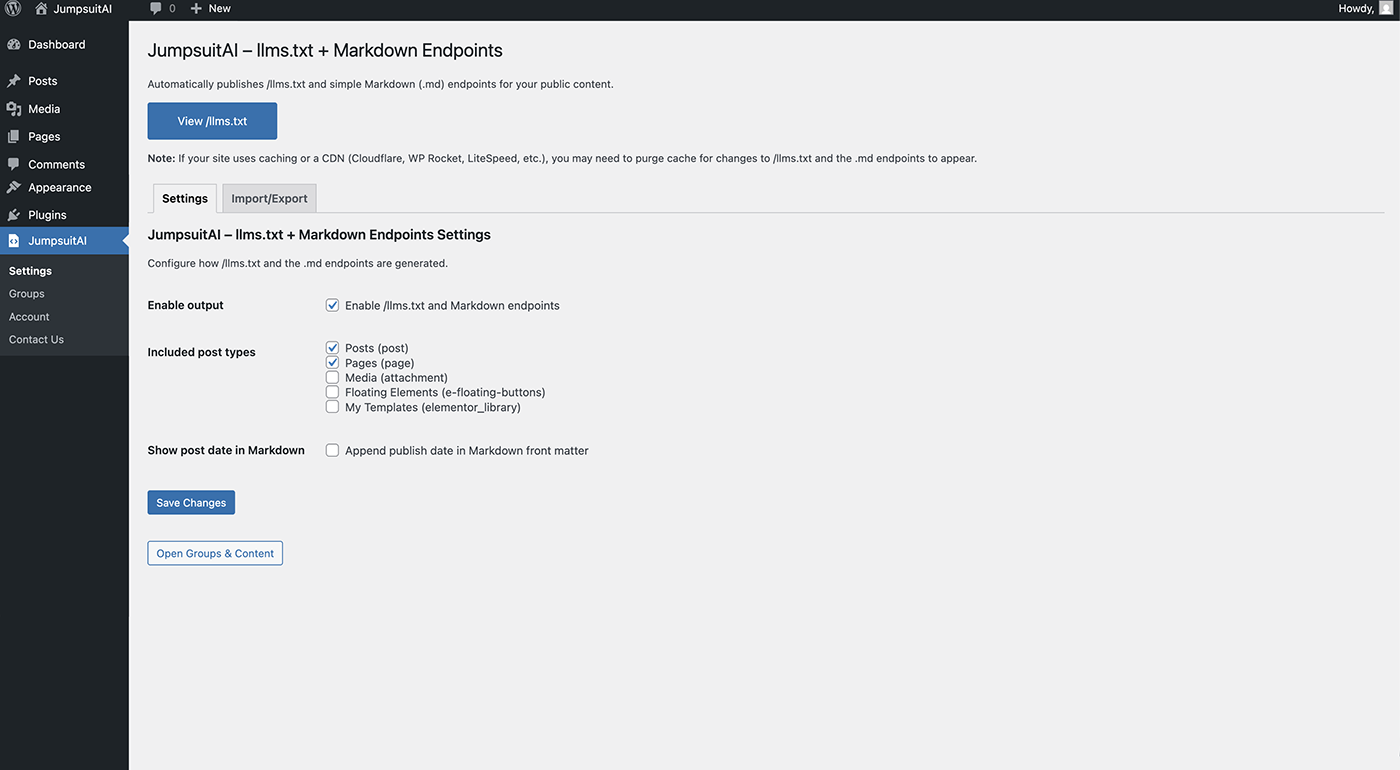
Main settings screen (free).
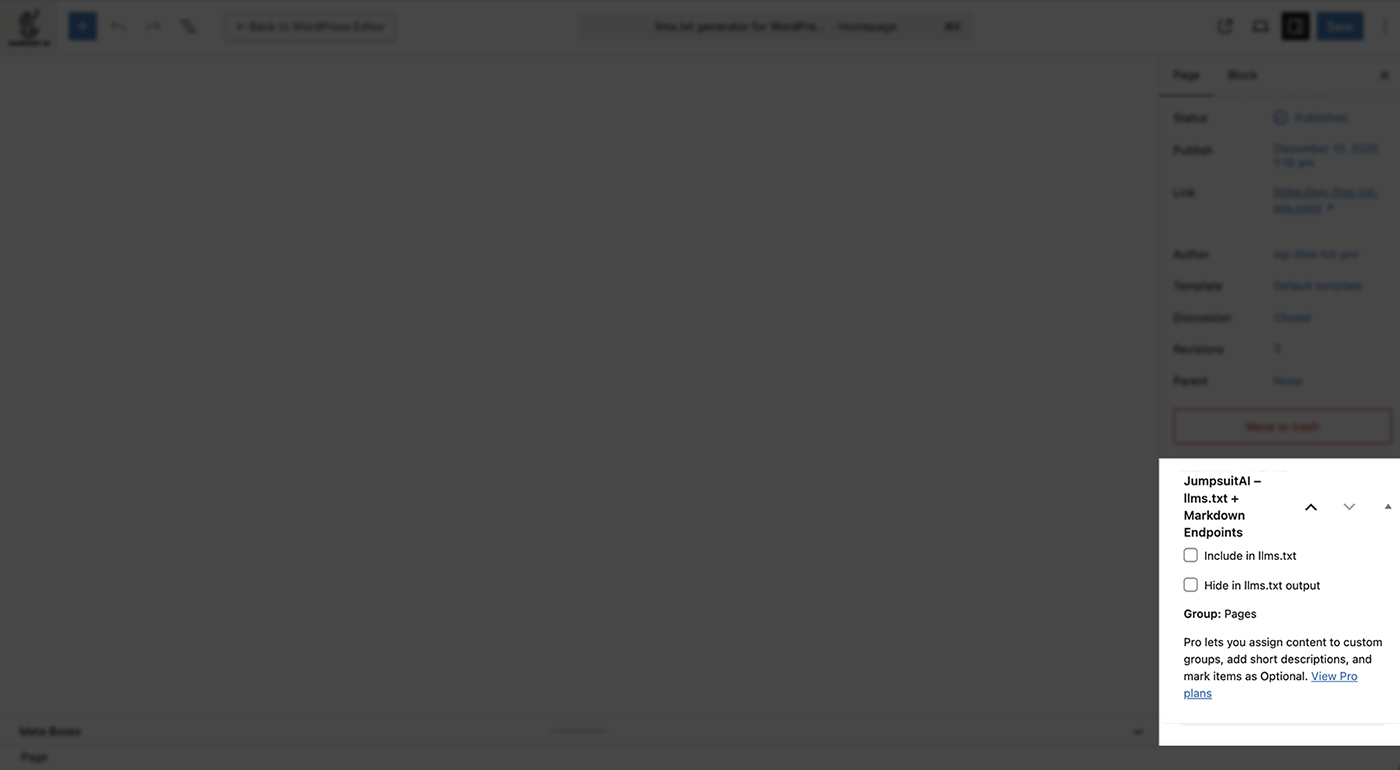
Post editor meta box with Hide control.
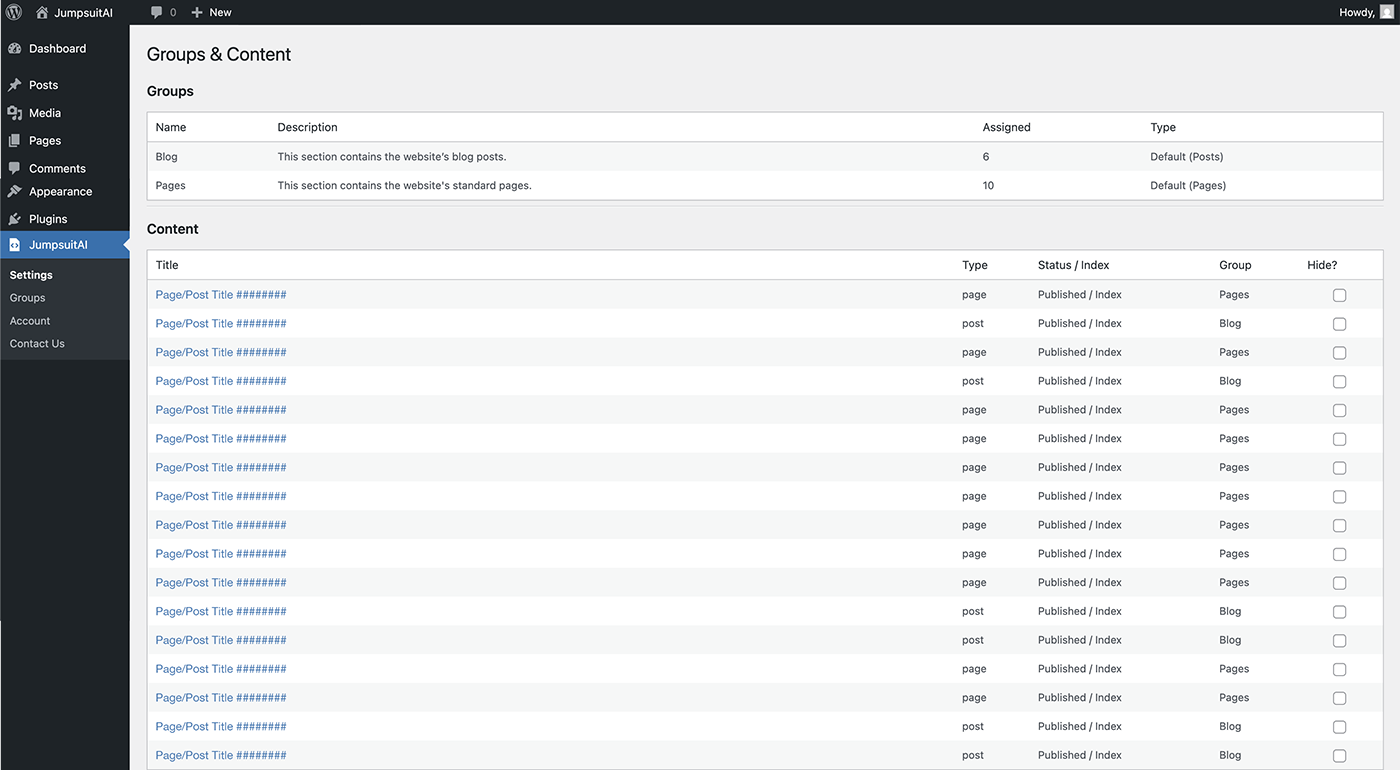
Groups & Content screen (free) showing default grouping and visibility controls.
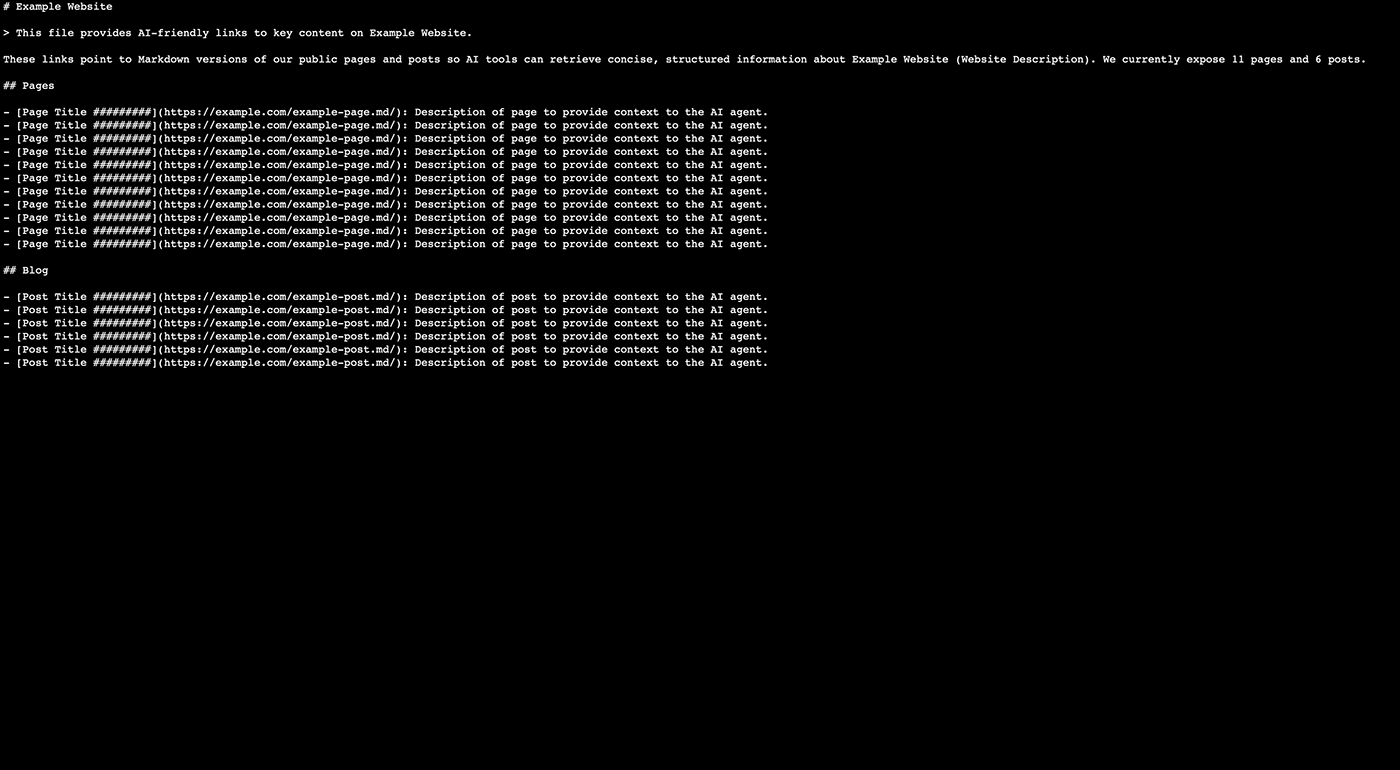
Example /llms.txt output.
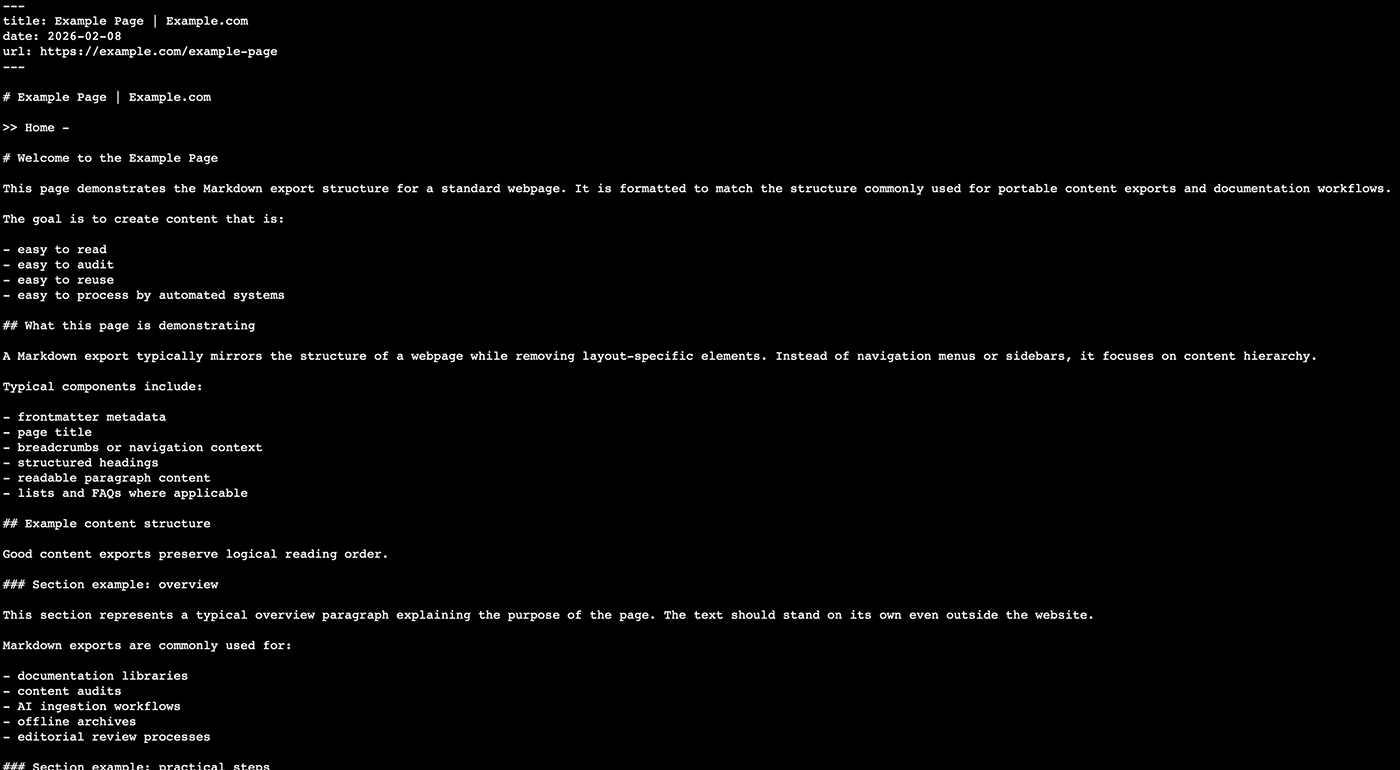
Example .md endpoint output.
Faq
After activation, visit /llms.txt on your site. The canonical URL does not use a trailing slash. On a supported single-site installation with direct filesystem access, JumpsuitAI synchronizes the completed artifact to llms.txt in the website home root. If that is not available, the existing WordPress endpoint continues to serve the private completed artifact.
JumpsuitAI does not overwrite or delete a file it cannot prove it created. The Settings screen reports the conflict. Remove or rename the other file, or disable the other llms.txt generator, and then use Retry public /llms.txt now to retry only the root publication.
The website root may not allow unattended direct writes, a conflicting file may already exist, the server may use an unusual filesystem layout, or the site may use WordPress multisite. The virtual endpoint remains available whenever WordPress handles the request. The Settings screen distinguishes root-detection, permissions, existing-file, symbolic-link, temporary-write, activation, and verification failures. Expand Technical details to see the selected path, how it was detected, the WordPress filesystem method, the server response, and every root candidate that was checked.
A previous background worker may have stored an error before a later attempt successfully activated the file. Version 1.1.7 associates status, errors, and ownership records with the exact publication attempt and runtime, so an obsolete result is shown only as previous history. Use Retry public /llms.txt now for an immediate current result.
Yes, when the last active JumpsuitAI Free or Pro build stops managing the shared artifacts. The plugin removes only an llms.txt file whose path and exact hash prove that JumpsuitAI created it, and removes only its marked robots.txt block. A byte-identical file left by an earlier 1.1.7 test build can be recovered once from the completed private artifact so it can be cleaned up safely. A file changed by another system is left untouched.
Version 1.1.7 resolves the logical directory represented by the site’s Home URL instead of treating the resolved WordPress-core path as the public root. It first maps WP_CONTENT_DIR and its public URL back to the Home URL, then considers the server document root and validated WordPress fallbacks. This supports layouts where WordPress core is symlinked but wp-content and public files live in the site’s own document root. A jsai_llmstxt_public_root_path filter is available for uncommon custom deployments; filtered paths still have to pass the plugin’s normal local-path and directory checks.
No. The opt-in setting adds only a comment containing the /llms.txt URL. It does not add or replace User-agent, Allow, Disallow, or sitemap directives. Existing robots.txt content is preserved.
No. If a physical robots.txt exists, JumpsuitAI can add or remove only its marked comment block. If no physical file exists, the plugin uses WordPress’s virtual robots.txt filter so SEO plugin output remains intact.
Not automatically. Multiple multisite sites can share one document root, so JumpsuitAI keeps the existing virtual endpoints rather than risk one site overwriting another site’s root file.
Relevant WordPress content and plugin-setting changes queue regeneration through WordPress cron. The previous complete artifacts remain available while normal updates are being built. Changes that make content nonpublic are withheld until safe replacement artifacts are ready.
When agent discovery is enabled in Settings, /agents.md serves the same completed, cache-backed index content as /llms.txt, and /sitemap_agentic_discovery.xml advertises that agent-facing URL. The XML is a small deterministic response generated from the site’s public URL; it does not render or query posts. Both virtual endpoints are disabled by default. A second setting can add the child sitemap to a supported active sitemap index through that provider’s integration API. JumpsuitAI does not replace or edit another plugin’s sitemap files.
Rank Math can retain its sitemap index in its own cache. After enabling or disabling sitemap-index inclusion in JumpsuitAI, clear Rank Math’s sitemap cache and any page/CDN cache before checking the index again. JumpsuitAI does not call undocumented Rank Math cache APIs or disable Rank Math caching globally.
Divi can initialize its shortcode renderer only during a normal frontend request, while JumpsuitAI safely builds artifacts in the background. Version 1.1.8 prepares Divi for background rendering and removes recognized residual Divi and Divi-extension module structures while preserving public visible content. The existing anonymous eligibility checks still apply, and the plugin does not fall back to unfiltered post content.
Check JumpsuitAI – llms.txt + Markdown Endpoints Settings for the static file status. Use Retry public /llms.txt now for an immediate root-publication result without rebuilding content, or Regenerate all static artifacts when the private Markdown artifacts also need to be rebuilt. WordPress cron must be able to run queued full rebuilds. An external page cache or CDN may also need to revalidate or purge its stored response.
The plugin supports requesting an eligible public URL with .md appended. Content must be published, password-free, selected by post type in Settings, and allowed for anonymous public output. Post types controlled by an active access-restriction system may be withheld from public exports.
Yes, it is enabled by default for new installations and installations that have never saved an explicit preference. An existing manual choice to disable it is preserved during the upgrade.
The plugin automatically tracks normal WordPress content, reusable blocks, plugin visibility/grouping data, and relevant settings. Custom integrations can request regeneration with do_action( 'jsai_llmstxt_request_regeneration', $post_id, false );, or pass 0, true to request a full rebuild.
Reviews
Finally passes Lighthouse's Agentic Browsing audit, no fuss
By 
We have a vacation rental website and were manually creating our llms.txt file. This was working perfectly until Google implemented Agentic Browsing in their default Lighthouse configuration. At that point, we needed the llms.txt file to be compliant with specifications (i.e., actually follow the rules), not simply exist.
I installed Jumpsuit AI, selected which pages and post types to include, and ran PageSpeed Insights immediately afterward. All three relevant tests passed: Accessibility Tree Well Formed, CLS = 0.001, and llms.txt received no flags other than “recommendations.”
The biggest advantage to me was that nothing else on the site was touched to achieve this. The .md endpoint works seamlessly as well. If you’re looking for a very lightweight version of your pages for any service that does support markdown but isn’t capable of rendering full HTML, it’s another great feature.
The settings page is simple; the per-page “Hide from LLMs” toggle provides the level of granularity I wanted, rather than a yes/no option.
If you’ve already taken care of keeping CLS low and your markup semantically correct, this plugin will complete the necessary requirements to pass Agentic Browsing.
Great Solution Better Than Rank Math
By 
This is lightweight and does a great job for our Agency to create all the files we need. Best solution we've found.
Changelog
1.1.9
- Updated the bundled Freemius SDK from version 2.13.4 to 2.13.5.
1.1.8
- Improved Divi background rendering so recognized Divi and Divi-extension module structures do not leak into per-page Markdown, llms-full.txt, or llms.txt fallback descriptions.
- Added guarded cleanup for recognized residual Divi module markup while preserving public visible content and retaining the existing fail-closed anonymous access policy.
- Added optional virtual
/agents.mdand/sitemap_agentic_discovery.xmlendpoints, disabled by default and available in both Free and Pro. - Added a separate opt-in setting to register the agent-discovery child sitemap through supported active sitemap-provider APIs without replacing or editing another sitemap.
- Added endpoint-conflict protection so existing pages, files, or routes are not silently overwritten or claimed.
- Invalidated earlier generated artifacts so upgraded sites rebuild page and aggregate output with the corrected Divi renderer.
- Updated compatibility metadata for WordPress 7.1.
1.1.7
- Security: Hardened anonymous public-content eligibility and invalidated pre-update Markdown and aggregate artifacts before rebuilding under the new access policy.
- Fixed stale background-publication errors being displayed as the result of a newer or still-queued attempt.
- Added an immediate Retry public /llms.txt now action that publishes from the completed private artifact without rebuilding page Markdown or waiting for WP-Cron.
- Added attempt and runtime fencing so an older worker cannot republish or retain a root file after deactivation, uninstall, or a newer synchronization request.
- Added exact-hash recovery for a physical file written by an earlier 1.1.7 test build when its ownership state was not finalized, allowing safe cleanup without taking ownership of a different file.
- Fixed deactivation and Freemius
after_uninstallcleanup so the last active Free or Pro build removes only its proven-owned root file and managed robots.txt block. - Switched temporary root publication to WordPress’s
wp_tempnam()helper and added separate diagnostics for reservation, writability, content write, byte verification, hash verification, activation, and final verification. - Replaced direct PHP
is_writable()fallbacks with WordPress Filesystem API checks for WordPress.org Plugin Check compatibility. - Corrected public-root detection for managed hosting and deployment layouts where WordPress core is symlinked outside the site’s actual document root.
- Added candidate-based root resolution using the relationship between
WP_CONTENT_DIR, the content URL, the Home URL, the server document root, and validated WordPress fallbacks. - Added administrator-only diagnostics showing the exact selected root, attempted target, resolution source, filesystem method, failure stage, server response, and rejected root candidates.
- Added an internal resolver revision so an existing 1.1.7 installation retries root and robots.txt synchronization without rebuilding the private content artifacts.
- Added guarded synchronization of the completed llms.txt artifact to the physical website home root on supported single-site installations.
- Retained the existing private cache and WordPress /llms.txt endpoint as a fallback when physical root publishing is unavailable.
- Added ownership and hash checks so pre-existing or externally modified root files are never overwritten or deleted automatically.
- Added immediate withdrawal of the plugin-owned physical root file during privacy-sensitive visibility changes, followed by safe republication after regeneration.
- Added an opt-in robots.txt discovery comment, disabled by default, without replacing existing crawler directives or SEO plugin output.
- Added safe support for existing physical robots.txt files while never creating a new physical robots.txt file.
- Added root-file and robots.txt synchronization details to the existing Settings status area.
- Preserved the existing generated content format while requiring one privacy-safe artifact rebuild during upgrade.
1.1.6
- Fixed canonical handling so /llms.txt and /llms-full.txt use filename URLs without trailing slashes.
- Added pre-generated, atomically replaced static artifacts so public endpoint requests no longer rebuild site content on demand.
- Added automatic, debounced regeneration for relevant content, visibility, grouping, and settings changes.
- Added ETag, Last-Modified, HEAD, and conditional-request support for generated resources.
- Added valid Markdown table conversion, with sanitized HTML fallback for complex table structures.
- Enabled /llms-full.txt by default without overriding an existing saved preference to disable it.
- Added static file status, error reporting, and a manual regeneration control to the existing Settings screen.
- Fixed unresolved Rank Math description variables such as %excerpt% by using the existing excerpt/content fallback.
- Added automatic llms.txt regeneration when Rank Math Titles & Meta description templates change.
- Replaced direct cache writability checks with the WordPress compatibility wrapper.
1.1.5
- Updated stable WordPress tags.
1.1.4
- Fixed an issue where Markdown (.md) endpoints could render the wrong page content on some sites.
- Removed the redundant editor Include toggle. Content is included by default; use Hide in llms.txt output to exclude items.
1.1.3
- Added optional /llms-full.txt single-file export (toggle in Settings).
- Changed default section title from Blog to Posts.
- Fixed HTML entity escaping in Markdown output.
- Updated website references to jumpsuitai.com.
1.1.2
- Initial public release on WordPress.org.