KN Booking – Appointment Booking Calendar

KN Booking – Appointment Booking Calendar
Description
KN Booking is a lightweight appointment booking plugin built for salons, barbershops and other small appointment-based businesses. Clients pick a date and time on a calendar, you approve or decline the request, and everyone gets an automatic email. No account with an external service, no bloat.
A built-in setup wizard (Settings > Setup) gets you running in about two minutes: enter your business details, choose your open days and hours, and set your booking rules. Then add the [kn_booking] shortcode to any page.
Free Features:
- Interactive calendar with availability management
- Booking request management (approve, cancel, delete)
- Automated email notifications (new request, approval, cancellation)
- Customizable booking form with dynamic fields
- Customer profile page for users to view and manage their bookings
- Booking Calendar and Booking Profile blocks for the block editor
- Configurable availability hours and blocked dates
- Color presets and calendar theming options
- CSV export of booking data
- Guest and logged-in user booking support
Pro Add-on Features (sold separately):
- WooCommerce payment integration
- AI-powered booking analysis (OpenAI)
- Add to Google Calendar button
- Additional premium features
Blocks and Shortcodes
Both are also available as blocks in the block editor: search for “Booking Calendar” and “Booking Profile”.
[kn_booking]
Place this shortcode on any page to display the booking calendar.
[kn_profile]
Place this shortcode on a page to allow logged-in users to view and manage their own bookings.
External Services
This plugin connects to external services only when the optional Pro add-on is installed and the user explicitly triggers the corresponding feature:
OpenAI API
The KN Booking Suite Pro add-on optionally connects to the OpenAI API to power the AI-assisted booking analysis feature. This feature is only triggered when an admin explicitly clicks “Analyze” on a booking in the dashboard.
- What data is sent: A summary of the booking (date, time, and description/notes) is sent to the OpenAI API.
- When: Only when an admin manually triggers the AI analysis action.
- Why: To generate a contextual response or summary about the booking.
This service is provided by OpenAI, L.L.C.:
* OpenAI Terms of Use
* OpenAI Privacy Policy
Installation
From your WordPress dashboard:
- Visit Plugins > Add New
- Search for “KN Booking”
- Install and activate the plugin
- Open KN Booking > Settings > Setup and follow the three-step wizard (business info, availability, booking rules)
- Add the
[kn_booking]shortcode to any page to display the booking calendar
Screenshots
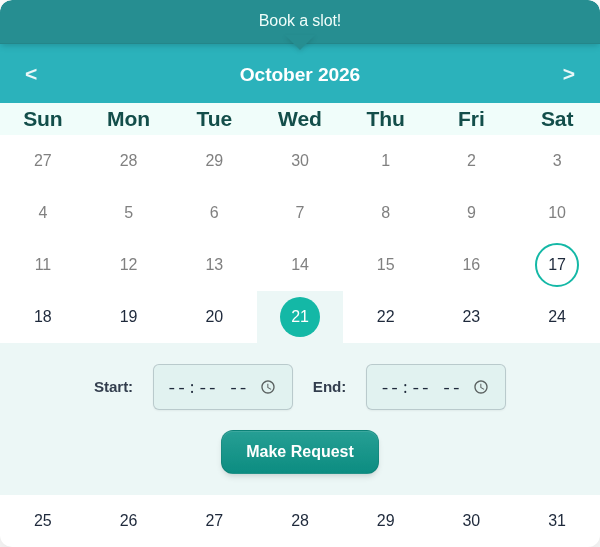
Booking calendar on the front end: clients pick a date and a time, then send a request.
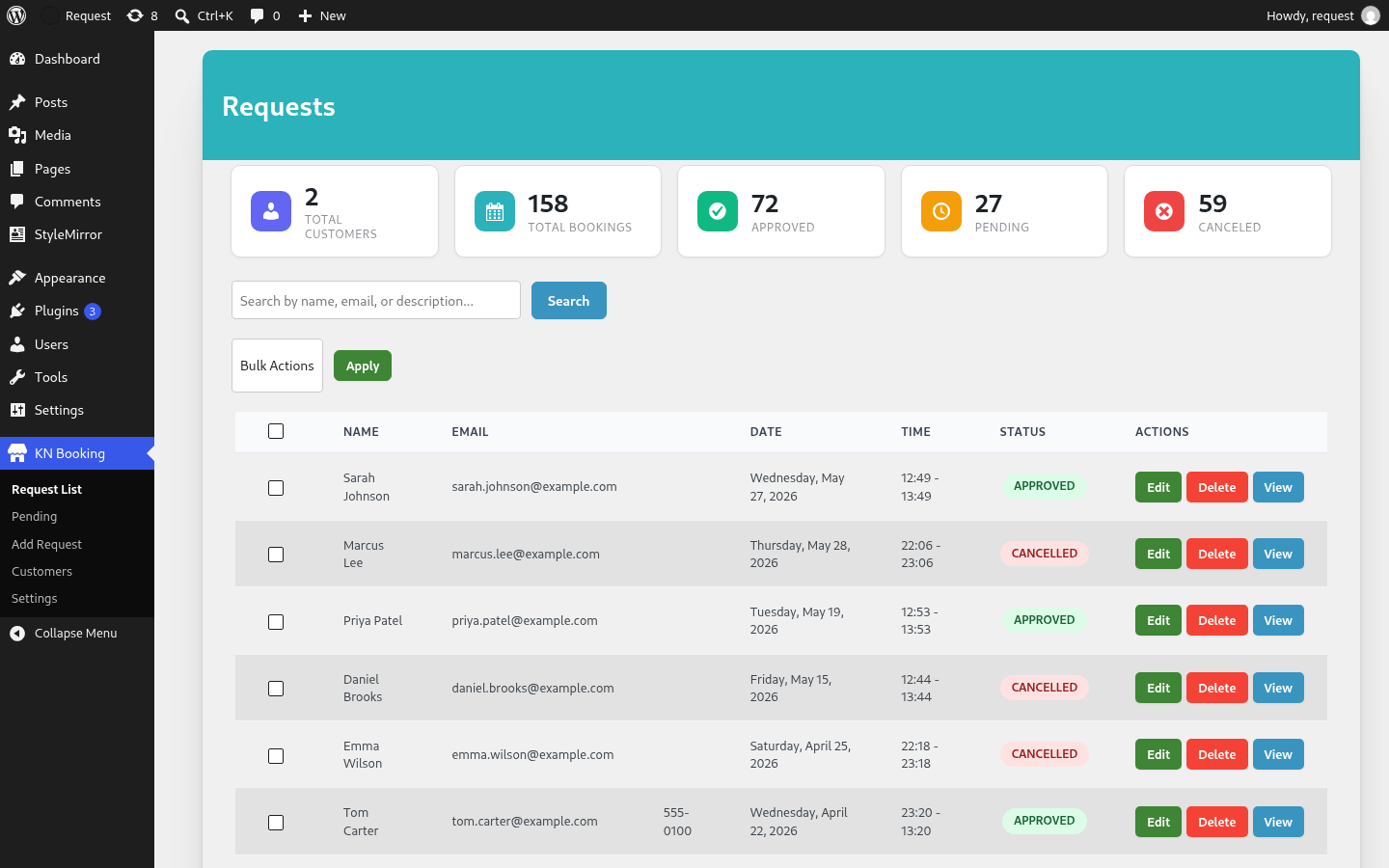
Requests list: search, bulk actions, and approve, edit or cancel each booking.
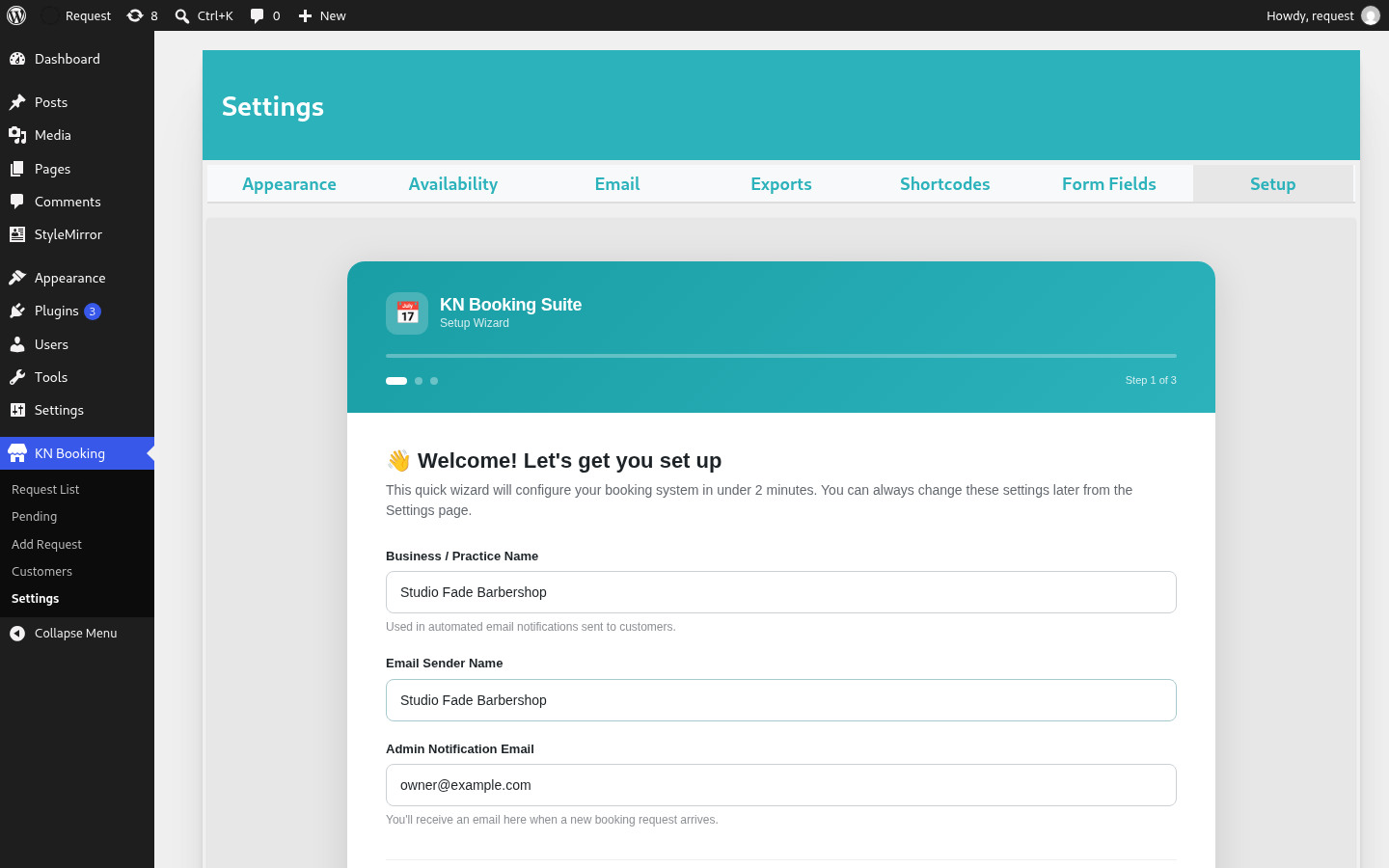
Setup wizard, step 1: business name and notification email.
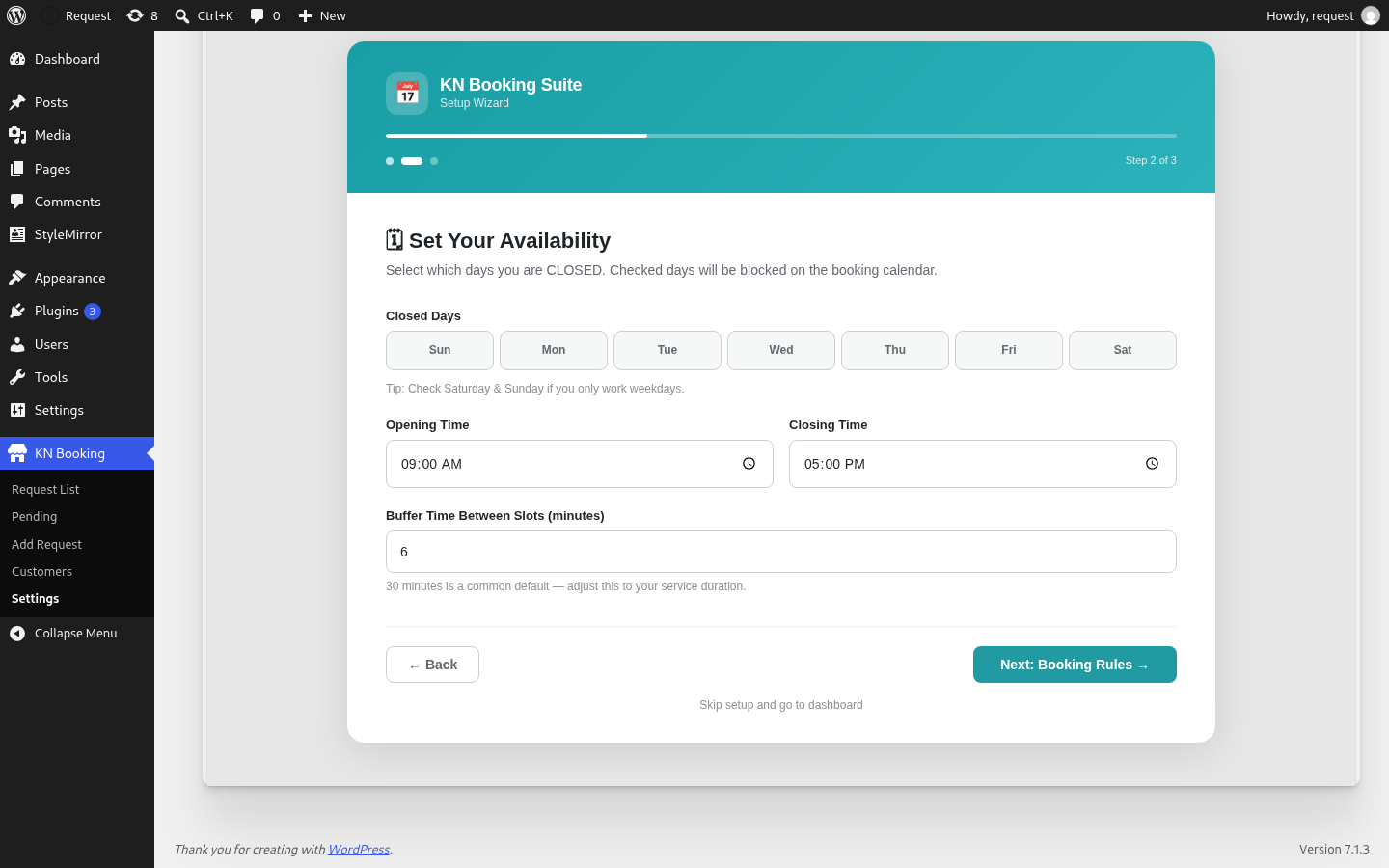
Setup wizard, step 2: closed days, opening hours and buffer time.
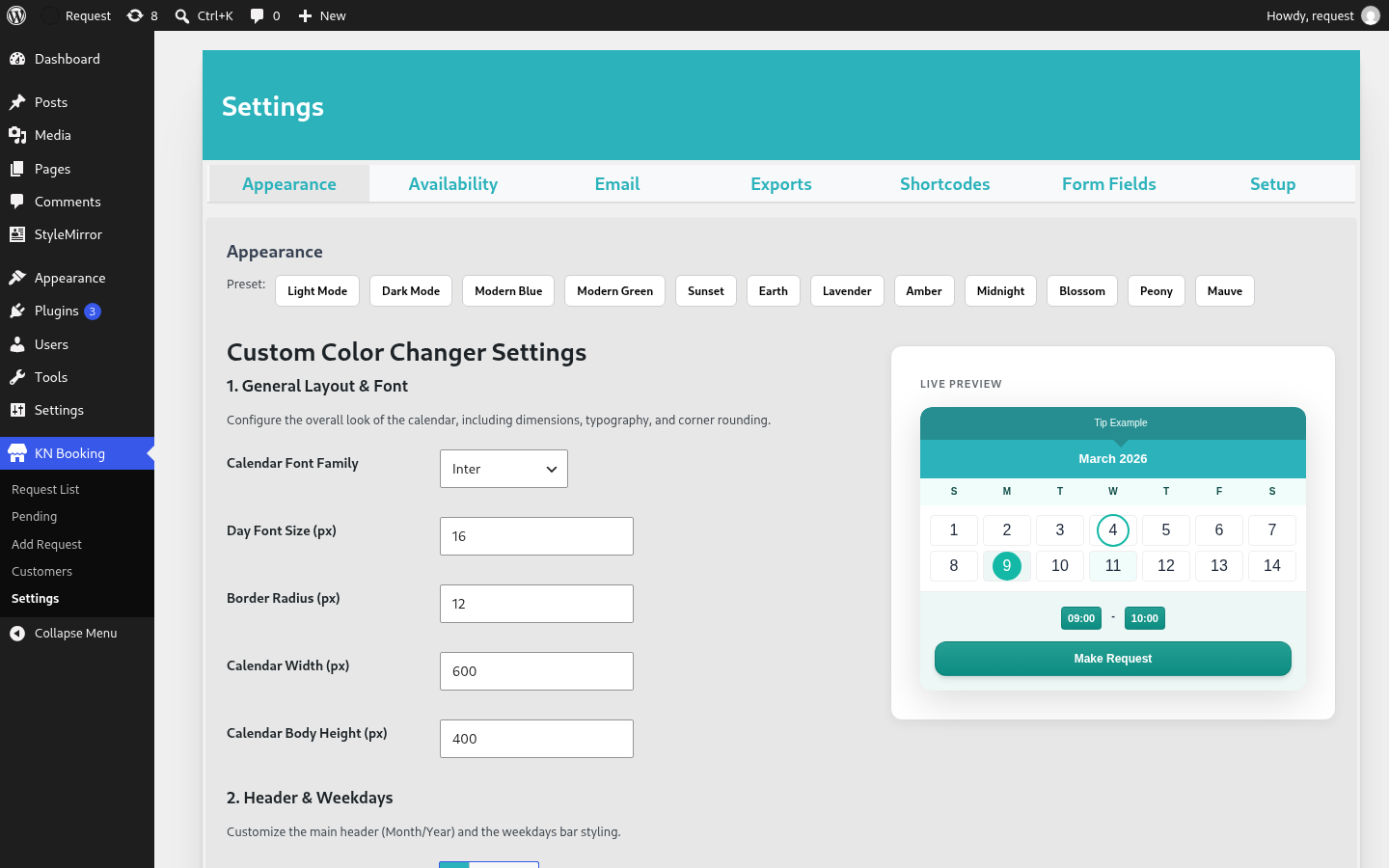
Appearance settings: colour presets and a live preview of the calendar.
Faq
No. KN Booking Suite works as a completely standalone booking system. WooCommerce is only required if you use the KN Booking Suite Pro add-on to collect payments via checkout.
Yes. Use the [kn_profile] shortcode on any page to let logged-in users view upcoming and past bookings, and optionally edit or cancel them based on your settings.
Yes. Set your open days and hours, a buffer time between appointments and a daily booking limit, and choose whether requests are approved automatically or manually. Clients can book as guests or logged-in users.
Go to KN Booking > Settings > Setup. You can run it as often as you like; it pre-fills your saved values.
Yes. KN Booking Suite is fully internationalized and ready for translation using the knvinny-booking-suite text domain.
Reviews
Changelog
1.1.5
- New: Booking Calendar and Booking Profile blocks for the block editor.
- Fixed: CSS and JS now use the plugin version for cache busting, so updates load immediately.
1.1.4
- New: Setup wizard under Settings > Setup, shown automatically after activation.
- New: “Get started” card on the Requests page until setup is finished.
- Fixed: Admin footer appearing beside the Requests list instead of below it.
- Updated listing name and description.
1.1.3
- Resolved PHP 8.1+ deprecation warnings in
wp_kses_post()by ensuring inputs are cast to strings. - Improved null-safety for admin pagination and user profile status rendering.
1.1.2
- Shortened the plugin description.
1.1.1
- Resolved issue where Phone Number and Additional Notes fields were displayed by default on new installs.
- Ensured custom field labels have default text values to prevent empty labels.
- Updated settings UI to use [kn_booking] and [kn_profile] shortcodes.
1.1.0
- Branding: Published as KN Booking Suite on WordPress.org.
- Prefixing: Standardized all internal options, AJAX actions, and hooks with
swiftbook_prefix. - CSS: Refactored all UI components to use the
swiftbook-class naming convention. - Refactor: Standardized backend controllers and menu callbacks.
- Pro features decoupled: Google Calendar, WooCommerce payments, and AI analysis moved to the Pro add-on.
1.0.1
- Security: Added capability checks to all admin AJAX handlers.
- Code quality: Proper output escaping throughout admin templates.
- Updated: Tested up to WordPress 6.7.
1.0.0
- Initial release.